Customer Ratings & Reviews
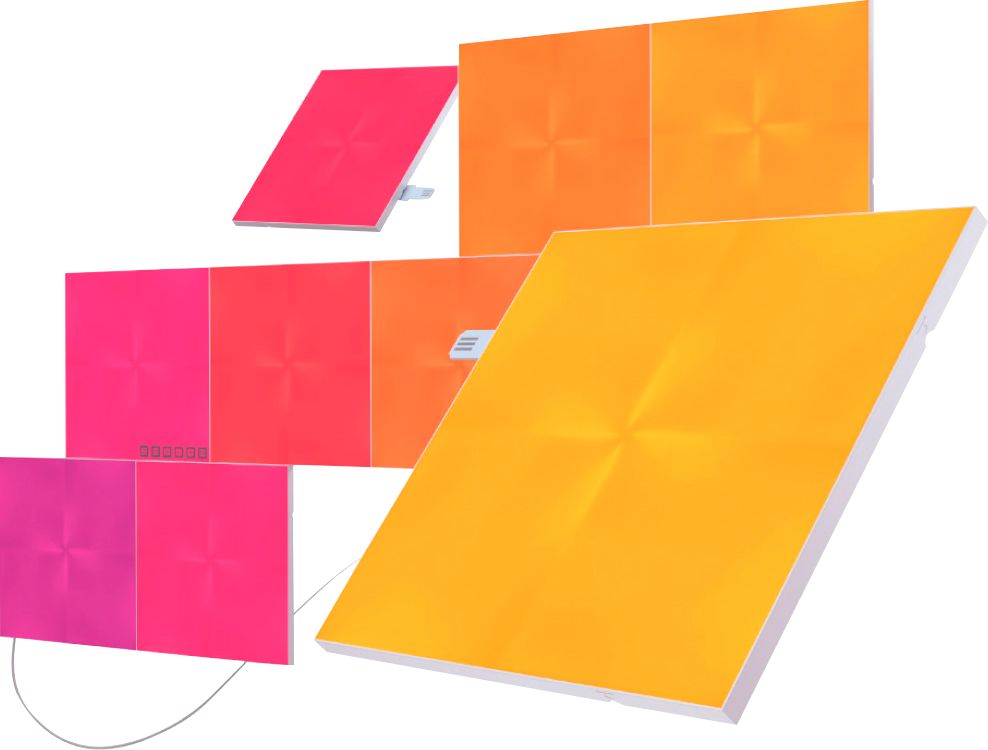
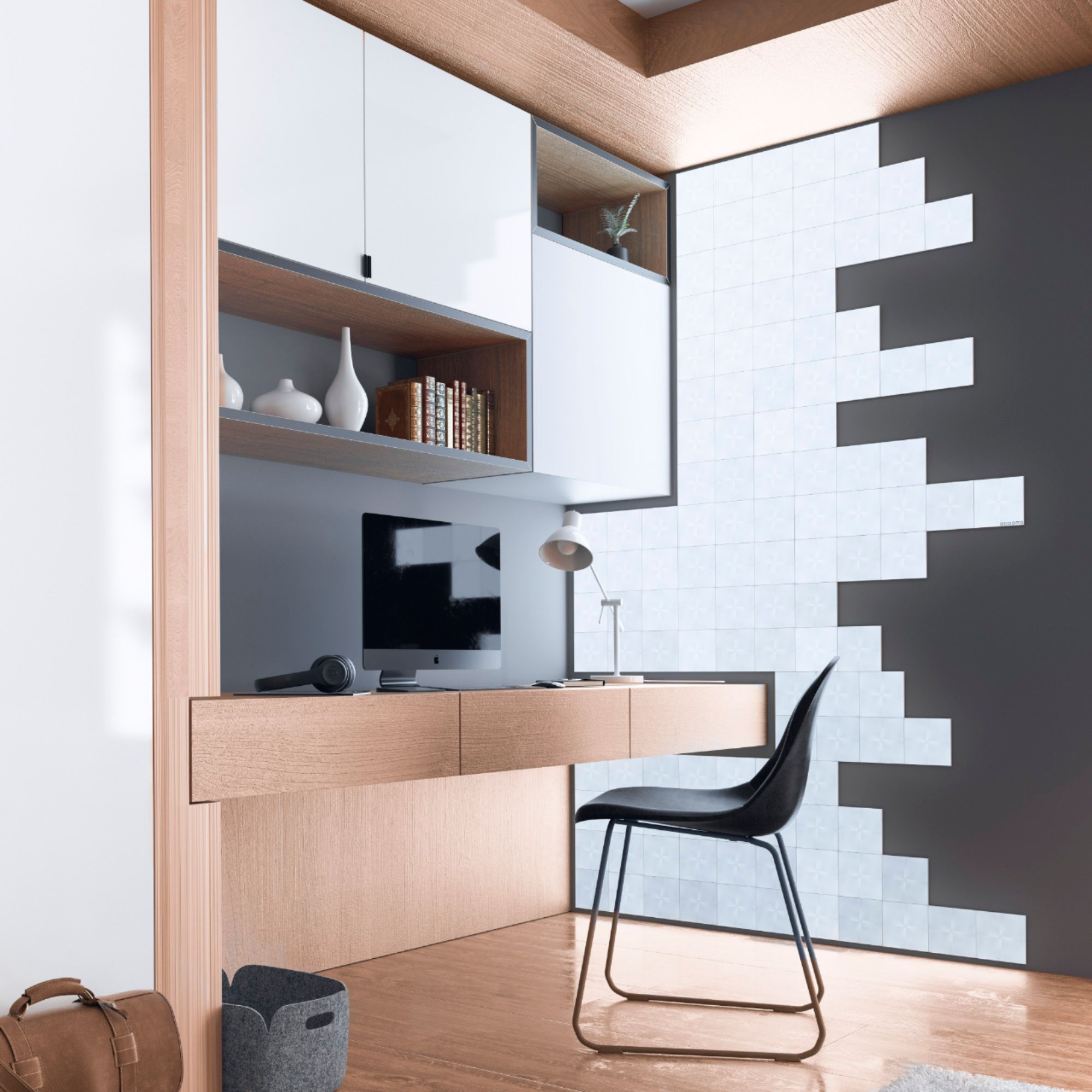
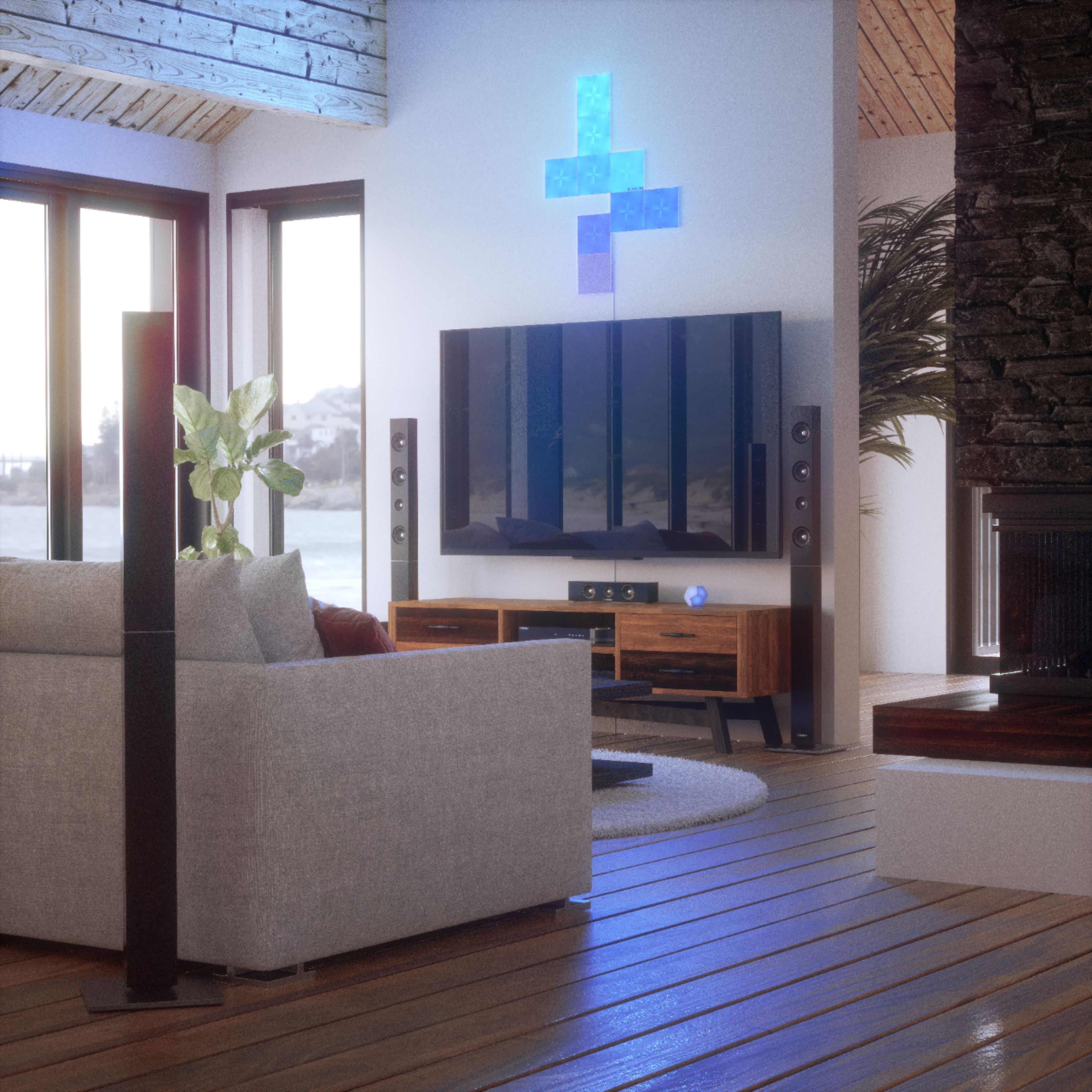
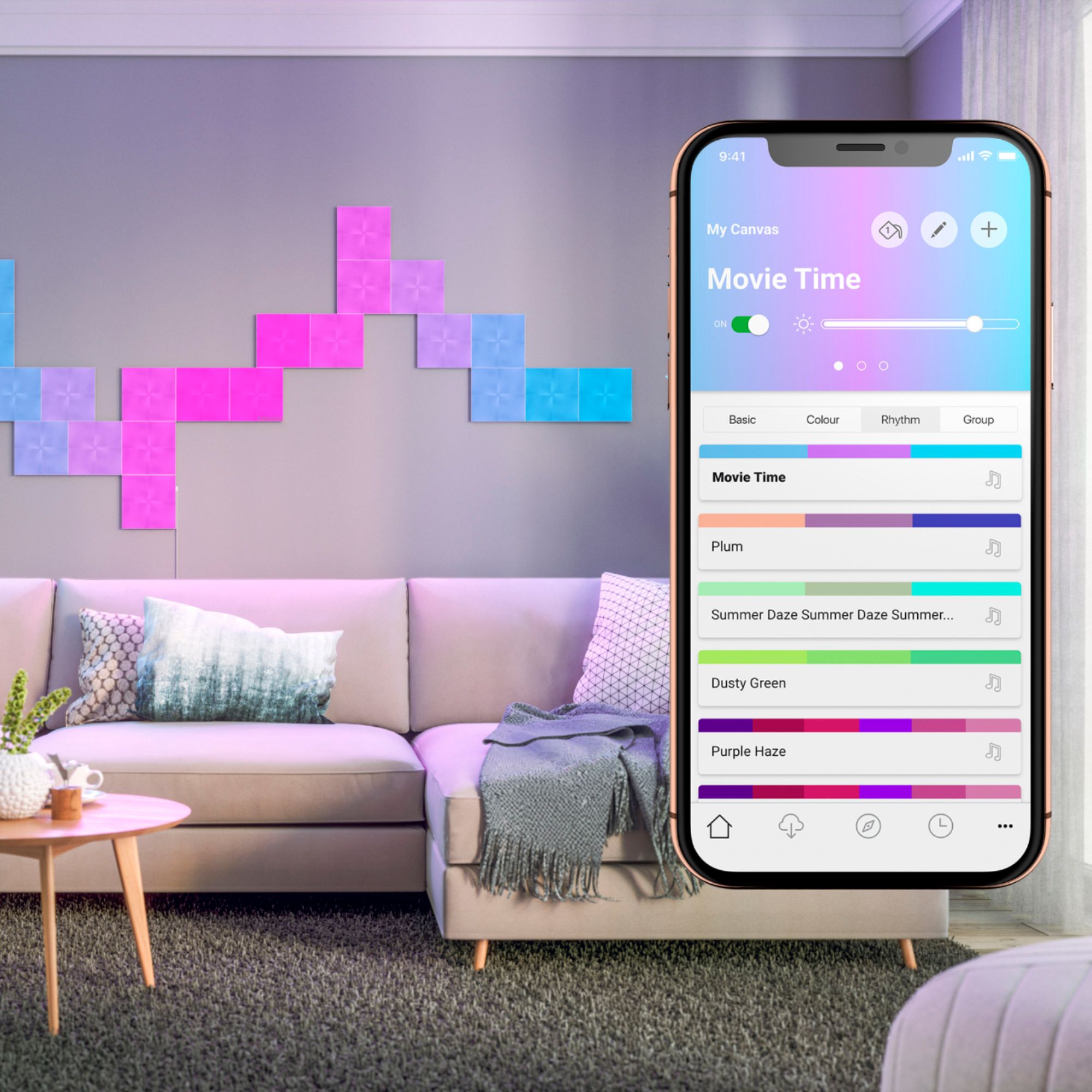





- Model:
- NL29-0003SW-9PK
- SKU:
- 6340407
Rating by feature
- Value
Rating 4.2 out of 5 stars
- Quality
Rating 4.7 out of 5 stars
- Ease of Use
Rating 4.4 out of 5 stars
Customers are saying
Customers appreciate the brightness and ease of use of the Canvas Smarter Kit - 9 Light Squares, frequently praising its simple setup and vibrant colors. However, some customers find the price to be high and have reported occasional connectivity issues with the app and the panels themselves. The limited number of connection ports and the small size of the starter kit were also mentioned as drawbacks.
This summary was generated by AI based on customer reviews.
Pretty cool until you have to take it off the wall
||Posted . Owned for less than 1 week when reviewed.This reviewer received promo considerations or sweepstakes entry for writing a review.Once I put this canvas on my wall, I immediately noticed one tile was broken inside (via shipping as the box had a bit of damage as well). I have called BestBuys and they said to return it and they will give me a new one. I though as was well, all I needed to do take the broken one off my wall and put the new one back on. Until I took off the first of 9 tiles ... the DRYWALL came with the 3M sticker! I tried using dental floss and wall/pain scraper and still, I now have 3 wholes where the paint came off and 4 where you can see the drywall! Every single of these tiles have three 3M stickers that are so strong you cannot remove it without damaging your wall. So this canvas is pretty cool but keep in mind, you cannot move it later on, it says in place or you will have to redo your wall.
No, I would not recommend this to a friend- Cons mentioned:Design, Price

Feels unfinished
|Posted .This reviewer received promo considerations or sweepstakes entry for writing a review.Novel idea. Novelty item. It feels like a kickstarter project that still isn’t quite ready for prime time. Tiles are sturdy and well made. But the little flimsy linkers that connect them are afterthoughts. Easily bendable (a bad thing) and will snap right in two if you mistakenly put pressure on one. My biggest complaint is the “mounting”. Basically using this product on the wall means putting 27 pieces of tape on your wall. 27! And lining the squares up just right and knowing where they hook together with the flimsy linkers. Not a friendly design. The lights are neat. Not rock your world amazing, but neat. You can roll through scenes and touch a tile to change its color. Set schedules for sunset and sunrise scenes, use as reading lights, create ambience, etc. But the construction is disappointing at best. I was thinking these would be fun for a kid’s room, after playing with them, I think maybe for an older kid, definitely not a little one. Those tiles would be ripped right down, linkers snapped. I’m taking my set to the office as a novelty item. My geeky coworkers will appreciate it, but I cannot recommend. Especially for the money, I’d wait until they bake this a little longer.
No, I would not recommend this to a friend Love the concept – these are not toys!
|Posted .This reviewer received promo considerations or sweepstakes entry for writing a review.I have been playing with the Nanoleaf Kit for a few days and still learning all the things that these are capable of. At first I thought “nice new technology toy” but as I spend time with them I am learning that these are actually very hi-tech and definitely not a “toy” item that will do a few cool things for the first few days and then gets old. Actually, this puts me in a conundrum, as I’m not sure how I want to use these and where I want to put them. Several reviewers have commented that having 9 squares in the starter kit seems like a limiting factor, and I have to agree that several more squares would provide a better experience with the starter kit. Check the cost of additional panels and it’s one of those “I wish I knew that before I got them” feelings. How I would LOVE to have another pack of panels but just not something i am comfortable with at the moment. As much as I am fascinated by these panels, I have to put the “4 Star” up instead of 5 due to the limited number of panels on the started kit and the high cost of additional panels. How can you set these panels up? Pairing with android phone app = YEP Pairing with Alexa = YEP Pairing with Google Home Hub = YEP Many different patterns and color schemes for music response = YEP Touch-sensitive games and interactions = YEP Every color on the color wheel = YEP “Bright” colors are actually BRIGHT = YEP Customize the colors and patterns to your heart’s content = YEP I mean by gosh you can set these up and walk into the room and tell Alexa (or Google) to “turn the panels to ‘Pulse Pop Beats’ and play some 80’s Rock ‘n Roll” for an immediate light show – then tell Alexa “turn the panels to ‘Beach Waves’ and play some ocean sounds” to change the mood for a romantic interlude. If you have a dedicated man cave, she shed, or game room these can add a lot of style and ambience. There is so much room for creativity and flexibility on these panels that it gets back to the problem with not having enough panels. I want to do a LOT of things with these, and CAN do a lot of things, but without more panels you pretty much have to limit yourself to make a choice for pattern and be satisfied with the displays that you can do with the pattern you have chosen. This leads to the mounting issue – if you want to mount the panels in a pattern on a wall – think it through and try out the “sticky strips” to see if they will work and hold the panels SECURELY on the wall. Plus you want to plan ahead and be sure you can fit the panels together with the connectors as you stick them to the wall. If you don’t plan it out, you will be pulling panels back off to get the connectors lined up properly and end up with the job half way done and a pile of used sticky tape that you had to take down to “do over” when mounting the panels. My solution to let things settle down before making a permanent mounting/pattern on the wall is to have a big piece of foam board and use Velcro stickies on the foam board and on the back of the panels to be able to pull the panels off and move them around easily. The foam board can be mounted on the wall when I think I am satisfied with the pattern, and then taken back down to change the pattern when needed. Honestly as soon as I think I have settled on a design and get it set up, I have an idea to move the panels around and try out a different pattern. Please don’t take this as a negative review, as these panels are fascinating and can do so many things! That’s part of the difficulty in having them as it makes deciding how to set them up so creatively challenging. Just to mention, I see a lot of reviews from folks using them to decorate the kid’s room – and wow that sounds really cool for the kids. Be sure your kids aren’t going to be whacking on these panels with a baseball bat or playing “punch the panel” with their little fistcuffs – or you are going to be replacing some pretty expensive decorations on a regular basis. (I love kids, but they sure can figure out how to break expensive technology in a hurry).
I would recommend this to a friend- Pros mentioned:Ease of useCons mentioned:Design
Best Wall Art Ever!!
|Posted .This reviewer received promo considerations or sweepstakes entry for writing a review.This is such an amazing product. No one has anything like this in their homes, it is amazingly easy to install, and makes for a great visual attraction and conversation piece. The only downside is I want more tiles to make a larger design. Take note: the tiles have only one link area per side, so when you lay out your design and transfer to the wall, you have to make sure you don't rotate the tile in a way they prohibits your pre laid out design. I did this once, had to pull it off the wall and some paint came off with the tape. Only one extra piece tape was provided. Other than that, no downside, just install and enjoy customizing the patterns!!
I would recommend this to a friend Started out great and then stopped working
||Posted . Owned for 1.5 years when reviewed.This reviewer received promo considerations or sweepstakes entry for writing a review.These worked great for almost a year and then stopped working with no known explanation.
No, I would not recommend this to a friend- Pros mentioned:BrightnessCons mentioned:Price
Making Art with Light and Sound
|Posted .This reviewer received promo considerations or sweepstakes entry for writing a review.Design your own interactive rhythm and light art canvas to create a functional, and unique, conversation piece. I really, really wanted to absolutely love the Nanoleaf Canvas - ‘Smarter by Design.’ And for the most part, I do. It is one of the most unusual, fun, and novel products I’ve ever owned. Please read on. The actual instruction booklet which came with the Smarter Kit, was lacking in any useful information. You have to rely on the ‘Nanoleaf Smarter Series’ app for pretty much everything. And this proved problematic, as some of the app’s reviewers have stated. I, too, experienced some of those same issues. Specifically with getting logged out while in the middle of the app’s firmware update, and then the ensuing frustrations trying to get logged back in. I would say, the app needs improvement. Still, the Nanoleaf is so much coolness! Really serious fun. Customizable Rhythm Mode turns your Nanoleaf Canvas into a ‘Music Visualizer’ as the light shapes react to touch, music, and a variety of sounds - including ambient room noises or your own voice. Mine even reacted to my dog barking! There’s literally ... well, I don’t know how many, but a whole heck of a lot ... of possible color palette and rhythm scene combinations you can create; along with a variety of pre-made ones to choose from. You can also customize the Nanoleaf Canvas squares by assigning ‘touch gestures’ to control power on/off, brightness, color and rhythm schemes. The Interactive ‘games’ available to play on the Nanoleaf was, far and away, to me, the most entertaining aspect of this quirky product. You can play ‘Whack a Mole’, ‘Simon’, ‘PacMan’, the ‘Game of Life’, and a ‘Memory Match’ game. So, it’s not just a pretty light decoration, but something kids (and young-at-heart adults) can enjoy, too. I found the brightness given off by the Nanoleaf light squares, to be more than adequate for a party atmosphere, setting a relaxing romantic mood, or to provide enough light in the room for TV viewing. Just be careful with the linkers, try not to snap or bend or shove them into the prescribed slots too roughly, as there are electronic sensors on them. You can buy flex linkers in order to further customize your Nanoleaf setup, but the Smarter Kit only comes with the straight ones. There are also mounting brackets you can buy to attach the light panels to the ceiling, if you really wanna get creative. I could definitely see myself recommending this fun and really cool interactive visual art accessory, if for no other reason than the unusual nature of what it is, but I do think for what you get in the ‘starter kit’ this Nanoleaf Canvas is slightly overpriced, especially if you are wanting to buy additional panels to supplement the base set.
I would recommend this to a friend - Pros mentioned:Installation
Fun product with small tweaks needed
|Posted .This reviewer received promo considerations or sweepstakes entry for writing a review.I installed these in my daughters room and she absolutely loves it!! That being said, there are a few tweaks I would make to improve the installation experience. First, they go together very easy and have some strong sticky tape to hold them to the wall. They go up and stay quite easily. But it's when you get into the tech part of the install that things tend to go a bit sideways. I run a WiFi network with 5ghz band steering turned on. I was unable to pair the device with my WiFi until I turned off the band steering. Once I got it paired I was able to enable the band steering again. For whatever reason it simply wouldn't connect at all to the SSID until I did so. It's a minor annoyance that you have to create a special account for the Nanoleaf app. Another account to manage, but at the end of the day they want to be able to sell you more stuff so they need your email apparently. The device integrated quite easily with my Google Home setup and I was quickly able to call up verbal commands to turn it on/off, and change the patterns, etc. One small change I would make to the app would be to offer the verbal cues onscreen so you know what you can say to control it. This wasn't offered upon connection to Google Assistant and it left me having to Google what commands to use. The Nanoleaf ecosystem itself has additional patterns, rhythms, and some games you can download to the device to run. All of which can be activated using the verbal commands of Google Home. My biggest gripe is around the pricing. You quickly learn that 9 panels isn't enough to really build anything super cool. So then you begin looking at adding on. You can buy add-on packs of 4 panels for 80 bucks on avg. This is really costly imo...$20 a panel just seems a bit much. I've seen the starter pack priced variably to as much as half off the msrp. So you can get in the door cheaper, but adding on is where they stick you. My next biggest gripe is related to the power adapter. It's huge!! It makes life a little difficult in cramped situations and hiding it becomes an issue. It's not real aesthetically pleasing to have a cord dangling down your wall either, so it's really not all that spectacular unless you can find a way to run it through the wall or have enough panels that you can design something cool and still manage to hide the cord behind a piece of furniture. Overall it's a fun device and offers some pretty cool functionality. I do recommend the tech, but I'd almost hold out for a big sale or wait for the prices to drop, which they will eventually.
I would recommend this to a friend - Pros mentioned:BrightnessCons mentioned:App
Once painfully connected, work great
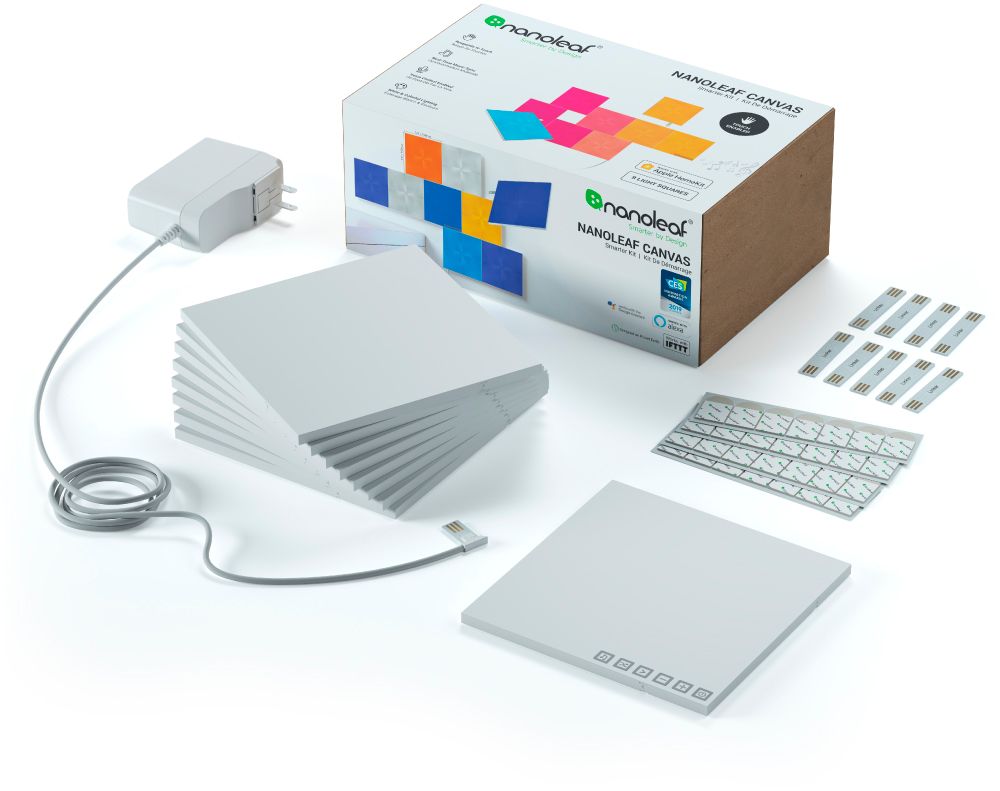
|Posted .This reviewer received promo considerations or sweepstakes entry for writing a review.My first impressions of these lights is that they are kind of heavy and have a high quality feel to them. They are packed in a nice neat package and don't have a lot of parts and wasteful packaging. It only has the 9 tiles stacked, the power cable, double sided tape, the connecting tabs, and a simple guidebook. I wanted to just try it out of the box so i grabbed the first 4 tiles and connected them together and plugged them in. They all lit up white and I got to work trying to connect. The instructions don't have anything other than how to mount on the wall and to download the app. The app was pretty straight forward but did not offer any specific details. It needs more polish as it is not very helpful. I had many error messages when trying to simply create an account. Then I tried to pair and it never found the device. It searched for several minutes without ever finding the lights. I powered off, back on, reset the app, nothing worked. Out of sheer frustration i dug through the box to see if there were better instructions on the bottom only to find out the "master" square was the 5th square in the box. The 5th, not the 1st. So I never knew to plug in the controller square as there are no instructions and the app doesn't tell you. You have to remove all squares to find the controller square. I guess if you are hooking up all 9 at first then you would find it and use it right away. But the frustration did not stop there. Then is asks to place the phone on the control tile and enter a code...what code? It does not mention it anywhere. The code is 8 digits and I found an 8 digit code randomly on the booklet cover, is this it? I on a whim I entered it and it gave me an error. I tried and tried again with no luck. I then took a step back, took a deep breath and tried again. It synced. Wow. It took me about a half hour to get it fully up and running. I actually almost gave up at some point. Now that it is running I really enjoy it actually. The app works the lights surprisingly smooth. Controlling the lights with the app is very fast and the lights respond well with almost lag. I was surprised how well it worked after all of the issues I had setting up. At least they got that right. It works very well and they light up with almost every color in the spectrum. They color shift, they dim, they bounce colors around, they are very very cool. They have a daylight mode, a reading light mode, and a standard mode. Then there are color modes and different color shift modes. I really enjoyed playing around with all of the settings. Overall these lights work fantastic, if setup was easier I would have given it 5 stars.
I would recommend this to a friend - Pros mentioned:Installation
Very cool
|Posted .This reviewer received promo considerations or sweepstakes entry for writing a review.The Nanoleaf Canvas panels are very cool. The app is easy to download by scanning the code on the booklet. Once downloaded it's easy to find guidance on patterns with layout assistant, setup, and connections. There is also a website with setup videos. Once I figured out the pattern I wanted and where I wanted to place it, it was much easier to put up than I thought it would be. Keys to placement are available outlet, where you want the power panel to be, making sure each panel has a connection point to another panel and starting out level. I found it easy to make a cut out of paper the size of a panel and taping to wall to check for placement and leveling before placing the first panel. There are so many options for layouts. I checked the first panel for power before taping in place, and as I continued, each panel lit up as they were placed. I had no problem with any panel lighting up. Once I had all 9 panels placed, I set about connecting to wifi, which was easy following setup in app. The app also showed an update available, so that was my next step. Being connected and updated, I went to work connecting to Google Home. As always it was an easy setup. Now I have it playing with my music from a speaker in another room and it's working awesome. I will later setup scenes. I played around with touch response while setting up and it works great. Another great thing about these panels is that they are put up with tape. No holes in the wall and they are easy to remove in case I want to change the layout or put in another room someday. Replacement tape is easy to find. I love these panels, they are VERY COOL.
I would recommend this to a friend - Pros mentioned:Brightness, Ease of use
Fun device
|Posted .This reviewer received promo considerations or sweepstakes entry for writing a review.Got this for my daughter to use in decorating her room. The 9 tiles are easy to interconnect in any pattern you like - and to affix it to the wall with two-sided sticky pads. The first unit uses an AC adapter to plug into the wall and that same first unit also has controls to manually change things like patterns, colors, and brightness. An app also gives further options for controlling the display. This is a fun device that adds a little life to a room...
I would recommend this to a friend - Cons mentioned:Size
Just what the RETRO Doctor ordered!!
|Posted .This reviewer received promo considerations or sweepstakes entry for writing a review.I plan to use these on my new custom arcade cabinet as a back light, to add the old school arcade feel to my Man cave. The cheap led strips I had purchased for it just wasn’t bright enough or doing the trick. In the box you receive 9 square panels that can be connected via a “Linker “in varying configurations. The Flex linkers can even be bent 90 degrees for corners and twisted up to 30 degrees. (Purchased separately) I did a test run on my table and tried a few different configurations before attaching them to my cabinet. They attach using a strong bonding tape. NOTE the tape doesn’t hold very well on porous surfaces (they tell you this in the instructions) But they have designed and are to start selling wall mounts that the squares will snap in to once the mounts are screwed into the wall. After setting up what I though was the best configuration for overall back lighting. I downloaded the app and installed it to my android and connected via Bluetooth. The app has 5 basic settings for colors. Basic (which has warm reading and daylight), Color (8 preset light rhythms), Rhythm (7 sound activated rhythms) Interactive (games or colors that react to touching the tiles), Group (which let you custom or DL your own favorites). Since I am using them for the arcade I chose a Disco setting with multiple sound activated colors (up to 16 million colors). It looks very cool especially in low light settings for my cave. I wish they gave you a few more tiles in the starter kit but the include 9 is a great point to start, hence my 4 star review. There are unlimited uses for the tiles, such as back lighting, mood lighting, single source, or even hooked up with your favorite voice assistant like Google or Alexa. I love the lights and the ability to customize it exactly as I want. More kits will be ordered for my kids who have tried to bribe me for my set. I would recommend them for friends and family.
I would recommend this to a friend - Pros mentioned:Brightness
Great Lighting Solution
|Posted .This reviewer received promo considerations or sweepstakes entry for writing a review.These panels are really great for lighting small spaces. Setup was super simple, just download the app and follow the instructions and everything worked out great. The amount of light these put off is very good for there size, and when you have 9 of them close to each other it's bright enough that it can light a small room with no issues. My only real complaints are I wish the power cable for the device was not a proprietary cable a USB connection for power would have been nice, but I guess they just want to use the same connectors that are used to link the panels together. As far as linking panels together, make sure you plan out where you want everything to go so that all the panels are rotated in a direction that works for connecting them as the connections are not the same on each side. My only other real issue is that once you get everything laid out mounting them on the wall and trying to connect them can be a little difficult because the small connector board has to be lined up just right for the panels to link together. Otherwise, these are a great accent piece or just great light in general.
I would recommend this to a friend - Cons mentioned:Connection
cool idea
|Posted .This reviewer received promo considerations or sweepstakes entry for writing a review.I have seen these for a while and been wanting to try them, so I jumped at the chance. The online pics make it all look so cool. This is a starter set with 9 panels. These just snap together and use adhesive to attach to the wall. You are going to use the 2.4 band on your router with everything else. With only 9 panels and only 1 set of adhesive stickers you need to map out where you want these to go. The colors were pretty decent, I decided not to go with the touch features since I kinda messed up the adhesive moving it around. 9 panels is SUPER limiting and at $20/panel for more that adds up fast. also, I don't think these are compatible with the triangle lights. i got these to connect to my smart home but never got them to work right. if you remember this is a starter pack that is limited to 9 smaller panels, then you set yourself up better. buy some 2 sided tape for temporary placement to see how you like it. they really need to add more panels to the starter pack, maybe the price of the expansion per panel will come down. the 2.4 band is so crowded, consider a multi band usage.
I would recommend this to a friend - Pros mentioned:Ease of use
Easy Setup, Awesome Light/Art
|Posted .This reviewer received promo considerations or sweepstakes entry for writing a review.I was really surprised by how much I like this “smarter” light kit. The app walks you through setup, including laying out your squares, connecting and configuring them. I really appreciate the different modes, it isn’t just a simple color changing light. There are touch and sound modes which really bring it to life. You can tap a panel and send a ripple of light throughout the setup. This is configured in the app and there are some really neat effects and scenes to play with. The audio sensor can work with anything on the tv, or music and really makes a cool visual effect. This really does feel more like an art installation, rather than a light. The interactive features and customizable installation make for something unique to your space.
I would recommend this to a friend - Cons mentioned:Price
Sleek, beautiful lightning but not for all
|Posted .This reviewer received promo considerations or sweepstakes entry for writing a review.These lights blur the line between, lightning, art, and technology but their price point makes it hard to recommend for everyone. Pros Design - these light panels are beautiful. They link together seamlessly and provide a wide variety of design options. Features - the Nanoleaf application is packed with everything you need to customize the light panels seemingly to the limits of your imagination. There is too much to explain, but know that it is wonderful. Cons Price point: These light panels are simply too expensive for me to recommend outright.
I would recommend this to a friend - Pros mentioned:Ease of use
Nanoleaf - Canvas Smarter Kit - Amazing!!
|Posted .This reviewer received promo considerations or sweepstakes entry for writing a review.The lights are amazing. The color depth is more of a gradient and gives the lights a very artistic look and feel. Very beautiful and so many colorful options and effects are possible to make these come to life. Swiping your hand across their surface changes the colors and depth of color. My mind was blown by how amazing these lights look on a wall. I would highly recommend these for adults and kids alike. I have never seen nor imagined how amazing lights could be.
I would recommend this to a friend Light that you design
|Posted .This reviewer received promo considerations or sweepstakes entry for writing a review.I started with the “Nanoleaf Canvas Smarter Kit” light panels (1x Control Square, 8x Light Squares9x, Canvas Linkers, 28x Mounting Tapes and 1x Power Supply Unit (25W, 110vac ~ 240vac)) and played with a few basic designs. Because they can run canned programs of light shows the layout design needs to take into account the changeability of the colors. - And here is where I changed my mind about what I wanted to do. Instead of wall mounting I decided to use them as a light source for a glass collection (vases etc.). Placed flat with the vases sitting on top of the squares allows me to illuminate the vases from their base. I really like the look. I will be getting more squares for more vases and also for traditional wall designs. The setup was flawless and easy. Being LED they have very low heat output and very low power consumption. They work well with Smart Home Integration and cell phone – Android & iOS. Light weight and attractive they are a great (green? -and a lot of other colors)energy efficient light source.
I would recommend this to a friendReally Cool
|Posted .This reviewer received promo considerations or sweepstakes entry for writing a review.Let’s start by saying the boxing is very nice, something you would expect from Apple or Nest. Set up I did have a hiccup because it connected but I lost connection so I had to do a reset which took some research online. After a few minutes I was on my way and installing was easy. Make sure you only use 3 sticky pads per tile because there are no extras. I did have to remove one tile and it did rip the paper off my drywall so when I take it down there will be allot of patchwork to do on my wall. The app takes a bit of playing with to customize but there are so many options to choose from otherwise. Great light, lots of options and even plays to music. My style is pretty contemporary so I love this but may be more appropriate for a kids room. Overall looks great and is an amazing conversation piece but a bit expensive for what it does. 9 tiles isn’t very big as each tile is only 6 inches square.
I would recommend this to a friendWish they lasted longer than 3 years!
Posted .This reviewer received promo considerations or sweepstakes entry for writing a review.Love them, have lasted 3 years and now seeing some issues
I would recommend this to a friendBroken product, terrible service
Posted .This reviewer received promo considerations or sweepstakes entry for writing a review.I was initially very excited about this product. I even got the 4 pack extension to make a cooler design. Then, I went to set everything up just as instructed. Within 2 hours, the product fell off my wall. I tried again with the same result. By then, the adhesive had fallen on my carpet and was too messed up to try a 3rd time. I have tried contacting customer support for the past 3 weeks both through their website and through the phone but have not gotten a single response. I have no choice but to spend $30 more on command strips to get this already extremely expensive product to work.
No, I would not recommend this to a friendBrand response from Nanoleaf Product Expert
Posted .Hello Jack! Our apologies for the inconvenience. We will definitely pass this feedback along to the team and if you get a chance please get in touch with our support team we would love to hear more about this issue and make things right for you.