Customer Ratings & Reviews
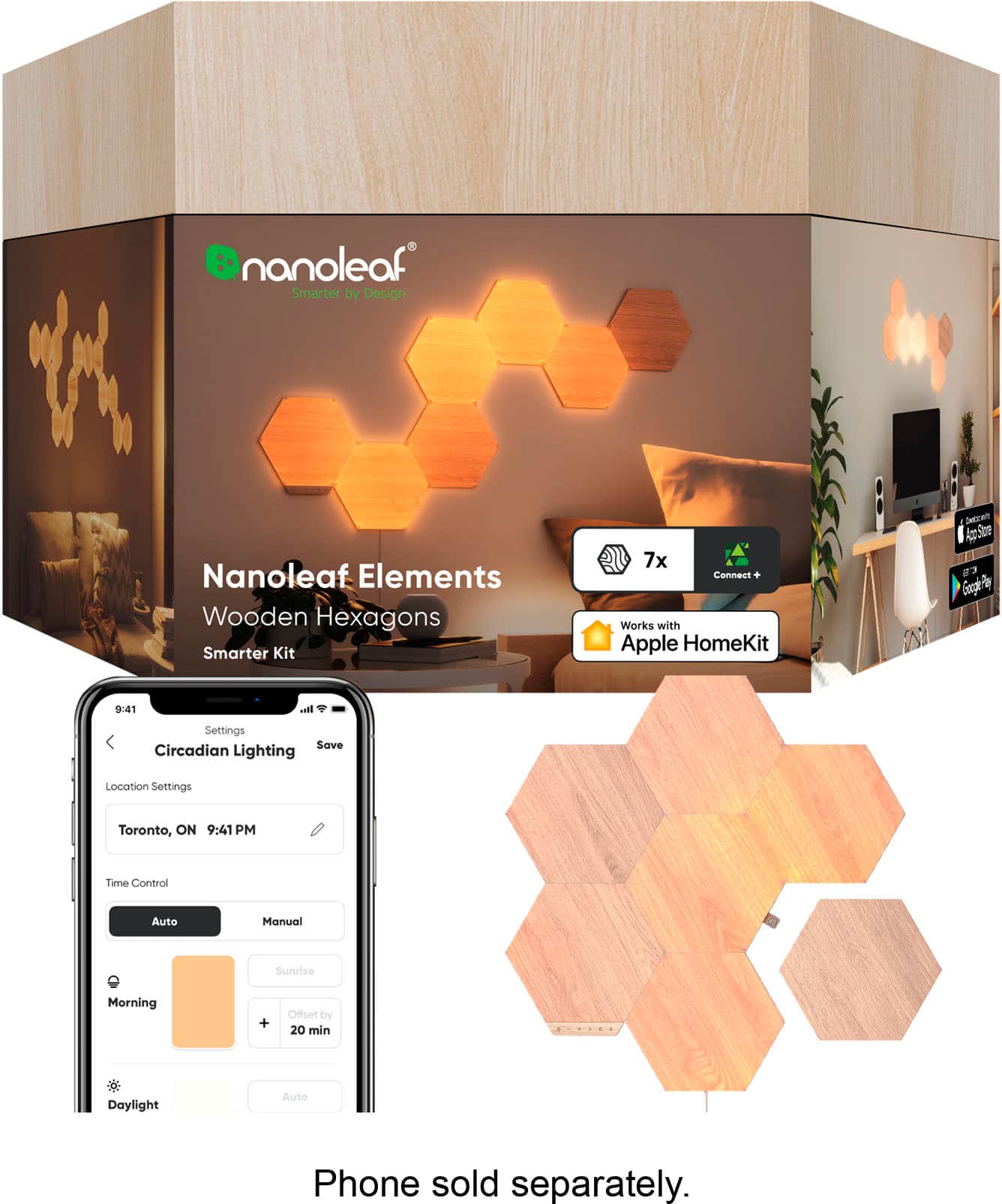


- Model:
- NL52-K-7003HB-7PK
- SKU:
- 6468313
Rating by feature
- Value
Rating 3.8 out of 5 stars
- Quality
Rating 4.5 out of 5 stars
- Ease of Use
Rating 4.4 out of 5 stars
Customers are saying
Customers highly value the Elements Hexagons Smarter Kit for its beautiful lighting quality and striking appearance. The ease of installation and setup is also appreciated. However, some customers have noted that the connectivity could be improved and would like to see more mounting options.
This summary was generated by AI based on customer reviews.
- Pros mentioned:Appearance
Elegant tech
||Posted . Owned for 2 weeks when reviewed.This reviewer received promo considerations or sweepstakes entry for writing a review.I own the regular nanoleaf hexagons and I really loved the look. I was looking for something to go in a more common area of my house. The wood finish on these is just right. I find myself looking at it with the lights off as much as I do with them on.
I would recommend this to a friend - Pros mentioned:Lighting quality
Love Nanoleaf Element!
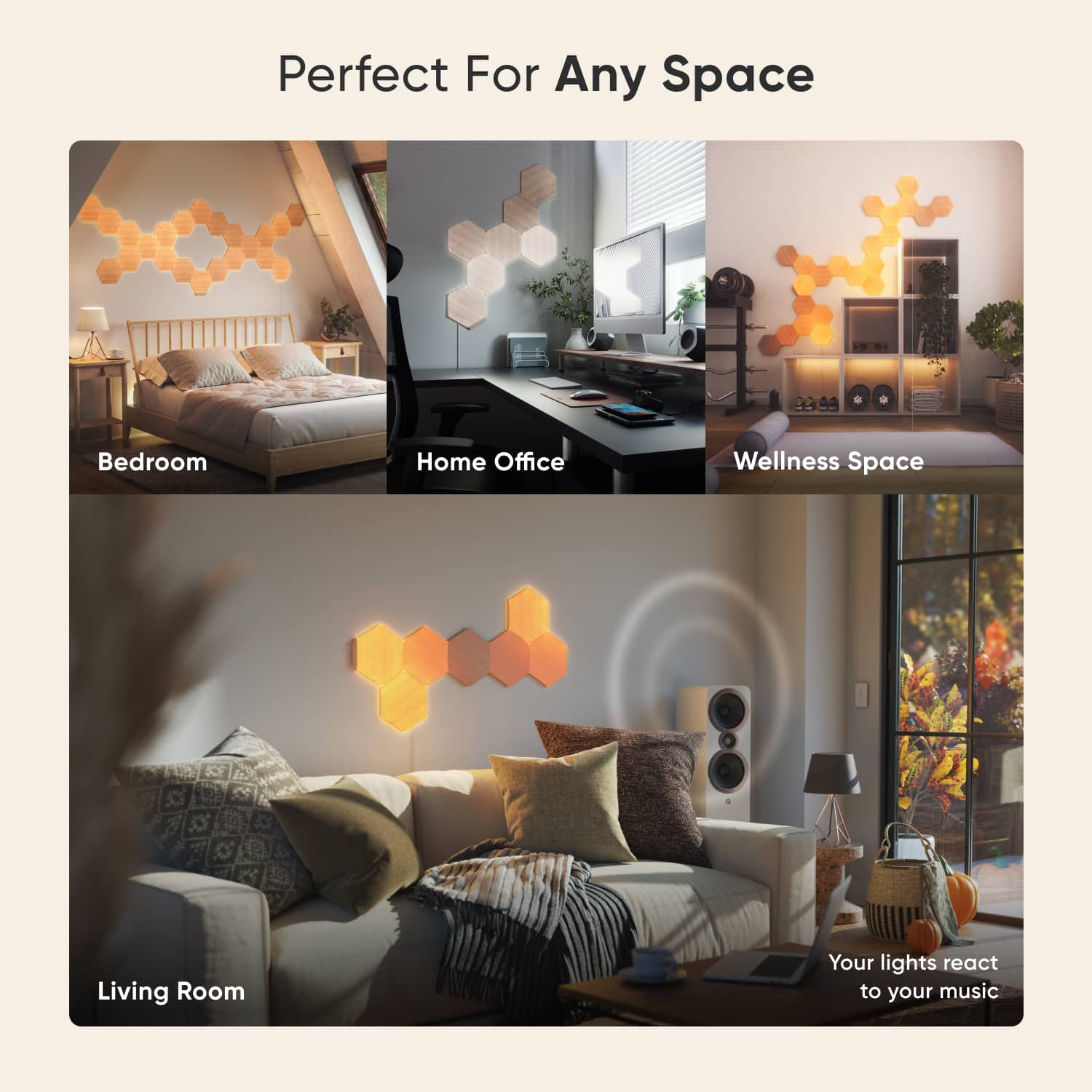
||Posted . Owned for more than 2 years when reviewed.This reviewer received promo considerations or sweepstakes entry for writing a review.Nanoleaf Element is a beautiful addition to my apartment. I love all the different scenes and the it’s ability to react to sound. The wood look gives a more mature look compared to the regular Nanoleaf shapes. There was a time where it wasn’t connecting to WiFi but I contacted support and they sent me a new controller.
I would recommend this to a friend - Pros mentioned:Setup ease
Beyond Amazing
||Posted . Owned for 1 month when reviewed.This reviewer received promo considerations or sweepstakes entry for writing a review.I've got four other sets of Nanoleaf products, all awesome, but this one is my favorite. I had no trouble whatsoever setting these up. The soft yellow/white glow is truly beautiful, especially when you choose 'Ember' and 'Glimmer' selection. As I said, I've got other/older kits, so when I say that their new method of connecting the linkers is epic, I ain't joking around. I hope to buy more of these before their discontinued like the others have been.
I would recommend this to a friend - Pros mentioned:Lighting quality
Pricey but worth it.
||Posted . Owned for 1 month when reviewed.This reviewer received promo considerations or sweepstakes entry for writing a review.When it comes to lighting this is one of the neatest and prettiest ways to add light to your space in my opinion. The price tag is hefty but this is a quality and customizable product. If you spend time behind a webcam (work calls, streamers, etc.), this will for sure elevate your scene.
I would recommend this to a friend - Pros mentioned:Lighting quality
Nanoleaf
||Posted . Owned for 1.5 years when reviewed.This reviewer received promo considerations or sweepstakes entry for writing a review.Awesome lights! Also work great with Alexa and they look great with my gaming setup.
I would recommend this to a friend - Pros mentioned:Appearance
A hit for the man cave
||Posted . Owned for 2 weeks when reviewed.This reviewer received promo considerations or sweepstakes entry for writing a review.Nice addition to my man cave. Especially the “Color Fireworks” option set to the rhythm of music playing. Nice effect.
I would recommend this to a friend Great accent piece
||Posted . Owned for 1 month when reviewed.This reviewer received promo considerations or sweepstakes entry for writing a review.These look great on the wall whether turned on or off. We love the options that change the light to the sound of the TV.
I would recommend this to a friendBrand response from Nanoleaf Product Expert
Posted .Hello and thanks for that awesome feedback! We are so happy to know that you are enjoying the Nanoleaf Elements with the Rhythm Music Visualizer, this is feature that allows the lights to synchronize with music or audio. It enhances the visual experience by creating dynamic lighting effects that correspond to the sound being played. Let us know if you have further questions, we'll be happy to help anytime.
- Pros mentioned:Lighting quality
Amazing
||Posted . Owned for 1 month when reviewed.This reviewer received promo considerations or sweepstakes entry for writing a review.Love this adds a nice comfy feel to the gaming room
I would recommend this to a friend - Pros mentioned:Lighting quality
Very cool
||Posted . Owned for 2 weeks when reviewed.This reviewer received promo considerations or sweepstakes entry for writing a review.These are the most awesome design to add to my wall. Very relaxing
I would recommend this to a friend - Pros mentioned:Appearance
!!Must Have For Scandinavian Interior!!
||Posted . Owned for 3 weeks when reviewed.This reviewer received promo considerations or sweepstakes entry for writing a review.It looks way cooler than I expected, I would 100% recommend it.
I would recommend this to a friend - Pros mentioned:Lighting qualityCons mentioned:Connectivity
Network disconnections a headache
||Posted . Owned for 1 month when reviewed.This reviewer received promo considerations or sweepstakes entry for writing a review.Very unreliable. Loses network connection every few days. Which requires me to unplug it. When it works, it's beautiful.
No, I would not recommend this to a friendBrand response from Nanoleaf Product Expert
Posted .Hello Iceberg, sorry for this trouble with your Nanoleaf Hexagons. A number of reasons can cause network connectivity, but no worries, we should be able to help you with this. We can walk you thru some troubleshooting steps, we would just need your details. It's a good thing it gets resolved with rebooting and we appreciate your patience with us on this. Would you be able to reach us out through any of our social media channels or helpdesk so we can assist you with taking care of this?
- Pros mentioned:Lighting qualityCons mentioned:Mounting

Customizable, Natural and Beautiful Light Panels
|Posted .This reviewer received promo considerations or sweepstakes entry for writing a review.Beyond anything I have written below, these panels are beautiful and probably the most interesting piece of art I have. They have a nice natural vibe when not on and they are stunning when lit up in the evening. I love one of the preset effects called ember, because it has the same relaxing effect as a fire (using varying orange tones). My wife enjoys dimming the panels and falling asleep with them sync'd to R&B music. Pros - Panels look very modern like natural wood when off and are bright with beautiful white to orange hues when activated. -It is easy to connect panels together and make different shapes. There are also a variety of suggested shapes included in the instructions. - The control panel is small and can be mounted to any panel. It blends in well and does not detract from the look. - There are a variety of preset patterns and effects that can be used without app setup. - Works well with both Siri and Google for basic voice commands. - Includes 7 panels (each measuring 8”x9”) in the kit, allowing you to make a nice-sized art piece. - Phone app is quick to respond and allows a lot of customization (color temperature, changing touch command settings and creating custom effects). - The power cord is nearly 8ft long and allows a lot of mounting flexibility. It is also wrapped in a braided material, which works with the natural look and doesn't stand out. - Custom commands can be activated by touching/swiping a set of panels in an up/down or left/right pattern (after you set them in the app). Things to Consider - There are a few effects that will sync with music that is being played (via a built-in mic). It does work and when paired with the right music adds to the mood, but how well it works seems to depend on the arrangement of the tiles and the music choice. It seems to take a 10-15 seconds to start learning the music tempo and if that changes or the beat is not well defined, it can appear more random than in sync. - Installation on the wall is via sticky pads, which may or may not be removable without damage from your wall. I chose to use command strips rather than the ones provided, because I have used them in the past without issue and I know they will not damage my paint. Depending on your shape, it can also be a bit tricky to get everything lined up and connected. - These panels have a limited color range from white to deep orange. The app shows color options in some spots, but I assume this is for a different set. - Using the app for basic set up and settings (like changing effects or off/on) is easy, but it also has some confusing menus and some advanced features are not intuitive/easy to use. The help section of the app just takes you to the Nanoleaf website and a few links were broken, but if you visit the website directly in your browser there are some helpful tips in the support section and an FAQ. - To set up Google or Alexa voice control you have to remove the default cloud account and set up a new cloud account with a password. I was initially confused by this step and accidently set up a Nanoleaf Shop account (not needed) - both of which are options in the app. After setup, I discovered that Google Home works great, but the Alexa Skill is very unreliable. Both are limited to basic commands compared to Siri.
I would recommend this to a friend Stylish and cool
||Posted . Owned for 3 weeks when reviewed.This reviewer received promo considerations or sweepstakes entry for writing a review.I love this lighting. So stylish and easy to put up.
I would recommend this to a friend- Pros mentioned:Appearance
Lovely vintage look light panels
||Posted . Owned for 1 week when reviewed.This reviewer received promo considerations or sweepstakes entry for writing a review.I love the vintage of these panels. Nanoleaf light panels always work wonderful for me
I would recommend this to a friendBrand response from Nanoleaf Product Expert
Posted .Hello Henry! Thank you so much for the fantastic feedback! We really appreciate that you have a wonderful experience (as we do) with Nanoleaf Elements! We hope you continue to enjoy your Nanoleaf!
- Pros mentioned:Lighting quality, Setup easeCons mentioned:Connectivity
Artful smart light display, hampered by app
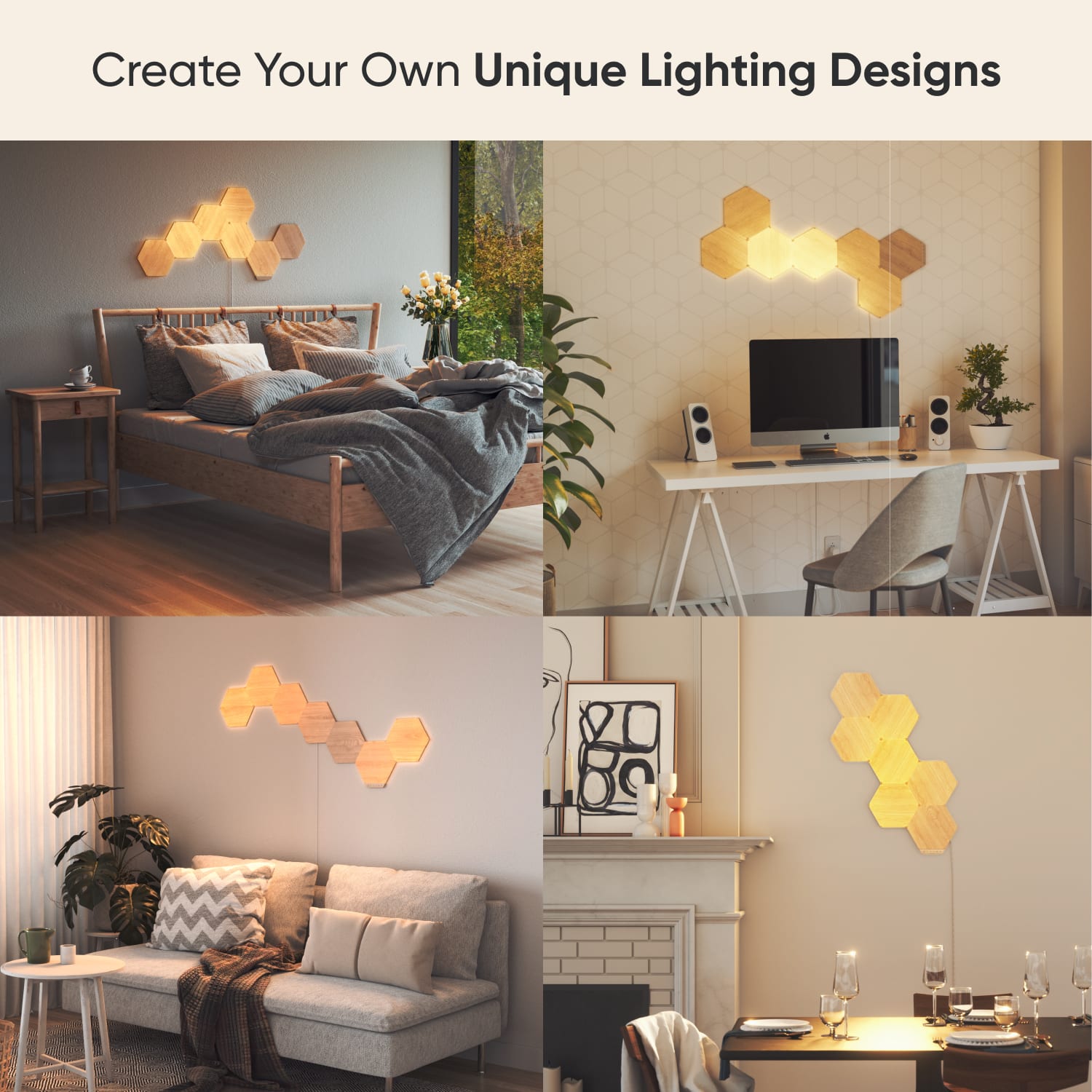
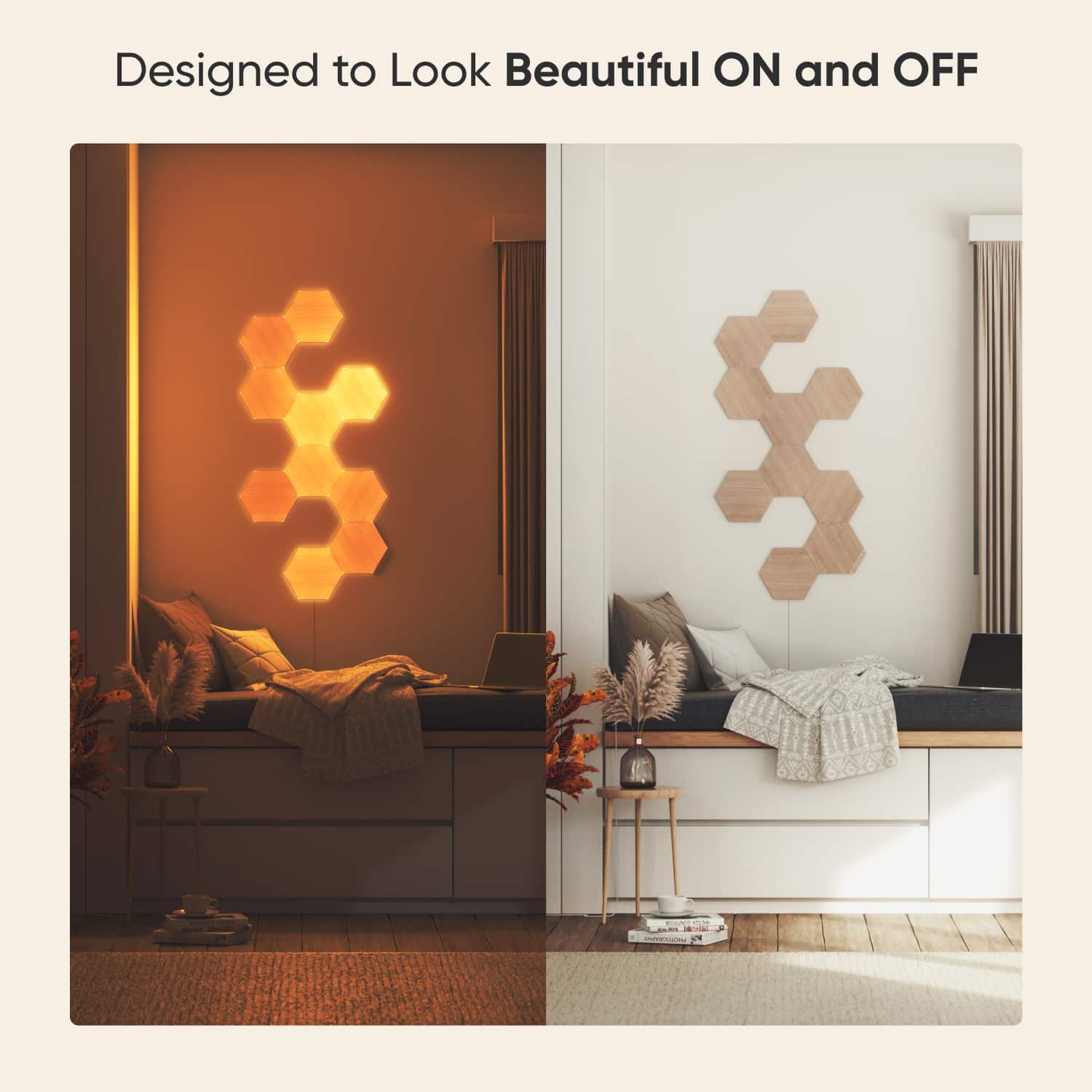
|Posted .This reviewer received promo considerations or sweepstakes entry for writing a review.The Nanoleaf Elements is my first foray into LED-lit modular wall art, and it was pretty easy to set up. The smarter kit comes with 7 light panels, a controller, 8 linkers, and a power supply with 8-foot long braided fabric power cord. You’ll also receive a card with a dozen different arrangement inspirations, though it is by no means a comprehensive list of every configuration possible using the 7 panels. The Layout Assistant feature in the accompanying Nanoleaf Smarter Series app lets you plan your design virtually, and if you have an iOS device you can preview it in augmented reality before trying it out in your space (AR preview not available in the Android app). Placing your design in AR is hit or miss though, and it didn’t always render at the correct angle for visualization on a flat wall. The panels have a realistic wood grain pattern and finish on the front and sides, while the back reveals that the units are constructed from a lightweight semi-translucent plastic that allows the LEDs inside to shine through it. Each panel is pre-fitted with a 360° rotatable mount and a double-sided adhesive pad for wall mounting. These pads are the damage-free type where you can pull on them and they stretch in order to release from your walls cleanly without damaging the paint on the wall; however, they are one-time use only, so if you move the panels you’ll need to purchase a new sets of pads for mounting, as only one additional adhesive pad is included in the kit as a spare. You also have the option to permanently attach the mounts to the wall with screws (the panels unsnap from the mounts), though screws are not included with the kit. The included power supply has a hot-swappable tip for exchanging plug styles for different regions and installs vertically into US style outlets. I liked that the wood grain pattern on each panel is unique and there are no repeating patterns. Since the panels are rotatable you can align the wood grains or offset them for some visual interest. With the hexagonal shape, you can link up any two sides of a pair of panels and connect them using the snap-on linkers. Just remember that each panel only needs to be linked once, so it’s best to build out your design one panel at a time, and link each new panel back to the previously installed pieces. The controller and power supply can also be attached to any available linker slot. With the physical controller you can toggle the power, increase/decrease the brightness, and select color, rhythm, or random scenes. The panels are touch-sensitive too, and will brighten or change color when touched. Each controller supports up to 80 hexagons linked in series. If you have more panels in your installation than is supported, you can add additional controllers and power supplies as needed anywhere in the system. This light system is WiFi capable and can also be controlled via the Nanoleaf App. Once your Nanoleaf has been connected to your WiFi network, you can adjust brightness, color temperature from deep orange through bright white (1500-4000K), or activate a scene/playlist for a custom lightshow animation from the mobile app. There are two types of animations: color, which cycles through colors in a palette, and rhythm, which creates light shows that react to different elements of music like volume and pitch. I wish the Android app would update in real-time which scene the system is playing after changing to a new scene via manual/gesture controls, the way the iOS app does, but I found that you have to manually refresh the device in Android to see the new settings. Creating new scenes is also complex without clear instructions or descriptions of how to build them. There is also a social element where you can share your custom scenes or download ones that others have created with Nanoleaf Discover. I love that that the Nanoleaf is essentially a piece of customizable artwork that can be used both as functional lighting and dynamic ambience, and it looks great on your wall whether the light panels are on or off. Another cool way to control the panels is with touch gestures, programmable in the app, for swiping up, down, left, or right. For example, you can set the swipe up/down actions to increase and decrease brightness, so all you need to do is walk up to the Nanoleaf and move your hand up or down across the panels and the brightness will adjust accordingly. You don’t even really have to touch the panels to swipe as it can recognize the gesture when your hand is hovering about an inch away from them, though I found that it didn’t always correctly register my swipes. If manual adjustments aren’t your thing, you can enable Auto-Brightness which will increase or decrease the brightness based on the ambient light in the environment either to match (ambiance) or compensate for (functional) the relative amount of light in the room. You can also set up schedules for when the light should turn on/off along with brightness and mode. One feature that I really wanted to try out is the Thread network support which is supposed to built-in to the controller, however, despite connecting the Nanoleaf to my Thread border router (eero 6), it would indicate “No Network Found” when I tried to enable this setting and attempting to link my eero account with Cloud Sync in the iOS app resulted in a “page not found” message. Hopefully this will be fixed in a future update. While the smarter kit only includes 7 panels, each power supply can support up to 42 Watts (21 hexagons, 2W per panel) and 3-panel expansion packs are available separately. Overall, I found the lights to be a really cool lighting and art feature for my wall as it provides a bit of light, a calming ambience, and visual interest. The app can be finicky at times though and navigating it isn’t super intuitive with random differences between iOS and Android versions; I also wasn’t able to get the Thread feature to work.
I would recommend this to a friend - Pros mentioned:Appearance, Lighting quality, Setup ease
A lot to like, but pricing could use some work
|Posted .This reviewer received promo considerations or sweepstakes entry for writing a review.When Nanoleaf Canvas came out, I was so hooked that after I reviewed them, I immediately went out and got an expansion pack…and a short time later another. I was addicted and visitors to my home always marvel at them. Earlier this year Nanoleaf announced their Elements series, and I loved the look of them. I had two places I immediately could see them fitting in. Needless to say, I was anxious to get the chance to review them and I wasn’t disappointed. They truly look like sheer wood, despite them being high impact plastic and the light glowing behind them gives a warm and calm atmosphere. I put them in my bedroom, but I also seriously considered my bathroom so more people could see them. Installation was even easier than with the Canvas series; there is a power connector on every side of the hexagonal panels, and this really opens you up to get creative with the placement of the panels, the power connector, and the control panel. I used a long string and attached a string level to it to give me a guide as well as marking the center point between the two walls with some painter’s tape. It really helps you to get the first panel in place. Once you connect another panel in place, the structure immediately becomes stable so you can just go from there. In fact, I just purchased an expansion pack (what a surprise, huh?) and added it in. When I went to show a neighbor the new set up, I realized that I hadn’t even used the mounting pads, yet they were solidly in place. The mounting system is innovative as well; it has good contact with whatever you’re mounting it to, and it allows you to spin the hexagon on its center so you can vary which direction the ‘wood grain’ is running after it’s in place. But what really blew me away was that you can pop the panel off the mount entirely to either rotate it or attach one of the connections. It shows that Nanoleaf put some thought into improving the products and that they listen to their customers. Setting them up in the app is easy, though the Nanoleaf app could still use a little work. It took me a awhile to figure out how to assign my new Elements to a room that I created. There’s no outward indication that you should drag and drop the device into the room, but that’s how you do it. That’s a place they could put some of that thought into, but to their credit they have been updating the app so one can hope! The app isn’t all that bad lately; like I said it just needs a little love. They look great, especially if you have a décor that they work in. They fit perfectly in my home, which is Asian/Modern in general, but they may not fit in all styles. And as far as effects they are limited to on/off and different values of white. Positive side though, you can use RGB styles you might have already downloaded or created for other Nanoleaf lighting, and it will simply convert them to white levels – YMMV though and this won’t work well for every RGB effect. I guess my biggest problem is the pricing, really. While Nanoleaf lights in general aren’t cheap, it seems like they could have offered the Elements at a lower price point. They are white light only and are mostly injection molded plastic and some white LEDS. Even the expansion pack only included 3 additional panels for about the same price I paid for 4 of the Canvas Panels and those are full RGBW lights. Nanoleaf could be a breakout hit if they re-evaluated their pricing policies. They have more to offer than Phillips Hue, in impact and creativity if not in numbers. And they have a GREAT open API and connect with Google Assistant and Alexa extremely well. But with a product that’s more of a luxury purchase than a need, I think that they could expand their range if they lowered the prices a little. I really think there’s room there, having made some LED strips controlled by single board computers myself. But if you can justify the expense, I can confidently say that you won’t be disappointed with any Nanoleaf lighting set up that you purchase.
I would recommend this to a friend - Pros mentioned:Lighting qualityCons mentioned:Mounting
Technology meets art, looks great, but.....
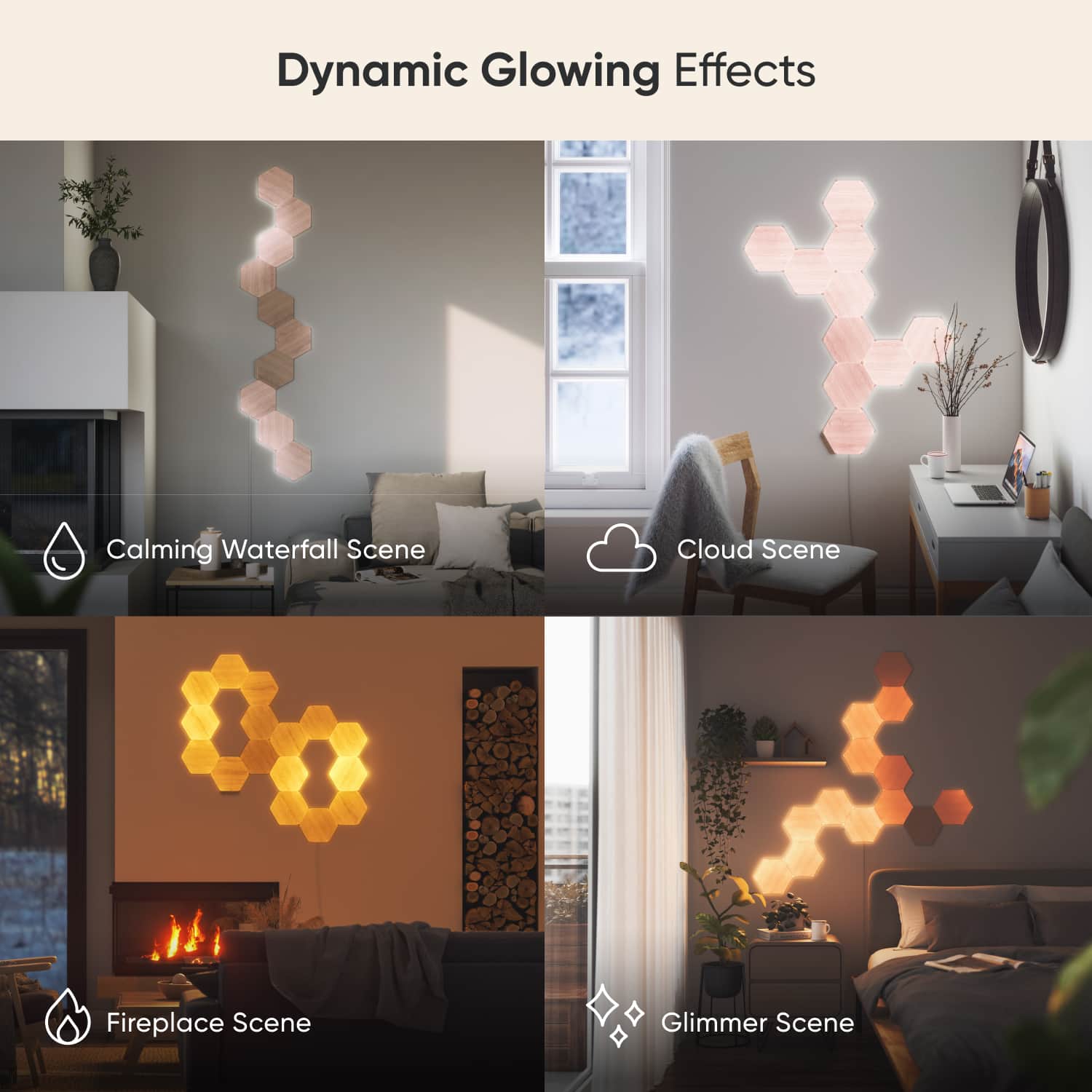
|Posted .This reviewer received promo considerations or sweepstakes entry for writing a review.There's no denying the denying the Nanoleaf Elements Wood Look kit is cool. Assemble the seven backlit hexagons into whatever pattern you like, stick them on the wall, plug it in and, viola, prepared to be mesmerized. There are a several preset patterns with names like firefly, ember and soothing waterfall that put the LED backlights inside the hexagons through their paces, with slow fades from cool white to a nearly orange "soft white." Among the most interesting tricks are a pretty convincing imitation of glowing fireplace embers and a frenetic pattern on/off color combinations that will have your walls dancing. Just be aware that unlike some of Nanoleaf's other similar products, there are no bright colors here. Just shades of white, from cool to very warm. Once assembled, you can make a wireless connection to Alexa or Google Assistant via WiFI so you can control the panels with voice commands or get them to do things like go on and off at sunset and sunrise everyday to ensure you get a daily dose of the Nanoleaf experience. The panels will even dance to the beat of music, very convincingly I might add, if you wish. (TIP: Be sure you write down the 7 digit PIN on the back of the control unit before you install it. You cannot to connect to WiFi without it. ) So, it all works great, ( although the bloated Nanoleaf app that you can also use to control it needs work. ) Overall, the technology behind this thing is pretty impressive. Unfortunately, the news is not all good. The first hurdle is the incredibly steep price tag, which will turn off a lot of otherwise interested consumers. Even worse, perhaps, is that this Nanoleaf Elments kit has the feel of a product that does not seem complete -- from the standpoint of how it all goes together and is mounted on your wall. One assumes Nanoleaf wanted to make installation as simple (and cheap) as possible so it decided to have you just stick these things to the wall. There is no other mounting option. All of the seven included hexagons have a big patch of double sided tape on the back. Which, is well, simple, but not a very good solution. Since you better make darn sure you like your design and location before you stick it up. Since it is not coming down again without tearing some holes in your drywall or plaster. Not the best design. Unwilling to make that commitment. I opted to mount the hexagons on a four by two foot panel I assembled using leftover planks of engineered oak from an earlier flooring product. The darker oak contrasted nicely with the very light "wood look" of the Nanoleaf hexagons, making the whole thing attractive, even if was not turned on. I think this is a much better solution than sticking the hexagons directly on the wall but most people are probably not going to want to invest that much time and money. The main upside here is it allowed me hang the finished product much as I would a large painting, vertically or horizontally, and move it around the house at my discretion.... without tearing holes in the drywall or plaster. (Another issue is Nanoleaf says the hexagons cannot be mounted on any "textured" surface and my walls have a rough orange peel pattern, as most newer homes do.) Ideally, a mounting panel of some sort would be provided with the product, especially given the lofty price tag. Or at least provide for an alternate mounting option that does not involve non-releasable peel and stick tape. Another consequence of the peel and stick installation concept is the absolute need for preplanning before final installation. There is no starting over if you screw up because once a panel is stuck, it's stuck. Oh, did you forget to install the little plastic connector first? Or put the connector in the wrong place, before you slapped that hexagon on the wall? Too bad. There are lots of issues to consider prior to installation, including what pattern you will use, the direction and continuity of the wood grain and just keeping it all level and straight. Oh, and making sure there is a power outlet nearby. While I am not a fan of the peel and stick design, I am impressed with design and technology behind the panels themselves. Each panel has six small internal LEDs (at each corner) and Nanoleaf has designed the panels so they all attach to each other using small snap in clips, which contain internal wiring to ensure power flows from on panel to the next. (Tip: Make sure these are in place BEFORE you stick anything to the wall) Every edge of every hexagon has an port for these connectors, which makes it possible for you to arrange the panels any way you want. Nanoleaf also includes a small control panel that attaches the same way. It allows you to manually turn the panel on and off, adjust brightness and cycle between the various preset patterns. Its use is optional but I can’t fathom why you would leave it off. In the end, I really like how the Nanoleaf Element Wood Look kit looks and works when up and running. But high price and the limited mounting options make it hard to give this product an unconditional recommendation.
I would recommend this to a friend - Pros mentioned:Lighting quality
Art When On, Art When Off
|Posted .This reviewer received promo considerations or sweepstakes entry for writing a review.As a current Nanoleaf Shapes owner I was intrigued when Nanoleaf released their Elements line. I was immediately attracted to the woodgrain finish, which is a bit more appealing when the LEDs are not lit, and which I thought would coordinate well with the woods in my living room. Unboxing and setup is simple, with clear instructions and all necessary hardware included. The adhesive tabs even come pre-attached to the hexagons. One tip: make sure to orient the tabs so the short piece of adhesive hanging over points toward the floor. This way you can press down on the mounting tabs and slowly pull the adhesive (like with 3M's Command Strips) to remove it from your wall without damage. Honestly, the hardest part about setup is deciding what shape you want to make with your Elements panels. Nanoleaf includes a helpful card with a variety of ideas on it, and the Nanoleaf app lets you make a digital layout and use AR to see it on your wall using your cell phone. While this is pretty cool, I opted to make my layout on the floor and take a picture to use as reference. Another tip: don't forget to add the connector tabs to the back of each shape as you stick them to the wall and build your design. With the panels mounted and the power cord plugged in, simply open the Nanoleaf app and scan the HomeKit code (included on a card and printed on the power adapter) to complete setup. With an existing Nanoleaf Shapes setup in my home already adding the Elements took only a few seconds, and they immediately appeared in the Apple Home app as well as my Google Home app. Nice! After adding the Elements I found a number of Nanoleaf Scenes for them had already appeared in the app. The Elements panels don't show colors like Shapes; rather, they show a spectrum of whites, in keeping with their softer, more relaxing vibe. I was unexpectedly pleased that the woodgrain remains visible even when the lights are on, and although it's not real wood, the panels are pretty convincing in both grain and texture. Even cooler, the Elements' LEDs can move the light around on each panel, rather than illuminating the entire panel at one brightness like the Shapes. This makes for some neat animations that look a bit like glimmering lights or dancing flames. As with Nanoleaf's Shapes, the Elements include a built-in microphone to react to music. They're sensitive enough to pick up moderate volumes or even talking in the background, which definitely makes for a neat party trick or movie-watching effect. In addition to the pre-added scenes the Nanoleaf app includes access to literally thousands of user-submitted scenes -- you, too, can create and upload your own -- that add a whole new level of flexibility to Nanoleaf lights. Be prepared to spend hours trying out new scenes and fiddling with all the options available in the Nanoleaf app. The Elements respond quickly to the app as well as to voice control; I have both Siri and the Google Assistant connected and they work reliably. The Elements, as with Nanoleaf's Shapes, include a small control bar that connects to one of the panels and enables basic controls; the panels themselves are touch-sensitive as well, allowing you to set various commands in the app. The reliable performance, flexible installation and sheer variety of scenes and options offered by Nanoleaf's products continue to impress me. Every one who sees my two installations think they're incredibly cool, and I find myself using them at every opportunity. The Elements in particular lend a warm, calming glow to my living room. They don't get nearly as bright as the Shapes, which I actually consider a good thing, because they provide a more balanced ambiance, especially when watching the TV I have them mounted next to. And whether on or off, they blend nicely into my décor, whereas the all-white Shapes are a bit stark when off (though still neat-looking). Overall, I'm very pleased with this latest offering from Nanoleaf. The Elements line will turn heads but in a subtle way, and will look neat no matter where they're mounted or what pattern they're placed in. Whether they're worth the price of admission is ultimately up to you: but know you'll be buying a high-quality product that simply blows more basic LED lights out of the water. They're a marriage of art and lighting and I look forward to enjoying them for many years to come.
I would recommend this to a friend - Pros mentioned:AppearanceCons mentioned:Mounting
Attractive smart accent lighting
|Posted .This reviewer received promo considerations or sweepstakes entry for writing a review.The Nanoleaf wood look tiles are a great blend of smart lighting and wall art. The wood look tiles look great in a room with a more rustic look, the hardest decision you will have to make is where to place the lights. I still haven’t decided where I want to permanently mount them, either behind my bar shelves or in my family room. Either way they offer a very attractive look for accent lighting. I do think there is room for improvement from both a mounting and concealment perspective, but Nanoleaf is probably trying to remove barriers to entry and also make it so it’s not good permanent or require a lot of patch work if you remove them. Still, I think they could’ve included screw in or anchored mounting hardware or at least extra adhesive kits, which they do sell separately. Also, I think they could improve on the wall conceal element. The power connector for the main tile should be in the center and be either a magnetic connect or at a 90 degree further off the edge of the tile to make it easier to conceal. The wall wart is also massive so it makes it harder to conceal behind something, like a TV for example. Still the Smart features and look of these tiles are great. I will probably pick up a couple of the 3 pack add ons and also get the hardware mounting kit. Concealing is pretty easy so I will fish those through the drywall to give it a perfect finished look. As soon as I decide where to put permanently mount it….
I would recommend this to a friend - Pros mentioned:Lighting quality
Nice dynamic lighting, great for setting a mood
|Posted .This reviewer received promo considerations or sweepstakes entry for writing a review.This is the first time I've used any Nanoleaf product but I've been intrigued by them for a while and wanted to see how they look and work. I think what stopped me in the past was how they looked when not active. The Nanoleaf Elements are a different story because they look great when they're off, and even better when they're on. They are extremely simple to install. The hardest part is planning how you want to arrange them and making sure they're level. Actually, that part is not that hard because you really only need to make sure the first one you put up is level. It's easy to do and once you attach the first one to your wall, you can rotate it until it's flat side is level. The rest of them just fall into place. I love the wood grain look on them and you have a choice of running the grain in different directions as well so there's a wide range of looks you can achieve even with only seven panels. The power supply that came with them has a nice long cord on it so you can connect it easily to the closest outlet. I was afraid it would only be a six foot cord and end up having to use an extension cord, but that's not the case. The cord itself is cloth covered and has a good feel to it. It's also pretty easy to make the cord hang straight with just a small amount of effort working out the bends. The included supply will power up to 22 panels, so you have plenty of room for expansion if you want to modify and add to your design. I'm already planning on buying an expansion kit or two to make my design larger. The free android or iOS app worked great with my android phone. It's easy to connect the kit to your WiFi as long as you have a 2.4Gb channel available. If your home WiFi is only a 5Gb network, you should be aware that this kit will not connect to it. The kit also comes with a small control panel as well that will allow you to use the Elements kit without connecting it to your network, but you will miss out on all the features the app gives you. The kit comes with about a dozen pre installed “scenes” or lighting effects and it also gives you the opportunity to either create your own, or browse and download a wide range of scenes. Most of the scenes available for download are for the multi color tiles, but will work with these as well, although since these only offer different white color temperatures to display, you won't see any of the intended colors. The moving scenes are great and offer looks that simulate clouds, waterfalls and fire. They're great for setting a mood even in the middle of the day and since they can go quite bright, they're always visible if you want them to be. I wasn't sure if I was going to like the fact that they only display shades of white, but I think that was a good choice and since you still can see the wood grain through the lighted tiles, it gives them a nice warm look. When the lights are off, the wood grain looks really nice and they don't look like something that needs to be turned on to enjoy them. They look really nice just the way they are. I have them in my living room / home theater room and I was a little concerned that they would rattle or buzz because of my sub-woofer's deep frequencies. So far that has not been the case. I've tried out many movies with them and they remain quiet. They're actually the perfect addition for a room like this since they offer a wide variety of scenes from very dim to very bright. They complement my other backlights throughout my room well. For those of you that like wood grain in your room, these panels are a great choice. They give your room a modern look without going over the top. They're simple to install and add a range of moods to your normally static room design. You can use them with or without connecting them to your network, but I highly recommend connecting them if you're able. The built in controller is nice and small and works well. You can touch the panels for different highlights or put them in music mode to have them flash to the music. They're on the pricey side of things, but if you're looking for a way to make a statement in your room, this is a perfect way to do that.
I would recommend this to a friend