Customer Ratings & Reviews






- Model:
- GA01331-US
- SKU:
- 6450820
Rating by feature
- Value
Rating 4.7 out of 5 stars
- Quality
Rating 4.7 out of 5 stars
- Ease of Use
Rating 4.6 out of 5 stars
Customers are saying
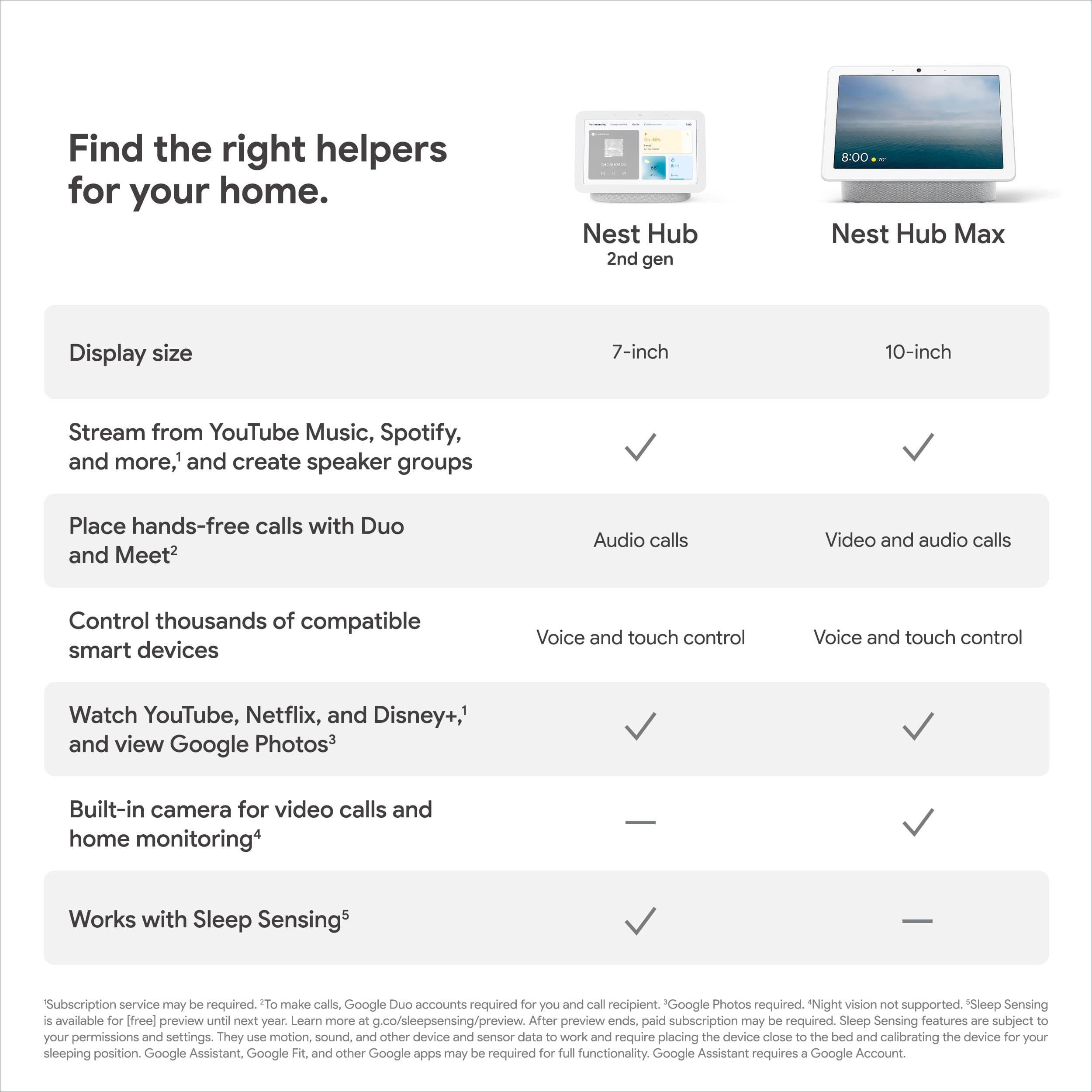
Customers appreciate the Nest Hub 2nd Gen for its ease of use, sound quality, and ideal screen size, especially for bedside use. The Google Assistant integration, reasonable price, and sleep tracking capabilities are also well-received. However, some customers have noted the absence of a camera and occasional sluggishness in responsiveness. Additionally, a few users mentioned compatibility issues with certain devices.
This summary was generated by AI based on customer reviews.
ok
||Posted . Owned for 1 month when reviewed.This reviewer received promo considerations or sweepstakes entry for writing a review.try using it as picture frame, would not rotate through all the pictures
I would recommend this to a friendBrand response from Nest Support
Posted .Hi cristian, thanks for letting us know of your issue with the Nest Hub (2nd gen). We hear your concern about using the display as a picture frame.
The Google Photos that are displayed are associated with the Google Account linked to your speaker or display. If you haven’t, try to add albums with the Home app or your Nest display:
Home app:
- Open the Home app Google Home app, then tap your Nest display.
- Tap Settings > Photo Frame > Google Photos.
- Select albums to add.
Nest display:
- Say “Hey Google, change Photo frame.”
- Tap Google Photos.
- Select albums to add.
If multiple users use the same speaker or display, everyone who wants to view photos on the device must link their Google Account and voice to the speaker or display, even the person who set it up. Check the steps below that might help:
- Open the Google Home app.
- Tap Home > Settings > Google Assistant > Voice Match > Other devices.
- If you have more than one home, tap the home you want to add Voice Match to.
- Tap Get started and then follow the in-app steps.
- To turn on Voice Match automatically for new devices in the same home, turn on “Automatically enable on future devices.”
If you still need assistance after trying the steps above, please let us know by visiting the Google Nest Help page: https://support.google.com/googlenest/gethelp
It’s okay, not great
||Posted . Owned for 1 month when reviewed.This reviewer received promo considerations or sweepstakes entry for writing a review.It’s okay. I don’t like having to expand the screen to see who is on the camera.
I would recommend this to a friendBrand response from Nest Support
Posted .Hi Lelandw, thanks for taking the time to share your feedback. We regret to learn that Nest Hub (2nd Gen) didn’t meet your expectations. We're always working to understand our customers' needs and expectations so that we can improve our products and offer more options. If you have any questions or concerns, you can reach out to us anytime. We’d be happy to help you here: https://support.google.com/googlenest/gethelp
- Pros mentioned:Screen size
Just a stationary tablet
||Posted . Owned for 1 week when reviewed.This reviewer received promo considerations or sweepstakes entry for writing a review.The nest hub is bassically an android tablet with a google os on it. The screen is very laggy but it isnt a deal breaker. You can not install extra apps on the nest hub either but you can still cast to it if you like.
No, I would not recommend this to a friendBrand response from Nest Support
Posted .Hi Jburch, thanks for giving us feedback on the Nest Hub (2nd gen), and we hear your concerns about its performance, and with not having the feature to install extra apps.
A range issue or wireless interference can cause your Nest display to behave differently. Sometimes it may pass the connection test during setup, but will struggle to stay connected if it’s just a bit too far away. You may also check for objects such as mirrors and refrigerators between the display and your router as these items could block the connection. For more help, read Troubleshooting Wireless Interference here: https://support.google.com/googlenest/answer/9276282
We’ll share your feedback, about the feature to install extra apps, with the right team for future improvements. If additional assistance is needed, please let us know by contacting us here and we’ll do our best to help: https://support.google.com/googlenest/gethelp
Hard to use
||Posted . Owned for 2 months when reviewed.This reviewer received promo considerations or sweepstakes entry for writing a review.Very hard to navigate I do not like it at all. It does have a very clear screen
No, I would not recommend this to a friendBrand response from Nest Support
Posted .Hi Cnatashab, thanks for reaching out. We're sorry to hear that you are having a difficult time navigating Nest Hub's (2nd Gen) interface. Your Nest Hub Max comes with 7" HD touchscreen, with a resolution of Resolution: 1024 x 600. We value your feedback and we've already taken note of it, since we're always looking for ways to improve our products and services
Our support team would be happy to answer any questions you may have about Nest Hub. Simply visit us at the Google Nest help page using this link: https://support.google.com/googlenest/gethelp
Beats an alarm clock on your nightstand!
||Posted . Owned for 3 weeks when reviewed.This reviewer received promo considerations or sweepstakes entry for writing a review.Bought this one for my daughter and she loves it! She never fails to mention something different that she uses it for. She likes the color, the sleep tracker, viewing photos, and checking the weather.
I would recommend this to a friendSo-so
||Posted . Owned for 10 months when reviewed.This reviewer received promo considerations or sweepstakes entry for writing a review.Quality of the speaker is very low with majority of frequencies being on bass side with absolutely no balance
No, I would not recommend this to a friendBrand response from Google Nest Support
Posted .Hi Anton, thanks for sharing your feedback. We understand your concern about the sound quality of your Nest Hub. To help us improve our services, please share your thoughts through this link: https://google.qualtrics.com/jfe/form/SV_2aStd8wsbcLGvwG
NICE UNTIL YOU NEED SUPPORT
||Posted . Owned for 1 year when reviewed.This reviewer received promo considerations or sweepstakes entry for writing a review.This has to be one of the worst systems out there for customer support. My system crashed and I got a few of the 20 Google items i purchased for my house and there is ZERO support for this system. ZERO. Nothing they have on line follows all the way through and they tell you to call my internet supplier. There is nothing wrong with my internet. The problem is the MESH network. I have one hooked direct to my gateway works as do my four screens but I cannot get anything else to hook up I would have given support a negative star. BEWARE
No, I would not recommend this to a friendBrand response from Nest Support
Posted .Hey there, MJohnson. We're sorry for the challenges you've faced with your Nest Hub 2nd Gen and the difficulties you've encountered. We understand the frustration this has caused, and we appreciate your patience and willingness to bring this to our attention. About the issues with your MESH network and the challenges in connecting additional devices, our aim is to provide a seamless experience, and it's disheartening to learn that this hasn't been the case for you. Our team is committed to providing comprehensive support, and we apologize for any inconvenience caused by the issues you've encountered. We would like to encourage you to reach out to our dedicated team of specialists to provide you a better resolution on the Google Help Center here: https://support.google.com/googlenest/gethelp
Perfect smart home device
||Posted . Owned for 1 month when reviewed.This reviewer received promo considerations or sweepstakes entry for writing a review.Perfect addition to my smart home devices. I used to have an atomic thermometer and those kept malfunctioning. I opted to replace the thermometer with an additional nest hub and am so glad that I did.
I would recommend this to a friendConvenient
||Posted . Owned for less than 1 week when reviewed.This reviewer received promo considerations or sweepstakes entry for writing a review.I am a fan of the Next Hub. Purchased it for my elderly mom so that it displays a large digital clock and she can control the lighting in her room via voice. She also loves the color pink and this has a great pink color.
I would recommend this to a friendMeh
||Posted . Owned for 3 months when reviewed.This reviewer received promo considerations or sweepstakes entry for writing a review.These are very underwhelming devices. I don't recommend
No, I would not recommend this to a friendBrand response from Nest Support
Posted .Hi AC2300, it's unfortunate to hear that you find the Nest Hub (2nd Gen) underwhelming. We value your feedback, and we'd like to learn more about the details of your experience. It will help us a lot by understanding which features work, and don't work for you. If you're willing to try, you may contact our support team and we'll certainly do our best to listen to your feedback and help you with your support needs. You may use this link to contact us: https://support.google.com/googlenest/gethelp
okay but does not serve some purpose
||Posted .This reviewer received promo considerations or sweepstakes entry for writing a review.bought it to have google remind me of prayer times but it cannot do so
No, I would not recommend this to a friendBrand response from Nest Support
Posted .Hi Blueberry, thanks for giving us a review about the Nest Hub (2nd gen) and we’re sorry to hear of your issue with reminders.
You can ask your Google Nest or Home speaker or display to set, repeat back, or delete reminders. Reminders can be set for yourself or for others. They can be set for a certain time or for when someone is at a certain place. You can create and manage reminders directly on your speaker or display, or from the Google Home app on your phone. Your device will only say out loud that you have a reminder if you previously set the reminder on the speaker or display with your voice. Visit this link to learn more: https://support.google.com/googlenest/answer/7387866
We’d like to investigate the reasons why reminders don’t work as there could be several reasons that can cause this. We encourage you to visit us anytime here for further assistance: https://support.google.com/googlenest/gethelp
Great product
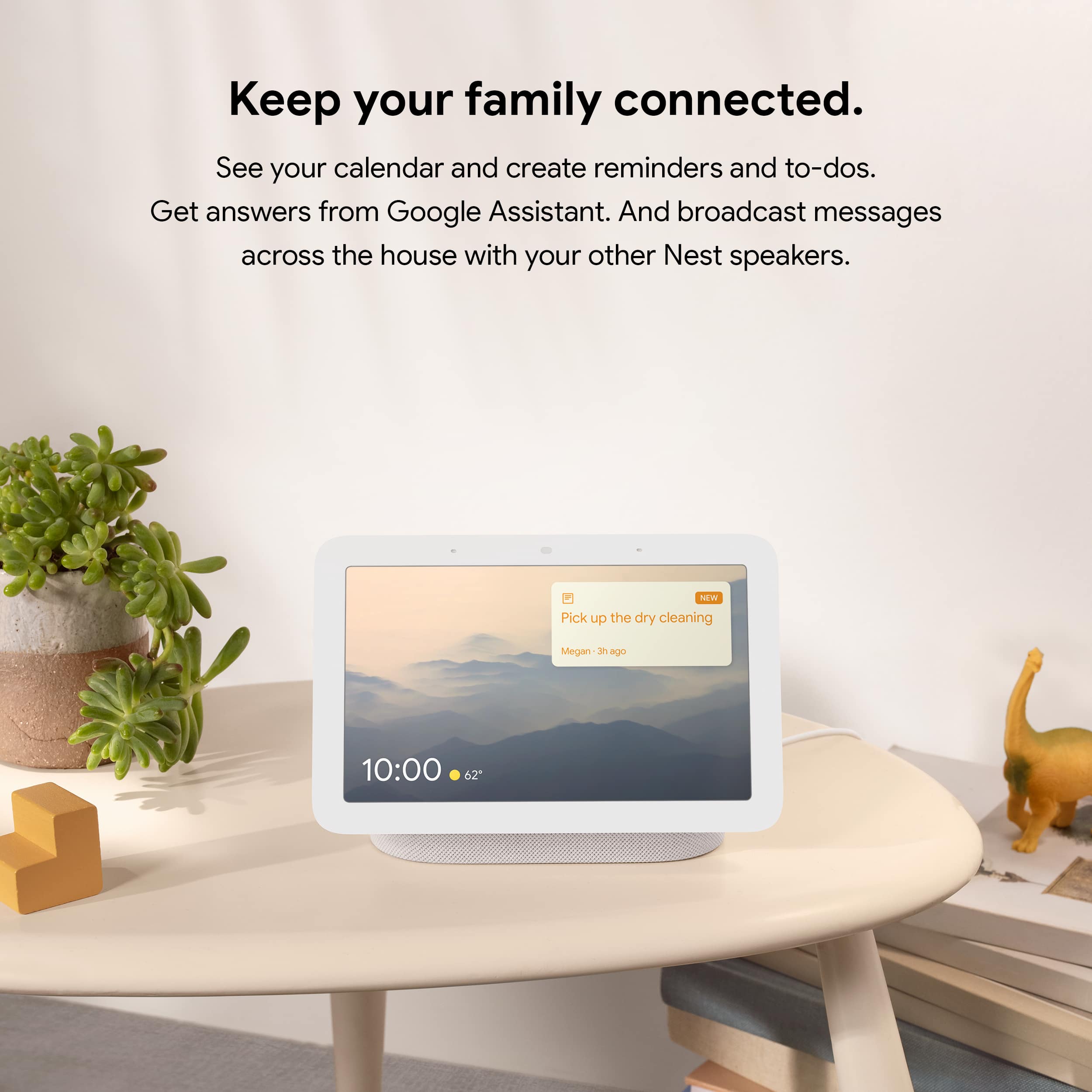
||Posted . Owned for 1 week when reviewed.This reviewer received promo considerations or sweepstakes entry for writing a review.We have several of these throughout the house. We use the broadcast feature daily, it is like having an in house intercom. You can control your smart devices with this.
I would recommend this to a friendCute
||Posted . Owned for 1 week when reviewed.This reviewer received promo considerations or sweepstakes entry for writing a review.Screen could be bigger. Nice and bright. Does the job.
I would recommend this to a friendBrand response from Nest Support
Posted .Hi Toaster, we appreciate your insights on Nest Hub (2nd Gen). It's great to hear that you liked the screen quality. If you prefer a bigger screen size with the same functionality, we recommend checking out the Nest Hub (2nd Gen) since it comes with a 10" HD touchscreen. Come visit our help page for more information: https://support.google.com/googlenest/answer/7072284
Nest Hub
||Posted . Owned for 1 month when reviewed.This reviewer received promo considerations or sweepstakes entry for writing a review.The Nest would not download my app. I exchanged it for a tablet
I would recommend this to a friendBrand response from Nest Support
Posted .Hi Josnne, thanks for letting us know about the issue. We're sorry to hear that you already exchanged Nest Hub (2nd Gen) for another device. If you ever have a change of heart and reconsider using Nest Hub again, you're more than welcome to contact our support team for any questions or support needs here: https://support.google.com/googlenest/gethelp
- Pros mentioned:Google assistant
If only it worked well with Sonos
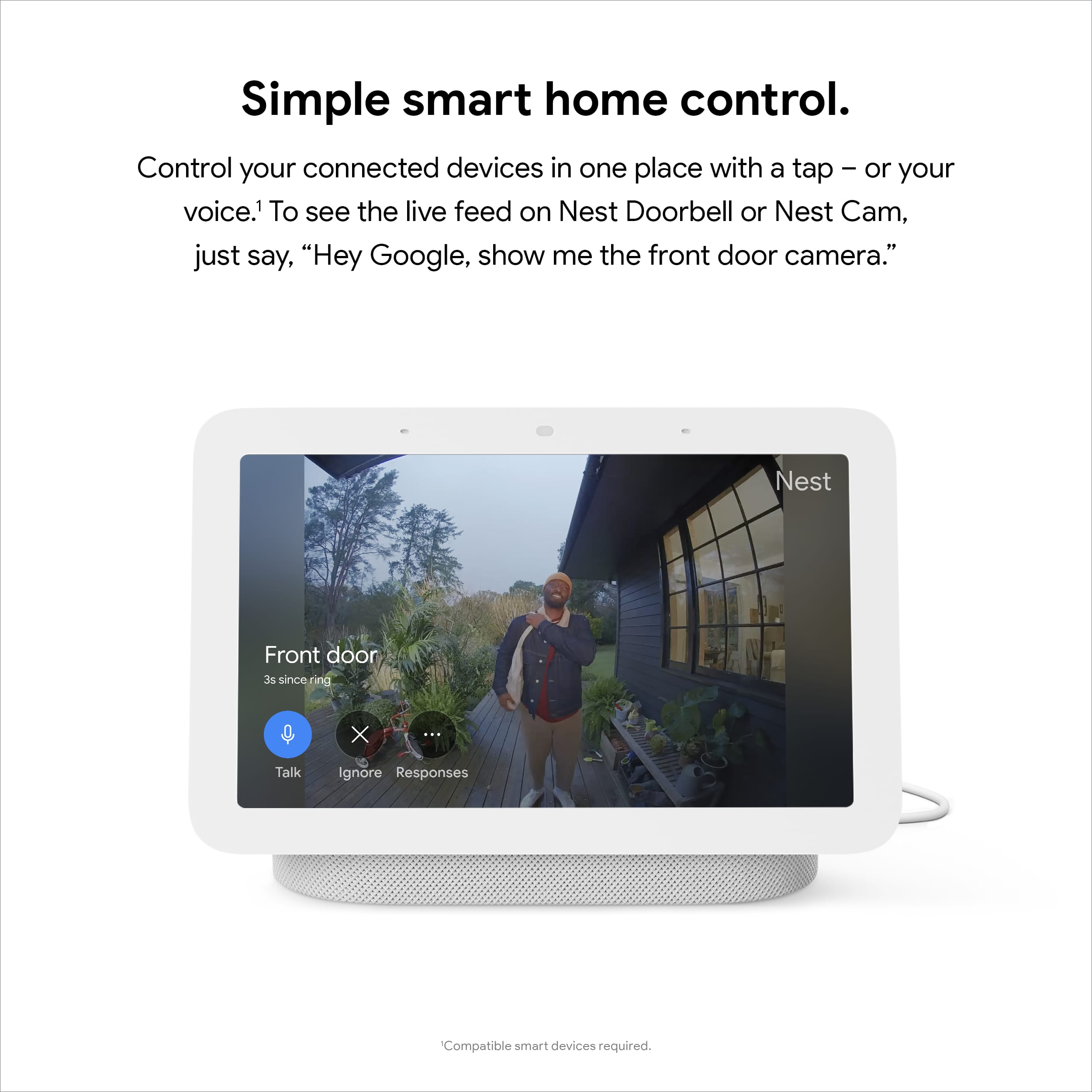
||Posted . Owned for 3 weeks when reviewed.This reviewer received promo considerations or sweepstakes entry for writing a review.So wanted this to work seemlessly with Sonos. Add support for Sonos so you can see and select what’s playing and this would be awesome. Okay outside of that. Nice to view nest cams or doorbell
No, I would not recommend this to a friendBrand response from Nest Support
Posted .Hi Nathaniel, thanks for the feedback, and for sharing your insights about the Nest Hub (2nd gen). We hear you, and we understand that having the ability to see and select what’s playing on Sonos can be ideal for you. We’d be happy to share this information with the right team for future improvements. Meanwhile, besides viewing Nest Cams and doorbells in the Nest Hub, there are different ways to enjoy the display like viewing photos, playing TV shows and movies, and more. You can visit this link to learn other things you can do with the Nest Hub (2nd gen): https://support.google.com/googlenest/topic/10356591
For any challenges, questions and concerns about the Nest display and its features, we have our specialists always available at Google Nest Help page here: https://support.google.com/googlenest/gethelp
Delivery sucks!
||Posted . Owned for 2 weeks when reviewed.This reviewer received promo considerations or sweepstakes entry for writing a review.If I could give 0 stars I would. I purchased this partly with a reward card. Should have been delivered the day after. Got a message the day after that shipment was delayed. The next day after that new message arrived that the item was out for delivery. Next message said item was returned to store. Never got my rewards back, and neither the item. Called customer service, and they didn’t help out either. If you’re able to pick up, do that instead. Would never choose to get items delivered again.
No, I would not recommend this to a friendBrand response from Nest Support
Posted .Hi there, JimtonyG. We're sorry to hear you ran into this issue with your order of the Nest Nest Hub (2nd gen). We recommend that you reach out to BestBuy so they can address this issue for you. If you need any technical help in the future, please don't hesitate to contact us on our Google Nest Help page here: https://support.google.com/googlenest/gethelp
Wouldn't connect to WiFi - I sent it back
||Posted . Owned for less than 1 week when reviewed.This reviewer received promo considerations or sweepstakes entry for writing a review.I have 45 years software development experience including very low level networking hardware/software. I spent 2 hours trying many documented fixes, but this would not connect to my WiFi. I have 2 smart TVs and 4 Chromebooks and a Echo Show 8 and a Win7 laptop and a Linux laptop and all of these connect fine. I was gifted a Chromecast 2 years ago and it took several hours to get it to connect to WiFi. The Nest Hub 7 has a touch screen - I should not have to run an app to configure it. The Echo was configured from its screen just fine - took about 30 secs to connect WiFi. There are many web reports of people who cannot connect the Nest Hub to WiFi. I am not spending hours of my life trying to get this working - I returned and ordered another Echo Show 7. I'm done with Google hardware.
No, I would not recommend this to a friendBrand response from Nest Support
Posted .Hi there DonEvanstonIL, thanks for sharing the issue with our support team. It is unfortunate to hear that your Nest Hub (2nd Gen) wouldn't connect to your Wi-Fi network, and we're sorry you had to return it.
If you ever have a change of heart and consider using Google Nest products again, our support team would be happy to assist you and help you with your support needs. You're always welcome to reach out to our support team here: https://support.google.com/googlenest/gethelp
Doesn’t work
||Posted . Owned for 1 month when reviewed.This reviewer received promo considerations or sweepstakes entry for writing a review.Malfunctioned really quickly. I did not know why it did just stopped working.
No, I would not recommend this to a friendBrand response from Google Nest Support
Posted .Hello EvanC, we're sorry to hear that your Nest Hub (2nd gen) isn't working as expected. To help us troubleshoot, please provide more information by contacting us here: https://support.google.com/googlenest/gethelp
Is google still respect your privacy?
||Posted . Owned for 2 weeks when reviewed.This reviewer received promo considerations or sweepstakes entry for writing a review.it is ok I am not sure if google still believe in not being devil
I would recommend this to a friendBrand response from Nest Support
Posted .Hi ultradragon, we appreciate your feedback on Nest Hub (2nd gen), and are hoping to learn more about your experience with the Nest display. We’d like to know if you have any challenges with its performance or features, and help you the best way we can. You can always reach out to us here for any questions or concerns: https://support.google.com/googlenest/gethelp
Great
||Posted . Owned for 1 month when reviewed.This reviewer received promo considerations or sweepstakes entry for writing a review.I bough it for my son he’s very happy with it. Worth every cent
I would recommend this to a friend