Customer Ratings & Reviews
- Model:
- GA01331-US
- |
- SKU:
- 6450820
Customer reviews
Rating 4.7 out of 5 stars with 5002 reviews
(5,002 customer reviews)Rating by feature
- Value4.7
Rating 4.7 out of 5 stars
- Quality4.7
Rating 4.7 out of 5 stars
- Ease of Use4.6
Rating 4.6 out of 5 stars
Customers are saying
Customers commend the Nest Hub 7” Smart Touchscreen Display for its sound quality, ease of use, and convenient screen size, frequently praising its seamless setup and helpful Google Assistant integration. While some users noted occasional slow response times, the positive feedback on features like sleep tracking and smart home integration outweighs these concerns. Many appreciate the device's value for its price point.
This summary was generated by AI based on customer reviews.
Rated 5 out of 5 stars
Google
||Posted . Owned for 1 month when reviewed.This reviewer received promo considerations or sweepstakes entry for writing a review.I love my google. I’m very happy with the color option
This review is from Nest Hub 2nd Gen - 7" Smart Home Display with Google Assistant - Sand
I would recommend this to a friendRated 4 out of 5 stars
Good buy, got it on sale
||Posted . Owned for 3 weeks when reviewed.This reviewer received promo considerations or sweepstakes entry for writing a review.More versatile then just a smart clock and good for checking severity camera
I would recommend this to a friendRated 5 out of 5 stars
Google
||Posted . Owned for 1 month when reviewed.This reviewer received promo considerations or sweepstakes entry for writing a review.Would buy again in the near future. Best purchase ever.
This review is from Nest Hub 2nd Gen - 7" Smart Home Display with Google Assistant - Sand
I would recommend this to a friendRated 1 out of 5 stars
Hate it
||Posted . Owned for 3 weeks when reviewed.This reviewer received promo considerations or sweepstakes entry for writing a review.I bought this with a camera package and I want to throw them all away. It is not easy to use. In fact Google Home is a major pain. Trying to play music is a nightmare I find that Sonos is a far better system for music.
This review is from Nest Hub 7” Smart Touchscreen Display with Google Assistant (2nd Gen) - Charcoal
No, I would not recommend this to a friendBrand response from Nest Support
Posted .Hello there, Filippelli74. We're sorry that your experience with the Google Nest products you purchased didn't meet your expectations. We hear your frustration and would like to provide you with the best help possible and identify the cause of these issues you’re having with your devices. Please reach out to our dedicated team of specialists on our Google Help page for immediate support here: https://support.google.com/googlenest/gethelp
Rated 1 out of 5 stars
Doesnt work after 15 min
||Posted . Owned for 1 week when reviewed.This reviewer received promo considerations or sweepstakes entry for writing a review.Didn't work. While streaming music, within 15 min it would abruptly change to a loud humm for 30 secs and turn off. After it shut off, the device wouldn't turn back so had to do hard reset. Tried corrective measures of using different outlets, disconnect from cord, factory reset, and rebooting modem to reconnect device. Nothing worked and will be returning.
No, I would not recommend this to a friendBrand response from Nest Support
Posted .Hi TPayne, thanks for sharing your review on your Nest Hub(2nd gen) and we're sorry to learn that you're experiencing some difficulties with streaming music to the device. We appreciate you for troubleshooting the issue on your end. If you're willing, we advise that you reach out to our support specialists so we can take a better look at the issue and help find a resolution for you before you decide to return your Nest Hub. You can contact us on our Google Help page by visiting the link here: https://support.google.com/googlenest/gethelp
Rated 5 out of 5 stars
Love it
||Posted .This reviewer received promo considerations or sweepstakes entry for writing a review.My favorite smart home addition. Very convenient..
This review is from Nest Hub 2nd Gen - 7" Smart Home Display with Google Assistant - Sand
I would recommend this to a friendRated 5 out of 5 stars
thank yo
||Posted . Owned for 2 weeks when reviewed.This reviewer received promo considerations or sweepstakes entry for writing a review.i like it i will buy more for my family best seller
This review is from Nest Hub 2nd Gen - 7" Smart Home Display with Google Assistant - Sand
I would recommend this to a friendRated 1 out of 5 stars
The product may or may not work for you,
||Posted . Owned for 3 weeks when reviewed.This reviewer received promo considerations or sweepstakes entry for writing a review.Product was returned because it would not stay connected to the network. This is apparently a known bug with the product, and I have been told that there is no fix at this time. Google has fixed this bug in the newest nest minis, but *NOT* in the nest hub line - how stupid is that?
No, I would not recommend this to a friendBrand response from Nest Support
Posted .Hi there, thanks for informing us about the issue. We're sorry for the frustrating experience with the connectivity issue for Nest Hub (2nd Gen), and it's truly unfortunate that you had to return it.
We're hoping you will change your mind and consider using Nest Hub again. We'd be happy to answer any questions you may have, and you can count on us for your support needs. Here's the link where you can contact us: https://support.google.com/googlenest/gethelp
Rated 4 out of 5 stars
A small good hub
||Posted .This reviewer received promo considerations or sweepstakes entry for writing a review.Kinda operates okay but it doesn’t have the character of an echo show
This review is from Nest Hub 7” Smart Touchscreen Display with Google Assistant (2nd Gen) - Mist
I would recommend this to a friendBrand response from Nest Support
Posted .Hi Tech7, thank you for sending in your review. We're sorry to hear that your experience with your Nest Hub(2nd gen) didn't meet your expectations when compared to a different brand. Your feedback here helps us understand our customers' preferences when it comes to the products and services we provide. If you have additional questions or need further assistance, please don't hesitate to contact us on our Google Help page here: https://support.google.com/googlenest/gethelp
Rated 2 out of 5 stars
Nest hub
||Posted . Owned for 1 month when reviewed.This reviewer received promo considerations or sweepstakes entry for writing a review.Wasn’t what I expected. Didn’t work with google premium music.
This review is from Nest Hub 7” Smart Touchscreen Display with Google Assistant (2nd Gen) - Charcoal
No, I would not recommend this to a friendBrand response from Nest Support
Posted .Hi there SamsungQLED55, thanks for reaching out. We're sorry to hear about the unlikely experience you had setting, up Google Premium Music with Nest Hub (2nd Gen).
In order for YouTube music to work, you may need to link your YouTube Premium as your default music service on your Google Hub.
1. Make sure your mobile device or tablet is connected to the same Wi-Fi network as your Nest Mini.
2. Open the Google Home app.
3. At the top right, tap your account.
4. Verify that the Google Account shown is the one linked to your speaker. To switch accounts, tap the triangle next to the Google Account, then tap another account or Add another account.
5. Go back to the home screen, and at the top left, tap Add > then Music.
6. To choose your default service, tap the music service you would like to use. Assistant will use this service when you say “Hey Google, play music.”
7. For YouTube Music, you will need to link your account. To connect your account, tap a music service > then Link account > and sign in for the service and follow the in-app steps.
Our support team would be more than happy to assist you if you can visit us at the Google Nest help page here: https://support.google.com/googlenest/gethelp
Rated 4 out of 5 stars
Good product
||Posted . Owned for 3 weeks when reviewed.This reviewer received promo considerations or sweepstakes entry for writing a review.It works good. I Like the sleep features. it reads good stories for kids.
This review is from Nest Hub 2nd Gen - 7" Smart Home Display with Google Assistant - Sand
I would recommend this to a friend- Pros mentioned:Ease of use, Sound quality
Rated 5 out of 5 stars
Better Sleep?
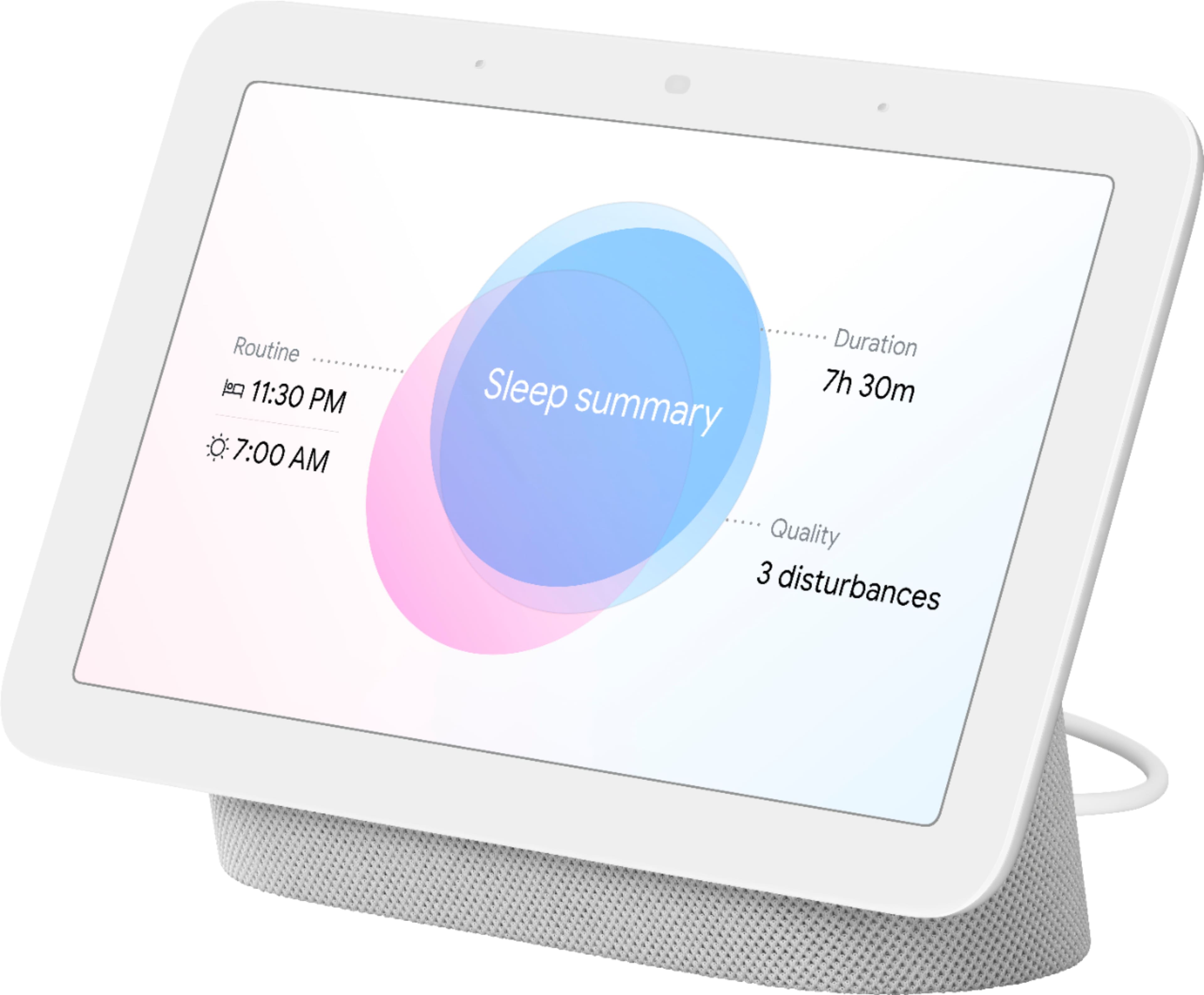
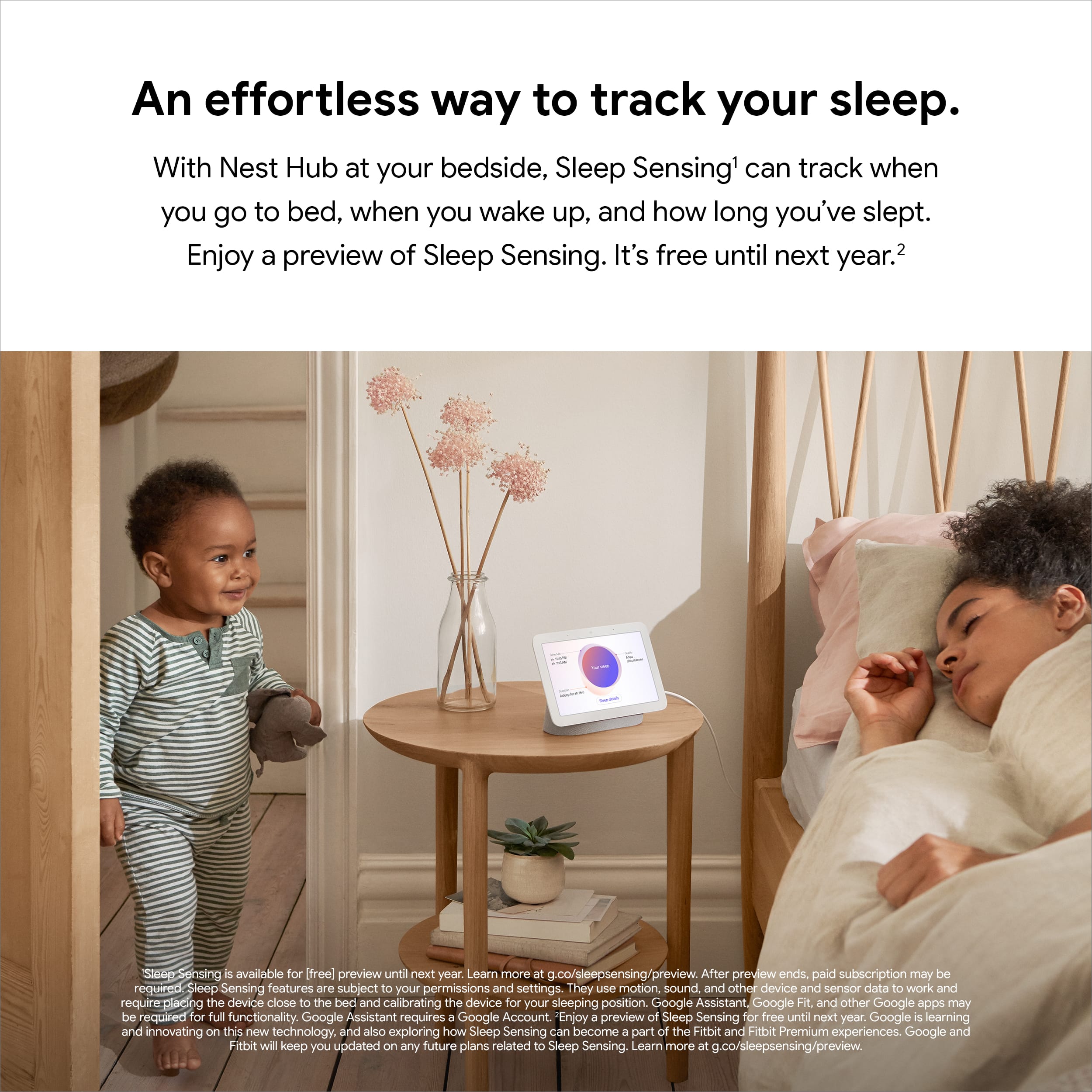
|Posted .This reviewer received promo considerations or sweepstakes entry for writing a review.Google's new Sleep Sense feature is pretty cool. It was fairly simple to set up. I unfortunately forgot to calibrate it the first night so I didn't receive any results of course the next day. So don't forget to calibrate! Calibrating is super easy, just follow the easy calibration directions that the google hub will guide you through. Make sure it sits close to you on your night stand. I like how it doesn't pick up anything from my wife who sleeps next to me. You just set the time you go to bed and get up in the morning. If you decide to go to bed early or later than your selected time, it will automatically adjust and monitor during the actual time you are in bed. Although you can check your sleep data on the hub in the morning, I usually go to the google fit app on my phone and check how I slept. It monitors Duration in bed, schedule, timings, disturbances, snoring, coughing, and respiratory rate. This also gives you ways to improve your sleep after analyzing your data. There look is not much different than the original, but the speakers are slightly better sounding and I like the hand gesture feature as well. I control all my smart devices throughout the house. I absolutely recommend this product!
I would recommend this to a friend - Pros mentioned:Sound qualityCons mentioned:Camera
Rated 3 out of 5 stars
Good sound and display-could use some improvements
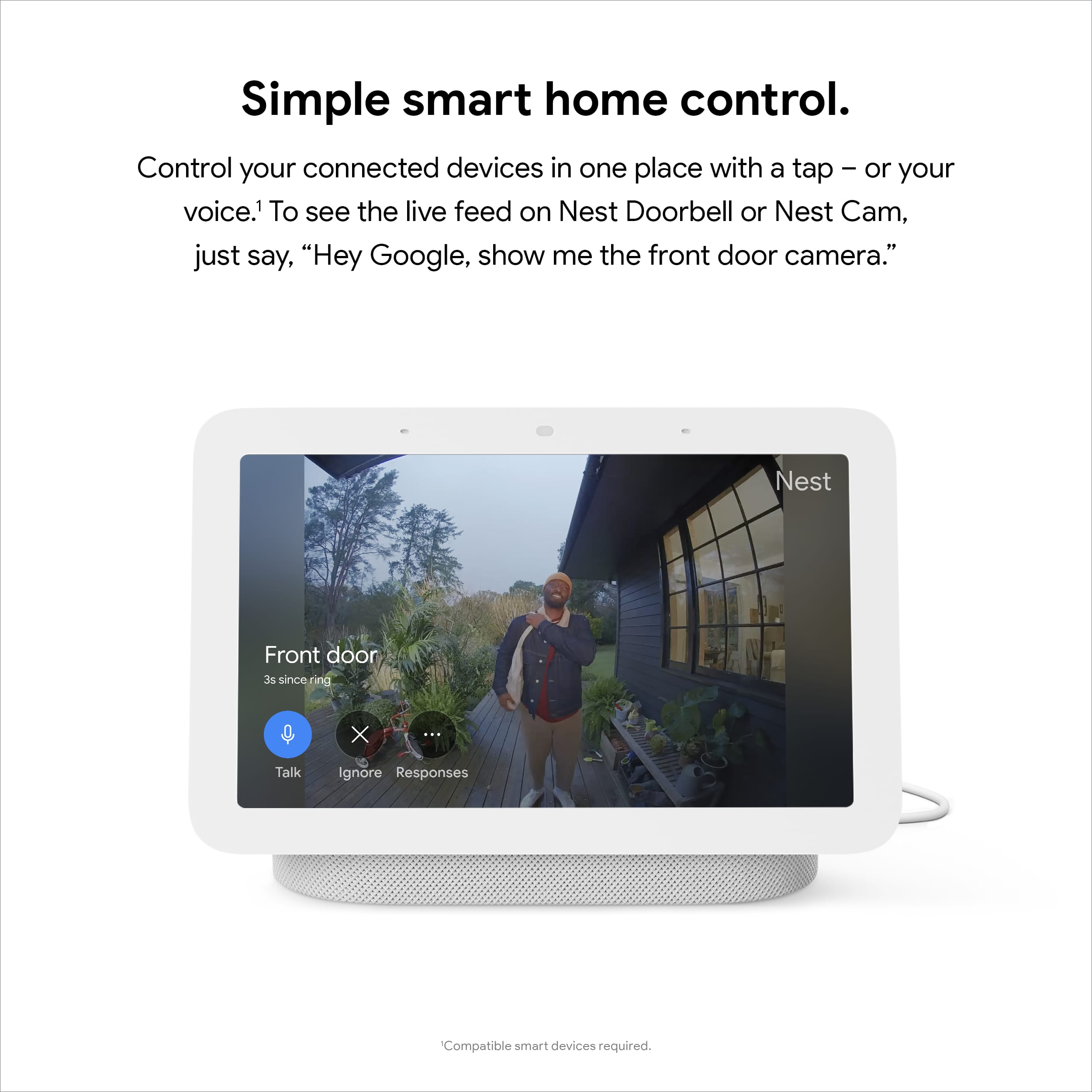
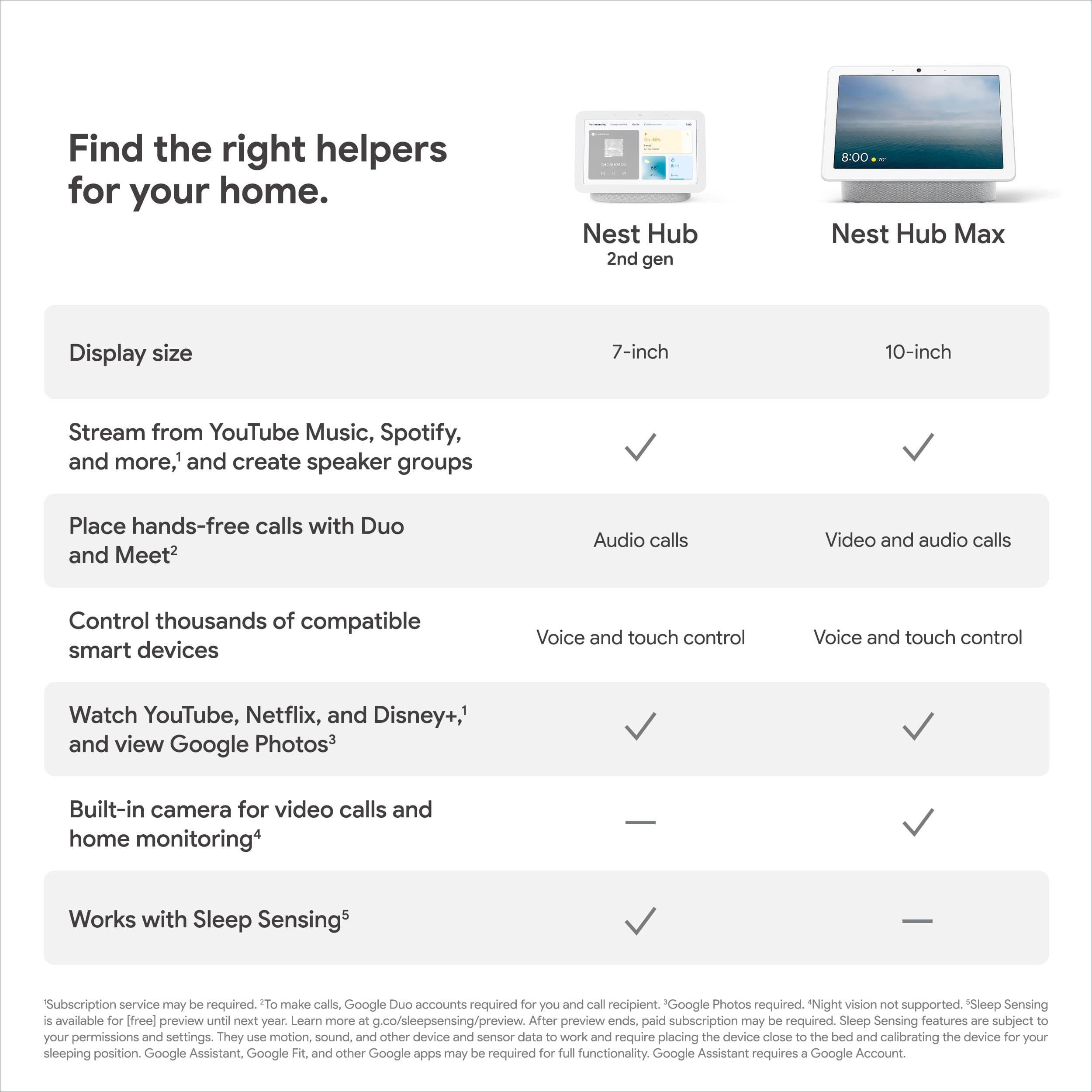
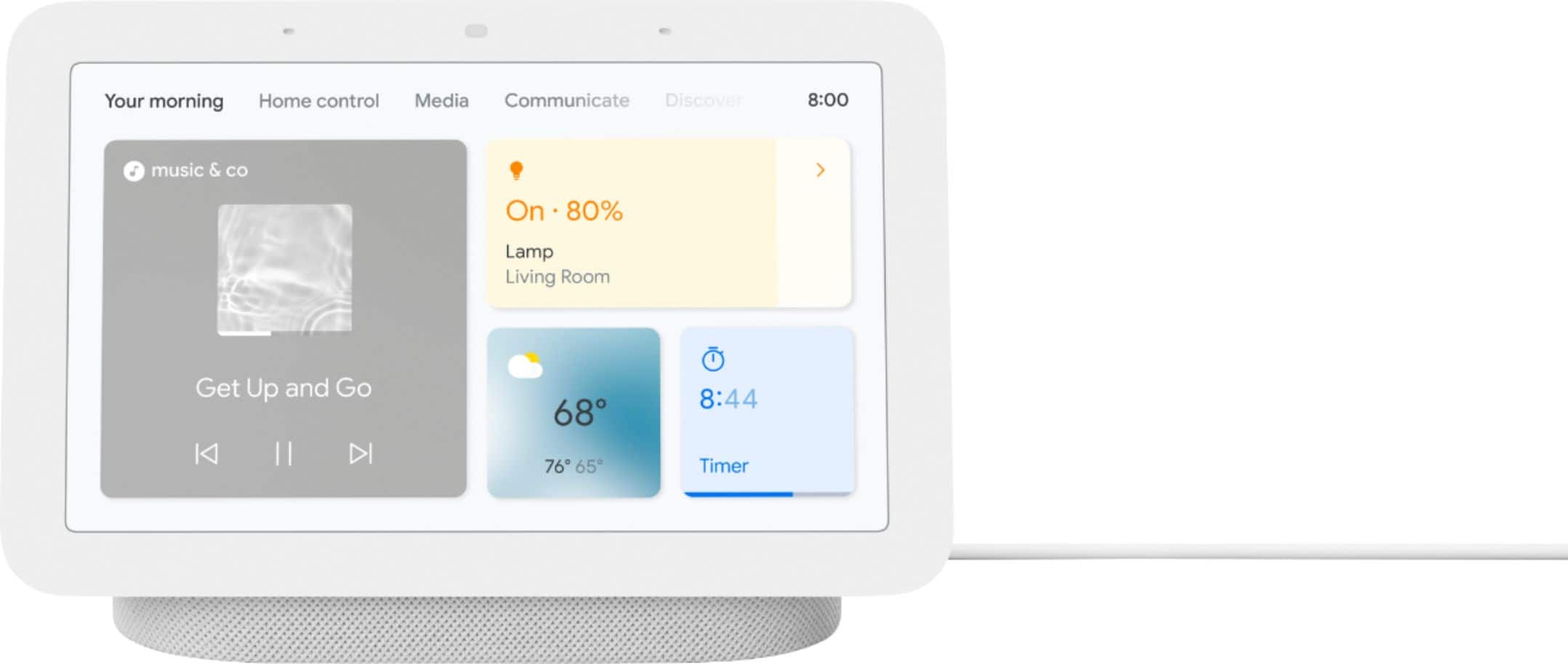
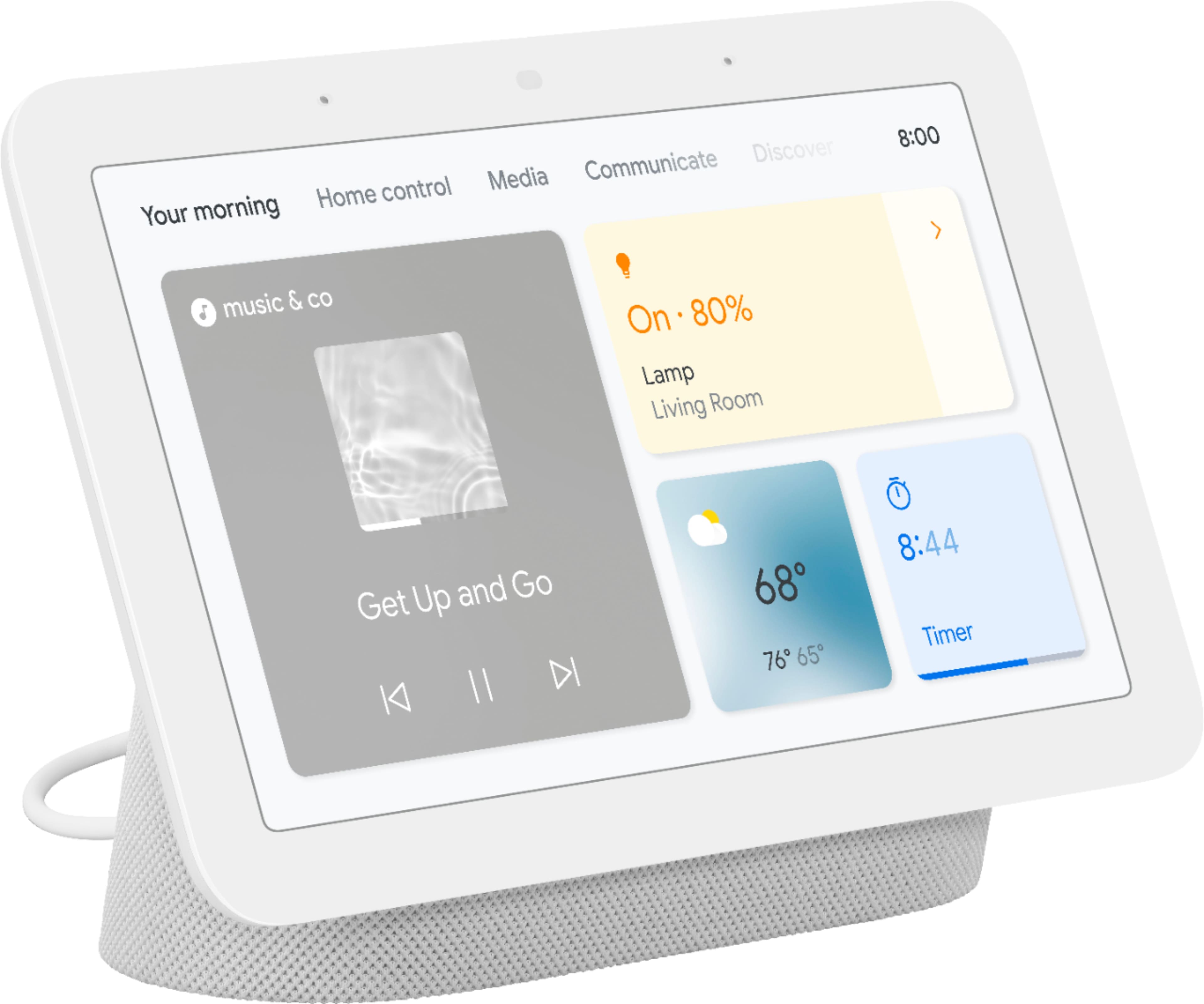
|Posted .This reviewer received promo considerations or sweepstakes entry for writing a review.A nice sharp and vibrant display with good audio quality. Looks great on the nightstand and works decently well for home automation hub, however it could use some improvements. Set up is straight forward, most of which is a walk through on the display, which is nice for the tech novice. Anyone with an existing Google Home App and account, their existing home automation devices, rooms, and routines will automatically get set up for this device. Navigation is through touch screen, although you can access screens and apps via voice command as well. The voice command works well. Google does a good job with their devices with voice recognition, almost too good which can be a bad thing if you have multiple Google Devices with voice commands. For example, as I attempt to ask the Google Nest Hub a command, my TV will also prompt for the same command. This tells me that Google has not made any advances in spacial recognition. Instead of one device that is closet to the command, any other device near by will also recognize the command, which is a bit annoying. I like the ability to quickly check the weather forecast as I get up or check for the latest news. However, it does require you to interact with the screen or voice commands as the main page will not appear as the unit will be in a wallpaper mode with inactivity. It does display current time and temperature on Wallpaper mode though, but interaction is needed to get more detailed forecast. If you upload your photos to Google drive, you can sync your Nest Hub with your account to have the Wallpaper flip through your personal photos like a digital frame, which is nice. Although the default photos do have interesting subject matters and are in great quality. One of the new features to Google Nest Hub is the sleep sensor. Using motion and sound sensors, it records you at night to give you some insight on how restful your sleep is. You set the hub in a way where it can sense your breathing patterns with the rise and fall of your torso. I would some of the information is useful, such as when you get into bed, how long it takes you to fall asleep, how many times you are out of bed and temperature of the room. Some other details are a bit of a gimmick. You can see details such as restless period, snoring, coughing, however I can’t speak to the accuracy. I was told that I groaned very loudly one morning that my kids heard over the next room, however I didn’t find anything triggered in the sleep detail around that time. The details display your full sleep window with no ability to zoom in to a specific time range. The longer you sleep, the harder it is to make out anything out of the details provided. Media is limited via Video or Music. It’s Google centric, which makes sense. So, if you want access to specific songs, be prepared to shell out for a paid service. There are free versions of services that you can you, such as Google Music or Spotify, but if you don’t have a load purchased music content, these type of services will be a random shuffle of an artist or genre. Not out of the ordinary, just note that other Non-google services such as Apple Music or Prime music subscriptions will not be compatible. I like the Household contacts’ feature. You can designate members of your family, or anyone else in your contact for that matter. Without a phone line, you can call these members through the hub. This is great for any family member that currently does not have a phone line. One drawback though is that the call comes through as “Unknown”. So, if you are like me, I don’t answer those calls. But it is an option. Home control is good, but it could be better. I have no problem controlling my devices, however for features like “Show me the front door cam”, it takes a very long time to bring up the feed. I ran into an instance where my doorbell feed is coming in sideways and is glitchy. I do hope they improve that feature, otherwise it defeats the purpose as if you are trying to capture something in the moment, it will be missed by the time the feed comes up. Also, there is no interaction with the feed. Just viewing only, which is kind of a bummer since you cannot talk to the person at the door. It appears that the interface is the exact same as what Google uses for the larger Nest Hubs. This smaller version does not include a camera, so you will see features on the menu that are not applicable unfortunately. Overall, I think it is a nice looking and sounding device. Whether or not I recommend this device will definitely be based on what that person’s home ecosystem consists of and whether or not they can live with some of these cons mentioned on the review.
No, I would not recommend this to a friendBrand response from Nest Support
Posted .Hi RunningMan, thanks for sharing your feedback with us. We're sorry that you came across these issues, but we're here to help you out. We value your feedback as we're always looking for ways to improve our products and services. Your review helps us a lot along the process. We'd like to take a look at your Nest Hub 2nd Gen, and do our best to help. Please reach out to our support team so that we can improve your experience. Here's the link: https://support.google.com/googlenest/gethelp
Rated 2 out of 5 stars
Love your service, need more of it
||Posted . Owned for 3 weeks when reviewed.This reviewer received promo considerations or sweepstakes entry for writing a review.I'm ready for my Geek Squad partner to come back out and hook it up for me
I would recommend this to a friendBrand response from Nest Support
Posted .Hi there, we appreciate you for sharing your review here. We're sorry to hear that your experience with the Nest Hub(2nd gen) has been less than ideal. We appreciate that you tried to find a resolution on your end. If you're willing, we'd like to know more details about your concern about the device and help you in finding a better resolution. Please contact us on our Google Help page here: https://support.google.com/googlenest/gethelp
Rated 5 out of 5 stars
Happy
||Posted . Owned for 1 month when reviewed.This reviewer received promo considerations or sweepstakes entry for writing a review.I am very happy with my device! Works perfect at home
This review is from Nest Hub 2nd Gen - 7" Smart Home Display with Google Assistant - Sand
I would recommend this to a friendRated 2 out of 5 stars
Keep the light on
||Posted . Owned for 1 month when reviewed.This reviewer received promo considerations or sweepstakes entry for writing a review.cant see the time when the lights are off please yall
This review is from Nest Hub 7” Smart Touchscreen Display with Google Assistant (2nd Gen) - Charcoal
I would recommend this to a friendBrand response from Nest Support
Posted .Hello SifuRayde, thanks for sharing your feedback with us about the Nest Hub (2nd gen), and we’re sorry to learn of your issue with the display settings.
Google Nest displays have Ambient EQ, a new visual experience that dynamically adjusts the color temperature and brightness of your display to create a non-intrusive smart display experience. Whenever the room is dark, Low-light mode will be enabled. It will be enabled regardless if Ambient EQ is on or off. When in Low-light mode, the display will either show the time or turn the screen off completely. You can adjust the settings for when to activate Low-light mode, and select what you’d like the screen to show during Low-light mode when you navigate to the Display settings on your Home app.
Also, the minimum brightness of your Nest display's screen can be adjusted in Display settings. The effect of this setting will mostly be visible when the Low-light clock shows, and enables you to make the Low-light clock dimmer or brighter, to best suit your individual preference. If you find the Low-light clock to be too dim when the room is dark, change the minimum brightness to Bright or Brighter.
We’re always here to help. If needed, you can always contact us at: ttps://support.google.com/googlenest/gethelp
Rated 4 out of 5 stars
Awesome!
||Posted . Owned for 1 week when reviewed.This reviewer received promo considerations or sweepstakes entry for writing a review.I love it! It makes life so much more fun and interactive
This review is from Nest Hub 2nd Gen - 7" Smart Home Display with Google Assistant - Sand
I would recommend this to a friendRated 4 out of 5 stars
Great, but a little slow
||Posted . Owned for 2 weeks when reviewed.This reviewer received promo considerations or sweepstakes entry for writing a review.Overall, love the hub - although it is a little glitchy.
This review is from Nest Hub 7” Smart Touchscreen Display with Google Assistant (2nd Gen) - Charcoal
I would recommend this to a friendBrand response from Nest Support
Posted .Hi Matt, thanks for sending in your review on your Nest Hub(2nd gen). We're happy to hear that you're loving your experience with your device. Your feedback on the device being glitchy is appreciated. We'd recommend rebooting your Nest Hub as this often will fix the issue. If you've done this step already or if the issue still persists, please reach out to our support team and let us help find a resolution for you. You can contact us on our Google Help page here: https://support.google.com/googlenest/gethelp
Rated 4 out of 5 stars
Mr.
||Posted . Owned for 2 months when reviewed.This reviewer received promo considerations or sweepstakes entry for writing a review.Good product for make watching security cameras system
This review is from Nest Hub 7” Smart Touchscreen Display with Google Assistant (2nd Gen) - Charcoal
No, I would not recommend this to a friendRated 4 out of 5 stars
It’s a Good Buy!
||Posted . Owned for 1 month when reviewed.This reviewer received promo considerations or sweepstakes entry for writing a review.Worth the price $50. Features and Design are nice!
I would recommend this to a friend