Customer Ratings & Reviews






- Model:
- GA02308-US
- SKU:
- 6450822
Rating by feature
- Value
Rating 4.7 out of 5 stars
- Quality
Rating 4.7 out of 5 stars
- Ease of Use
Rating 4.6 out of 5 stars
Customers are saying
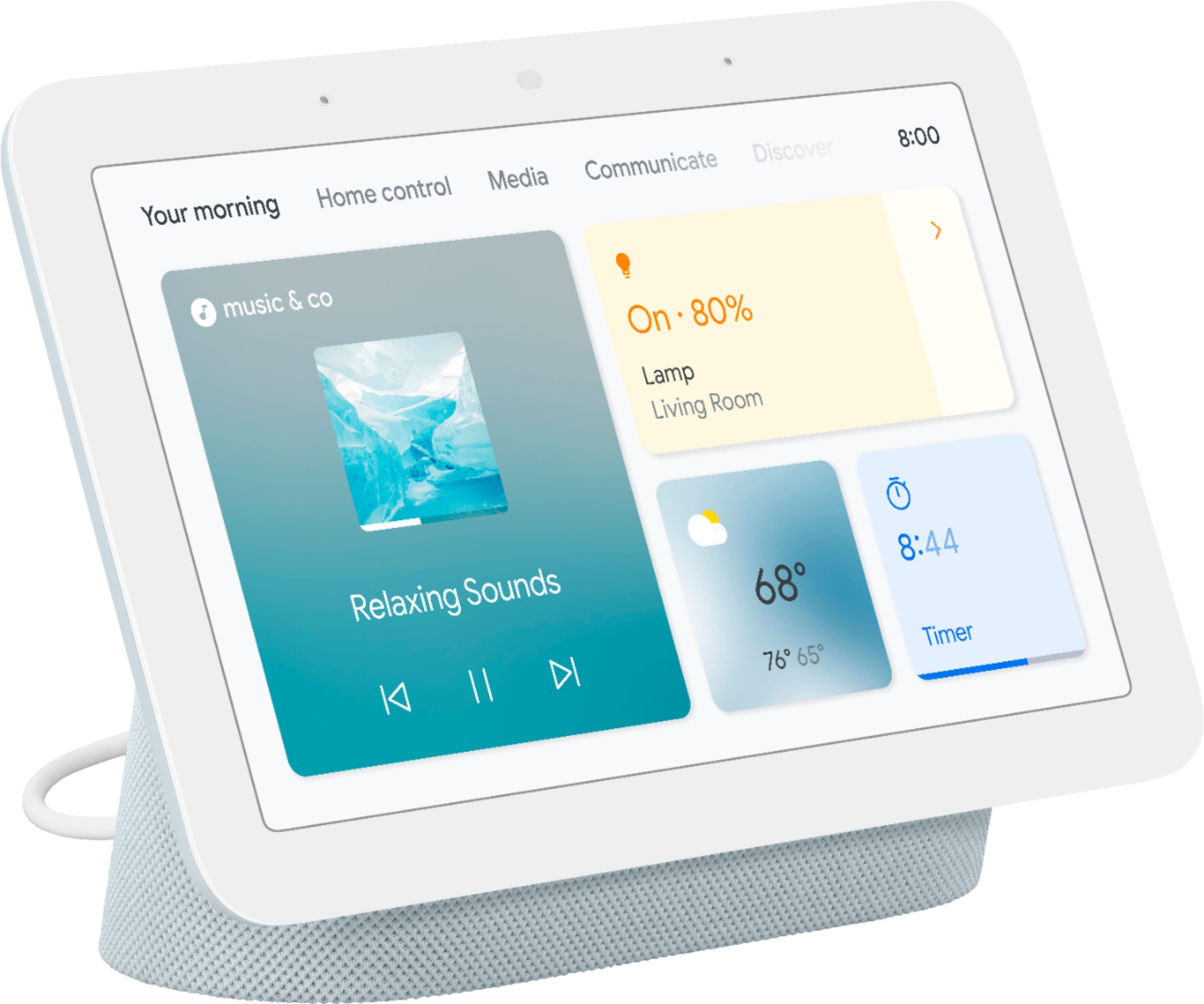
Customers are pleased with the product's ease of use, sound quality, and screen size. Many also appreciate the effective Google Assistant, easy setup, smart home integration, and beneficial sleep tracking, considering it good value for its price. However, some users note the absence of a camera. A few customers have also experienced sluggish responsiveness and slow response times, and some mention limited compatibility with certain systems.
This summary was generated by AI based on customer reviews.
As always simple and effective
||Posted . Owned for 3 weeks when reviewed.This reviewer received promo considerations or sweepstakes entry for writing a review.I like it, nothing stands out but as always google products and services are admirable. Does it job, i do had to restart for a video jitter once.
I would recommend this to a friendbuy 1,2,3 and gift another
||Posted . Owned for 3 weeks when reviewed.This reviewer received promo considerations or sweepstakes entry for writing a review.I keep this by my desk and it helps assist me with all my daily functions.
I would recommend this to a friendPerfect
||Posted . Owned for 3 weeks when reviewed.This reviewer received promo considerations or sweepstakes entry for writing a review.Was just what i ordered. Was delivered in a timely matter. Price was perfect.
I would recommend this to a friendSmart hub for a smart home
||Posted . Owned for 1 week when reviewed.This reviewer received promo considerations or sweepstakes entry for writing a review.Very useful. Gives local weather updates, traffic information, and controls smart electronics such as smart bulbs, doorbell camera, etc.
I would recommend this to a friendGreat Item
||Posted . Owned for less than 1 week when reviewed.This reviewer received promo considerations or sweepstakes entry for writing a review.I am very happy with the Nest Hub. It does all that it claims to do. I am amazed of technology in how this item works.
I would recommend this to a friendNice product
||Posted . Owned for 1 month when reviewed.This reviewer received promo considerations or sweepstakes entry for writing a review.Its product it works great wish is was a little louder but works for what i bought it for
I would recommend this to a friendNot bad for $25 Black Friday sale
||Posted .This reviewer received promo considerations or sweepstakes entry for writing a review.Best Black Friday purchase it works well and adds video feature to your news. We haven’t used for calling yet
I would recommend this to a friend- Pros mentioned:Sound quality
Excellent when it has no issues
||Posted . Owned for 11 months when reviewed.This reviewer received promo considerations or sweepstakes entry for writing a review.Clear screen and loud speaker. Mine restarts every night, but I have another that works just fine ( this one might have an issue).Would reccomend.
I would recommend this to a friendBrand response from Nest Support
Posted .Hi Pappy, thanks for sharing your feedback with us. We're sorry to hear one of your Nest Hub is restarting every night. We suggest performing a factory reset that might help resolve your concern. Keep in mind that resetting the Nest Hub will erase all data and you will need to set it up again. Check this link to guide you on performing a factory reset: https://support.google.com/googlenest/answer/7073477
For further assistance, feel free to reach out to our support team here anytime: https://support.google.com/googlenest/gethelp
Value for money
||Posted . Owned for 1 week when reviewed.This reviewer received promo considerations or sweepstakes entry for writing a review.Excellent smart display for the bed rooms without any privacy concerns(!).
I would recommend this to a friendThis has served me well
||Posted . Owned for 1 year when reviewed.This reviewer received promo considerations or sweepstakes entry for writing a review.I’ve had this for a little while and let me tell you, I LOVE it. Definitely worth the money!
I would recommend this to a friendPersonal assistant
||Posted . Owned for 1 month when reviewed.This reviewer received promo considerations or sweepstakes entry for writing a review.Excellent product by Google. Got it for my parents. they loved it. Although I'm not a big fan that google listens to you all the time. but do you care!? lol
I would recommend this to a friendHub
||Posted . Owned for 7 months when reviewed.This reviewer received promo considerations or sweepstakes entry for writing a review.Perfect for the kitchen, control your compatible smart devices and get your favorite recipe with just a voice command
I would recommend this to a friendWorks great
||Posted . Owned for 1 year when reviewed.This reviewer received promo considerations or sweepstakes entry for writing a review.Works good. Haven’t had an issue after over a year of use
I would recommend this to a friendGreat
||Posted . Owned for 1 month when reviewed.This reviewer received promo considerations or sweepstakes entry for writing a review.This has been a great addition to our home. The way it integrates with all of our google/nest products is phenomenal.
I would recommend this to a friendNice size for the price
||Posted . Owned for 1 week when reviewed.This reviewer received promo considerations or sweepstakes entry for writing a review.The screen works well, but the purpose was to use it as a view source for my alarm system. The app isnt supported yet as it stated online.
I would recommend this to a friendgreat nightlight
||Posted . Owned for 11 months when reviewed.This reviewer received promo considerations or sweepstakes entry for writing a review.something else i thought i needed but its not my money so i dont care
I would recommend this to a friendGlitch
||Posted . Owned for 2 months when reviewed.This reviewer received promo considerations or sweepstakes entry for writing a review.The screen would sometimes glitch out when swiping. I would have to turn off and turn back on for the glitch to stop. Overall it does function as it should.
I would recommend this to a friendBrand response from Nest Support
Posted .Hi there, Steph. We appreciate you for sharing your feedback on your Nest Hub (2nd gen). We can see that you're experiencing some difficulties with your screen glitching. It's important to us that we provide you with the best help possible and identify the cause of the screen glitch you’re experiencing with your device. Please reach out to our dedicated team of specialists on our Google Help page for immediate support here: https://support.google.com/googlenest/gethelp
Great Product
||Posted . Owned for 5 months when reviewed.This reviewer received promo considerations or sweepstakes entry for writing a review.Liked it and works great. Fully responsive and performs per expectations.
I would recommend this to a friendConvenient
||Posted . Owned for 2 months when reviewed.This reviewer received promo considerations or sweepstakes entry for writing a review.I just like being able to control everything with my voice, but don't like that it's always listening.
I would recommend this to a friendIt does everything it is supposed to do.
||Posted . Owned for 1 week when reviewed.This reviewer received promo considerations or sweepstakes entry for writing a review.It shows the nest camera and works as a google assistant with pictures.
I would recommend this to a friend