Customer Ratings & Reviews






- Model:
- GA00639-US
- SKU:
- 10538496
Rating by feature
- Value
Rating 4.5 out of 5 stars
- Quality
Rating 4.7 out of 5 stars
- Ease of Use
Rating 4.6 out of 5 stars
Meh
||Posted . Owned for 1 year when reviewed.This reviewer received promo considerations or sweepstakes entry for writing a review.Google’s software seems to get worse over time somehow. It doesn’t understand things it used to
No, I would not recommend this to a friendBrand response from Google Nest Support
Posted .Hi SoCalAaron. If your Nest Hub Max is not understanding instructions or voice commands, we recommend you check out this article to troubleshoot. https://support.google.com/googlenest/answer/7212130?hl=; If you’re still having issues, you can get in touch with our support team. Tap here to get in touch. https://support.google.com/googlenest/gethelp?hl=en

Camera issues
||Posted . Owned for 11 months when reviewed.This reviewer received promo considerations or sweepstakes entry for writing a review.Device is ok but the camera feature doesn’t work. We always have issues with it staying connected and the only way to fix it is to remove and add to my google account.
No, I would not recommend this to a friendBrand response from Nest Support
Posted .Hi Toni, thanks for your feedback! To troubleshoot your Nest Hub Max, try force-closing and reopening the Home app, then remove the Hub Max and factory reset it. If you need more help, visit our support team: https://support.google.com/googlenest/gethelp
Meh. Echo show is better
||Posted . Owned for 8 months when reviewed.This reviewer received promo considerations or sweepstakes entry for writing a review.Product is decent. The echo show is a better option In my opinion. My camera stopped working
I would recommend this to a friendBrand response from Nest Support
Posted .Hi HeelsGreaterThanDook, thanks for letting us know your feedback. We’re sorry to learn that your Nest Cam built-in to your Nest Hub Max stopped working. We’d like to know more about what happened and see what we can do to help. Please contact our support team and we’ll do our best to improve your experience here: https://support.google.com/googlenest/gethelp
Not so good
||Posted . Owned for 1 month when reviewed.This reviewer received promo considerations or sweepstakes entry for writing a review.Some time it don’t understand. We need to talk in loud voice. And the biggest issue is, it automatically tells ‘ there is a glitch please try again later’ when after a successful command executed.
No, I would not recommend this to a friendBrand response from Nest Support
Posted .Hi Sathya, thanks for giving us time to share your feedback about the Nest Hub Max, and we’re sorry to hear of your poor experience with the performance of its Google Assistant, and with its connectivity.
Your Nest display could be having trouble connecting to Google, and these simple steps might be helpful:
- Check your Wi-Fi network for possible congestion. Relieving some of your connected devices may help free up some bandwidth space.
- Check the distance between the Nest display and your router. Ensure that it is within a line of sight from your router.
- Check for wireless interference with other Wi-Fi hotspots or appliances and devices nearby.
- Restart Nest display and router to refresh the connection.
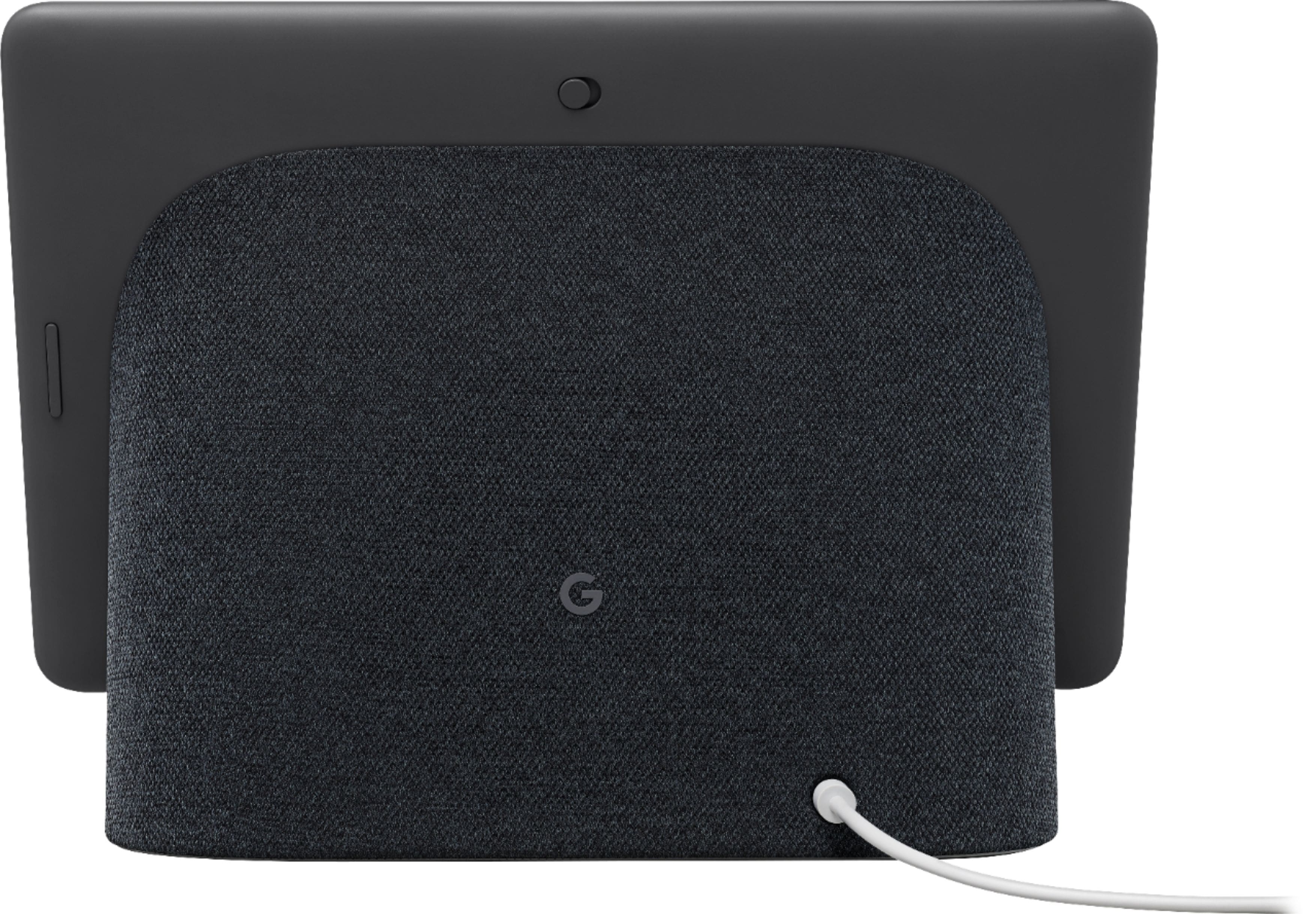
- Reset your Nest display. On the back of Nest Hub, press and hold both volume buttons together for about 10 seconds. Your Nest Hub will let you know that it's resetting.
You can also try to retrain your Nest Hub Max to better recognize your voice. See the steps below on how to do this:
- On your phone or tablet, open the Google Home app
- At the top right, tap your Profile picture or initial and then Assistant settings and then Voice Match.
- Tap Teach your Assistant your voice again and then Retrain.
Please let us know if additional assistance is needed and we’ll do our best to help improve your experience here: https://support.google.com/googlenest/gethelp
Do not buy
||Posted . Owned for 2 months when reviewed.This reviewer received promo considerations or sweepstakes entry for writing a review.Do not buy this if you are replacing your Alexa. It struggles to handle the most basic tasks. No amount of retraining has enabled it to consistently recognize my voice. Accounts don’t cross, so only one person can add things to the grocery list. It just randomly disconnects from apps. Save your money.
No, I would not recommend this to a friendBrand response from Nest Support
Posted .Hey Crystal. Thanks for sharing your feedback about your Nest Hub Max. We want to make sure you have the best experience possible with your device. Visit this link to learn more about the voice recognition and how to troubleshoot it: https://support.google.com/googlenest/answer/7342711?hl=en&co=GENIE.Platform%3DiOS&sjid=6109147095041228122-NC#zippy=;
If you need further support, don't hesistate to reach out to us: https://support.google.com/googlenest/gethelp
Group Video Calls Feature Missing- Come on Google!
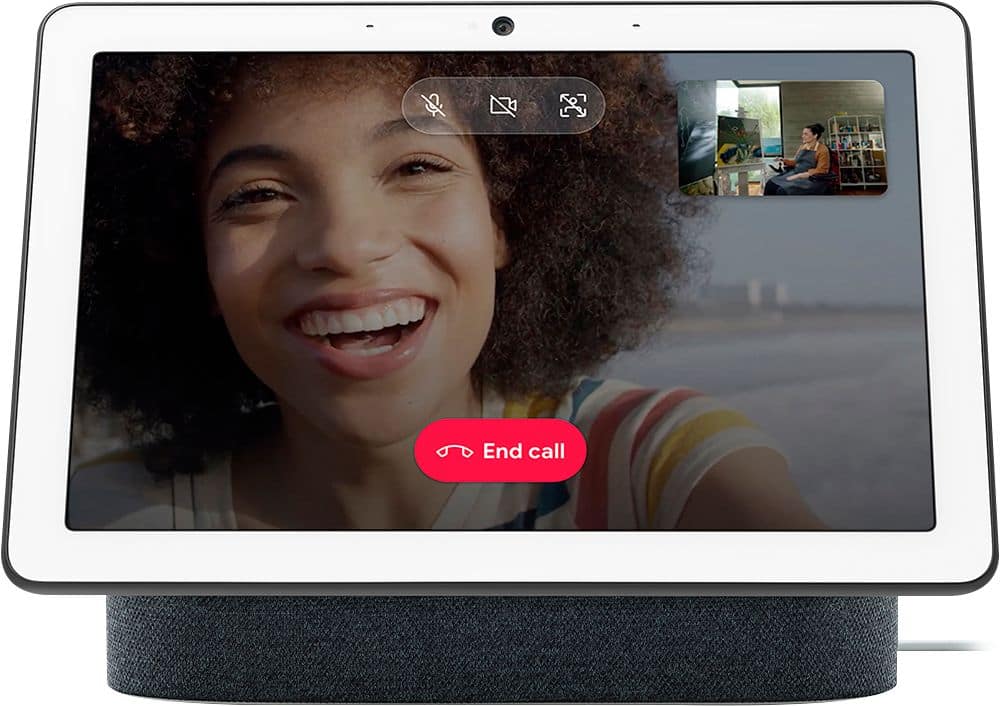
||Posted . Owned for 1 month when reviewed.This reviewer received promo considerations or sweepstakes entry for writing a review.Great kitchen display. Nice clear video calling. Could use some better mics and group calling feature.
I would recommend this to a friendTotal Junk
||Posted . Owned for less than 1 week when reviewed.This reviewer received promo considerations or sweepstakes entry for writing a review.I have 3 google hubs at my house and they were all easy to setup. This google Hub max is junk. It couldn’t stay connected to the Wi-Fi to save its life and after 2 hours, multiple full resets, this is getting return. I would consider my self very tech savvy, so good luck with this thing if you aren’t.
No, I would not recommend this to a friendBrand response from Nest Support
Posted .Hi Maximo, thanks for sharing your feedback to let us know of your issue with the Nest Hub Max, and we’re sorry to learn of your poor experience with its connectivity. We can see how much time and effort you’ve spent to make it work, and we understand your decision to return it. If you’re willing to give us an opportunity to investigate and help improve your experience, you may get in touch with our dedicated team and we’ll have a closer look into this issue: https://support.google.com/googlenest/gethelp
- Pros mentioned:Sound quality
Disconnects from WiFi constantly
||Posted . Owned for 3 weeks when reviewed.This reviewer received promo considerations or sweepstakes entry for writing a review.It worked great at first. Really great sound out of the speaker. But after a couple of weeks, it now constantly disconnects from my WiFi. Looked on the message boards and numerous people have this problem. I would STAY FAR AWAY from this product until google announces a fix!!!!
No, I would not recommend this to a friendBrand response from Nest Support
Posted .Hi Googlefan,
Thanks for your feedback. We're sorry to know your Nest Hub Max is having a connectivity issue. We can imagine your frustration as a Google fan and would love to help you out as much we can.
While there can be similarly reported connectivity issues, the underlying reasons of the issue can be different. We recommend checking the location of your Nest Hub Max. You may try moving the Nest Hub closer to your router and see if the symptoms improve. Outdated router firmware is also a possible reason. You may want to check if your router's firmware is up to date.
We appreciate your efforts to troubleshoot the issue. If you'd like to us take a closer look at the issue, you may reach out to us here: https://support.google.com/googlenest/contactflow
Barely lasted a year
||Posted . Owned for 1 year when reviewed.This reviewer received promo considerations or sweepstakes entry for writing a review.1 year and 1 week and it is dead. We tried another power cable and nothing. For thenprice it should have lasted a lot longer. I would not buy again.
No, I would not recommend this to a friendBrand response from Google Team
Posted .Hi there, Eric. We’re sorry to see your time with the Nest Hub Max may not have been the best — we get how frustrating this can be. We’d be happy to look into what may have happened and find you a solution. When you’re ready, reach out to us here: https://support.google.com/googlenest/gethelp?

Short coming
||Posted . Owned for 1 week when reviewed.This reviewer received promo considerations or sweepstakes entry for writing a review.Add whatsapp video call and will give five stars..
I would recommend this to a friendBrand response from Nest Support
Posted .Hi Adam, thanks for sharing your suggested features for Nest Hub Max. We'll definitely look into your feedback and pass this along to our product team since we´re always looking for ways to keep improving our products and services. We recommend keeping a close watch on our blog site to get the most recent announcement on the latest features and new product launches here: https://blog.google/
If you will ever need some help with your Google Nest device, please feel free to contact us anytime using this link: https://support.google.com/googlenest/gethelp
Camera doesnt work on the app
||Posted . Owned for 1.5 years when reviewed.This reviewer received promo considerations or sweepstakes entry for writing a review.This will be my third time factory resetting the garbage device which means losing all the footage. The nest products are a pain to setup and are complete trash all around. Dont waste your money.
No, I would not recommend this to a friendBrand response from Google Nest Support
Posted .Hi there, Kasey. We’re sorry to hear your experience with the Nest Hub Max wasn’t the best. We’d be happy to investigate further and get you a resolution. When you find a moment, we can be reached here: https://support.google.com/googlenest/gethelp?
Very Lackluster - Not recommended
||Posted . Owned for 1 month when reviewed.This reviewer received promo considerations or sweepstakes entry for writing a review.Very limited functionality. Not at all what we expected you should be able to do. It was also slow at responding, froze up numerous times and had to be force-rebooted.
No, I would not recommend this to a friendBrand response from Nest Support
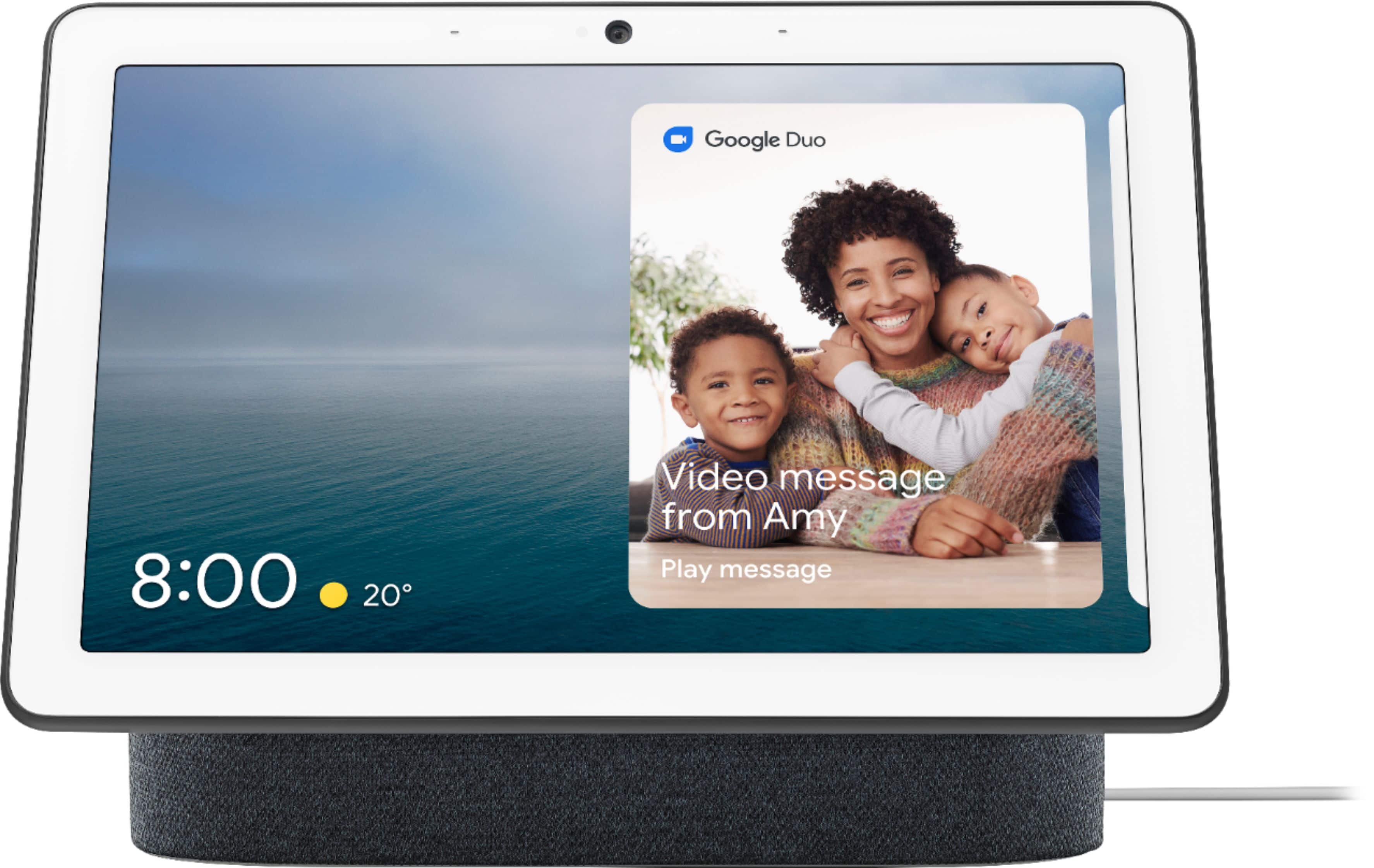
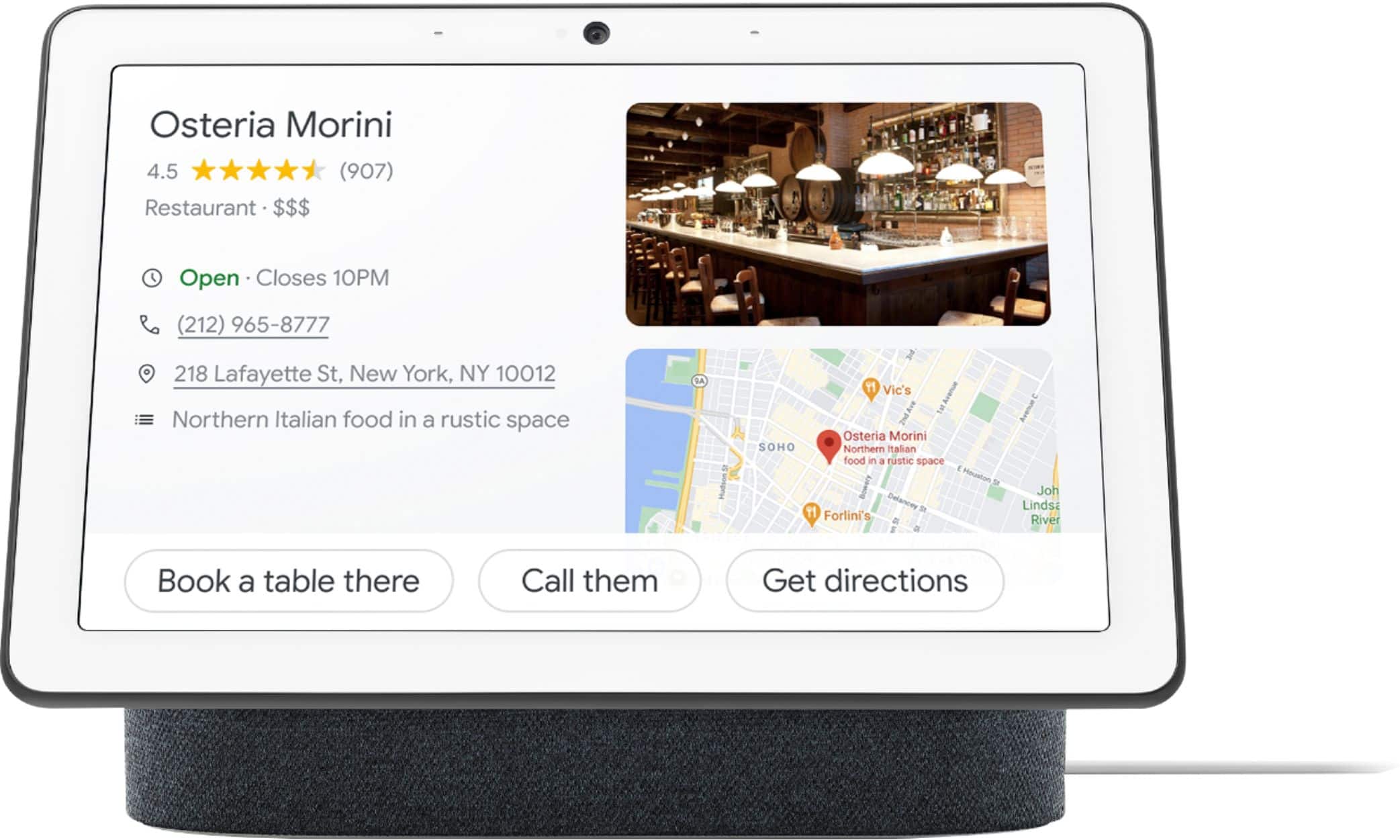
Posted .Hello darocker1980, thanks for giving us feedback on Nest Hub Max, and we’re sorry to hear it fell short of your expectations. Nest Hub Max with a built-in camera which will help your busy family stay in touch and on track. Leave video messages and make video calls. Check in on home when you’re away with the built-in Nest Cam. Share reminders and to-dos. Everyone views their own calendar, commute, and more with just a glance. And enjoy Google Photos, YouTube TV, videos, and music on the 10-inch HD screen with stereo speakers. You can visit this link to learn more about other things you can do with the Nest Hub: https://support.google.com/googlenest/topic/7195269
Also, your Nest display could be having trouble connecting to Google, and you can try these simple steps below that may improve your experience:
- Check your Wi-Fi network for possible congestion. Relieving some of your connected devices may help free up some bandwidth space.
- Check the distance between the Nest display and your router. Ensure that it is within a line of sight from your router.
- Check for wireless interference with other Wi-Fi hotspots or appliances and devices nearby.
- Restart Nest display and router to refresh the connection.
- Reset your Nest display. On the back of Nest Hub, press and hold both volume buttons together for about 10 seconds. Your Nest Hub will let you know that it's resetting.
For any challenges, questions and concerns about the Nest display and its features, we have our specialists always ready to help you here: https://support.google.com/googlenest/gethelp
- Cons mentioned:Compatibility
Don't work with Ring
||Posted .This reviewer received promo considerations or sweepstakes entry for writing a review.I figure if the Hub works with Ring as it saids on its specifications on Bestbuy website, it would work on Max.... Nope. There's no way you can even add Ring to Google home. Returning back to Bestbuy tomorrow.
I would recommend this to a friend Connectivity is awesome
||Posted . Owned for 1 month when reviewed.This reviewer received promo considerations or sweepstakes entry for writing a review.This device single handly made all my bluetooth and google devices accessed in one area. Making my whole apartment controlled through one device. Awesome.
No, I would not recommend this to a friendNothing “max” about it
||Posted . Owned for 8 months when reviewed.This reviewer received promo considerations or sweepstakes entry for writing a review.This is the most aggravating product you will ever own. When it actually hears you, there is about a 40% chance it will get your request correct. No calendar because who wants a display that shows them their daily plans?? Worst of all, the camera quit working after 7.5 months, so we’re heading to Best Buy for product support or a replacement (only because we can’t trade it in for something else). Do not buy this!! Save your money and bash your head against the wall a few times, you’ll get the same experience.
No, I would not recommend this to a friendBrand response from Nest Support
Posted .Hi there, GingyHendrix. We’re sorry to hear that your experience with the Nest Hub Max is less than ideal. We’d be happy to share this information with the right team for future improvements with our products and services. Meanwhile, it may be helpful to retrain your Google Assistant to better recognize your voice. See the steps below on how to do this:
- On your phone or tablet, open the Google Home app
- At the top right, tap your Profile or initial and then Assistant settings and then Voice Match.
- Tap Teach your Assistant your voice again and then Retrain.
If further assistance is needed, please reach out to our support team using this link: https://support.google.com/googlenest/gethelp
Fair
||Posted . Owned for 3 weeks when reviewed.This reviewer received promo considerations or sweepstakes entry for writing a review.It has Nest video streaming. However, you are not able to purchase a subscription for the Nest streaming. You are only able to view live video you’re not able to go back. I was terribly disappointed in this feature and returned the product. The camera view you are not able to adjust you’re stuck with wherever you place the unit.
No, I would not recommend this to a friendHaven't used it yet
||Posted . Owned for 1 week when reviewed.This reviewer received promo considerations or sweepstakes entry for writing a review.Haven't used it yet, but I think I'll like it. That's why I bought it
I would recommend this to a friendOk
||Posted .This reviewer received promo considerations or sweepstakes entry for writing a review.Only for security purpose. Can’t use like an iPad.
I would recommend this to a friendBrand response from Nest Support
Posted .Hi Macbook, thanks for trying out Nest Hub Max. We´re sorry to hear that some of its features didn't quite meet your expectations.
Nest Hub Max works differently from a tablet device since it provides a different offering in terms of how it can offer personalized services and integrate your smart devices to create a smarter home for you and your family. For a complete list of features that you can take advantage with Nest Hub Max, check out this link: https://support.google.com/googlenest/topic/7195269
Your support needs are always our priority. Please feel free to contact our support team here: https://support.google.com/googlenest/gethelp
Great google hub
||Posted . Owned for 1.5 years when reviewed.This reviewer received promo considerations or sweepstakes entry for writing a review.High quality LCD. Great add on to Nest cameras and doorbell. Good way to control smart devices in your home. Very reasonable price for what you get.
I would recommend this to a friendGreat item
||Posted . Owned for 3 weeks when reviewed.This reviewer received promo considerations or sweepstakes entry for writing a review.Its a great upgrade. Viewing streaming services by voice needs to improve. You can stream but you have to ask Google for a specific show. Unless I am doing it wrong, you cant just browse and pick a show.
I would recommend this to a friendBrand response from Nest Support
Posted .Hello LouisDeSanto, thanks for posting your review on your Nest Hub Max. We're glad to hear that you're having a great time with your device. Your feedback about the voice controls is appreciated. We suggest that you retrain your Nest Hub to better recognize your voice as this may help with voice control. You may follow the steps below to help improve your experience:
Retrain Voice Match:
- On your phone or tablet, open the Google Home app.
- At the top right, tap your Profile picture or initial and then Assistant settings and then Voice Match.
- Tap Teach your Assistant your voice again and then Retrain.
If the issue still persists or if you've done the steps before, please don't hesitate to contact us on our Google Help site and let us help you in finding a better resolution. You can reach our help page here: https://support.google.com/googlenest/gethelp