Customer Ratings & Reviews






- Model:
- GA00639-US
- SKU:
- 10538496
Rating by feature
- Value
Rating 4.5 out of 5 stars
- Quality
Rating 4.7 out of 5 stars
- Ease of Use
Rating 4.6 out of 5 stars
Returned to store but liked it better than echo
||Posted . Owned for 1 year when reviewed.This reviewer received promo considerations or sweepstakes entry for writing a review.Returned to store as my husband prefered our echo display. However, I loved it!
I would recommend this to a friendBrand response from Nest Support
Posted .Hi, Nature1439! Thanks for your feedback. We're sorry to hear the Nest Hub Max didn't work out for you. If you decide to give it another try in the future, here's some helpful links you can check out about the Nest Hub Max:
- Introducing Google Nest Hub Max: https://support.google.com/googlenest/answer/9334359
- Explore what you can do with Google Nest or Home devices: https://support.google.com/googlenest/answer/7130274
For questions and concerns, reach out to our support team anytime and we'll be more than happy to assist you. Contact us here: https://support.google.com/googlenest/gethelp
Good
||Posted . Owned for 1 month when reviewed.This reviewer received promo considerations or sweepstakes entry for writing a review.Good product, sometimes it doesn't hear you but overall the good services it provides are helpful
I would recommend this to a friendDoes what is meant to do
||Posted . Owned for 1 month when reviewed.This reviewer received promo considerations or sweepstakes entry for writing a review.Works great, no issues so far and my wife loves it.
I would recommend this to a friendGood
||Posted . Owned for 5 months when reviewed.This reviewer received promo considerations or sweepstakes entry for writing a review.Good item to have around the house. Very intuitive
I would recommend this to a friendThe best
||Posted . Owned for 1 week when reviewed.This reviewer received promo considerations or sweepstakes entry for writing a review.Quick, responsive and plenty of features. Get one!
I would recommend this to a friendWill not perform setup via a Google Pixel phone
||Posted .This reviewer received promo considerations or sweepstakes entry for writing a review.Such a great product with a MAJOR FLAW. It must be set up via the google home app, from a non-google pixel phone. I am not joking. "Nest Hub Max found. It needs to be activated before setup." I researched it when I could not initiate the setup, and countless others are experiencing the same issue. The answer is one must use an iPad to perform the setup.
No, I would not recommend this to a friendBrand response from Nest Support
Posted .Hi Milo, thanks for posting your review about your Nest Hub Max. We apologize for the inconvenience you had in setting up your device. This is not the initial impression we want you to have for the products we provide. Rest assured that your feedback here will be relayed to the right team so we can offer you with a better resolution in the future. If you're willing to give it another go and have additional questions about your Nest Hub Max, please don't hesitate to contact us on our Google Help page here: https://support.google.com/googlenest/gethelp
Very Disappointed
||Posted . Owned for 1 month when reviewed.This reviewer received promo considerations or sweepstakes entry for writing a review.I've had the Nest Hub Max since Sept. 9th when it first came out. Three weeks later I noticed the screen would start going back and forth and it would not stop until I unplugged it. I contacted Google Support and they had me reset it, however, that did not help. Now it's doing it more frequently and I'm trying to find a way to get a replacement since Best Buy will no longer allow me to return it. I have a lot of Google Home Products and I LOVE them all. I just need this one to work!
I would recommend this to a friendShipt Delivery Service- Poor/Unreliable!
||Posted .This reviewer received promo considerations or sweepstakes entry for writing a review.I ordered yesterday morning w/same day delivery, but Bestbuy emailed delivery today, it’s 6pm now, no item yet, called Bestbuy and was told will be deliver tomorrow instead, Bestbuy and Shipt are not reliable, bad to the business. Very poor service.
No, I would not recommend this to a friendSecurity camera is not working
||Posted . Owned for 3 weeks when reviewed.This reviewer received promo considerations or sweepstakes entry for writing a review.Security camera was not working. Spent hours troubleshooting it by myself and and with Google support. Still didn’t work. It is a known software bug and hundreds of people are complaining about it for months and google still do nothing. Very disappointed in quality because of that and returned item to store.
No, I would not recommend this to a friendBrand response from Nest Support
Posted .Hi there, thanks for updating us about the issue. We're sorry to hear about your frustrating experience with setting up the security camera with Nest Hub Max. We can only imagine how inconvenient this experience may have been for you.
If you're willing to try, we'd like to take another shot at troubleshooting the issue. We may need to take a much closer look at what may be causing the issue and work on providing you a better experience. Please visit our support page once more to speak to our support team using this link: https://support.google.com/googlenest/gethelp
Google
||Posted . Owned for 2 weeks when reviewed.This reviewer received promo considerations or sweepstakes entry for writing a review.Hard to get setup with pictures. Don’t like that you have to give google access to all photos instead of only ones you want to share.
No, I would not recommend this to a friendIssue after issue
||Posted . Owned for 1 month when reviewed.This reviewer received promo considerations or sweepstakes entry for writing a review.Was very Excited to get this want to Best Buy the minute I got home work good for a few days but then it just started to randomly reboot all the time
No, I would not recommend this to a friendQuality Control questionable
||Posted . Owned for 6 months when reviewed.This reviewer received promo considerations or sweepstakes entry for writing a review.Died after 6 months. Stuck in boot loop. No way to fix it, even after a factory reset. Guess I should've bought some Geek Squad insurance along with this, becuase Google Support is useless, and I'm not paying another $250 for a product Google will just abandon like many of their other products and services.
No, I would not recommend this to a friendBrand response from Nest Support
Posted .Hi Kendall,
Thanks for letting us know of your issue with your Nest Hub Max. We're sorry for the trouble and we'd like to help resolve it for you. We'd like to take a look at this again and help you sort it out, kindly reach our support team here: https://support.google.com/googlenest/gethelp
Awesome
||Posted . Owned for 3 weeks when reviewed.This reviewer received promo considerations or sweepstakes entry for writing a review.Bought this to set up with my door arlo camera works real good
I would recommend this to a friendBigger isn’t better
||Posted . Owned for 1 month when reviewed.This reviewer received promo considerations or sweepstakes entry for writing a review.Had high hopes for this product. Have two of the Google home nest hubs. When the Max came out, I was excited. Functionality is poor compared to the base model. Sometimes, I’ve had to scream at the top of my lungs for it to hear me. Won’t pair with my other Google home hub nest devices for the speaker group. Sometimes, bigger isn’t better
No, I would not recommend this to a friendBrand response from Nest Support
Posted .Hi OaklandGuy, thanks for your feedback and for bringing this to our attention. We’re sorry that your Nest Hub Max experience didn't match your expectations. You can try the steps here and see if this will improve the responsiveness of your Nest Hub Max.
Retrain Voice Match
- On your phone or tablet, open the Google Home app
- At the top right, tap your Profile picture or initial and then Assistant settings and then Voice Match.
- Tap Teach your Assistant your voice again and then Retrain.
Change Nest Hub Max' hotword sensitivity
- Open your Google Home app
- Select your Nest Hub Max
- At the top right, tap the Settings (Gear) icon
- Then tap Audio.
- Then tap Hey Google sensitivity and adjust the slider to make your Nest Hub Max more responsive to the hotword.
If this didn't fix the issue, we'd like to take a look at your Nest Hub Max and help you out. Please feel free to reach out to our Support Team here: https://support.google.com/googlenest/gethelp
Can't read G Suites Calendar
||Posted .This reviewer received promo considerations or sweepstakes entry for writing a review.You may think a Google product would have no problem working with another Google product, but you'd be wrong. None of the hubs will read your G Suites calendars or emails, but they will integrate with basic Gmail. I'm ditching my hub and going with an Amazon Echo 8 because it WILL work with my G Suite account which I use for work. The worst part is Google doesn't seem to care.
No, I would not recommend this to a friendWorst Product.
||Posted . Owned for 1 week when reviewed.This reviewer received promo considerations or sweepstakes entry for writing a review.One of the worst product from google. Please think twice before buying this crap. I just returned it. You need to grant all access to google from your account so that you can start using this device. If you dont grant access, so of the features will not work. Screen display is very poor. Camera quality is also not great.
No, I would not recommend this to a friendBrand response from Nest Support
Posted .Hi Vazzie, we appreciate you for sharing what you have experienced with using the Nest Hub Max and it’s unfortunate to learn that it didn’t meet your expectations.
We'd like you to know that we value both your data and privacy and that we have taken great measures to make sure both are well guarded. Using the Google Home app provides you with a lot of benefits including access to Google's trusted security platform and access to other Google tools. Google is committed to keeping your data private and safe. The Google Privacy Policy applies to all Google services, including the Google Home app and Google Nest, Google Home, and Chromecast devices. The Google Nest Privacy Help Center article provides more details about how Google Nest connected home devices and services work, and how we collect and use data when you use these devices and services.
We understand your decision to return your Nest Hub Max but if you’d like to try it out again in the future, you’re more than welcome to reach out to our support team for any questions or concerns here: https://support.google.com/googlenest/gethelp
Keeps Losing Connections
||Posted . Owned for 1 month when reviewed.This reviewer received promo considerations or sweepstakes entry for writing a review.It keeps losing internet connections. I searched online and realized it's a known issue. Don't buy yet.
No, I would not recommend this to a friendNot worth it.
||Posted . Owned for 2 months when reviewed.This reviewer received promo considerations or sweepstakes entry for writing a review.Extremely useless. I'd recommend a cheap tablet and dock instead. In the two months I've had this they've downgraded or removed the few features I use and it's already very limited in what it can do.
No, I would not recommend this to a friendBrand response from Nest Support
Posted .Hi there, Brady. Thank you for sharing your feedback with us. We apologize for the issue you encountered and we would like to offer our assistance. We recommend reaching out to our support team for a thorough evaluation of the problem you're experiencing. This will help us determine the root cause of the issue and provide you with the best possible support. You can contact our support team at this link: https://support.google.com/googlenest/gethelp
- Cons mentioned:Setup
not easy for beginner
||Posted .This reviewer received promo considerations or sweepstakes entry for writing a review.very complicated for set up and use , limited devices
No, I would not recommend this to a friendBrand response from Nest Support
Posted .Hi Xuan,
Thank you so much for taking the time to leave a feedback for us. We're sorry to know that you're having an issue with your Nest Hub Max.
The Google Home app and Nest Hub Max itself are your guides through the setup process. We recommend to have all the requirements ready for setup. You can check them here: https://support.google.com/googlenest/answer/7029485
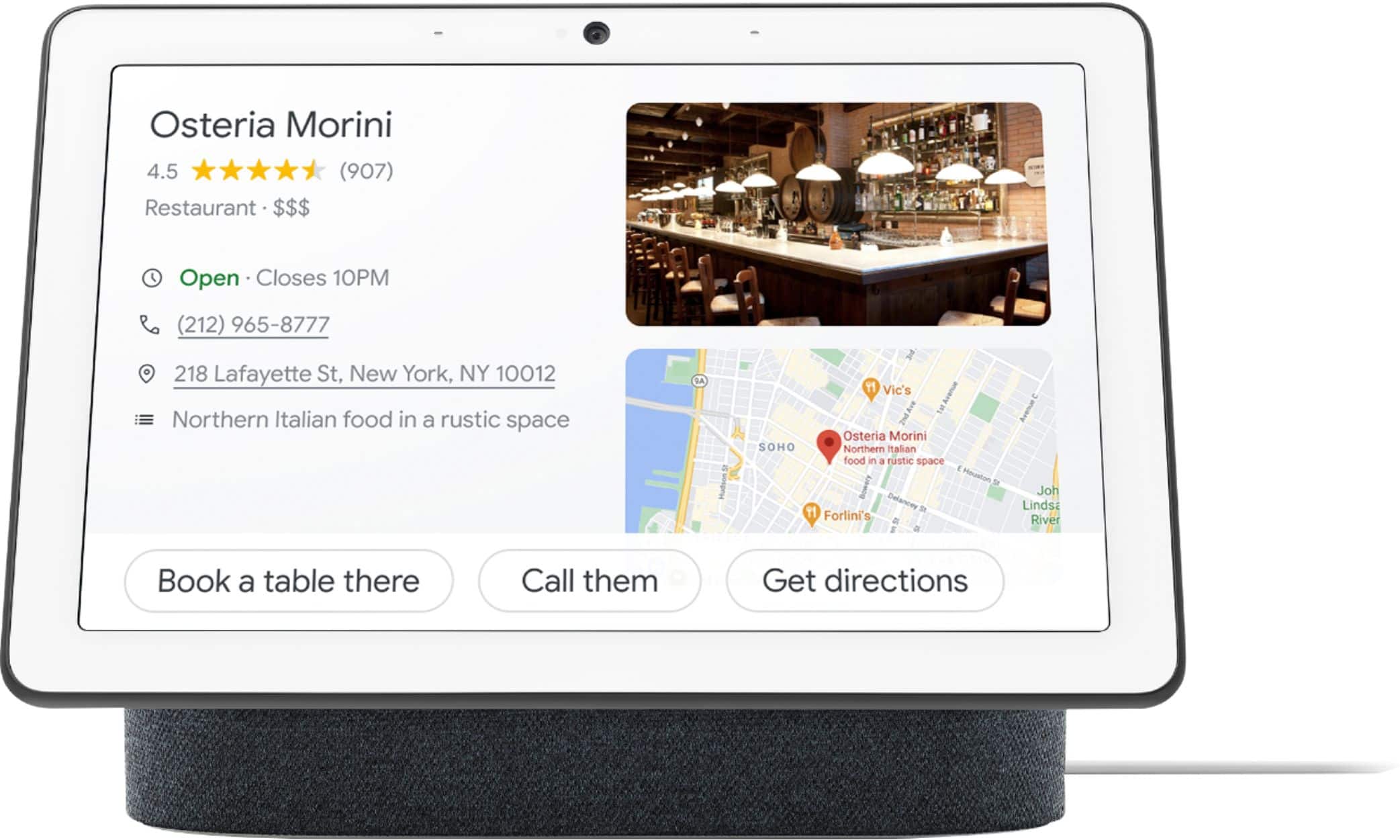
Nest Hub Max can be a great addition to your home. It is designed and built with a bigger screen so you can easily monitor all your smart home devices from a single dashboard. It works with 10,000+ smart devices from 1000+ popular brands. Google Assistant lets you turn on/off light, lock your door, monitor your smart home cameras and many more with voice commands. You can take a look at the following link for more information: https://assistant.google.com/
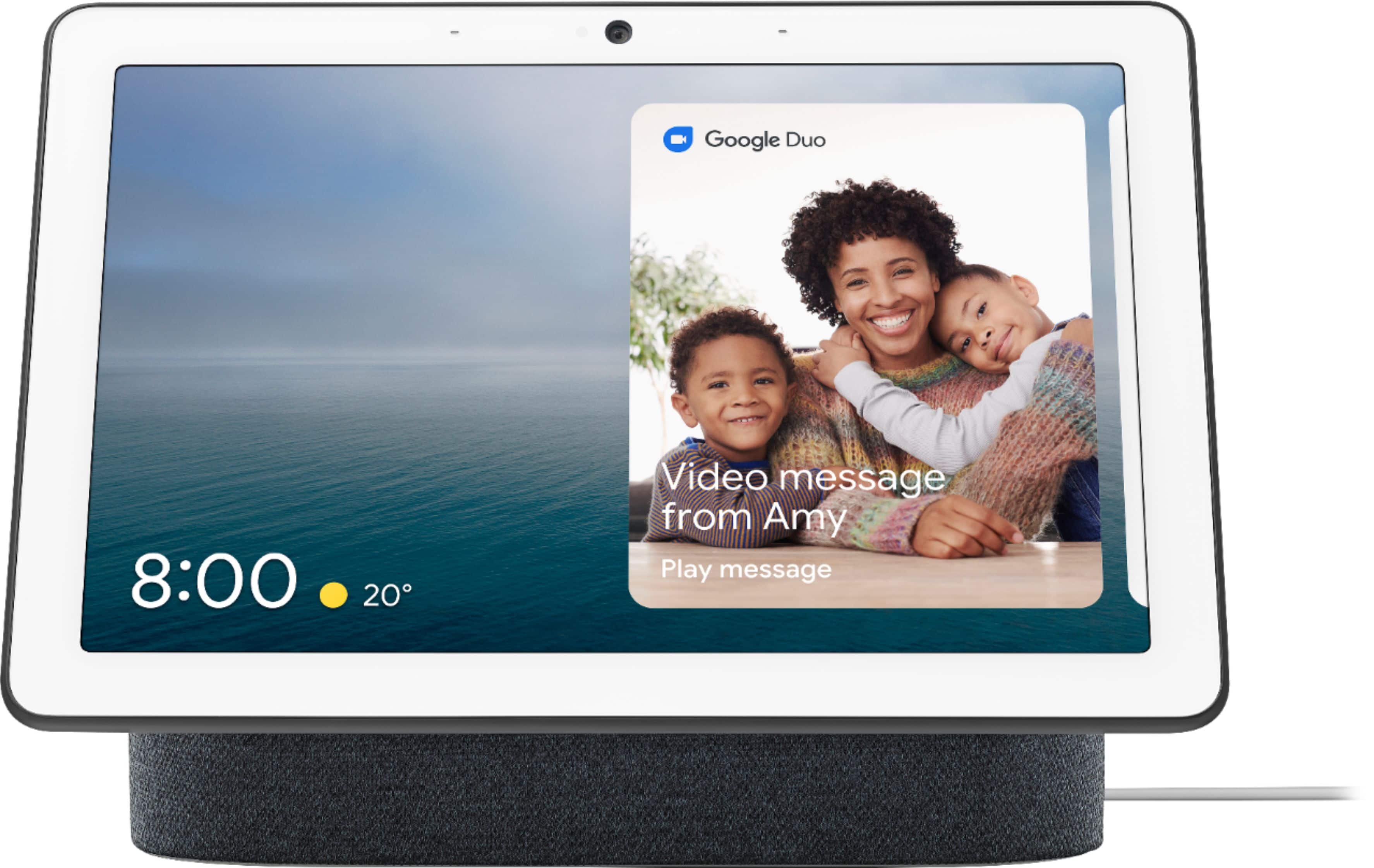
It also adapts to ambient lighting conditions. Cooking would always be fun with Nest Hub Max. You can ask for recipes and see visual step-by-step directions, all hands-free. The built-in Nest camera lets you monitor your home and lets you conduct video calls or send video messages via Google Duo.
If you'd like us to help you with the setup and features, please feel free to reach out to us here: https://support.google.com/googlenest/contactflow
Not what I thought
||Posted .This reviewer received promo considerations or sweepstakes entry for writing a review.Not many apps outside of Netflix. Kind of disappointed
No, I would not recommend this to a friendBrand response from Nest Support
Posted .Hi there, thanks for sharing a review to let us know of your experience with the Nest Hub Max and we’re sorry to learn that it was less than ideal.
If you’re referring to other video apps aside from Netflix, some video apps require you to link the app account to your Google Account. See the steps below:
- Make sure the mobile device is connected to the same Wi-Fi or linked to the same account as the Google Nest or Home device.
- Open the Google Home app .
- At the top right, tap the right account.
- Verify that the Google Account shown is the one linked to the Google Home or Google Nest device. Tap another account or Add another account to switch accounts.
- Make sure the mobile device or tablet is connected to the same Wi-Fi as the speaker or display.
- Go back to the home screen, and at the top left, tap Add and then Videos and photos.
-Link the video streaming service by tapping Link and then Link Account.
We highly appreciate your feedback. If you have questions or concerns about the performance or features of the Nest Hub Max, please don't hesitate to contact our support team here: https://support.google.com/googlenest/gethelp