Customer Ratings & Reviews
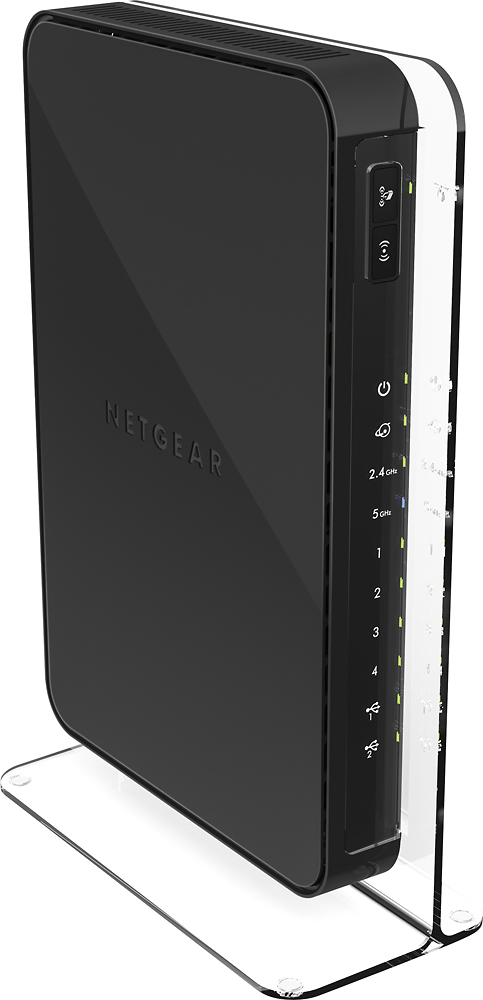
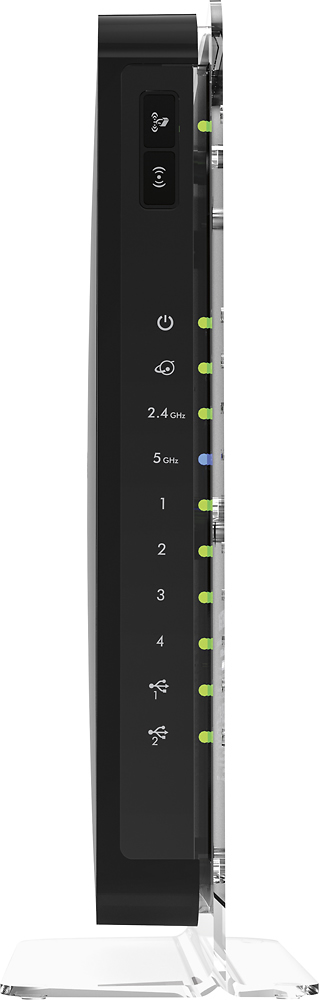
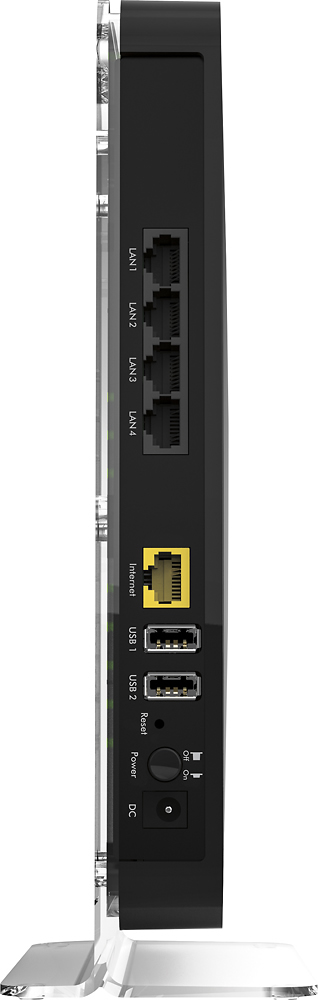
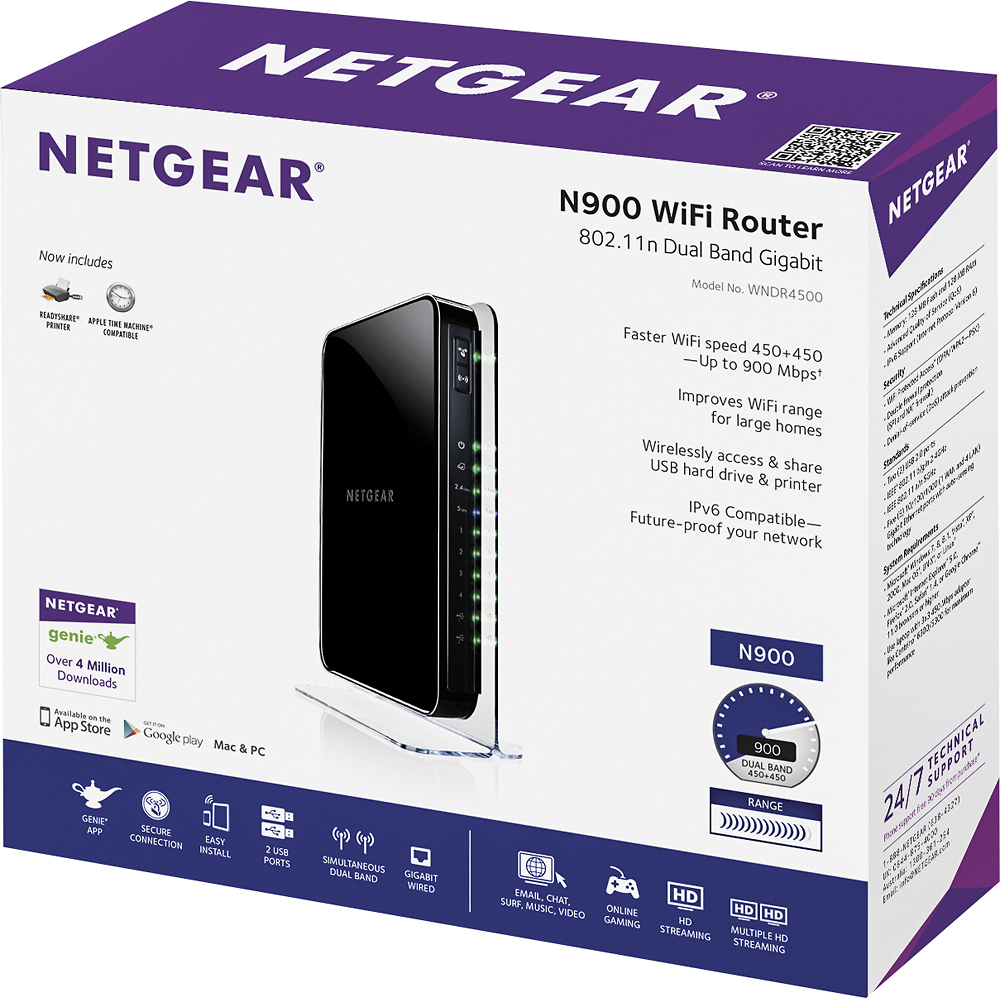
- Model:
- WNDR4500-100NAS
- |
- SKU:
- 3219043
Customer reviews
Rating 4.5 out of 5 stars with 2845 reviews
(2,845 customer reviews)Rating by feature
- Ease of Use4.5
Rating 4.5 out of 5 stars
Customers are saying
Customers are satisfied with the N900 Dual Band Wireless-N Router's ease of use, range, and performance, frequently citing its simple setup and strong signal. Many appreciate the router's good coverage and value for the price. While some experienced connection issues or firmware problems, the positive feedback on performance and ease of use outweighs these concerns. The dual-band feature is also frequently praised for minimizing interference.
This summary was generated by AI based on customer reviews.
- Pros mentioned:Range, Speed
Rated 5 out of 5 stars
Awesome router for my home
Posted .This reviewer received promo considerations or sweepstakes entry for writing a review.Purchased this router to replace a failing D-Link DIR-655 that was limiting my wireless speeds to 10 Meg here in my home. Was initially going to go with the N750 but decided to go with the N900 instead due to the number of devices that I have in my home. The router was easy to setup and install and so far, it's operating perfectly. Well worth the couple of extra dollars. My wireless speeds are screaming and the 2.4GHZ signal goes much farther than the D-Link even though this router has internal antennas. I haven't tested the 5GHZ band yet. Footprint is much smaller than the D-Link as well due to the vertical stand. Loving it so far! Highly recommended...
I would recommend this to a friend - Pros mentioned:Performance
Rated 5 out of 5 stars
BEST ROUTER
Posted .This reviewer received promo considerations or sweepstakes entry for writing a review.I had the version 1 of this router and it was great until for some reason I had to always reboot it. But I bought this new version 3 and it is awesome and it is ROCK SOLID in performance and reliability - I don't need to touch it at all, although there is an update to the firmware, but that's way easy to do. Buy it!
I would recommend this to a friend - Pros mentioned:Setup
Rated 4 out of 5 stars
Good, if you get one that works
Posted .This reviewer received promo considerations or sweepstakes entry for writing a review.I waited a long time for the price to drop on the N900. When it finally did, I used Best Buy's free shipping and my Reward Zone bonuses to get it dirt cheap. However, the one sent to my house didn't work upon initial setup. I never made it to Step 4, as outlined in the set up instructions. I was very disappointed. After spending 30 minutes on the phone with Netgear's Technical Support, she determined that the unit was defective. This was after she told me how to reset the router by pressing certain buttons in sequence. I returned it to my local Best Buy store and was given a new one without any questions. When I setup the second router, it started up with no problems whatsoever. I also had some problems downloading and installing their Netgear Genie -- the software that shows you how your network system is operating. It also allows you to make changes to your system. While the software worked flawlessly on my laptop with Windows 7, it didn't work on my old desktop with Windows 2000 Pro. I'm guessing is was just a compatibility issue with an old OS. Netgear also requires your to download their Netgear USB Control Center software. This software helps you set up two devices that you can connect to the router, via the two USB ports. I've connected a Canon MP500 Pixma color printer and an external hard drive. The printer was immediately identified by the router. But I'm still trying to get it to recognize my hard drive. I guess it will be another call to Tech Support for some help. Overall, I would suggest this router to anyone -- as long as you don't pay full price. Wait for a sale, use Reward Zone points, or whatever you can to avoid the retail price.
I would recommend this to a friend - Pros mentioned:Ease of use, Range
Rated 5 out of 5 stars
Everything works great! Laptop outside works fine!
Posted .This reviewer received promo considerations or sweepstakes entry for writing a review.Easy installation and able to get up and running quickly. Long range with this router and able to hook up many devices. A little pricey but well worth the price so far.
I would recommend this to a friend - Pros mentioned:Range
Rated 4 out of 5 stars
Almost top of the line for a moderate price
Posted .This reviewer received promo considerations or sweepstakes entry for writing a review.This is a good wireless router and a very good value. Setup was very easy using the GUI, and Netgear's "Genie" software works pretty well. The Genie software works well enough that, even though I usually prefer a GUI screen,I prefer the software now. I really like the iPhone/iPad apps! My setup is on a DSL modem using transparent bridging, allowing the Netgear to do all the networking. This works very well 99% of the time, but It has locked up twice in two months. Not sure what the cause, could have been intermittent errors on the ISP side. Even then the router should allow for this and reset the internet connection automatically, not force me to troubleshoot and/or restart everything. Wireless range isn't phenomenal but it is very good. I can get good signal outside of the house all the way to my detached garage through steel siding! Could it have better range? Not sure, but this one is really good. I initially bought it because the box showed USB 3.0 (blue) connections, but sadly It does not. It does however share an external hard drive and wireless printer very easily. It also allows iPhone and iPad printing without much setup. File sharing is effortless and fast. I can share my music & movie library to a PS3, Xbox 360 and DirecTV receiver easily, and its always on! No more booting a PC to share music! Overall I can definitely recommend this router. It sets up easily, yet has all the features for advanced networking. It might have a little more than what most people will need, but has enough to keep most networks future-proofed.
I would recommend this to a friend - Cons mentioned:Firmware
Rated 5 out of 5 stars
Not cheap, but well worth the price
Posted .This reviewer received promo considerations or sweepstakes entry for writing a review.I have almost always exclusively purchased Linksys routers, especially as the newest, strongest home routers became available for purchase. I previously purchased the Linksys WRT610N Simultaneous Dual-N Band Router immediately after it was first introduced on the market. I thought I had the best router for home gaming use that my money (almost $200) could buy. For a while, it worked reasonably well. I was exceptionally angry when I kept running into problems that required frequent resets until finally, the firmware became so corrupted I was unable to reset the router or update the firmware, even while on the phone with Linksys support for almost two hours. As a previously loyal Linksys user, the lack of good Linksys support motivated me to spend my money on another brand. I needed a very quick replacement, and decided to purchase the Netgear N900 (WNDR4500) from Best Buy. What a great decision! The router was easily set up; I quickly got used to the new router management software.I have had to reset my router only once, due to an error on my behalf. Connections are strong and steady, and easily found by all my devices (Samsung Facinate phones, XBox 360, PS3, laptops) and friends' devices. Security is strong. I highly recommend this product, especially if you're as disgusted with Linksys as I am. If you pay anywhere between $150 to $200 for a home router, then you should expect a quality product backed by a quality company with quality service. This Netgear product has met my demands thus far.
I would recommend this to a friend - Cons mentioned:Connection
Rated 4 out of 5 stars
Works for what I need.
Posted .This reviewer received promo considerations or sweepstakes entry for writing a review.Some devices lose the connection on weekly basis to the device, but it could be a provider issue as well. I had to move the router into the upstairs hallway (instead of in the office) so I could connect devices on the lower level.
I would recommend this to a friend - Pros mentioned:Performance, Speed
Rated 4 out of 5 stars
Very Good Router with Lots of Options
Posted .This reviewer received promo considerations or sweepstakes entry for writing a review.After years of using Linksys products, I ran into one that just refused to consistently work over time and kept slowing down despite firmware updates. Rebooting every third day manually is not my idea of reliability. The new Netgear unit hasrun flawlessly since plugging it in and setting it up. The accompanying instructions are a little on the weak side, but after you have set up a half-dozen or so systems for others, it is not that hard to figure out. If you are a novice, the Basic Setup will get you there. I spent more for this unit than I really planned, but feel that in the end I got a good value. Speeds have increased and reliability is great.
I would recommend this to a friend - Pros mentioned:Speed
Rated 5 out of 5 stars
Great so far
Posted .This reviewer received promo considerations or sweepstakes entry for writing a review.Works great gives me around 32mbps on 2.4G and around 60mbps on the 5G. I Bought the Linksys EA6350-4A couple days ago and it only gave me 1.5mbps on 2.4g and about 51mbps on the 5G. So that is why I exchanged it for this and so far this is giving me great numbers.
I would recommend this to a friend - Pros mentioned:Range
Rated 4 out of 5 stars
Good Range but not ready out of the box
Posted .This reviewer received promo considerations or sweepstakes entry for writing a review.We had a 6 year old Linksys router that work fine, but the signal would not reach into our Four Seasons sun room (all glass and metal walls) or down into our basement workshop. We though about just getting an extender booster unit (either wireless or through the house wiring). The Best buy guy noted the booster was $60 and then told us older routers loose their power with age, so he recommended the Netgear – N900 ($129) to solve our age and range issues. Contacted our "Mercury" internet server (base field antenna though the air to our house antenna) and they noted no special action on their part was required (just replace old router with the new one). FYI – we are out in the country so we are only signed up for “silver service” at only 1 meg speed into the router. Problems showed up with the green power light on the router "blinking" and no service through the unit (wireless or Ethernet to the desktop). After trouble shooting the internet provider tec. note “he thinks we just received a bad unit off the shelf” and recommended exchanging it back at the store for another one. With the Best Buy store 35 miles away we decided to first contacted NETGEAR, but found the initial agent totally incapable of solving our problem; plus it was almost impossible to understand the gentleman (accent issue). The agent finally gave us a direct number to the service person he was relaying questions to. The service person appeared to be very knowledgeable, but again very hard to understand (accent). After a lot of this and that tries, we eventually gave over control of our computer to the service person. We had to first place the Linksys router back in service so he could download a patch to fix the Netgear unit, and after a total of 1.5 hours (really we were on the phone with NETGEAR that long), the router was up and running with a green light on and NOT flashing. Besides the fix that was required, the router works great with now excellent service to our Sun Room, basement and even out to our barn.
I would recommend this to a friend - Pros mentioned:Ease of use, Speed
Rated 5 out of 5 stars
Reliable and Fast!
Posted .This reviewer received promo considerations or sweepstakes entry for writing a review.I bought this to use my new Chromebook and even when I'm on the other side of the house I get some pretty amazing speeds. In addition, hooking it up to my wireless printer was as easy as pressing one button on the router, one button on the printer, and having each computer search for the printer. Simple and fast. I highly recommend it and, yes, the dual band 5GHZ speed helps tremendously! Don't settle for 2.4!
I would recommend this to a friend - Pros mentioned:Ease of use, Speed
Rated 5 out of 5 stars
Excellent! Delivers the speed and distance
Posted .This reviewer received promo considerations or sweepstakes entry for writing a review.EAsy to set up even if you are not terribly computer savvy. Delivers fast speed and covers my wireless needs in a large home.
I would recommend this to a friend - Pros mentioned:Ease of use, Range
Rated 5 out of 5 stars
Great router
Posted .This reviewer received promo considerations or sweepstakes entry for writing a review.I went best buy about 4 weeks ago and bought the Cisco ea4500 will to make a long story short I ended up taking it back do to I could not get on to Xbox live and I keep having problems resetting my modem. So I returned it and bought the netgear . This thing is awesome from he ease of setup down to it range and the ability to turn any printer into an air printer was a plus to . If you are looking for a router that pretty much sets itself up and like having the extra features . Oh did I mention u can do scheduling to turn off the wireless radio. Well u can like I said this thing is awesome Netgear rocks
I would recommend this to a friend Rated 5 out of 5 stars
Excellent Performance. Read my review!
Posted .This reviewer received promo considerations or sweepstakes entry for writing a review.Let me start by saying that I researched for days trying to pick the best router. I decided that it was too early to get an AC router since none of my devices support AC yet anyway. I finally decided to get the Cisco EA4500 (N900) because my last router was a Cisco. It was very easy to setup, and the Cloud Connect remote management is very nice. However, I had to reboot it every couple of days to make the internet work again. Tech support could not determine my problem, but I've seen several reviews posting the same problem. I rolled back to an earlier firmware, upgraded to the latest firmware but nothing would help. Oddly enough, I could always connect to the router over the internet from my phone to reboot it for my wife while I was at work. So, I returned the router and bought the Netgear WNDR4500. The setup is definitely less "user friendly" than the Cisco, but trust me that its worth it to spend a little longer on setup to have the performance increase of this router. The performance of this router blows away the Cisco EA4500. I read a review on CNET saying that the 2.4 GHz band is poor, but that's ridiculous because it works amazingly well. I live in a 4000 sq ft 3 story house with the router on the middle floor. The signal degraded quickly with the Cisco, but the Netgear gives me the same download speeds consistently throughout the house. I have Xfinity internet with guaranteed 30 MBps download speeds. Here are the download speeds that I got from both routers: Cisco EA4500: Wired ~38 MBps Near router ~15 MBps Farthest point away inside the house ~4 MBps (I'm assuming it was using 5.8 GHz because it auto switches and uses the same SSID for both) Netgear WNDR4500: Wired ~38 MBps Near router ~36 MBps Farthest point away inside the house ~36 MBps (Yes, you read that right. Almost the same download speed at the far end of the house as the gigabit wired connection. Also, I decided to test the 2.4 GHz band as well and bellieve it or not, I still got 36 MBps over 2.4 at the other end of the house!) Another great thing about this router is that it has 2 separate SSID's for 5GHz and 2.4GHz. Therefore, you can choose to always connect to 5GHz if your remote device supports it. Some users listed this as a negative, but its definitely a positive. HOWEVER, keep in mind that the Netgear Genie App will ONLY let you change the SSID/password of the 2.4 GHz. You will have to go to the router advance settings by typing 192.168.1.1 into a browser to change your default SSID/password on the 5GHz band. (Come on Netgear, really?) Either way, I wanted to share my experience because I grueled over which to buy and I actually chose the wrong one the first time. But glad I'm using this one now!
I would recommend this to a friend- Pros mentioned:Range
Rated 5 out of 5 stars
Up and running in a matter of minutes
Posted .This reviewer received promo considerations or sweepstakes entry for writing a review.I had replaced my previous wireless router with the Netgear N900 in less than 1 hour. Shortly thereafter I had all my wired and wireless devices on the router running without any problems. I've got 3 wired devices (2 blu-ray players,PC) and 12 wireless devices (2 iPhones, 1 iPod Touch, 2 iPads, 1 Macbook Pro, 1 iMac, 2 Kindle's, 1 Apple TV2, 1 Printer, and 1 Wii) connected to the network and working perfectly. After 1 week of use I am very happy with this wireless router and the performance over my previous router. The range on this is great, for both the 5GHz and 2.4GHz bands. With young kids in the house, I also appreciate the simple parental controls offered. It adds another layer of protection upon the others I've got set up. If you have an experience different from mine above I'd say you've got a defective router. I haven't had to contact customer support yet, but from the sounds of it, you might save time in exchanging your defective router at the store vs troubleshooting over the phone with them.
I would recommend this to a friend - Pros mentioned:Ease of use, Range
Rated 5 out of 5 stars
Easy ot install, very fast connections
Posted .This reviewer received promo considerations or sweepstakes entry for writing a review.This product was very easy to install, and has let me ensure that all the computers and wireless gadgets that I have are all able to use the internet and have very fast connection speeds. I combined this with a Netgear Universal Dual band extender and have access all over my very large 3 story house. I currently have the following connected in my house. -4 laptop computers - 1 Ipad - 1 Nook HD - 2 Smart TV's - 2 Gaming platforms and multiple cell phones. With the range extender I am even getting a signal on my upper and lower patio at hthe back of the house.
I would recommend this to a friend - Pros mentioned:Ease of use
Rated 5 out of 5 stars
Excellent Router
Posted .This reviewer received promo considerations or sweepstakes entry for writing a review.I've been using this router for about a month now and so far it is far superior to my Linksys modem/router combo unit I've been using for the past 6-7 years. The setup was literally as easy as plugging it in and if you want to make changes the wizard takes you through everything step by step. The software even shows you what devices are connected to the router which I hadn't had before. Handles 2 phones, a tablet, 2 laptops and streaming with my Blu-Ray player with ease. Would definitely recommend this for anyone that needs a router.
I would recommend this to a friend - Pros mentioned:Range, Setup
Rated 5 out of 5 stars
Great range, easy to install, flawless performace
Posted .This reviewer received promo considerations or sweepstakes entry for writing a review.Bought to replace a failed wireless router, installation was clean, quick and no problem. Range of the unit is superb compared to the previous high end router. Router is in the basement, can work in all areas of the house, on the back patio and beyond. Speed of network is exellant. Handles two printers, two PC's, fax copier and more without skipping a beat.
I would recommend this to a friend - Pros mentioned:Range, Speed
Rated 5 out of 5 stars
Great range & easy set-up
Posted .This reviewer received promo considerations or sweepstakes entry for writing a review.Router was easy to set up. Software was easy to install and update. Much better range & speed than my old Belkin G. The Gigabit wired connections are great. USB connections (USB-2 only, although they look like USB-3) for 2 backup drives or a printer.
I would recommend this to a friend - Pros mentioned:Ease of use, Range
Rated 5 out of 5 stars
Great range in a large 2 story brick home
Posted .This reviewer received promo considerations or sweepstakes entry for writing a review.Much greater range than two competitors unit i tried. Easy to setup and lots of extra features. Not using any streaming video with this unit yet. Works with iPhones, iPads, windows laptops and two windows PCs. Lots of other wifi units within 200 feet and it works with no problems.
I would recommend this to a friend