Customer Ratings & Reviews

- Model:
- MK62-100NAS
- |
- SKU:
- 6392517
Customer reviews
Rating 4.1 out of 5 stars with 522 reviews
(522 customer reviews)Rating by feature
- Setup4.3
Rating 4.3 out of 5 stars
- Range5.0
Rating 5.0 out of 5 stars
- Signal Strength4.9
Rating 4.9 out of 5 stars
Customers are saying
Customers love the Nighthawk AX1800 Mesh Wi-Fi 6 System's ease of use, extensive coverage, and quick setup. Many appreciate the strong signal and wide range, resulting in improved performance. While some experienced connectivity issues and found the app less intuitive, the positive feedback on performance and range outweighs these concerns. The WiFi 6 capabilities are also frequently praised.
This summary was generated by AI based on customer reviews.
- Pros mentioned:Speed
Rated 4 out of 5 stars
Horrible set up, speed and coverage is good
||Posted .This reviewer received promo considerations or sweepstakes entry for writing a review.Purchased today and went to set it up with the app. Tried for 45 minutes or so and got multiple errors from cable not connected to wrong password. I reset the router with a paperclip which resets the password, unplugged router and modem etc. many times to no avail. After one hour and six minutes on the phone with tech support we had it working. We have a two story with finished basement with total square footage of 3900. At this point it seems the router and satellite are giving us great signal, we pay for 100mg and are getting very close to this. The router is on the main floor and the satellite on opposite side of house in basement. The app doesn't have a lot of features; device manager, internet speed, network map, wifi settings, guest wifi and support. You can disconnect internet for individual devices on the network which is nice for managing our kids devices but there's not much other customization to it at all. I wanted wifi6 since I was replacing an older netgear router that wasn't working well anymore. There aren't many wifi six options and this was the best priced but had less software control. I will update the review after a few weeks but other than the horrible setup process it appears to be working very well.
I would recommend this to a friend - Pros mentioned:Ease of use
Rated 5 out of 5 stars
Worth the price
||Posted . Owned for 1 month when reviewed.This reviewer received promo considerations or sweepstakes entry for writing a review.I purchased this system due to telecommuting and daughter's hybrid college courses and schooling from home and increase data usage. Very easy to install, phone app registers usage and strength. Able to put at opposite ends of the house and still great strong reception. Definitely worth the money!
I would recommend this to a friend Rated 5 out of 5 stars
Excellent Mesh Router
||Posted . Owned for 3 weeks when reviewed.This reviewer received promo considerations or sweepstakes entry for writing a review.This brand and model was recommended to me by a tech buddy in Silicon Valley. While it was only the two unit versus the three, I was mildly annoyed at Best Buy (apparently only CostCo carries the three). Nonetheless it’s a good router.
I would recommend this to a friendRated 5 out of 5 stars
Solid wifi the whole house
||Posted . Owned for 1 month when reviewed.This reviewer received promo considerations or sweepstakes entry for writing a review.I am using 10 different device's and getting a solid wifi signal on all of them.I only have 2 devices that use IPV6 it is faster at downloads then IPV4
I would recommend this to a friendRated 1 out of 5 stars
Don't buy it, just don't.
||Posted .This reviewer received promo considerations or sweepstakes entry for writing a review.Bought this in hopes to fix my troublesome wireless network issues in my home. What I got was far more wireless issues. TLDR: Inconsistent performance, constant need to disconnect and reconnect to network to regain speed, moderately clumsy setup, Netgear account REQUIRED to setup, crappy firewall trial for router baked in (what are you, dell?), No separate 2.4 and 5.0 connections to select from. The only pro is the satellite has a built in Ethernet jack. (All mesh devices should IMO) That's about it. It's crap. Don't buy it. You can be 6~ft from the AP and have "poor" signal and it crawls. You constantly have to disconnect and reconnect devices that physically move (tablets, phones, laptops) because the signal will tank even if you return back to where you initially connected. No separate 2.4 SSID is possible. So any smart devices that require setup using the 2.4ghz network on a device to configure.. well... Just move around it a bit, it will tank and maybe jump on the 2.4 network. Setup was a pain and required a Netgear account to be setup. Came with firewall/antivirus crap build in that's only free for 30 days. Shameless bloatware on routers now? C'mon. I don't have any wifi 6 devices to try as I was trying to future proof. Well, it may support wifi 6 but it will probably run slower than 2.4 so don't bother. Buy something else.
No, I would not recommend this to a friend- Pros mentioned:Setup, Speed
Rated 5 out of 5 stars
Finally, an affordable mesh system with speed!
Posted .This reviewer received promo considerations or sweepstakes entry for writing a review.Set up was a breeze. Just download the Nighthawk app and I was up and running in 15 minutes. You can easily monitor your internet usage and the interface is very user friendly. I would say one of the most important tips I could provide is to be careful about where to place the satellite. Too far away and your speeds will be negatively impacted. Too close and you may not get coverage further away. I found a nice spot about halfway between the base station and the end of my home. Even though it wasn't line of sight, I was able to get blazing fast speeds with the MK62. I did a few speed tests throughout my home and was very pleased. On the 5GHz network, I was able to achieve the fastest wifi speeds I've ever had from a Wi-Fi connection. I have Verizon Fios Gigabit so my wireless speeds were blazing fast using the Netgear AX18000. Note that I received this product in conjunction with the Netgear Friends & Family program.
I would recommend this to a friend - Pros mentioned:Coverage, Ease of use, Speed
Rated 4 out of 5 stars
Good Router
||Posted . Owned for 2 months when reviewed.This reviewer received promo considerations or sweepstakes entry for writing a review.This router is easy to set up and does a fairly good job with everyday tasks. I love having the capability of hardwiring in two separate rooms using this system. I get good internet speeds throughout the day with minimal issues. The only reason I gave it a 4 stars is because I have had a few instances with my iphone internet beginning to lag when I move around in my home. I have had to turn off my WiFi on my phone and then reconnect it. I read the reviews before I bought it and read where others were having the same problems but I was hoping the updates would have fixed the issues. Overall, it’s been a good router so far, and I recommend it to people who need to expand their usage area or for people with multi level homes.
I would recommend this to a friend - Pros mentioned:Ease of use, Range, Speed
Rated 4 out of 5 stars
Now I am getting fast internet
||Posted . Owned for less than 1 week when reviewed.This reviewer received promo considerations or sweepstakes entry for writing a review.My old router was over 10 years old but was dual band. However I couldnt ever get above 100 mbps. even though I live in a condo I had some bad areas (back porch) front yard where wifi was pitiful. This new router with the mesh system now blankets all of the above and I have jumped in speed. The mesh system is definately the way to go. The app is easy to use as well, much easier than the olden days. I am still having difficulty in switching off/on the 5ghz and only using the 2.4 ghz. but I will learn or figure it out. SOme of my devices only use the 2.4ghz and even though both are broadcasting my devices only see the 5ghz and wont connect.
I would recommend this to a friend - Pros mentioned:SpeedCons mentioned:Connectivity
Rated 5 out of 5 stars
excellent mesh/extension wifi product
||Posted . Owned for less than 1 week when reviewed.This reviewer received promo considerations or sweepstakes entry for writing a review.I didn't use the app to setup this product. It took a bit to get it setup to replace a similar D-Link AC1200 extender setup I had. My use case is the main router as an access point for the satellite extender, maybe a good 100-150 feet away. While it took some effort to figure out how to get my setup working, once I did get everything configured properly and placed where I wanted it, it was a massive improvement in performance. My old D-Link extender setup (using AC1200 tech) was somewhat unreliable in keeping the connection full time. The wireless All-in-One desktop in the farthest reaches of my network had a download rate of 7.5 Mbps using fast.com if it was working. This new Netgear setup seemed to be fairly solid in terms of connectivity in the short time I've implemented it. The speeds are over 50 Mbps using fast.com. I did consider some faster Wifi6 products (both Netgear and other vendors) which would have cost 2-4 times more than this product. My expectations based on the prior AC1200 setup was fairly low on this product working well. I was absolutely proven wrong and love the performance and value I've gotten from the Netgear MK62.
I would recommend this to a friend Rated 3 out of 5 stars
Solid Product, Native* speed GREAT!
Posted .This reviewer received promo considerations or sweepstakes entry for writing a review.The product looks very sleek. The black textured top looks like modern art, nicely fits into a modern home as far as decor goes. Setting up: 1. You need to use the Blackhawk App on your phone 2. Scanning the QR code on the router was seamless and worked effectively. 3. Though you have scanned the QR code the setup seems to be scanning for the router, but sits there looking for the router, you must click on the help icon to understand that there is a password and wifi network name you must enter into your phone wifi to connect the app, this took me a few minutes to figure out. Also the app tells you to reboot each component, like your home gateway that is connecyed to the internet, this can take 5 minutes. 4. Once you have connected it walks you through a configuration to setup your network, naming it from the original and setting a password, when you do this you will need to re-connect your phone wifi to the newly named network, could be a little smoother. 5. Once connected the device will need to update it's firmware and reboot. This takes an additional 5 minutes and you need to activate the firmware download on your phone app. Overall a smooth process. The app does a lot of "thinking" and spinning wheels will make you wait. 6. Once the firmware has updated, you will be prompted to join a support program, for $29.00, you would think that for $200+ this would be included, at least for a little while. When you click on the skip or maybe later, the text is hard to click and after a few tries I got to the home screen. This is where you will see the update satellite firmware notice. 5-10 minutes later it will finish and you will be able to use the features of the app. It may ask you to setup your network again? But you can skip it. Weird. 7. App features and overall connectivity speeds. When testing my wifi speed to the app, it was close (934 mb) to the native speed of the router! Sitting right next to the router I managed a "Good" (-56) Signal strength. You would think sitting next to the router it would be faster. 8. When using my devices I DID NOT see any speed increases, I tested with my Macbook, IMac, and phone. The speeds were actually lower than connecting via my ATT residential gateway, the app registered nearly 950MB but my devices struggled to get to the 200MB mark. Not sure why this would be the case. I used Fast.com and speedtest.net both registered 200-350 mb down, when I connected natviely to my other gateway provided network I was getting 600+ mb. Not sure I can fault the product, could be a wireless card issue on my machines, interestly though I did get similar speed difference on my mobile device. The ping test were similar 5-15ms, which was nice. Overall the product was solid, set-up may provide a small challenge to the non-technical, I was disappointed in the promise of higher speed, but getting such mediocre speeds disappointed, the software was easy to use and adds a few more features that haven't been available using other products. Network diagramming, wifi speed tester and wifi signal strength. The ability to setup and configure through the app is nice.
I would recommend this to a friend- Pros mentioned:Range, Speed
Rated 4 out of 5 stars
Good system, but has its gaps.
||Posted . Owned for 1 month when reviewed.This reviewer received promo considerations or sweepstakes entry for writing a review.Overall, the system functions well; the speed and range are nice. The only thing that can bother me at times is a few times a day, the signal will randomly cut out. I will move from one side of my house to the next, and the signal sometimes will drop off/disconnect as I move away from the router to the point. Other than these issues, the performance (uploads/download speed and latency) are great.
I would recommend this to a friend - Pros mentioned:Range, Setup, Speed
Rated 5 out of 5 stars
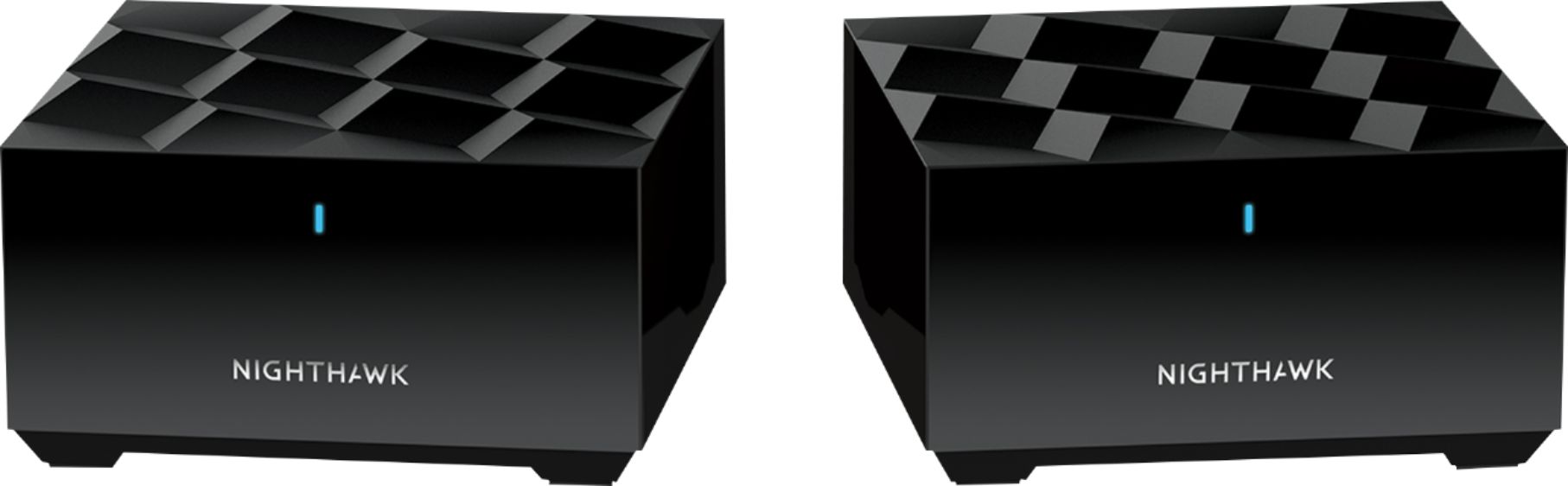
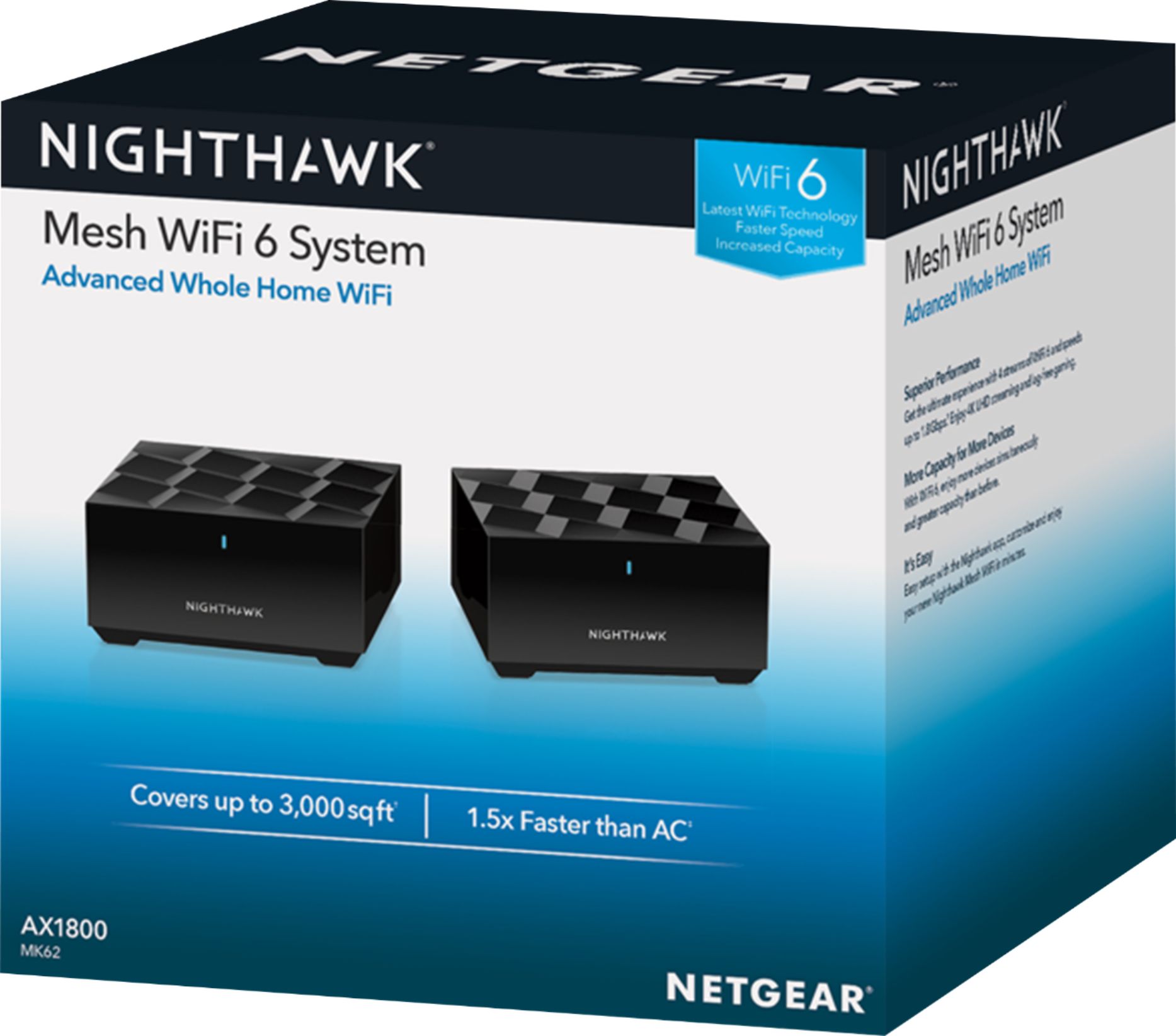
NETGEAR - Nighthawk AX1800 Dual-Band Mesh Wi-Fi 6
||Posted . Owned for 3 weeks when reviewed.This reviewer received promo considerations or sweepstakes entry for writing a review.WiFi is a very stable system. It is fast and the signal is strong. The network is very easy to set-up via cell phone app or manually. I have not had any issues with dropping signal, range, or lagging while playing video games.
I would recommend this to a friend Rated 3 out of 5 stars
Works well when devices aren't randomly disconnect
||Posted . Owned for 2 months when reviewed.This reviewer received promo considerations or sweepstakes entry for writing a review.In a nutshell, below are the pros/cons. If you want more info, please feel free to continue reading afterward. Router's pros - Easy setup - AX6 feature (supposedly will help you futureproof your connections with newer devices). I can't vouch for this as I currently don't have a Wifi6 capable device yet. - Improved speeds and quicker load times for streaming even 4k videos (please note you need to have a high speed plan with your ISP to take advantage). - Our Samsung TV now automatically reconnects without having to hard reboot(holding power button on remote). Since we bought the TV 2yrs ago, we had to reboot the TV whenever we wanted to use the smart features. With our 7 year old Linksys E4200v2 router, the TV was the only device that failed to reconnect. -Wider and stronger signal strength in and around our home. - Firmware updates seems frequent for now. Router's cons (Please read this) - Constant disconnects of devices like mobile phones, laptops (PC/Chromebooks), Chromecasts, and tablets (Android and Apple). The router needs to be rebooted to reconnect them. I tried disabling the AX feature as reported on the Netgear Community forums to prevent disconnections but it didn't help. I submitted a support ticket via the mobile app and it just emailed me asking to call a number. I was hoping to mostly try the troubleshooting via email or via a web chat. - Lack of Parental Controls out of the box. A subscription is required if you want it. - 90 day Tech Support Warranty coverage, my Linksys had 1 year and they generously still supported shortly after a year. You'll need to pay for more time. - Keeping new devices names after renaming via the router's web UI interface. - UI looks old (old school icons too), even a little older than my old Linksys E4200v2 UI. - Each unit (router or satellite) only has 1 Ethernet port. It supposedly can be used as a backhaul connection instead of using the 5Ghz band but I haven't tried it. You can use an switch or your old router to help expand the ports if needed. Netgear Nighthawk App pros - App allows easy setup and can disable devices manually - App shows which devices are connected to which unit (router or satellite) and on which band (2.4Ghz or 5Ghz). Netgear Nighthawk App cons - Takes long to load - Requires Netgear Account to use, even if you don't want to access your router remotely. - Only basic features like checking connected devices (there's no history of disconnected devices), rebooting, toggling device connections, renaming devices, rebooting router. I basically went with this router because the cost, it was in-stock, and I had a BB certificate to reduce the price further. It past the return period so I'm hoping Netgear figures out the dropped connection problem and issues firmware fix to finally resolve it and includes additional features that should be included. I couldn't find this issue with Netgear's Orbi AX routers so I'm not sure why their Nighthawk Mesh models are having the problem. For the cost (even on sale), can't suggest this router Background First off, I replaced my Linksys E4200v2 router when I needed to "upgrade" my router after increasing my internet speed to 400Mbps(changed plans). It was a good router but I was limited by the wifi speed. Netgear Nighthawk Mesh Setup and Experience I setup the Netgear Nighhawk Mesh router (via mobile) which was fairly easy using following the instructions. One thing I didn't like is that I needed to create a netgear account for the mobile app to connect to router (I didn't try wired but was following the instructions). It didn't seem like you could use the app without making an account which is unfortunate. I never needed to create an account for the Linksys app. After getting it setup (placing the router on the second floor and satellite on the bottom floor), I was getting faster wireless speeds (depending on the device, it ranged from 80Mbps to 250Mbps). I never expected near the 400Mpbs since there could be many factors affecting it like wifi traffic from neighbors, other networked devices, device network comm limitations, etc. So I was satisifed with the wireless speed testing from mobile phones and laptops. I spent some time trying to figure out how to setup a seperate access point (AP) name for the 5Ghz connection but it seems like you leave it up to the router to decide which band (2.4 or 5) to utilize with the device. Some devices will connect on the 2.4Ghz band one day and then 5Ghz band the next. I eventually got used to using just one AP name for all the devices (I still had preferred to force devices on a specific band). Issues Experienced Weeks After Use Renaming Devices - The same week I setup the router/satellite, I had some problems renaming devices with a friendly name so I could better track. I spent several hours over several days trying to keep the device names set. For some reason, the next day, most of the custom names would be reset. I kept renaming and it kept resetting over several days. I searched online to find other people complaining about it. I wasn't sure if the names were being set on the main router and the satellite was resetting them. I eventually got the names to stay saved by removing any spaces or any valid special characters. The only non-alphanumeric character I used was an underscore. Random Device Disconnections - After about a week, some devices started failing to reconnect. I would check my phone and then it would show a wifi error of "Failing to obtain IP address". I toggled the Wifi, toggled Airplane mode, restarted the phone, forgot the Wifi connection and reconnected. It was rarely work sometimes, so I evetually had to restart the router through he web interface. If you search online you'll see several complaints of dropped connections on the netgear community forum and I believe the BB review page. I saw the warnings but figured it wouldn't happen to me. So eventually it wasn't just my phone that would disconnect, later my wife's phone, then my laptop, then a chromecast, etc. It got to the point that I had to restart the router twice a day every day. I tried reserving IPs for the problem devices and that didn't help either. I also disconnected the satellite to make sure there wasn't a conflict with the device not knowing which unit to connect to but it also did not help. In June, there was a firmware update (V1.0.4.96) that was released that supposedly fixed this, which it worked for about 1.5 weeks. Unfortunately it still happens, but just not as often. Lack of Parental Controls Out Of The Box - My other gripe is with the parental controls, this router has none unless you pay a subscription. My Linksys router didn't have it at first, but they rolled out a firmware update that added the feature for FREE! The Linksys E4200v2 router allowed me to setup schedules to turn off the internet for specific devices which was awesome. With this router, you have to disable devices manually.
No, I would not recommend this to a friend- Pros mentioned:Coverage, Ease of use
Rated 4 out of 5 stars
Easy Installation and fast WiFi
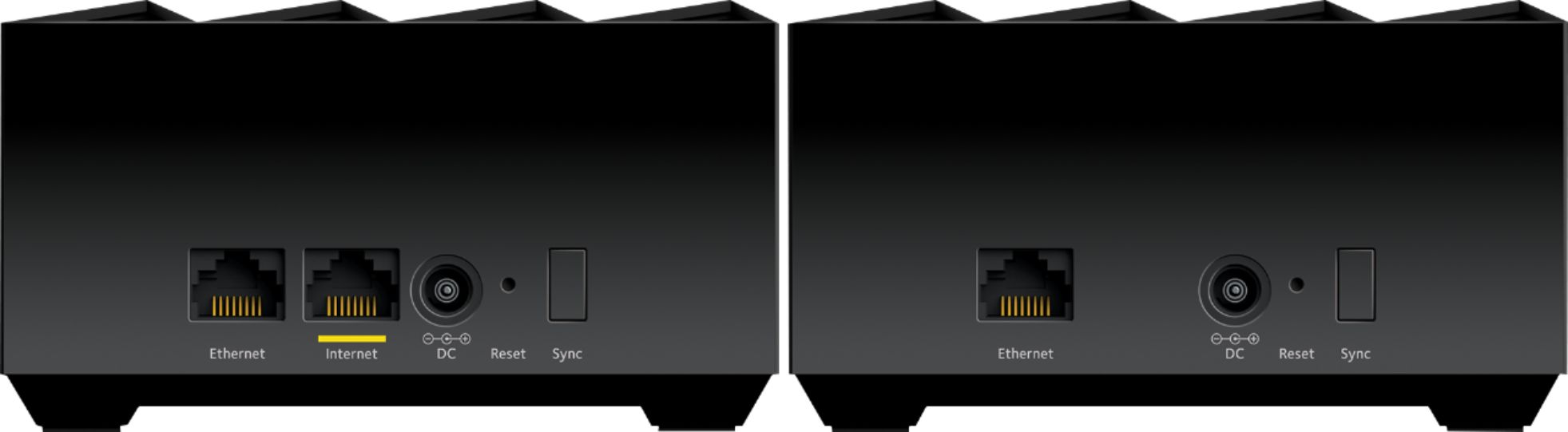
||Posted . Owned for 1 month when reviewed.This reviewer received promo considerations or sweepstakes entry for writing a review.WiFi coverage, speed and the UI have been overall positive. The download speeds are significantly higher with this product compared to my old router. Pros: - Setup and installation - Nighthawk app and ease of use - Whole house WiFi coverage - Seamless transition between router and satellite networks - Nice product design Cons: - Only one Ethernet port on the router (and one on the satellite), making a switch necessary to use for more than one wired connection - Lack of advanced features in app - The Blue indicator light is a verified night light is bright enough to cast shadows and distract you, if the router or satellite is in your bedroom. You can put a piece of electrical or masking tape on it to dim or block the light.
I would recommend this to a friend - Pros mentioned:Ease of use, Speed
Rated 5 out of 5 stars
Ethernet Backhaul Rocks
||Posted . Owned for less than 1 week when reviewed.This reviewer received promo considerations or sweepstakes entry for writing a review.Amazing performance for the price! Easy setup with the app. If you can setup with Ethernet backhaul I highly recommend. Get full Internet speed every where in house including a room that other routers failed to reach. Bought with 2 switches so I can hook up other devices and use Ethernet backhaul. With a wired backhaul you get the same speed you get at your main router where the internet plugs into. Thanks Netgear for making an affordable WiFi 6 mesh system that can outperform others that cost twice as much!
I would recommend this to a friend - Pros mentioned:Ease of use
Rated 4 out of 5 stars
The mesh works perfectly, but lacks settings.
||Posted . Owned for 1 month when reviewed.This reviewer received promo considerations or sweepstakes entry for writing a review.So I wanted a mesh for my funny shaped home. Makes sense right? I've had a pretty good time with Netgear routers in general (just not Netgear support), and figured this would be the same. The whole thing was easy enough to set up. Worked fine with the fiber optic modem I tested it with, and worked fine with the DOCSIS 3.1 modem I eventually connected it with. The set up wizard was very simple, albeit kinda slow to load. The mesh works perfectly. Imagine being warmly embraced with glorious wifi signal from any location. Do you feel like nestling up against the router? Sure, works great. Do you feel like hiding in the closet under the stairs? Sure, if that floats your boat too. Watching a DIY video while arm deep in a garage work bench? Perfect connection there too. I didn't like the advanced settings though. It looks like it uses the same login for both the 2.4g and 5g bands. The guest network is simple and keeps people out of my network drives. The annoying bit is you can't control the IP lease times nor refresh them from the admin console easily. I've noticed that a lot of reviews for this router really dislike the periodic disconnects. I've gotten those too, but only on older computers. Since it's only some devices that get offline while others remain just fine, I figured that it's mostly due to the IP Leases timing out in some way, shape, or form. For the Windows computers connected to it, using the cmd panel to do ipconfig release and renew fixed it right up. For the tablets/phones that struggled, going into settings and requesting an IP renew got them back up. For the older OS X Macs, it's a total pain. The IP Renewal in System Preferences does not do the trick. In fact, you'd have to open up terminal and ditch the old IP config through there and pull new ones. It is so much of a pain that it's literally easier to load the slow mobile app and just tell the router to reboot from there and thus give everyone and everything a new IP. As for all of the newer devices hooked to it (newer laptops, Nintendo Switch, Samsung s7, iPhone 8, etc), they have no problems with the IP leases. So it's been absolutely great for those devices. Also, computers connected via ethernet don't have this problem. There's only one free ethernet port on the back of it, so I've actually got it connected to an 8 port switch before running cable from that switch to various devices. So that resolved both the disconnection problem with the IP leases and gets the magical feeling of a hard line connection. Plus the satellite unit for the mesh has an ethernet port too, so it's convenient if I don't feel like running extra cable, but the mesh works so well that I haven't even had to consider it. So in summary: CONS: - Admin panel has relatively few controls (5g and 2.4g get the same security, no configuring IP Leases) - For whatever reason, it does not like devices over 5 years old. (Weird pattern, but I don't get it) - Only one free ethernet port in the back, so you'll need a network switch if you like using hard line connections. BENEFITS: - Mesh works perfectly. So perfectly. - Unlike those new Linksys routers, you can still access the admin console on a computer via the classic 192.168.1.1 - I can manage it from pretty much anywhere. - It set up real quick So yeah - it's a great router.
I would recommend this to a friend - Pros mentioned:Setup, SpeedCons mentioned:Connectivity
Rated 2 out of 5 stars
Great...when your devices can actually connect
||Posted . Owned for 2 weeks when reviewed.This reviewer received promo considerations or sweepstakes entry for writing a review.I purchased this item in February to replace my FiOS issued router. Set up was a breeze and that's factoring in a call to Verizon to release my DNS lease. Initially, everything seemed fine. My devices connected and the speed on said devices was very good to excellent. I had an issue on a desktop that was firmware related on that machine. A quick call to Netgear resolved it. As the day went on, some devices like my Google Home minis and my wired NVidia Shield would disconnect at random and then re connect after restarting the devices. Another call to Netgear didn't really resolve the problem. After that, a laptop and my desktop would not connect. The desktop now seems to be OK after a support call. Both devices were assigned static IP addresses and both worked for a few days after the call. However, now my laptop will not connect over WIFI. I now have an open ticket, yet again with Netgear support as of 3/3. Just to be clear, the support from Netgear has been very good. They respond quickly and genuinely try to help with the issue. This includes follow-up calls and they always call when they say. However, I must admit that I'm very frustrated as I am outside the window to return/exchange the item with Best Buy. I doubt Netgear will exchange the item or offer to upgrade me to a different Mesh router...even if I paid the difference
No, I would not recommend this to a friend - Pros mentioned:Ease of use
Rated 4 out of 5 stars
Quality mesh solution
||Posted . Owned for 1 month when reviewed.This reviewer received promo considerations or sweepstakes entry for writing a review.Works well, we had some areas of the house that had a hard time getting a solid signal and this took care of those spots. It was a much better solution that the various repeaters I had tried first. I was able to turn my old router into a wireless bridge after getting this mesh system set up. Just about everything in the house is wireless and even with multiple gaming systems and streaming running there’s no lag or buffering.
I would recommend this to a friend - Pros mentioned:Range, Speed
Rated 4 out of 5 stars
so far, so good.
||Posted . Owned for 1 week when reviewed.This reviewer received promo considerations or sweepstakes entry for writing a review.I bought this after my 7 year old Netgear bought the farm. This thing has more than doubled the speed and coverage of my wifi. SInce I'm working from home full time for the foreseeable future, I need all the help I can get. The only reasons I'm not rating it higher is that I haven't really had it long enough, and Netgear has not made additional satellite units to place in other areas of my house. I can't wait.
I would recommend this to a friend - Pros mentioned:Range, SpeedCons mentioned:Compatibility
Rated 2 out of 5 stars
Inability to Choose 2.4 or 5 GHz
||Posted . Owned for 1 year when reviewed.This reviewer received promo considerations or sweepstakes entry for writing a review.Overall, this did not meet my expectations. While internet speeds have kept consistent and the range is solid, you cannot select which WIFI band to have items on. This was a real disappointment that I didn't learn until it was too late. Our Nest thermostat will not work on this. We have a 3rd gen and it only connects to the 5G channel, which for some reason will not allow you to communicate from your phone or tablet. When it's on a 2.4 channel, it works just fine. Newer mesh routers are now allowing you to choose which band to place items on but this one doesn't allow that. Some 2.4 smart home devices work fine and connect as needed but the newer items like my nest thermostat did not work. Back to the trust NETGEAR R7000!
No, I would not recommend this to a friend