Customer Ratings & Reviews
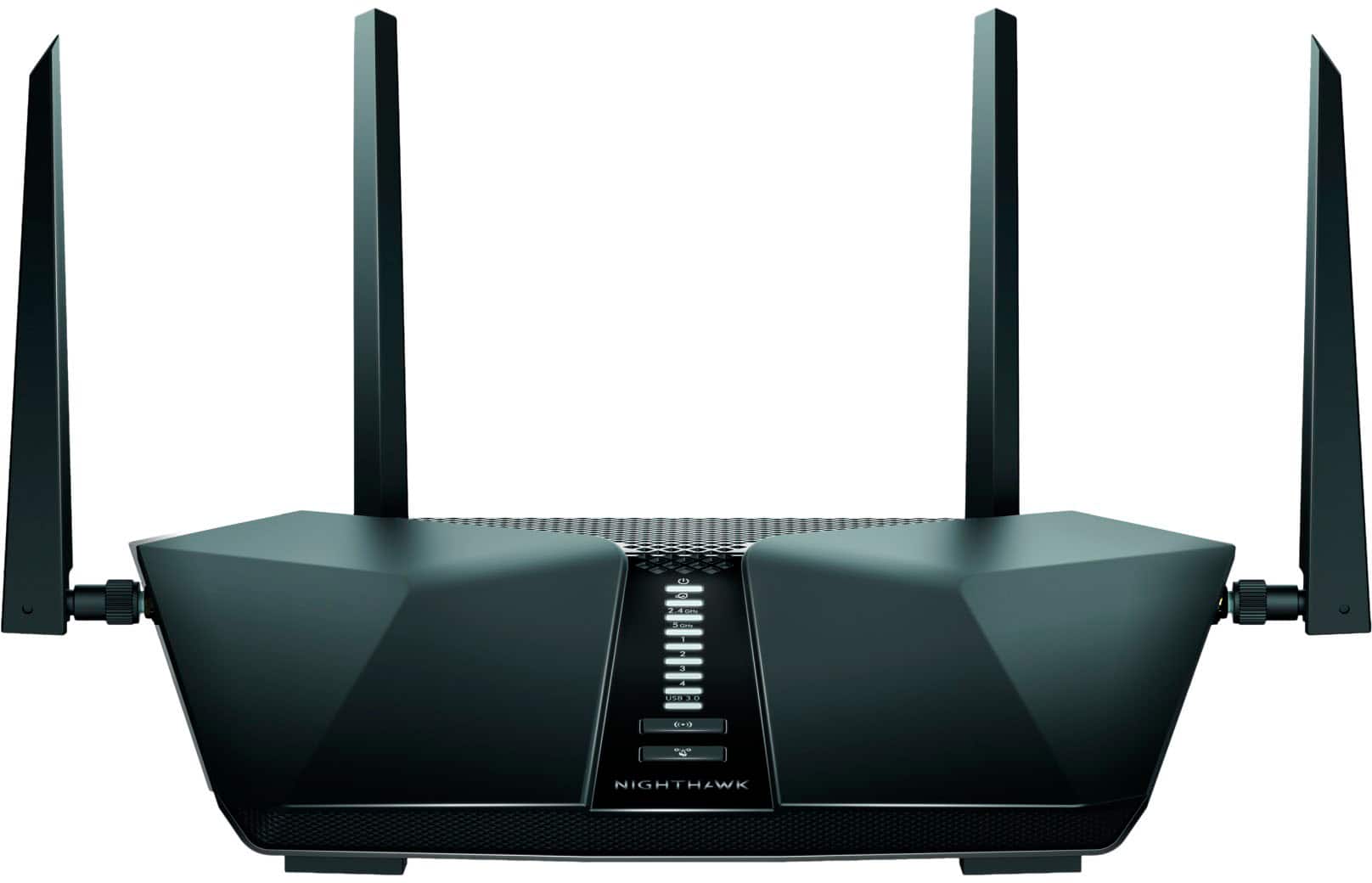
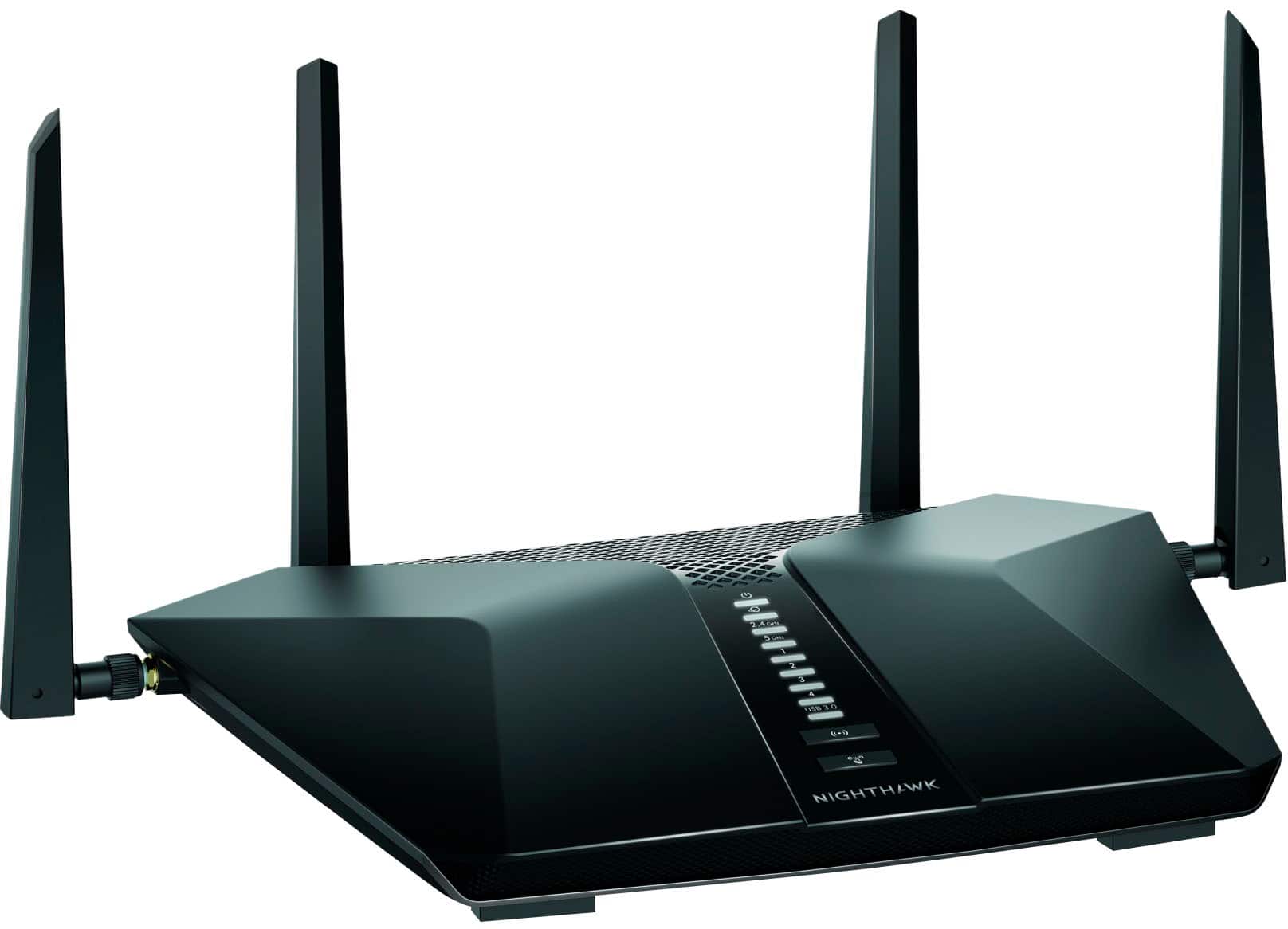
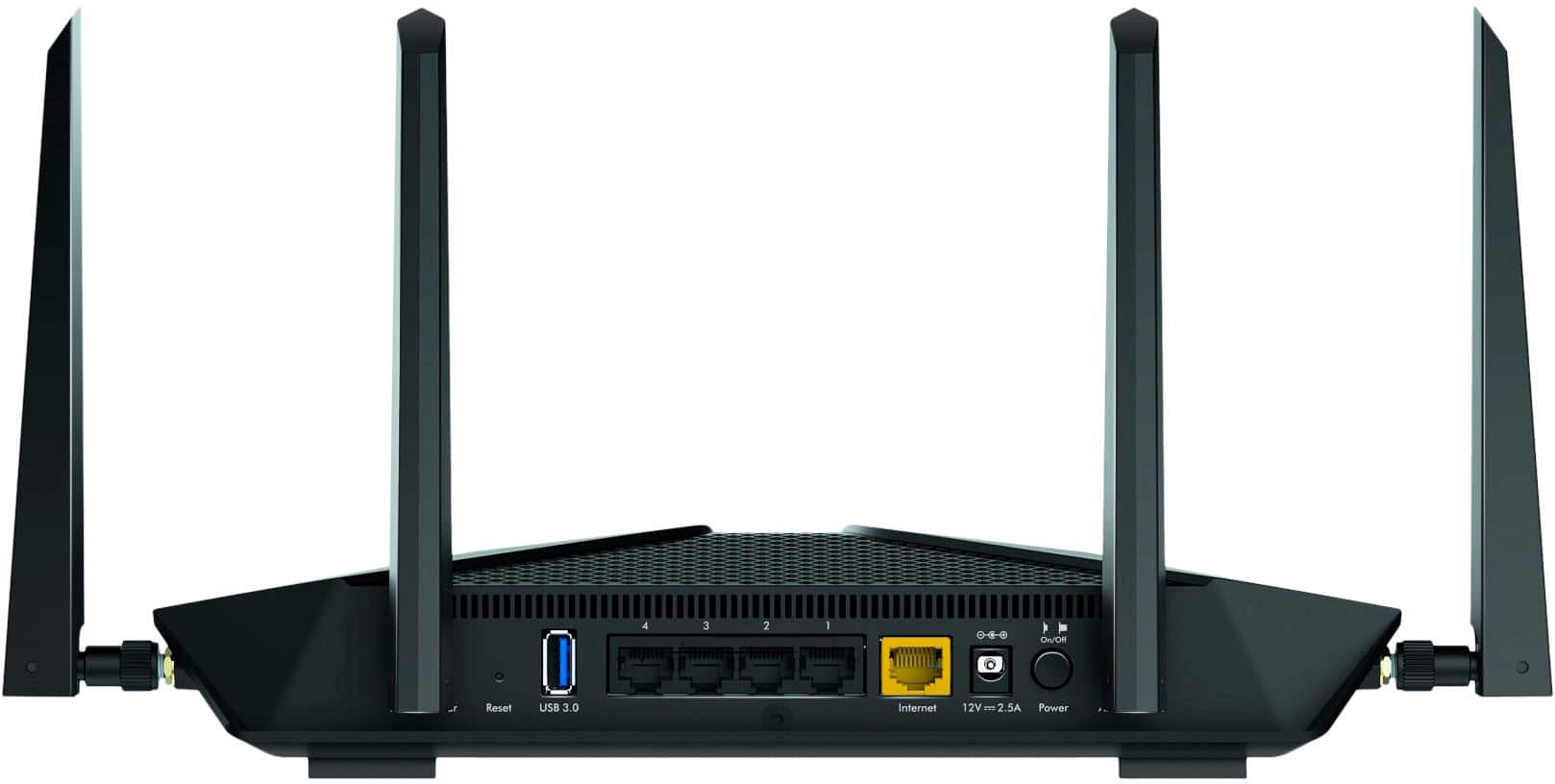
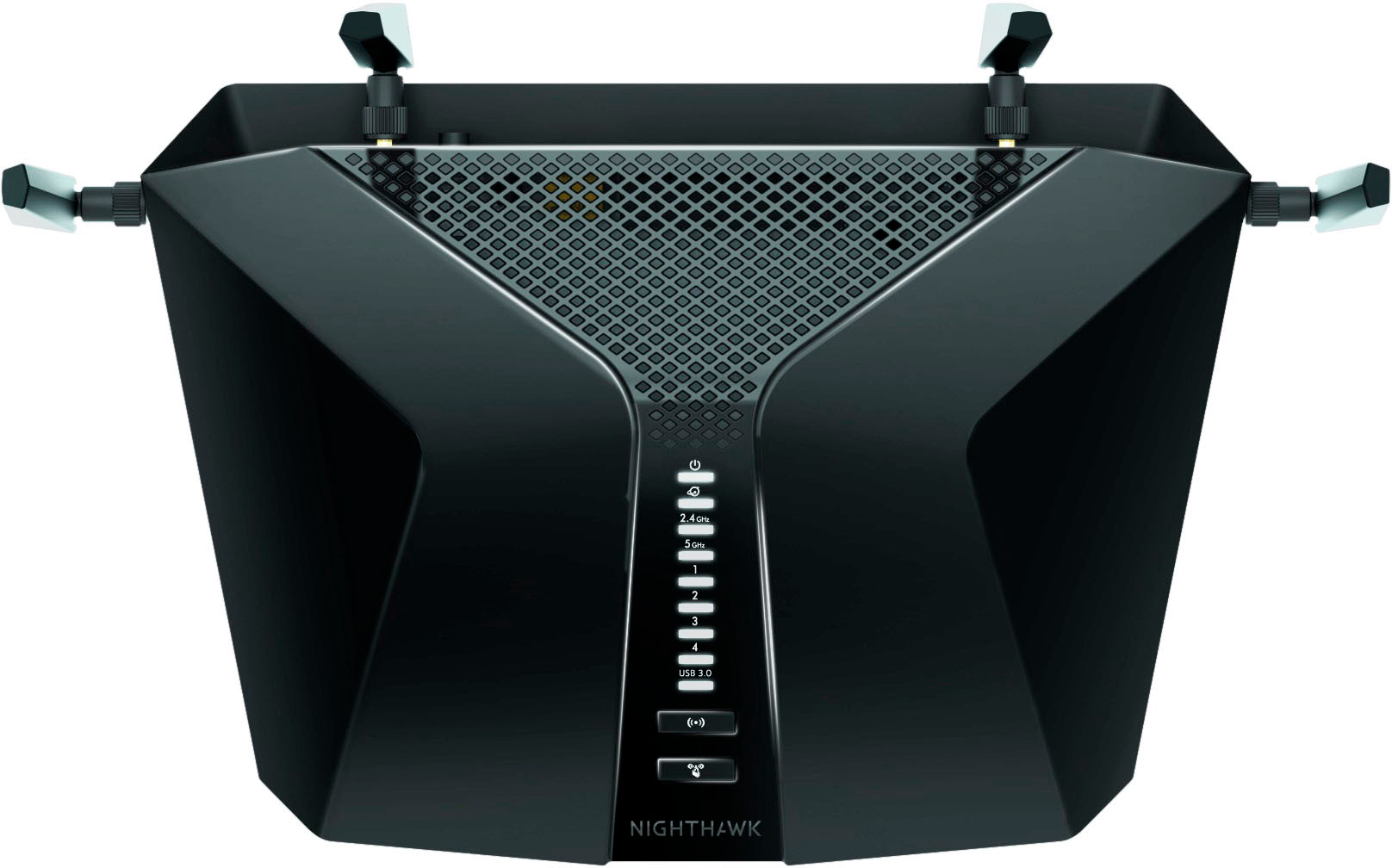

- Model:
- RAX49S-100NAS
- SKU:
- 6515294
Rating by feature
- Setup
Rating 4.6 out of 5 stars
- Range
Rating 4.7 out of 5 stars
- Signal Strength
Rating 4.7 out of 5 stars
Customers are saying
Customers are satisfied with the Nighthawk AX5300's ease of use, performance, and extended range. Many appreciate the strong signal and improved coverage it provides, along with its generally user-friendly app. While some noted the router's larger size, the overwhelmingly positive feedback centers on its performance and ease of setup.
This summary was generated by AI based on customer reviews.
Not working properly
||Posted . Owned for 3 weeks when reviewed.This reviewer received promo considerations or sweepstakes entry for writing a review.Its not work properly and never suggest anyone to buy.
No, I would not recommend this to a friend- Pros mentioned:SpeedCons mentioned:Size

Fast fast fast
|Posted .This reviewer received promo considerations or sweepstakes entry for writing a review.Netgear Nighthawk AX5300 Dual Band Wifi 6 router comes with four antennas, power supply and Ethernet cable and has an app to download that makes it all the more easy to get it set up and working so I highly suggest downloading it don’t skip it. It does have some paid upgrade feature like parental controls.it does come with 1 year free of premium feature. ’m not a huge tech person but this was easy to get set up & connect to my wifi, I was suppose to already have the fastest available fiber optics but it was still slow at certain spots in the house and my house is not that big I don’t know if it was cause I work from home on a computer 8-12 day. But The nighthawk I was definitely able to see the difference in the speed of downloads, only issue I had at first was getting my laptop and phone to connect to my wifi so I did speak to a it friend he recommended again so he recommended disconnecting and reconnecting again and that helped everything else there wasn’t an issue with, the app shows up load & download speed which I like cause I do have to submit screenshots to work once a week to keep from having to work from the office. It is way bigger then my previous router so I had to make some space other then that total happy! Well worth the price especially having multiple devices going at the same time including a gamer at night boyfriend much happier with the new speed
I would recommend this to a friend Will return product
||Posted .This reviewer received promo considerations or sweepstakes entry for writing a review.Cannot install properly. Called the company help line and they couldn’t help. Advised me to contact manufacturer of my tv for correct settings. I have 3 different tvs and none of them work with this router so I plan to exchange it for another router not this model.
No, I would not recommend this to a friend- Pros mentioned:Ease of use
Robust and Speedy Wifi 6 Router
|Posted .This reviewer received promo considerations or sweepstakes entry for writing a review.Ugrade to Wifi 6! Everyone is doing it! It's taken a moment for the devices in your hands and on your laps/tabletops to catch up with wifi 6, but now it's starting to proliferate, and it DOES make a difference in speeds. Netgear's latest offering in the Nighthawk line is a robust example of that. This route is well made and includes what I like to think are some lessons learned by Netgear - Well made and decent gain antennas, 4 of them, indicator lights on the face of the router, opposite the feet/mounting tabs, and easy(ish) setup via an app. All of these stack up to make this router fairly user friendly and to blanket your home (or office) with sweet sweet wifi. The QR code for initial access was in the packaging, but for security sake NOT on the bottom of the router, my pro tip is to move it there. Once I got the app installed and connected to the router, setup was a breeze. It did immediately prompt me to upgrade firmware, which took a minute, and I wish I had deferred. The inclusion of advanced services such as Netgear Armor and Smart Parent Filters are appreciated...but also the need for a subscription after the free trial runs out are why I knocked this router down a star. Not cool man. I would love to see Orbi support added to some of these higher end Netgear routers so that if one had a need to spool up a mesh, you wouldn't have to replace pricey networking equipment just to do mesh routing, and mesh units always seem to be lacking in wired ports, usb ports, external antennas, or some combination thereof.
I would recommend this to a friend Great signal
|Posted .This reviewer received promo considerations or sweepstakes entry for writing a review.I will start by saying that this Netgear Nighthawk Ax5300 is a way better upgrade than what i originally had. Before using this netgear nighthawk our internet and wifi eas always spotty, slow, and lagged when multiple household members were on at the same time. When i got this in I was excited to see if we can get a better service out of this router and we most certainly did! Setup was easy as long as you follow the instructions and download the app that goes along with it. It takes you step by step for easy and proper installation of your router. We got our password all set up and began hooking up our devices to use. We hooked up our phones, tablets, laptop, tvs, and gaming systems to the router and had a strong signal on all of it. I must note that we do live out in the country and have always had issues in the past with not having a strong signal but we have yet to experience this with the Netgear Nighthawk! Our kids were able to play on their tablets without any interruptions, we were able to stream movies without the wifi lagging. We were also able to hook up our security cameras to it and that was a game changer because our previous router would not pht out enough signal for them. Overall we get way better signal with this router and it strong enough to catch outside around our home as well.
I would recommend this to a friend- Pros mentioned:Setup
An excellent router for my family’s wifi needs!
|Posted .This reviewer received promo considerations or sweepstakes entry for writing a review.This router has been a perfect choice for my family. We are a house of nerds, running multiple laptops, gaming PC’s, tablets, and our 4K TV in the living room streaming shows and movies all at the same time. To say that we can put a hurting on some wifi bandwidth is an understatement. Beyond paying for a really good 400Mbps plan from Charter along with an upgraded modem, we also decided to go with this router in a centralized location in our 1400 square foot house in order to get the best wifi speeds across our devices. Thus far, the router has not disappointed. Netgear in my experience makes all of their routers really easy to setup through the app. That is what I did in this case and it was easy to get our network configured. We are basically getting maxed out download speeds across the house with our devices that are configured to handle 5Ghz wifi and are Wifi 6 compatible. I am very pleased with this router. All in all, if you are looking for a good high-end router that doesn’t necessarily break the bank for a bunch of extra features most consumers likely won’t even use, than this would be a good one to take a look at. Thanks for reading and I hope this review helps you decide what you want to get!
I would recommend this to a friend Routher
||Posted . Owned for 2 weeks when reviewed.This reviewer received promo considerations or sweepstakes entry for writing a review.It did nothing for my internet. Thought it would make it faster, but i was so wrong.
No, I would not recommend this to a friendBrand response from Netgear Support
Posted .Hi Ascorrigan,
Thank you for your review, we appreciate your feedback and we want you to know that your experience is important to us. We are sorry to hear that you had a difficult experience with your product. We recommend checking out these resources to troubleshoot: https://kb.netgear.com/1110/How-do-I-troubleshoot-my-wireless-network, and also: https://kb.netgear.com/000064366/How-do-I-troubleshoot-slow-Internet-connections-when-I-m-connected-to-my-NETGEAR-router?language=en_US.
If you need further assistance, you can contact NETGEAR Support by going to: https://my.netgear.com/support/contact.aspx and follow the onscreen instructions. Once you’ve registered your product you will be given the options of contacting Support through Phone, Chat, or email.
Regards,
NETGEAR Team
Looks like Sauron from Lord of the Rings!
|Posted .This reviewer received promo considerations or sweepstakes entry for writing a review.I’ve only recently gotten back into gaming, but I’ve gone full in… Xbox series X, ps5, and several gaming rigs. On top of that, I have everything “smart” that is “smartable” … 2 TVs, receiver, lights, fans, car charger, etc. Before I had been using a Mesh system with nodes throughout the house, but my biggest issue was the nodes kept disconnecting randomly. Got very annoying very quickly. Also it was very slow for gaming, with average ping latency so high that any game faster than pong was unplayable. This router does an excellent job of directing and micromanaging bandwidth so I can play Call of Duty on the Xbox and my wife can stream 4k Netflix in the bedroom with no slowdown whatsoever. Consider me impressed. It’s signal bubble covers the same area as THREE mesh nodes, without any loss. Funny anecdote… I took it out of the box and was wiring up the 4 antennae when my wife commented, “it looks just like the bad guy from the hobbits movies before he became an eyeball!” Yes, dear…. Yes it does.
I would recommend this to a friend- Pros mentioned:Setup
Blazing fast
|Posted .This reviewer received promo considerations or sweepstakes entry for writing a review.I upgraded from a R 7000P Nighthawk (AC2300) to the AX 5300 and the difference is striking. On the old router, I was getting just under 300MBs, and with the AX 5300, I am over 900MBs which is nearly 3 times faster on wireless. I have not tested the wired connection yet, but expect it to be over a gig. Setup is fast and easy and I was able to reuse the defaults from my old router to make the new router look the same to all my connected devices which now number around 30. No need to reset all your connected devices. The only issue I currently have is with remote access to the router as it is still not working despite two separate attempts with support. I will give it one more try and then ask for a replacement unit as I want to be able to configure and reset it remotely. Right now, I must be present on the wireless network to make changes. Both the 5G and 2.8 bands have nearly equal speeds and I can support two simultaneous Zoom meetings on the 5 G band. I am amazed by the capacity of this unit.
I would recommend this to a friend - Pros mentioned:Ease of use, Range
AX5300 Nighthawk Router
Posted .This reviewer received promo considerations or sweepstakes entry for writing a review.Router instantly boosted wifi strength and range. Setup was super easy. the only thing that took a little long was software update but no more than 5 to 10 min. But still an excellent product.
I would recommend this to a friend - Pros mentioned:Ease of use, Speed
Good buy!
Posted .This reviewer received promo considerations or sweepstakes entry for writing a review.Easy set up via the app. An upgrade from a Netgear router that was about five years old. Works great. Devices are noticeably faster. Was almost 50% off too.
I would recommend this to a friend Great router that's easy to set up
|Posted .This reviewer received promo considerations or sweepstakes entry for writing a review.NETGEAR - Nighthawk AX5300 Dual-Band Wi-Fi 6 Router – Black After unpacking the router, you’re instructed to download the Nighthawk app to help you install your router. Included in the app is Netgear’s Armor security software. The Nighthawk comes with a free downloadable one-year trial of this cybersecurity protection that blocks online threats from hackers and phishing expeditions on your connected devices. In addition to walking you through the installation of your router, the app also allows you to do things like pause the internet, run speed tests, set parental controls and more. A word of caution: Don’t toss out the router’s protective covering before removing and safeguarding the small attachment that gives you the name of your router and the Network Key (Password). (I almost missed that important information and was about to toss it along with the protective wrapping when I finally saw it, so it’s very easy to overlook.) It’s probably a good idea to attach that sticker to the bottom of the router so you don’t lose it. Screw in the four antennas, plug it in to a power outlet, connect it to your modem and you’re ready to set things up. The app walks you though the process and before you know it, you’re up and running. And the router’s Wi-Fi 6 technology provides expanded network capacity and extended coverage of up to 2,500 sq. ft. You have the option of changing the password which I chose to do, since the one that came with the router wasn’t something I’d likely remember. There was also a firmware update which I downloaded and installed to bring my router up to date. Once set up, the router shows up in your list of available network options on both your computers and mobile devices. I chose to connect multiple devices to it and give it a whirl. It responded briskly, even with five devices online. The app also shows all the devices that are connected which is a nice feature. The router has four Ethernet ports which allow you to attach various devices via Ethernet cable if that’s your preference. And there’s also a USB 3.0 port for attaching a hard drive or other USB device. So, in summary, this Nighthawk router is a solid device that was easy to set up, after which it performed just as I hoped it would. Netgear has got a real winner with this Nighthawk router!
I would recommend this to a friendDo not buy
||Posted . Owned for 3 weeks when reviewed.This reviewer received promo considerations or sweepstakes entry for writing a review.Just awful, has a hard time keeping mobile connections on network
No, I would not recommend this to a friendBrand response from Netgear Support
Posted .Hi LoganL,
Thank you for your review, we appreciate your feedback and we want you to know that your experience is important to us. We are sorry to hear that you had a difficult experience with your product. We recommend checking out these troubleshooting resources for your wireless network and device: https://kb.netgear.com/1110/How-do-I-troubleshoot-my-wireless-network, and also: https://kb.netgear.com/000061716/How-can-I-troubleshoot-my-NETGEAR-router?language=en_US.
If you need further assistance, you can contact NETGEAR Support by going to: https://my.netgear.com/support/contact.aspx and follow the onscreen instructions. Once you’ve registered your product you will be given the options of contacting Support through Phone, Chat, or email.
Regards,
NETGEAR Team
Solid high-performance router w/ a couple caveats
|Posted .This reviewer received promo considerations or sweepstakes entry for writing a review.Like a substantial plurality of the modern high-performance wireless routers I've seen, the physical hardware itself has an uncomfortably large desktop footprint - it's larger than a standard sheet of paper! - and it's generally not safe to place other things on top of or otherwise "stack" large flat electronic devices like this (or, e.g., a modem or TV set-top box) because of heat. For people like me with (*very*) limited desktop space, this is more than just a minor inconvenience, but it's unfortunate that there's not many alternatives / much of a way around this other than relocating my network rig off the desk entirely - which also isn't a particularly palatable option, particularly if it requires purchasing another piece of furniture. I'm looking into perhaps getting some sort of apparatus like those plastic "keyboard protectors" marketed to cat owners (if you know, you know) that look like a small footstool or museum pedestal upon which I can place it so that I can still use the desk space "under" it. One uncomfortable truth about "traditional" wireless access points ("traditional" as in still connected to a wired modem, as opposed to the 5G wireless access points advertised by mobile phone providers) that a lot of tech-savvy people don't like to reckon with is that - regardless of how "fast" a piece of wireless router hardware is - you're still ultimately fundamentally limited by the speed of the underlying internet connection. So if you otherwise have crummy internet bandwidth or speed on a hard-wired connection, getting a "faster" or "better" wireless router won't substantially improve the same for your wireless connection. At least not all the time. By way of concrete example, my ISP caps my upload speeds at 10 Mbps regardless of network conditions. No matter what hardware I have, I will *never* be able to get anything better than about 9.96 Mbps on upload. In terms of actual performance in actual practice... My crummy ISP-provided wireless access point (which, incidentally, occupies about the same desktop footprint as a beverage coaster) consistently gives me wireless download speed in the low 60-70 Mbps ballpark in rare ideal conditions with no other demands on my network (though as low as 20 during the worst peak traffic hours) off an as-advertised wired network speed of 100 Mbps (to which I can actually get pretty close on the wired connection). This router did improve my performance metrics - upper 80 / low 90 Mbps ballpark in perfect conditions, just about indistinguishable from the old one at worst, and upload speeds unchanged at just below 10 Mbps as that's artificially capped by my ISP as I mentioned before - but really only under unpredictable and unsustainable conditions. It's predictably still substantially inferior to the wired connection in most circumstances, and still marginally so even at the best of times. And realistically? For my purposes, I'm honestly not sure that 25-30 Mbps improvement only at "ideal" network conditions (which are increasingly rare in a work-from-home world), with only perhaps some marginal improvement otherwise is really worth the loss of quite literally half a square foot of precious desk space. In terms of other "performance" related areas... I had no issues with range / coverage. The product verbiage claims it covers an area of 2,500 sq. ft. or some such, but my entire home (and I feel like the vast majority of all American homes) isn't anywhere near that large. Indeed, the "median" United States home was something like 2,200 sq. ft. as of the 2020 data I cursorily googled while writing this to verify my intuition and be sure I wasn't just being snidely "reverse-classist" without data to back it up. The dual-band functionality seems great, but I don't typically have more than 2 "high-demand" devices (e.g., computer and phone during the workday, phone and streaming TV after-hours) drawing on the network at any one time, so I wasn't really able to probe the practical limits thereof. It does get noticeably warmer than its predecessor did (and therefore likely consumes far more power, but I haven't yet seen the electric bill after it went live), but I suppose that's a thermodynamically necessary trade-off for the performance.
I would recommend this to a friend- Pros mentioned:Ease of use, Speed
Nighthawk
Posted .This reviewer received promo considerations or sweepstakes entry for writing a review.Great router. Easy to set up. No issues. Very fast 5g internet
I would recommend this to a friend - Cons mentioned:Lag
Not impressed
|Posted .This reviewer received promo considerations or sweepstakes entry for writing a review.I had high hopes for this router and was so let down! It was no better than the one I’d been using before. My son and husband are both avid gamers and they play online with friends for hours a day. When they’re both on I’m usually streaming TV or music and it never fails that someone starts glitching, so I thought why not try this new router that has more bands. First off, it was a PAIN to set up. I hate it when I’m required to download an app just to be able to use something. The directions say that you can name the network with the same name and password as your current network and all devices that are connected will automatically connect to the new network. However, every time I tried to go through the set up it kept telling me that the router was trying to connect to the network so I’d click to allow it and then it started the whole connection process all over again - it kept connecting to my old network. I almost gave up but once I realized that was the issue I denied the request to connect and the set up finished. It took a whole day for all of our devices to eventually migrate over to the new network so my smart deadbolt was offline and we weren’t able to use our front door, we found out the hard way - thank goodness for the keypad outside the garage. Once everything was set up and migrated over we all continued to use our games and TVs and music as usual and saw absolutely zero difference. We’ve tested it for a little over two weeks now and haven’t seen any improvement in the lagging or occasional disconnections that we’ve always dealt with. I was tempted to switch back to my old router since I’m not pleased with this one but with the hassle that I went through to set this one up I’m not even going to bother. It works, we’ve all learned to adapt to the inconveniences and most importantly it didn’t make it any worse so we’ll keep it. I don’t think it recommend it though.
No, I would not recommend this to a friendBrand response from Netgear Support
Posted .Hi MrsDodge222,
Thank you for your review, we appreciate your feedback and we want you to know that your experience is important to us. We are sorry to hear that you had a difficult experience with your product. We recommend checking out these troubleshooting resources for your wireless network and device: https://kb.netgear.com/1110/How-do-I-troubleshoot-my-wireless-network, and also: https://kb.netgear.com/000061716/How-can-I-troubleshoot-my-NETGEAR-router?language=en_US.
We also recommend ensuring your device is on the latest firmware, released as recently as 10-17-22: https://kb.netgear.com/000065240/RAX49-Firmware-Version-1-1-3-18.
If you need further assistance, you can contact NETGEAR Support by going to: https://my.netgear.com/support/contact.aspx and follow the onscreen instructions. Once you’ve registered your product you will be given the options of contacting Support through Phone, Chat, or email.
Regards,
NETGEAR Team
Nice Router, easy setup, works well
|Posted .This reviewer received promo considerations or sweepstakes entry for writing a review.Got this device to extend my network. Added it as an AP to my existing setup. This device covers, according to spec, 2500 Square feet for up to 25 devices. I setup this to extend wireless coverage for my over 100 devices. I have a ton of wireless smart devices and needed to get some better coverage for my upstairs and exterior cameras. Setup was easy, plug into power and plug into me ethernet extension. I setup the device in Access Point Mode. And we were off. SSID was configured to replicate and extend my home router signal and smart channel select prevented overlap. Utilizing the dual band helped with this as well. Phone app worked for general setup and for management interface. I however am "old school" and prefer the web GUI. Overall, the device is working well. Does what I need it to do. I do wish there was a PoE option as I had to locate the device near an outlet for power. My only reall issue with the device as a primary unit would be the "limited" WAN port. It is set to 1Gbit and I currently have 1.2Gbit service. Since this is becoming more available this is a limiter.
I would recommend this to a friend- Pros mentioned:Ease of use
So far so good
Posted .This reviewer received promo considerations or sweepstakes entry for writing a review.The easiest technical thing I have EVER installed! So far so good. I bought it before Christmas and was terrified to install it haha! Little did I know! It literally took me 10 minutes and I was up & running.
I would recommend this to a friend Internet is noticeably faster
|Posted .This reviewer received promo considerations or sweepstakes entry for writing a review.Wow! Who knew a wireless router could make such a difference in speed? I work from home, mostly attend conference calls, instant messenger and send/receive emails. After connecting the Nighhawk AX6 I saw a noticeable improvement in the speed of my devices. The TV in my bedroom only has an internet connection. Sometimes it would take several minutes, more than three, to load the Amazon Prime menu. Now I turn on the TV, click Amazon Prime and right away I get the menu for the user and then “my stuff” quickly loads up to choose from. I would purchase this router just for that! It says it supports up to 25 devices. I turned on both TV’s with something from Amazon Prime. I then used both my iphones to play videos. Just to be sure, I played a video on my personal computer while on a conference call (on mute). I was pleasantly surprised to see the videos on the phones and computer load quickly and run without pausing. Granted, it was six devices, not 25 but Wow this Nighthawk AX6 added speed I didn’t know I was missing!
I would recommend this to a friend- Pros mentioned:Ease of use
Buyer
Posted .This reviewer received promo considerations or sweepstakes entry for writing a review.Easy to setup. I am still experimenting with the antennas to get stronger signals from the WiFi in various locations, but it has already improved what I was getting.
I would recommend this to a friend