Customer Ratings & Reviews
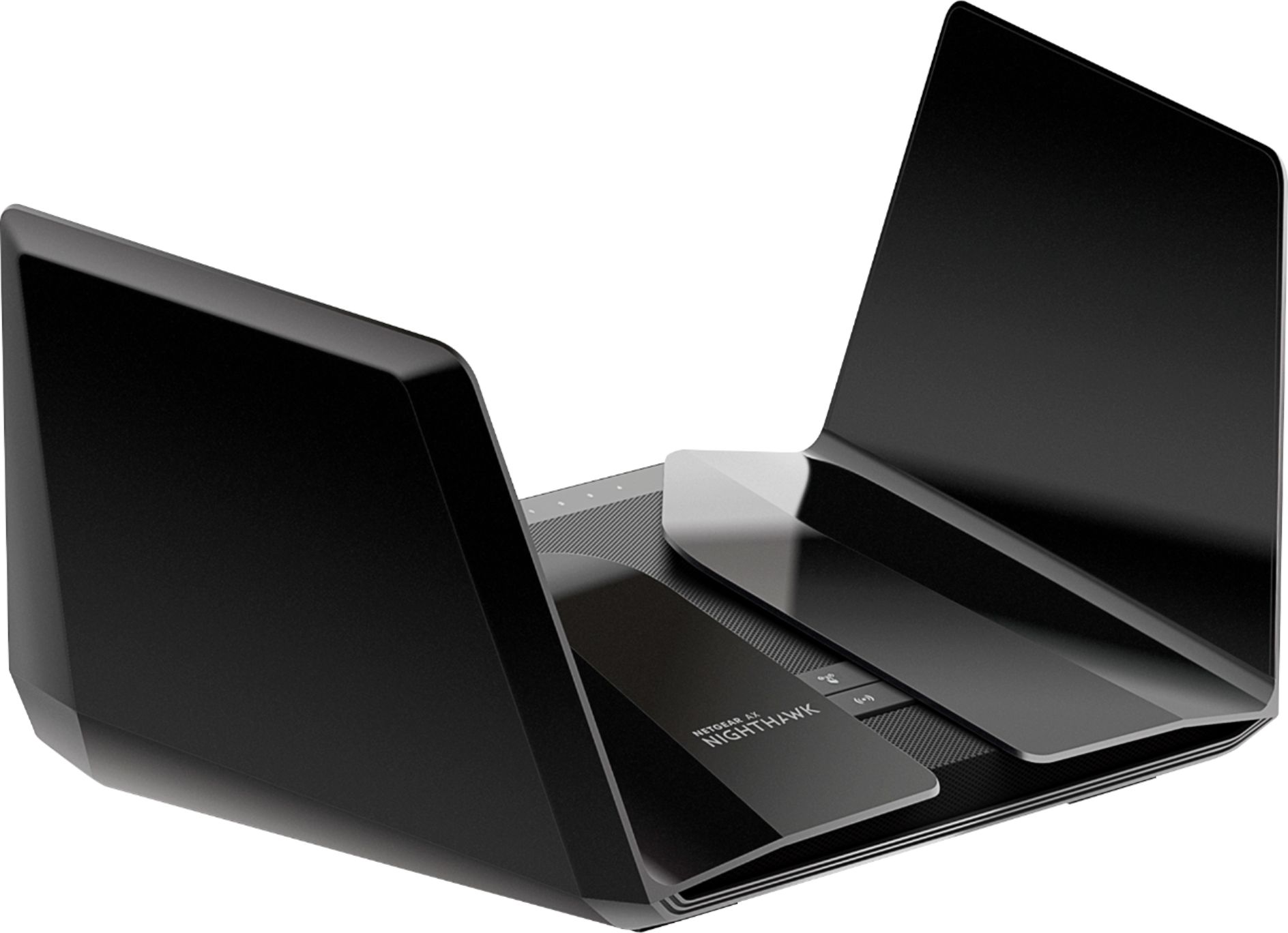

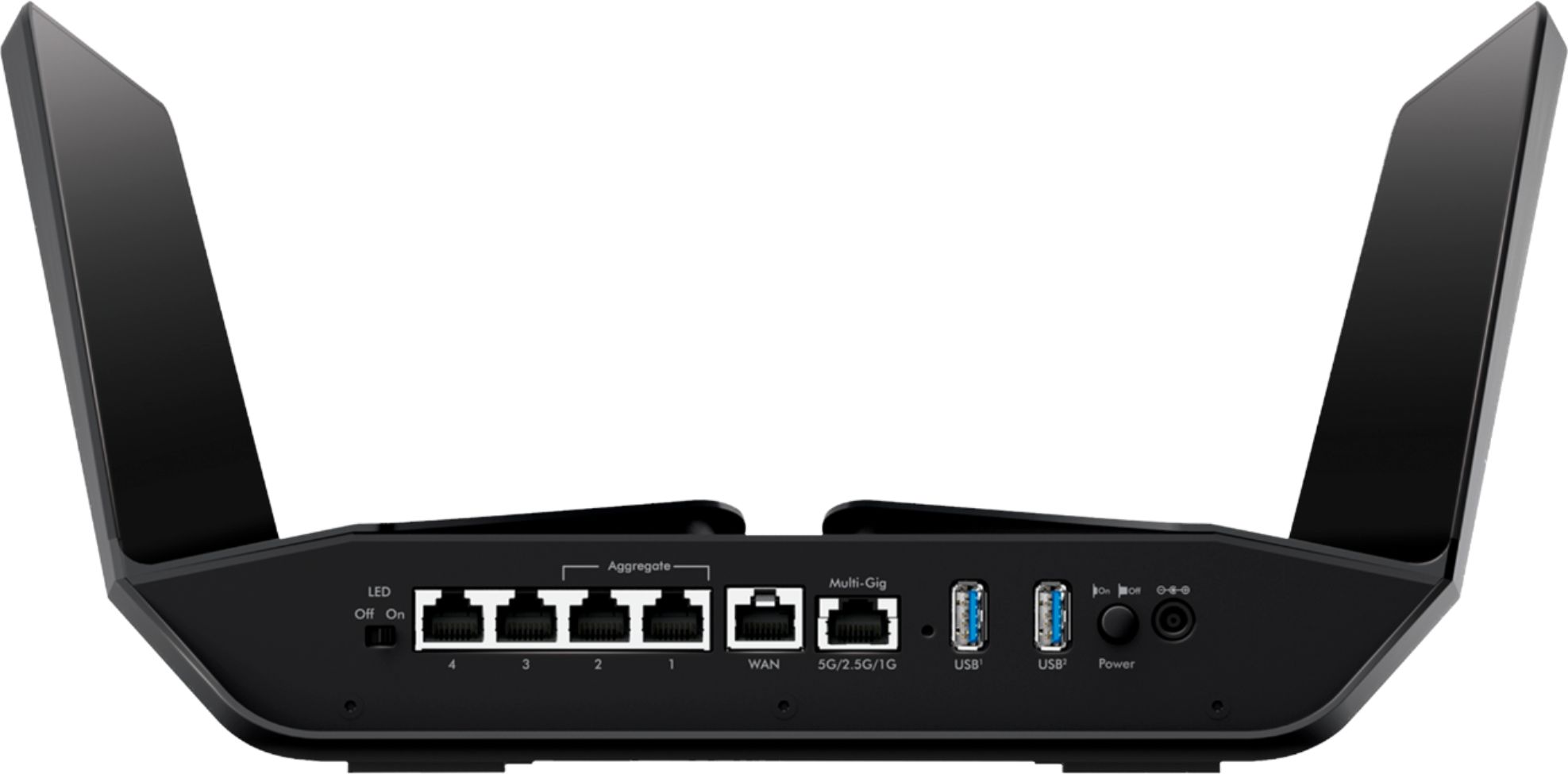
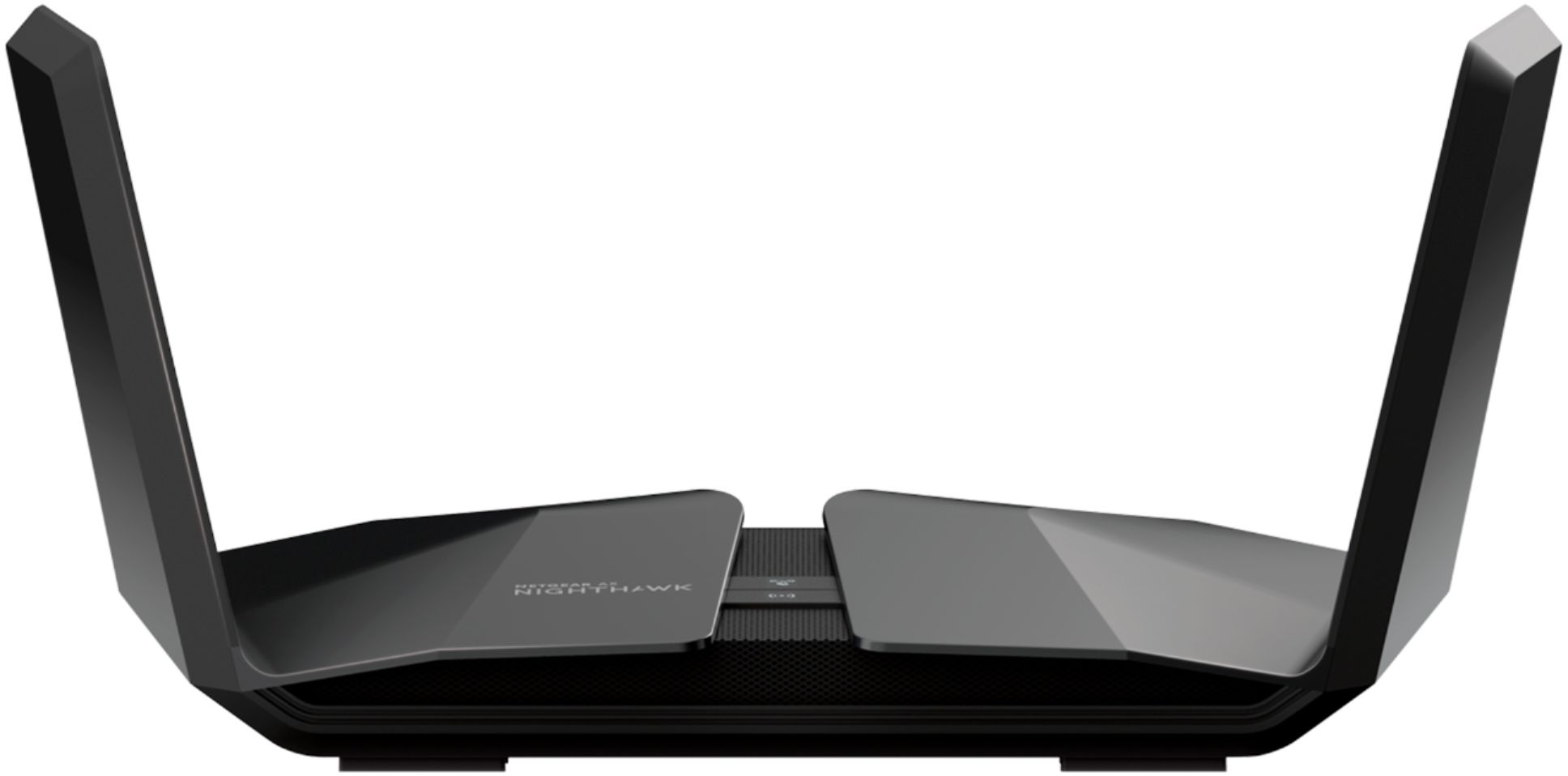




- Model:
- RAX120-100NAS
- |
- SKU:
- 6292280
Customer reviews
Rating 4 out of 5 stars with 864 reviews
(864 customer reviews)Rating by feature
- Setup4.0
Rating 4.0 out of 5 stars
- Range4.1
Rating 4.1 out of 5 stars
- Signal Strength3.9
Rating 3.9 out of 5 stars
Customers are saying
Customers appreciate the Nighthawk AX6000 Wi-Fi 6 Router's performance, range, ease of use, and coverage. Many found setup straightforward and highlighted improvements in signal strength, enabling smooth streaming. However, some experienced connectivity issues and considered the router expensive, while others reported problems with the firmware. A few users mentioned occasional lag, though others reported no such issues.
This summary was generated by AI based on customer reviews.
Rated 1 out of 5 stars
Horrible
||Posted . Owned for 4 months when reviewed.This reviewer received promo considerations or sweepstakes entry for writing a review.Horrible!!Set up using the app almost impossible!!! After few days working, crashed and required resetting and new configuration. Customer service was not helpful !
No, I would not recommend this to a friendRated 1 out of 5 stars
Not Good
||Posted .This reviewer received promo considerations or sweepstakes entry for writing a review.Hooked up thought it would be a beast. Kept dropping signal. 20 ft away from it and WIFI was even worse. Returned and went with Google Home Mesh!
No, I would not recommend this to a friendRated 1 out of 5 stars
Wifi is slowwwwwww
||Posted . Owned for less than 1 week when reviewed.This reviewer received promo considerations or sweepstakes entry for writing a review.1000 ghz into the router and 250 ghz out over wifi. Very disappointed. Will update if customer service can fix it.
No, I would not recommend this to a friendBrand response from Netgear Support
Posted .Hi Slowwwww,
Please email us your contact information along with your case number and a link to your review to netgearteam@netgear.com, and we will be happy to help you.
Regards,
NETGEAR Team
Rated 1 out of 5 stars
big waste of money
||Posted . Owned for 1 month when reviewed.This reviewer received promo considerations or sweepstakes entry for writing a review.my 2 year old asus router works better than this. Not worth the money!!!
No, I would not recommend this to a friendRated 1 out of 5 stars
Frustrating setup.
||Posted . Owned for 1 month when reviewed.This reviewer received promo considerations or sweepstakes entry for writing a review.Pain to setup. I cannot add a switch. Stuck with 4 lan ports. Would return but I didn’t set it up before the return deadline.
No, I would not recommend this to a friendRated 1 out of 5 stars
Would not recommend
||Posted .This reviewer received promo considerations or sweepstakes entry for writing a review.I purchased this unit to upgrade my router. However it never worked properly and I returned it.
No, I would not recommend this to a friend- Pros mentioned:Coverage, Speed
Rated 5 out of 5 stars
Fast Wifi throughout the home
Posted .This reviewer received promo considerations or sweepstakes entry for writing a review.Just upgraded to 1Gb internet from Suddenlink and my previous router Apple Time Capsule 5th gen was only giving me about 300-400 Mbps speeds over wifi. When I upgraded to this router I'm getting around 800 Mbps over wifi with the internet speed about 940 Mbps from the modem. Coverage is good throughout my house which is 2,800 sq ft. Setup was pretty quick and straightforward. I like the feature on the app that let me turn off connected devices one by one so I can control the kids devices when they aren't doing their homework.
I would recommend this to a friend Rated 1 out of 5 stars
Most Expensive Router Ever and Worst performance
||Posted . Owned for 3 weeks when reviewed.This reviewer received promo considerations or sweepstakes entry for writing a review.Don't ignore the review this router is not about as good as tin foil antennas.
No, I would not recommend this to a friendRated 1 out of 5 stars
Netgear doesnt make good routers
||Posted . Owned for 3 months when reviewed.This reviewer received promo considerations or sweepstakes entry for writing a review.Lost connection multiple times per day. Returned . Bought linksys
No, I would not recommend this to a friend- Pros mentioned:Range, Speed
Rated 5 out of 5 stars
Performance Workhorse!
Posted .This reviewer received promo considerations or sweepstakes entry for writing a review.I am very pleased with this device! I've had several wireless routers over the years and this one blows them all away. Set up is a breeze using Netgear's online user interface. They have done a great job polishing up this process and it's quite user friendly. It took me about 7 minutes from start to finish. The best part about this router is the Wi-Fi range and speed I was able to achieve. I had better range throughout my house even in places where there were dead zones previously! The speed is also amazing. I have Gigabit internet and using my phone I was able to get nearly the full speeds which is mind boggling. Note that I don't have another AX device so I wasn't able to test that channel, however I'm sure it's even faster than the prior AC standard! For the price, this is the best router you can buy. It does everything you need all in one device. I highly recommend it as a replacement router for existing setups. It's future proof with the new AX technology too! Note that I received the RAX120 from NETGEAR as part of a review and test program. That said, this router is amazing and I highly recommend it!
I would recommend this to a friend - Pros mentioned:Speed
Rated 4 out of 5 stars
good upgrade for future
Posted .This reviewer received promo considerations or sweepstakes entry for writing a review.I would have given 5 stars except the first one I bought kept dropping 5g wifi connections within 10 hours of use. After 6 days of rebooting several times it finally stop working all together. I returned it and risked trying another ax120. This one has worked flawlessly. After the bad start with the first one I am glad this one works so good. Setup is quick and easy if you download netgear nighthawk phone app first before installing. Best Buy made it easy to return a defective device. I also upgraded to 1 gig internet service with comcast. This router and 1gig internet operate smoothly together with all my devices operating at their maximum or very near maximum mbps transfer rates (TV streaming and netflix streaming on iPads, phones, laptops). This router is new on the market and expensive. If you have the money and like running at the front of technology you might give this router a try.
I would recommend this to a friend - Pros mentioned:Performance
Rated 4 out of 5 stars
Excellent Performance but lacking Advanced control
Posted .This reviewer received promo considerations or sweepstakes entry for writing a review.The RAX120 was bought to replace another Netgear unit, an R7800 I had given away to relatives. The unit has been rock solid and performance in AC mode has been just as good as the R7800. I recently upgraded my Dell laptops’ internal WiFi cards to the Intel AX200 WiFi chip. With the router in AX mode my laptops show a link rate of 2.4 Gbps even one floor below the router at about 12-15 ft distance with actual throughput peaking around 1320 Mbps on AX HT160 mode and around AX 890 Mbps on HT80 mode. Testing was done by transferring large files from test laptop to an SSD connected to the router. So this also that the storage performance of the RAX120 is excellent for a router. One thing that I do have to gripe about is that Netgear provides very little in the way of advanced settings for WiFi and Firewall controls and system stats have to be accessed by a special debug page instead of the main UI. Also the lack of support for using the router as VPN client for third party VPNs using Open VPN profiles is a huge miss. Only VPN option is PureVPN which is slow as molasses with no option to import other third party VPN provider profiles like Express which is actually the fastest I’ve used.
I would recommend this to a friend - Pros mentioned:Range, Speed
Rated 5 out of 5 stars
Amazing!!!
Posted .This reviewer received promo considerations or sweepstakes entry for writing a review.When I first moved into my new house in the Summer of 2018, I decided it was time to upgrade my wifi. I started with 4 of the Linksys Velop AC wifi nodes to create a mesh network, since my house was now much larger at around 4,500 square feet (6,000 square feet if you include the basement). The Velop system caused nothing but headaches with constant node disconnects, poor range, and slow speeds. I suffered for over a year trying to get the Velop system to work properly. At the middle of November 2019, I decided it was time to ditch my current Velop system and up my internet speed from 500 mbps to 1 GB. Linksys had just released the new AX wifi 6 Velop system. I took a leap of faith hoping that the new system would have better range and speed. I was wrong again. It was even worse than my old Velop system. Turns out, it was the mesh system causing all the problems due to the auto selection of bands for connected devices. I returned the new Velop system and decided to avoid the whole "Mesh" network for my home wifi. I did some extensive research and decided to give the Netgear Nighthawk RAX120 a try. I was very hopeful that being able to have my 2.4 GHz and 5 GHz bands be named separately would allow me to connect devices to the best band possible. Luckily, this decision paid off big time! Not only was I able to name the different bands, the Nighthawk was able to reach the other side of my house with no issues (about 65 feet away). It was able to penetrate walls with ease, where the Velop would constantly struggle. I had also purchased the Netgear Nighthawk AX8 Range extender to go along with the Nighthawk RAX120. I decided to hook up the extender on the middle floor about 30 to 35 feet from the RAX120 on the top floor. After spending some time tinkering with the setup process of the AX8 extender, I accomplished blazing wifi throughout my entire house. I am now able to stream 4k with ease with no buffering. The "One Wifi Name" feature on the AX8 extender also works great! I am still amazed at how well the Nighthawk products have performed. I had also bought the Nighthawk CM1200 cable modem, but I am not able to use that modem with my internet provider's 1 GB speed package due to firmware updates. This made me angry, but instead they gave me a free Arris CM8200 cable modem. I also chose the RAX120 over the new RAX200 due to the fact that the RAX120 is dual band, just like the AX8 extender. I had no need for the slower processing tri-band setup in the RAX200. The RAX120 has a faster processor which only has to concentrate on two bands. I would much rather have just two blazing fast bands. On a side note, I found that it is perfectly fine to use the Nighthawk app to setup the RAX120 router, but I would recommend using the web UI to setup the AX8 extender through the "Smart Setup" process. I only needed to access the web UI on the RAX120 to turn off the 20/40 coexistence feature. The Nighthawk app setup process of the AX8 extender had initially bottlenecked my 5 GHz band on the AX8 extender to 54 mbps. The web UI "Smart Setup" feature on the AX8 extender removed the bottlebeck. Setting up the AX8 extender took a little more time, but it was worth it in the end. I am only going to buy Neatgear Nighthawk products for my current and future wifi needs!!!
I would recommend this to a friend - Pros mentioned:Performance, Range
Rated 5 out of 5 stars
Excellent NextGen Router -update your wifi drivers
Posted .This reviewer received promo considerations or sweepstakes entry for writing a review.I had already posted this first part as a comment in another review but it bears repeating to help have a stress free install while being able to ultimately enjoy all the many benefits of the RAX120. For those that may be having a problem with AC devices seeing or connecting with the RAX120, as already mentioned in one of the comments to a review, disabling AX will allow your AC devices having issues to connect. Once your devices are connected and you have Internet connectivity, it is essential to locate and update the drivers for your AC wireless adapters/devices, especially if you have not done it ever or in a very long time. I had the same issue with only two of the several devices I am connecting to mine and updating the drivers solved the problem with those two devices and I was able to turn AX back on in my RAX120 with all the devices still function perfectly afterwards. The RAX120 is an excellent router so far based on my initial impressions and testing, from both a feature standpoint and the observed performance it delivers through both wireless and wired connectivity. In comparison to a AC1900 class router, the RAX120 provides as substantial boost to both 2.4Ghz and 5Ghz connectivity. Even in a room at about 60 linear feet from the router and multiple walls and other objects between the router and the receiving device, we went from around 155Mbps to around 320Mbps download speeds on a 5Ghz devices with a better, more solid connection as well, including phones and a laptop. Having a Gigabit Internet connection, wired connectivity showed a notable improvement as well. I did a speedtest.net Ookla test, that clocked my Internet connection to my wired PC at 967Mbps download and 940Mbps upload with a 1ms (yes, one ms) ping time (the fastest download and lowest ping I've ever experienced on my connection). The beauty of this router is that you can manage the features at a basic level if you just want a simple to set up, great performing router, or at an advanced level if you really want to tweak performance and get every last mbps and the lowest pings as well as prioritizing client QoS, even at the application or custom setting level. Whether its gaming, streaming, or just having a fast, efficient home wireless network with excellent range for Internet access, and to be able to maybe manage some home automation and other wireless devices, the RAX120 appears to be a winner in all respects. Get it while it is one sale, and it is a really good value for the hardware and features you are getting too.
I would recommend this to a friend - Pros mentioned:Range, Speed
Rated 5 out of 5 stars
Big step up from Linksys WRT1900AC!!!!!
Posted .This reviewer received promo considerations or sweepstakes entry for writing a review.Had the WRT for over 6 years. It was a great router that was fast and provided great range. I recently have moved to a smart home and have a ton of devices that connect wirelessly. I needed a router that could handle lots of clients, is fast, and that I can use another 6 or more years. This router meets those needs. Supports a ton of devices, I get 300mb faster to my outdoor device compared to my WRT. And it supports WiFi 6 for future devices that will start coming out with the latest technology. All of my devices connected flawlessly and run super fast. I traded in my old WRT and received 15% off on top of the $100 off sale. Best Buy is the best place to buy your router especially if you have a router/modem to trade in. People tend to go cheap on their routers. Remember everything you do online runs through the router you are going to buy. Why go cheap now only to realize a year or two later you have to upgrade again because you are having speed, range, or buffering issues. Love the design of this router as well. Most other high end wireless routers have a bunch of antennas sticking out all over. Looks ugly and makes you want to hide it. Not this router. Looks high tech. Future proof your network today. If this one is over the budget I would get the RAX80. Only 4 antennas, but still supports WiFi 6 and lots of devices. Will still cover a good size house. These routers are super fast and not with just WiFi 6. Most of my devices are AC(WiFi 5). And every device runs a lot faster compared to my WRT. These routers are faster than the best AC routers out there. And they don’t support WiFi 6 so their days are numbered.
I would recommend this to a friend - Pros mentioned:Coverage, Performance
Rated 5 out of 5 stars
WiFi Workhorse for Any Size Home
Posted .This reviewer received promo considerations or sweepstakes entry for writing a review.I've had the opportunity to use and test numerous routers throughout the years. The WiFi woes of my home were alleviated a few years back with the rollout of consumer mesh routers, like NETGEAR's Orbi line. Mesh routers offered a solid connectivity I didn't think was possible with a single unit router, until now. NETGEAR's introduction to the next generation of routers, AX, is an absolute workhorse. The Nighthawk AX12 is the most powerful consumer router I've used to date. Set Up: It's a breeze with NETGEAR's Nighthawk App. No more fiddling with settings in a clunky webpage! Finding the router, naming the network, and tweaking settings like parental controls, MIMO, channels, etc are as simple as toggling your phone settings. Looks: The unit is surprisingly large, but continues the "stealth" theme of recent Nighthawks. Whether hidden away, hanging on a wall or out in the open, you'll be impressed every time you see it Performance: This thing provides blistering down, up, and transfer speeds. It also covers a larger home (3000 sq ft) with no problem, which was only possible before with an array of extenders or a mesh network. We have had multiple concurrent 4K streams happening, with online gaming, and on-network data backups happening with no performance issues. This truly is the premiere router of 2019. If your home has multiple streamers, gamers, or simply want to have the best, this is your router. I had the opportunity to test the RAX120 for free from NETGEAR as part of a review and test program.
I would recommend this to a friend - Pros mentioned:Speed
Rated 5 out of 5 stars
Worth Every Penny
Posted .This reviewer received promo considerations or sweepstakes entry for writing a review.I don’t normally review products but this time I am making an exception. OMG what an amazing difference this made. I have five streaming security cameras, three laptops, three cell phones, and two streaming TVs. Speed test showed my wife’s computer Went from 8 mbps to 50 mbps. Much faster downloads than before. My daughters speed went from 50mbps to 110mbps. Mine went from 38 to 65. TV streams without interrupt. Cameras were always going offline before, not anymore. Cable company can take their wireless device and shove it. Can’t believe I put up with it for years. The monthly fees I’ve paid over the years could have bought this unit multiple times.
I would recommend this to a friend - Pros mentioned:Range
Rated 5 out of 5 stars
Benchmarking Using Intel AX200
Posted .This reviewer received promo considerations or sweepstakes entry for writing a review.After upgrading three notebooks (Dell 9350, Dell 9550, HP Envy 13t) from Intel 9265 to AX200 (NGW WiFi6 2x2) cards, testing 802.11ac showed about 20% improvement with downloads. However, upload improvements weren't as impressive. I decided to upgrade to a Netgear AX12 router to see if it would improve performance and range over existing ASUS RT-AC68U. Wow, I'm now getting 500Mbps to 700Mbps downloads and 500Mbps throughout most of my small apartment. The real hero is the added range (sensitivity) of the AX12. It didn't go smoothly. Router setup automatically upgraded from firmware V1.0.0.84 to .86. With .86, any connect using WiFi caused a reboot loop within a minute. Factory reset didn't help. Fortunately, I found .84 on Netgear's website and was able to reflash via Ethernet. Once done, the router has been 100% stable. While I was able to get 900+Mbps down on 5GHz by selecting 160 width, it halved bandwidth on other 5GHz connections so I reverted back to 80 width. Also, some devices (iPhone 6S, Alexa Echo, etc.) wouldn't connect to 2.4GHz at the default width of 40. The fix was to drop to a width of 20. In summary, in my situation, I'm very pleased upgrading to an AX12. Is it for you? Depends on your situation. If you understand the above, are upgrading from 2+ year old router, have 200+Mbps internet service, try it out. Otherwise, for this is a problematic device because of firmware instability and lack of backwards defaults.
I would recommend this to a friend Rated 4 out of 5 stars
Not worth the money.
Posted .This reviewer received promo considerations or sweepstakes entry for writing a review.Just hooked up this router. Heard great things about it and thought I'd upgrade from my TP-LINK AC2300. I have Comcast 1200Gbps internet. I thought this would help me take greater advantage of the internet with its Multi GB ethernet connection. I think I just expected this to blow the TP-LINK away, but it doesn't. I have a gaming console wired to the router and the speeds it gets are just a little more than the TP. (The app, which works well, tells me I'm actually getting 1300Gbps download speeds, but my console shows an average of 700. And yes, I do understand wired connections are limited to 1Gb and depending on cable would be less than that, but it should do much better than the TP which connects at only 1Gb.) Same over wi-fi. Not much improvement there which was much slower than the wired connection. Feature-wize... the TP is more user friendly interface and has more features which are easier to set up. The TP only cost me about $150 whereas this one was over $300 on sale.
No, I would not recommend this to a friend- Pros mentioned:Speed
Rated 5 out of 5 stars
This thing is a BEAST of a router
Posted .This reviewer received promo considerations or sweepstakes entry for writing a review.Folks, let me tell you, I've been through a number of routers in my lifetime. I've had a couple from ASUS, a couple from Linksys, and a couple from Netgear. I've had single routers, mesh networks, you name it. This bad boy is the real deal. If you pay for a 1Gb/s internet connection, this is the only way to enjoy it. A tad off on ease of use for the web interface, but the mobile app more than makes up for this. I had a little hiccup setting it up where I had to reboot the router after I connected it to the modem, but after it came back up it resumed setup no problem. Internet speeds are amazing so far -- I may report back on reliability after I've owned it for 6 months. 10/10 would recommend.
I would recommend this to a friend