Customer Ratings & Reviews
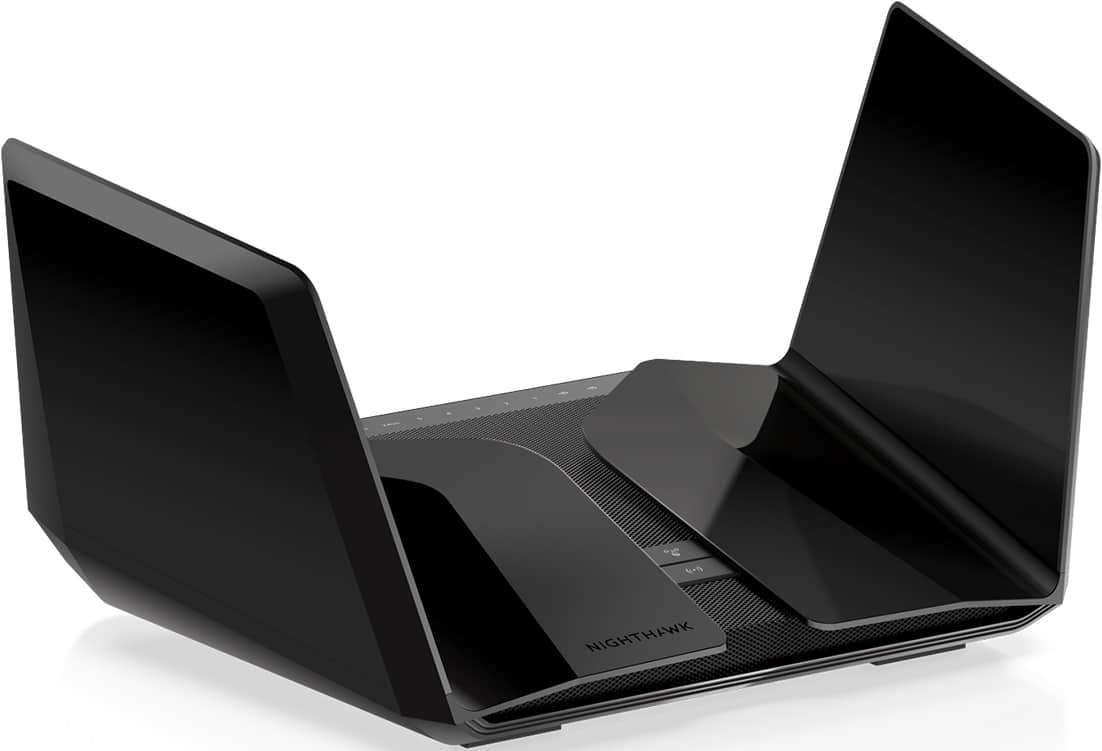
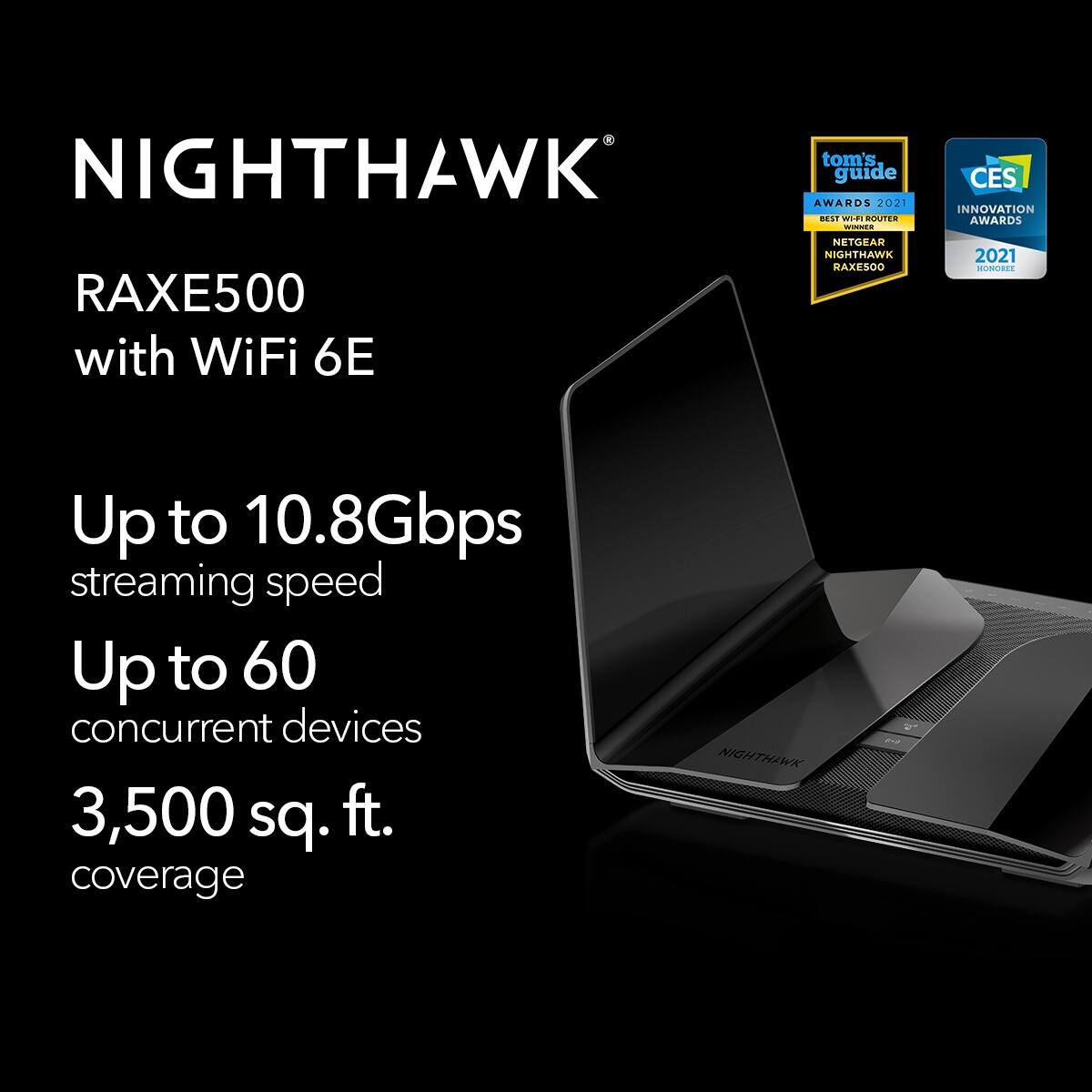


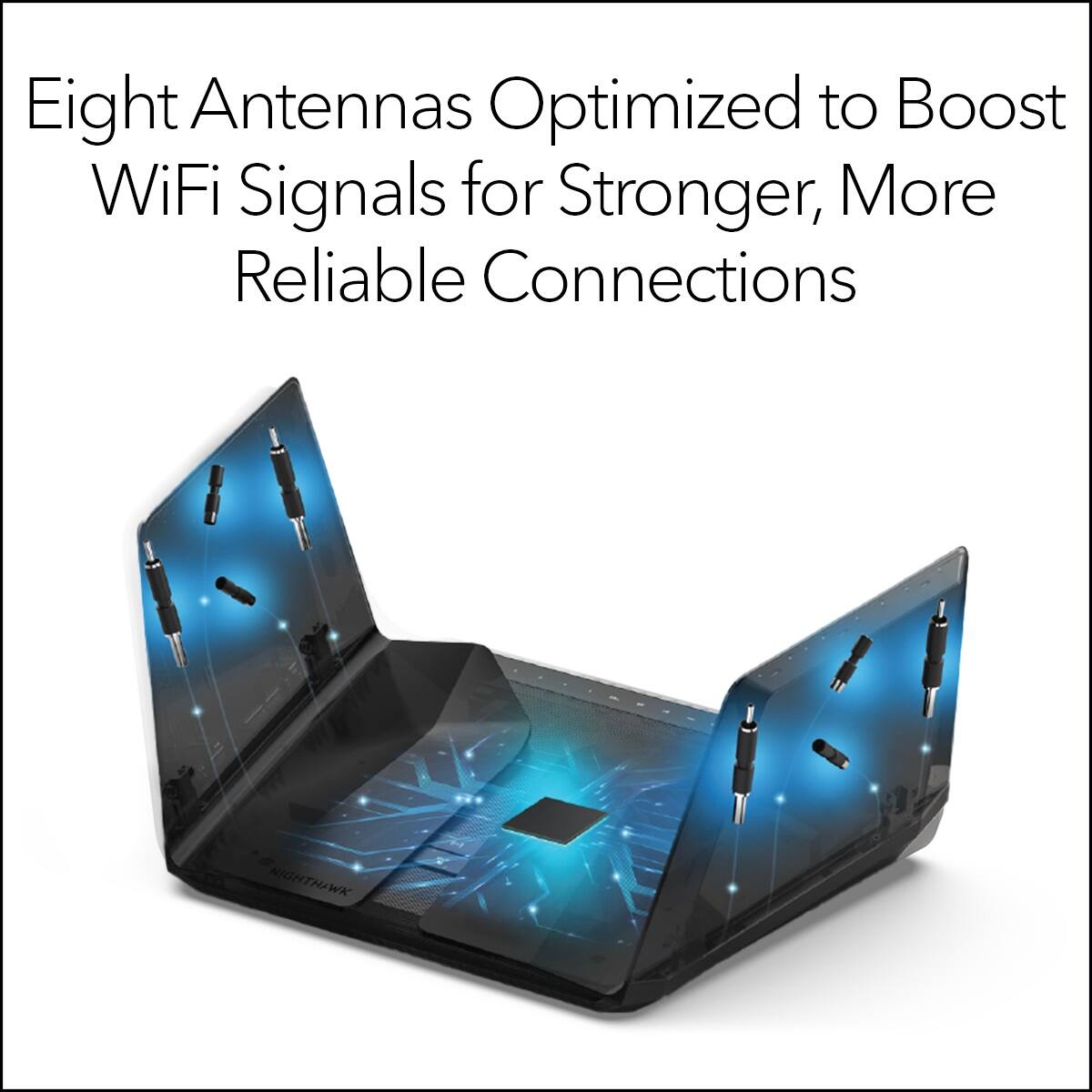
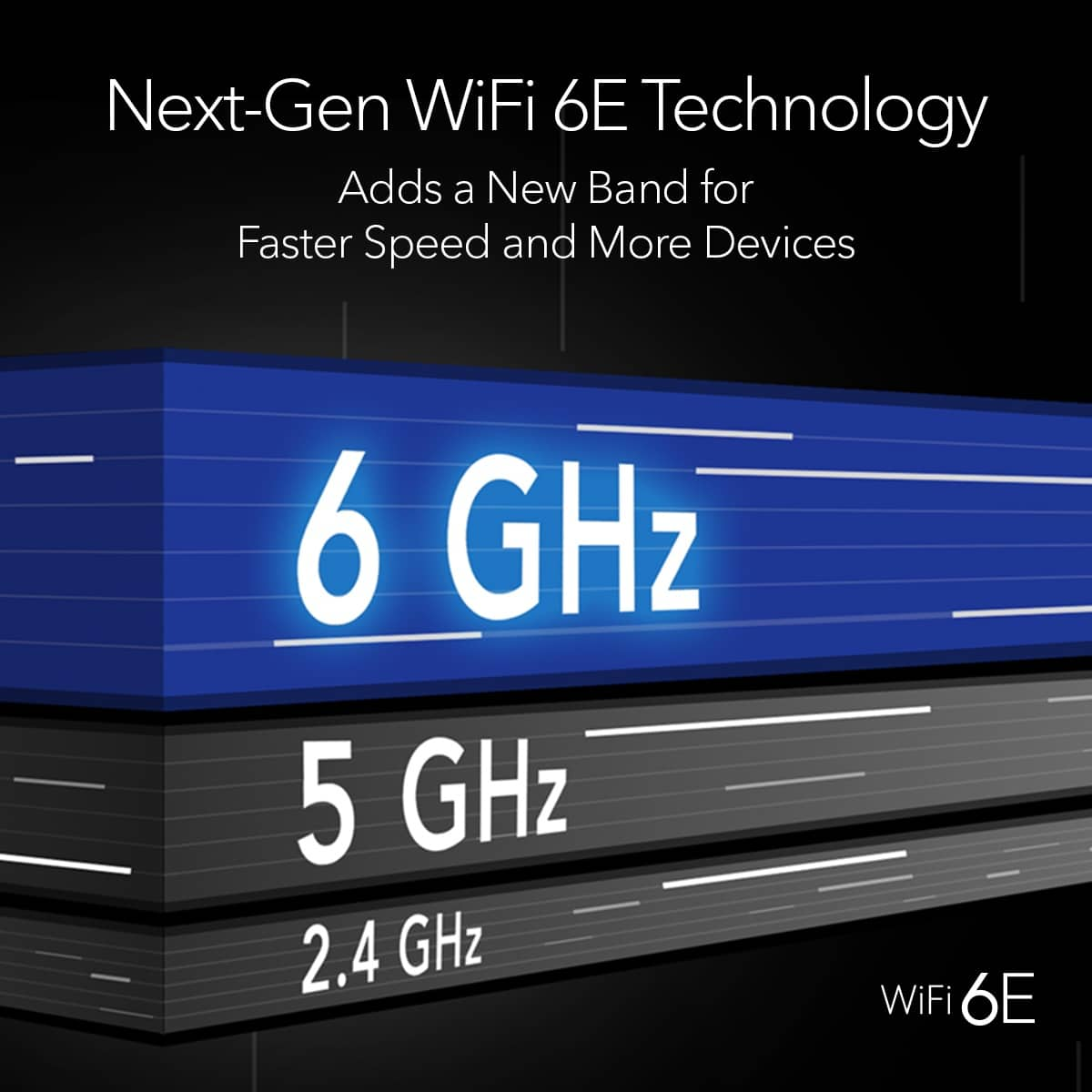

- Model:
- RAXE500-100NAS
- |
- SKU:
- 6458659
Customer reviews
Rating 4.4 out of 5 stars with 354 reviews
(354 customer reviews)Rating by feature
- Setup4.6
Rating 4.6 out of 5 stars
- Range4.6
Rating 4.6 out of 5 stars
- Signal Strength4.6
Rating 4.6 out of 5 stars
Customers are saying
Customers value the Nighthawk AXE11000 Tri-Band WiFi 6E Router for its impressive range, strong performance, and ease of setup and use. Many appreciate the improved coverage and signal strength it provides, resulting in a significantly better WiFi experience. However, some customers find the price to be a significant drawback. A few users also reported occasional connection issues.
This summary was generated by AI based on customer reviews.
- Pros mentioned:Speed
Rated 5 out of 5 stars
You cant go wrong.
||Posted . Owned for 3 weeks when reviewed.This reviewer received promo considerations or sweepstakes entry for writing a review.Boss level wifi. Great upgrade from Nest wifi. Pretty easy to set up too. Our tablets are now pulling over 750mb via the wifi.
I would recommend this to a friend Rated 2 out of 5 stars
Not Impressed
||Posted . Owned for 4 months when reviewed.This reviewer received promo considerations or sweepstakes entry for writing a review.So I got this thinking it would be an upgrade to my Orbi Mesh System. Not at all. It’s an awful router. So slow. I was getting 450-500 speed with my orbi and now I’m lucky to get 150 speed. I’m hooking my Orbi back up.
No, I would not recommend this to a friendBrand response from Netgear Support
Posted .Hi Mark,
Thank you for your review and valuable feedback. We would like an opportunity to improve your experience with the speeds of your RAXE500. If you are experiencing slow speeds over WiFi, try connecting your device to your router with an Ethernet cable, and run another speed test. If your speeds are faster when connected via Ethernet, you might have a WiFi interference problem, or your device might use an older WiFi standard than your router. For more details on this topic as well as troubleshooting resources, please visit the following links: https://kb.netgear.com/19279/Why-am-I-not-getting-the-maximum-speed-that-my-router-is-capable-of?language=en_US, and also: https://kb.netgear.com/000064366/How-do-I-troubleshoot-slow-Internet-connections-when-I-m-connected-to-my-NETGEAR-router?language=en_US.
If you need further assistance, you can contact NETGEAR Support by going to: https://my.netgear.com/support/contact.aspx and follow the onscreen instructions. Once you’ve registered your product you will be given the options of contacting Support through Phone, Chat, or email.
Regards,
NETGEAR Team
Rated 3 out of 5 stars
So-So
||Posted . Owned for 4 months when reviewed.This reviewer received promo considerations or sweepstakes entry for writing a review.This router often stops working correctly when the firmware is updated. It may be my internet provider. I don't have trouble with my Linksys.
No, I would not recommend this to a friendBrand response from Netgear Support
Posted .Hi Jbro,
Thank you for your review and feedback. We would like to know more about the issues you are facing regarding your latest firmware update. Please contact us directly at netgearteam@netgear.com, and we will be happy to help you.
Regards,
NETGEAR Team
- Pros mentioned:Speed
Rated 1 out of 5 stars
Glitchy and malfunction
||Posted . Owned for 2 months when reviewed.This reviewer received promo considerations or sweepstakes entry for writing a review.Spent hours on the phone with netgear. Couldnt figure out the issues and problems. Returned
No, I would not recommend this to a friend - Cons mentioned:Connection
Rated 5 out of 5 stars
Router
||Posted . Owned for 1 week when reviewed.This reviewer received promo considerations or sweepstakes entry for writing a review.Best router purchased hope it doesn’t start losing connection often as our past router did
I would recommend this to a friend - Pros mentioned:Performance
Rated 1 out of 5 stars
High expectations…disappointing results
||Posted . Owned for 2 weeks when reviewed.This reviewer received promo considerations or sweepstakes entry for writing a review.This router was going to be an upgrade to my old Google Wi-Fi router. Unfortunately, it did not live up to its expectations in my Google router that is going on for five years. Old had better overall performance. Had to return to Best Buy. 
No, I would not recommend this to a friend Rated 1 out of 5 stars
Crapped out after 15 months
||Posted . Owned for 1 year when reviewed.This reviewer received promo considerations or sweepstakes entry for writing a review.1 year manufacturer’s warranty on a $500 dollar item is astonishing really. Still no fix after hours and hours of troubleshooting, and can’t replace it. Nothing was damaged or mishandled. We dont know whats wrong with it and our ISP has nothing to do with it. Do not buy.
No, I would not recommend this to a friend- Pros mentioned:Speed
Rated 5 out of 5 stars
Fast and stable
||Posted . Owned for less than 1 week when reviewed.This reviewer received promo considerations or sweepstakes entry for writing a review.It's nice not to have to think about my wifi router. Stable and fast. No complaints.
I would recommend this to a friend Rated 1 out of 5 stars
No more Netgear products.
||Posted . Owned for 3 weeks when reviewed.This reviewer received promo considerations or sweepstakes entry for writing a review.I really wanted to love this router. It's beautiful and build quality is great. I always bought Netgear products and unfortunately, this will be my last. For a $599.99 product, I should not have to pay for more features such as security or help with troubleshooting above and beyond the simple stuff. Absurd. Setting up the router has been a big pain in the A**. When you finally get to personalize your SSID, new wifi password, new router login pw, etc. etc. you have to answer some security questions then press configure. Every. Single. Time. it fails. "Configuration error". It will change your wifi name and password but it will always say "configuration error". Only way to bypass this is to go to 192.168.1.1 and go through the genie. It's so frustrating. I can't switch devices from 5g to 2.4 or 5g to 6g. I'm over it. Also, no QOS Had the ISP technician come over and check everything over. On their router everything was blazing fast. Here, I am stuck at 750 and lower. Called support and they couldnt figure out why it's not getting the speeds. I'm returning this.
No, I would not recommend this to a friendBrand response from Netgear Support
Posted .Hi Marbee,
We're sorry to hear that you are still experiencing issues with your RAXE500, and we would like to look into your case and see what additional help we can provide. Please email us your contact information along with your case number and a link to your review to netgearteam@netgear.com, and we will be happy to help you.
Regards,
NETGEAR Team
- Pros mentioned:Speed
Rated 5 out of 5 stars
Fast and powerful
||Posted . Owned for 4 months when reviewed.This reviewer received promo considerations or sweepstakes entry for writing a review.Very fast and powerful router, always liked the Netgear brand
I would recommend this to a friend - Pros mentioned:Speed
Rated 5 out of 5 stars
Amazing
||Posted . Owned for 3 weeks when reviewed.This reviewer received promo considerations or sweepstakes entry for writing a review.Really helped to give me the speeds I needed around the house
I would recommend this to a friend Rated 3 out of 5 stars
...
||Posted . Owned for 3 weeks when reviewed.This reviewer received promo considerations or sweepstakes entry for writing a review.The gig port are not consistent un like the x10...
I would recommend this to a friendBrand response from Netgear Support
Posted .Hi JasonB,
Thank you for your review, we appreciate your feedback and we want you to know that your experience is important to us. We are sorry to hear that you had a difficult experience with your product. We recommend checking out this troubleshooting resource for your device: https://kb.netgear.com/000061716/How-can-I-troubleshoot-my-NETGEAR-router?language=en_US.
If you continue to experience any trouble with your Gig Port, please reach out to us at netgearteam@netgear.com with your contact information, and we will be happy to help you.
Regards,
NETGEAR Team
- Cons mentioned:Price
Rated 1 out of 5 stars
Not recommended
||Posted . Owned for less than 1 week when reviewed.This reviewer received promo considerations or sweepstakes entry for writing a review.Not much to say...! This gaming router is way over priced. Performance on 5ghz suck. There aren't much advanced control you can do like QoS and not even a built in SPI - don't waste your $$$ on this router. I am returning it to Best Buy and recommended they drop This from their store.
No, I would not recommend this to a friendBrand response from Netgear Support
Posted .Hi TLPHOTOGRAPHY,
We're sorry to hear that you are experiencing problems with your RAXE500 and are considering returning it. For the issues you are experiencing regarding your 5ghz, please check out this troubleshooting resource: https://kb.netgear.com/25182/How-do-I-resolve-poor-wireless-range-or-a-weak-WiFi-signal-from-my-NETGEAR-router.
Regarding QoS, please visit the provided link for a NETGEAR Community post regarding a recently released Beta FW for the RAXE500, which includes support for Dynamic QoS: https://community.netgear.com/t5/Nighthawk-Routers-with-WiFi-6-AX/RAXE500-Beta-FW-v1-0-9-72-is-available-for-Testing/m-p/2163843#M22689.
If you have any further questions or concerns, please email us your contact information along and a link to your review to netgearteam@netgear.com, and we will be happy to help you.
Regards,
NETGEAR Team
Rated 1 out of 5 stars
Don’t buy it
||Posted . Owned for less than 1 week when reviewed.This reviewer received promo considerations or sweepstakes entry for writing a review.Netgear is still selling this router without a fix for the 5g dropping issue that has been an issue for almost a year. Also, they will make you pay for support after 90 days, with no guarantee that they will have a fix. This has been firmware broken for almost a year and the current solution per Netgear is to download beta firmware and test it for them then let them know if it works or not. Choose another router vendor
No, I would not recommend this to a friendBrand response from Netgear Support
Posted .Hi aidans,
Thank you for your review, we appreciate your feedback and we want you to know that your experience is important to us. We are sorry to hear that you had a difficult experience with your product. Please email us your contact information along and a link to your review to netgearteam@netgear.com, and we will be happy to help you.
Regards,
NETGEAR Team
Rated 1 out of 5 stars
Disconnects Devices Randomly
||Posted . Owned for 3 weeks when reviewed.This reviewer received promo considerations or sweepstakes entry for writing a review.Constantly disconnects select devices and requires a reboot of either the device(s) that disconnected or the nighthawk router. All of a sudden one or several of my devices disconnect and the nighthawk app confirms that they have been disconnected while the remainder of my devices keep there connections and continue to operate normal. I will be returning this to Best Buy shortly...
No, I would not recommend this to a friendBrand response from Netgear Support
Posted .Hi Dana,
Thank you for your review, we appreciate your feedback and we want you to know that your experience is important to us. We're sorry to hear that you are experiencing connectivity problems with your RAXE500 and are considering returning it. When experiencing a connectivity issue with your device, we recommend visiting these troubleshooting resources: https://kb.netgear.com/000061531/What-should-I-do-if-I-experience-wireless-connectivity-issues-while-connecting-devices-to-my-WiFi-6-NETGEAR-router-or-Orbi-mesh-system?language=en_US, and also for your device: https://kb.netgear.com/000061716/How-can-I-troubleshoot-my-NETGEAR-router.
If you need additional assistance, NETGEAR Support will be happy to help you. You can contact NETGEAR Support by going to: https://my.netgear.com/support/contact.aspx and follow the onscreen instructions. Once you’ve registered your product you will be given the options of contacting Support through Phone, Chat, or email.
Regards,
NETGEAR Team
Rated 2 out of 5 stars
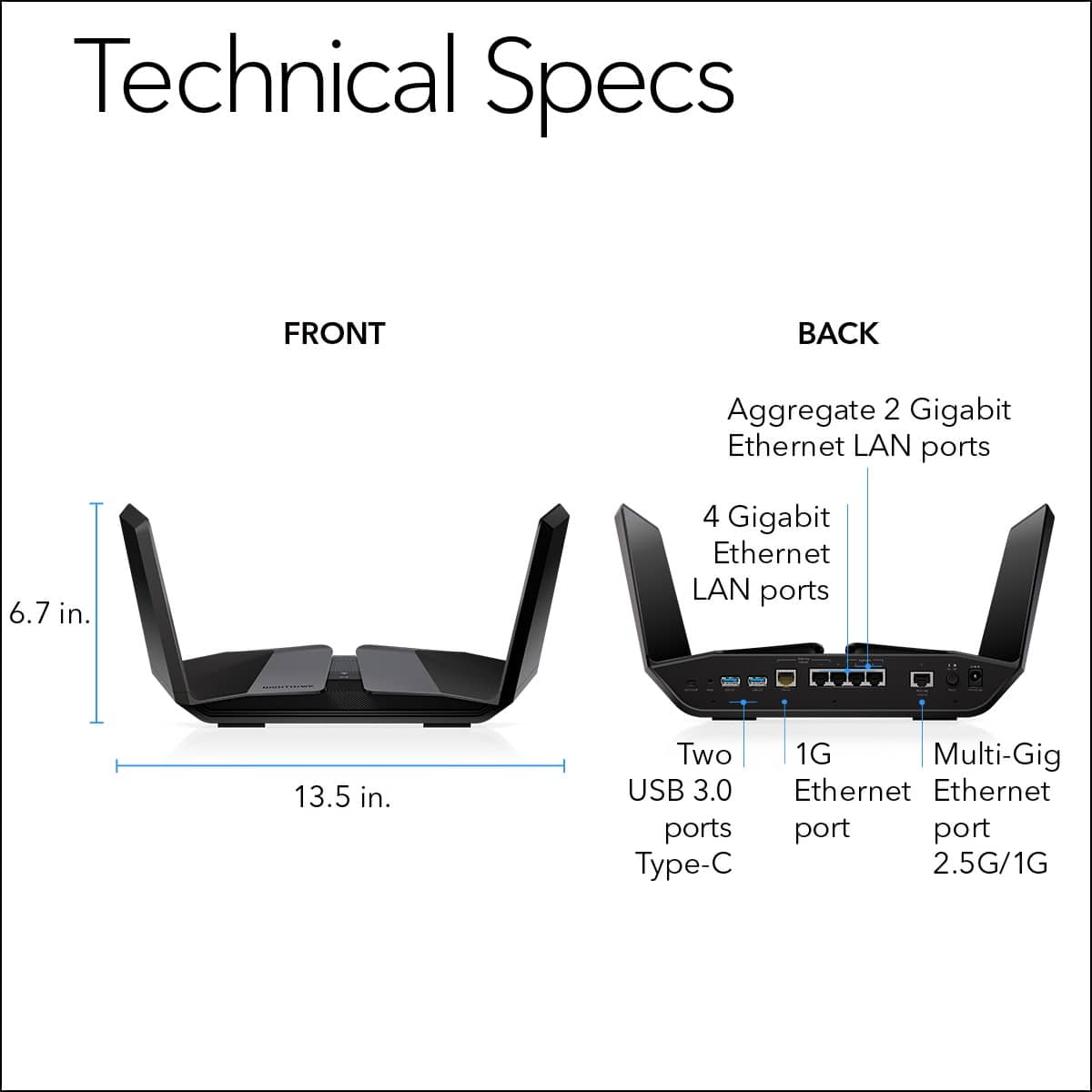
No multi gig 2.5 OUTPUT port!!!
||Posted .This reviewer received promo considerations or sweepstakes entry for writing a review.I bought it mainly for the 2.5 multi gig port. This way I can hardware it to my gaming computer. The advertisement and document description id terrible. The multi gig port is only for INPUT to the router.
No, I would not recommend this to a friendBrand response from Netgear Support
Posted .Hi Sang,
Thank you for your review, we appreciate your feedback and we want you to know that your experience is important to us. Multi-Gig 2.5G/1G Ethernet port 5. Use a Category 5e (Cat5e) Ethernet cable or higher rated Ethernet cable to connect a high-speed modem for a high-speed Internet connection. For more information, see Get Multi-Gig Internet with the Multi-Gig port on page 32 of the user manual: https://www.downloads.netgear.com/files/GDC/RAXE500/RAXE450_RAXE500_UM_EN.pdf. If you do not use the Multi-Gig port for an Internet connection, you can connect a high-speed LAN device such as a Multi-Gig Ethernet switch to the port.
If you need additional resources or assistance, please email us at netgearteam@netgear.com, and we will be happy to help you.
Regards,
NETGEAR Team
Rated 5 out of 5 stars
Great Product
||Posted .This reviewer received promo considerations or sweepstakes entry for writing a review.Great product! We had the Euro nodes and our TVs wouldn't "hold" the wifi..constant buffering and disconnecting. 3rd step in troubleshooting, change routers and this one did the trick! No more TV buffering issues.
I would recommend this to a friendRated 2 out of 5 stars
It’s not good
||Posted .This reviewer received promo considerations or sweepstakes entry for writing a review.Don’t even buy this router constantly dropping my internet.took forever to set up. the Antennas are floppy customer support cant even help me cause they know nothing about this product what a waste of time and money
No, I would not recommend this to a friendBrand response from Netgear Support
Posted .Hi Justaguy1,
We have a new firmware available for the connectivity issues on the RAXE500. Please email us at netgearteam@netgear.com. We appreciate your feedback and we want you to know that your experience is important to us.
Thank you,
NETGEAR Team
Rated 1 out of 5 stars
Does not Work!
||Posted .This reviewer received promo considerations or sweepstakes entry for writing a review.This router does not work. I have dsl and this buffers you tube and doesn't connect to the app. My older router works better than the new router. I was on the phone with technical support for hours. Please do not buy and waste your money like I did. You will be sorry.
No, I would not recommend this to a friendBrand response from Netgear Support
Posted .Hi KenK,
Thank you for your review, we appreciate your valuable feedback and we want you to know that your experience is important to us as we are always looking for ways to improve. We are sorry to hear that you are having a difficult experience with your RAXE500 after speaking with Support. When experiencing an issue with connectivity, we recommend checking out this troubleshooting resource: https://kb.netgear.com/000061531/What-should-I-do-if-I-experience-wireless-connectivity-issues-while-connecting-devices-to-my-WiFi-6-NETGEAR-router-or-Orbi-mesh-system?language=en_US.
We would like to follow up with you and look into your case and see what additional help we can provide. Please email us your contact information along with your case number and a copy of your review to netgearteam@netgear.com, and we will be happy to help you.
Regards,
NETGEAR Team
- Cons mentioned:Price
Rated 1 out of 5 stars
Over priced
||Posted . Owned for 1 month when reviewed.This reviewer received promo considerations or sweepstakes entry for writing a review.It’s netgear Slow and poor rang over priced so not buy old
No, I would not recommend this to a friendBrand response from Netgear Support
Posted .Hi none,
Thank you for your review, we appreciate your feedback and we want you to know that your experience is important to us. We are sorry to hear that you had a difficult experience with your product. Wireless routers, access points, and adapters send and receive radio wave signals through antennas. To optimize your wireless range, we suggest checking these resources: https://kb.netgear.com/25182/How-do-I-resolve-poor-wireless-range-or-a-weak-WiFi-signal-from-my-NETGEAR-router?language=en_US, and also to troubleshoot your wireless network: https://kb.netgear.com/1110/How-do-I-troubleshoot-my-wireless-network.
If you need additional assistance or resources, please email us at netgearteam@netgear.com with your contact information, and we will be happy to help you.
Regards,
NETGEAR Team