Customer Ratings & Reviews
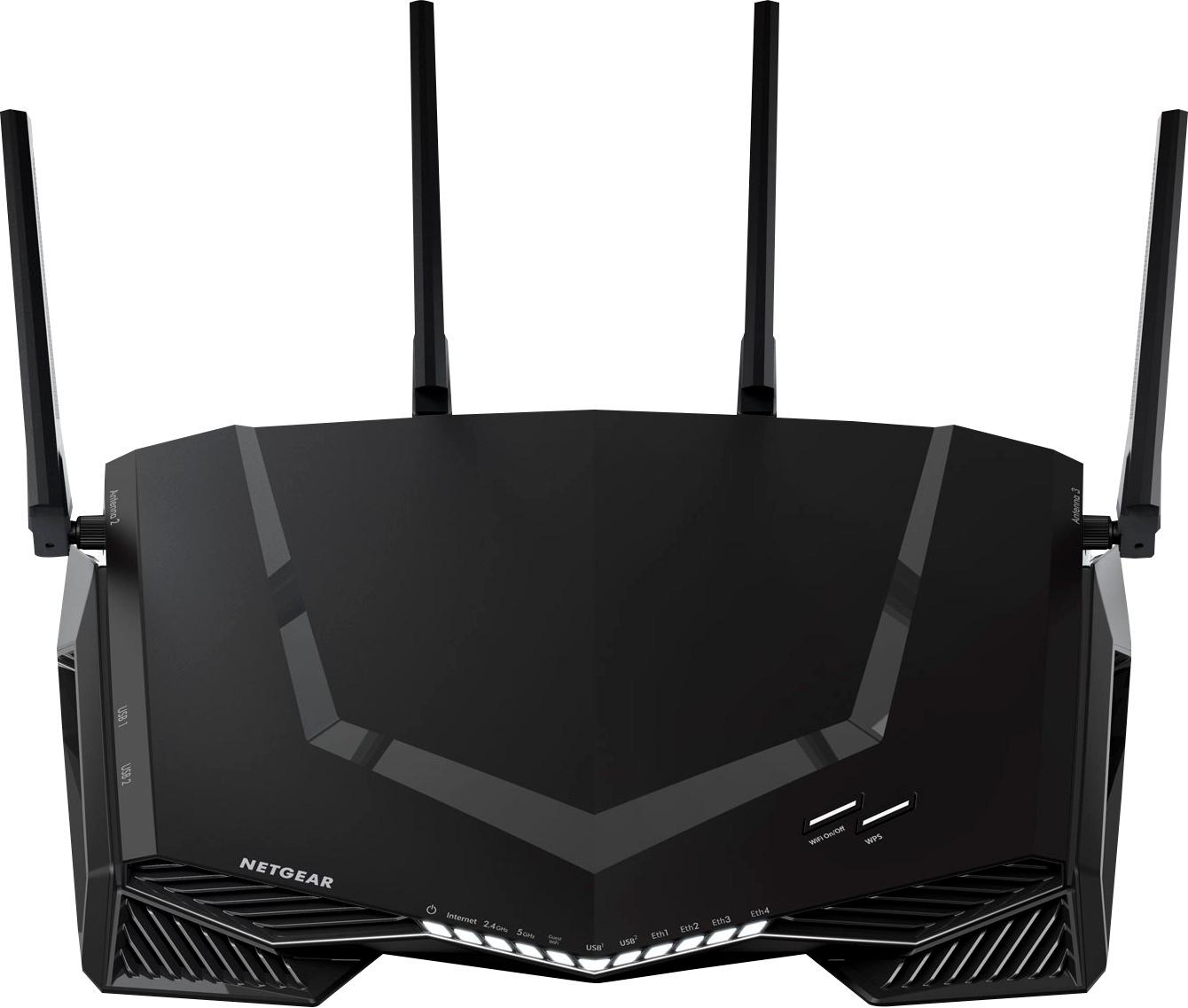
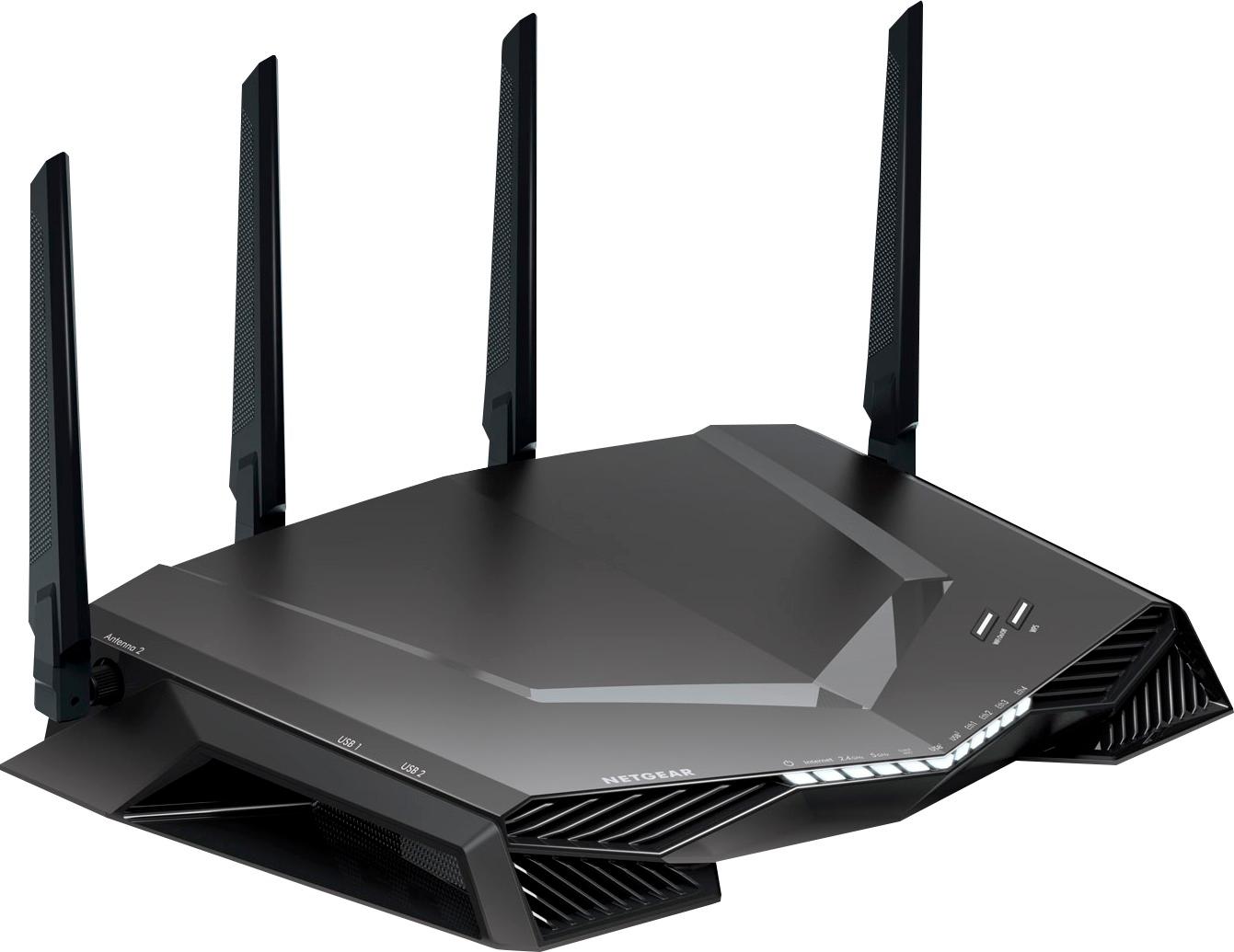
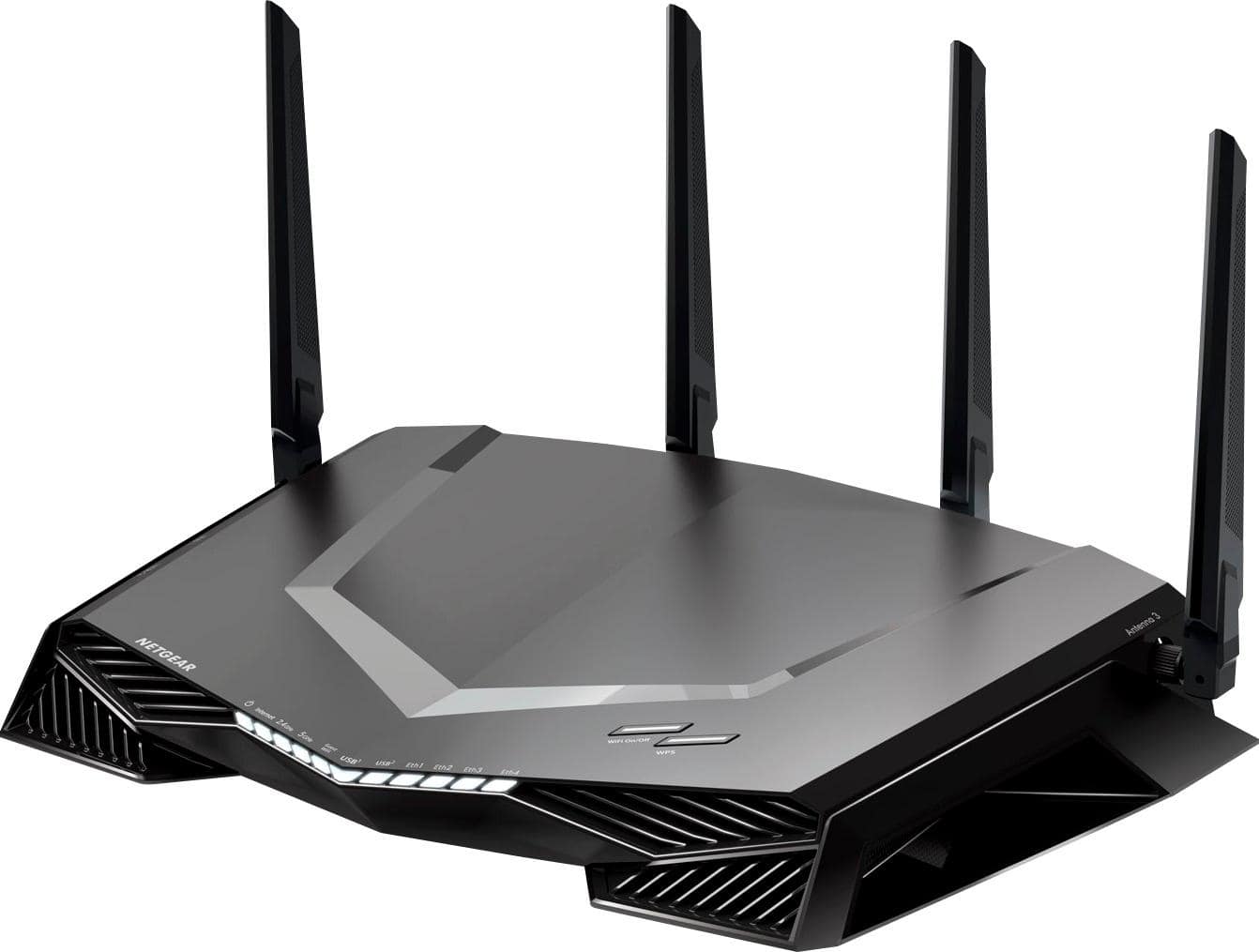
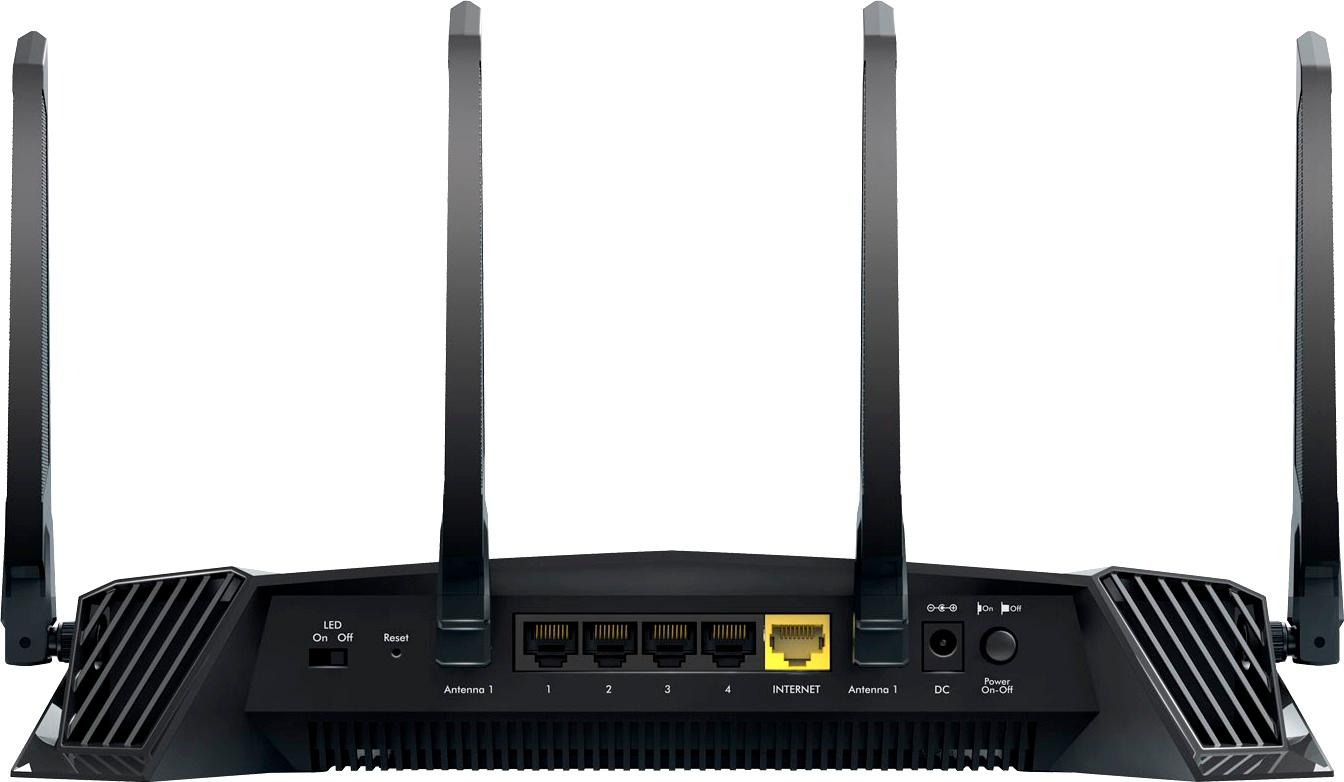




- Model:
- XR500-100NAS
- |
- SKU:
- 6190755
Customer reviews
Rating 4.4 out of 5 stars with 730 reviews
(730 customer reviews)Rating by feature
- Value4.1
Rating 4.1 out of 5 stars
- Quality4.4
Rating 4.4 out of 5 stars
- Ease of Use4.4
Rating 4.4 out of 5 stars
Customers are saying
Customers value the Nighthawk Pro Gaming AC2600 Dual-Band Wi-Fi Router's performance, ease of use, and extended range, frequently citing improvements in gaming and streaming experiences. Many appreciate its ability to deliver a strong signal throughout their homes and reduce lag, although some find the price to be a significant factor. Positive feedback consistently highlights the router's effectiveness in enhancing online gaming and streaming performance.
This summary was generated by AI based on customer reviews.
- Pros mentioned:Range
Rated 5 out of 5 stars
What to expect if you're like me
||Posted .This reviewer received promo considerations or sweepstakes entry for writing a review.Given how much we rely on the internet, it honestly surprises me that more people don’t invest good money on a router and modem. The last router and modem I bought was more than five years ago, so it was time for an upgrade. Here’s how I use the internet: I live in a 1,300 square foot condo in a congested urban area. Thick concrete and metal make up my walls, so range was an issue for me in the past (more on that in a bit). I stream 4K, HDR, play on my XBOX 1 X in 4K, download movies, play games online with my PS4 in the other room. At any given moment, I could be playing a game in one room, and my wife could be downloading something and streaming something in 4K in another room – all while we play with our phones and laptops. We also have a Nest and Sonos Playbar + Sub. Is this router worth $300? Yes. Here's why: You won’t buy one every year. We also live in a world where more and more things are connected. More importantly, this router performs fantastic. Here are some details: I pay my cable provider for 330mbps. My previous setup (Netgear N600) gave me 150mbps when I was directly in front of it. In our second room, it gave us about 20mbps; it was a bit of a dead zone and I had to get an extender to game on XBOX. With the extender, I got about 50-60mbps in the second room. Now, I’m getting 450mbps *throughout the entire house* and that’s with *NO extender.* Phenomenal. More so, this has perhaps the most user friendly software, dubbed “DUMA OS,” that I have ever used. DUMA OS shows you every single device connected to your router in instant real time (see my attached image). You can easily direct bandwidth to more important devices, such as your gaming console or PC, in seconds. Setting up Guest WiFi, etc, is extremely easy. There are more features such as “Geo Filtering,” which allows you to play games online with specific parts of the world. Yes, the entire world. There’s a VPN so disgruntled gamers can’t ruin your day with a DDoS attack. There’s more, but the important thing to note here is the DUMA OS makes using all of it very simple. This also has something called “Smart Connect.” In short, enabling it doesn’t require you to have multiple WiFi profiles (ie -- Netgear, Netgear 5G). It “smartly” diverts traffic to where bandwidth is needed most. So far, I like having one profile and so far, it is working flawlessly. During setup, there was a SNAFU and I called customer support. I was ready to return this because during the call, they told me it would be an hour because specific technicians handle calls for this specific router. Annoyed, I hung up. But, they literally called me back in an hour -- I didn’t answer the call. They called *again* and were very attentive and resolved my issue (if you have trouble during setup, do a “reset” but pushing the tiny button in the back). The tech explained to me how important this specific router is to Netgear, and gave me his personal number should I have issues in the future. I was very impressed. In short: this is worth the $300 price tag. You will have it for years. I paired this specific router with the Netgear CM600 (24x8) modem. You also don't need to be an IT pro or hardcore gamer to handle this. It's easy to setup.
I would recommend this to a friend - Pros mentioned:PerformanceCons mentioned:Price
Rated 5 out of 5 stars
Great Router
||Posted .This reviewer received promo considerations or sweepstakes entry for writing a review.So far so good was having trouble with my previous brand new RAX80 so i got tired dealing with wifi drops..so returned that one and got me this one. Yes the hardware in the Rax80 is very impressive but firmware needs a lot of improvements not sure if maybe I got a defective product but was a big disappointment specifically on how pricey is that one... so far I got both my TV's my 2 cell 2 Tablets my Roku my Ps4 my wireless cameras and so far everything is running smoothly. I hope Netgear update the bugs and problems from the Rax80 and maybe things will change in the near future but for right now this is my Flagship!
I would recommend this to a friend - Pros mentioned:Performance, Speed
Rated 5 out of 5 stars
Amazing!!! 10 out 10
||Posted .This reviewer received promo considerations or sweepstakes entry for writing a review.This is by far the best router out there & the best I've ever owned it's super fast speeds buttery smooth gaming for consoles I have been with netgear for 4 yrs & I will stay with netgear forever netgear is the best when it comes to routers & modems I highly recommend to buy this router you'll be very happy it is expensive but it's worth the 300$ price tag
I would recommend this to a friend - Pros mentioned:Speed
Rated 5 out of 5 stars
Excellent
||Posted . Owned for 6 months when reviewed.This reviewer received promo considerations or sweepstakes entry for writing a review.Used for 7 months. Household of 3. We game, YouTube, Hulu and it runs all our devices without buffering. I have 100 mb cable internet service it runs 105 download and 11.5 upload while someone plays Xbox and I have 2 TVs playing Hulu.
I would recommend this to a friend - Cons mentioned:Lag
Rated 5 out of 5 stars
A must have for gamers!!!
||Posted . Owned for 4 months when reviewed.This reviewer received promo considerations or sweepstakes entry for writing a review.I've had a ton of routers since I've been gaming(PS2), but this is HANDS DOWN the best router I've ever had. The OS on here literally let's you do everything. It worked great on Black ops 4, Modern Warfare & 2K 20. I never lag, and with Duma OS I can choose who I want to play with by area and distance. Get one, you wont be sorry.
I would recommend this to a friend - Pros mentioned:Ease of use
Rated 4 out of 5 stars
Great product highly recommended
||Posted . Owned for 1 month when reviewed.This reviewer received promo considerations or sweepstakes entry for writing a review.Like this product cause easy to setup and easy to use. One thing i have issue with is blocking sites. When i try to block couple site that i dont need kids to go to, it dosent work well.
I would recommend this to a friend - Pros mentioned:Speed
Rated 5 out of 5 stars
Great step up for speed
||Posted .This reviewer received promo considerations or sweepstakes entry for writing a review.This router made the internet speed in our home faster. An instant 100mbps jump than what we were getting. The router has an app that let's you control alot of settings. A must have if you have alot ot traffic on your internet at your home. Which most homes do nowdays. I uploaded the diffrence from our old router speed to this one in this review as well.
I would recommend this to a friend - Pros mentioned:Speed
Rated 5 out of 5 stars
Best router ever puchased
||Posted . Owned for more than 2 years when reviewed.This reviewer received promo considerations or sweepstakes entry for writing a review.Amazing router super fast the best router i have ever puchased I've been with netgear for 5yrs & ill continue to stay with Netgear for forever
I would recommend this to a friend Rated 4 out of 5 stars
Worked great
||Posted .This reviewer received promo considerations or sweepstakes entry for writing a review.Worked good , not sure about it now. Had ATT terrible, switched to Spectrum was a little better internet, now with WOW, wow guy said the router isn’t working, to take it back and get another, he said about 10% of electronic on shelves are faulty, not sure but I’ll try another
I would recommend this to a friendRated 3 out of 5 stars
Definitely geared for gamers
||Posted .This reviewer received promo considerations or sweepstakes entry for writing a review.QOS rules are hard-coded for games (yes, I know it's a gaming router). I actually bought it for its ability to limit bandwidth to certain devices (limiting my nephew's total usage) but the bandwidth controls are specifically designed to prioritize gaming traffic and do not otherwise apply. Said another way, the router is built to specify which game traffic gets prioritized and/or which devices get their gaming traffic prioritized over non-gaming traffic. I have to limit my criticism, however, because I clearly bought this router for a purpose for which it was not designed. I bought it under the assumption of flexibility but it's actually rather rigid in its application. The network monitoring is buggy. Display of individual device usage is limited to 5 devices, and I have no idea how it decides which 5 it displays. As you can see in the attached screenshot, the Network Snapshot is showing 5 devices collectively using 0.0009 Mbps for download (one of them is even my thermostat) while the total usage in the Network Overview is nearing 160 Mbps of collective download. I'm not sure how that makes the snapshot particularly useful.
No, I would not recommend this to a friend- Pros mentioned:Speed
Rated 5 out of 5 stars
Complaint denied.
||Posted . Owned for 1 month when reviewed.This reviewer received promo considerations or sweepstakes entry for writing a review.So far it is a good WiFi router and connection good. Speed average. And rarely heats up.
No, I would not recommend this to a friend Rated 4 out of 5 stars
Control from a router
||Posted .This reviewer received promo considerations or sweepstakes entry for writing a review.NETGEAR - Nighthawk Pro Gaming Wi-Fi Router. AC2600 Dual band Wi-Fi with Geo Filter, QoS, Network Monitor. Powered by DumaOS. Is a nifty little device runs quiet and has little to no heat you can turn off the indicator lights and control WiFi usage need I say more...
I would recommend this to a friendRated 5 out of 5 stars
Super wireless gaming router
||Posted .This reviewer received promo considerations or sweepstakes entry for writing a review.Got this yesterday, easy setup, took you step by step. Nice look to the router, fast wireless speeds, really like the features, especially for gaming, i have not really set down to mess with the features much due to time. I would recommend this. I attached a picture of the wireless speed, I have a 200 meg package
I would recommend this to a friendRated 5 out of 5 stars
10/10
||Posted . Owned for 1 month when reviewed.This reviewer received promo considerations or sweepstakes entry for writing a review.Improved my download speed a ton, and i don’t have anymore dead zones in my house of 2 floors.
I would recommend this to a friend- Pros mentioned:Ease of useCons mentioned:Lag
Rated 5 out of 5 stars
Not just best gaming, but best router by a mile
Posted .This reviewer received promo considerations or sweepstakes entry for writing a review.I've been using Netgear's XR500 Gaming Router for a week now and I am in love. Before I received this router, I was using the Netgear Nighthawk AC 1900 (C7000-100NAS) as my modem/router combo in one. While the Nighthawk AC 1900 was nice, I hated that when my son and I both played XBox One and PS4 at the same time as my wife was watching Netflix, we'd both get lag occasionally. If we were playing CoD or Fortnight as well, I would have to remember to stop uTorrent from running on m computer as that would also kill our connections at times. With the Netgear XR500 Gaming Router, I can finally say those days are over. Now I'll admit, while I'm a bit technical, I am far from being a tech genius. So sometimes looking at the settings for my previous routers has been a bit overwhelming. That's one of the reasons I love the XR500. Installing it was probably the easiest setup I've had for a router so far. When you first log into the modem and start the process, the router automatically detects the type of connection from the modem and after a little while, provided me with my speeds. The only thing I actually had to configure myself was to change the SSID's back to what I wanted. There was no other configuration needed on my part, I didn't have to try to figure out what things meant. It was so simple that I'm sure I could have had my 10 year old son do it and it would have worked. When you log into routerlogin.net, instead of the old Netgear interface, you are pulled into something called DumaOS (which you can see in the image). I love this. The first screen is the dashboard which you can customize as you want. I have mine setup to see the internet status, wireless status, CPU Usage (of the router itself) as well as network overview and network snapshot. I absolutely love the network snapshot, and it's something I never realized before how much I would want it. I love being able to look quickly and see what devices in my house are downloading data at any time I want. It comes in really useful when I"m trying to figure out what devices are connecting to my system around the house and how much bandwidth they are clogging up. I used to worry about devices using too much data. Having to stop uTorrent when playing online, or log off of Fortnight when the wife wants to watch Netflix. I don't have to do that any more thanks to the feature I love as much (if not more, I can't decide yet) than network snapshot which is QoS (quality of service). I'll be honest, the past 3 or 4 routers I've had have had an option for QoS and I have never messed with it. It just never made sense and I couldn't figure out to change anything. With the QoS page within DumaOS, I was able to easily click on my consoles and even desktop and set the device bandwidth. The way Netgear and DumaOS has it setup, the QoS Anti-Bufferbloat only turns on when High Priority Traffic is detected (such as games...it doesn't pick up torrenting which is good). If I'm playing Fortnight on Playstation4 for example, the QoS sends 27% of the bandwidth to the PS4. I don't have to worry about Netflix or uTorrent hogging up 90% of the bandwidth as the sytem says "nope, not gonna happen." There is something else I have noticed as well. While I liked the Netgear AC 1900 Nighthawk, I didn't always get great reception/speeds around my house. My router (and office) are on the 2nd floor so I had to use Netgear Extenders to reach my living room and powerline adapters to provide constant speeds to my consoles. After using the XR500 Gaming Router for a few days, I decided to see what would happen if I unplugged the powerline adapters and connected via wirelessly, would the download/upload speeds suffer. I actually got faster download speeds via the wireless connection now. The XR500 looks like a futuristic Predator mask and I'm pretty sure it is part beast. While I did receive this router as part of the NETGEAR First Look Review Program, it did not influence my review. The only thing that did that was DumaOS and the speeds. I will say, the one thing I wish the router had, which may be possible and I haven't figured it out yet, would be the ability to whitelist a domain so that I could whitelist the online conference meeting tool I use for work (I work for home) so during the summer, I don't have to worry about my son and his friends playing Fortnight hogging the bandwidth like they did last summer. Though, at the same time, I have a feeling with the QoS settings, that's no longer going to be an issue as I can set my work computer to have a minimum amount of bandwidth as well as to not lose any connection.
I would recommend this to a friend - Pros mentioned:Performance, Range, Speed
Rated 5 out of 5 stars
Beast of a router!!!
Posted .This reviewer received promo considerations or sweepstakes entry for writing a review.So I have used many routers over my life and I have to say this absolutely blows everything away in terms of performance and looks! If Batman had a router, undoubtedly it would be this one. The setup was a breeze as usual for all Netgear product. I found that I got at least a 25% improvement in overall speed and FPS compared to my older gen Nighthawk. I also noticed better speeds at the further end of the range which was a shortcoming before. I must say one of my favorite things was the new DumaOS. It is incredibly intuitive and shows everything you need at a glance. You can tell a lot of thought and planning went into this. I would highly recommend this router to anyone that takes gaming seriously and is looking for great performance. It would also be great for a family with heavy streaming needs. While I did receive this product as part of the NETGEAR First Look Review Program.but it did not affect my review I swear.
I would recommend this to a friend - Pros mentioned:Ease of use
Rated 5 out of 5 stars
Great Router with Netduma Combine
Posted .This reviewer received promo considerations or sweepstakes entry for writing a review.Setup was very easy as always. Got me back online within 5 minutes. Just plug in and open IE explorer and type routerlogin.net and follow the onscreen instructions than you all set. Duma OS is the most user-friendly software I've seen, but it's not just easy it's also advanced enough for the most technical minded. You will be pleased with how easy it is to setup and to optimize your network, and if you have any questions or need any help they also have a great forum where you can received additional support. My favorite feature is probably the dashboard which is completely customizable, you can put whatever you want to see on your dashboard. So for me I like to see my... Geo-filter (match to local hosts for better ping) Ping (see my latency and block bad host) Network monitor (see what is taking bandwidth) QOS bandwidth allocation (choose how much bandwidth to give to each device) I put my Xbox one at the top of the list and if somebody decides to fire up youtube or Netflix while I'm playing its not an issue anymore. This is a game changer. But the real benefit is the DUMA OS. It is perfect for a novice like myself to manage my home network however I want You will be very pleased with the the simplicity and power of this router, and if you are technically minded you will also pleased with the advanced features settings that can also be used. Highly recommended from me. Disclaimer: I got this product for free from Netgear with Family and Friend review program. This is my honesty and unbiased review.
I would recommend this to a friend - Pros mentioned:Range, Speed
Rated 4 out of 5 stars
It's great but...
||Posted . Owned for 5 months when reviewed.This reviewer received promo considerations or sweepstakes entry for writing a review.I got this because I needed to upgrade my almost 5 year old router. The price tag is worth it for what you will get. I have 2 Xbox which run great with it and the family can still stream videos. The speed and range is great. The customization is simple but if you want to get deep in the customization then you can. I also have a Nighthawk extender and it works great with it. The setup is easy, you will need to spend some time setting it up but easy. NOW the reason I don't give it a 5 star is because of the CPU will reach 100% and the router will just cut off all connection. I believe and personally and after check their forms, it is a problem. There is times that the router will just overload and reboot itself or you have to reboot it yourself. I wish there was a solution. So to end it, It was worth the price, great speed, great range, but it could use some more work. ( PS. My household are high internet users)
I would recommend this to a friend - Pros mentioned:SpeedCons mentioned:Price
Rated 5 out of 5 stars
Awesome router
Posted .This reviewer received promo considerations or sweepstakes entry for writing a review.I upgraded from another router by Netgear (R6400). Nothing wrong with the router but my son who is an avid gamer had slight lag and I was tired of his complaints. I read the reviews on this one and they were all good. Made the purchase, easily installed in less than 10 minutes. Huge difference...have not heard 1 complaint. My parents who live next door easily pick up my wifi signal and now they have high speed coutesy of me. So its a win, win for all. It is a little pricier but well worth it...you get what you pay for...highly recommend.
I would recommend this to a friend - Pros mentioned:PerformanceCons mentioned:Lag, Price
Rated 5 out of 5 stars
Great gaming router
||Posted .This reviewer received promo considerations or sweepstakes entry for writing a review.It’s was little more than what I wanted to spend on a wireless router. But with all the features that you can do on the website and see what devices use the most bandwidth. Also you can see all the devices that use the guest WiFi as well and block them from using your WiFi. Cuz let’s face not everyone wants to pay for internet these days. Especially in an apartment complex. People will always bum internet. Sorry I’m not a local coffe shop or restaurant, I don’t give everyone free WiFi. Lol. Playing online games with this router has really put the lag to stop. Everything runs smooth. We have 8 devices on this wireless router and it works perfectly.
I would recommend this to a friend