Customer Ratings & Reviews




- Model:
- R7000-100NAS
- |
- SKU:
- 1754208
Customer reviews
Rating 4.5 out of 5 stars with 13440 reviews
(13,440 customer reviews)Rating by feature
- Setup4.3
Rating 4.3 out of 5 stars
- Range4.4
Rating 4.4 out of 5 stars
- Signal Strength4.4
Rating 4.4 out of 5 stars
Customers are saying
Customers are enthusiastic about the Nighthawk R7000 AC1900 WiFi Router's impressive range, ease of use, and performance. Many appreciate its strong signal and the generally simple setup process, leading to positive experiences with streaming and overall WiFi quality. However, some users reported occasional connection issues and noted the router's relatively large size. While some experienced improvements in lag, others mentioned problems with the firmware.
This summary was generated by AI based on customer reviews.
Rated 1 out of 5 stars
Buy something better
||Posted . Owned for 11 months when reviewed.This reviewer received promo considerations or sweepstakes entry for writing a review.This worked great for almost a year until the firmware update that introduced armor. Now I constantly have to restart for the past several weeks and unfortunately need to spend another $150 to upgrade to something that actually works. Netgear is great but this is a disaster. Check out the forum on netgear for the R7000 before purchasing…total garbage.
No, I would not recommend this to a friendBrand response from Netgear Support
Posted .Hi Jobe,
We appreciate your feedback and we want you to know that your experience is important to us. We are sorry to hear that you had a difficult experience with your product. This resource should help you: https://www.netgear.com/support/product/r7000.aspx#Firmware%20Version%201.0.11.123%20-%20Hot%20Fix.
If this does not resolve your firmware issue, please email us at netgearteam@netgear.com for additional resources or to contact one of our support experts. We will be happy to help.
Thank you.
NETGEAR Team
Rated 2 out of 5 stars
Broke down after two years
||Posted . Owned for more than 2 years when reviewed.This reviewer received promo considerations or sweepstakes entry for writing a review.I expect a lot more time and effort out of an expensive router such as this. I'm done with their line of routers.
No, I would not recommend this to a friendBrand response from Netgear Support
Posted .Hi mandatorynicknamerequired,
We would likje to hear more about your experiance. Please reach out to us at NetgearTeam@netgear.com
Thank you
Rated 2 out of 5 stars
Terrible technical support-VPN does not work.
||Posted . Owned for 3 weeks when reviewed.This reviewer received promo considerations or sweepstakes entry for writing a review.Router works. VPN does not and Netgear customer service is terrible.
No, I would not recommend this to a friendRated 2 out of 5 stars
Compatibility issues
||Posted . Owned for 5 months when reviewed.This reviewer received promo considerations or sweepstakes entry for writing a review.Wanted to like this but it wasn’t compatible with our Everywhere Wireless service.
No, I would not recommend this to a friendRated 1 out of 5 stars
terrible
||Posted .This reviewer received promo considerations or sweepstakes entry for writing a review.Bought this 2 weeks ago, had to call NGear tech support bc me speeds were in the 30s, spent 4 hrs with 2 seperate Indian speaking folk who didnt speak english very well! They supposedly got my speed up but the next morning back to the 30s again so Im taking this back for the mesh system! Spent Many hours trying everything to get this going bc my wife now is working from home. Its junk!!
No, I would not recommend this to a friendRated 2 out of 5 stars
Ok router
||Posted . Owned for 6 months when reviewed.This reviewer received promo considerations or sweepstakes entry for writing a review.Had so many problems. No ios app for wifi analyzer. And eventually I retired this router…
No, I would not recommend this to a friendRated 2 out of 5 stars
Didn’t work for me
||Posted . Owned for 3 weeks when reviewed.This reviewer received promo considerations or sweepstakes entry for writing a review.We live in the country and don’t get hardly any cell phone service. This didn’t work for us. I returned it.
No, I would not recommend this to a friendBrand response from Netgear Support
Posted .Hi Sara,
Thank you for your review. We appreciate your feedback and we want you to know that your experience is important to us. We are sorry to hear that you had a difficult first experience with this product and returned it. If you need further assistance, please log in to MyNETGEAR and click support for additional resources or to contact one of our support experts. We will be happy to help.
Thank you.
Rated 2 out of 5 stars
Doesn't work with Dish Network, one of two routers
||Posted .This reviewer received promo considerations or sweepstakes entry for writing a review.Works fine for computer, etc. but the Dish Network could not find the router, thus no Netflix, etc. Probably OK with other networks, don't know.
No, I would not recommend this to a friendRated 1 out of 5 stars
Random reboots
||Posted . Owned for 1 week when reviewed.This reviewer received promo considerations or sweepstakes entry for writing a review.Had this for a week and have experienced random reboots the whole time. Contacted Netgear support and they stated "It seems that the purchase date specified for this registration is beyond a reasonable "presumed shelf life" (difference between manufacture date and purchase date).", but are willing to give me a one-time complimentary support. I guess I'll just exchange it for another brand.
No, I would not recommend this to a friendRated 1 out of 5 stars
Great router for the short term
||Posted . Owned for 1 year when reviewed.This reviewer received promo considerations or sweepstakes entry for writing a review.Great router, fast and easy to setup for the first six months. After 6 months router requires reboot every 3-4 weeks because internet speed will drop to a crawl regardless of wired or wireless. After 13 month it’s basically useless because it needs reboot everyday regardless newest firmware or factory default.
No, I would not recommend this to a friendRated 1 out of 5 stars
Drops multiple times a day
||Posted . Owned for 3 weeks when reviewed.This reviewer received promo considerations or sweepstakes entry for writing a review.I lose internet constantly, like 3 times a day with this router. Be aware of the positive reviews, this router is a HUGE disappointment. Ive had it for 3 weeks now and im kicking myself in the butt(arss)
No, I would not recommend this to a friendBrand response from Netgear Support
Posted .Hi Mikeyk,
Thank you for your review, we appreciate your feedback and we want you to know that your experience is important to us. We are sorry to hear that you had a difficult experience with your product. These troubleshooting resources should help you: https://kb.netgear.com/1110/How-do-I-troubleshoot-my-wireless-network, and also: https://kb.netgear.com/000063823/My-wireless-devices-are-disconnecting-from-my-WiFi-network-what-do-I-do?language=en_US.
If you need further assistance, you can visit https://my.netgear.com/support/contact.aspx to register your product, get help, access the latest downloads and user manuals, and join our community. We recommend that you use only official NETGEAR support resources.
Thank you,
NETGEAR Team
- Cons mentioned:Connection
Rated 1 out of 5 stars
Major Disapointment
||Posted . Owned for 1 month when reviewed.This reviewer received promo considerations or sweepstakes entry for writing a review.This router was just awful. It could not maintain a connection to save its life.
No, I would not recommend this to a friend Rated 1 out of 5 stars
Router
||Posted .This reviewer received promo considerations or sweepstakes entry for writing a review.Don't buy this! Purchased this a couple of weeks prior to actually using and it failed after just a few days of use. Best Buy refused to replace it when I returned it as they said it was past their 14 day return period. Instead, said it would have to be sent back to the manufacturer for repair. I'm very unhappy with BB as their policy is very poor.
No, I would not recommend this to a friendBrand response from Netgear Support
Posted .Hi Router,
Thank you for your review. We understand that you have been having a difficult time with the product lately and we would like to look into some of the support opportunities that we have available. Your product comes with a one-year warranty and 90 days of complimentary tech support. If you need further assistance, please log in to MyNETGEAR and click support for additional resources or to contact one of our support experts. They will be happy to help.
Thank you.
Rated 1 out of 5 stars
great at first
||Posted .This reviewer received promo considerations or sweepstakes entry for writing a review.Great for the first few months I had it, but has been an absolute nightmare and mess since. I constantly lose connection speed, have dropped connections, in constant need of reseting, and has been one of the most unreliable routers I've every worked with. I've worked with tech people in trying to deciper the problems with this thing and have come up with little to no results. Expensive mistake.
No, I would not recommend this to a friendRated 1 out of 5 stars
Unhappy
||Posted . Owned for 6 months when reviewed.This reviewer received promo considerations or sweepstakes entry for writing a review.We bought this item because we didn't want to play call cable company 6.99 a month I recommended this most of the product and it is supposed to be really good however it did not do much for us so we end up returning it back to pay the cable company $6 for service
No, I would not recommend this to a friendBrand response from Netgear Support
Posted .Hi Unhappy,
Thank you for your review. We appreciate your feedback and we want you to know that your experience is important to us. We are sorry to hear that you had a difficult first experience with this product and returned it. If you need further assistance, you can visit http://support.netgear.com to register your product, get help, access the latest downloads and user manuals, and join our community. We recommend that you use only official NETGEAR support resources.
Thank you.
NETGEAR Team
Rated 2 out of 5 stars
Not reliable
||Posted . Owned for 4 months when reviewed.This reviewer received promo considerations or sweepstakes entry for writing a review.Worked great for about a month, then kept dropping wifi and had to be reset multiple times a week
No, I would not recommend this to a friendBrand response from Netgear Support
Posted .Hi Mtbr,
We appreciate your feedback and we want you to know that your experience is important to us. We are sorry to hear that you had a difficult experience with your product. This resource should help you https://kb.netgear.com/1110/How-do-I-troubleshoot-my-wireless-network
Please let us know if this resolved your issue by updating your review. If you need further assistance, please log in to MyNETGEAR and click support for additional resources or to contact one of our support experts. We will be happy to help.
Thank you.
Rated 1 out of 5 stars
Having Issue since day 1 and still having issue .
||Posted . Owned for 3 months when reviewed.This reviewer received promo considerations or sweepstakes entry for writing a review.This router will drive you insane. WIFI speeds and WIFI connection disconnects is a everyday situation and you will need to reset router. Have to troubleshoot over the internet by going to Netgear website. They will tell you to downgrade firmware etc. etc. Then you resolve the issue with WIFI stability but you loose the speed. So you must choose speed or stability.
No, I would not recommend this to a friendRated 1 out of 5 stars
Netgeer Router fails again!
||Posted .This reviewer received promo considerations or sweepstakes entry for writing a review.I make sure to buy at least the 2 year service plan on my routers. For some reason this router stopped working. my previous router was also a netgeer and it stopped working 1 month after my service plan expires. Now I will have to go and replace it. I was thinking about trying a different brand, but I already have the extender to go with it!
No, I would not recommend this to a friend- Cons mentioned:Size
Rated 5 out of 5 stars
The new standard for high end dual band router!
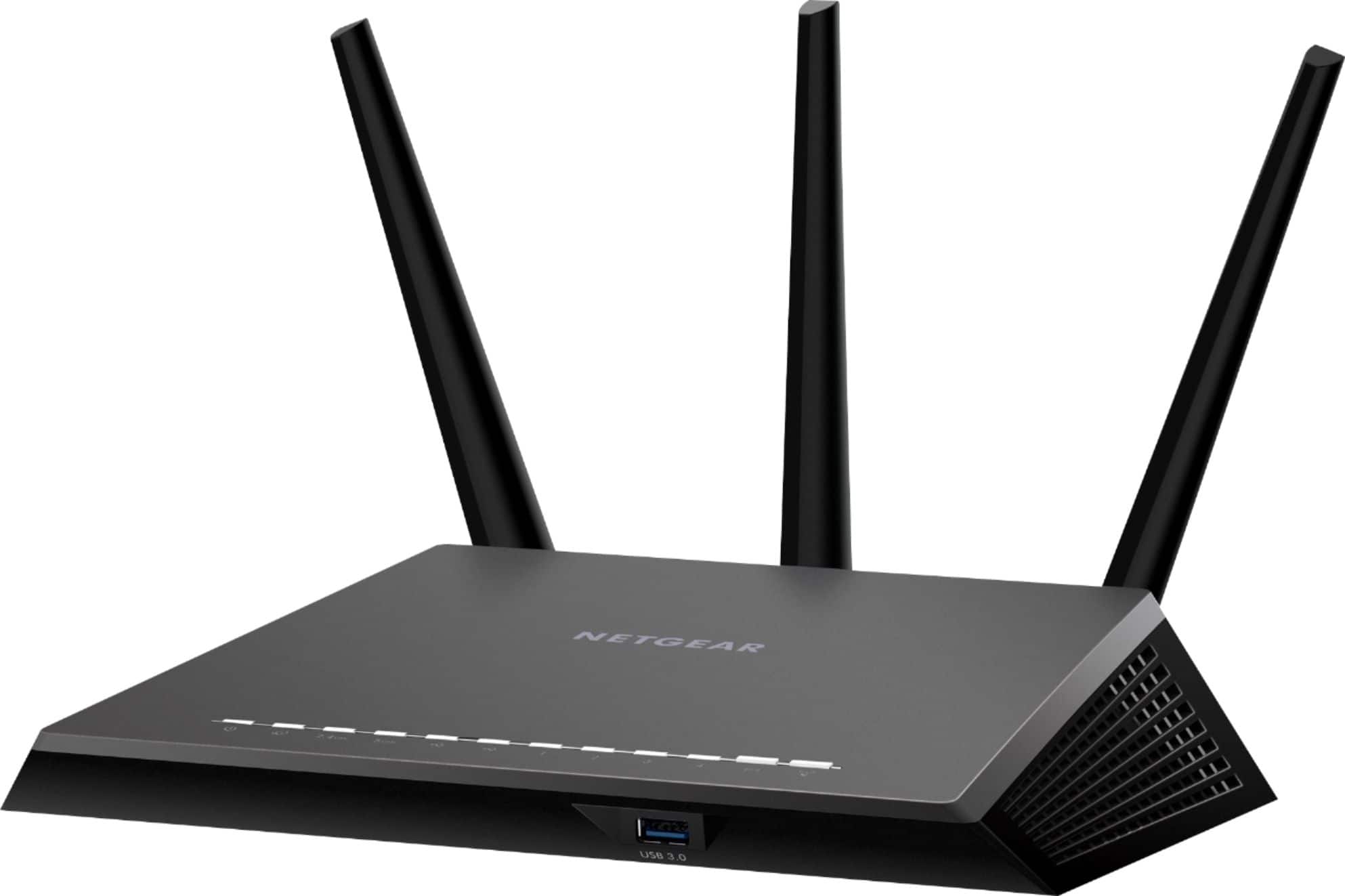
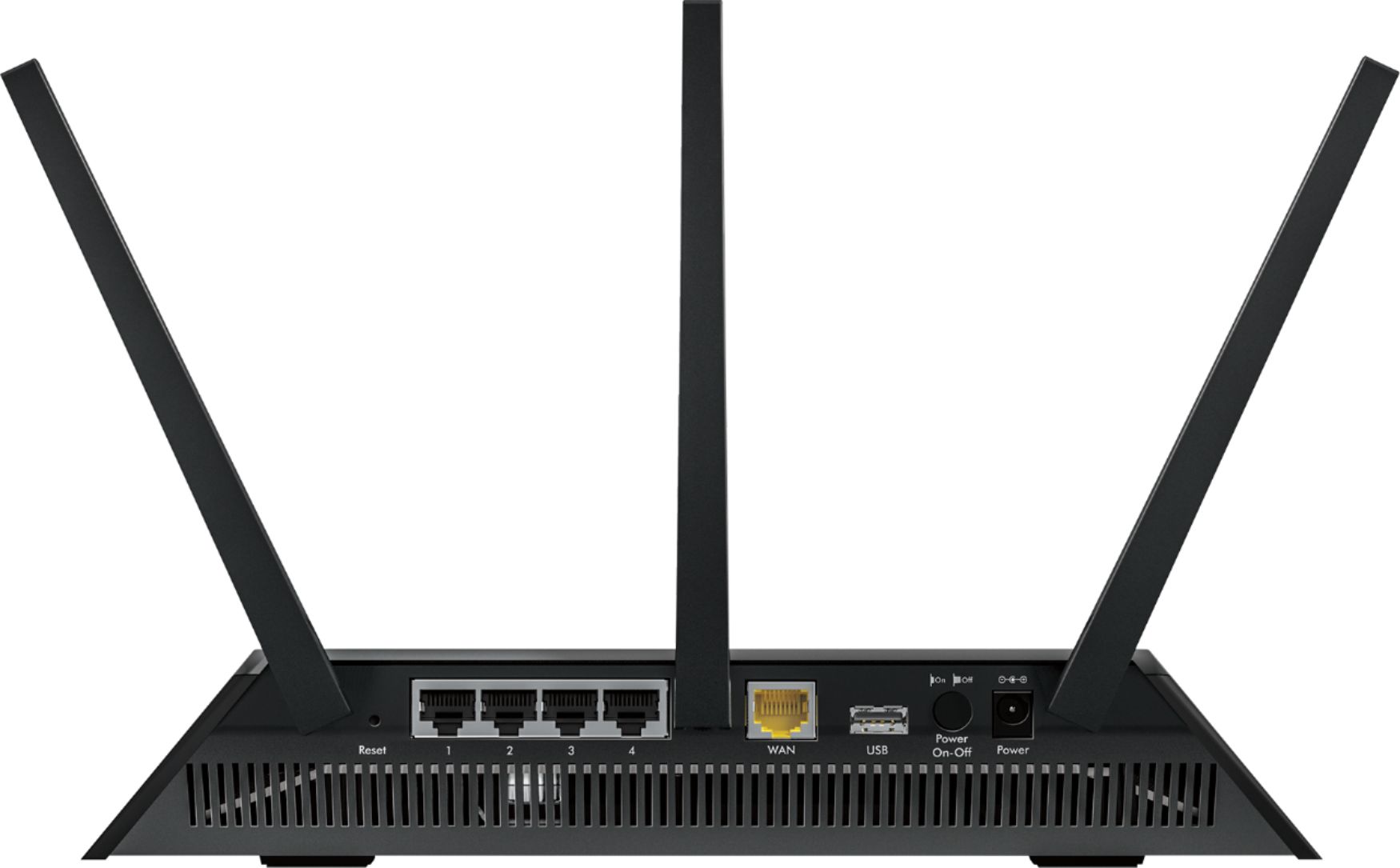
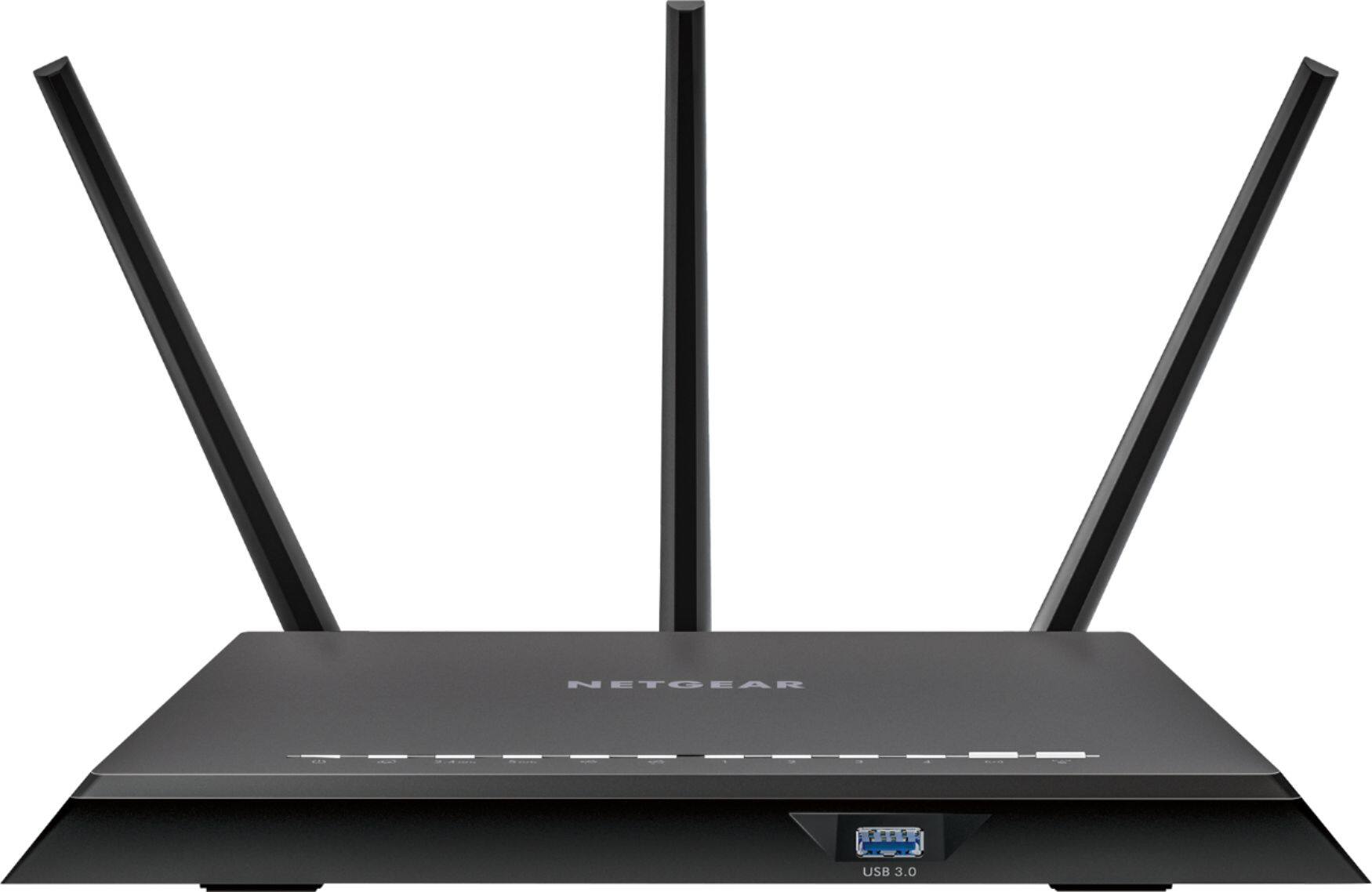
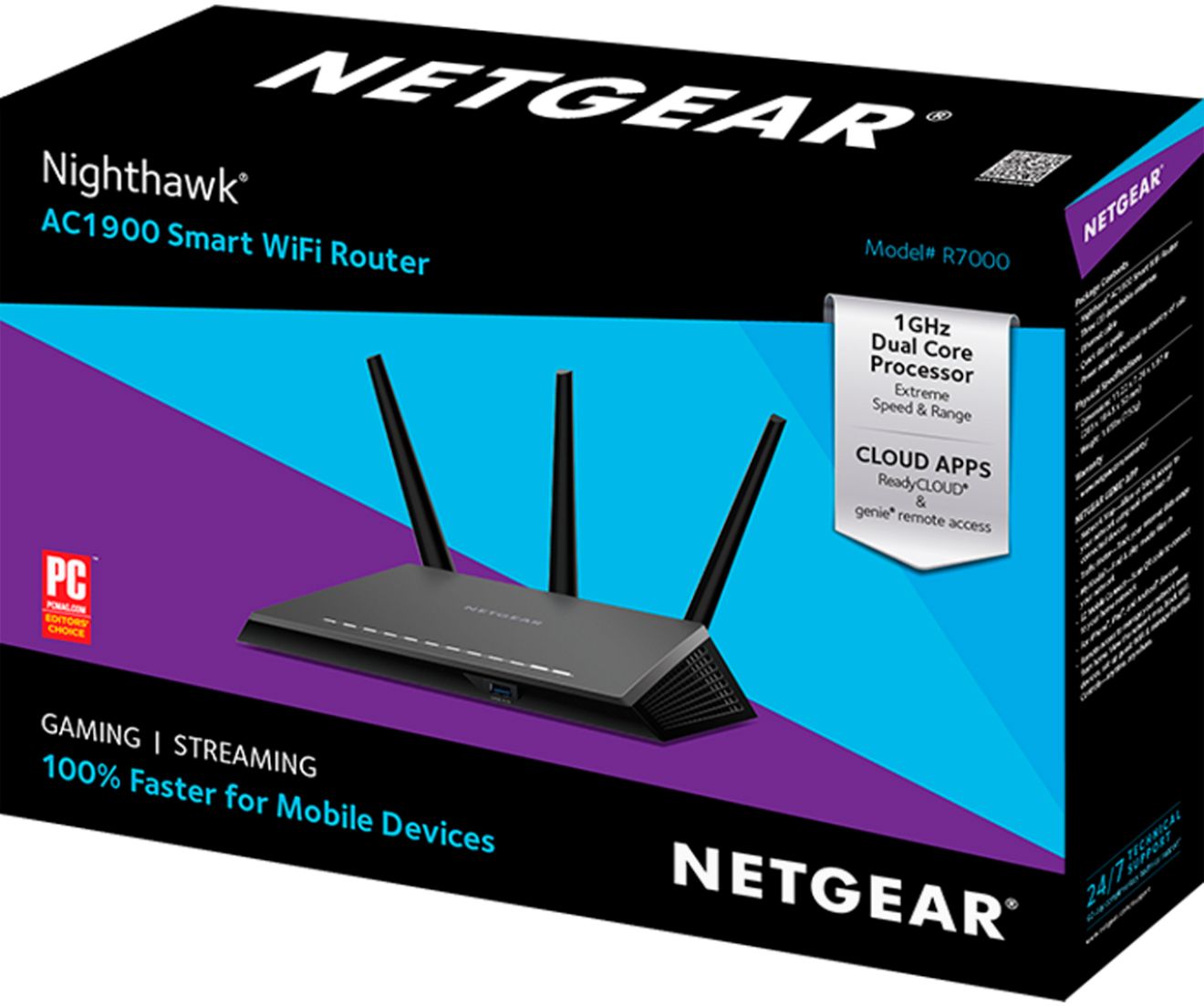
Posted .This reviewer received promo considerations or sweepstakes entry for writing a review.This is the best wireless WIFI router available at this time (IMHO). I had a very good router installed in my home and a secondary powerful AP (Access Point) that covers several acres of land. I can get a WIFI connection in some directions almost 500 yards away from my home. I removed that primary router (ASUS) and installed this one and then I took signal strength readings on the 2.4 GHz band at varying distances within my home and on different floors. The results show that on longer distances this router’s WIFI signal strength is more than 10 times stronger than the one I removed. I will post that detailed data later. When you unbox this router you will be shocked at its size. It is more than twice as large as my other routers and it takes up a lot of desktop real estate. Its performance makes it worth it though, especially if you have a larger home and need longer transmission distances. What’s in the box? • A high quality Ethernet cable to go from your cable modem to the WIFI router. The cable is 60 inches long. • An AC power supply to power the router. It is rated to operate from 100 to 240 VAC and 50/60 Hz. It is UL approved. The cable is 74.5 inches long from the tip of the AC plugs to the tip of the DC output plug. The power supply outputs 12 VDC at 3.5 Amps. • Three adjustable antennas that can be used to adjust the directionally of the WIFI coverage. They are also used to amplify the WIFI signal output from the router. • A brief instruction manual • There is no detailed user manual or disk included. (My only negative) On the top of the unit is a label and there is also one on the bottom that list the name of the default SSID and the network password key. On the back of the unit you will find: • Three gold plated screw on antenna connections. • A recessed reset push button. • Four Ethernet LAN ports rated at 10/100/1000 to allow up to a gigabit Ethernet connection which is ideal for the faster wired data communication speeds. • One yellow WAN Ethernet port that is to be wired to the output of the cable modem. • A USB port for use as an input/output for a network printer, external thumb drive or and external HDD for backups. • A power On/Off button for the router • The power input jack On the front of the router is a USB 3.0 port for connecting your devices like a USB flash drive or a HDD for back up processes. Since it is a USB 3.0 port save it for your faster speed requirements and use the slower USB 2.0 port on the back for items like your network printer. On the bottom of the router are labels that provide you with the factory SSID name, SSID password, Router admin password user name and admin password. If you change them to another value, WRITE THEM DOWN! The antennas are adjustable to allow you to adjust the WIFI transmission to achieve the best coverage for you home. There are several good WIFI Analyzer Apps available for your tablet that will help you to measure signal strength, look for open channels that you should use for a better signal and to help you possibly adjust your antennas. The beamforming+ functionality will help improve the coverage area of the WIFI network. This router will provide adequate coverage for most homes. This router has a 1 GHz dual core processor that helps speed up data communication and the use of the Admin functions. This was obvious to me while using the Netgear Genie software. This faster CPU speed is also ideal for fast gaming situations and the streaming of HD video. It provides faster and stronger WIFI signals with less stalling, stuttering and buffering. In addition this is a dual band router that provides a 2.4 GHz WIFI and a 5 GHz WIFI. This allows you to use the 5 GHz WIFI for video streaming and you will be able to control the video feed as well as you would a DVD player for fast forwarding, fast reversing and pausing. You can also split the workload between bands to maximize the speeds of the different tasks you are doing. For example, you can be backing up a computer using WIFI to a server while streaming HD video on the other bandwidth. This router is capable of up to 600 Mbps on the 2.4 GHz WIFI and up to 1300 Mbps on the 5 GHz channel. In my experience you will get much faster streaming on the 5 GHz WIFI but better range on the 2.4 GHz WIFI. This router also has programmable QOS (Quality Of Service) settings where you can prioritize certain applications like gaming or video streaming and assign the bandwidth you want to set aside for those applications. Some applications are critical for bandwidth considerations like VOIP, fast action gaming and streaming HD quality video. Here are some of my experiences from setting this router up: 1. No disk is included in the kit and one is not needed to install the router to your internet. I did find though that I had several critical system components like 3 servers and an older laser printer that were set with Static IP addresses. The router would not connect to those items and I had to use multiple tricks to get them to properly communicate. Having a good instruction manual would have saved me a lot of time. I recommend that your make sure that ALL STATIC IP ADDRESSES are set to dynamic before you install this router. 2. It was fast and easy to set up and use with the internet connection. Let the wizard do the work. 3. This is a big router and it will require a lot of desktop space. It is about two times bigger than my existing router. 4. I have a lot of Netgear equipment in my home and I also purchased it for my company years ago. Why because it is reliable and it worked properly for years and so I knew there had to be a way to get the router to do whatever I needed to accomplish. 5. Upon connecting this router it fired up its Wizard and walked me through getting connected to my cable modem, then that was it. Very simple and fast. 6. It works perfectly with my ROKU and always allowed the highest resolution of video to be streamed without any buffering or stuttering. Here is my test data of signal strength versus distance. Some of these measurements even involved shooting through several floors of my home. All measurements were made on the 2.4 GHz WIFI band: Position-----Distance in feet-----Old ASUS WIFI signal strength-----Netgear WIFI signal strength A-------------10---------------------------minus 50 dBm----------------------- minus 48 dBm B-------------20---------------------------minus 50 dBm----------------------- minus 50 dBm C-------------30---------------------------minus 58 dBm----------------------- minus 54 dBm D-------------45---------------------------minus 70 dBm----------------------- minus 61 dBm E-------------65---------------------------minus 74 dBm------------------------ minus 66 dBm Please remember that the smaller the number the stronger the signal. As you can see the two unit’s WIFI signals were very similar on the up close distances but the Netgear began to shine on the longer distances. At the 65 foot range and shooting though a floor the Netgear was more than 10 times stronger signal than the ASUS. Remember the units are logarithmic. This router changed to network address for itself to 10.0.0.1 so all of the addresses for every wired and wireless device in your home must be changed. That is why I strongly recommend that you set all of the devices to DHCP settings for dynamic IP addresses assignment. I rated this router as a 5 star item and I recommend it. I do look forward to the insertion of a manual or a manual on a CD.
I would recommend this to a friend - Pros mentioned:Range, Speed
Rated 5 out of 5 stars
A must have !!!
Posted .This reviewer received promo considerations or sweepstakes entry for writing a review.I replaced my entire home network recently. I was running Comcast Xfinity on a Motorola SBG6580 (802.11-N) 2in1 WiFi modem which recently decided to stop working after 3 years. I decided not to go with a 2in1 setup and I purchased a new modem Netgear CM600 along with this Netgear Nighthawk R7000 AC router. Its a huge difference from what I had before. New modem not only provides me with high speeds even at peak hours but router actually manages to keep up with speeds providing 90Mbps at all times. Range extends throughout my whole house from my basement all the way to the attic. My old 2in1 system only supplied WiFi throughout half of my place. Even for the price of $200 this Nighthawk by Netgear is a must have in every house. You will not me disappointed.
I would recommend this to a friend