Customer Ratings & Reviews
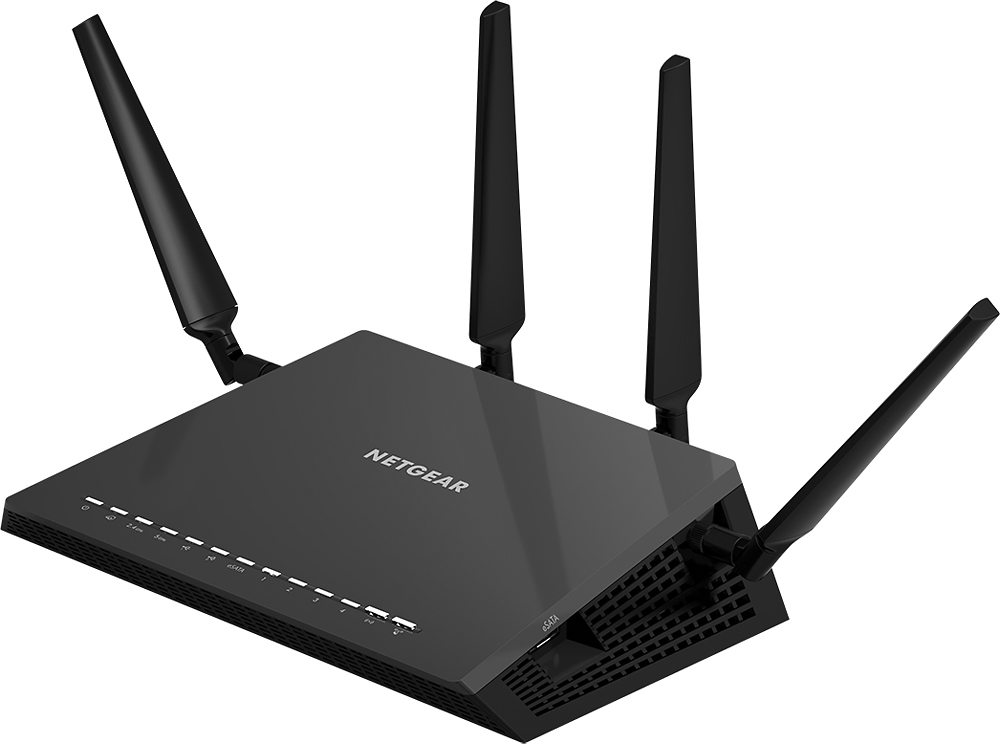
- Model:
- R7500-100NAS
- |
- SKU:
- 8255311
Customer reviews
Rating 4.5 out of 5 stars with 555 reviews
(555 customer reviews)to a friend
Customers are saying
Customers are impressed with the Nighthawk X4 AC2350 Smart Wi-Fi Dual-Band Wireless-AC Router's impressive range, ease of use, and strong signal, leading to better performance and reliable streaming. Many appreciate the improved coverage and connectivity it provides throughout their homes. While some find the router expensive and large, positive experiences with setup and a lack of lag outweigh these concerns for most users. A few users reported issues with the firmware, but these seem to be less common than positive reviews.
This summary was generated by AI based on customer reviews.
Rated 1 out of 5 stars
Waste of money
||Posted .This reviewer received promo considerations or sweepstakes entry for writing a review.Did not help download speeds at all. I should've just stayed with the piece of junk ATT router instead of wasting more money on an additional piece of junk.
No, I would not recommend this to a friendRated 1 out of 5 stars
Stop working
||Posted .This reviewer received promo considerations or sweepstakes entry for writing a review.I have to rebut every 15 minutes then Internet will work for a little while before it has to rebutted . This issue started two days ago.
No, I would not recommend this to a friendRated 3 out of 5 stars
Negear r7000
||Posted .This reviewer received promo considerations or sweepstakes entry for writing a review.Router is good but netgear coustmer service not good.
No, I would not recommend this to a friend- Pros mentioned:Signal strength, Speed
Rated 5 out of 5 stars
Great AC Router, terrific speed. Easy setup!
Posted .This reviewer received promo considerations or sweepstakes entry for writing a review.I just switched from AT&T Uverse (18Mbps down, 1.5Mbps up) to Time Warner Cable (200Mbps down, 20Mbps up). I first purchased the Netgear C3000 model which is a cable modem and N wifi router combo. I was only getting about 50Mbps to my devices over wifi. Hard wired in was better at 100Mbps. I returned that and got separates. I got the Netgear cable modem( CM500-100NAS) and this Netgear Nighthawk x4(R7500). Direct into the cable modem is 220Mbps download speeds. Hooked this router into the cable modem, setup the SSID and password for both the 2.4 and 5GHz networks. No issues using the built in software to download to the latest firmware. Signal is not an issue since I am in a 2BR apartment. Download speeds over the 5Ghz network are amazing! 220Mbps download and 20Mbps upload , on my iPhone 6. On my Macbook Pro, (N Spec) it is the full 150Mbps. Best router I have owned! I have 2 Apple Laptop, 2 Apple iPhones, iPad, Dell Tablet, 1 HTPC, 2 Rokus. No issues connecting any of those devices. Netflix on the Roku is near instant loading to 100%. Love this new combination of separate cable modem and Nighthawk Router x4!
I would recommend this to a friend - Pros mentioned:Range, SpeedCons mentioned:Size
Rated 5 out of 5 stars
Expensive But Easy Set-Up & Faster Speed
Posted .This reviewer received promo considerations or sweepstakes entry for writing a review.Upgraded to the Nighthawk from a five year old Netgear router. Set up is EASY and Wireless speed is MUCH faster than my old router in my large house. It eliminated the need for a wi-fi range extender in one part of my house. I do not care for is the Netgear Genie program. I simply prefer to configure the router using my internet browser, but that is a personal preference only. The internet browser configuration is basically the same as my five year old router. This router is physically bigger than my old router because it my sit horizontal and because of the four antennas. But is it worth it to get the extra speed. I do not intend to use the ReadyShare, although it is nice that it is available. Although very expensive, this is a great router for large homes especially if you need more wireless speed for gaming.
I would recommend this to a friend Rated 1 out of 5 stars
Issues since Day 1
||Posted .This reviewer received promo considerations or sweepstakes entry for writing a review.#1. This is Revision 1. There is no DD-WRT support, and the Netgear UI is slow, clunky, and not very responsive. I updated the firmware to the latest available version. This did not help much either. This router's range was less than the previous N900 I owned before replacement. I have had multiple issues with the 5Ghz band, even on the best channel with least interference, it is nearly unusable. I can't even use the PS4 wirelessly, in the next room. I work in IT, it is configured the best way it could possibly be configured. I researched the issue, and either I got a really bad egg, or it just is truly a bad piece of networking equipment.
No, I would not recommend this to a friendRated 1 out of 5 stars
Worked great - but not for long
||Posted .This reviewer received promo considerations or sweepstakes entry for writing a review.The reviews I saw looked really good. I wanted a fast router that was cutting edge and would last me awhile. This router worked great for awhile but then the 5 Gig band started to slow down to the point it wasn't worth using. In addition, I would need to do frequent re-boots because it would drop out on me. My devices (kindle fire and iphone) would show as being connected but applications would show an error message as not being connected to a network. I have just ordered a replacement (a linksys).
No, I would not recommend this to a friendRated 5 out of 5 stars
Very Good Wifi router
Posted .This reviewer received promo considerations or sweepstakes entry for writing a review.For those curious and looking for some advanced features 1) It can serve as FTP server & Web server 2) you get dynamic DNS service, a free alternative to a static Public IP adress for your business or personal media content( You get a dynamic PUBLIC IP address 3) Port forwarding 4) Network access filter: allows enabling/disabling Any Device connection via the router using MAC addresses of LAN/Wifi adapter of the devices: 5) AirPrint( it requires Genie & a driver running on a PC/Mac) to be recognized as AirPrinter . 6) You can still connect to you LAN/Wifi printers connected directly to the router 7) Home Media sharing: your smart TV & iDevices will be able to view your shared (via the 2 USB 3.0 or eSATA) attached HArd Disks or flash drives 8 ) file sharing: Not just video/audio is shared. You can share any file type. 9) you can use DHCP for automatic IP address assignment or you can define your own private /static address range. 10) you get a separate Guest Network with independent password and SSID( your Wifi network name) in addition to the 2.4GHz and 5GHz , with independeny SSIDs and password themselves 11) You can HIDE your SSID form being broadcasted. I can understand why so many households DONT use it. If your SSID s is broadcasted down the street or in your apartment complex it is twice as east for a malicious person to break into your wifi network. While it may be easier for a regular user to connect , by skipping the entry of SSID, its like leaving your home address on the counter at Starbucks. 12) is has WPS setup option, I personally never use it, but it is easy for anybody who is not technical. It has this option to show you a QR code, which has the SSID and the password for each of the defined networks on the router, if you know how to use a QR code 13) Dynamic QoS ; you can specify the priority of each device: For example: A) Printer-Low; B) smart phones, tablets, laptops, desktops: Med/High C) Media devices: Smart TVs, smart BluRay players, Roku, ChromeCast, PlayStation, XBox: Highest All depending on your priorities. In my case I have 12 WIFI devices connected simultbeously of all the types above. 14) not an advanced feature, just nice one: you can disable the LED indicators:) no blinking lights all night. 15) IPv6 compatible 16) You can use it as Access point or a Wireless Bridge. 17)Access control( not just on the LAN/Wifi) you can approve devices also on the USB ports 18) It does have Remote management, if you enable it. 19) It has Parental Controls: you can block particular sites from being accessed via the router. 20) You can schedule your router availability: lets say you dont want anybody connecting/using Internet after midnight to 7AM. 21) You can dynamically enable/disable access for known/new device via a slider via Genie and/or the whole QoS feature 22) you can get e-mail notifications on some events( like a blocked site access being attempted)
I would recommend this to a friendRated 1 out of 5 stars
Not for me
||Posted .This reviewer received promo considerations or sweepstakes entry for writing a review.It was complicated so I returned it and got another Apple router
No, I would not recommend this to a friend- Pros mentioned:Range, Signal strength
Rated 5 out of 5 stars
love!!!!
Posted .This reviewer received promo considerations or sweepstakes entry for writing a review.We have several devices and now we have increased WiFi capacity, range and strength
I would recommend this to a friend Rated 5 out of 5 stars
No Issues So Far...
Posted .This reviewer received promo considerations or sweepstakes entry for writing a review.Based on some of the other comments, I'll monitor this router closely, but so far, no issues for me. Took about 15 minutes to setup from cutting the shrink wrap to Internet access. Cox is my ISP, and I did note that when I initially connected the router after cabling it to my cable modem, it took about 2 minutes for all router activity lights to turn "white"...a little longer than I expected, but all OK. Downloaded NetGear Genie, updated firmware, installed "vault", changed default ID's and Passwords, mapped network, changed default device names, ran metrics, all OK. I did one reboot after I discovered that both my on-line gaming launchers would not connect to their servers immediately after router install (both started in off-line mode), and after rebooting, everything was perfect.
I would recommend this to a friend- Pros mentioned:Range
Rated 5 out of 5 stars
good router, works great
Posted .This reviewer received promo considerations or sweepstakes entry for writing a review.have had good success with it. Originally I was going to by the NightHawk X4 but they were not at our store. So I bought the X6. What is the difference between the 2. They seem like pretty much, the same products/competing products from Netgear.
I would recommend this to a friend Rated 5 out of 5 stars
NETGEAR - Nighthawk X4 AC2350 Smart Wi-Fi Dual-Ban
Posted .This reviewer received promo considerations or sweepstakes entry for writing a review.This router earns it name and its price of Nighthawk at over $200. The router was simple to install with the help of "Netgear Genie". I have tested the router on Speedtest.net which the software provided confidently to boast its peak speeds. I am encouraged to up my internet speed in order to fully test the latency however, I am currently satisfied with this purchase and my 50mbps.
I would recommend this to a friend- Pros mentioned:Range
Rated 3 out of 5 stars
Meh, good features, limited range
Posted .This reviewer received promo considerations or sweepstakes entry for writing a review.This router is supposed to be for "medium to large houses". It doesn't reach the farthest end of our largish house...no stronger a signal than our AT&T gateway. For the money, it should. But if you have no more than a medium-sized house, this thing has some good features, like being able to shut it off at certain hours, which is the reason we bought it. It's not clear to set up though... here's how: go to http://routerlogin.com/index.html login as "admin" with "password" Advanced-Security-set time zone Advanced-Advanced Setup-Wireless settings, select "turn off wireless signal by schedule" and choose your times.
No, I would not recommend this to a friend - Pros mentioned:Speed
Rated 5 out of 5 stars
Great Router
Posted .This reviewer received promo considerations or sweepstakes entry for writing a review.This router is a great upgrade. It resolved my speed and distance issues in my home for video streaming. I highly recommend it to anyone having problems.
I would recommend this to a friend - Pros mentioned:Signal strength
Rated 5 out of 5 stars
Great router
Posted .This reviewer received promo considerations or sweepstakes entry for writing a review.It really addressed the weak spot in my house and with the beam forming, I get good signal anywhere i use my device inside the house.
I would recommend this to a friend - Cons mentioned:Size
Rated 5 out of 5 stars
Strong signal
Posted .This reviewer received promo considerations or sweepstakes entry for writing a review.We purchase a smaller unit and did not work well so we returned it and got this one
I would recommend this to a friend - Pros mentioned:Range
Rated 3 out of 5 stars
Wirless Great - Wired Issues with 10/100
Posted .This reviewer received promo considerations or sweepstakes entry for writing a review.The R7500v2 has issue with 10/100 wired devices limiting them to only 25 Mbps. Wireless speed and range are great. Configuration options are limited if you like to have options and controls over things.
I would recommend this to a friend Rated 5 out of 5 stars
WIFI FOR DAYS
Posted .This reviewer received promo considerations or sweepstakes entry for writing a review.Before purchasing this router, the three smart televisions in my house had trouble connecting to a reliable network. We now are all three buffer-free! AWESOME ROUTER.
I would recommend this to a friendRated 1 out of 5 stars
Did Not Work for Me...
Posted .This reviewer received promo considerations or sweepstakes entry for writing a review.Not purchased on Amazon. First, I will say there's always the chance to receive a bad/faulty unit and by bad unit I don't mean didn't work; however, just didn't work very reliably. Router was much slower than previous brands I've owned to establish connection to modem and required frequent power cycles of the modem to reconnect and maintain the connection until the next time it would lost the Internet connection. Over a 3 day period, I had to accomplish this process at least 3 times...not to mention during setup or when simply customizing certain router settings and once to upgrade the firmware. I purchased this router mainly for VPN service; however, if I can't maintain a consistent connection, there is no way it's going to be reliable for VPN usage. Next, the software provided/suggested for VPN service was not as straightforward as I expected. OpenVPN for windows based client and Tunnelblick for MAC OS X based clients. Kept getting the following message after establishing connection and was unable to resolve: "This computer's apparent public IP address was not different after connecting to VPN" which meant to me, although the VPN appeared to connect, it wasn't as if I was connected to the network I needed to be connected to. I was able to confirm that my IP address had indeed NOT changed once the VPN session was established. I searched the web for assistance and didn't find anything that helped me resolve. I did NOT try OpenVPN via Windows since I primarily use a MAC and never tested the router for speed or any of the other capabilities it was perhaps able to shine in. Final straw was setting the router up for remote management using my DNS providers and leaving for work. Was able to remote back into the router shortly after leaving home but the second and subsequent attempts was a lost cause. Remote management seemed to work fine the first couple of times I tried it and as long as I was nearby but proved to be ineffective when needed the most...when I couldn't physically get to the equipment. Both DNS and remote management worked flawless with my previous brand/model; however, my previous router didn't have VPN capability. So overall, my experience with the Netgear Nighthawk X4 was less than satisfactory mainly due to its inability to maintain a reliable and consistent connection to the modem, thus allowing, an reliable Internet connection. Was willing to research the VPN issue more; however, frugal if I can't maintain an Internet connection or reliably connect remotely to resolve any issues. Will be returning the Netgear for a refund.
No, I would not recommend this to a friend