Customer Ratings & Reviews

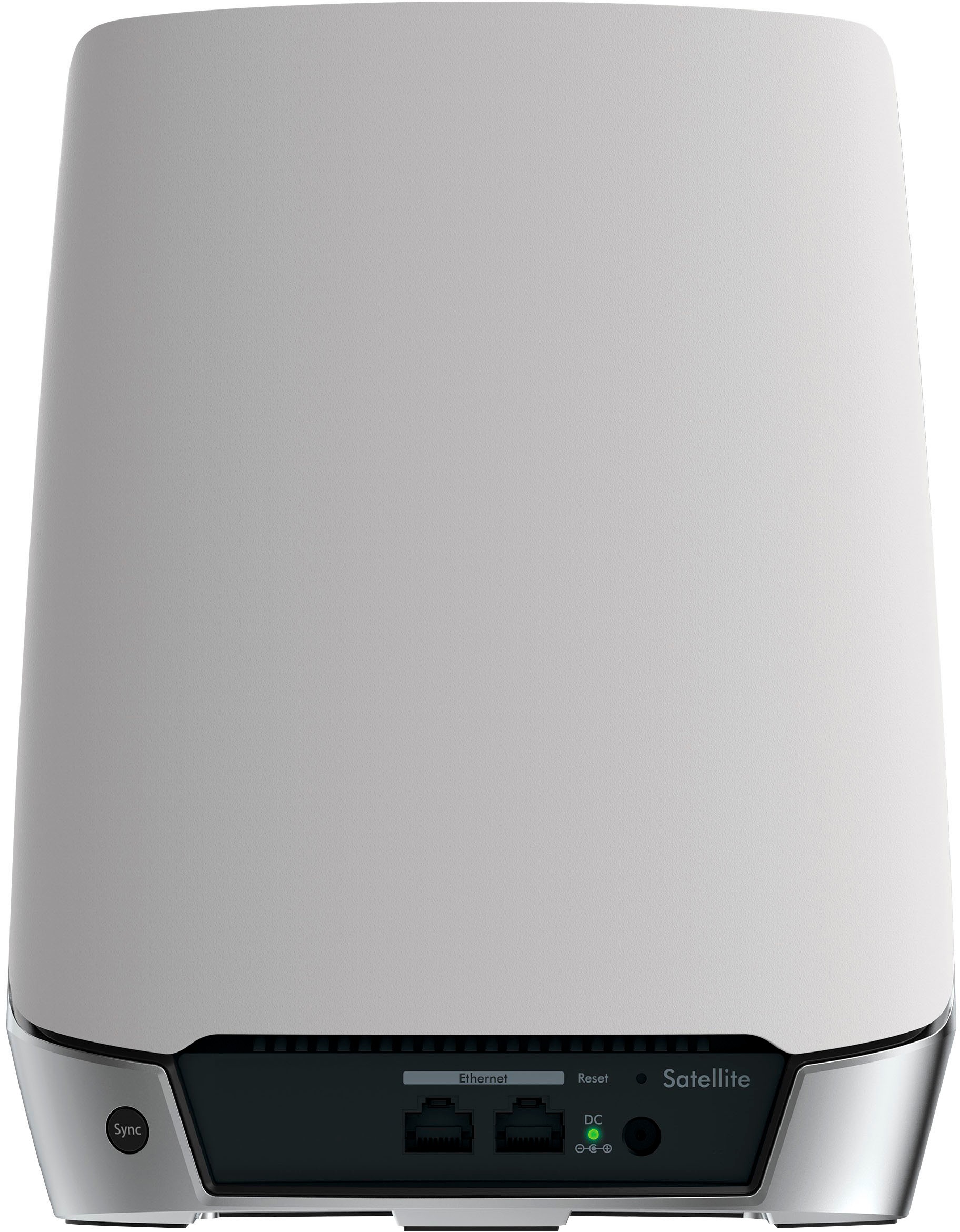
- Model:
- RBK752-100NAS
- |
- SKU:
- 6405440
Customer reviews
Rating 4.7 out of 5 stars with 2336 reviews
(2,336 customer reviews)Rating by feature
- Setup4.6
Rating 4.6 out of 5 stars
- Range4.8
Rating 4.8 out of 5 stars
- Signal Strength4.8
Rating 4.8 out of 5 stars
Customers are saying
Customers recognize the Orbi 750 Series AX4200 Tri-Band Mesh Wi-Fi 6 System's extensive coverage, ease of use, and strong performance as significant advantages. Many appreciate the straightforward setup process and reliable signal strength, resulting in improved connectivity. However, some users cite the high price as a drawback, and a lack of robust parental controls is also mentioned as an area for improvement. While some experienced lag, others reported significant improvements in speed and reduced lag after installation.
This summary was generated by AI based on customer reviews.
- Pros mentioned:Setup
Rated 5 out of 5 stars
Excellent router
||Posted . Owned for 3 weeks when reviewed.This reviewer received promo considerations or sweepstakes entry for writing a review.My old router finally died. Decided to try the new mesh system. Very easy to hook up and set up.
I would recommend this to a friend - Pros mentioned:Speed
Rated 1 out of 5 stars
Caution: slow Fios speeds & device incompatibility
||Posted . Owned for 2 weeks when reviewed.This reviewer received promo considerations or sweepstakes entry for writing a review.If you are trying to use this to replace your Fios Quantum Gateway router, be warned that you might not get your 1GB speeds. I got at best 30MBps when connected as a router directly to the Fios ONT. When connected as an access point, the speeds increased to 100 MBps. Also, Ring and Nest devices did not work properly when connected. A Ring camera would not stream or retrieve video. And two Nest thermostats had excessive battery drain and would disconnect daily.
No, I would not recommend this to a friendBrand response from Netgear Support
Posted .Hi jimpone,
Thank you for your review. We will need to look into this with you. This resource should help you https://kb.netgear.com/000061716/How-can-I-troubleshoot-my-NETGEAR-router
Please let us know if this resolved your issue by updating your review. If you need further assistance, please email us at netgearteam@netgear.com for additional resources or to contact one of our support experts. We will be happy to help.
Thank you.
NETGEAR Team
Rated 2 out of 5 stars
Not cracked up to what its to be.
||Posted .This reviewer received promo considerations or sweepstakes entry for writing a review.These things look great and sound promising but they are difficult to set up and had to call customer support to go through a back way to get them to connect as expected. They also experience alot of dropouts on random devices in our home. It seems to have it out for an Apple TV but the rest of them are fine. Hooked it up via ethernet to the orbi and it works perfectly. Checked the app and it's showing the apple tv with 1 bar of wifi and a couple of other devices. Most likely going to take these back and get a Eero or maybe an Asus.
No, I would not recommend this to a friendRated 3 out of 5 stars
Not the as good as I was hoping
||Posted . Owned for 1 month when reviewed.This reviewer received promo considerations or sweepstakes entry for writing a review.I replaced my router with these, the coverage seems to be inconsistent. I was expecting better performance for the price. I don't have an ethernet going to the second satellite, but it isn't that far from the main one.
No, I would not recommend this to a friendBrand response from Netgear Support
Posted .Hi Daniel,
Thank you for your review, we appreciate your feedback and we want you to know that your experience is important to us. We are sorry to hear that you had a difficult experience with your product. These troubleshooting resources should help you: https://kb.netgear.com/1110/How-do-I-troubleshoot-my-wireless-network, and also: https://kb.netgear.com/000061531/What-should-I-do-if-I-experience-wireless-connectivity-issues-while-connecting-devices-to-my-WiFi-6-NETGEAR-router-or-Orbi-mesh-system?language=en_US.
If you need further assistance, you can visit https://my.netgear.com/support/contact.aspx to register your product, get help, access the latest downloads and user manuals, and join our community. We recommend that you use only official NETGEAR support resources.
Thank you,
NETGEAR Team
- Pros mentioned:Speed
Rated 1 out of 5 stars
Fast when it works, but fraught with problems
||Posted .This reviewer received promo considerations or sweepstakes entry for writing a review.Horrible product. Great speeds while it works, but that's about it. Its fraught with problems. Dropped connections, speed fluctuations, horrible GUI, very limited control over configurations, only 1 WAP (plus guest), no logging, obnoxiously pushes Netgear Armor ads, must pay for support, poor support for some 2.4ghz devices. I -hate- this product. Head to Netgear's community forum and read for yourself. I realize mesh has some unique challenges, but this is by far the worst experience I've had.
No, I would not recommend this to a friendBrand response from Netgear Support
Posted .Hi Scatterplot,
Thank you for your review and valuable feedback. We are sorry to hear that you are having a difficult experience with your product. Please email us your contact information along and a link to your review to netgearteam@netgear.com, and we will be happy to help you.
Regards,
NETGEAR Team
- Pros mentioned:Coverage, Setup, Speed
Rated 5 out of 5 stars
Extremely Fast And Stable Mesh System
Posted .This reviewer received promo considerations or sweepstakes entry for writing a review.I have used many many systems over the years from high end routers to supposedly top of the line mesh systems. My last mesh system was an asus dual band system that was absolutely horrid. I have also used Eero Pro 2nd generation as well. Now while the eero was stable it just would not produce great speeds whatsoever. I have 1 gig up and down with my provider. Now having an older Orbi system that was very good but got fried from an electrical surge I figured I would spend the money and see what this system will do. Now I purchased the 3 pack of these which is labeled RBK753s. It had been a few years since my last Orbi system and the install of these new units was flawless and extremely easy. I was up and running including firmware updates in under 30 minutes. You want to talk about speed?? These units are screaming fast. Doesn’t matter where I am in my house the speeds are incredible. I have a 2700 sq ft home and I have coverage everywhere even to my stop sign across the street. I have 25-30 devices connected at any given time and not a single slow down. I have seen reviews with people having issues with devices not connecting to the 2.4ghz band I have not had that issue if anything it improved the connection to my ring cameras and doorbell cam. Is this system expensive? Yep sure is but it’s well worth it.
I would recommend this to a friend Rated 3 out of 5 stars
Fast when it works
||Posted . Owned for 10 months when reviewed.This reviewer received promo considerations or sweepstakes entry for writing a review.Even with the extended coverage I still have areas in my home where the wifi will drop out
No, I would not recommend this to a friendBrand response from Netgear Support
Posted .Hi Danno,
We sell extra satellites for Orbi that you can add to your system to get more wifi coverage in the home.
Thanks
Netgear Team
- Cons mentioned:Price
Rated 2 out of 5 stars
Not Worth It
||Posted . Owned for 3 months when reviewed.This reviewer received promo considerations or sweepstakes entry for writing a review.Not really worth the price. The app is buggy and my connection speed is not what I expected for such an expensive mesh system.
No, I would not recommend this to a friendBrand response from Netgear Support
Posted .Hi BBCustomer,
We appreciate your feedback and we want you to know that your experience is important to us. We are sorry to hear that you had a difficult experience with your product. This resource should help you https://kb.netgear.com/1110/How-do-I-troubleshoot-my-wireless-network
Please let us know if this resolved your issue by updating your review. If you need further assistance, please email us at NetgearTeam@netgear.com for additional resources or to contact one of our support experts. We will be happy to help.
Thank you.
Rated 2 out of 5 stars
I have high hope
||Posted . Owned for less than 1 week when reviewed.This reviewer received promo considerations or sweepstakes entry for writing a review.I was using Asus ZenWiFi before purchasing this pair. Had high hope for Netgear but it disappointed me. Every non-wifi6 freaks out when connected to this router, Fire TV constantly disconnect when satellite right next to it after all kinds of possible troubleshooting, dead zone behind a corner like 2 ft away from the router unit. Thankfully I purchased Geek Squad warranty, otherwise, I would have no chance to get away from this unit. Over all disappointed.
No, I would not recommend this to a friendBrand response from Netgear Support
Posted .Hi Anonymous,
We're sorry to hear that you are experiencing problems with your RBK752 and are considering returning it. Please follow the link here to access the User Manual for the RBK752. Please check out page 50 which will help with adjusting your QoS settings, which may be able to assist with your issues with 5ghz and 2.4ghx bands. https://www.downloads.netgear.com/files/GDC/RBK752/RBK752_UM_EN.pdf
Additionally, there was a recent firmware update for the RBK752 Router and Satellite which was released as recently as 9-15-21: https://kb.netgear.com/000064022/RBR750-RBS750-Firmware-Version-4-6-3-16.
NETGEAR Support will be happy to help you. You can contact NETGEAR Support by going to: https://www.netgear.com/support/contact.aspx and follow the onscreen instructions. Once you’ve registered your product you will be given the options of contacting Support through Phone, Chat, or email.
Regards,
NETGEAR Team
Rated 1 out of 5 stars
Could Not Get It To Find The Network
||Posted .This reviewer received promo considerations or sweepstakes entry for writing a review.They make really nice doorstops. Seriously, I could not get this to work. I had a previous Orbi product that was starting to get buggy after two years (which isn't very long, in my opinion), so I decided to upgrade to this router. I was using a Cox cable modem to send the single to the routers. I spent two hours trying to get the Orbi router to connect, and it just wouldn't do it. I tried starting from scratch at least three times (even deleting the Orbi app from my phone and reinstalling) and I just couldn't get it to work. I know it wasn't the Cox modem, because I could get a signal when using an ethernet cable. Plus, the modem was only two months old. After a couple of hours of frustration, I gave up on this router and will return it. My final solution was to switch out my cable modem for a all-in-one cable modem and router. At least that way if something goes wrong, I'll only have one device to check and I'll know which one is the problem. My previous Orbi worked great for two years, but given that it started to get buggy after only two years, and given the difficulties with this product, I think I'll avoid Netgear in the future. Maybe it's just a case of bad luck, and I suppose it's possible that someone could have got it connected, but I'm fairly tech savvy, so I think there is an issue with the product of with it's ability to sync with the Cox modem.
No, I would not recommend this to a friendRated 3 out of 5 stars
Good product for simple networks
||Posted . Owned for 1 month when reviewed.This reviewer received promo considerations or sweepstakes entry for writing a review.Conceptually a great solution but not as performant as described: does not work with complex (Control4) networks, has limited radius, it’s immediately disturbed by electromagnetic noise.
I would recommend this to a friendRated 1 out of 5 stars
Poor support, buy at your own peril
||Posted . Owned for 4 months when reviewed.This reviewer received promo considerations or sweepstakes entry for writing a review.It is unfortunate that we cannot deliver negative numbers on this rating scale. While there are some glowing reports on this page, I am pretty sure that these folks never had to try to contact customer support at Netgear. Good luck with that. You will never get to customer support and talk to a human. You will see messages about logging in, going to forums, etc. Oh, and for fun, they ask you which model of product you have for support. Now this product says it is the Orbi AX4200...NO on their page you have to find the RBS750. I cannot imagine why they did not pick out the model number of SUX6000. That may have made just as much sense. Where they really get you is in the fine print of using their product. You will see a disclaimer of all of the information that they will take from your internet browsing for "business purposes". Yes, your data and website visits are being cataloged. You only think you have data security. Yeah, and you can even sign up for a security service with Netgear that will protect you from data theft from everybody but them. Way to go!!!
No, I would not recommend this to a friendBrand response from Netgear Support
Posted .Hi THX1138,
We are sorry to hear that you had a difficult experience with our support team. We appreciate your feedback and we want you to know that your experience is important to us. If you need further assistance, please email us at netgearteam@netgear.com with more information about your concern and your contact information.
Thank you,
NETGEAR Team
Rated 3 out of 5 stars
A 2.4g router with a 5G brick
||Posted . Owned for 11 months when reviewed.This reviewer received promo considerations or sweepstakes entry for writing a review.Pros - No signal drops Cons - range is poor - Mesh doesn't work - No devices EVER connect to the 5G band - basically just a 2.4gz router with a 5G brick in the box
No, I would not recommend this to a friendBrand response from Netgear Support
Posted .Hi modernwize,
Thank you for your review, we appreciate your feedback and we want you to know that your experience is important to us. We are sorry to hear that you had a difficult experience with your product. This resource should help you: https://kb.netgear.com/1110/How-do-I-troubleshoot-my-wireless-network.
Wireless routers, access points, and adapters send and receive radio wave signals through antennas. To optimize your wireless range, we suggest checking this resource: https://kb.netgear.com/1114/Improving-wireless-range-Overview.
If you need further assistance, you can contact NETGEAR Support by going to: https://my.netgear.com/support/contact.aspx and follow the onscreen instructions. Once you’ve registered your product you will be given the options of contacting Support through Phone, Chat, or email.
Regards,
NETGEAR Team
Rated 1 out of 5 stars
Not fully baked?
||Posted . Owned for 3 weeks when reviewed.This reviewer received promo considerations or sweepstakes entry for writing a review.I did a lot of research on routers before buying these and I thought I was going to be set. Since the day I got them and installed them, I have had nothing but issues. I have had two formal help tickets with Netgear. The first was because the speed test application did not function at all. I updated the firmware and it began working, but then entire time I’ve had inconsistent internet signal. After weeks of troubleshooting with my ISP and my home network, I replaced the router with a known good router and the problems disappeared. I have factory rest these a dozen times now because the setup would not complete. Finally I got it to complete and the internet signal drops were still happening. I have my second ticket open with Netgear about this. I was so ready to be an evangelist for this product and now I am without enthusiasm. Spending 3 hours in a night trying to get the router to factory reset is not my idea of fun…..and I love technology. I either got a bad batch or the product itself is not fully baked yet. Hard to say until I get my issues resolved.
No, I would not recommend this to a friendBrand response from Netgear Support
Posted .Hi Redsneaker,
We appreciate your feedback and we want you to know that your experience is important to us. We are sorry to hear that you had a difficult experience with your product. This resource should help you https://kb.netgear.com/000061716/How-can-I-troubleshoot-my-NETGEAR-router
Please let us know if this resolved your issue by updating your review. If you need further assistance, please email us at NetgearTeam@netgear.com for additional resources or to contact one of our support experts. We will be happy to help.
Thank you.
Rated 3 out of 5 stars
kinda good, kinda meh
||Posted . Owned for 1.5 years when reviewed.This reviewer received promo considerations or sweepstakes entry for writing a review.pink light comes on wifi goes out, netgear wants you to pay monthly for customer service.
I would recommend this to a friendBrand response from Netgear Support
Posted .Hi Stump,
Thank you for your review, we appreciate your feedback and we want you to know that your experience is important to us. We are sorry to hear that you had a difficult experience with your product. When experiencing an issue with connectivity, we recommend visiting this troubleshooting resource: https://kb.netgear.com/000061531/What-should-I-do-if-I-experience-wireless-connectivity-issues-while-connecting-devices-to-my-WiFi-6-NETGEAR-router-or-Orbi-mesh-system?language=en_US.
If you need further assistance, you can visit https://my.netgear.com/support/contact.aspx to access the latest downloads and user manuals, and join our community. If you are out of warranty and need help, you can still get help by posting your issues over in the NETGEAR Community forums. There are moderators and other community members that are happy to help out with any problems you are having. We recommend that you use only official NETGEAR support resources.
Thank you,
NETGEAR Team
Rated 2 out of 5 stars
Mesh is Pretty... Disappointing
||Posted . Owned for 1 week when reviewed.This reviewer received promo considerations or sweepstakes entry for writing a review.Pretty subpar system, lots of hiccups when device is trying to decide whether to conenct to router or a satellite. And PLEASE do not use these if you're not going to backhaul the connection as the satellite performance is pretty disappointing if you don't. Also hate the fact you cant separate SSID's. I had tons of issues with devices that can only use 2.4ghz. A traditional Router/AP setup will torch this all day.
No, I would not recommend this to a friendBrand response from Netgear Support
Posted .Hi MichaelM,
Thank you for your review, we appreciate your feedback and we want you to know that your experience is important to us. We are sorry to hear that you had a difficult experience with your product. This resource should help you: https://kb.netgear.com/000061531/What-should-I-do-if-I-experience-wireless-connectivity-issues-while-connecting-devices-to-my-WiFi-6-NETGEAR-router-or-Orbi-mesh-system?language=en_US.
If you need further assistance, you can contact NETGEAR Support by going to: https://my.netgear.com/support/contact.aspx and follow the onscreen instructions. Once you’ve registered your product you will be given the options of contacting Support through Phone, Chat, or email.
Regards,
NETGEAR Team
Rated 3 out of 5 stars
wouldnt get at full price
||Posted . Owned for 1 month when reviewed.This reviewer received promo considerations or sweepstakes entry for writing a review.Good coverage my downside is once i set up everything it wont let me do the netgear router login can only change the limited setting avaliblein the orbi app
I would recommend this to a friendBrand response from Netgear Support
Posted .Hi Mehh,
Thank you for your review, we appreciate your feedback and we want you to know that your experience is important to us. We have a User Manual available for your RBK752, with instructions starting on page 18 to connect your system via the GUI: https://www.downloads.netgear.com/files/GDC/RBK752/RBK752_UM_EN.pdf.
If you need further assistance, you can visit https://my.netgear.com/support/contact.aspx to register your product, get help, access the latest downloads and user manuals, and join our community. We recommend that you use only official NETGEAR support resources.
Thank you,
NETGEAR Team
Rated 3 out of 5 stars
Not what I thought
||Posted . Owned for less than 1 week when reviewed.This reviewer received promo considerations or sweepstakes entry for writing a review.Does it work, yes. What it doesn’t do is fix the dead or almost dead spot on the other side of the house. If in the same room as the Orbi then it is fine.
No, I would not recommend this to a friendBrand response from Netgear Support
Posted .Hi Jerry,
We appreciate your feedback and we want you to know that your experience is important to us. We are sorry to hear that you had a difficult experience with your product. Wireless routers, access points, and adapters send and receive radio wave signals through antennas. To optimize your wireless range, we suggest checking this resource: https://kb.netgear.com/1114/Improving-wireless-range-Overview.
Another resource which may help you is one regarding Orbi Satellite placement: https://kb.netgear.com/31029/Where-should-I-place-my-Orbi-satellite.
If you need further assistance, you can visit http://support.netgear.com to register your product, get help, access the latest downloads and user manuals, and join our community. We recommend that you use only official NETGEAR support resources.
Thank you,
NETGEAR Team
- Cons mentioned:Price
Rated 2 out of 5 stars
Stay away
||Posted . Owned for 1 week when reviewed.This reviewer received promo considerations or sweepstakes entry for writing a review.This is my second orbi, I thought it would be better that my old RBR20 but it’s really as bad or worst because it is more expensive.
No, I would not recommend this to a friendBrand response from Netgear Support
Posted .Hi Rickycaraz,
We appreciate your feedback and we want you to know that your experience is important to us. We are sorry to hear that you had a difficult experience with your product. This resource should help you "https://kb.netgear.com/1110/How-do-I-troubleshoot-my-wireless-network”
Please let us know if this resolved your issue by updating your review. If you need further assistance, please email us at NetgearTeam@netgear.com for additional resources or to contact one of our support experts. We will be happy to help.
Thank you.
Rated 3 out of 5 stars
Glitch
||Posted . Owned for 1 month when reviewed.This reviewer received promo considerations or sweepstakes entry for writing a review.The satellite will drop its ‘charges’ when you hook up an Ethernet connection. Otherwise, excellent system.
I would recommend this to a friendBrand response from Netgear Support
Posted .Hi Fojo,
Thank you for your review, we appreciate your feedback and we want you to know that your experience is important to us. We are sorry to hear that you had a difficult experience with your product. This resource should help you: https://kb.netgear.com/000061531/What-should-I-do-if-I-experience-wireless-connectivity-issues-while-connecting-devices-to-my-WiFi-6-NETGEAR-router-or-Orbi-mesh-system?language=en_US.
If you need further assistance, you can contact NETGEAR Support by going to: https://my.netgear.com/support/contact.aspx and follow the onscreen instructions. Once you’ve registered your product you will be given the options of contacting Support through Phone, Chat, or email.
Regards,
NETGEAR Team