Customer Ratings & Reviews

- Model:
- WN3000RP
- |
- SKU:
- 2733324
Customer reviews
Rating 4.3 out of 5 stars with 7662 reviews
(7,662 customer reviews)Rating by feature
- Value4.2
Rating 4.2 out of 5 stars
- Quality4.2
Rating 4.2 out of 5 stars
- Ease of Use4.3
Rating 4.3 out of 5 stars
Customers are saying
Customers are pleased with the Universal Wi-Fi Range Extender's ease of use, Wi-Fi range, and signal strength. Many appreciate its quick setup, compact size, and good performance for the price. However, some experienced connection instability, and compatibility issues were also reported by a few users. The Ethernet port was a welcome feature for some.
This summary was generated by AI based on customer reviews.
- Pros mentioned:Setup, Wi-fi rangeCons mentioned:Speed
Rated 4 out of 5 stars
Does as advertised
Posted .This reviewer received promo considerations or sweepstakes entry for writing a review.I have a Netgear router and wireless was available in every room except the family room. I tried several routers and was not able to get connected in the family room. Purchased this product and setup was simple. Once I plugged this into the wall, pushed the button, and selected from my laptop; I was instantly connected. Speeds were not great but hey, I have wireless over the entire house now and did not need to run cables, etc.
I would recommend this to a friend - Pros mentioned:Ease of use, Signal strength, Wi-fi range
Rated 5 out of 5 stars
Easy setup. Works great
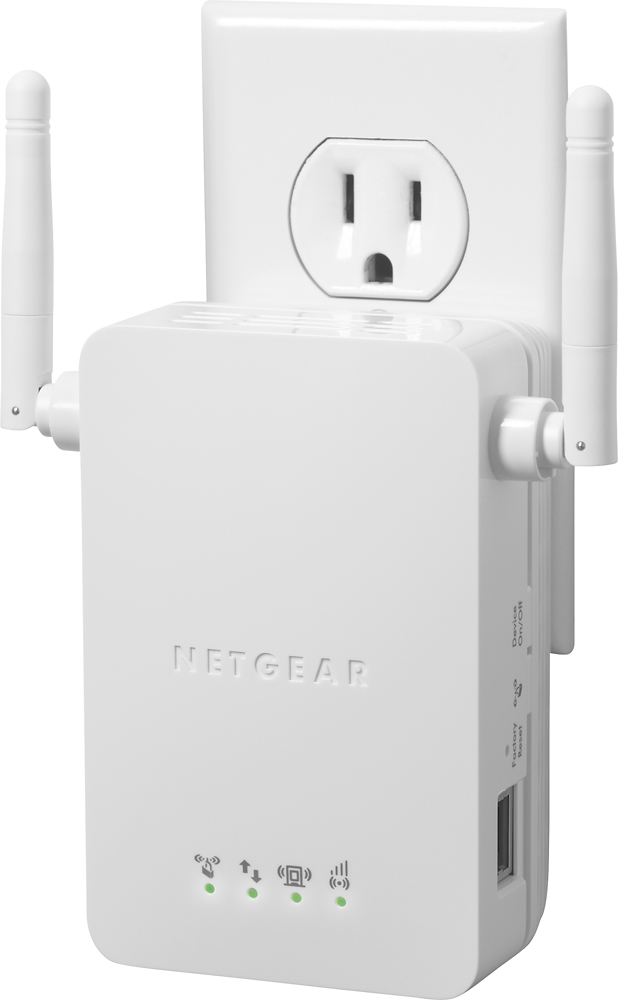
Posted .This reviewer received promo considerations or sweepstakes entry for writing a review.My kids were having problems with wireless in their bedrooms for their Xbox. Bought this and within minutes I had it setup and plugged it in between the router and the bedroom. I have not heard one complaint about signal since. This was so easy to setup and it just works. Has lights on it to let you know about signal and the connected devices. Color changes depending on strength of signal. Great visual aid so that you can just glance to find out if there is any issues.
I would recommend this to a friend - Pros mentioned:Ease of use, Signal strength
Rated 5 out of 5 stars
NETGEAR - N300 W/ PS-3
Posted .This reviewer received promo considerations or sweepstakes entry for writing a review.My ps3 Is on the 2nd floor, modem router is in the basement, before i used the net gear 300 i dropped a signal after every 2-5minutes of streaming on Net-flix (Lost Connection To Access Point), so no way was i gonna try and play on line. This was as of (08/27/14), bought the net gear 300 yesterday, easy setup & Installation. Watched Net-flix and played Online w/No Problem or Lag endlessly. Signal is Amazing. This is also before i connected an Ethernet cable into the net 300 from the PS3...Better to be wired than wireless if you ask me. I know its still less than 24hours, But it works up to my Expectations.
I would recommend this to a friend - Pros mentioned:Ease of use
Rated 5 out of 5 stars
Fastest set up ever
Posted .This reviewer received promo considerations or sweepstakes entry for writing a review.I selected this device because it looked like the simplest device with the best reviews at a decent price. I didn't want one with a software interface and lots of ethernet connections. I can't belive how easy this product was to install. I read the instruction pack 5 times to be sure I wasn't missing anything, but there is nothing to miss. You plug it in. Wait for the light to turn green. Hit the WPS button, run to your router and hit its WPS button. And it's configured and connected! Any device (phone, laptop) you just add the new booster network with the exact same network password and you are totally good to go. I had to rush to write a glowing review. Which took me longer to write than it did to get my laptop and smartphone connected to the booster! Awesome easy product. Only small annoying thing is that if you happen to be using your smartphone in one part of the house on the booster network, then move into another part that is better served by the regular wifi, then you might need to switch networks. But overall, this is a small price to actually get service in parts of my house I could never get it!
I would recommend this to a friend - Pros mentioned:Signal strength
Rated 5 out of 5 stars
It does what it says it does.
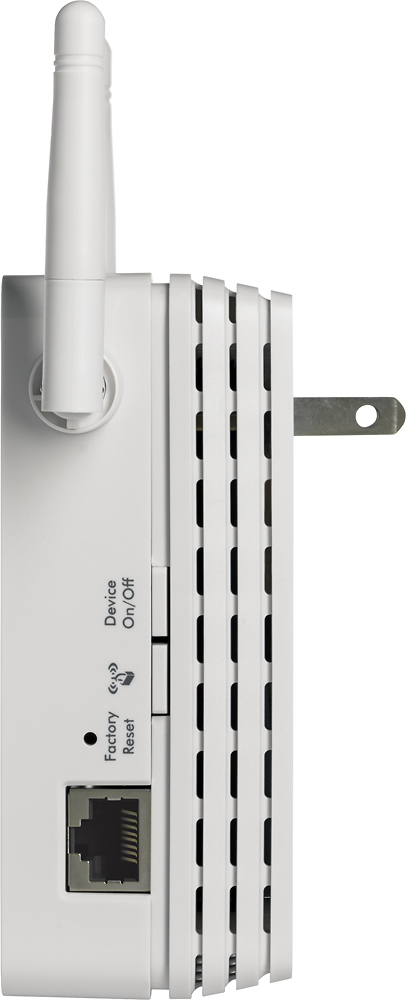
Posted .This reviewer received promo considerations or sweepstakes entry for writing a review.We have a fairly spread-out house, with our wireless set up in the only convenient location...not exactly centrally located. Wireless connection, especially in the basement, was spotty at best. We purchased this widget with the hopes of changing things. And after having used it for a couple of weeks now, I will pronounce myself completely pleased. The setup is only as difficult as you let it be--admittedly the instructions are sketchy at best, but the phone support was excellent and spot-on with their assistance, and I was up and running a lot quicker than I might've been otherwise. Don't be shy on calling them. Yes, they're overseas, but they're polite and eager to be helpful. I can't exactly vouch for the longevity of the unit, I've had it but two weeks, but so far, so good. The wireless signal is nice and strong throughout the house now, and that's with three Macs and three Kindles hitting it at any given moment. And that's not including the "bonus"...I plugged this in behind our television, and the added ethernet port on the side of the extender allowed me to finally connect our DirecTV DVR to the internet so we can take advantage of their On Demand services. Very cool! To summarize, then: it's not exactly cheap, and you may need help getting it set up (or you may not) but Netgear makes good stuff, and it seems to be a solid unit. Plug it in and forget it...you won't regret it.
I would recommend this to a friend - Pros mentioned:Ease of use
Rated 4 out of 5 stars
Might be better off buying a stronger router
Posted .This reviewer received promo considerations or sweepstakes entry for writing a review.I bought this as we were having network issues in our home office - the wifi signal was weak and would drop. This extender is really only as good as the signal it is extending. The LEDs indicated we had a good signal in the office, but really all it did was extend the already weak signal. However, we did experience fewer drops. I ended up returning this in exchange for a better router. The setup was very easy and the included instructions clearly explain the setup and the LED indicators.
No, I would not recommend this to a friend - Pros mentioned:Wi-fi range
Rated 4 out of 5 stars
does what it says & more!
Posted .This reviewer received promo considerations or sweepstakes entry for writing a review.The automatic setup is very easy - just press the WPS buttons as instructed and it will mirror your existing Wi-Fi network, and you enter your passphrase when prompted. The automatic setup will add "_EXT" to end of your SSID name. This will work for most users, but not me! After this device is configured, go back and modify device settings through your browser. It will allow you to remove "_EXT" from the SSID name and it will save. Now you can walk around your house with your apple or android devices and it will automatically switch between this extender and your router. Now it works better than before....
I would recommend this to a friend - Pros mentioned:Ease of use
Rated 5 out of 5 stars
It's a miracle!!
Posted .This reviewer received promo considerations or sweepstakes entry for writing a review.I just moved into a new townhouse and the upstairs bedroom where my "office" is set up is a COMPLETE dead spot for my wifi router, and due to cable connection availability, I can't move the router. Oh my GOD this thing is amazing. I bought it from Best Buy, got home, and within 2 minutes I had it up and running. EASY to set up if you're even remotely familiar with computers. All you have to do once it's set up is to play with the location of it to get the best balance between connection strength to the router and connection strength to your computer. On my third try I found that I can get full strength to the router AND to my computer by putting it in the kitchen right below the bedroom. This thing is INCREDIBLE!
I would recommend this to a friend - Pros mentioned:Ease of use, Signal strength
Rated 5 out of 5 stars
A breeze to set up
Posted .This reviewer received promo considerations or sweepstakes entry for writing a review.I bought one of these to to replace an older Linksys range extender that suddenly went south. The setup without the use of WPS was almost effortless.No cable required. Plug in the unit; find the network, enter security info; and it works! My router is on the 2nd floor at one end of the house, and the range extender is in the middle of the house in the basement. I am now able to get a strong signal anywhere in the house. The old linksys showed only one network, so moving from the router to the extender was seemless. This one creates a second network (networkname_EXT). Not sure I I like that too well. Time will tell. Might have something to do with the router broadcasting 802.11g, and the extender rebroadcasting it as 802.11n.
I would recommend this to a friend - Pros mentioned:Signal strength
Rated 5 out of 5 stars
Awesome Product
Posted .This reviewer received promo considerations or sweepstakes entry for writing a review.Came back from vacation two weeks ago and noticed that the wifi in our living room was non existent. Called the cable company and they changed the router and checked the speed of the incoming service. On their end everything was fine but they could not figure out why my signal was dropping in the living room. Did some research here on BestBuy and found this product and all of the great reviews. I was a little skeptical but despite as none of us could use our laptops in the living room anymore. Bought this product yesterday, came home and had it up and running in about 5 minutes. Whats great about this product is that once it is programed it tells you where the best spot is when you plug it in. If the signal is great you get a green light, if it is good you get a yellow light, if it is bad you get a red light and if you get no light you have no signal. Plugged it into an outlet in the living room and got a green light, AWESOME! Left for a couple of hours and noticed a yellow light when i got home. Moved the extender closer to the router to an outlet in the hallway which is half way between the router and the living room and have maintained a green light ever since. Right now we are running four high speed laptops in the living room while writing this review. This product has saved my family as my wife was getting upset that the kids were heading to their bedrooms all the time to use their laptops since they are closer to the router. Now we are all together again. Awesome product, way to go Netgear!!!.
I would recommend this to a friend - Pros mentioned:Ease of use, Signal strength
Rated 5 out of 5 stars
Excellent Product
Posted .This reviewer received promo considerations or sweepstakes entry for writing a review.I have used this range extender for a few days now, and it does a great job....exactly what it promises. It took only a few minutes to set up...no CD to load, just push a couple of WPS buttons. Plus it works great. I have a 3500 sq. ft house and my wireless router is up on the second floor at the far end of the house. I put the extender on the lower floor at the opposite end of the house. Signal strenth all over the house is now excellent...over double the what it was before...and that includes in the room right next to the router!!! WOW! Also, I see one review cautioned about the impact the extender had on speed. I tested that and found it almost double the download speed and had no effect on the upload speed. Not as good as a direct connection, but much better than it was. The only weakness is it only operates at 2.4GHz, so it is not a dual band device....but it does not claim to be so I don't hold that against it. (As an aside, I was told the Apple Airport Express could be set up to use as a dual band range extender. After a couple of hours trying, I gave up. I fear it only works with Apple routers. Plus it costs 50% more.)
I would recommend this to a friend - Pros mentioned:Ease of use, Signal strength
Rated 5 out of 5 stars
Works like a charm!
Posted .This reviewer received promo considerations or sweepstakes entry for writing a review.I have had many problems with getting decent wireless coverage in my house. I had read the reviews for different Wi-Fi extenders, and since I already had a Netgear router, I thought this was the way to go. I wanted something easy to install and one that did not require a CD disc to load. I followed the instructions and placed it half way between my wireless desktop and the router. My computer immediate picked up the stronger signal. I went from a slow 1-2 bars to a speedy 5 bars and now my computers are running like a well-oiled machine. My only complaint is that the instructions are a little hazy, and the 'smart wizard' screen did not automatically come up. Going to the Netgear site enabled the 'smart wizard' and everything fell into place. I have had this for about 3 weeks now and my wireless connection is still strong. If you are a computer novice, as I am, this is the way to go!
I would recommend this to a friend - Pros mentioned:Signal strengthCons mentioned:Speed
Rated 4 out of 5 stars
Reasonable Solutiotion For Wireless Internet Range
Posted .This reviewer received promo considerations or sweepstakes entry for writing a review.Easy installation, with good instructions. Signal strength improved measurably in areas previously with marginal reception. My only reservation is related to actual internet speed and computer performance when accessing the Internet through the range extender. While my signal meter indicates full strength, it doesn't seem as though my Internet speed is the same as when I connect directly to my wireless router with comparable signal strength. In the end it was still a welcome improvement to signal strength in areas previously with marginal reception.
I would recommend this to a friend - Pros mentioned:Ease of use, Wi-fi range
Rated 5 out of 5 stars
Really useful for dead spots; Ethernet a big plus
Posted .This reviewer received promo considerations or sweepstakes entry for writing a review.This little signal booster is really useful because it lets me get wifi coverage in dead spots inside my house. It was really easy to setup and the Ethernet port is really handy to essentially add wifi to non-wifi devices or devices that don’t support 5GHz wifi.
I would recommend this to a friend - Pros mentioned:Wi-fi range
Rated 5 out of 5 stars
Great product! Easy setup.
Posted .This reviewer received promo considerations or sweepstakes entry for writing a review.After trying another range extender and not being satisfied, I tried the WN3000RP range extender and was pleasantly surprised. My wifi is set up in my office which is on the other side of the house and I was not able tO get a good signal in my bedroom. After installing the range extender per instructions half way between the router and the bedroom, I was able to get full signal strength in my bedroom. Definitely recommend the product.
I would recommend this to a friend - Pros mentioned:Ease of use, Signal strength
Rated 4 out of 5 stars
Church Grounds-NETGEAR Universal Wi-Fi Range Ext
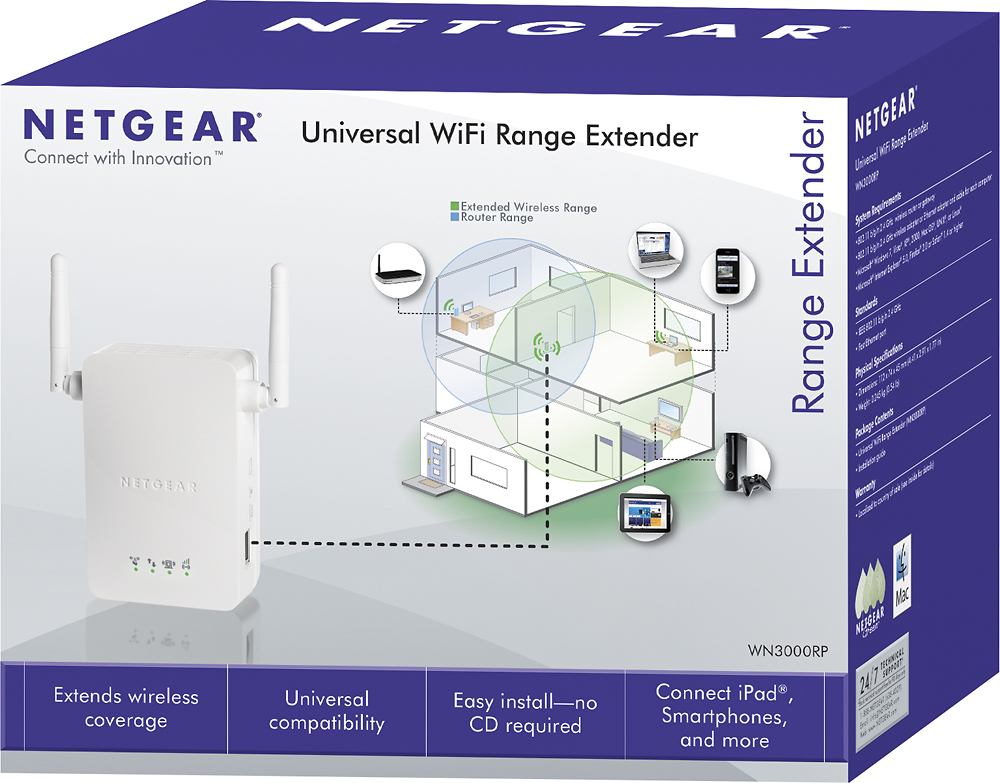
Posted .This reviewer received promo considerations or sweepstakes entry for writing a review.I plugged in 2 of these NETGEAR Universal Wi-Fi Range Extenders in two different building of my church property (3 buildings and a home in total). It easily plugs right into an open outlet. It is picking up the WIFI signal from my home (optimum online) and allowing WIFI access to 2 of my buildings- about 50 feet and 50 yards away respectively. By golly! It works!!! Easy plug and play installation. I recommend this product, it will give you anywhere from 3 to 4 bars out of 5 of internet strength. Let there be... internet!
I would recommend this to a friend - Pros mentioned:Ease of use
Rated 5 out of 5 stars
Best.Thing.EVER!
Posted .This reviewer received promo considerations or sweepstakes entry for writing a review.Amazing. We have a couple of small houses over large acreage; our router is in the 'main' house and we were looking for a way to extend the router's coverage to the outlaying structures. Plug it in, set it up, and WOW - full bar coverage from the farthest room in the farthest structure. OK, the instructions could have been a bit clearer (when you initially try to connect and it asks you for a password, it's the WPS PIN on the unit, nothing about that in the instructions at all), but once I got past that hurdle, it was a piece of cake, and we are good as gold with our connectivity!
I would recommend this to a friend - Pros mentioned:Ease of use, Signal strength
Rated 5 out of 5 stars
Does the Job!
Posted .This reviewer received promo considerations or sweepstakes entry for writing a review.My router is in a room at the back of my house, and my TV is in the living room, a good 40+ feet away. I was getting only one bar of signal strength to my TV. I installed the Netgear Wi-Fi Extender in a room next to my living room, and now get a full five bars of signal strength. It was really convenient, as it just plugs into a wall outlet; no need to place it on a table or stand. It was very easy to setup, but you need to have a computer that has a wireless setup already in it, or you will not be able to set up the Netgear Wi-Fi Extender. My desktop computer does not have wireless built in, and I could not set up the Netgear Wi-Fi Extender through it. I had to use my laptop, which has wireless capability built in, to install it. It was very easy to setup, but if it wasn't for my laptop, I would not have been able to install it, and it would have gone back to Best Buy. So, make sure you have a computer with wireless capability built in, or it won't work for you.
I would recommend this to a friend Rated 5 out of 5 stars
Ethernet & 4K Streaming Review - Excellent
Posted .This reviewer received promo considerations or sweepstakes entry for writing a review.I replaced my cheapo TP-Link extender ($19.99) with this Netgear extender for $42 and I'm VERY SATISFIED. I have a Roku 4 that can output 4K to my Sharp 70" 4K TV and have the Fios Quantum Gatway router from Verizon and my Internet speed is 50/50 Mbps. Unfortunately my router is upstairs and the Roku 4 and TV are in the basement so I could only get about 12 Mbps over WiFi from the Roku 4 in the basement (4K needs about 15 Mbps). So, I set up this Netgear extender, ran an Ethernet cable from the extender to the Roku 4 and now I'm getting about 30 Mbps in the basement and the 4K signal looks AMAZING on my TV. The difference between 4K and 1080p on a large TV (60"+) is noticeable and I have to say House of Cards streamed through Netflix in 4K looks even better than it does on Blu-ray with my PS4. I highly recommend this extender, but use with an Ethernet cable for best results when streaming.
I would recommend this to a friend- Pros mentioned:Ease of use, Signal strength
Rated 5 out of 5 stars
Powerful & Reliable Signal!
Posted .This reviewer received promo considerations or sweepstakes entry for writing a review.I thought the price ($69.99) was a bit on the high side BUT...I found that the device was very easy to set up (press a couple of buttons), puts out a powerful signal (equaling that of my NetGear 600N wireless router) and has worked flawlessly since I installed it a month ago. That makes it a terrific value for the money!!! FYI, I use this device as a WiFi port for the LAN output of a security camera system DVR. That DVR is now connected to my wireless network and I can view the output on every computer in my house as well as via the Internet from my cell phone. I cannot speak highly enough about this device!
I would recommend this to a friend