Customer Ratings & Reviews
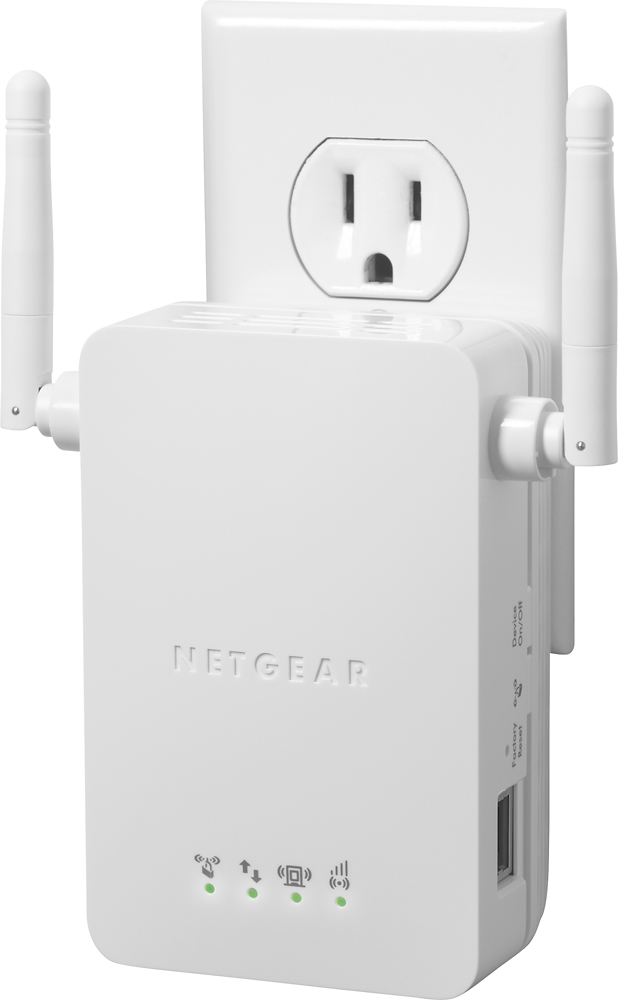
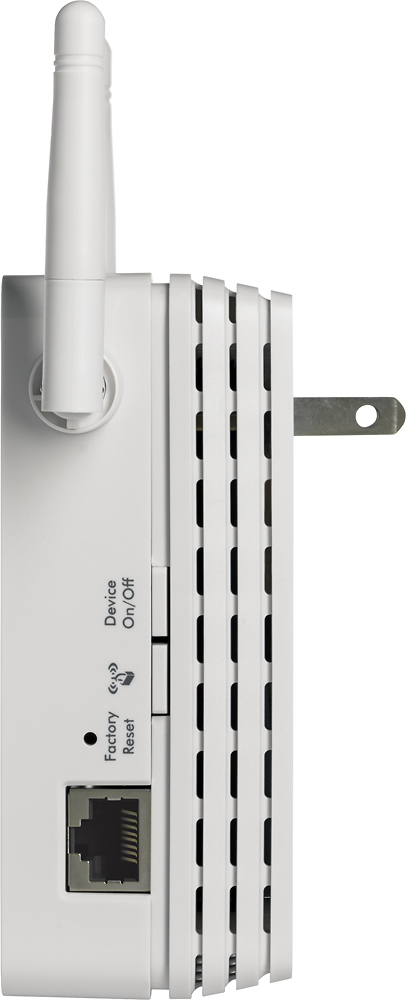
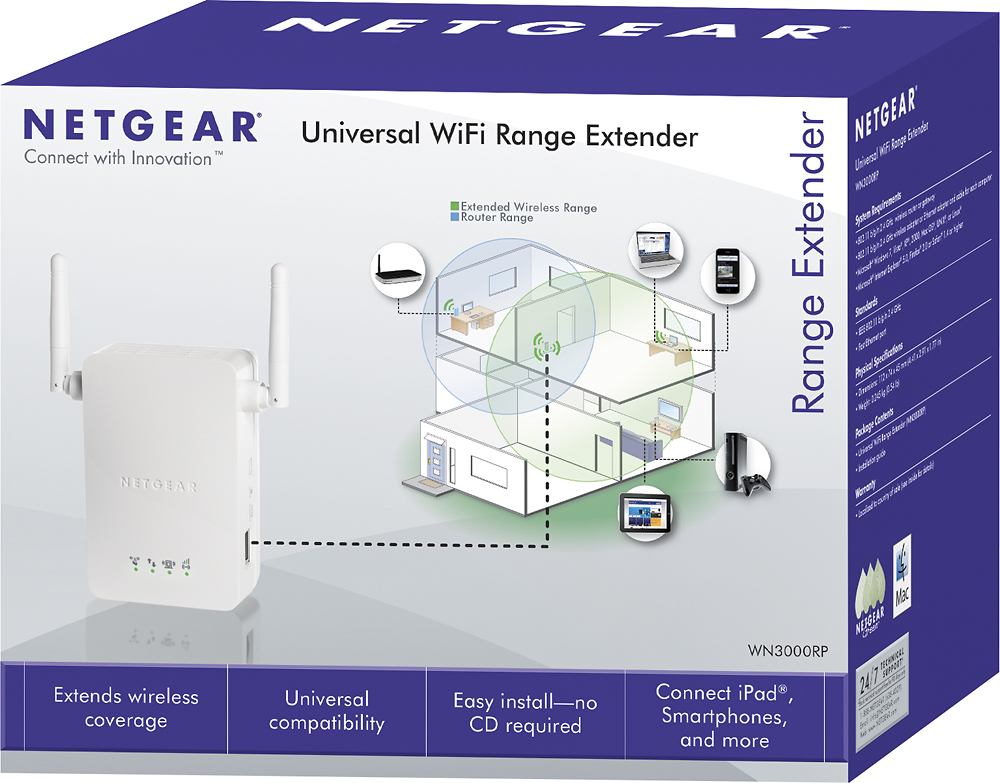

- Model:
- WN3000RP
- |
- SKU:
- 2733324
Customer reviews
Rating 4.3 out of 5 stars with 7662 reviews
(7,662 customer reviews)Rating by feature
- Value4.2
Rating 4.2 out of 5 stars
- Quality4.2
Rating 4.2 out of 5 stars
- Ease of Use4.3
Rating 4.3 out of 5 stars
Customers are saying
Customers are pleased with the Universal Wi-Fi Range Extender's ease of use, Wi-Fi range, and signal strength. Many appreciate its quick setup, compact size, and good performance for the price. However, some experienced connection instability, and compatibility issues were also reported by a few users. The Ethernet port was a welcome feature for some.
This summary was generated by AI based on customer reviews.
- Pros mentioned:Ease of use
Rated 5 out of 5 stars
Does the job as promised
Posted .This reviewer received promo considerations or sweepstakes entry for writing a review.Significantly enhances WiFi coverage and setup was a breeze. Simply push the WPS setup on your router, push the same button on your extender, and you've got a network extension with a new SSID that you can move to any location you need in your house. Full disclosure - I paired this unit with a Netgear router, so hardware compatibility may not have been an issue in my case.
I would recommend this to a friend - Pros mentioned:Ease of useCons mentioned:Compatibility
Rated 4 out of 5 stars
Good extended range.
Posted .This reviewer received promo considerations or sweepstakes entry for writing a review.This has been one of the best WiFi extender / repeaters I've used. Originally purchased another brand, but had issues with compatability with my Uverse wireless gateway (2Wire). This was relatively simple to setup. I have a 3000+ S/F home and I am able to enjoy a strong signal throughout my home including outside.
I would recommend this to a friend - Pros mentioned:Ease of use
Rated 4 out of 5 stars
Once working, it seems to do the job
Posted .This reviewer received promo considerations or sweepstakes entry for writing a review.....but getting the product working, especially on a non-netgear router, is not the easiest thing. The instructions provided with the unit are worthless. Another review pointed me to the Netgear product site for this product, (http://support.netgear.com/app/products/model/a_id/18167) where the users manual can be downloaded. While not perfect, the directions are much clearer with the Users Manual. The trickiest part is connecting to the unsecured network that the Extender sets up prior to converting and securing the account. Once you get through that, most everything follows intuitively. In my case, when I tried to connect, I got a "could not connect to network" message. After selecting the "use a passphrase" link, I was given the option to connect, although the network was unsecured. Once I got to that, it was easy.. it would have been nice to have those steps written out in the manual though. All in all, it seems like a good device, and once hooked up, it is working fine.. just a bit of a pain to set up, and some tech savvy (but not alot) is helpful.
I would recommend this to a friend - Pros mentioned:Wi-fi range
Rated 5 out of 5 stars
Great WiFi range extender
Posted .This reviewer received promo considerations or sweepstakes entry for writing a review.Once set up this unit provides a strong extended WiFi signal. We originally were having issues on one end of the home, outside on a screened porch and upstairs. After installation we have maximum signal and fast internet speeds through out the home. Installation was a little tricky the directions are a little wacky. I ended up having to reset it a couple of times and calling for tech support, it was solved quickly. The issue had to do with the insructions not fully explaining one of the steps. Its small, and works great. I would buy it again in a heart beat.
I would recommend this to a friend - Pros mentioned:Ease of use, Signal strength
Rated 5 out of 5 stars
Very Easy & Effective...with a minor flaw
Posted .This reviewer received promo considerations or sweepstakes entry for writing a review.This is an excellent choice for a fast, easy wifi extender. The unit is conveniently small yet the range is very good. The WPS button makes setup smooth without software...almost plug-n-play. It automatically adds "_EXT" to the extended SSID so you can distinguish if you are connected to the router or the extender. (you can change the extended SSID if you want). The status LED's give a good indication without connecting with a browser. The antennas are adjustable to tweak the signal (I recommend WiFi Analyzer app for your Android phone). There are 2 reasons I returned this unit- (the minor flaw) it loses it's settings if power is disconnected. Also it's only 2.4GHz and there are now dual-band available for the same price. I replaced it with the Belkin. (See my review of the Linksys & Belkin extenders too)
I would recommend this to a friend - Pros mentioned:Setup
Rated 5 out of 5 stars
Works perfectly and easy set up
Posted .This reviewer received promo considerations or sweepstakes entry for writing a review.I bought this extender for my new smart tv that couldn't pick up a connection from where my router was placed in my home. I was able to easily connect it to my existing router and then plug it into the outlet in my bedroom next to my tv. No complications during set up. My smart tv now has full connection and streams Netflix beautifully.
I would recommend this to a friend - Pros mentioned:Signal strength
Rated 4 out of 5 stars
Excellent solution - documentation lacking
Posted .This reviewer received promo considerations or sweepstakes entry for writing a review.I wanted to give this product 5 stars but due to the insufficient information in the documentation I have to deduct 1. If I could do 1/2, I would so in reality this unit gets 4.5 stars. The unit is very straight forward and does what it says it does - extends the range of your wireless network. The tricky part is going to be getting this configured for use on your network especially if your access point doesn't have WPS. I had a bit of a challenge understanding exactly how I was supposed to get the NETGEAR_EXT wireless network registered so I could get to the configuration page. I may have taken an extra/unnecessary step because I know enough about networking to be dangerous. I connected a network cable directly from the Netgear device to my network switch so I could see it to configure it via my laptop. Unfortunately the documentation didn't go into too much detail on that nor could I find much on-line. However, once I did get it configured... WOW! This not only took care of the weak signals in my house it also took care of the issue I was having where if I were in the vicinity of the microwave oven when it was on I would completely lose the signal. Yes, I know microwave ovens aren't supposed to do that but that's another issue. Losing signal in this situation is no longer an issue. Bottom line... great device and how the unit plugs into the wall works for me (i.e. no power cord... it goes right into the outlet). This is a winner.
I would recommend this to a friend - Pros mentioned:Ease of use, Wi-fi range
Rated 5 out of 5 stars
Does what it should
Posted .This reviewer received promo considerations or sweepstakes entry for writing a review.Easy to set up if you have a netgear router. Press the button on the router, press the button on the repeater and then you're done. My original router was good enough to broadcast through the house, but th repeater got me outside past the yard, through thte brickwalls of my garage into the metal shop.
I would recommend this to a friend - Pros mentioned:Wi-fi range
Rated 4 out of 5 stars
Handy Product
Posted .This reviewer received promo considerations or sweepstakes entry for writing a review.I needed to buy this product because my son moved into our back bedroom and he had a desktop, unlike most of my family's laptops which access the web wirelessly. We thought we might have to buy like 100' of Cat5 cable to string through the attic, or something. But we found this handy little extender and have been pleasantly surprised. He is up and connected to the Web, although the intial set-up wasn't entirely foolproof. He's pretty computer savvy and yet struggled with the setup enough to have to call tech support. They did get him up and running, so all's well. He's a big online gamer at times, so he has experienced some lag while playing online games with others as well as some buffering delays playing YouTube videos, etc. But all in all we are pleased that he has as good a connection as he does.
I would recommend this to a friend - Pros mentioned:Setup, Wi-fi range
Rated 5 out of 5 stars
We are very happy with purchase
Posted .This reviewer received promo considerations or sweepstakes entry for writing a review.We had a problem with signal loss on the other side of our house, so I wanted a range extender that I could just plug into outlet. This was perfect but I wasn't sure I could get it hooked up into my network after reading reviews. But I figured I would give it a go. I have several computers in my home and could NOT get the extender to show up on my available networks with my Dell web book, or my desktop so I tried my iPad. It showed right up, I clicked on it, it installed and hooked up to my router as easy as pie. Five minutes and done. My husbands laptop now has six bars and my sons desktop has five and no lag or dropped signal on YouTube. So all is well and I am very happy. I think having a wifi device is key to installing this trouble free.
I would recommend this to a friend - Pros mentioned:Price
Rated 4 out of 5 stars
does what it says with a catch
Posted .This reviewer received promo considerations or sweepstakes entry for writing a review.While it certainly adds a large area of WiFi coverage, it doesn't add it to the existing network. It adds another hotspot with a different network / accesspoint name, this is not a signal amplifier or true range booster. So if you need to travel between the areas the two accesspoints cover with an active connection, this is not a suitable device for you as your connection will have to be handed off from one network to the other. If you merely need to wirelessly extend coverage to an area of your home that is unserved or underserved, then this is a super simple solution at a decent price point. The design allowing it to just plug into a wall socket is also nice as it can go in a hallway or elsewhere with little disruption. It worked flawlessly with the free Comcast Netgear WiFi router I have.
I would recommend this to a friend - Pros mentioned:Setup, Wi-fi range
Rated 5 out of 5 stars
So far so good
Posted .This reviewer received promo considerations or sweepstakes entry for writing a review.I bought this product due to my new Samsung 46" LED TV having the worst built-in wifi system on the planet. I had to basically put the TV on the Belkin wireless router in order to get a signal. It's freaking awful. Anyway the setup for this product is really simple. I chose option 2. Placed the product about half way in between the router and the worst built-in wifi TV (2nd floor to 1st floor), and the signal went from poor to excellent. Netflix and amazon videos work great now. No annoying pauses. My kindle also works better on each floor (4) counting the basement.
I would recommend this to a friend - Pros mentioned:Setup
Rated 5 out of 5 stars
Couldn't be easier to install
Posted .This reviewer received promo considerations or sweepstakes entry for writing a review.My house is about 2,600 sq ft with two floors and I had one corner bedroom on the top floor with a weak WiFi signal. Bought this Netgear unit (price was about equal to Amazon - good job Best Buy!) and took it home for a try. Installation was very easy - just followed the three steps on the box for push 'n' connect. it acquired the signal and I was able to connect to the PC in that corner of the house with an ethernet cable. Very pleased with the item and would recommend it.
I would recommend this to a friend - Pros mentioned:Ease of use, Signal strengthCons mentioned:Compatibility
Rated 1 out of 5 stars
Doesn't Work
Posted .This reviewer received promo considerations or sweepstakes entry for writing a review.Maybe you'll get lucky and get one that works but I've tried two now and neither have worked at all. I purchased this because of all the rave reviews it was getting with only a couple bad ones. It figures I wouldn't fall into the good category. I spent two and a half hours on the phone with tech support yesterday and their final conclusion was that the one I had must be defective and to replace it. So I took it back today and got another one. Well it doesn't work either. The setup is simple, there's only five steps. Problem here is that at the end of the final step when you click continue, it tells me to move the extender closer to the router because the network no longer exists (regardless of the fact that I'm still connected to it). Well I tried that, room by room, until finally the extender is only three feet from the router and it's still telling me to move it closer. I can connect to the new _EXT network and do get a strong signal but for some reason the wizard will not complete. So I'm forced to give this one star because even though the setup process couldn't be simpler it just won't work for me for some reason. Shame too because it tripled the signal strength of the router in the part of the house I needed it in. I suggest buying this locally if you try it so you don't have to bother with shipping it back if it doesn't work. Good Luck!
No, I would not recommend this to a friend - Pros mentioned:Ease of use, Wi-fi range
Rated 5 out of 5 stars
It just works.
Posted .This reviewer received promo considerations or sweepstakes entry for writing a review.The summary says it all. The instruction manual is a total of 10 pages, and it's that big because there are pictures, and a place to put your network info. The reason for this is because there isn't much to setting this thing up. I plugged this in an outlet in my upstairs hallway, connected to NETGEAR_EXT, and fired up my web browser. The set up wizard loaded auto-magically, found my primary network, and made the bridge. Done. Now I have 5 bars all over my house!
I would recommend this to a friend - Cons mentioned:Speed
Rated 4 out of 5 stars
Good from the condo balcony to the pool-house !
Posted .This reviewer received promo considerations or sweepstakes entry for writing a review.I'm staying at a friends condo in Pompano Beach. They have a wireless router in their place, but I need internet access at the open air pool-house which is about 50 yards from their second floor balcony. My plan was to plug it into an extension cord, and hang it off the balcony railing, and then bring my work laptop down to the pool so I can check on email and instant messages whilst at lunch :-). Their router by itself delivers 70 Mbps on the balcony, with this wi-fi extender involved on the balcony, I got 5-6 Mbps at the pool 50 yards away, with near line-of-sight (a couple of trees in the way). This is good enough to surf the web, or do anything that is not heavily bandwidth intensive (like watch you-tube etc.). If this was in a house, I could easily see it servicing one or two floors away from the router - so all this considered, I think it's a pretty good device. As will all these things, they could put in a stronger amplifier to make everyone happy, but they choose not to, probably for price-point considerations, so they will lose a few customers, but I think most will find this adequate for a small house. Set up and use is fairly simple, so ignore those who seem challenged by it.
I would recommend this to a friend - Pros mentioned:Wi-fi range
Rated 4 out of 5 stars
Awesome
Posted .This reviewer received promo considerations or sweepstakes entry for writing a review.Works great and has great distance. Works as expected. Best Extender I have ever used.
I would recommend this to a friend - Pros mentioned:Ease of use, Wi-fi range
Rated 5 out of 5 stars
Great Product
Posted .This reviewer received promo considerations or sweepstakes entry for writing a review.I reviewed this product for many days So went in to best buy and Spoke to geek squad Person Learned it works well when you use it with Netgear router So bought it .Went home plugged in pushed the schink Button on router .Connected within 30 seconds Then went and connect to my laptop I was amazed at how much range I improved now So very pleased so far Great easy install !!!!! But who noes If you read some reviews Not so lucky But it does what it says it will Much better signal now In my living room and 100 ft in front of my house outside
I would recommend this to a friend - Cons mentioned:Connection
Rated 4 out of 5 stars
At first I wasn't sure
Posted .This reviewer received promo considerations or sweepstakes entry for writing a review.At first I wasn't sure about this router. Every few minutes it would lose connection with my main modem/router and I would have to go in the settings and reset. I went to their website and found an updated firmware version that said it fixed the issue I was having. Loaded the firmware and it's been great ever since.
I would recommend this to a friend - Pros mentioned:Ease of use, Signal strength
Rated 5 out of 5 stars
Does what it says and does it well!
Posted .This reviewer received promo considerations or sweepstakes entry for writing a review.I bought this product because my new Xbox 360 wouldn't pick up the wifi signal from my back room since the walls in my apartment are so thick. When I tried to connect to Xbox LIVE I'd only get one bar (or less) of signal strength. After following the simple instructions included with the unit I'm now getting a full four bars of signal strength and can finally enjoy my Netflix! It's a great product I would recommend to anyone needing to extend the range of their signal and set-up is a cinch. There is no software to install, just plug it into an available outlet, connect to your router and enjoy the new freedom!
I would recommend this to a friend