Customer Ratings & Reviews
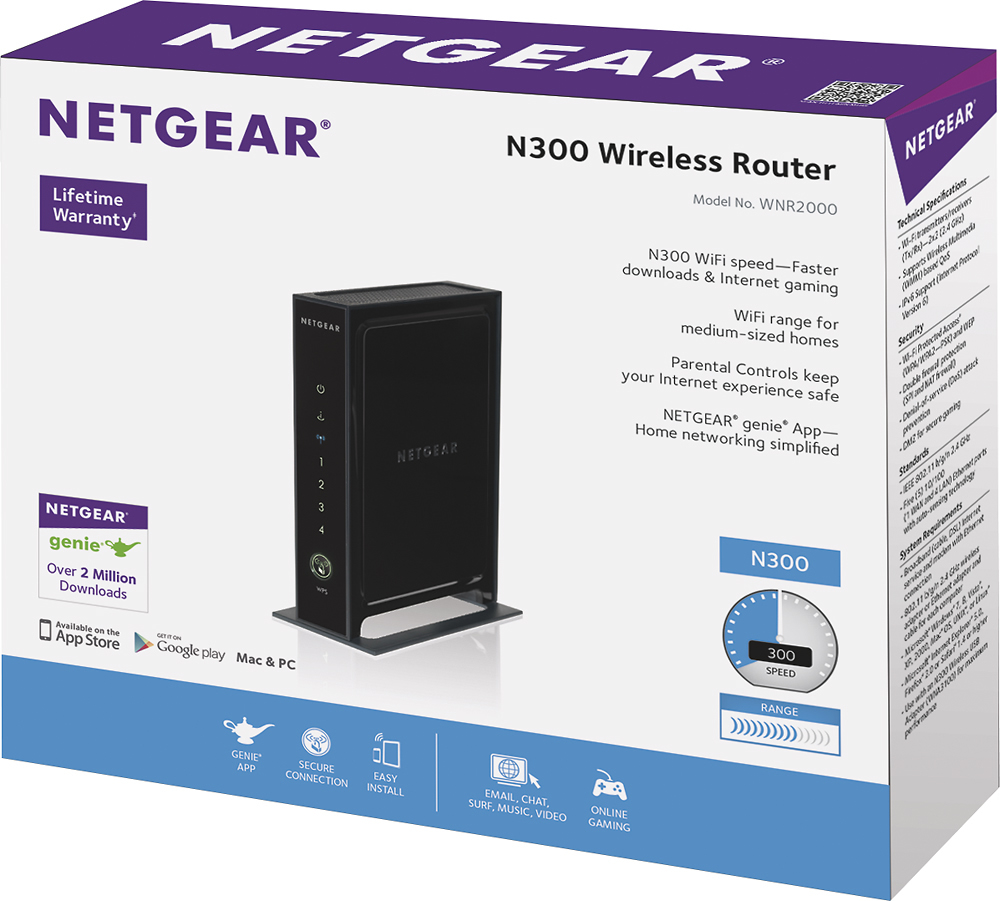
- Model:
- WNR2000-100NAS
- |
- SKU:
- 8998506
Customer reviews
Rating 4.4 out of 5 stars with 5202 reviews
(5,202 customer reviews)Rating by feature
- Value4.0
Rating 4.0 out of 5 stars
- Quality4.2
Rating 4.2 out of 5 stars
- Ease of Use4.5
Rating 4.5 out of 5 stars
Customers are saying
Customers value the Wireless-N Router's ease of use, performance, and affordable price. Many appreciate its strong signal and wide range, making setup and daily use convenient. While some experienced connection difficulties or compatibility problems, the positive feedback on ease of use and performance outweighs the negative. The router's compact size is also a frequently cited advantage.
This summary was generated by AI based on customer reviews.
Rated 1 out of 5 stars
lousy connection.
||Posted .This reviewer received promo considerations or sweepstakes entry for writing a review.purchased as a quick substitute for previous router, and immediately noticed a difference: TV constantly flickers when streaming movies and shows on Roku, apps on devices are less reliable, and overall connection is significantly slower. will be replacing soon.
No, I would not recommend this to a friend- Pros mentioned:Ease of use, Speed
Rated 5 out of 5 stars
Works great, easy set up
Posted .This reviewer received promo considerations or sweepstakes entry for writing a review.I bought this after my old Netgear G wireless router died (about 5 years old). I read a lot of reviews about this router dropping signals. That happened to me on the second day -- not coincidentally at the same times I was using my wireless phone handset. Both the phone and the router operate at 2.4 GHz, and all I had to do was set the router channel to 11 (the phone won't let me select a specific channel). Problem solved! The signal has not dropped one single time since then. If you have close neighbors using wireless devices at 2.4GHz, you may need to try several channels before you find one that's clear. It's actually easy to use, and the only reason I gave it 4 stars here instead of 5 is that when I was trying to find out how to change the default channel setting, nothing useful came up in the search results on the support web site. As it turns out, the answer is really obvious -- it's on the set-up screen, but hey I just didn't see it. More explicit guidance in the user manual or on the support site would help simple, impatient folks like me. In my house, we use this router for both a PC and a Mac simultaneously, and it's fast and reliable. We have cable internet. I am online all day, connected to my employer's network via VPN, sending and receiving large emails with attachments, etc, and the router works great! I also really like the security options and how easy the security is to manage.
I would recommend this to a friend Rated 2 out of 5 stars
Not great
||Posted .This reviewer received promo considerations or sweepstakes entry for writing a review.Couldn't get a signal from bedroom to the livingroom.
No, I would not recommend this to a friendRated 2 out of 5 stars
Not great for streaming
||Posted .This reviewer received promo considerations or sweepstakes entry for writing a review.Wasn't able to handle the purposes of streaming online.
No, I would not recommend this to a friendRated 2 out of 5 stars
just ok
||Posted .This reviewer received promo considerations or sweepstakes entry for writing a review.very hard to set up with ip address, and forget call there help desk!
No, I would not recommend this to a friendRated 2 out of 5 stars
Returned
||Posted .This reviewer received promo considerations or sweepstakes entry for writing a review.The item above Didn't fit the job I needed it to do
No, I would not recommend this to a friendRated 2 out of 5 stars
not easy
||Posted .This reviewer received promo considerations or sweepstakes entry for writing a review.did not fit my needs, needed to rent equipment from comcast
No, I would not recommend this to a friendRated 2 out of 5 stars
Not user friendly
||Posted .This reviewer received promo considerations or sweepstakes entry for writing a review.Supposed to be plug and play, didn't work, took back
No, I would not recommend this to a friendRated 1 out of 5 stars
Awful
||Posted .This reviewer received promo considerations or sweepstakes entry for writing a review.The product did not work as described. I've had nothing. It troubles with it. I've had to contact support often and I have to unplug it almost every night and plug it back in to make it work. It's a tedious process and I don't appreciate it.
No, I would not recommend this to a friendRated 1 out of 5 stars
You get what you pay for
||Posted .This reviewer received promo considerations or sweepstakes entry for writing a review.We constantly have to reset the signal throughout the day. We never had a problem with our old router, we decided to upgrade thinking we would get something faster but instead we are more annoyed. I would not recommend this router, it will be returned tomorrow.
No, I would not recommend this to a friendRated 2 out of 5 stars
Geek installer did not leave any Ducumntation data
||Posted .This reviewer received promo considerations or sweepstakes entry for writing a review.Dis not receive Ducumentation on router or its use,
No, I would not recommend this to a friend- Pros mentioned:Ease of use, Range, Speed
Rated 5 out of 5 stars
Upgrade Complete!
Posted .This reviewer received promo considerations or sweepstakes entry for writing a review.I had to replace my old LinkSys WRT54-G due to increasing dropped connections with my wireless electronics. After some research I decided to go with Netgear for the first time due to all the rave reviews. I've always had cisco products and often struggled with connecting and setting them up properly. Right out of the box to setting it up and connecting 8 wireless devices took approximately 15-20 minutes max. I was shocked at how extremely easy it was to setup and configure this router. There is a neat feature that allows you to connect all wireless devices with a single press of a button...No passwords to type in and retype, no scribbling down codes on paper, no need to call tech support, it was a breeze. Words cannot express my relief and thanks to NetGear! There have been no sudden drops even with 8 devices connected at once. I have a Desktop, 2 laptops, Wii, 2 smart phones, and 2 iTouch all connected and using the internet without interruption or drops. There is no noticeable difference in speed increase or decrease, but that is really dependent on the cable speed. I couldn't be happier with this product and in case you're wondering...It's worth every penny!!!
I would recommend this to a friend - Pros mentioned:Performance, Speed
Rated 5 out of 5 stars
Really great router
Posted .This reviewer received promo considerations or sweepstakes entry for writing a review.My old Netgear router was really feeling its age and disconnecting 4-5 times a day at least. It was also giving me "IP address conflict" error messages. I replaced it with this router and have had absolutely zero problems ever since. My computer knowledge is at a mid-range level. This router was so easy to setup it made my head spin. I seriously just plugged it in, set my username, wireless network name and password on the on-screen setup program, and it connected. Not trying to brag, because I really didn't do much, But I was literally back online in less than 2 minutes. After that I just synched my devices to the new network and that was it. Easy breezy mac-n-cheezy. In the event I do have any problems it even loaded a connection genie which looks like it is silly easy to use as well. I'm running two smart phones, an Android pad, the Wii (Netflix), and a wireless printer without a hitch. I can stream Netflix to either phone, the pad, or the TV very quickly and without any hiccups. Have never been disconnected since I bought it two months ago. Absolutely a great investment. I'm very happy.
I would recommend this to a friend - Pros mentioned:Ease of use, Performance, Range
Rated 5 out of 5 stars
Simple & Affordable
Posted .This reviewer received promo considerations or sweepstakes entry for writing a review.So I needed to replace a 5-year old Netgear router (54), and the price point on this model seemed to make it a natural replacement. I don't use it for gaming or streaming movies from anywhere -- I just wanted a fast, reliable, brainless router that I could set up once and never think about again. This is it. Set-up: Out of the box, plugged in, (be sure to restart your cable modem before turning on the router), install CD = 4 minutes. And 2 of those minutes were the thing syncing itself up with the modem. Easy and brainless. Performance: So far, so good. Noticeably faster than my last router and it's yet to lose the initial connection. The range seems fantastic and the styling is rather sleek. For my needs -- fast, dependable, internet-only router -- this can't be beat.
I would recommend this to a friend - Pros mentioned:Ease of use, Speed
Rated 5 out of 5 stars
Awesome product
Posted .This reviewer received promo considerations or sweepstakes entry for writing a review.I do not usually submit reviews, but seeing how there are some very unfortunate experiences with this product, I thought that it would be a good idea to post my experience. I went into bestbuy and found this product on sale. I was replacing an old belkin router that would drop wireless signal every so often. Netgear has outdone themselves. This product was a breeze to set-up(about 5 minutes), I created both a primary wireless signal, and a guest account for some of my neighbors to access. I have never seen wireless signals so strong and so blazing fast. I have a brand new 2011 laptop hooked up, ps3, xbox 360, three iphones, two older laptops, and a wireless printer. All working together perfectly and with no loss in speed. I'm a Netgear convert now!!!
I would recommend this to a friend Rated 1 out of 5 stars
couldnt get it to work
||Posted .This reviewer received promo considerations or sweepstakes entry for writing a review.Talked to at least five different people could not understand anyones english. They all spoke terrible english could not understand them and some didnt understand me. And i speak great english born and raised here.
No, I would not recommend this to a friend- Pros mentioned:Price
Rated 5 out of 5 stars
Set up is easy. Check this:
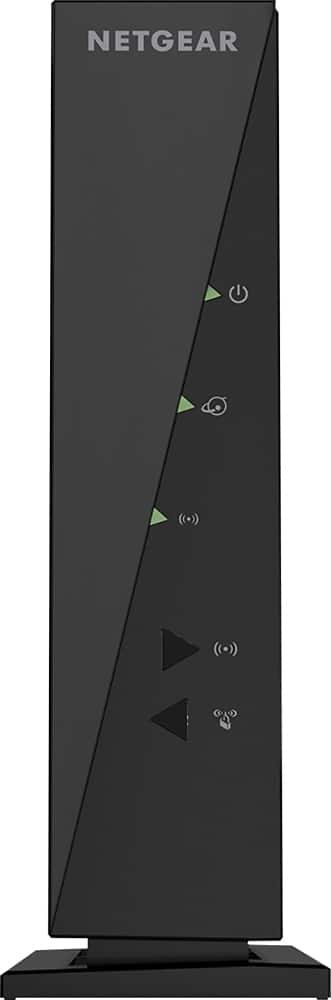
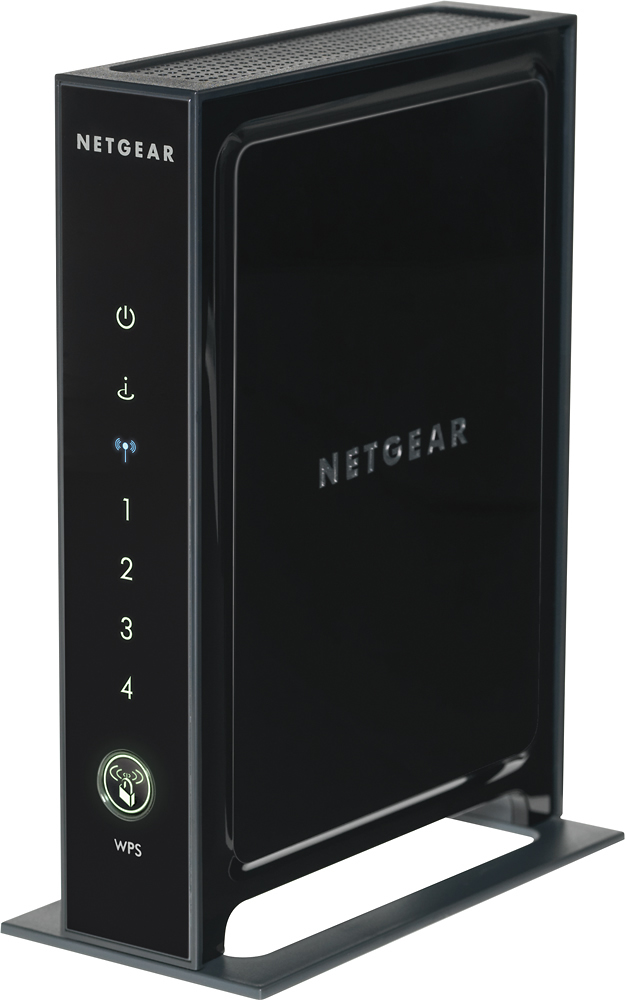
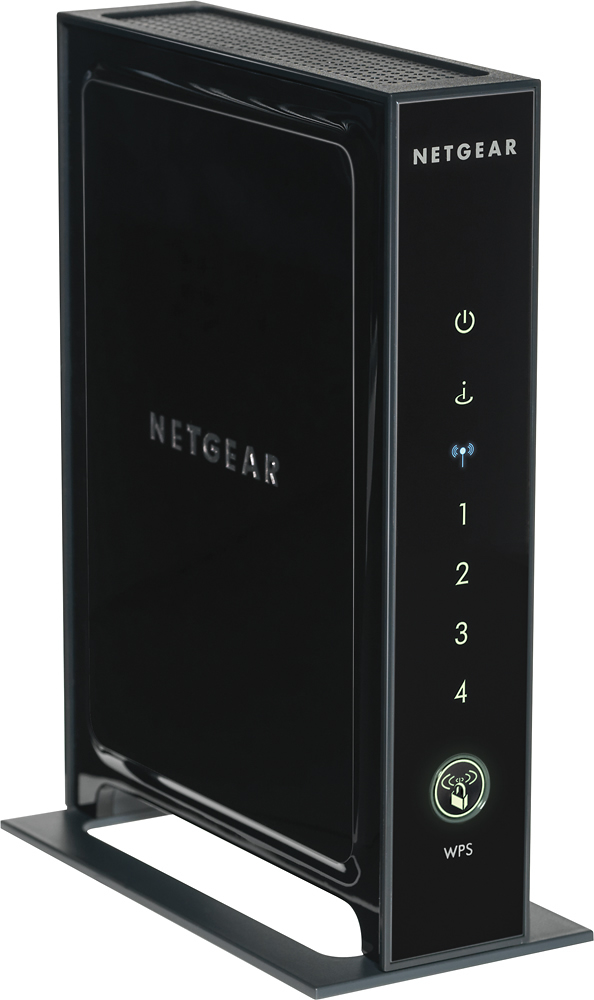
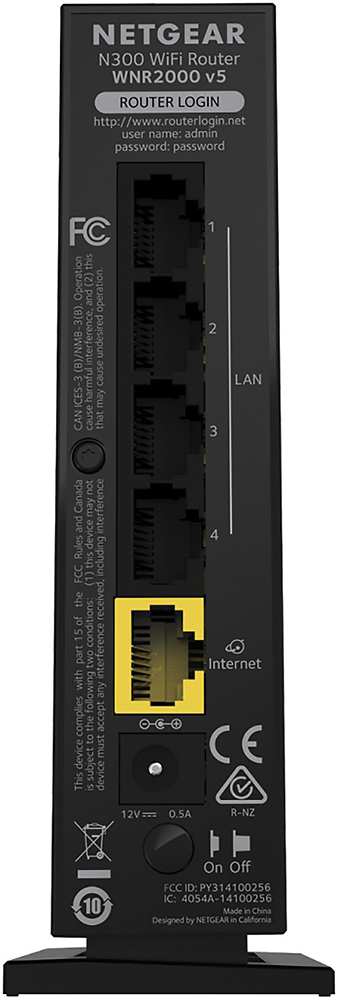
Posted .This reviewer received promo considerations or sweepstakes entry for writing a review.This is the easiest wireless router to set up. I have been using my 10 years old Netgear 11bp b router and have tried several different routers for upgrade. They include Netgear N600, Cisco products and their set up were messy. Now I found this gem and seems working perfectly. Here is the set up which took me less than 10 mins (in which 5 mins were the wait time only). My system: Window 7 Internet provider: Time Warner cable 10 mph 1. Unplug cable modem, turn off computer. 2. Connect the yellow ethernet cable provided in the box from the yellow port of N300 router to the cable modem. 3. Power on the cable modem (internet modem from internet provider), wait till the green light turns solid. about 2 mins. 4. Power on the router N300, wait about 3 mins until power light (1st light) & internet light (2nd light) turn solid green. The WiFi light (the 3rd light) turns solid blue. 5. Turn on computer. No need to connect PC to the router by ethernet cable. Just do it wirelessly, click on the "Internet Access" and find the SSID provided with the router. Enter the provided password. 6. Browser will pop up and take you to http://netgear.login.net. Follow and agree the screen. it will automatically configure its set up. take 1 mins. 7. "Welcome" screen comes up indicates successfully set up. 8. Click the right button on screen to take you to internet. 9. Done !!! Throughout the whole process, there is absolutely NO CD needed to installed. This is the most straight forward set up I have encountered with, no confusion with the static IP address or anything. The best is it's also Cheap. Great value !!
I would recommend this to a friend Rated 5 out of 5 stars
Great budget router
Posted .This reviewer received promo considerations or sweepstakes entry for writing a review.I bought this router to replace an old Netgear WNR1000 router that I had been using for several years. It started to keep on dropping our wifi signal, whereby I would have to keep on resetting the router to get the wifi signal back. Right off the bat, the wired speed more than doubled from average max 40 Mbps to 80 Mbps. Max wifi speeds remain about the same at 30. So far so good, I have not had any wifi signal drop. The router itself has a nice sleek form factor and small footprint. You can connect up to 4 devices to it by ethernet cable asides from the wifi. It was so easy and quick to install. It was just a matter of switching out the wires from the old router, logging on to router.net, and setting up the ID and password for the wireless network. Our second wired computer was online just after powering on. The price was right at $40. I am pleased with my purchase and will most definitely stick with Netgear in the future.
I would recommend this to a friendRated 1 out of 5 stars
Not good
||Posted .This reviewer received promo considerations or sweepstakes entry for writing a review.I got this to use in apartment. It didnt work. I called the support and they tried to tell me I needed to pay more money. I Didnt and went to get another brand and it works great.
No, I would not recommend this to a friendRated 1 out of 5 stars
Not any better than the old one I had
||Posted .This reviewer received promo considerations or sweepstakes entry for writing a review.It's nothing special. My internet connection is still the same as before with my older than dirt router. Not impressed. Waste of money.
No, I would not recommend this to a friend