Customer Ratings & Reviews

- Model:
- NBDVR622GW
- SKU:
- 6412920
Rating by feature
- Value
Rating 3.7 out of 5 stars
- Quality
Rating 4.0 out of 5 stars
- Ease of Use
Rating 4.0 out of 5 stars
Customers are saying
Customers are enthusiastic about the 622GW 4K Dash Cam's video quality, ease of use, and GPS capabilities. Many appreciate the straightforward installation process, high resolution, and effective parking mode. Some customers have expressed concerns regarding battery life, the app, and initial firmware updates.
This summary was generated by AI based on customer reviews.
- Pros mentioned:Video qualityCons mentioned:App

4K dash that delivers
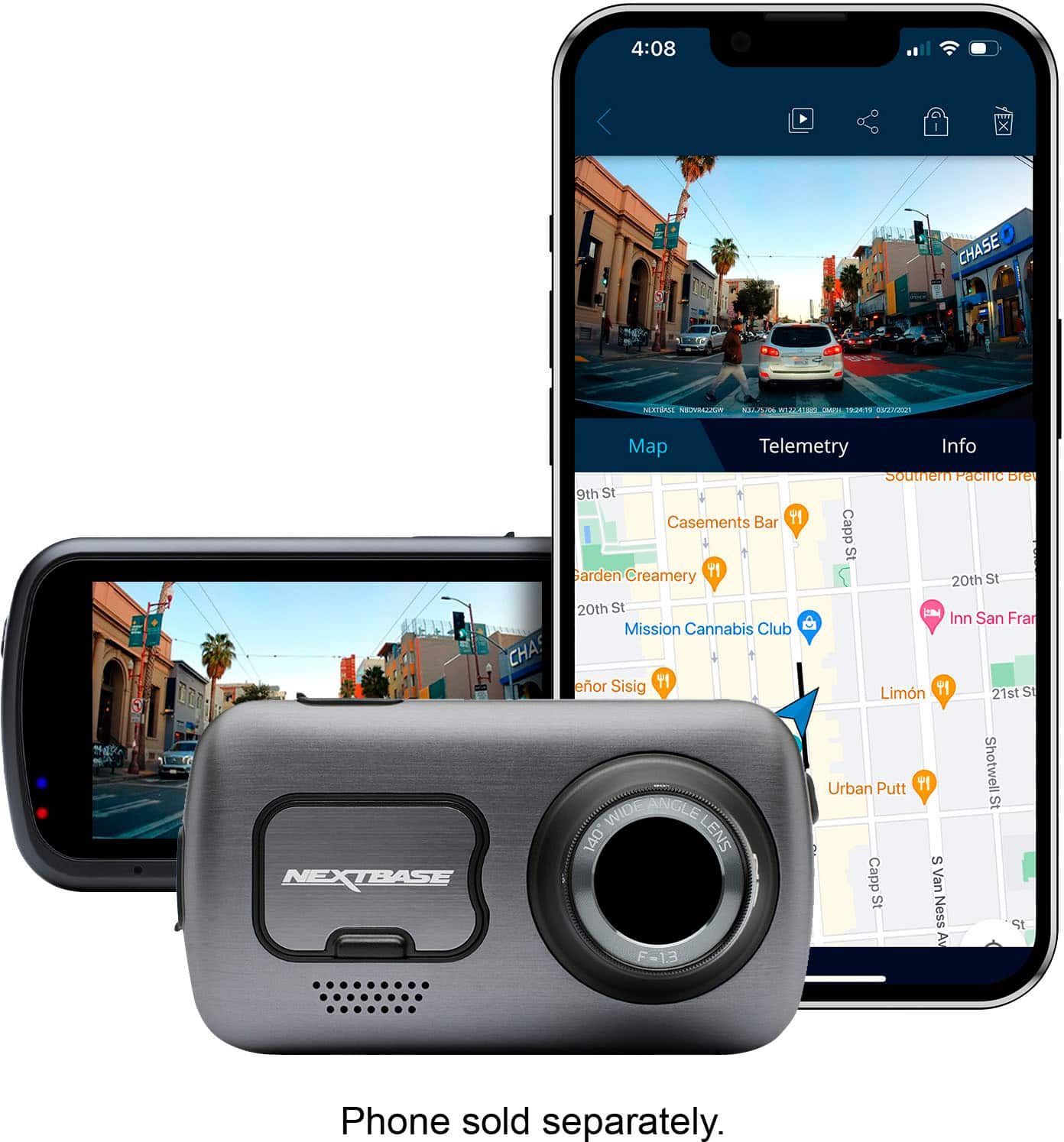
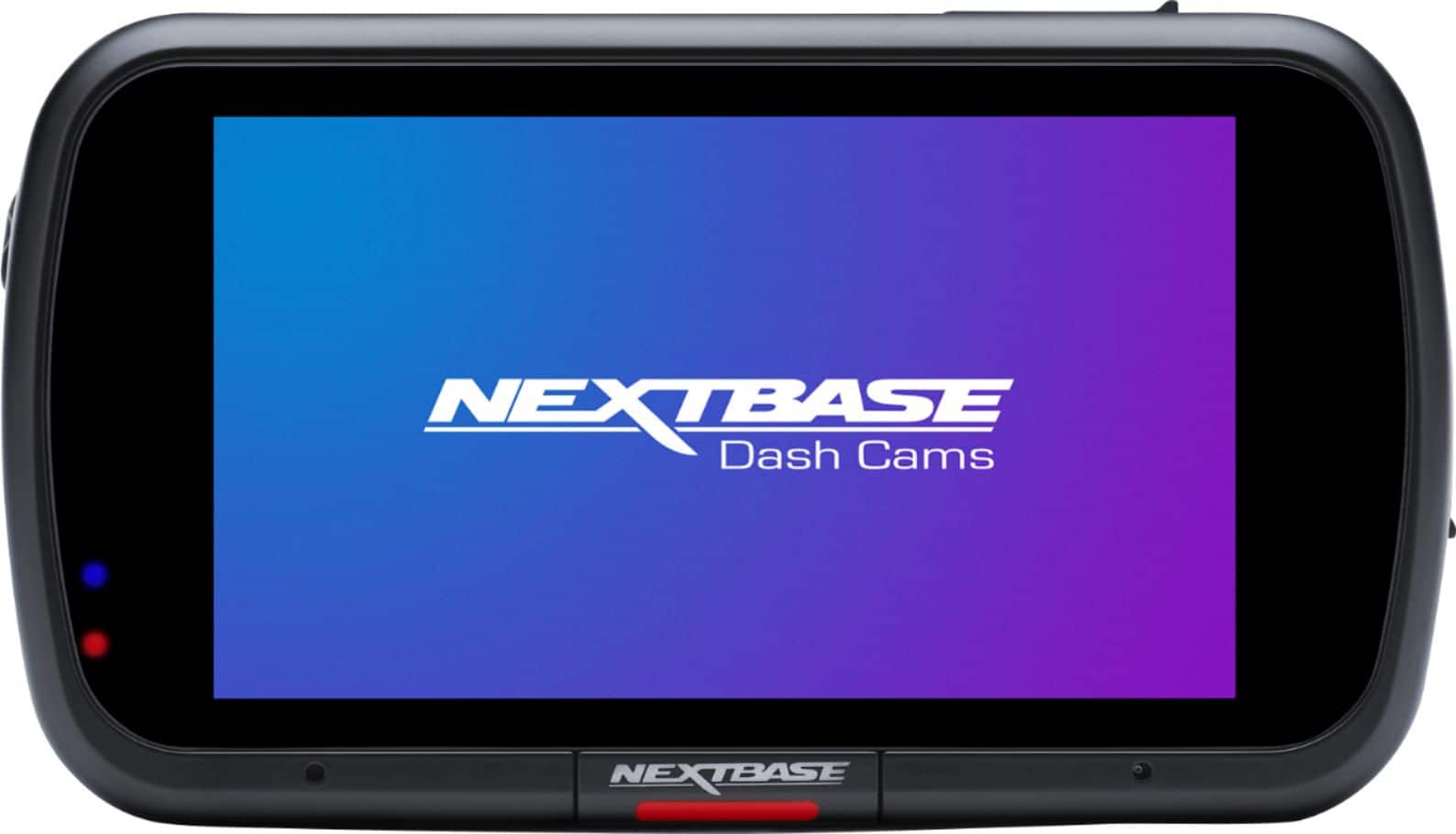
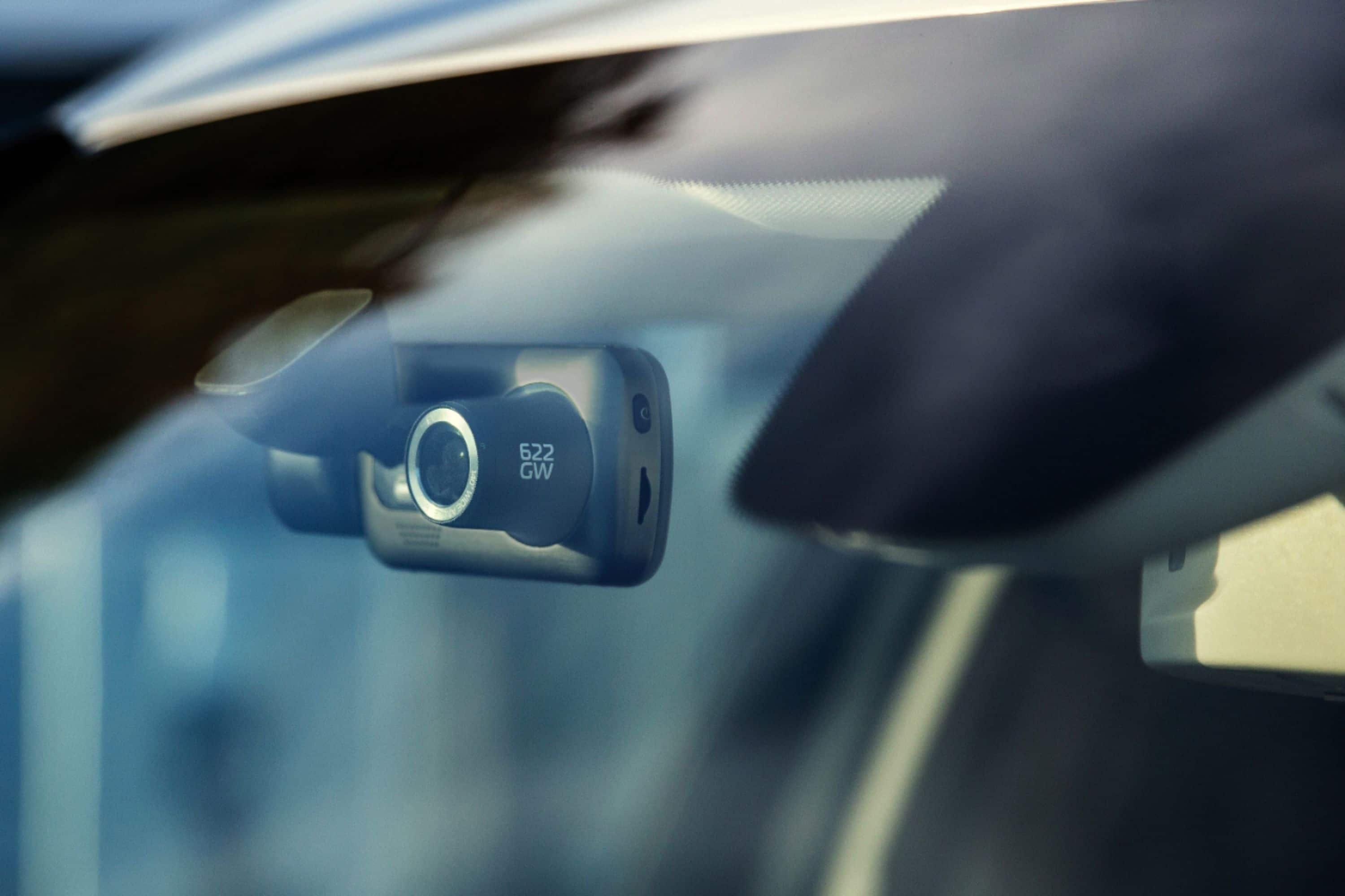
|Posted .This reviewer received promo considerations or sweepstakes entry for writing a review.THE BREAKDOWN: The Nextbase 622GW 4K Dash cam is top end dash cam packed with features. The color is an upgrade from the normal black to a silverish grey. On the back you see a large 3-inch touchscreen. There is still some space from the outside of the screen to the edge of the device. I think they should take advantage of that real estate and make the screen reach out to the edges. This camera is packed with features and at the top of that list is the 4K video resolution, image stabilization to reduce picture vibration from the bumps of the road or shaky vehicles. There is also a feature called what3words tracking to easily pinpoint your location to within 3 meters. Another handy feature is the adjustable polarizing filter that minimizes reflections for that extra clarity. Some of the other features include Alexa voice control, super slow motion, enhanced night vision and they even have an extreme weather mode to help get images in thick fog or heavy rain. In parking mode, it automatically senses bumps to initiate recording. This camera also comes with 3 months of free Emergency SOS service that will contact emergency services if the need arises. Before you use this camera, you will need to set your language and region settings. There is solid mount that attaches to your windshield and included a port for the mini-USB cable. What is nice about this is you do not have to unplug the camera to remove it, you simply just remove the camera. Once you get the mount affixed on the windshield all you need to do is mount the camera using the magnetic arm. The Nextbase software is a little clunky. The interface is okay but it does take time for the video thumbnails to load and even longer for the videos to buffer. Each video is has a map, speed, GPS coordinates and direction of travel. The video recording is excellent. You get that crisp 4k video with the image stabilization to help smooth out those bumps on the road. I also feel the night video with the enhanced night mode is excellent as well. PRO’s: -4K camera -Enhanced night mode -3-Inch touchscreen CON’s: -Slow and clunky app -Price tag SUMMARY: Overall, this product worked as intended, and I would recommend this to a friend if they were in the market for device like this.
I would recommend this to a friend This item frequently freezes
||Posted . Owned for 1 year when reviewed.This reviewer received promo considerations or sweepstakes entry for writing a review.This item is hard to use, and freezes constantly. Also way too many steps to follow and keep it working. Not easy to use friendly.
No, I would not recommend this to a friendBrand response from Nextbase
Posted .Hello,
Thank you for taking the time to leave us a review.
We're sorry to hear you're having this issue with our cameras. If you could reach out to us at nasupport@nextbase.com, we'll work to rectify this for you as soon as possible.
We’re committed to ensuring your satisfaction and would appreciate the opportunity to make things right.
-The Nextbase Reviews Team
Dashcam overheats and freezes
||Posted . Owned for 3 weeks when reviewed.This reviewer received promo considerations or sweepstakes entry for writing a review.Dashcam overheats and constant freezes. Returned for refund
No, I would not recommend this to a friendBrand response from Nextbase
Posted .Hello,
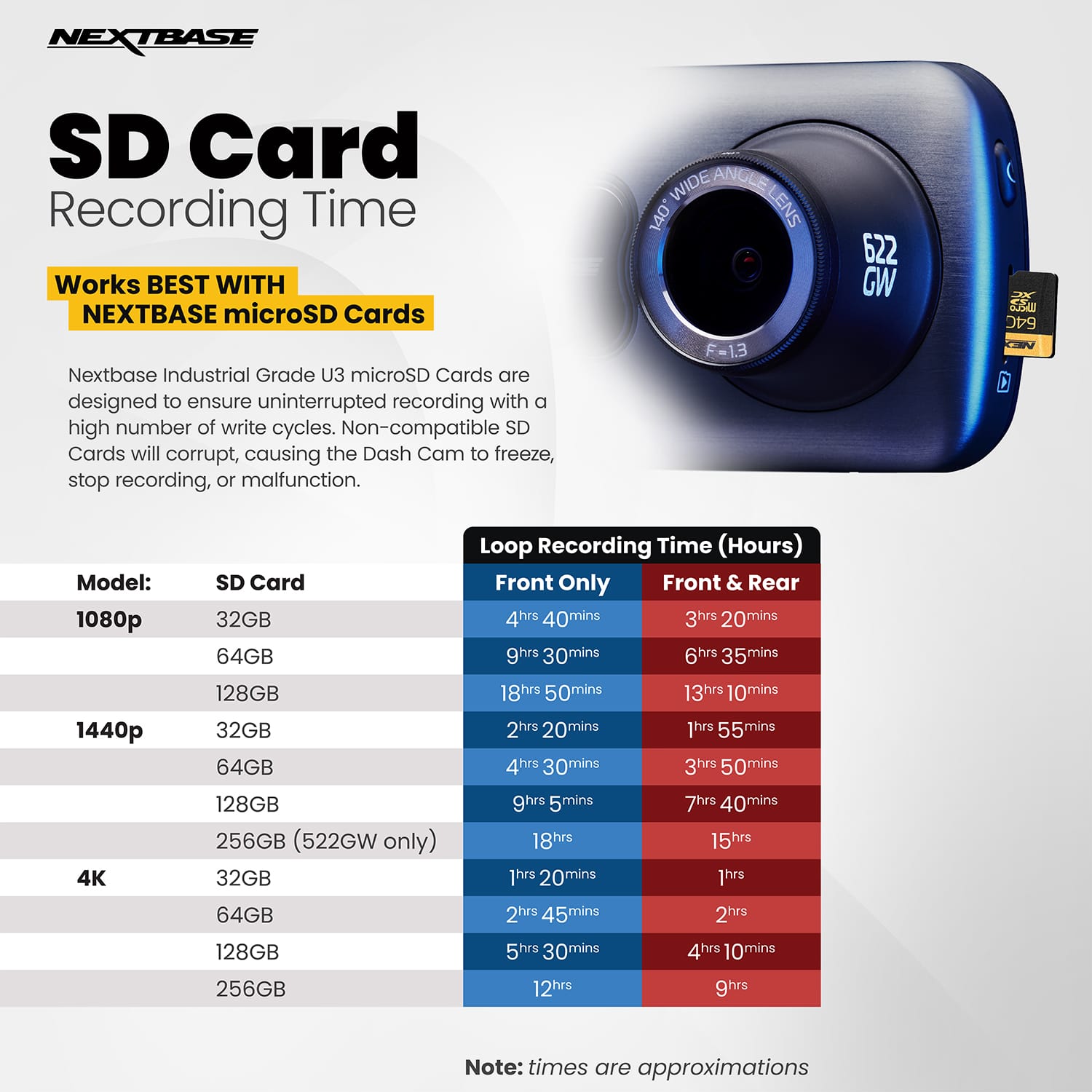
I am very sorry to hear that you had problems with your 622GW. Freezing is symptomatic of an SD card problem. I'd recommend a Dash Cam compatible 8GB -128GB U3 Micro SD card, specifically designed for Dash Cam or CCTV usage. Using a dash cam compatible SD card instead should then allow your Dash Cam to function as designed. The card needs to have a minimum continuous write speed of 48MB/s.
For guaranteed functionality and warranty of the SD card itself, we always suggest using a Nextbase Micro SD card within a Nextbase Dashcam.
If you need any further help, please contact support@nextbase.com.
Disappointed
||Posted . Owned for 3 weeks when reviewed.This reviewer received promo considerations or sweepstakes entry for writing a review.Fell off my front window after 2 day later. Not a good mounting product at all.
No, I would not recommend this to a friendBrand response from Nextbase
Posted .I am so sorry to hear this! Please reach out to our support team at nasupport@nextbase.com and we will get you set up with another set of adhesive pads or a suction cup if you would prefer a different mounting method.
- Cons mentioned:Reliability
Do not buy!
||Posted . Owned for 11 months when reviewed.This reviewer received promo considerations or sweepstakes entry for writing a review.I had a problem with this camera overheating and then freezing up.
No, I would not recommend this to a friendBrand response from Nextbase
Posted .Hello,
Thank you for your review, I'm very sorry to hear that you experienced a problem.
All of our cameras are tested between -20'C (-4F) to +45'C (113'F), although if the car temperature exceeds this you could potentially experience issues. We'd recommend removing the Dash Cam and placing in the glove compartment when the Dash Cam is not in use to prevent it being unnecessarily heated on the windscreen. When storing the Dash Cam for an extended time period, store within the following temperature range: from 0° to 25°C (from 32° to 77°F). Under the mount is a heat sync, so this is the part of the camera that will get warmest. It's nothing to worry about, they're designed to cope with the heat they produce.
If you need any further help, please contact our Support Team at support@nextbase.com.
Very bad performance--freezes always
||Posted . Owned for 1 month when reviewed.This reviewer received promo considerations or sweepstakes entry for writing a review.I purchased with high hopes. Purchased a professional sandisk pro 128GB card. The camera crashes every now and then. Screen freezes after 2 sec of recording. Only way to solve it , is to format card. 399$ is a bad price for this junk.
No, I would not recommend this to a friendBrand response from Nextbase
Posted .Hi there,
We only recommend the use of a Nextbase SD card for use with Nextbase dashcams as they will perform better under the stresses of loop recording cycles that are features of dashcams and CCTV systems. Most Sandisk cards are not designed for this use and as a result will fail to perform, we always suggest referring to the card manufacturer as Sandisk warranty does not cover the use of their cards for looped recording devices in most cases.
If you have any further questions, feel free to see our Nextbase website or contact our Nextbase Support Team at support@nextbase.com.
Terrible Piece of Crap
||Posted .This reviewer received promo considerations or sweepstakes entry for writing a review.Don’t buy it. I have had to reset the unit just about everyday. Even with a bigger capacity micro SD card. I am not happy at all with it and i drive truck for a living. With having to reset the unit all the time it has become a pain in the a..
No, I would not recommend this to a friendBrand response from Nextbase
Posted .Hi Steve,
Freezing is symptomatic of a failed or non-compatible SD card. SD cards only have limited lifespans. In our manuals we recommend formatting every 2-3 weeks to prolong the life of the card. Without this regular formatting, or if the card is non-compatible or damaged, the card could corrupt which would cause a failure of data writing.
Symptoms of SD card failure are: an audible 'alarm' tone, non-functional buttons, freezing, corrupted files on playback, image missing from files, lack of file recording etc.
For a 622GW I'd recommend a Dash Cam compatible 8GB -128GB U3 Micro SD card, specifically designed for Dash Cam or CCTV usage. Using a dash cam compatible SD card instead should then allow your Dash Cam to function as designed. The card needs to have a minimum continuous write speed of 48MB/s. For guaranteed functionality and warranty of the SD card itself, we always suggest using a Nextbase Micro SD card in a Nextbase dashcam.
If you need any further help, please contact our Support Team at support@nextbase.com.
Safety and Protection evidence when you need it!
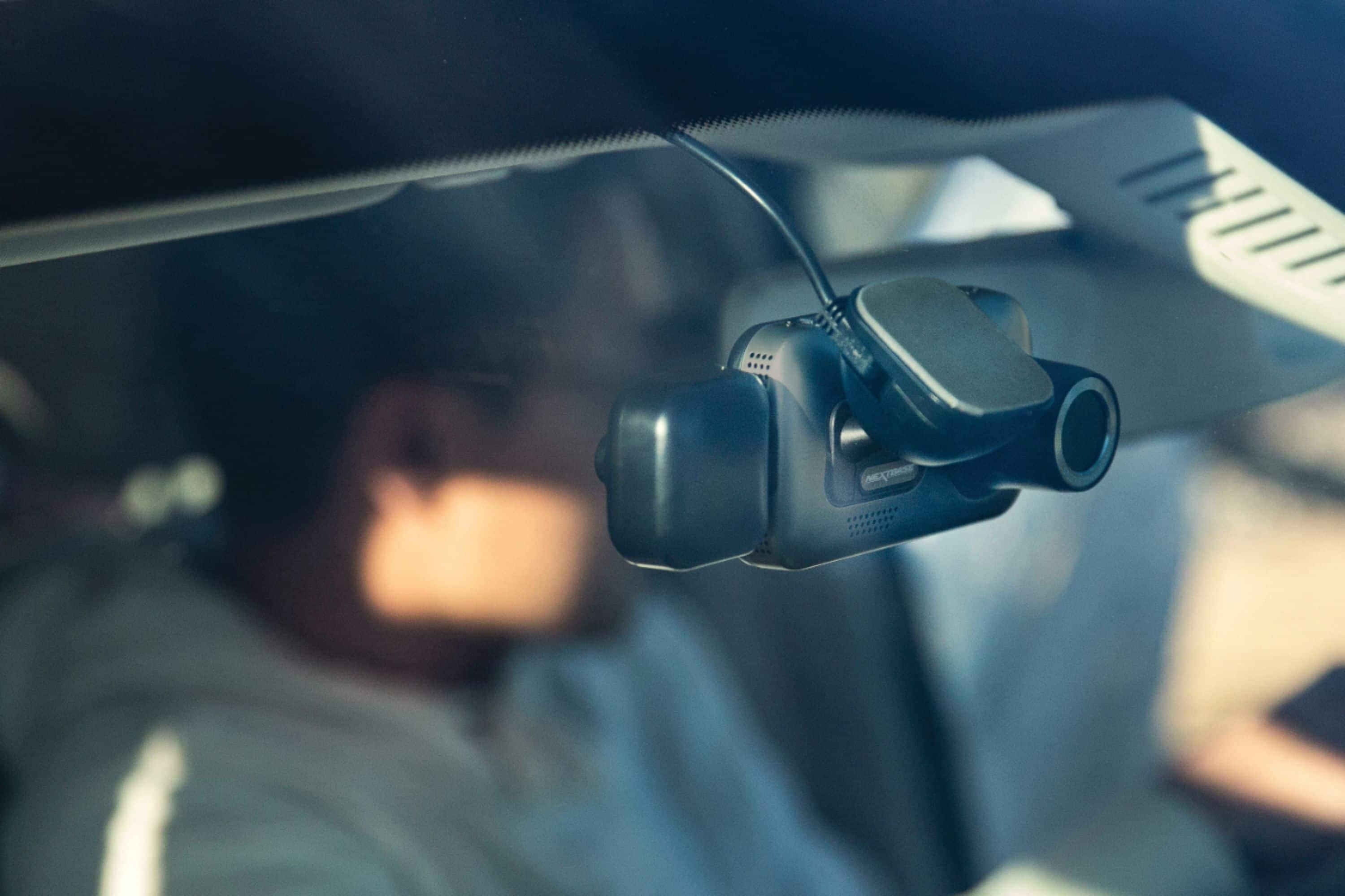
|Posted .This reviewer received promo considerations or sweepstakes entry for writing a review.The Nextbase - 622GW 4K Dash Cam - Silver offers a 4k, high definition, front-facing camera to capture footage of your commute without the need for complicated wiring or professional installation. The high quality 3M securing mount clings to your window surface and the magnetic connection ensure it remains where you put it but allows you to remove it for storage or to bring to another vehicle with ease. Expandable to include a rear-facing camera or back window cam, this small, yet powerful device helps ensure your safety and protection by capturing the evidence for you for insurance or law enforcement needs. I found this dashcam to be a significant upgrade to my previous cam. Offering an easy to use touch screen, 4k recording, and an expandable microSD port, it provides a plug and play style setup where you can install and forget it unless you need it for video footage. I did struggle a bit with the firmware update that was required out of the box. It took several attempts to get it to take, thus the reason for the 4* review. Other than this hiccup, it was worked to exceed my expectations even capturing great quality during our 2 back-to-back blizzards which prevented me from being able to fully review this product before now. PROS - High quality build and video. - 4k resolution for front-facing camera - Easy-to-use touch screen - Easy vehicle installation - Plug-and-play setup after firmware update CONS - Firmware update issues initially out of the box. Works perfectly once the firmware was finally installed.
I would recommend this to a friend- Pros mentioned:Parking mode, Video quality
Mount design causes vibration, footage suffers
|Posted .This reviewer received promo considerations or sweepstakes entry for writing a review.I have used some brand of Dash Cam for the last 6 years or so and I believe everyone should have them to protect themselves against possible fraudulent activities or as witness to damage from debris on the road. Dash Cams have expanded features lists which now include Alexa and other features to make them more beneficial. Even with these extra features (and resolution) if a dash cam cannot do its core job well, then it isn’t very useful. The Nextbase 622GW has work to do in terms of its mounting design and actually providing advertised recording specs. Setup: Smooth Sailing Setting up the 622GW is as simple as it gets. The app and Wi-Fi based connection work very well. The app and menu structure within the dash cam are pretty easy to navigate and all the settings are straightforward. They state to charge the camera for 2 hours prior to first use so it can retain all time/date/settings. Usage: Too much VIBRATION while driving! (Footage nearly unusable at times) The camera comes with both a such cup mount and double sided tape mount. I opted first to use the suction cup as I already have a camera mounted in the car and wanted to compare them side by side. Everything seems very solid and sturdy until you check the footage back from the camera and that’s where everything changes about this camera. At first I had the Electronic Image Stabilization (EIS) turned off because generally solid mounted dash cameras do not need this to provide a clear video. This was actually my first dash cam with this feature. Well to say the least the camera vibrates and bounces around way too much to provide reliable video footage with EIS turned off. With EIS on, it crops the video from 4k down to a lesser resolution to provide the stabilization and its works but not well. You get a little bit of waviness to the video and it still is not very clear video compared to all of my prior cameras which again did NOT have EIS. The tape mount did not help with this very much either so I have a feeling the vibration is either coming the swivel ball mount or the part that magnetizes into the camera. The mount looks great before usage but after using a competing product with a magnetic design, this is not that great. I will likely be posting a video on YouTube comparing this camera to others which will show the vibration. Nextbase almost proves my point of vibration in their cameras because they show side by side video of the camera with and without EIS turned on. If the camera was firmly mounted to the vehicle (Think of GoPro’s suction cup on window or as near rigid mount as possible) the camera shouldn’t vibrate at all! It should move WITH the vehicle not on its own. Hit a bump in the road, the suspension moves as does the car but NOT the camera. Get my point? If you look at image quality standing still or on extremely smooth roads, it’s simply the best I have seen. The 4k resolution allows you to crop and zoom the video from quite a distance to pick out details that would be blurry on lesser quality cameras (especially 1080p or less). The file size is HUGE for this camera so make sure the micro SD card is 64gb+ and a U3 rated card for sufficient speeds. Parking Mode: Uses built in battery One feature I REALLY liked was the fact this camera uses a built in battery for parking mode. This means it doesn’t have the be hardwired for it to turn on and record for short periods. The battery only lasts so long but it records 30 second clips until it was to run out. Very useful compared to other cameras. Nextbase App: Works well You can tell Nextbase has had some time with their app development and connection to the camera because it works well. Connection is snappy which allows you to pull up videos and settings. No complaints with their app. Final Thoughts: Nearly one of the best cameras on the market… If the mount worked. The Nextbase 622GW is feature packed with the highest resolution available currently on the market. The 4k video is crisp and clear when the camera is stable but that just isn’t the case on most roads. The mount/camera moves around even with EIS enabled which causes mediocre footage at best. For the price point, I would expect a flawless execution of this product but instead an integral part of this camera (mount) does not work well. It seems Nextbase proves this point in their own marketing videos. Maybe my mount is defective and if I get a replacement I will comment below this post to provide and update but as of right now I am not sure I could recommend this camera because the mount design is poor. Pros: - Crisp 4K Footage (Mount problem aside) - Feature Packed with Great App Integration - Parking Mode works with built in Battery (For short periods of time between charges) - Polarizing filter built onto camera lens - Quick startup time to record Cons: - Mount allows way too much vibration in camera (Footage suffers greatly) - Advertised 1440p @ 60FPS and 1080p @ 120fps are nowhere to be found on my camera - Had to update firmware via SD card because app didn’t show one available
No, I would not recommend this to a friend overpriced junk
||Posted . Owned for 3 months when reviewed.This reviewer received promo considerations or sweepstakes entry for writing a review.not worth the investment unless deeply discounted. The dash cam freezes and resets or just stops working all together. They dont mention the fact they void the warranty if you use anything other than their SD card. Other SD cards WILL cause problems, do not buy this junk.
No, I would not recommend this to a friendBrand response from Nextbase
Posted .Hello, Freezing is symptomatic of an SD card failure or an incompatible SD card. We highly recommend using an SD that is designed specifically for looped recording purposes, this means that the card can understand the requirements of the camera to re-write information once the SD card storage is filled, most cards will simply fill the storage space available to them and cease recording completely.
In order to ensure that you’re able to effectively make use of the dashcam we recommend using a Nextbase SD card for best results, this has been tested to consistently write footage above the specified requirements of our cameras (48M/bs). If you need any further advice, please contact the Nextbase Support Team at support@nextbase.com.
Do not buy!
||Posted . Owned for 4 months when reviewed.This reviewer received promo considerations or sweepstakes entry for writing a review.Never buying this brand again. I returned the 522 because of all the issues it had. Now I have all the same with the 622. Now I waited too long and can’t get my money back. Complete waste of hundreds of dollars.
No, I would not recommend this to a friendBrand response from Nextbase
Posted .Hello Ross,
I'm very sorry to hear that you're having an issue with your 622GW. If you need any help, please give us a call on +1 800 2805 178 and we can troubleshoot the issue for you. Thank you.
Don't buy this brand dashcam
||Posted . Owned for 3 months when reviewed.This reviewer received promo considerations or sweepstakes entry for writing a review.I recommend that Best Buy google the problems with Nextbase dashcams. I had the problem also. The dashcam freezes up after a few seconds. You should not sell this item and should remove from the store.
No, I would not recommend this to a friendBrand response from Nextbase
Posted .Hello,
SD cards only have limited lifespans. In our manuals we recommend formatting every 2-3 weeks to prolong the life of the card. Without this regular formatting, or if the card is non-compatible or damaged, the card could corrupt which would cause a failure of data writing.
Symptoms of SD card failure are: an audible 'alarm' tone, non-functional buttons, freezing, corrupted files on playback, image missing from files, lack of file recording etc.
I'd recommend using a Dash Cam compatible 8GB -128GB U3 Micro SD card, specifically designed for Dash Cam or CCTV usage. Using a dash cam compatible SD card instead should then allow your Dash Cam to function as designed. The card needs to have a minimum continuous write speed of 48MB/s.
For guaranteed functionality and warranty of the SD card itself, I'd suggest a Nextbase Micro SD card.
If there's anything else that we can do to help, please don't hesitate to get in contact at support@nextbase.com.
Do not buy!!!!!
||Posted .This reviewer received promo considerations or sweepstakes entry for writing a review.Alexa feature requires app to run on your phone constantly. Even then doesn't connect correctly. Would not waste money on this product.
No, I would not recommend this to a friendBrand response from Nextbase
Posted .Hello,
I'm sorry to hear that you're having an Alexa issue. If you'd like assistance, please contact our Support Team at support@nextbase.com.
- Pros mentioned:Gps, Parking mode, Video quality
NEXTBASE 622GW: It's Got You Covered!!!
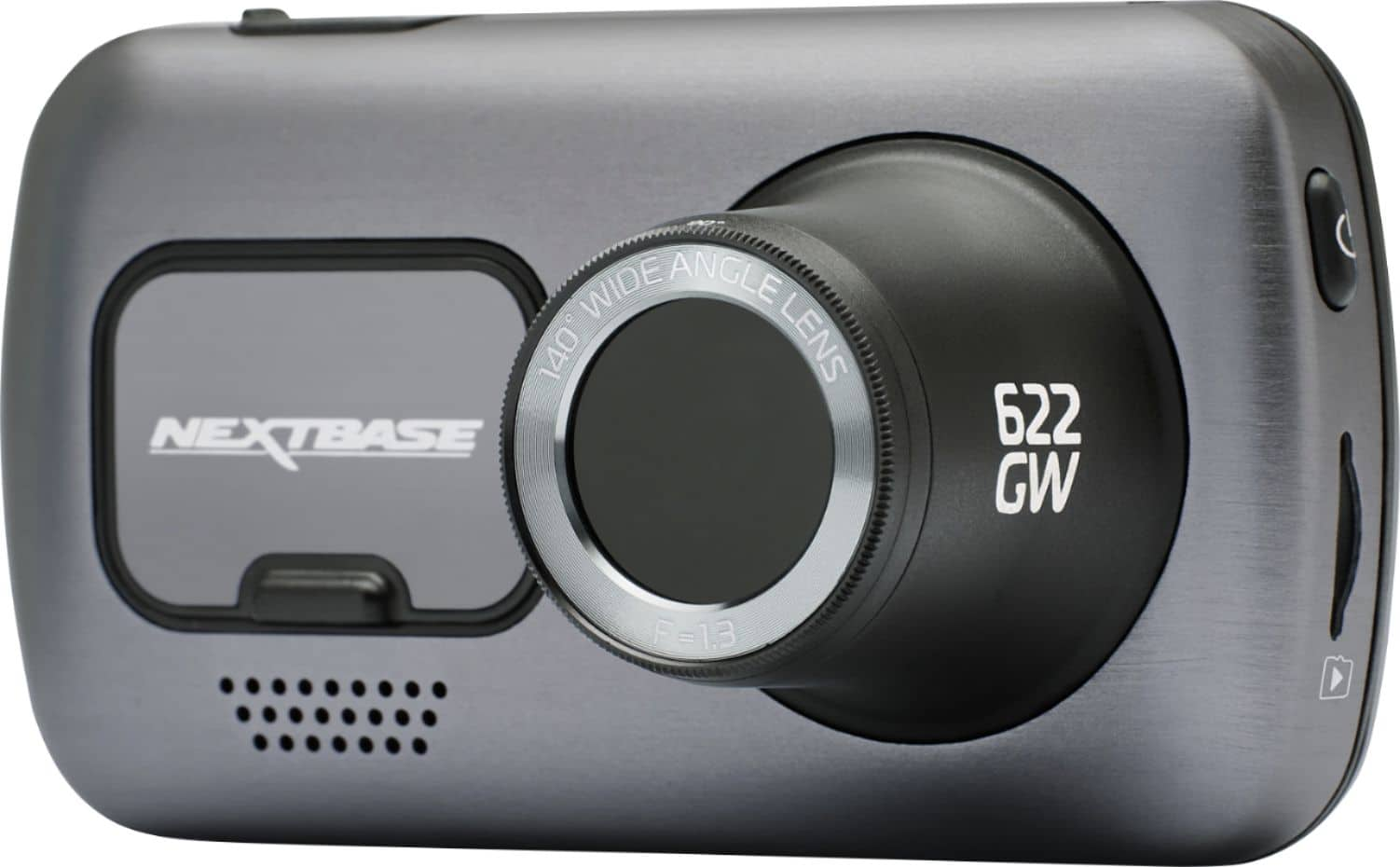
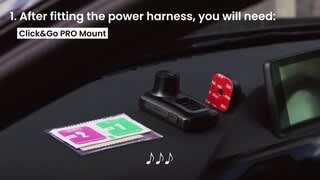
|Posted .This reviewer received promo considerations or sweepstakes entry for writing a review.So I just received my Nextbase 622GW Dash Cam a few days ago and have been putting it through its paces. With Nextbase being a familiar name in the dash cam industry, I was eagerly excited to test this baby out. Inside the box comes: * Nextbase 622GW Dash Cam * Quick Start Guide * Click & Goi PRO GPS Mount * 12-24V Power Cable * USB Cable * Spare Window Mount * Power Cable Fitting Tool Right out the box, the first thing I noticed was the amazing build quality of the Nextbase 622GW Dash Cam. I mean this thing is solidly built. Nothing about this feel cheap or plasticky. On the front of the dash cam is the dust cover (this is where the Click & GO PRO GPS Mount will attach), camera lens with 140° wide angle lens, and speaker for audio playback. On the back is a nice 3” touchscreen, LEDs that light up while charging and/or when the dash cam is active, the Nextbase protection button that keeps footage from being erased, and a microphone. USB charging port is on the bottom. A light sensor and reset button is located on top. SD Card slot and power button are located on the left. The dash cam take use up to 128GB SD card. And to the right side is a HD-Out port for rear cam attachment. Some of the features of this amazing dash cam are: * 4K video: but resolution can be changed in the Settings * SOS: Emergency SOS System in case you can’t call for help. * what3words: precise global location using just 3 words. I’ve used that app separately before and it’s pretty cool. * Alexa: you can connect to play music, make calls, get directions etc. * Intelligent Parking Mode: records with motion is detected so that your car and any valuables are safe against damage/theft at all times. Before installing, it is recommend that you charge the dash cam with the included USB cable for at least 2 hours. While charing mine, I noticed that the dash cam became very warm to the touch. Not hot or anything but just something to keep in mind. While it’s charging, you can download the Nextbase app from the App Store for iOS or the Google Play Store for Android. Following on with the app, simply ensure bluetooth is turned on on your mobile device and allow pairing. After the dash cam has successfully been paired, next is to update any firmware. Once update and fully charged, you’re ready for installation. Following along with the Quick Start Guide, simply located the spot you would like your dash cam to be placed (it is recommended to be installed on the passenger side of the vehicle). Peel the backing off the Click & Go PRO GPS Mount and press firmly against the windshield. Next plug the power cable into the top side of the mount, and run the cord along the trim at the top of the windshield and down the side passenger door, and plug into the cigarette lighter socket. Now just place your dash cam on the mount and you’re ready to go. It’s best to go into the settings and tweak them to your liking before attaching the dash cam to the mount, or while you’re driving, which would be a terrible idea. Now in my testing, driving around town with this new 4K dash cam attached to my windshield, it took a little getting used to something else besides my rearview mirror on the windshield but over time it became somewhat less noticeable. The clarity of the recordings are simply amazing. And it really brings into perspective when you have recorded footage (even if you’re not in an accident), how reckless and dangerous some people are while driving. But it’s also good to have in case of an accident or for evidence.
I would recommend this to a friend - Pros mentioned:Gps, Video quality
Expensive and Worth Every Penny
|Posted .This reviewer received promo considerations or sweepstakes entry for writing a review.The NextBase 622GW is not an inexpensive dashcam, but it is the most capable unit on the market today with some very unique features. The 4K recording provides somewhat better video than their previous high end unit, the 522GW, but for me, the new features that really stand out are * Digital image stabilization - the 622GW is the only camera on the market with it and it makes a marked difference in the video quality. * Low light recording - the new image sensor does a spectacular job of recording at low light levels, much clearer video than before. * Poor weather recording - image enhancement in foggy conditions really improves the image quality in misty, foggy or drizzly conditions. NextBase provides a phone app (IOS & Android) that provides real time control over the camera as well as desktop computer programs for viewing and analyzing the video. Although the phone app is used to provide Alexa and emergency dial support, the 622GW has it's own GPS for fully self contained recording. It also has a small battery for recording while parked or after the engine is turned off. The construction quality of everything is excellent. Setup is easy, very straightforward and intuitive, with a choice of either a permanent or transient (suction cup) mount. Although I have never been a fan of suction cup mounts, the NextBase mount works very well; it stays put and provides a rigid platform. The camera itself connects to the mount with a really (really, really!) strong magnet. A long power port (cigarette lighter, for those of you old enough to remember) cable is provided, along with a 'spunger' tool to stuff the cable inside the headliner. There is also an optional permanent wiring kit available. Setup is very straightforward through the large bright touchscreen menu system. The video quality is absolutely first rate, on a par with a GoPro. The default recording is 4K@30hz, but you can record 1440p@60hz if you feel the need for higher frame rates and 1080p@120hz for super slo motion. The lens is a wide angle (140 degree) with minimal fisheye distortion, very sharp, and there is a rotating polarizing filter to help with windshield glare. License plates are easily read. There was no blooming in high contrast scenes or washout going into the sun. The low light performance was quite impressive; I could read license plates illuminated by streetlights and headlights alone! In addition to the gps sensor, the 622 contains a Gshock sensor that is used for collision detection. The NextBase pc/mac video playback program shows gps, speed, G-shock(accelerometer), and map location in addition to the playback video. The rear-facing camera is optional with three separate modules depending on your particular needs. Only one module can be attached at a time. There is a wired rear window mount camera, and two that mount directly on the camera (one regular and one telephoto). Any of the modules are an additional $100. Although it's nice to have the versatility of the different types of rear facing cameras, I would have expected at least one to be included at this price point. There are several features tied to the phone app or Alexa integration, included a optional crash detector that will dial for help in case of an accident and a location system. I do wish there was a Google Assistant integration, perhaps in an update. The crash detector works with the phone app and will dial for help if you don't respond to a notification after it thinks you crashed. There is a firmware update capability and NextBase seems to be looking to add features as well as bug fixes. In summary, the NextBase 622GW is a top of the line solution that will cost a bit more than the bargain brand, and will serve you well for many years. Hopefully you won't need it, but you will be able to count on it if you do.
I would recommend this to a friend No go
||Posted . Owned for 1 month when reviewed.This reviewer received promo considerations or sweepstakes entry for writing a review.Freezes constantly. Doesn’t stick to windshield. Difficult to see videos recorded.
No, I would not recommend this to a friendBrand response from Nextbase
Posted .Hello,
I'm very sorry to hear that you're having freezing issues with your 622GW. Freezing is usually symptomatic of a non-compatible or failed SD card. SD cards only have limited lifespans. In our manuals we recommend formatting every 2-3 weeks to prolong the life of the card. Without this regular formatting, or if the card is non-compatible or damaged, the card could corrupt which would cause a failure of data writing.
Symptoms of SD card failure are: an audible 'alarm' tone, non-functional buttons, freezing, corrupted files on playback, image missing from files, lack of file recording etc.
I would recommend checking that the SD card in use is a compatible Nextbase SD card and that the card is being formatted at least every two weeks. If you still need any assistance, please contact the Nextbase Support Team at support@nextbase.com and they can troubleshoot the freezing further.
- Pros mentioned:Gps, Video quality
Impressive...
|Posted .This reviewer received promo considerations or sweepstakes entry for writing a review.I'm really happy with the Nextbase 622GW 4K Dash Cam! Now when I see something crazy on the road I'll actually have proof! 4K footage is great! Captures crisp details, even in motion. Zero distortion from camera shake. Very stable picture. I paused in the middle of a video and was able to read license plates, etc. Handy if I catch an accident and offer up the footage to the drivers. Night sensor is fantastic. Video is almost as clear as daytime. Car mount works like a charm, and the cable fitting tool is easy to use when hiding the power cord. GPS location works, even though I've only had to use it for getting the right time on the clock. The menu is easy to navigate and very intuitive. Thankfully, I haven't had an opportunity to put the safety/emergency features to use, but I have peace of mind knowing they're there. Make sure you use a U3 MiniSD card. You want the fastest write speed possible with a camera like this. And make sure the card has high capacity storage. If you use a card from SanDisk or other brands, make sure to format the card once it's in the camera. All in all, this is the perfect dash cam for me — I’m sure it can be for you, as well.
I would recommend this to a friend Nextbase dashcam
||Posted . Owned for 3 months when reviewed.This reviewer received promo considerations or sweepstakes entry for writing a review.Freeze all the time and needs to be reset constantly
No, I would not recommend this to a friendBrand response from Nextbase
Posted .Hello,
Freezing is symptomatic of an SD card issue.
SD cards only have limited lifespans. In our manuals we recommend formatting every 2-3 weeks to prolong the life of the card. Without this regular formatting, or if the card is non-compatible or damaged, the card could corrupt which would cause a failure of data writing.
Symptoms of SD card failure are: an audible 'alarm' tone, non-functional buttons, freezing, corrupted files on playback, image missing from files, lack of file recording etc.
On the Dash Cam:
a) Turn on the Dash Cam
b) Stop it recording
c) Open Settings
d) Go into Setup
e) Click 'Format'
f) Follow the instructions.
Please be aware that formatting the SD card will delete all the data on the card, so if you wish to keep any footage, please copy this across to a computer before you start the formatting process.
It's crucial to format the SD card every two weeks.
If you still have any freezing problems, please contact our Support Team at support@nextbase.com.
- Pros mentioned:Video qualityCons mentioned:Firmware update
Nice system.. but a couple hiccups
|Posted .This reviewer received promo considerations or sweepstakes entry for writing a review.Recieved the unit a few days ago and went right to getting it up and running. I followed to Quick Start guide and in no time was ready to fire it up for a test run. Issue 1: There was a firmware update the the unit said to use the My Nextbase app yo install. The spp would download the firmware but the installation failed every time. I believe I had everything set right so no idea what it could have been. A quick look on the Nextbase site provided the.. not so quick but no provoke either, solution. I had to manually download the firmwsre files snd then copy them onto the unit. Once that was done and the unit was unplugged then plugged back into the pc, the firmware updated and all went well. Next i went through the initial setup, language. Time etc.. Then it asked if i wanted to stop Alexa. I really don't need that but decided to give it whirl.. After going through the intake so procedure .. Alexa would not connect to the device. However the Alexa icon was"installed onto the device, but Alexa snd the unit would not connect/ communicate. Eventually the unit froze. It was still showing picture/vid but would not power down or respond to any screen touch. I reset the unit (button under the unit) and proceded to do the complete setup again.. but this time skipped Alexa. Woll probaly try sgsin later but it's not high on my priority list. I then installed into my Jeep (was linked to phone, which was smooth snd simple.. so i could make sure the live view snd controls all worked, and they did) and went for a ride. The unit started recording ( you can slso take still photos with a touch of the screen) and would save the videos in 1 minute increments. You can set 1,2 or 3 minutes. I switched to 3 as that was my preference. After getting home i checked out the videos and they are very nice snd clear. I couldn't be happier. Other than the initial setup hiccups I can say, so far, I'm very pleased. Hopefully i get no more lockups. :) It's too early to say for you to run out and get one right now if you're in the market, but so far I'm very satisfued. I'm about to take s roughly 7 hr drive so we'll see how that goes. Overtake is s very nice system.
I would recommend this to a friend - Pros mentioned:Video qualityCons mentioned:Firmware update
High end camera with some firmware update issues.
|Posted .This reviewer received promo considerations or sweepstakes entry for writing a review.This is a very high end dash cam. It operates almost flawlessly and the picture quality is outstanding. Out of the box you charge the camera, download the app, then when the battery is charged you can setup. You install the app and select to setup the camera. You find the camera and it installs very easily. Once it is installed it tells you to update the firmware. It comes with version 7 out of the box and the newest, as of this review, is 10. So no big deal right? Boy was I wrong. The update was extremely painful as it kept on failing to install via the app. I tried for over 30 minutes. It even showed like it was installing, but never did. I reset the device and even my phone. I finally had to download the Nextbase software and download the software update. Even then it failed to update. It was so frustrating I almost gave up. Finally it started to download and them just froze. I just unplugged it out of frustration. The device booted up and when it did it had the newest firmware. It was super upsetting, but I was just glad it had updated. Now, when it comes to using the device, that is very easy. You mount it in your car, plug it in, and it is up and running. It constantly records and deletes the oldest footage as it reaches the end of the micro SD card. You can protect footage from being deleted by pushing a button on the front of the camera. That is also easy. There are several features on this camera. You can change all of the picture quality from 1080 with high frame rate, 4k, slow motion, and a lower quality but smaller file size. You can also turn on an image stabilization, which works pretty well. I have reviewed all of my footage and I loved the video quality. I am using the standard 4k default setting. I can see everything and resolution is great. So far no complaints. I wanted to give this 5 stars, but the installation of the firmware update was so frustrating that I could not in good faith give it a perfect rating. When it comes to relying about this as a drive cam, it is top shelf. I have loved using it and will continue to use it for the foreseeable future.
I would recommend this to a friend