Customer Ratings & Reviews
- Model:
- WNIP21L-8-B
- SKU:
- 6452357
Rating by feature
- Value
Rating 3.6 out of 5 stars
- Quality
Rating 3.8 out of 5 stars
- Ease of Use
Rating 3.6 out of 5 stars
Customers are saying
Customers are positive about the 10 Channel Wi-Fi NVR security system, frequently praising the excellent picture quality and ease of use. Many also highlighted the effective night vision capabilities of the cameras. The accompanying app also received positive feedback for its functionality.
This summary was generated by AI based on customer reviews.
Poor quality
||Posted . Owned for 3 weeks when reviewed.This reviewer received promo considerations or sweepstakes entry for writing a review.Unable to get logged in to start using it and unable to get any help online.
No, I would not recommend this to a friendBrand response from Night Owl
Posted .We sincerely apologize for the issue you have been experiencing and support you have received. We would like to provide you with some advanced support. Please email [email protected] at your convenience, providing your name, contact information, best time of day to reach you and a brief description of all ongoing issues. One of our agents will promptly reach out and work with you on a resolution. We look forward to hearing from you.
Great for teens!!!!
||Posted . Owned for 5 months when reviewed.This reviewer received promo considerations or sweepstakes entry for writing a review.Crazy randomness!!!! Leaves soo much doubt! For teens!!!!
No, I would not recommend this to a friendBrand response from Night Owl
Posted .We are sorry to hear you are having an issue with your Night Owl product. We do provide easy to access troubleshooting material on your product's support page at support.nightowlsp.com. If you need additional assistance, use the Contact Us link to reach our technical support team. We thank you for choosing Night Owl.
- Cons mentioned:Connectivity
Misleading sale gimmick.
||Posted . Owned for 4 months when reviewed.This reviewer received promo considerations or sweepstakes entry for writing a review.The Camera system only works within a range of of 10 feet of the hard drive. That is useless for a home that is more than 10 feet wide. Not even a small apartment is only 10 feet wide.
No, I would not recommend this to a friendBrand response from Night Owl
Posted .The information you are listing is not correct. The cameras can be up to 300 ft. from the Wi-Fi NVR with line of sight. If there are obstacles between the camera and Wi-Fi NVR, then the signal will be reduced. Some barriers, such as concrete walls, more heavily impede a signal than do other barriers, such as dry wall. We do sell an extender antenna that helps bypass barriers (https://nightowlsp.com/a-wnvr2-wfext.html). But if you are having an issue at 10 ft., then something else is going on and you would need to contact our technical support team. We do provide easy to access troubleshooting material on your products support page at https://support.nightowlsp.com/hc/en-us. If you need additional assistance, simply use the Contact Us link to reach our technical support team. Please ensure your device is running the latest software version to access phone support. We thank you for choosing Night Owl.
Safety
||Posted . Owned for 3 weeks when reviewed.This reviewer received promo considerations or sweepstakes entry for writing a review.Great camera and the wireless is a PLUS. The options of video display. And with the option to add more cameras to get the protection you want.
I would recommend this to a friendDissappointed
||Posted . Owned for 1 month when reviewed.This reviewer received promo considerations or sweepstakes entry for writing a review.They are constantly updating. When you receive a notification, you check the app and it takes a while to come on so you missed the alert. Also, for some reason they are not recording now.
No, I would not recommend this to a friendBrand response from Night Owl
Posted .It sounds like you are having a setup issue with your Night Owl product. Typically the problem that you described is related to upload and download speeds on the network you are using. Keep in mind, its not just your home network upload and download speeds, but also wherever you are viewing the alerts / system from. Check your speeds and make sure you are meeting the products recommendations. We do provide easy to access troubleshooting material on your product's support page at support.nightowlsp.com. If you need additional assistance, use the Contact Us link to reach our technical support team. Our agents are standing by and ready to help. We thank you for choosing Night Owl.
NIGHT OWL
||Posted . Owned for 1 week when reviewed.This reviewer received promo considerations or sweepstakes entry for writing a review.MY MIND IS AT EASE NOW THAT I HAVE INSTALLED ALL EIGHT CAMERAS AND I CAN KEEP AN EYE ON MY PROPERTY FROM ONE HUNDRED MILES AWAY.
I would recommend this to a friendPicture Perfect
||Posted . Owned for 1 year when reviewed.This reviewer received promo considerations or sweepstakes entry for writing a review.I did research on this set of cameras and found it to be a good choice. This is the reason I purchased this set.
I would recommend this to a friendGreat system
||Posted . Owned for 1 week when reviewed.This reviewer received promo considerations or sweepstakes entry for writing a review.Good connectivity and response time when bringing cameras up from a mobile device.
I would recommend this to a friendoutdoor cameras
||Posted . Owned for 3 weeks when reviewed.This reviewer received promo considerations or sweepstakes entry for writing a review.Installation started out with a few glitches, but when it was all said and done we were very satisfied.
I would recommend this to a friend- Pros mentioned:Camera quality, Night vision

NightOwl has everything you need+No monthly fees!
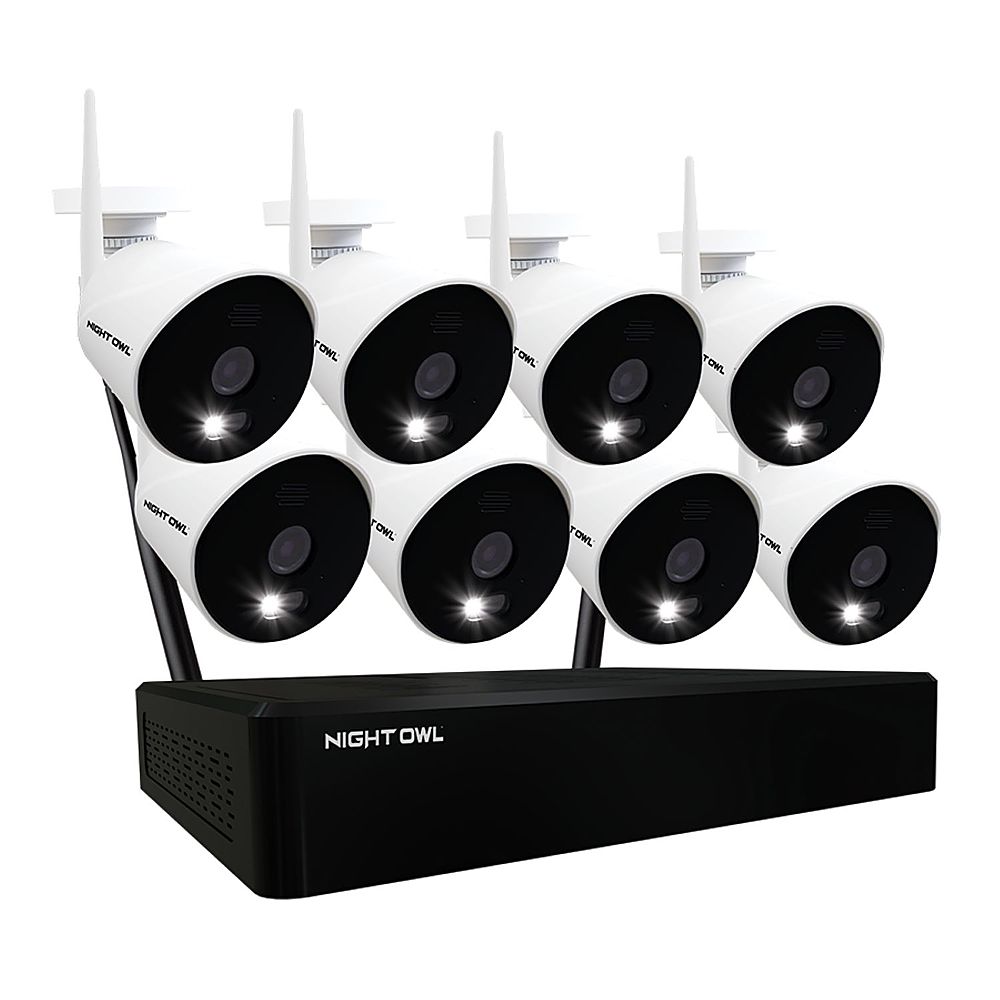
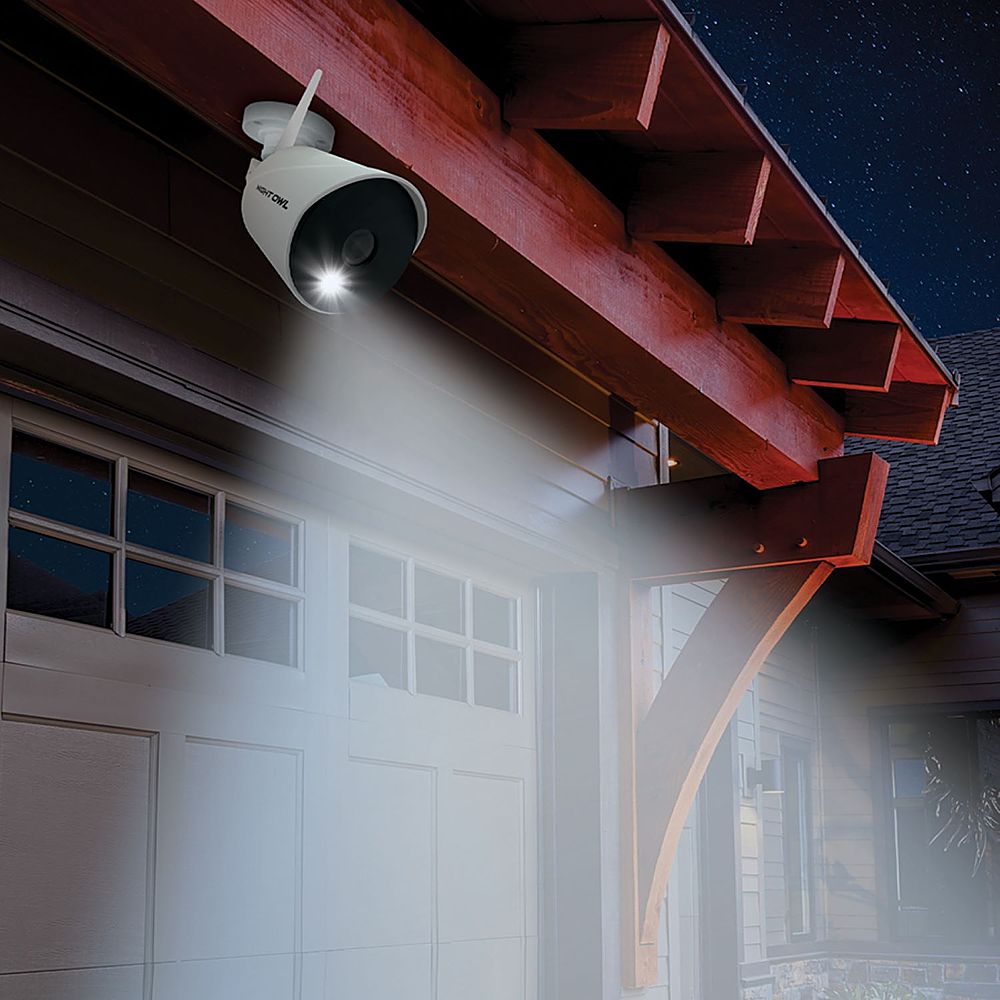
|Posted .This reviewer received promo considerations or sweepstakes entry for writing a review.I always wanted to have a surveillance system, but I was very skeptical thinking that someone else will have access to my data, videos, or my day-to-day activities, so I wanted to opt for something that is not for someone else to control and my personal data or videos do not go to a cloud. However, what held me back was, from my point of view, that to implement a surveillance camera system could be very complicated. The wiring, installation of the cameras, setting the console, etc. However, with the Nightowl surveillance system and its Wireless cameras, the process was much less complicated than I thought. Both, the installation and its operation were simple and easy to understand. In addition to the good looking, weatherproof, and very easy to install wireless cameras, the kit comes with everything you need to do the installation including wall screws and power adapters. The setup of the console was very very intuitive, but I strongly recommend following the quick setup guide step by step, and then download the user manual that can be found on the internet https://support.nightowlsp.com/hc/en-us / articles / 360046925813. I would say that the only thing that took me a little time of the whole setup process was deciding where to install the console and cameras. The cameras are weatherproof, so there is no problem installing them outside the house. Placing them strategically so they cover each other in case someone wants to break them or take them and have their face or image on video record. I decided to install the console where I have the Smart TV, in the living room, which is where we spend most of our time. The console has an HDMI output port, which I connected to my Smart TV and what I do is that as we spend more time in the living room watching TV, if I want to see what is happening outside my house I simply switch the input of my TV to the NightOwl console. It seemed more practical for me in that way. I also have the Satellite Router nearby where I have directly connected the Ethernet port of the console. So what I did was assemble everything first, antennas, cameras etc. Once you power on the cameras, a green light will begin to flash quickly, at the end of the cable that connects to the power adapter, this green blinking light indicates that it is ready to pair with the console. In addition, as the manual recommends, before proceeding doing any firmware update on the console, first let the console pair with the wireless cameras, all this must be done before even mounting the cameras at their final destination. You can see the pairing process from the console. Before you start the setup process in the console, you have to create the user and you have to install the app. I have a Samsung cell phone, so in Google play I searched for the "Night Owl Protect" app, and the rest is very intuitive. It will ask you to scan the QR code that is located on the label on top of the unit. Then it will ask you for a pin # that will be the PW to access the app. During this process, a verification code will be sent to your email. It is important to do this step first, because once the equipment is registered, the same credentials (user and PW) are the ones that will allow you to gain access once you start the setup process in the console. Make sure the console has internet Access. You only need the use of a mouse to manage the console. The mouse is included with the unit and connects to one of the 2 USB ports located at the back. In the console, after some typical steps of the setup process, such as time zone, etc. It will show you a table with the devices it has found. After making sure that the four Wireless cameras are present in that table, then the system is ready for the firmware update which is a very common and inevitable step for all electronic devices today, it is important to do so. I am extremely pleased with the video quality offered by the cameras and the sharpness of the recording. It has a full color night vision capability. Another detail that I found very useful is that the image can be zoomed from the console. To do this, point the mouse towards the camera with the video you want to zoom in, press the left button and 4 options will appear, “start recording”, “zoom in”, “image settings”, and “spotlight”. I think each title explains by itself what it does. For the “zoom in” option, if you roll the mouse wheel you will see the zooming in action. For spotlight function, it will turn on the camera light, which by the way, is very bright! The spotlight can be turn on from the app too. In the operations manual you will find everything you need to operate the console and customize the video recording settings, scheduling, backup videos, etc. The app is very intuitive to use. I wanted to summarize the main features as follows: - The console has many more options than the app, which seems logical to me, and everything is set up with the mouse. To access the console functions after you entered the password, just press the right button of the mouse and at the bottom edge of the screen, you will see 8 small boxes, “main menu,” “system logout,” “setup wizard,” “view options,” “slide show,” “volume,” “image settings,” “video playback.” - The cameras are bidirectional in audio, so you can speak to the microphone of your phone from the app and whoever is facing the camera will listen and even interact with you. - As soon as the cameras detect movement, or sound, it will start to record video automatically and the spotlight will turn on. I found this feature very practical because that first impression is the one that usually dissuades people that may not have good intentions. - If you want to install one of the cameras inside the house, as I did, the spotlight can be a nuisance if it is turning on continuously. Good news is that it can be turned off. This can be set up from the console (the app does not have that option). This setting is located on page 41 of the operations manual. - The cameras start recording automatically when they detect movement, but it is also possible to schedule the recordings and even customize the activities for each camera. - To view the footage, from the console, in the options menu select the camera and then playback and you can specify the timeline of the event you are looking to see. - The unit has a 1TB hard disk, but if it fills up, it will begin to erase the oldest videos to continue recording. It is recommended to format the disk every 4 months, according to the maker, however, you can make a backup of the videos on a USB drive, which be plugged in to the console using the second USB port that the console has at the back. Both the format and the backup can be found in the “main menu.” The first under the “hard drive” tab and the second under the record tab. - The videos can also be downloaded to the phone from the NightOwl app, just select the camera you want to see and under “events”, you can download what has been recorded, as well as to save snapshots. - The app has an option called “sharing members” that will allow other people, that you invite, to have access to the cameras. In order to add members, the guest will have to install the app and create a user, after the user is created, then you can add it by adding the email that your guests have set up in the app. From the app, you can restart the console, now be aware that every time you restart the console, or it restarts due to a power cut, you will have to put the password back to access the settings, which seems logical to me. This will not affect the full functionality of the app if the password has not been entered in the console. You can specify a timeout for access credentials or specify manual logout. You can also add more cameras to the console; this is a 10 channels console, so you can add 6 more cameras, or even a NightOwl Camera Doorbell. The warranty is 1 year, and the technical service is first class. I had some queries that were addressed promptly, courteously and very efficiently. I am amazed by the amount of options and benefits that NightOwl offers with this unit, but one of the most striking is no Monthly fees! You and only you are in control of the console and whatever that is recorded and all the videos are in your possession. I cannot think of any detail the maker have missed regarding operation and design. Every detail, every setting, the appearance, has been thought to fit the real needs of a common user. The NightOwl Surveillance camera system is a wonderful, high quality and efficient product.
I would recommend this to a friendBrand response from Night Owl
Posted .Thank you so much for this very detailed and informative feedback. We are thrilled that you found setup to be very easy and that this systems features and benefits are exactly what one would expect of Night Owl. As you mentioned, the Spotlight technology is a great deterrent. For cameras that you want to place inside or where you don't want the Spotlight turning on, you can simply disable the feature. 2-Way Audio is a great feature that makes communicating with someone on your property easy. The system is expandable and can hold up to 10 total Wi-Fi devices, including our new 1080p Smart Doorbell, as you mentioned. Again, thank you for the review and welcome to the Night Owl family!
Awesome system
||Posted . Owned for 2 weeks when reviewed.This reviewer received promo considerations or sweepstakes entry for writing a review.I did a lot of looking around before i got this. I love it definitely worth the price.
I would recommend this to a friendOne of the best camera systems ever purchased by m
||Posted . Owned for more than 2 years when reviewed.This reviewer received promo considerations or sweepstakes entry for writing a review.One of the best camera systems ever purchased by me
I would recommend this to a friendPoor system and bad company
||Posted . Owned for 1 year when reviewed.This reviewer received promo considerations or sweepstakes entry for writing a review.I have bough this security system, after 6 months it get a lot problems so i called the costumer services many time, they are really rude to provide solutions or answers, the system have a 1 year warranty but they asking for many things to see if they can put my mony back or other system but, nothing happened is really bad experience with this compani night owl.
No, I would not recommend this to a friendBrand response from Night Owl
Posted .We sincerely apologize for the issue you have been experiencing and support you have received. We would like to provide you with some advanced support. Please email techteam@nightowlsp.com at your convenience, providing your name, contact information, best time of day to reach you and a brief description of all ongoing issues. One of our internal advanced support agents will promptly reach out and work with you on a resolution. We look forward to hearing from you.
a must have in the 2022 year of life
||Posted . Owned for more than 2 years when reviewed.This reviewer received promo considerations or sweepstakes entry for writing a review.I love to be able to 2 way and have peace of mind.
I would recommend this to a friendMr
||Posted .This reviewer received promo considerations or sweepstakes entry for writing a review.It’s easy to install I did it with some help from my son
I would recommend this to a friend⚠️ WARNING ⚠️ DO NOT BUY ⚠️
||Posted . Owned for 7 months when reviewed.This reviewer received promo considerations or sweepstakes entry for writing a review.The absolute worst system I've ever had. Anytime there is an issue tech support wants you to take all the cameras down bring them next to nvr system then reinstall them. They are a headache. I had the UNIDEN SYSTEM before this and never had an issue. DO NOT WASTE MONEY ON NIGHT OWL SYSTEM!!!! ⚠️ WARNING ⚠️
No, I would not recommend this to a friendBrand response from Night Owl
Posted .Good afternoon. Not sure why you are having an issue with the camera's connectivity. When you contact support they do their best to troubleshoot the issue, though they are not on site, and get you back up and running. Occasionally with our wireless systems, that calls for re-pairing the camera to the NVR if connectivity has been lost. Please email techteam@nightowlsp.com at your earliest convenience with your best contact information, your model number and a brief description of all ongoing issues. One of our advanced support technicians will promptly respond and try to get to the root of the issue. Thank you.
Beware Cheap Imported Junk Cameras
||Posted . Owned for less than 1 week when reviewed.This reviewer received promo considerations or sweepstakes entry for writing a review.Useless - while cameras are “wireless” the power is not. This leaves the camera very vulnerable, can be unplugged. In addition you have to mount camera where you have an outlet or a very long extension cord - stupid. Don’t buy useless as a security camera. Returning mine today. Imported trash
No, I would not recommend this to a friendBrand response from Night Owl
Posted .Sounds like this just wasn't the right product for your situation. It is always a good idea to read the infomation on the product page so you understand the purchase you are making.
- Pros mentioned:Camera quality, Night vision, Setup
Outstanding Home Monitoring System
|Posted .This reviewer received promo considerations or sweepstakes entry for writing a review.This Night Owl video surveillance system is, if not the best, then certainly one of the best I've ever used or setup. The inclusion of 1TB of local storage is an added bonus that will save you significantly down the road in costs in that other than paying for your home internet there are no added costs. Setup was fairly easy and connecting the base unit to my home network was easy as pie. Getting the cameras synced up was likewise relatively easy. Install the app to your phone (iPhone in my case) and you can now monitor your home from anywhere in the world where you can connect to the internet. If you're the type that wants a "local" type of monitoring then you can connect this to your HD TV or a computer display. The picture quality is outstanding, even if it's only 1080p. For me this is fine as it will not eat up a lot of that 1TB of storage. I've got two cameras monitoring both my front and back entrance and two covering my living room and back door. The nice thing is that if I want to add more cameras I can buy them later and integrate them into this system. The night vision is on par with what you'll see in other camera systems in this same price range. If you're looking for piece of mind while you're away from home then I cannot recommend this system.
I would recommend this to a friend Memory full won’t overwrite
||Posted . Owned for 11 months when reviewed.This reviewer received promo considerations or sweepstakes entry for writing a review.Upset on this product , worked perfect until memory was full now won’t let me clear memory to free space will not record anymore reached out to nightowl customer service and they did not help the problem now I have a camera system just for looks
No, I would not recommend this to a friendBrand response from Night Owl
Posted .We are sorry to hear you are having an issue. In order to delete recordings, you will need to reformat the hard drive. Please view page 38 of your manual at the link below. If you continue to have issues, please email techteam@nightowlsp.com. Thank you! https://support.nightowlsp.com/hc/en-us/articles/360057114614
- Pros mentioned:Camera quality
Not quite ready, soon maybe.
|Posted .This reviewer received promo considerations or sweepstakes entry for writing a review.Night Owl NVR WNIP2 Security Camera system Let me first state that you must download the actual manual for this system if your going to understand how to get the most out of it. It can be found on their web site under Technical Support, scroll down to WNIP2 Series, scroll down to Manuals and select that link. Save the file to your computer, it is the most up to date manual they currently have, it should be updated as new features are released. The picture quality is superb. Night or day it is clear, and you can zoom in close enough to get a look at something. It is not really wireless. Yes, the cameras transmit over a dedicated Wi-Fi network to the NVR, but you still have to run a power wire to each camera. I first thought this was a POE system, that would have suited me better. I could just replace my existing wires with network cables, and everything would be up and running. So each camera has an antenna and a power supply. Each camera also has a MIC and a speaker. The MICs work just fine, but the speakers don’t work at all from an Android device. They are hit or mis from an iPhone 8 running the latest IOS version for that device. I would not consider the audio portion of this system as a working solution if you really require 2-way communication from your cameras. They are aware of this and are working on it. I would expect it to be fixed soon. There is a delay in the video of about 1 or 2 seconds. The audio is about 5 seconds from the camera to the APP and from the APP to the camera…you never know if it’s going to work. The NVR uses some type of dedicated processor and software that requires no shutdown procedure, just unplug it and it’s fine. It uses a Toshiba 1TB surveillance hard drive. This again is normal for this type of system. The NVR is meant to be placed on a shelf and hooked to a monitor or TV that supports 1080P via HDMI. It is controlled by a single input device, a mouse. You can not manage the NVR from anything but the mouse and monitor. There are no slotted holes to mount the NVR on a wall to allow you to place it behind something. Currently there are no programs that allow you to use this system on your computer. So viewing the cameras is strictly an APP on your phone or tablet. This is another thing they are working on. Viewing the cameras on the APP is a multi-click and wait ordeal. After opening the APP you have to click through 2 other selections before being shown the cameras. On IOS devices you also have to go through the security pin or fingerprint section. Turning it off does not work. I think this is a bit much, if I’m loading the APP to look at the cameras, I don’t need to have to click through 2 other screens to see them. I’m opening it for a reason, by the time I get through the other screens the reason could be gone. There are delays on each screen, it’s about 8 to 10 seconds before you can see anything. Whatever loud noise you just heard is long gone by the time you get a view. The APP gives you access to all the recordings with ease. They are all listed in the event tab for each camera. Using the NVR itself you get them in a timeline view. On the NVR all recordings show up on the main view screen as a yellow error message. They shouldn’t be an error but that’s how they show up. You can clear the error message and it doesn’t affect the recordings at all. I have the cameras placed about 100 feet from the NVR through 2 wood walls and 1 concrete wall. They are showing 1 bar less than full strength. The cameras also have a micro SD slot, but this is not used on these cameras and no information is given on this. There are definite flaws in the way the software handles some things. The cameras give high quality images, but the software is just not up to speed. I know they are working on the software. My bottom line is this system shows real promise, it’s just not here yet.
I would recommend this to a friend