Customer Ratings & Reviews
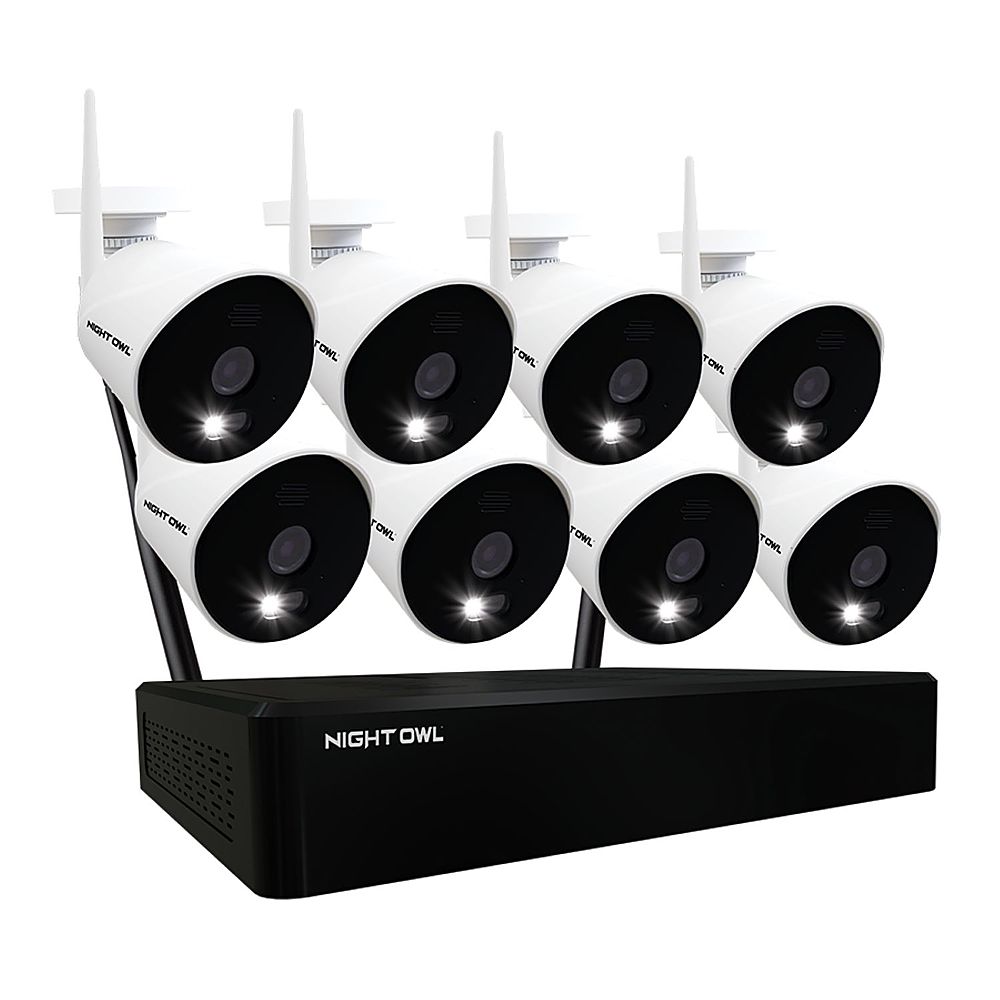
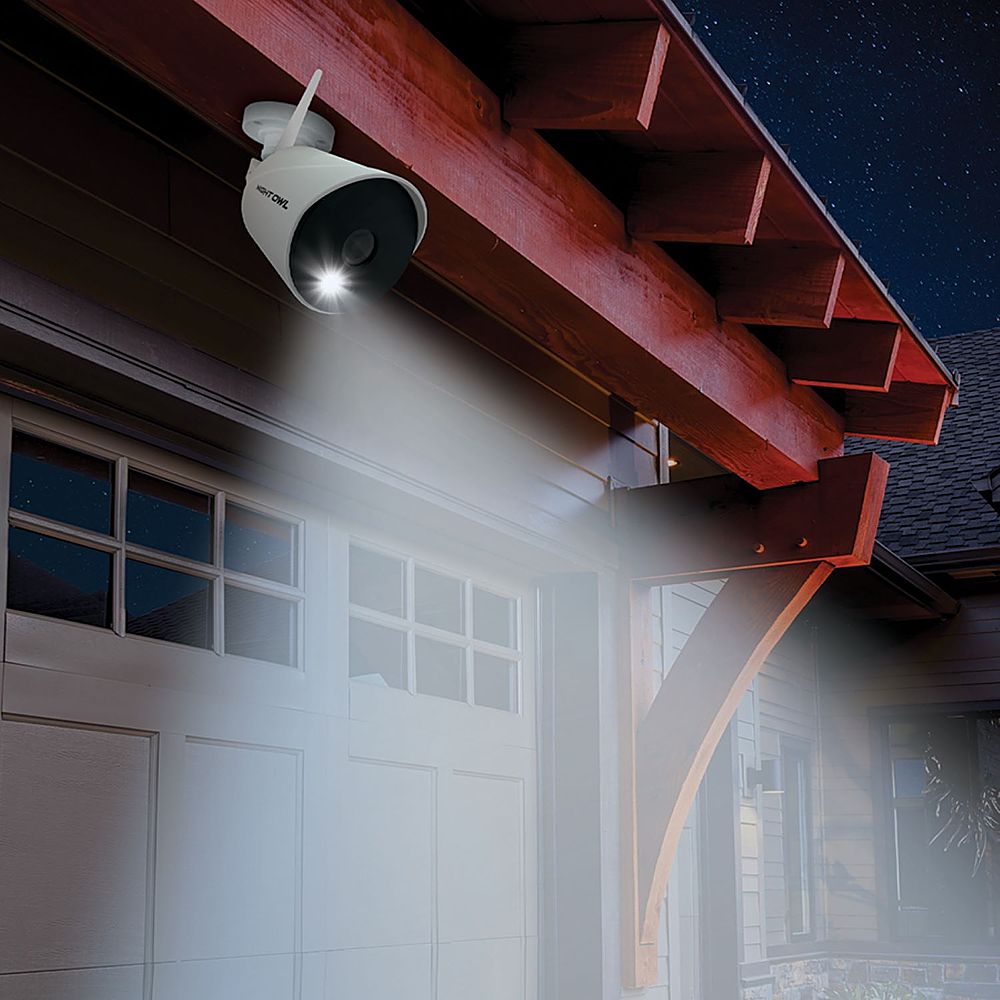
- Model:
- WNIP21L-8-B
- SKU:
- 6452357
Rating by feature
- Value
Rating 3.6 out of 5 stars
- Quality
Rating 3.8 out of 5 stars
- Ease of Use
Rating 3.6 out of 5 stars
Customers are saying
Customers are positive about the 10 Channel Wi-Fi NVR security system, frequently praising the excellent picture quality and ease of use. Many also highlighted the effective night vision capabilities of the cameras. The accompanying app also received positive feedback for its functionality.
This summary was generated by AI based on customer reviews.
- Pros mentioned:Camera quality, Setup

A quality security solution
|Posted .This reviewer received promo considerations or sweepstakes entry for writing a review.The Night Owl Wireless 4-Camera System is my first camera-based security system. I’ve had wireless cameras in the past that you set on a window ledge and that record to an internal SD card, but nothing as sophisticated as this. Night Owl made it easy to pair the cameras to the NVR recording system. Essentially, first turn on the NVR to configure it to your network and to ensure that it is running the latest firmware updates. Once done, place the four cameras provided with the system in close proximity to the NVR so they can automatically pair with the NVR. No action by you is needed to start the pairing process. In but a few minutes the pairing process is completed. I should note that while the system comes with 4 cameras, it has the capacity to support 10. So, plenty of room for growth. The setup process - which prompts for network information and requires you to create a username and password – finished pretty quickly. In addition to the cameras that come with the system, a wired mouse that connects to the NVR and an ethernet cable for your network and an HDMI cable for your monitor are also included. Note that the NVR comes with a 1TB drive for event recording. One oddity I encountered when setting up the system was the menu system itself. When right-clicking the mouse to bring up the menu, the menu appeared below the bottom of the screen and couldn’t be seen. I was using a 36” Samsung TV as my monitor and fortunately the Tv’s remote had an option that allowed the screen to be scrolled upwards. Once that was done, the menu was fully viewable. Once everything is up and running, I suggest installing on your phone a related app called Night Owl Protect that can be found in the Android Play Store or on IOS. This app allows you to view your camera feeds and adjust camera settings when accessing the system remotely. When installing the four cameras, you won’t have to run data cables between the cameras to the NVR box since those connections are wireless. You will have to run power to each camera obviously, which for me was the most time-consuming part of setting up them up. Fortunately, I had floodlights within 5-10 feet of where the cameras were to be placed. In my case, it required removing soffit and fascia to get to the wiring supplying power to the floodlights. Once the cameras were in place, I found that the NVR – which is connected by ethernet to my home’s network but wirelessly to the cameras – had no problem communicating with the four cameras. Our house is 2,800 sq/ft, and all cameras were reporting respectable WIFI reception irrespective of their location outside. The clarity of the cameras at 1080p is top-notch. Sure, you’re not going to be able to see the license tag of an automobile passing by your house or do facial recognition on a person 100 feet away, but we found it easy to identify people walking past our house. The closer the object/person is to the camera, the better the clarity. Daytime offers much better clarity than at night. What really caught our attention was how good the microphones were on these cameras. We heard our neighbors talking across the street with better clarity than if we were standing outside. The NVR has this nice feature where it lets you take a whole field of view and target specific portions of the view for monitoring. Let’s assume, for example, that you have a camera set up and pointing to your back yard. However, you only want to receive notifications if motion at the gate is seen. No problem! Just identify the area(s) you want monitored using the Camera option in the NVR’s menu system. You can also dictate which hours of each day and days of the week you want the notifications to be reported. I have a Samsung phone, so I can only speak to the Android phone app and how easy I found it to use. Log into the app, enter the PIN number you previously configured, and select the desired NVR (in case you manage more than one NVR/DVR). Then select the camera you want to view. Once selected, you can zoom in and out of that camera’s live feed, view it in portrait mode or in landscape mode, or select the Events option to view any events that occurred that day or on previous days on a per-camera basis. I have no complaints about this system. As such, I’m giving this system 5 stars.
I would recommend this to a friend - Cons mentioned:Motion detection
Good Camera System on a budget
|Posted .This reviewer received promo considerations or sweepstakes entry for writing a review.Seems like a good system and it has a lot of potential. I've not much or if any experience with Security Camera setups, but have been looking at getting one for several years now as it just seems to be something one needs with all the stories we read and hear in the news and in media. Unfortunately for me, it took forever to get it installed as the installer I had lined up kept pushing it out due to other clients having more pressing issues so I've not gotten as much time as I would have liked to get the review out on time. This is neither a pro or con, but you do need to have either a TV or a Monitor with an available HDMI input. This is the only way you can use the NVR and it’s needed for setup. You cannot do the setup through the app by itself. Pros Again, bear in mind the above and understand that with more time, experience could change so of course your mileage may vary. • The NightOwl system I can definitely say is a nice looking setup. It's got a simple aesthetic and build to the cameras. • The NVR is nice as well as it's a small unit and doesn't really take up much space, not compared with a lot of other units I've seen where they're over a 12"x12"x4-5". This one is less than a foot in width and depth and it's only about 3 inches tall. You can easily conceal the unit somewhere or leave it visible as it will just blend in. It doesn't stand out and it could easily be mistaken for something like a modem or router. • 4 Cameras, plenty for a smaller home. • Quickish setup and installation. Cons So there are a few here. • As I mentioned with the aesthetics, it does look nice, but... the cameras feel cheap. Time will tell how they hold up. Being in the Midwest in Tornado Alley and with all the severe storms we get in our area, it’s a wait and see. • App control, it’s ok, there’s a lot of room for improvement • Installation while seemingly quick, setup can easily go awry, as many other reviews of not only this system but other models, if you don’t put things in a certain order, you can mess up on getting notifications and alerts on your mobile device. Make sure you take to time to consult the setup guides and even more so, consult the website and its support sections. • Picture quality, seems to be hit and miss with a lot of users. Mine was ok, but I surmise this is the price you pay for wireless setups, with wired, you’re going to get a better and more stable image quality. Wireless will always be prone to interference from a variety of things such as walls, concrete, metal, all these things can really reduce performance by a lot. • The “software” used to monitor the cameras can feel cumbersome and well, wonky. I’m apparently not the only one that felt this way. It could be my inexperience talking, even though I come from a background in I.T. and I’m what you would consider a highly advanced user. • There’s a lot of things in the NVR menu and a lot things are buried or placed in redundant submenus. With time and updates and revisions to the software, I imagine it will only get better and easier to use. • Hardwire is require to your Modem/Router, this is a non-starter, if you don’t have a free port, you’re going to have an issue with the install. • The motion detection “works” but it’s pretty sensitive. Sometimes from some of my recordings, it never picked up on movement, other times it might trigger from something blowing across the yard. I know it’s proprietary technology, but I think it would be great if Ring would offer their Motion Detection and Zoning to other companies. • Arguably the biggest con here has got to be power. You need to run power to the cameras. So either 2 things need to be done, make sure you have an outlet next to the camera, and outdoors this is unlikely, or you need to either run and extension cable outside, or during install, run a cable indoors and then fish the AC Adapter threw a hole out to the camera. The latter is what I had my installer do up in the attic. It’s a big annoyance and I feel it takes away from the “Wireless” aspect. Most other companies use Solar Cells on the top, or more popularly, internal rechargeable batteries in combination with the Solar Cells. This is a price you pay for have continuous recording capabilities. Would I recommend this setup, possibly? It entirely depends on your needs. If you don’t need continuous recording, you can go a different route and get one that is only motion based and only records when you need it to. So long as you keep your expectations reasonable, you won’t be disappointed. This is still a great setup for those wanting some extra security but don’t want to spend $500-1000 on a setup. Personally, I would likely go the route of a wired setup and have someone do that install despite it being cumbersome with having to run cables. The most ideal situation would be installing the cameras and the having the Recording unit in the attic, or another accessible area where the cables are not in the way and not visible. You get much greater stability and picture quality and have the benefit of continuous recording.
I would recommend this to a friend quirky
||Posted . Owned for 9 months when reviewed.This reviewer received promo considerations or sweepstakes entry for writing a review.getting up and running is not easy as 123, make sure to read all instructions and not just the quick start guide
I would recommend this to a friendBrand response from Night Owl
Posted .We are sorry to hear you are having an issue with your Night Owl product. We do provide easy to access troubleshooting material on your product's support page at support.nightowlsp.com. If you need additional assistance, use the Contact Us link to reach our technical support team. We thank you for choosing Night Owl.
Would not buy
||Posted .This reviewer received promo considerations or sweepstakes entry for writing a review.Could not get this to download on phone, direction awful, no support to call
No, I would not recommend this to a friendBrand response from Night Owl
Posted .We apologize for the issue you have been experiencing. We would like to provide you with some advanced support. Please email techteam@nightowlsp.com at your convenience, providing your name, contact information, best time of day to reach you and a brief description of all ongoing issues. One of our internal advanced support agents will promptly reach out and work with you on a resolution. We look forward to hearing from you.
- Pros mentioned:Camera quality
A solid option for most users
|Posted .This reviewer received promo considerations or sweepstakes entry for writing a review.It goes without saying, that none of us want to have the need to have security cameras... but alas we do. This is a GOOD system for those that want to put a system in a good starting FIXED price. Pros: - No additional monthly costs - High quality video - Adjustable to your needs - Expandable - Easy to Moderate installation process Cons: - Mobile app needs some improvements - Base unit could be difficult to setup - Not 100% wireless - Bigger properties may have problems Let's start with installation... Overall, this is going to take you at least 1 hour to setup, most likely 2-3 hours depending on where and how you want to set this up. For setup, I highly recommend you have 1 or two power strips handy, as you will need to plug in at least 5 adapters (for the 4 camera setup). The base unit, needs a TV and. HARDLINE connection to your network, for setup (so you can get the initial firmware update, and log into your account). HIGHLY recommend you have a mobile phone as well to create your account. After you connect the HDMI and power up the base unit, the setup is pretty walk through and tells you what to do. You will first verify your account, and then the camera's will pair, and you can then verify each one is working. Next you will need to move your base unit to a place, where you can still have a wired network connection (to the base, and if you want to access it via any other connected mechanism), and be in a position to get it's internal wifi signal out to your cameras. The camera's are waterproof... but the supplied adapters don't appear to be. So if you are installing this outside, you will need to either have outlets near by that can enclose the adapter, or have the adapter inside (and protected), and use some sort of extension on the power line. This is one of my big cons for this setup, and why I will primary use this system indoors. So while it is "wireless" you still need a wire to the camera for power. I would like to see in a future upgrade, to use a USB style connector for DC power to the camera, so that there would be dozens of options to get power to the camera. Other then the power issue, installing the camera is three screws, and then pointing the camera. that's it. The speaker on the camera, is a little creepy (crackly) but given you won't hear it very often... not an issue. The spotlight on it, is bright and will be seen when it triggers on automatically. But for the important part... the video. This unit can have 10 camera's (only 4 was in this kit, and you can by more). What you see inside on the TV, is like any commercial security system... all the small video's at once, and then you can expand on one particular camera. And you have multiple options on the layout. You then have the option to capture any segments, and send them to other devices/computers via storage mechanisms... relatively straight forward to do as well. I am not a big fan of the mobile app, especially the setup. I write apps as a professional, and there are a few things that I ran into right away that could frustrate a first time users. nothing major, but things that just didn't work smoothly. This unit is great that it is all self contained, you don't need to spend $100 a year to get all it's features... and if you lose your internet connection, the DVR unit will still record the content. Now, for the bigger house... this may not be the best unit for you. Since the DVR is also the WiFi router, you may have difficulty getting signal from it at different points of your property. I really wish, that I was given the option to connect my cameras to my Eero/mesh network, which blankets my house... that way I wouldn't have to worry about signal at any point on my property. and if I did, I could easily just add another Eero node. Overall this unit with 4 cameras, and on-property storage and has no monthly/annual fees, COSTS LESS then a "big brands" single outdoor camera. So if you are looking for your first system, this is a contender to look at. But be prepared for some of the installation challenges, and signal challenges
I would recommend this to a friend Worst camera ever
||Posted . Owned for 3 months when reviewed.This reviewer received promo considerations or sweepstakes entry for writing a review.Horrible! Doesnt pick up half the detection. Blacks out
No, I would not recommend this to a friendBrand response from Night Owl
Posted .We are sorry to hear you are experiencing an issue with your camera. We would like to troubleshoot with you to find out what is occurring and resolve the problem. Please email techteam@nightowlsp.com at your convenience, providing your name, contact information, best time of day to reach you and a brief description of all ongoing issues. One of our internal advanced support agents will promptly reach out and work with you on a resolution. We look forward to hearing from you.
- Pros mentioned:Camera quality
Good System Overall
|Posted .This reviewer received promo considerations or sweepstakes entry for writing a review.This is a very good surveillance system for the price. This system replaces my 12 year old system. Setting up the NVR was not difficult but the instructions didn't include some important details such as: - Connecting a monitor is mandatory to pair the cameras to the NVR, this cannot be done via the Night Owl Protect app. - A 1080p monitor is mandatory, I tried using my 720p monitor and I got a message "Format not supported" After finally setting up the base I tried to rename it via the app and the change never saved. When it came time to setup the cameras, pairing them to the base was automatic once plugged in. I put masking tape on the cameras and labeled them with their channel, this helped when it came time to mount the cameras so the display on my monitor would come out the way I want. Once the cameras where mounted I configured the system to record events only instead of continous recording. I also setup the areas for each camera to eliminate unnecessary events. The picture quality is very crisp and detailed and the picture quality at night is excellent. Accessing the recorded footage is exactly the same as my previous system, so that was a breeze. I would have given this five stars, but there are a couple things missing that my 12 year old system DID have: - No remote control is included. - Can not change the password directly through the NVR, have to login through a browser to do this. - No second display port. Another HDMI or USB output would have been nice. - No access to the cameras via PC. Overall this is a great system and I am happy even though I have work around the things that are missing.
I would recommend this to a friend - Pros mentioned:Camera quality
Night Owl Wi-Fi NVR
|Posted .This reviewer received promo considerations or sweepstakes entry for writing a review.This is the 10 Channel Model with 4 IP Spotlight Cameras included with a 1TB NVR. I had a difficult time setting this up with my high-end network. Most homes will not have this problem. I used a standard router from my garage to get through the setup of this system, and it really was a breeze. After setup, I moved it over to my high-end network and it works like a charm. The system works great. It detects motion and records it exactly as programmed. The spotlights work well and draw attention as you'd like for suspects in my driveway. Hopefully, if any try to rummage through our cars at night, I'll get them to look up at the cameras. The image is fantastic, and the notifications do not take long to show up on my phone... just a few seconds. My only real complaint is that this system does not interact with any home automation systems. It does not interact with any of our "devices" that I currently use to turn lights on automatically or warn us when motion is detected, so I am forced to use the app on my phone or whoever I invite to have access to them. Again, the cameras and videos look fantastic. Having this NVR connected to your TV as a separate input makes it extremely easy to swap inputs and see what's on the cameras live, for those who don't have access on their phone. It is also very easy to copy recorded videos to your photo album on your phone.
I would recommend this to a friend - Pros mentioned:Camera quality
Does its job, and is a flexible product.
|Posted .This reviewer received promo considerations or sweepstakes entry for writing a review.Virtually every smart home product manufacturer has a security camera product available for the masses. I officially got into the security camera game when Arlo released their second generation camera system, but only a few years later they’re on to new generations and, quite honestly, the hardware is overly expensive. Don’t get me wrong, I still use my Arlo cameras, but I’m always on the lookout for a less expensive alternative that provides just as good of an experience without so much of the capital overhead. Generally, if you’re looking to get into the game, whether it be for your home or business, wireless options will always be simpler to install—and companies like Defender have released hybrid options that remove the need for a base station, allowing for flexible deployments starting with only a single camera. The Night Owl Wireless NVR Surveillance System is another such hybrid, with a couple of caveats. This is a surveillance system. It is not a smart home camera system, and this is a distinction that I think is worth pointing out. There is a base station, and that base station has onboard storage (in the form of a 1TB hard drive), as opposed to the cameras being connected to Night Owl’s cloud servers. If you’re looking for CCTV, keep on reading. None of that is to say it can’t be used as a smart home camera system, and the hybrid option is a nice touch that helps reach a more diverse market. I will cover in this review some of the differences between the two deployments, but will mostly be focused on the system’s use as a fully-fledged NVR. There are two main pieces to this system, both of which can be used independently or in unison. The first is the appliance itself, which is a small device that acts as a base station for the cameras as well as a central surveillance monitoring device with onboard storage for recording. If you can imagine a stereotypical security guard sitting behind a monitor with multiple video feeds—this appliance is the thing that would provide those feeds. It has a small operating system onboard and (at least for the time being) requires a physical connection in order to view the feeds. Also available through Night Owl is a smartphone app, which (generally speaking) provides view-only access to camera feeds from anywhere, provided you have the system configured to allow that. As I alluded to before, it is possible to use the cameras in ‘app only’ mode, but I won’t focus as heavily on that here. I do wish, though, that the instructions made it a bit clearer the different deployment methods and how these two things can work together or separately. Back to the appliance—the first thing you’ll need to do is get it connected to your network and create a Night Owl account. There is an HDMI port on the back of the appliance to connect a display, and this is the only way to interact with the system and configure the cameras for it. But, because many people live a ‘wireless’ life now (and may have purchased this system because it offers wireless cameras), you will have to be able to connect the appliance to your network AND have a nearby monitor in order to get everything set up. Night Owl, by the way, provides a wired mouse that can be connected to the appliance via one of the onboard USB ports. The instructions for setup are rather simple, and provided that you have some basic computer knowledge, you shouldn’t have too many issues clicking around the appliance’s software to get all your cameras discovered and added. The cameras themselves are extremely easy to add to the system once powered on, and provide audible indicators that they are ready to pair. Once the appliance is configured and the cameras added, the app itself provides a decent experience for view-only access. There aren’t many configuration options within the app (at least with the appliance installed) for the cameras; for instance, I don’t think you can’t add a camera to the appliance via the app. I will mention here that the app has the ability to be used as your ‘base station’ and the cameras can be paired to your Night Owl account via the app. In this deployment, the appliance isn’t used, but the cameras have micro SD card slots for onboard storage if you don’t have the full NVR installed on your network. The cameras themselves are very installation friendly, requiring only a power source and location within the range of your wireless network. Mounting hardware is included with each camera, and the mount itself can be positioned up to 90 degrees from the surface to which it’s mounted. There is a weather-shielded cable that extends from the camera, but this cable is only a little more than a foot in length before it has to be connected to the power supply; the power supply cable is about 10 feet long. From a build quality perspective, the cameras are fully plastic, and seem to be relatively durable. The appliance, likewise, is durable but has a metal construction. In fact, as a testament to its durability—shortly after connecting the antennae to the base unit I accidentally dropped the unit, which loosened (and bent) the antennae connection to the appliance. I was able to remove three screws from the bottom of the device, allowing me access to its internals—and was able to quickly repair the bent antennae connector and ensure everything was working as intended. I’ll admit that I rarely buy things with the intention of repairing them within minutes of unboxing, but it was nice to be able to so easily repair a device with basic tools when so many electronic products you have are not so repairable with only basic handyman knowledge. The cameras feature two-way audio, and while on the receiving end (i.e., from the app) the audio is really good, the onboard speakers on the cameras are relatively low quality and hard to understand. The speakers on the cameras are, for what it’s worth, scaring someone nearby, but not so great for two-way communication. The video (arguably the most important part) is full HD quality and works well at night, providing great visibility regardless of lighting condition. There is also a motion-sensing spotlight on each camera, which can be disabled, but only through the appliance; I was unable to find a setting within the app to control the spotlight. This is a 10-channel system, meaning you can have up to 10 cameras on a single appliance, allowing for a pretty robust setup if you buy the add-on cameras. Add on cameras (although difficult to track down on Night Owl’s website) are available for $100 each. I’m not sure what the app’s limitations are in terms of number of cameras, although I don’t imagine it is limited to 10. The system is very simple to set up, and very easy to use. Even the software on the appliance is relatively straight forward, if not a bit “surveillance system-y,” and while a system like this might be a bit overkill for the standard homeowner, it is user-friendly enough for those who have the facility for it. And, it’s totally reasonable for a DIY small business owner who is looking to have a simple, unmanaged system on premise that doesn’t require subscription fees. The app experience, versus the appliance experience, are very different—and you should understand this difference before you make a purchase. Fortunately, at $399, the appliance is (in some ways) ‘included’ in the purchase of the first four cameras, so you could assess the usability for your individual installation without additional financial risk. And when it comes to financials—comparing the Night Owl system to a more ‘mainstream’ solution like Arlo Pro 3, with the exception of a couple of power supply cords that you’d need to run in order to get the cameras powered, you can save quite a bit of money going with Night Owl. Add on cameras are also less expensive, so expanding the system further expands these cost savings. The Night Owl is a good overall surveillance solution, especially if you’re looking for local storage of recorded media and a more traditional surveillance experience. The cameras connect wirelessly to your network (although they require external power), and their feeds can be viewed from the app or locally on the appliance. Installation and setup is simple, and the cost is reasonable.
I would recommend this to a friend - Pros mentioned:Camera quality
Decent Security Camera System
|Posted .This reviewer received promo considerations or sweepstakes entry for writing a review.This Night Owl system is a decent entry into home security. The picture quality is good and the wireless connection is solid. Some downsides to this system are: The app and NVR interface aren't really user friendly. I personally didn't have issues with it but I could definitely see some people having trouble navigating the app and NVR interface. The software definitely needs some work. This system is NOT truly wireless. The signal from the camera to the NVR is a wireless signal but you will still need to get power to the camera itself. There is no rechargeable battery or anything like that. Build quality of the camera could use some work. The camera housings feel like low quality plastic. Final issue I came across is the audio quality when try to talk to someone. The internal speaker to the camera is terrible. I couldn't understand anything coming from the speaker. At the end of the day, this system does what it needs to. It has good picture quality, the connection is reliable and you are able to store footage locally rather than paying for some cloud service. Motion detection works well also. Additionally, once you figure out the mobile app it does provide the convenience of remote monitoring. If you just want a decent NVR camera system to monitor you property, and don't care too much about a robust mobile app, then you may want to consider this system.
No, I would not recommend this to a friend - Pros mentioned:Night vision, Setup
Security with no monthly fees!
|Posted .This reviewer received promo considerations or sweepstakes entry for writing a review.Such an easy camera system to setup! Just had to run the power cables to the cameras and mount them up, the rest is all wireless. Tons of storage, and the night vision works really well, especially with the flood light feature. The app is a little tricky, that is why I gave 4 stars.
I would recommend this to a friend - Cons mentioned:Connectivity
Nice System
|Posted .This reviewer received promo considerations or sweepstakes entry for writing a review.Easy setup. I connected the nvr to the tv, downloaded the app and set up everything from the app. Connecting the cameras was a breeze. I have it connected to a 55 inch tv and it looks real nice. Don’t care too much for the interface but I like the system. You need to have an outlet nearby to mount the cameras. That’s the challenge with these cameras. It’s been tough to figure where to mount because they need to be plugged in to power. I think it’s worth having that problem because the other option is battery operated and having to charge or change batteries can get tiresome. The plastic material that the cameras are made of feels cheaply made but nevertheless this system works. By the way, this system doesn’t need to be connected to the internet to operate. But you won’t be able to see the cameras when you’re away from home. So to connect to the cameras from home you will need the internet.
I would recommend this to a friend - Pros mentioned:Camera quality
Nice security camera
|Posted .This reviewer received promo considerations or sweepstakes entry for writing a review.☆Unboxing the Night Owl So I knew this was going to take time, and it did which is why I put it off for a couple of days. The 4 cameras, antenna and mounting screws came in individually sealed cardboard boxes. The recorder, which was much smaller than I thought it would be, also in it's own cardboard box which was held securely in place with and 'egg crate' cardboard shell. All the power supplies, HDMI, ethernet cable and USB mouse, came in their own box. Along with a quick setup guide and window stickers, everything was all snuggly packed in a larger box, very environmentally friendly. ☆Setup So after screwing in all antenna on each camera and the two on the recorder, setup was pretty straight forward. I made sure to carefully follow all directions in order, and after plugging all the cameras in they all started saying, loudly, that I was in pairing mode. I registered the app on my phone and ran the setup of the recorder on the TV. So, now that its paired I set my cameras around the home and was very happy to see crisp 1080 views coming from all of them. (Your TV must be HD capable, otherwise you'd use the 720 option).Even the ones in a dark room came in with clarity (in black and white), no fuzzy, trying to id a face here. The others in lit rooms were in living color. And the LED on each camera is very bright. ☆Tweaking I'm still playing around with all the features. I can set parameters for each camera, how wide or narrow the viewing angle, naming, and I'm sure to find a ton of other things. I could record using a SD card in each camera, but I'm choosing to use the recorder. The only downside to this is that it has to physically connected to the router in order to remotely access the video stream, this somewhat limits where it can be placed. Wireless would have been awesome. ☆Final thoughts This is a great system, that will allow me to see exactly what's going on in and around my home when I'm gone, and I don't have to pay for a subscription! It took about an hour to unpack and get everything going...but it wasn't a bad hour out of my life. I haven't figured out how to speak thru the camera using my cellphone, and help doesn't appear to be available on Sundays, but I'm sure it is something simple and more than likely user error. If you follow the steps it'll be less intimidating and go pretty quickly. All said I am very happy with this, my first real security system.
I would recommend this to a friend - Pros mentioned:Camera qualityCons mentioned:Connectivity
Skip Night Owl, better options out there.
Posted .This reviewer received promo considerations or sweepstakes entry for writing a review.This system is very basic and very buggy. The phone apps have 2.5 stars on both stores at the time of this review due to how bad and buggy they perform. I gave it a 1 Star cause it does record. TLDR: Look into something better. Skip nightowl. To many flaws to ignore. Tech support NEVER return calls. The good: "1080p" recording look more like a 720p to me but they claim 1080p and my monitor detects it as such. Sound is clear and loud. B&W night vision is very clear even at a distance, as long as you don't zoom in. 1TB storage can record for a long time as long as it is not continuous. The bad: Oh boy... here we go. Starting with set up, you'll need a dedicated monitor, a network cable installation expert and lots of patience. The box has to be placed in a central CLEAR area in relation to your cameras for your cameras to connect. It uses its OWN old 2.4Ghz wifi network. Once you find this special area, the network cable expert has to run a cat5 cable from the NVR to your router, wherever it is located. That is correct, the NVR will NOT connect wirelessly to your router, you have to hard wire it to your network. If you opt to run the system without connecting it, you'll receive a warning stating that this WILL void your warranty. REALLY?! Can't change settings on the cameras except brightness, contrast. Can't turn off that annoying "deterrent" LED that they praise so much. It comes on ALL THE TIME. Even a fly or rain will activate it and "sensitivity" setting is a joke. Windows app: All you can do is watch live. None of the other features work. It just hangs on a loading screen. Yes, I tried 3 other computers. Android app and IOS app: You can watch live, download recording (need extra special software to playback) and set notifications. That's it. Advance Tab is blank. But this app have setting that the NVR doesn't. NVR GUI (OS): The good: Great to playback videos, backup individual camera feeds to USB only. The bad: Once again not much to change or adjust camera wise other than brightness and such. Can't "lock videos", "save them" or "favorite" them to prevent them from being erased by auto maintenance. Can't erase videos yourself from the NVR, once recorded, they are there till maintenance wipes them or if you format the ENTIRE hard drive. Forget about trying to use the cameras by themselves. They state you can use them without the NVR and connect them to your network via wifi. Well?! the buggy app prevents you from doing this. You'll be on an endless loop because the camera and app have a conflict that it keeps dropping the connection during set up and takes you to the beginning of set up. 3 calls to tech support to no avail. Shameful customer support, all you hear when you call is their automated message to go to their site for "helpful" (outdated) videos. Apps don't look the same as the videos nor they act the same. I know the difference between NightOwl's CONNECT and PROTECT apps. Very different and both are a pain.
No, I would not recommend this to a friendBrand response from Night Owl
Posted .Hi Jay. We see this is a duplicate review that you posted on another product. So we will provide the same response in the hope we can better assist you. It sounds as though you would benefit from some technical assistance with our product. You have listed some info in your review that is not accurate and have highlighted some basic setup issues that can be easily addressed. For instance, not connecting to Internet does not void your warranty. There is some stuff, such as where you install the recorder and where you install the cameras, that will vary depending on each customers setup. We have little to no control over that. But there are other issues you listed that are addressable, or non issues. Please email techteam@nightowlsp.com at your convenience, providing your name, contact information, best time of day to reach you and a brief description of all ongoing issues. One of our internal advanced support agents will promptly reach out and work with you on a resolution. We look forward to hearing from you.
- Pros mentioned:Ease of use
Good cameras
|Posted .This reviewer received promo considerations or sweepstakes entry for writing a review.Overall they are good cameras, the resolution is great, the two way audio is great. The setup was very easy. The only reason for 4 star is because the power cords for the cameras and DVR, are very short.
I would recommend this to a friend Poor design, poor setup instructions, not for me
|Posted .This reviewer received promo considerations or sweepstakes entry for writing a review.I was excited to get this system as it advertised as being wireless and without having a monthly subscription to some service, but was just left disappointed in every way. I took everything out of the box and was surprised at how many wires this “wireless” system is. While it connects to the hub wirelessly, each camera has a power cord that is only 3 feet long with a big clunky power adaptor at the end of it. I don’t know about you, but I don’t have power outlets within 3 feet of the eave of every corner of my house so I need an extension cord for every camera plus all the hardware needed to attach the cords to the wall. I was expecting cameras with removable rechargeable batteries like other systems have. One question I have is whether that power adaptor is rated for exterior use. I don’t think that it is and I am not sure I fee safe leaving them plugged in. As such, I don’t feel safe using these cameras. Another complaint that I have is that there are no resources provided by the maker in regards to strategies on camera placement, tips on installation on different surfaces, or advice on how to safely get power to the cameras. This is a do-it-yourself system, some advice on set-up would be nice. I did go through the camera setup with the hub and app and it is only mildly painful. You have to plug everything in while in the same room before setting the cameras up outside. Everything worked and seemed to work well, I just cannot get past the power cable issue. The chinese power adaptors for the cameras look and feel cheap. I do not believe they are rated for exterior use and they just don’t seem safe to me. I cannot recommend.
No, I would not recommend this to a friendBrand response from Night Owl
Posted .Good afternoon as thank you for reaching out. This product is an AC Powered Wireless system, which is how it is marketed. On the packaging and in the marketing material, we do our best to show that each camera must be plugged in using the provided camera power adapter. There are multiple images and statements aimed at conveying this. We do not market this as a battery powered system. Battery powered cameras, while convenient, also have limitations. Aside from changing and recharging batteries, you will also lose viewing and recording when the batteries die, until you replace them. Those are concerns that are alleviated with the cameras being AC Powered. That said, we will be launching a battery powered (Wire Free) camera that is compatible with this kit in the near future. Lastly, the cameras are designed for indoor and outdoor use and can be safely used in both environments. Again, we are sorry if you feel it was not adequately conveyed that the cameras have to be plugged in. But with that being said, we do our best to show this on the packaging, the product page, the Specifications and other marketing material. Thank you for choosing Night Owl and let us know if we can provide any more information regarding this product.
Not so good
Posted .This reviewer received promo considerations or sweepstakes entry for writing a review.Didnt capture everything. Missed alot. Sirens were low. Not loud at all.
No, I would not recommend this to a friendNight Owl is Awful
Posted .This reviewer received promo considerations or sweepstakes entry for writing a review.DO NOT BUY ANY NIGHT OWL PRODUCT! I have over a $1000 in a commercial Night Owl Camera security system. I purchased from Best Buy October of 2019! It took over 2 months to get it connected and up and running! I had to hire a local company to get it loaded and they also had issues!!! Night Owl tech support is none existent! When you actually get a warm body, you can’t understand them and their English is EXTREMELY lacking! I have an iPhone and the system will hardly ever load on my phone.... like it’s supposed to!!! DO NOT WASTE YOUR MONEY ON ANY NIGHT OWL PRODUCT!
No, I would not recommend this to a friendBrand response from Night Owl
Posted .Good afternoon. This system was not for sale at that time, and is a relatively new product. So, we would need to gather some more information from you to better assist. We sincerely apologize for the issue you have been experiencing and support you have received. Unfortunately, the issue you are having requires troubleshooting by our technical support team. We would like to provide you with some advanced support. Please email techteam@nightowlsp.com at your convenience, providing your name, contact information, best time of day to reach you and a brief description of all ongoing issues. One of our internal advanced support agents will promptly reach out and work with you on a resolution. We look forward to hearing from you.
Not worth buying!
Posted .This reviewer received promo considerations or sweepstakes entry for writing a review.We bought this 8 weeks ago for our daughter’s security after a breakup. It seemed to work fine, but after 7 weeks the cameras didn’t react to anything anymore. And then we had a break in and the cameras didn’t catch anything on it! Now we want to return this and no one will take it back! So much money wasted!
No, I would not recommend this to a friendBrand response from Night Owl
Posted .We would like to provide you with some advanced support. Please email techteam@nightowlsp.com at your convenience, providing your name, contact information, best time of day to reach you and a brief description of all ongoing issues. One of our internal advanced support agents will promptly reach out and work with you on a resolution. We look forward to hearing from you.
Very poor tech support from night owl.
Posted . Owned for 6 months when reviewed.This reviewer received promo considerations or sweepstakes entry for writing a review.If you don’t mind your camera’s signal continued loss if more than 15 feet away from the dvr then this is the product you have been looking for. BTW, don’t delete the dvr from your mobile app because you cannot reinstall it. It keeps telling you it has already been installed. If I could give a negative star U most certainly would.
No, I would not recommend this to a friendBrand response from Night Owl
Posted .We are sorry to hear you are having an issue with your product, but the 2 things you mentioned are not true. Just sounds like we need to troubleshoot with you to get everything up and running like it should be. The cameras can be up to 300 ft. from the NVR with line of sight. If there is an obstacle between a camera and the NVR that is affecting the signal strength, then please try our Wi-fi Extender Antenna (see link below). Additionally, the DVR can be removed and re-added to the App. We do provide easy to access troubleshooting material on your products support page at https://support.nightowlsp.com/hc/en-us. If you need additional assistance, simply use the Contact Us link to reach our technical support team. Please ensure your device is running the latest software version to access phone support. We thank you for choosing Night Owl. https://nightowlsp.com/a-wnvr2-wfext.html