Customer Ratings & Reviews
- Model:
- 24-R124
- SKU:
- 6229149
Rating by feature
- Value
Rating 4.4 out of 5 stars
- Quality
Rating 4.4 out of 5 stars
- Ease of Use
Rating 4.5 out of 5 stars
Customers are saying
Customers express satisfaction with the Pavilion 23.8" All-in-One's large screen size, ease of use, and performance. Many appreciate its sleek design and the responsive touchscreen functionality, while some found the setup process straightforward. However, a few users noted limitations with the number of USB ports and the sound quality of the built-in speakers.
This summary was generated by AI based on customer reviews.
Poor Quality Control
||Posted .This reviewer received promo considerations or sweepstakes entry for writing a review.I am a fan of HP Products and I own laptops, desktops and several printers from HP. However, I am very much disappointed with HP Pavilion 24-R124. This Desk top was professionally configured by Microsoft Assure Team. I was not really happy with the performance. ( The need to reboot once or twice a day). Finally within less than a month everything failed. Not able to start . Took it back to Microsoft to find the problem. Microsoft has sent to HP. (S:8CC8383DLK -- P:3LB39AA - Bought at Best Buy, Manalapan). I just hope that this is an isolated incidence. I hope HP will correct the problem and restore my confidence in HP
No, I would not recommend this to a friendNot happy
||Posted .This reviewer received promo considerations or sweepstakes entry for writing a review.I have already had the geek squad check. still not good
No, I would not recommend this to a friend- Pros mentioned:Screen size

All In, on the All in One
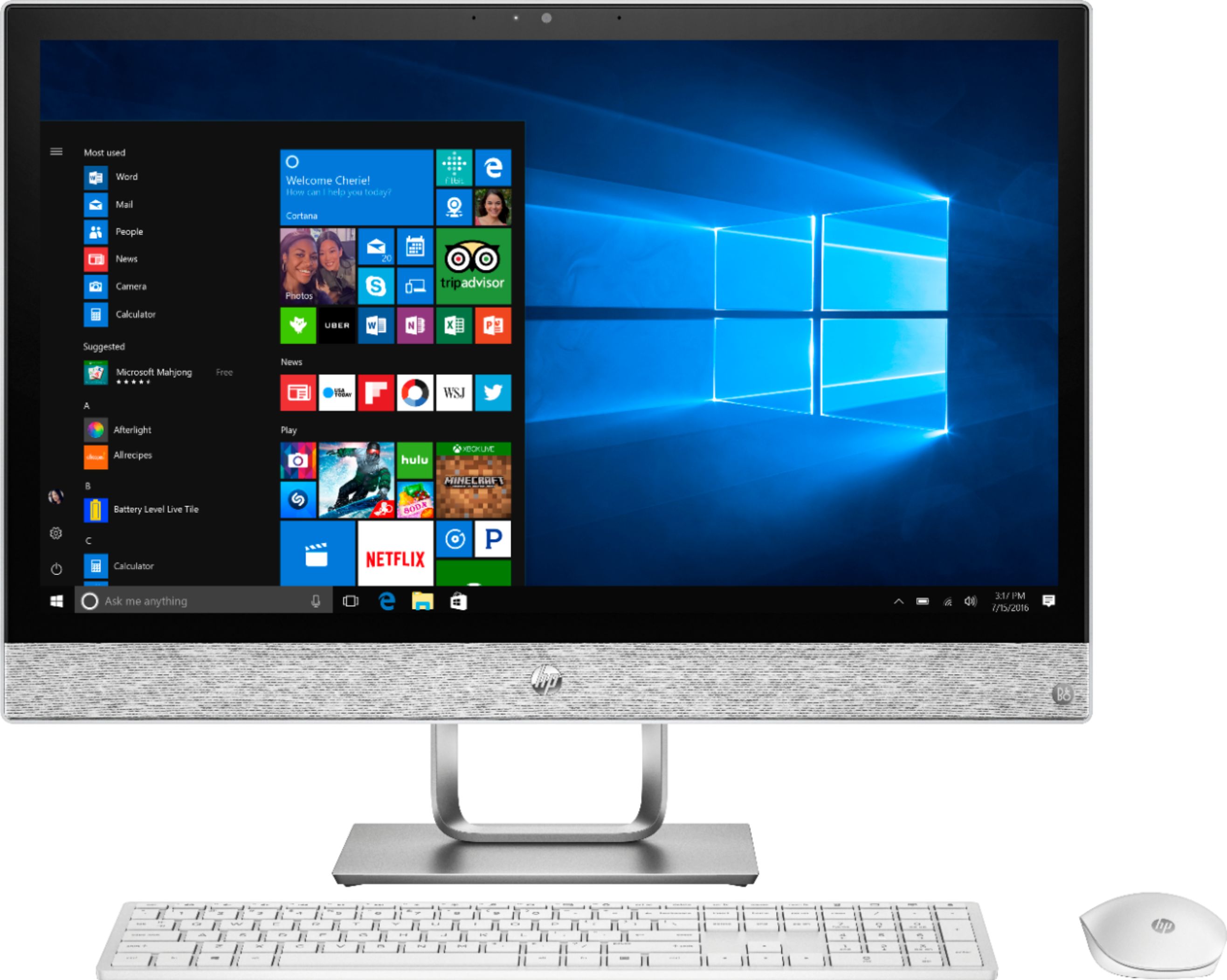
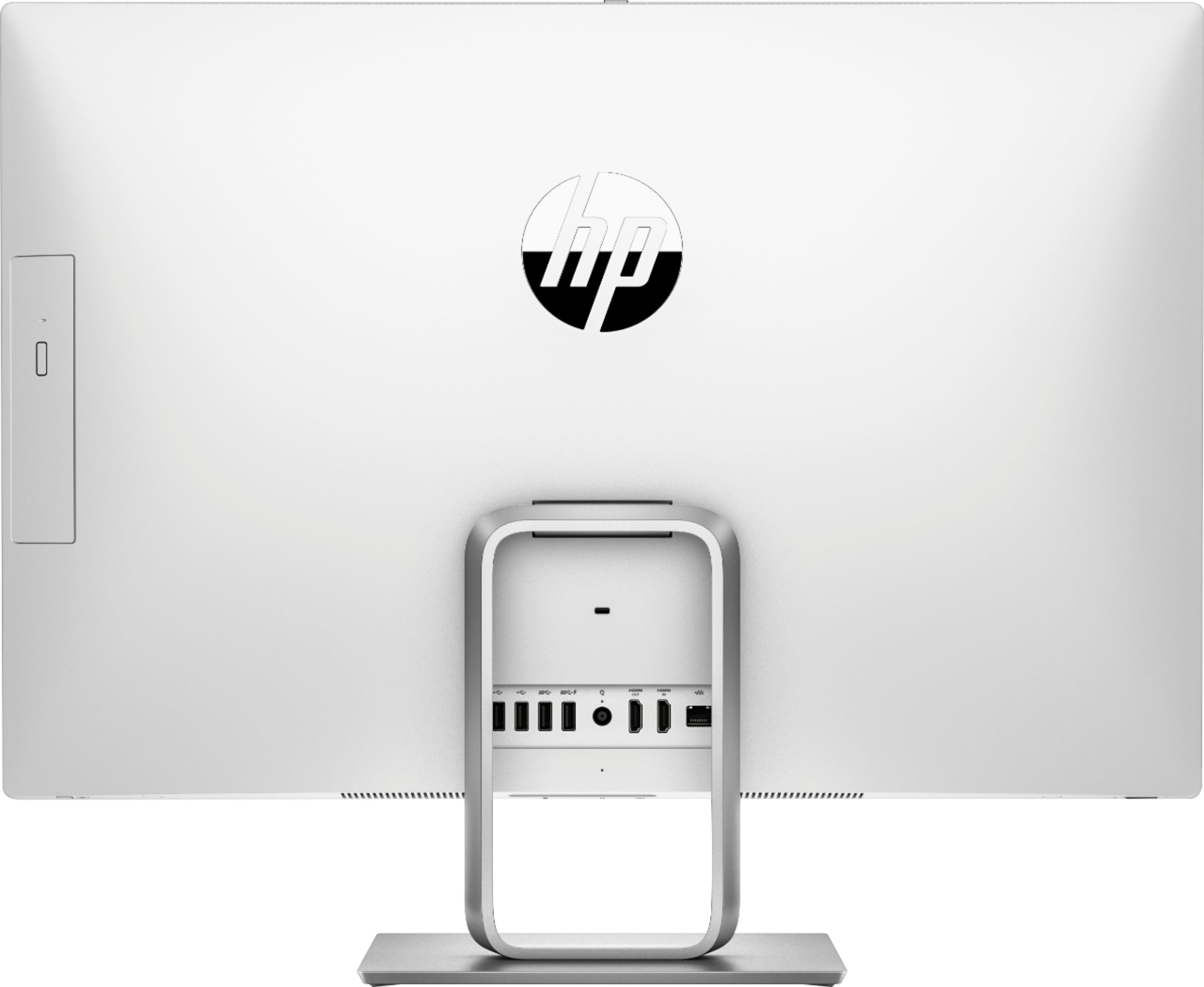
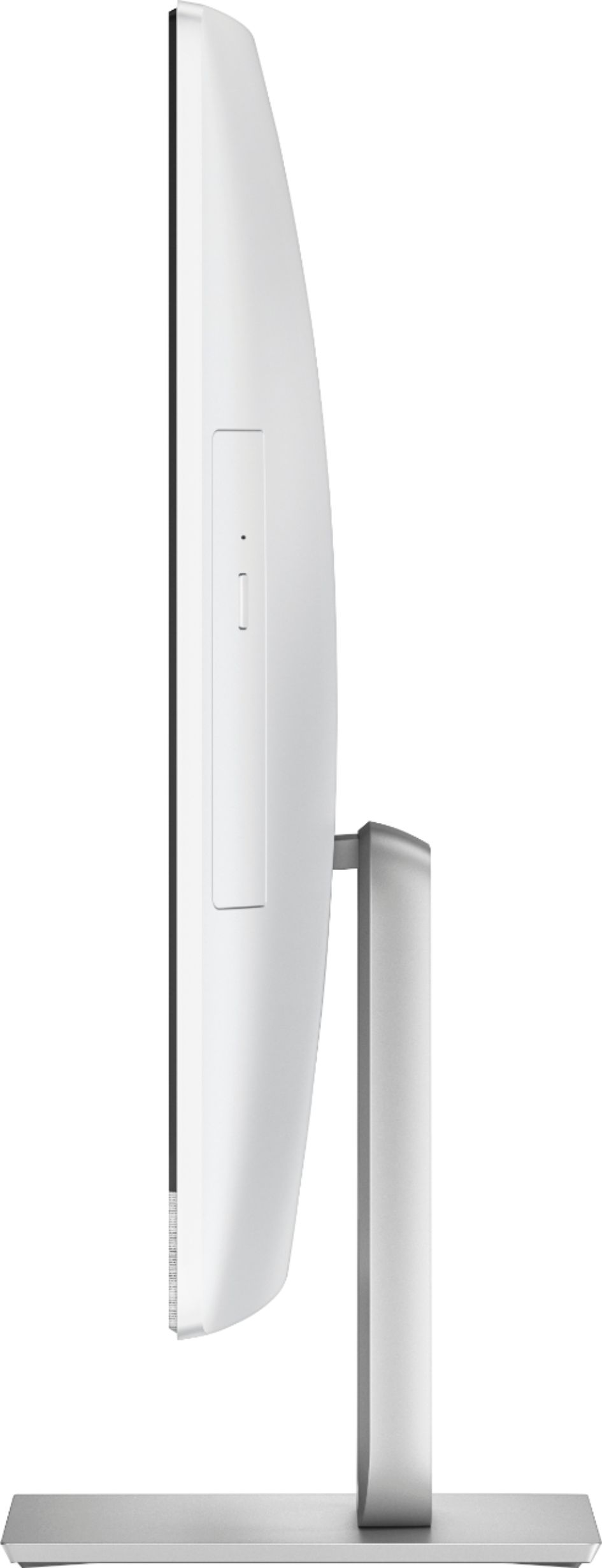
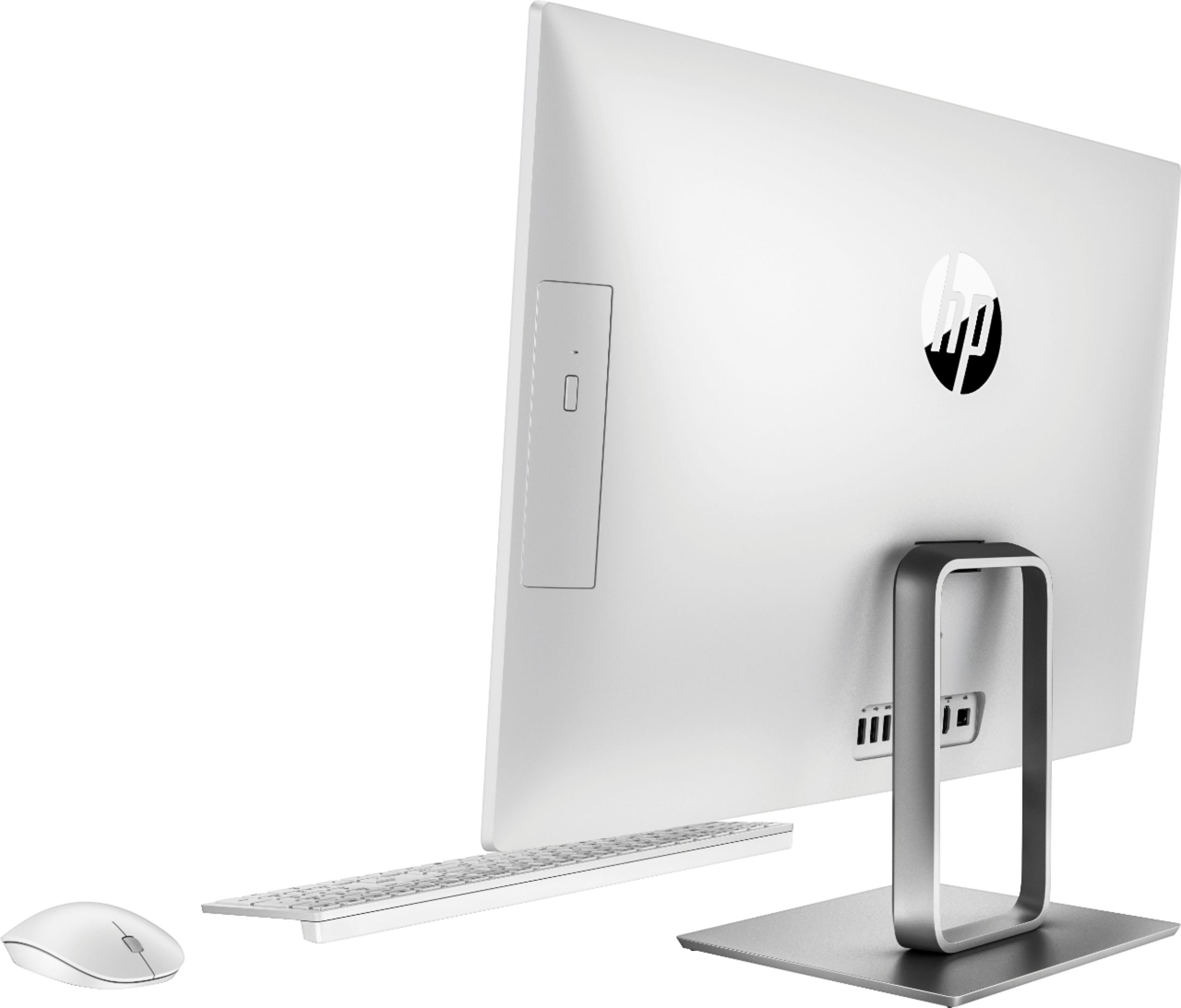
|Posted .This reviewer received promo considerations or sweepstakes entry for writing a review.The first thing that struck me about this All in One (AIO) was the size of the screen. It is a big 23.8 inches diagonal! I do enjoy the bigger size because it is easier to see, but a longer distance between you and the screen will make it better to look at the screen. Resolution is outstanding and this AIO is built like a tank! It is heavy for its size which feels solid and will not get knocked over easily. All kinds of connectivity are packed in the AIO. A couple of HDMIs, many USBs, and other it even includes an Optical Drive. There is a headphone jack which I would use aftermarket speakers on because, although the built in speakers fine, you might want a more robust sound. While there are multiple connections on the under part of the screen and the back, the connections are "trapped" by the square shape pedestal on the back. They are also in a low position. Connecting things like an external drive could be difficult. You either have to keep your connections plugged in all the time or move the screen to get to the back, depending on how much room your desk has. Setup has gotten a lot easier to do over the years and this AIO is very easy to get started with. Overall if you are in the market or have not looked at an AIO, take a look here, it is certainly not a waste of time.
I would recommend this to a friend Great for general use (including college students)
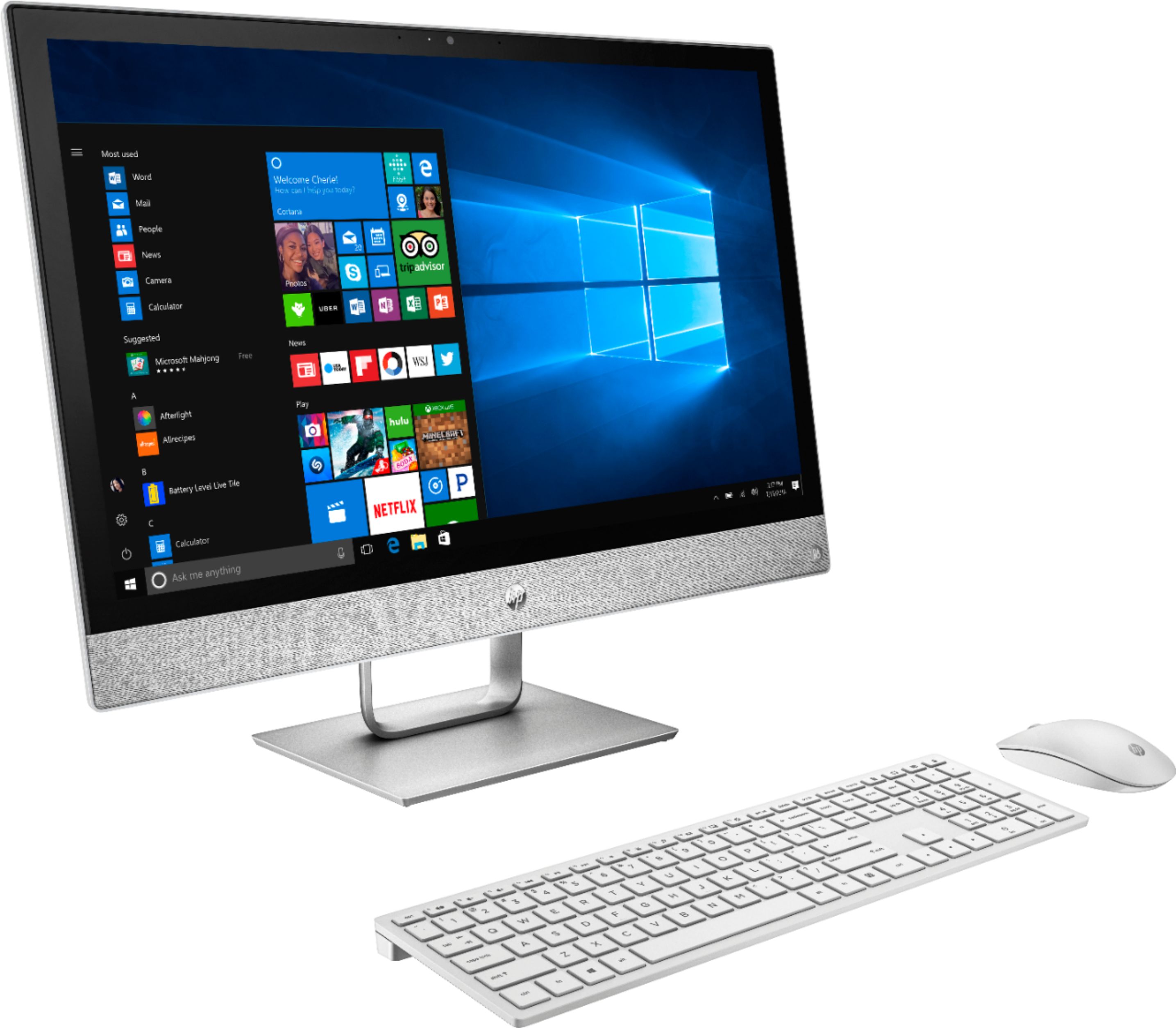
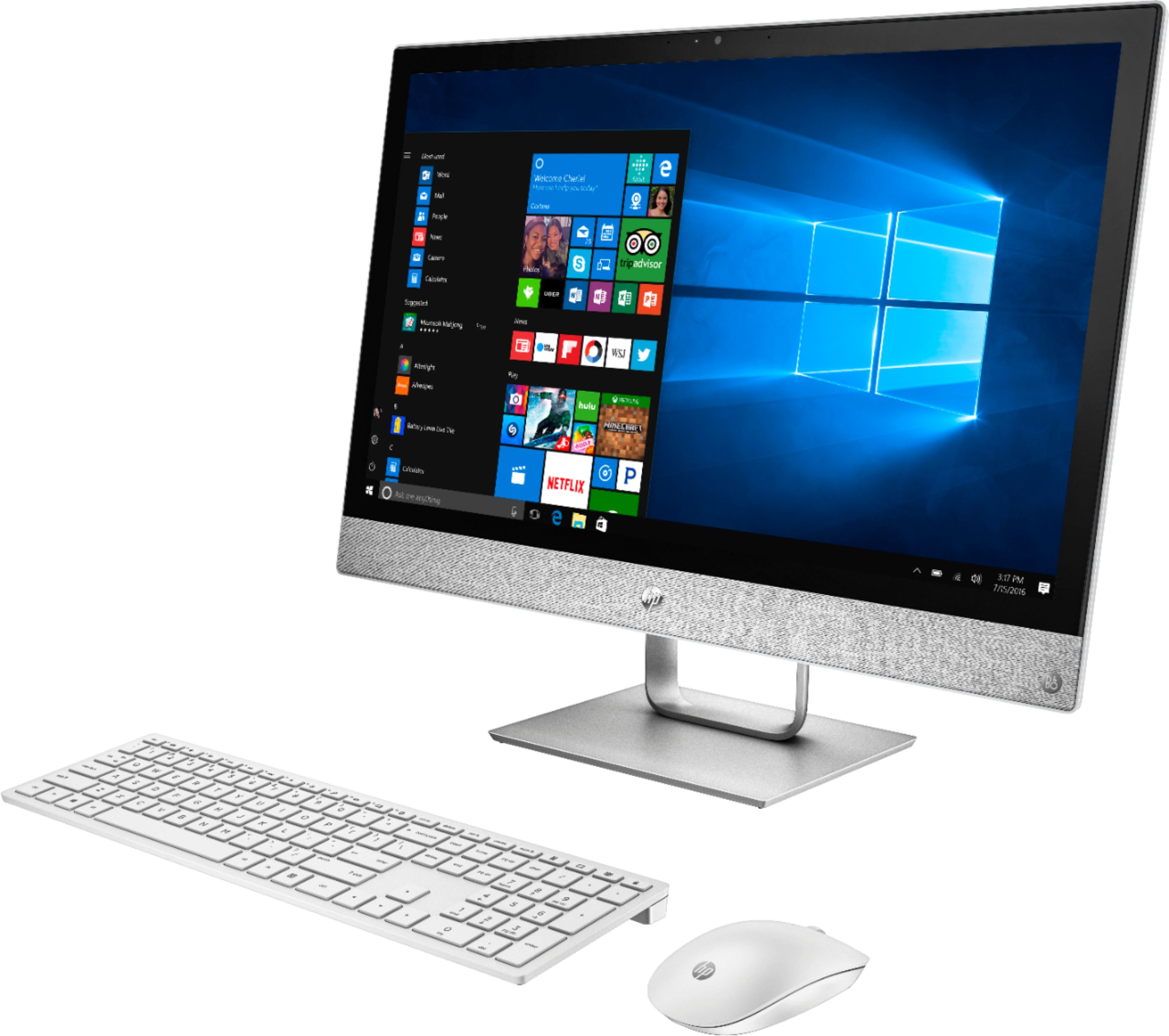
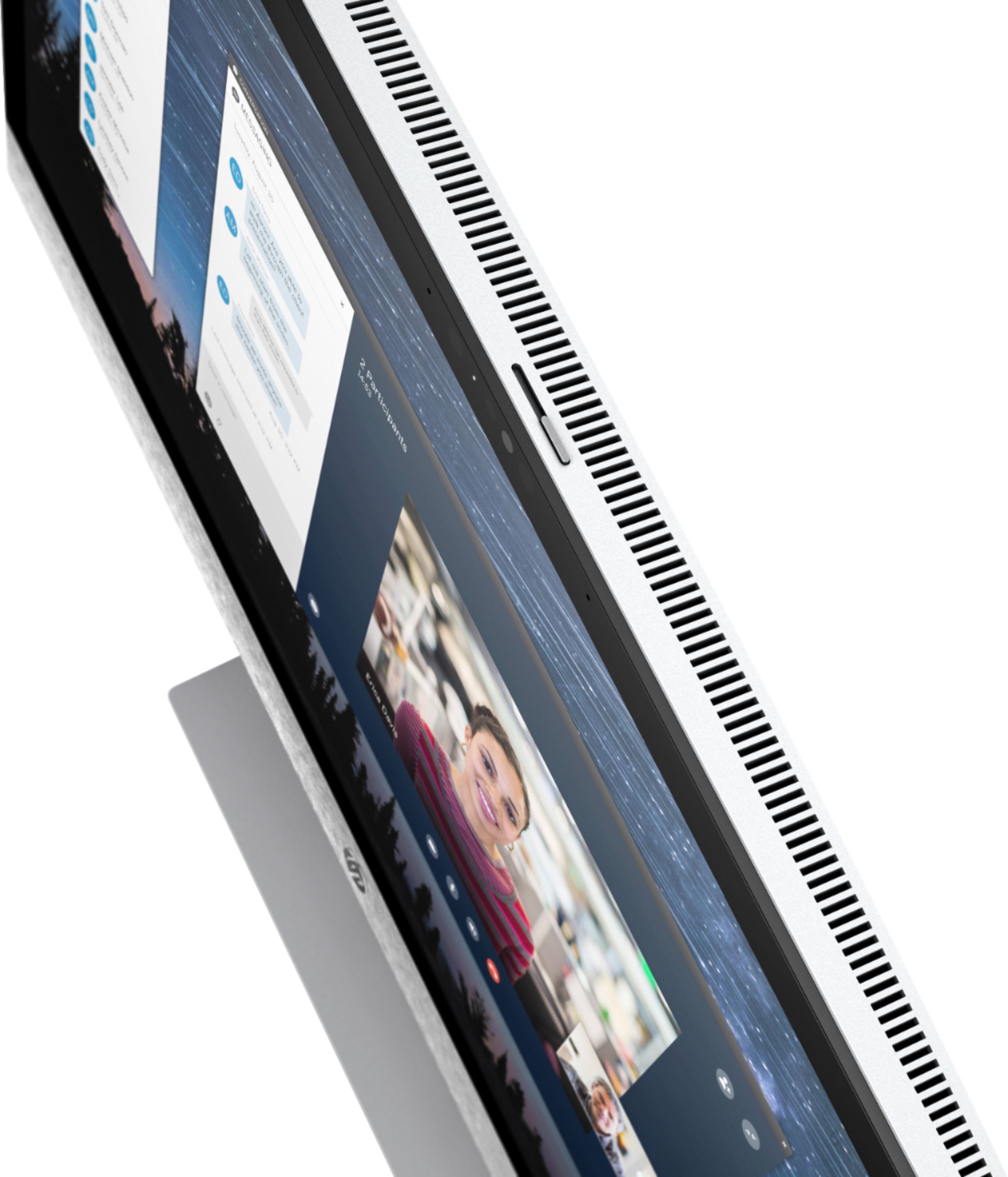
|Posted .This reviewer received promo considerations or sweepstakes entry for writing a review.This is HP's new line of 24" (23.8 usable) touch-screen with a quad-core 8 hyper-threading AMD CPU (at 2 GHz). It comes in a large box and was well packed. Easy to open and removed from the box. There was not anything to assemble (as it is an all-in-one and the screen holds the actual computer in the back.) Its appearance almost convinced me of a Mac desktop since it's white (including the wireless keyboard and mouse. The little USB mouse / keyboard transmitter is on top of keyboard box. It was so small that I almost missed it. The keyboard is not my favorite as I am a touch typist and it reminds me of a laptop (the keys themselves do not travel down that far when pressed), but it is usable. Batteries are included for both and should last a long time. The manual is minimal as with anything nowadays. The good old days of a thick book that covered everything about MS-DOS (or even old Windows) are long gone and have been replaced with online version. If you are familiar with setting up Windows 10 Home, when the computer is first turned on, you will be walked through the normal set up routine. It will ask you for the name, and available wireless (this computer can receive dual-band (G2 and G5), and it will download any Windows 10 updates that have not been installed since the computer was built. The whole process can take about twenty minutes. The manual, mentioned earlier, is pretty much a little poster that is folded over a few times. It shows the buttons and connections - don't lose this paper. Although things are labeled on the back, you will need a bright light to see it. They are not labeled in different color exactly - just embossed characters. The power button is on the bottom of the left-hand corner of the screen. There is a SD card slot on the bottom middle of the screen (again, nothing is labeled in the front and you have to feel your way around it.) The screen can be tilted up and down but not enough to see these items and you'll learn quickly (while rolling your eyes) about what they do, and where they are. There is also a combination input/output audio connector (not "in" and "out" like others I have used.) I don't have a headset with such a connector to test. The right bottom corner of the screen, there is a switch for HDMI input selection. You can actually use this computer as an HDMI monitor. I successfully connected it to another desktop (with GTX 780 card) and a Sony blu-ray player (through a HDMI selector). Good thing about this is that the computer itself does not have to be "on" - the screen will work as an external monitor even if the hard drive / OS aren't working or on (according to the manual.) I tested this by turning on the blu-ray player, and instead of turning on the computer, I pressed the HDMI selector and it simply shows the Sony blu-ray screen and I was able to watch a movie on it. Since HDMI carries the sound, it worked fine with the extra desktop, and the blu-ray player. The speakers are made by O&B and the sound was quite clear. There are controls you can adjust (while you are running Windows) by clicking on the little OB icon next to the clock, but it took me a while to figure out how to simply adjust the volume while I was using it as a blu-ray screen. The manual does not address this, but I figured out by using the wireless keyboard. The control keys on the top will adjust the volumes (they are labeled)! My Sony blu-ray player is one of those 4k upscaler (not a true 4k player) that I bought last year. It also has the settings for 24p (blu-ray / DVD and streaming). If the settings are ON, the screen stays blank (you can hear the sound). The menu will appear, but as soon as you play something (stream or a blu-ray movie), it goes blank. I turned the 24p features off and it works fine. I can't tell the difference with that setting turned to off when I was watching cartoon Spirited Away. This computer makes a nice little monitor for someone in a small bedroom. The next thing I did was to look at the hard drive. It's a 7600RPM (I think) so it's fast enough for most people. I wanted to eventually replace it with a solid state drive, but I looked all over and was unable to find a screw (on the back, and on the top and bottom) to actually open the case. The BIOS settings even shows M.2 hard drive (which isn't there) so this really is something that disappointed me. I am sure there is a way to pry it open though I am not taking a chance at this time. There are a few USB connectors on the back. USB 2 and USB 3 - one being "charge ready" or something like that which means it has the power coming through regardless. I was able to connect a USB 3.0 hub to the back and everything connected to it worked fine. Be sure you use a powered hub. Touch screen works great, but I don't want to dirty it, so I stayed with the mouse. I wanted to test the internal (screen) microphones. (There are actually two of them). The setting the O&B allows you to do is for it to listen to you only and to listen to others, too. The webcam has an actual sliding switch on the top that you can physically cover it. For some people that wants total privacy (and have been watching too much Matrix), you can be sure that no one can snoop on you while you're undressed (or whatever.) I installed Dragon NaturallySpeaking 15.3 on this computer. Dragon now supports built-in microphone, and it works fine. I installed PowerDVD Ultra 16 (not the most recent version) and connected a blu-ray drive to it, and was able to play blu-ray movies without any problem. So you know, VLC player (current version is 3.3) can play blu-ray so if you want to get a cheap external blu-ray reader for this thing, you won't have to buy any problem to play any DVD or BR movies. The computer came with PowerDVD 14 generic version, but it plays DVD only. I did something most people won't do. I looked into the BIOS after trying to run Oracle VitralBox. It says that Vitrual machine won't start due to the computer's settings. The vitral CPU feature is ** off ** by default. If you're a computer geek and want to run VirtralBox, you have to press ESC to go to the BIOS setting to turn it on. I was able to run Windows 2000, Windows XP, Windows 7 and Windows 10 Professional in different windows. (Don't expect to play games doing this though.) Talking about games.. it's not a machine for that purpose. You may buy this for your freshman son / daughter in college and he (she) can do homework, etc. with it. But don't expect to play any games that require its own GPU with a fast CPU because this ain't it. I tested it by running VSO Convert X to Video 2. It reports a hardware acceleration but when I tried to convert a video (to blu-ray / AVHD), it defaults to CPU only. Same with Convert X to DVD 7. Same with Adobe Photoshop CC (2018). It warns you about not having enough memory for the GPU. So 3d editing is out of the question. Later I tried DVD Fab 10 64 bit (latest version). It lists the AMD hardware acceleration but when I was converting a file to an AVHD disk, it is much, much slower than GTX 780 or GTX 1080 (on other desktops). How slow? Like 40 fsp v.s. 400 to 600 fsp conversion. It works, but slowly. But Redfox CloneBD reports AMD hardware, and it helps a bit to convert a blu-ray disk. Again, not as fast as GTX, but it works. I made it sounds awful, it isn't. It's fast enough for real time voice dictation with Dragon NaturallySpeaking 15.3. The screen is crystal clear. Touch screen works (if you want to use it). It's a perfect machine for a college student, or for office use (the DVD drive is on the back, right side of the screen). But it's not for some people who will need a much more powerful computer (with GPU / CPU) to do rendering, or playing high-end games. For what it is, I still give this computer 5 out of 5 stars, knowing that it's a good computer and not designed for those things I mentioned.
I would recommend this to a friendGet what you pay for
||Posted .This reviewer received promo considerations or sweepstakes entry for writing a review.I purchased this at an open box discount. It crashed in three weeks. The whole windows operating system had to be reinstalled. If it happens again, I'm taking it back.
No, I would not recommend this to a friendNot happy!
||Posted .This reviewer received promo considerations or sweepstakes entry for writing a review.This computer was highly rated when purchased. Since using the computer it randomly has a blue screen, it will shut down and restart whenever it decides to, it also will lock up at random when it wants, it will not play video consistently. I'm just very disappointed in the PC and upset with the purchase. DO NOT BUY!
No, I would not recommend this to a friendWorst Computer Ever
||Posted .This reviewer received promo considerations or sweepstakes entry for writing a review.Constant issues with the video card, pixels turn green and computer turns to the “blue screen of death,” which I’ve not seen for years. I didn’t have the chance to return during the return policy window or I’d get rid of it. I’ve not purchased HP for years, but I hoped everyone had improved since then. Absolute junk!
No, I would not recommend this to a friendIt sucks
||Posted . Owned for 1 year when reviewed.This reviewer received promo considerations or sweepstakes entry for writing a review.Careful what you ask for this is not a pc for games but for like school don’t believe anything from anyone at the store cuz they lie to me saying this pc could run all the games I play cod fortnite apex but they lie to me and I’m stuck with this pc I wasted so much of my money that I would just buy from somewhere else
No, I would not recommend this to a friendDon't buy anything HP!
||Posted . Owned for 1.5 years when reviewed.This reviewer received promo considerations or sweepstakes entry for writing a review.Had this computer for just over a year. Not even 25% memory on it. Never had any downloads or used it for any gaming. Mother board crashed out on me with no help from HP. Recommend Never buying an HP product. I will never purchase from this company again.
No, I would not recommend this to a friend- Cons mentioned:Speakers
Nice desktop!
|Posted .This reviewer received promo considerations or sweepstakes entry for writing a review.First, let me say it's kind of nice in an old school way to be tethered to a desk top. The computer arrived in a fairly large well package box. It contained the display with the stand already attached. The keyboard and mouse as well as the power cord. Starting with the display, which is actually the display and everything else! It contains the read/write CD-DVD on the left side of the display. It is flush mounted and, had I not had the picture, might have missed it. 4 USB ports, 2 HDMI ports, an RJ-45 port if you choose to hard wire your modem and a security slot. The front camera speakers and audio. I like that the camera has the ability to be covered with a switch when not in use. And as of yet I apologize but haven't used it yet so cant speak on it. If I had one complaint, it would be the power switch, its somewhat hard to push on because its flush mounted, also the power light isn't the easiest to see. The display itself swivels back and forward on the stand for ease of use however it can't be raised and lowered. The B&O speakers are adjustable for sound, but to get the full theater effect I would suggest external speakers. The keyboard and mouse are small and lightweight and very comfortable to use. They connect wirelessly via a dongle to the computer. Sitting down turning on, the display is a great size to watch movies without feeling that you're watching it on a cell phone. I've ripped my full cd's in under 2 minutes each. It is quick and responsive. I still have a ton of options (gaming, movies etc) on this storage monster to test out but for now I am thrilled just haaving fun with it.
I would recommend this to a friend Don’t waste your money
||Posted . Owned for more than 2 years when reviewed.This reviewer received promo considerations or sweepstakes entry for writing a review.Horrible computer. I bought two for my business and Since I got them they keep Randomly shutting down. Also, it updates on its own and the entire system changes and I lose things all the time. Have never had a worse experience with a computer
No, I would not recommend this to a friendnooot recommended
||Posted . Owned for 10 months when reviewed.This reviewer received promo considerations or sweepstakes entry for writing a review.This has been the worst computer I have ever purchased. Since day one I have had difficulties and have had many sessions with Geek Squad. Port placement is poor as is the power button. I would not recommend this computer.
No, I would not recommend this to a friendKeyboard keys doesn't work after 2 years of usage
||Posted . Owned for 1.5 years when reviewed.This reviewer received promo considerations or sweepstakes entry for writing a review.Some of keys on the keyboard stopped working after 2 years of gentle usage. I have laptop and iPad which I use mostly for work, but this poor quality HP Pavilion computer doesn't work anyway.
No, I would not recommend this to a friendAvoid this product
||Posted .This reviewer received promo considerations or sweepstakes entry for writing a review.Computer was slow and kept going to a blue screen. Not worth the money, I returned immediately. Stay away.
No, I would not recommend this to a friendPc
||Posted .This reviewer received promo considerations or sweepstakes entry for writing a review.It was a good purchase at some time but a day after I bought it keep crashing and had blue screen error so I ended returning it.
No, I would not recommend this to a friend- Pros mentioned:Screen size, Speed
The computer is great overall
|Posted .This reviewer received promo considerations or sweepstakes entry for writing a review.It's exactly how you would expect it to perform. Fast and easy to use. The touch screen is responsive and the display is beautiful to look at. The colors of the display is pretty good as well. However, the power of the computer is enough to run Photoshop and whatnot, but this is not a powerful workspace PC. It's good enough.
I would recommend this to a friend - Pros mentioned:Speed
Great computer for almost anyone
|Posted .This reviewer received promo considerations or sweepstakes entry for writing a review.This HP All-in-one computer has a really premium feel to it. It's gorgeously crafted out of quality materials. Looks fantastic sitting on my desk. It's only necessary to run one cable to the computer for power, the rest of the connections are wireless. The AMD processor and 8 GB of RAM provide excellent performance. Web browsing and office-type apps run very smoothly. I'm not a gamer so I can't comment on that aspect of the performance, but for everything I've tried it's been great. It has several unexpected little nice touches. There's a little shutter that blocks the webcam, which is far nicer than covering it with a piece of tape. There's a separate switch that lets you switch to the second HDMI port even when the computer is off, so you could use it as a TV monitor. It doesn't arrive with a boatload of garbage software preinstalled. Overall, this is a great unit. It's maybe priced a little higher than some of the competition, but it's worth it.
I would recommend this to a friend Computer only lasted 1 day
||Posted .This reviewer received promo considerations or sweepstakes entry for writing a review.We hooked the computer up and it started having green lines running through the screen in less than 1 day.
No, I would not recommend this to a friendHp
||Posted . Owned for 1.5 years when reviewed.This reviewer received promo considerations or sweepstakes entry for writing a review.Motherboard crashed right after one year of use that I barely even used it
No, I would not recommend this to a friendLousy
||Posted .This reviewer received promo considerations or sweepstakes entry for writing a review.Quit working nine days after purchase add to return and pay extra to be replace
No, I would not recommend this to a friend