Customer Ratings & Reviews
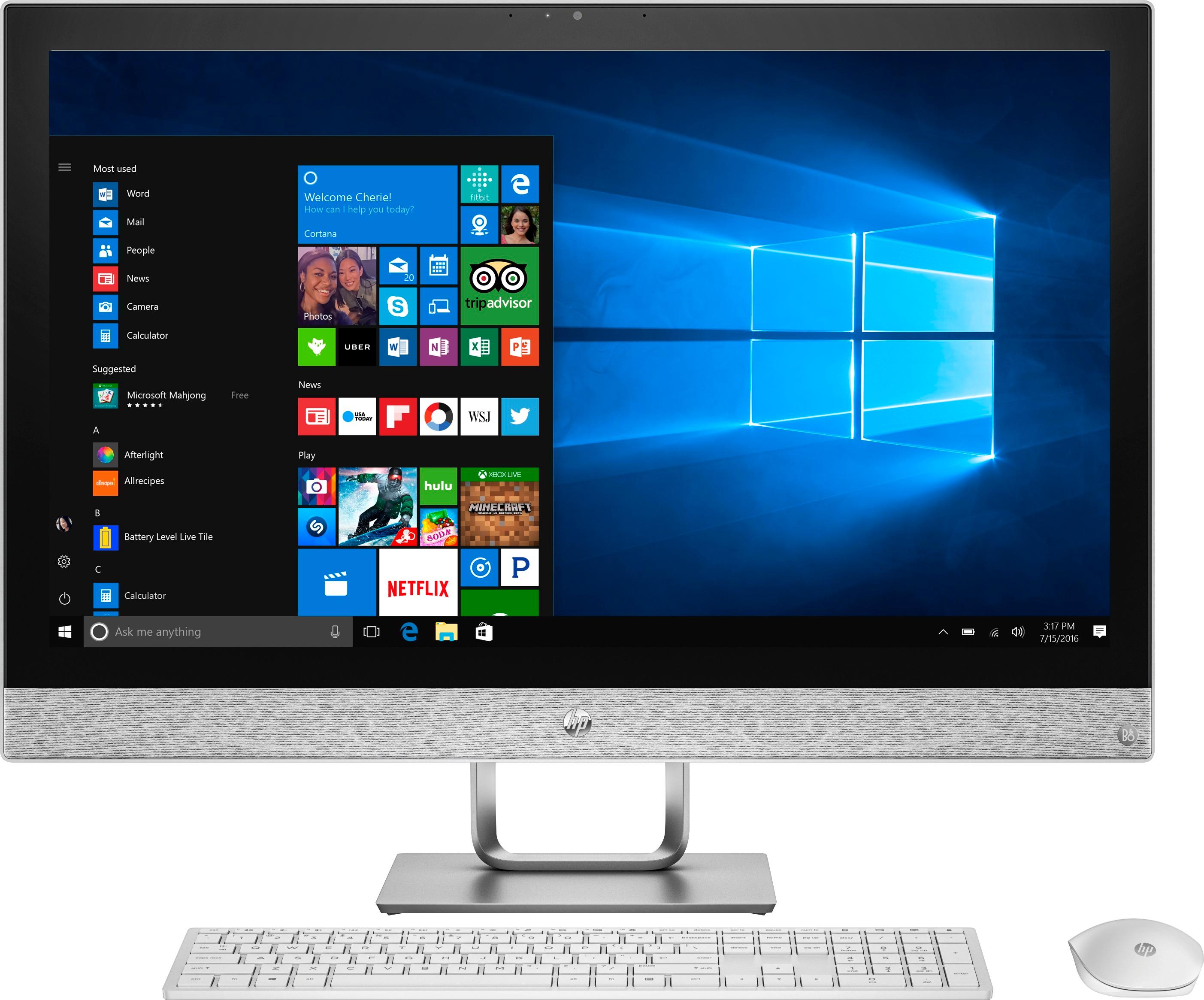
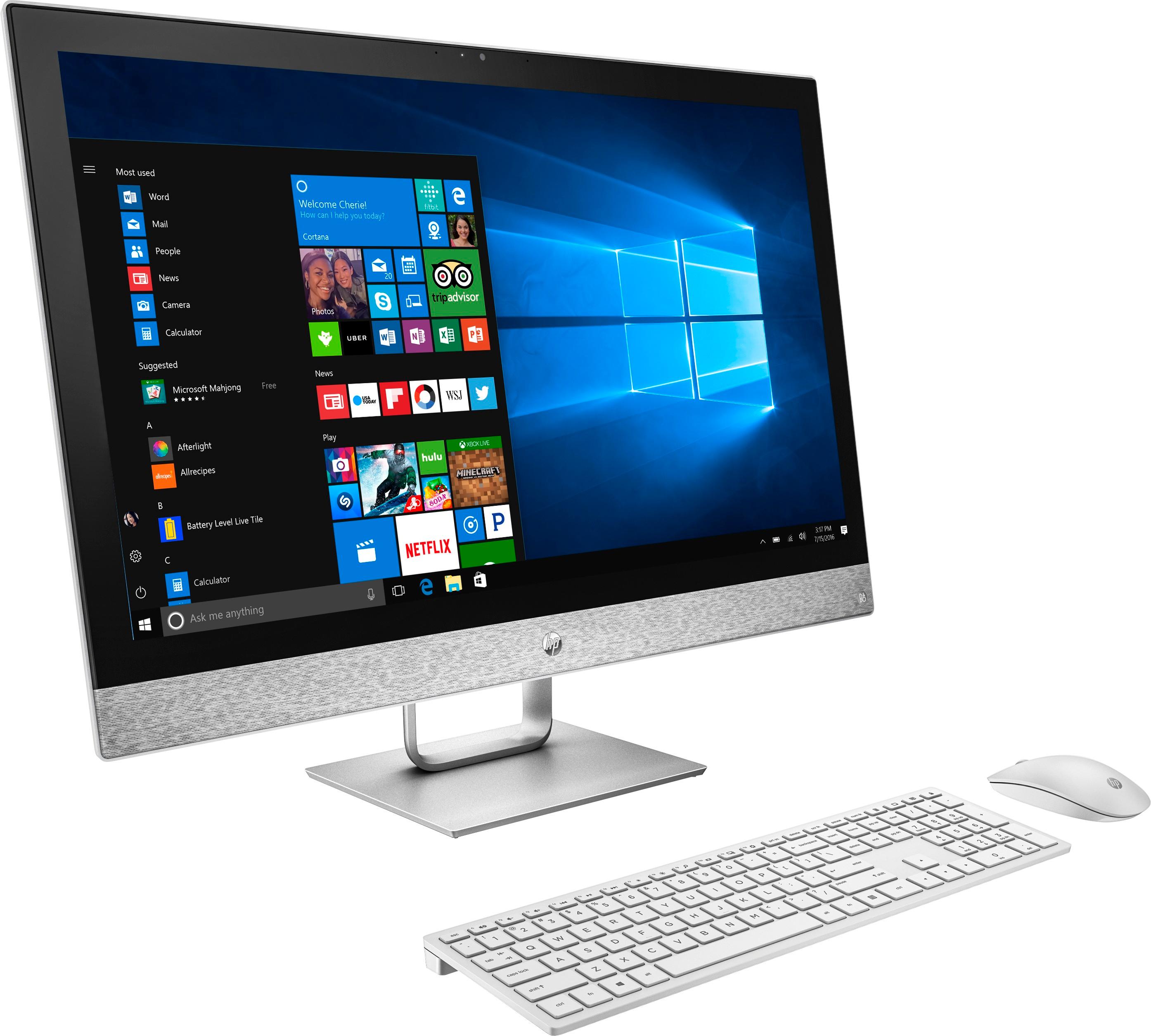
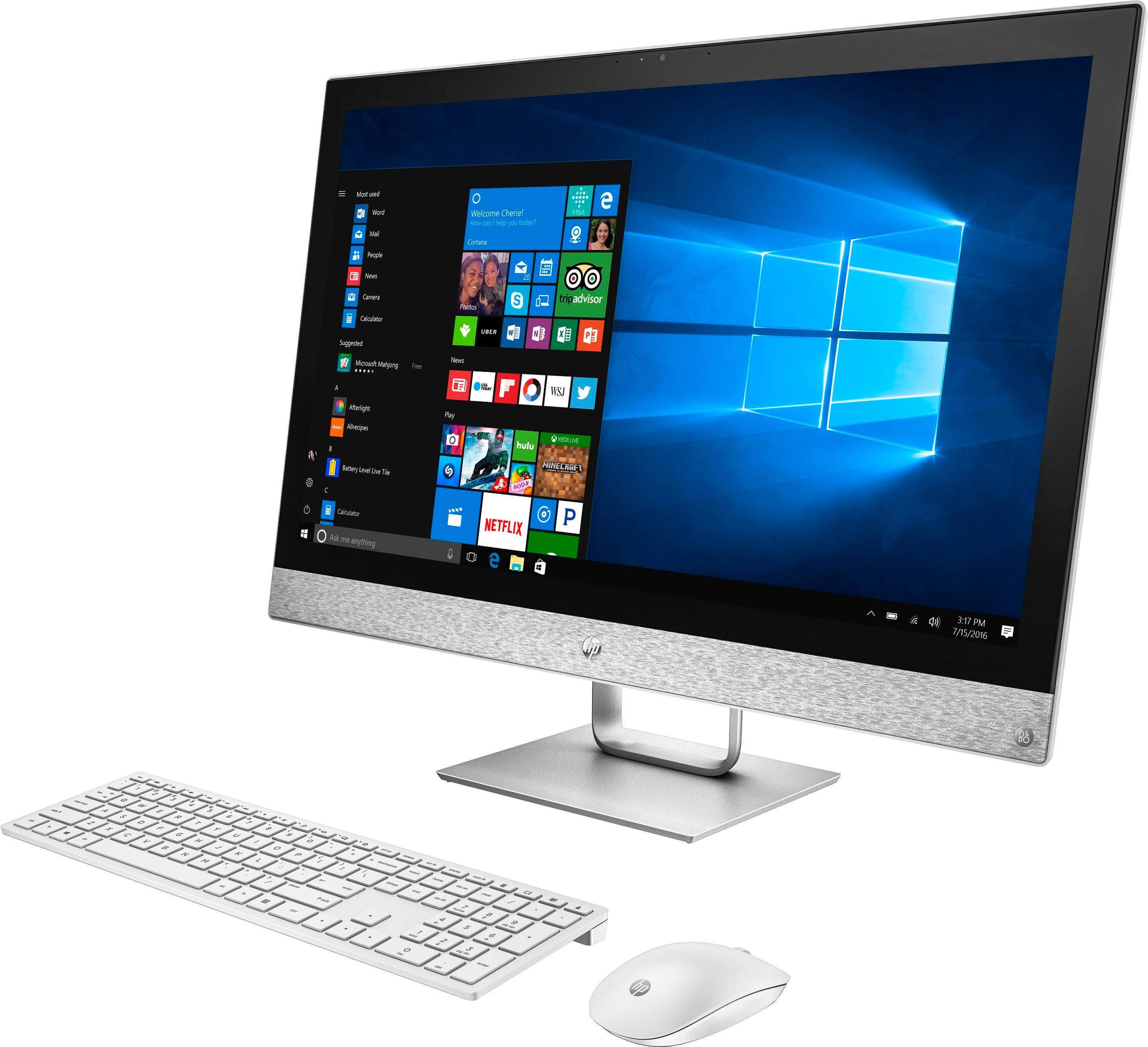
- Model:
- 27-R014
- SKU:
- 6111306
Rating by feature
- Value
Rating 4.7 out of 5 stars
- Quality
Rating 4.7 out of 5 stars
- Ease of Use
Rating 4.7 out of 5 stars
Customers are saying
Customers express satisfaction with the large screen size and ease of use of the Pavilion 27" All-in-One. Many also praise its performance and sleek design, while some users mention the limited number of USB ports located on the back as a drawback. A few customers also noted concerns about the hard drive and speakers.
This summary was generated by AI based on customer reviews.
- Pros mentioned:Screen size

Amazing design
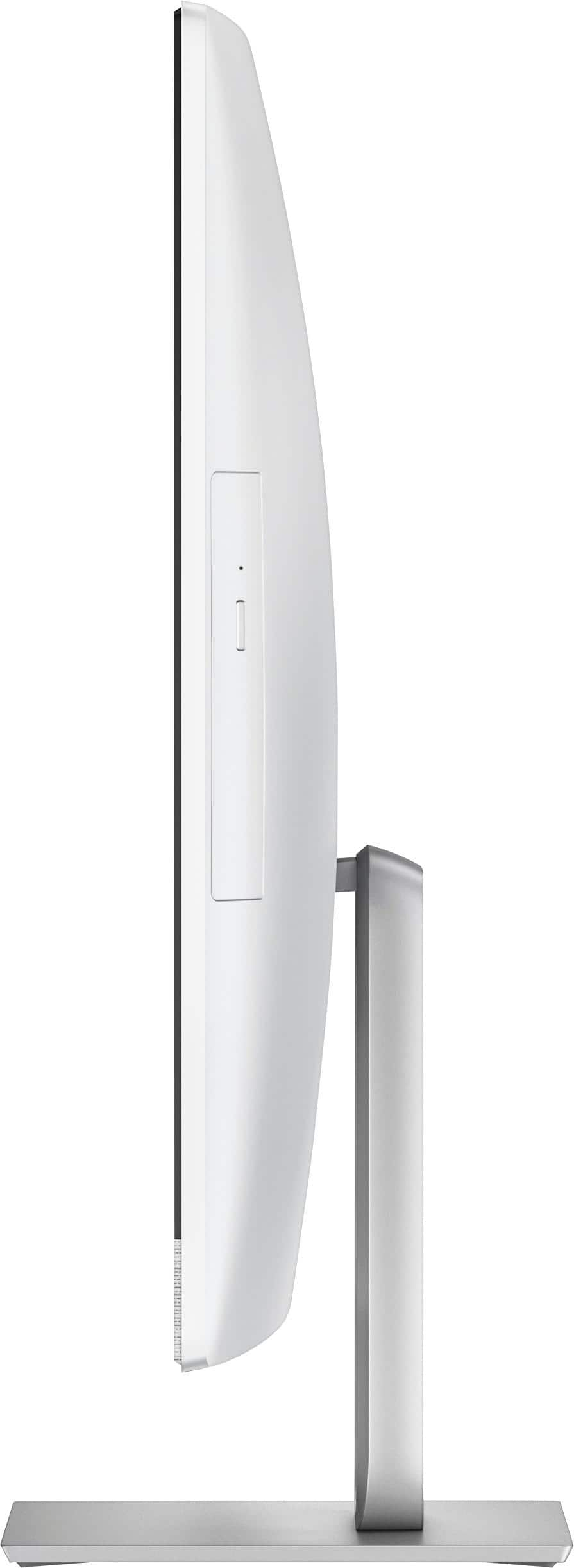
|Posted .This reviewer received promo considerations or sweepstakes entry for writing a review.This is an example great design. I love that the SD reader and USB port is easily accessible from the bottom of the screen instead of hidden and hard to get to in the back. The return of the DVD drive in an all in one made me smile as I had forgotten how useful they are. As far as performance the Optane RAM screams and the included SSD cuts my workflow time in half. The included B&O speakers sounds fantastic for there size. The screen is huge and If i recall bigger than my first TV. I would not be shy in recommending this machine to anyone.
I would recommend this to a friend The worst
||Posted .This reviewer received promo considerations or sweepstakes entry for writing a review.Horrible defective unit never buy this piece of trash
No, I would not recommend this to a friend- Pros mentioned:Performance, Screen size
BUY IT!!!
Posted .This reviewer received promo considerations or sweepstakes entry for writing a review.We purchased 3 of these computers for our small business… they are perfect for our needs!! The touch screen is a great tool when your mouse is dead. I love that you can charge the remotes as opposed to having to buy batteries all the time. I can’t say enough good things about how these computers hold up and how much easier they make work daily!
I would recommend this to a friend - Pros mentioned:Screen size
I Got A Bad One... :[
Posted .This reviewer received promo considerations or sweepstakes entry for writing a review.The screen is very touch responsive. Good colors. Large enough to read w/o glasses or squinting. Easy setup IF you either (A.) Understand Microsoft or B. Don't understand MS and you jump through the hoops anyway. Speakers are more than sufficient with no distortion but I of course would not try to turn your home into a concert with just the integrated speakers but perfect for common video, telecommunication use. At first the machine was flawless! For the first 72 hours... *Then I started getting errors when trying to open a website in MS Edge. *Then the 1st time I tried to open an MS app it 'hung' which caused my Start Menu to not open. * Then half the programs (icons) on Taskbar would not open nor close. * Then my keyboard would not type numeric numbers ( no num lock involved. * Then when I was in a Geek Squad chat dialouge box I could not type all of my sentence as the text would simply not appear. * Then I was unable to read the response in the dialouge box because the text was not there. ( just poof! where'd it go? idk.. * THEN....< that should be in bold, seriously. When trying to open Wireless Network and Control Panel, the icons appeared but there was zero text next to any of the icons. A reboot cured the issues. However, a $1,230.00, 72- hour old PC should not have these issues. Sighs... I'm currently awaiting my 2nd tech to run a full scan deep diagnostics but seriously this has to be more than drivers, Win 10 issues and such. lol.. I'm going to call it CATASTROPHIC FAILURE and most likely exchange for another one. Yes, I will give the same model another chance as this truly is a pretty machine with some great specs for the money.
No, I would not recommend this to a friend Horrible experience
||Posted .This reviewer received promo considerations or sweepstakes entry for writing a review.This HP desktop has not worked correctly since day one. I've talked to HP support at least 10 times. The final time they took control of it and since it won't even turn on. Had it 3 weeks. Sadly, this is my 5th or 6th HP and the first one with issues!
No, I would not recommend this to a friendPowerful All in One PC
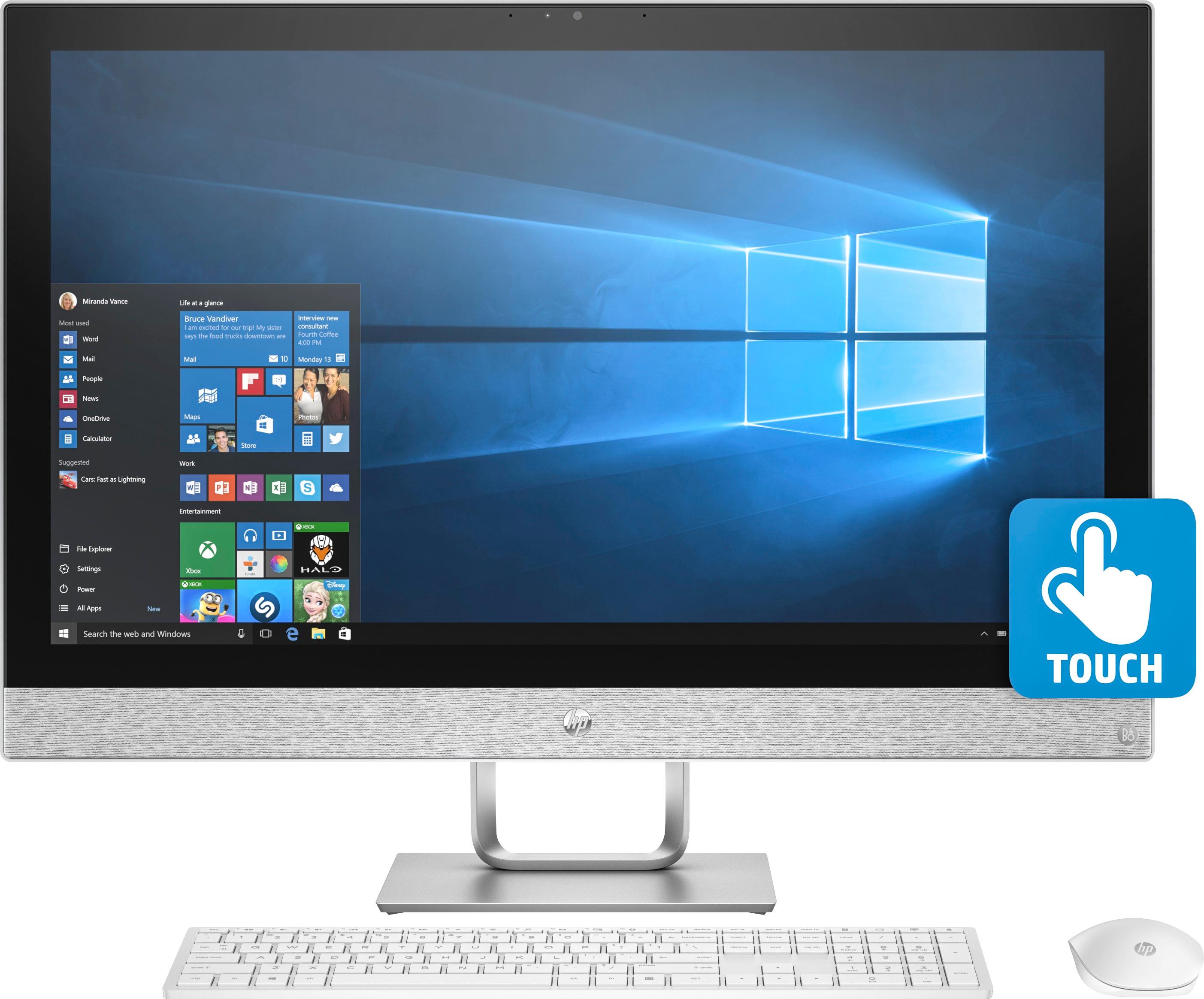
|Posted .This reviewer received promo considerations or sweepstakes entry for writing a review.To start this PC looks amazing. The Blizzard white really stand out. With most computers being the standard black or silver, its nice to have something different. The keyboard looks and feels great. Excellent response and feedback. The mouse is simple and works perfect. Great in the hand feel. And the HD touch screen looks amazing. Not only that though, it has perfect touch response as well. But I prefer using a mouse. A bit old school that way despite using a touch screen phone for so long. The stand is tiltable to get the best angle. Hooking everything up and setting up was very easy. Less than a ½ hour and your'e ready to go. It comes with everything you will need which is very nice. No worrying about buying anything else. You can use the built in fast Wi-Fi or connect via Ethernet which is what I prefer to get a solid and fast connection. But the Wi-Fi is very fast as well. This PC has it all in the perfect size. DVD burner, a full TB of hard drive space, a 7th Gen Intel Core i7-7700T processor combined with 12gb of Ram makes this thing fly. Super fast with no delays or lag. No issues at all running several programs, and open tabs at the same time. It also has a built in SD card reader, Bluetooth, and the audio by Bang and Olufsen sounds awesome. Great for playing music while you “work”. The HD camera is great for video chats with friends and family, or again “work”. The HP 27-R014 is a great and powerfull All in one for someone looking for a PC without having to deal with a large tower. With awesome modern looks, and top notch performance and specs this is a no brainer for anyone shopping for a new PC. Highly recommended.
I would recommend this to a friendElegantly Basic
|Posted .This reviewer received promo considerations or sweepstakes entry for writing a review.Let me start by stating up front I am not the primary target HP is trying to attract with the All-in-One Pavillion. I have been building my own custom computers for 30+ years and HP hasn't swayed me to discontinue. That said, I wanted this computer for my wife so that I could reclaim the notebook of mine she has been using. Here are my thoughts: PROS: - All-in-One nature makes connection and setup a breeze - Reasonably fast for basic operations (i.e. web surfing, Office, listening to music, etc.) - Responsive touchscreen - Good display color thanks to the IPS screen with no noticeable backlight bleed or vignetting. - Display controls offer low blue light mode for long term use. Reduces eye strain considerably, but does effect color balance. - Integrated speakers are as balanced as I suppose could be expected - Wireless keyboard & mouse is a nice touch - Keyboard has good typing feel. Similar to a high quality notebook. - Comes equipped with an HDMI input. A nice touch indeed. - Pre-loaded with minimal bloatware - Has a nice integrated webcam cover to keep prying eyes in the dark - Good build quality - Stylish CONS: - Most glaring issue is the lack of a solid state drive (SSD). Yes, it is equipped with an Optane cache drive, but certain disk intensive tasks quickly overwhelm it. Once I setup the machine and began updating it to the latest Windows 10 build (1709) it took nearly 3 hours to accomplish the task. A similar machine equipped with an SSD would have done the same task in less than an hour. - IPS screen is moderately low resolution for its size. A 27" 1080p display has an 82 PPI (pixels per inch). Sitting at a reasonable distance from the monitor the pixels are easily seen and renders text with jagged edges. Higher end models from HP offer a QHD display with a 110 PPI. For me, 90 PPI is the minimum I would go. - Key drawback of a touchscreen is the very glossy display it creates. Unfortunately, where I had to place the machine in the room it has a window facing it. The display is similar to sitting in a mirror unless there is very bright content on the screen. - While IPS creates great color it does come at the cost of lower contrast and what is called 'IPS glow' on black screens. IPS glow is the appearance of a hazy white light emanating from the screen when it should be black. Some people are more sensitive to this phenomena than others. This display is one of the worse cases I have seen and I believe it could be due to the pixel pitch. The QHD model may exhibit less. - The lack of a discrete GPU means no 'real' gaming outside of the casual or very basic (i.e. Minecraft, Roblox, etc.) - Integrated speakers lack good bass reproduction and are very volume limited most likely to limit distortion. Don't expect to throw a party with them. - Upgrading the machine (i.e. RAM, hard drive) long term could represent a real challenge for the average user. One might consider buying the model with all of the options one might want ahead of time. - The lack of a backlight on the keyboard is a definite minus for me in this day and age. Yes, it comes at the cost of battery life, but it should at least be a selectable option. - The mouse is pretty terrible from an ergonomic standpoint. It is too flat, too light, and has 'sharp' edges that becoming annoying with extended use. This is a classic case of form over function. Sure looks nice though.... - Final nitpick is the pop-out DVD tray is super flimsy and hard to close as it gets stuck on the edge of the housing when you try to close it. As I will never use it, it isn't a make or break feature for me. So what about value? This model represents the base model HP offers. At it's list price it brings to the table a certainly capable machine for what an average user might need it for. My problem is that you are paying a premium for the all-in-one aspect at a very obvious cost of the overall hardware itself. One could buy a much more capable machine for the same or possibly even less. It is a tough recommend for me at the MSRP. If you can find it on a good sale and are looking for something with minimal footprint to fill a basic need then go for it. As I said from the beginning, I am not the intended target for this machine. It is meant for families or students looking to write a report, play media, or surf the web. I just think you can get more for your money elsewhere.
No, I would not recommend this to a friendThe computer frizer
||Posted .This reviewer received promo considerations or sweepstakes entry for writing a review.my computer with 2 months of purchase I frieze and take it to repair to besbuy geek squad have 1 month and I have not been able to repair and do not give me another I have 2 year warranty I can do
No, I would not recommend this to a friendHad to take this in to get fixed twice.
||Posted . Owned for 6 months when reviewed.This reviewer received promo considerations or sweepstakes entry for writing a review.Unfortunately this product had the blue screen of death on a weekly basis. Had to send it off twice for over a month to be repaired. Was eventually junked for a full refund.
No, I would not recommend this to a friendBig and Beautiful, but.......
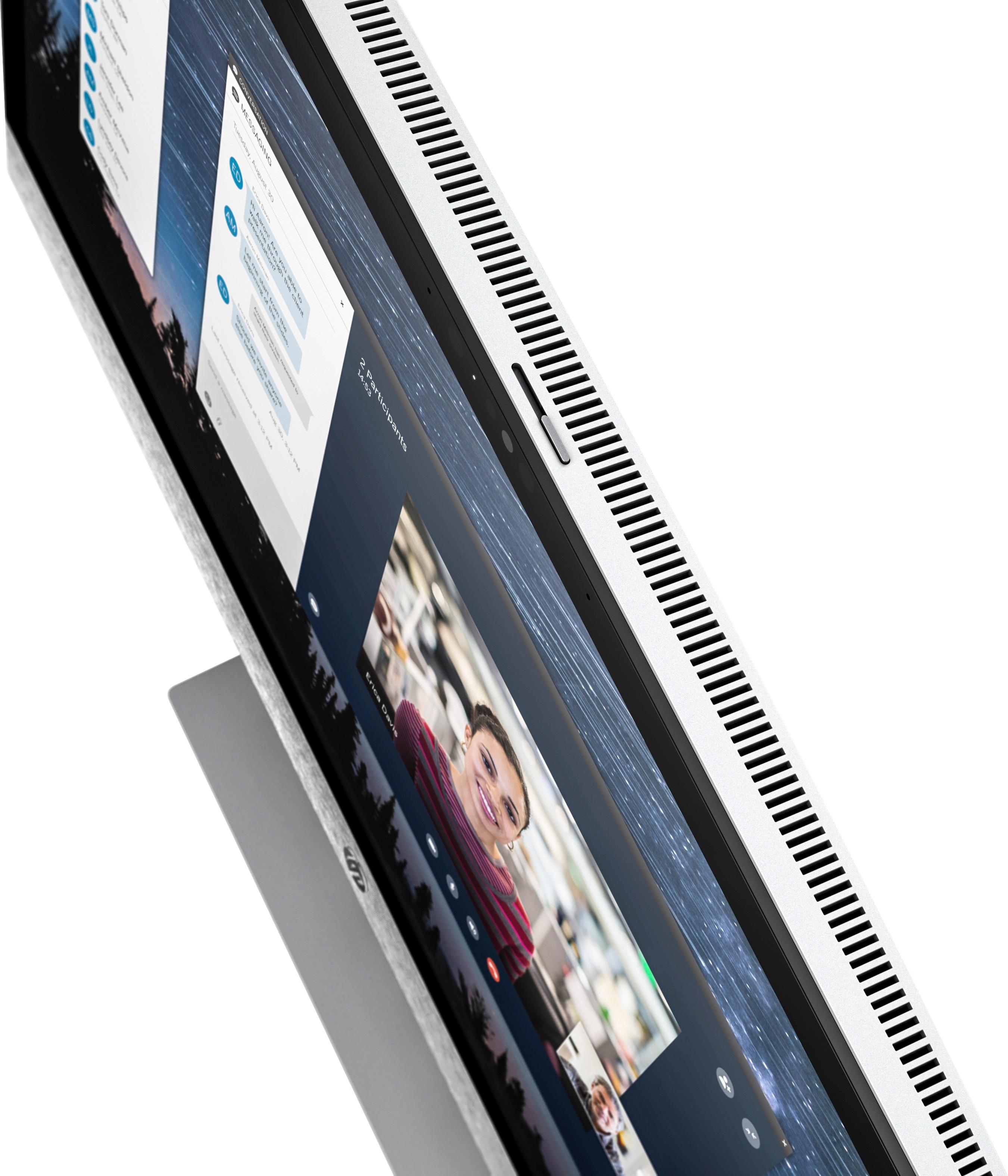
|Posted .This reviewer received promo considerations or sweepstakes entry for writing a review.Out of the box the first impressions are: This is a very attractive and stylish all in one computer. From the color scheme to the modern design. The screen is large. I went from a 24" to this 27", and the size difference appears as if its much greater than that. The stand is solid and the screen easily tilts to the perfect line of sight, Once you turn it on, setup is quick and easy with the aid of Microsoft's Cortana talking you through it. The wireless keyboard feels very premium, in fact, the keys have the best feel of any keyboard I have used and I have many computers. The mouse is sleek and low. It fits my average sized hands perfectly, it's responsive and looks sharp. After the initial setup, it is critical to go to Settings/Update and update windows to the latest version. This will take a while and may require restarts. I also recommend immediately uninstalling McAfee security software. This will automatically turn on Windows Defender. I have found it to be effective, and it does not use resources or slow your computer down. And it is free and does not require a subscription. I also recommend installing an ad blocker extension to the Edge browser. This will greatly increase the speed of web page downloads. I won't go into the specs as they are clearly laid out on the BestBuy website. For daily family use, this computer is fast, the screen is very nice, the resolution is more than adequate, if not spectacular. The B&O speakers are excellent. Watching a movie on Netflix or a video on YouTube is a pleasure. There are multiple usb ports including highspeed 3.1 and a usb C. There is also a headphone jack, a memory card reader and an HDMI IN port, though some of these are located under the screen and are a little difficult to get to. Another nice touch is a sliding panel located at the top of the screen which closes the camera for privacy. Overall this computer is a joy to use. It's performance is very good, the computer runs quietly and with large vents across the top, it stays very cool. BUT... I am taking 1 star away for 2 reasons. First of all this computer is not capable of Windows Hello sign on. I have that on all of my other computers, and I am stunned that computer is not compatible. Secondly, it's time to abandon the mechanical HDD and go with SSD. I feel that at this price range both Windows Hello and an ssd drive should be standard and their omission is annoying. However, I would still recommend this computer,
I would recommend this to a friendNot good
||Posted .This reviewer received promo considerations or sweepstakes entry for writing a review.HP did not work well. Opened a web age, kept knocking off. Geek Squad had to fix after calls and store visits. Finally returned product.
No, I would not recommend this to a friendSuper slow
||Posted .This reviewer received promo considerations or sweepstakes entry for writing a review.There are so many teaser apps loaded by you guys, it can’t even process programs without severe lag.
No, I would not recommend this to a friend- Pros mentioned:Ease of use, Processor speed, Screen size
Simple Set up
Posted .This reviewer received promo considerations or sweepstakes entry for writing a review.I've owned computers since the 80's and this was the easiest to set up - maybe 20 minutes. Just Plug in and follow the screen instructions. I would quickest recommend this to seniors or even 1st time computer owners. I had thought my laptop was fast, but this computer puts it to shame. They call the color of this Blizzard White, but looks more like Silver. The only thing is that I recommend is that you may want to get a wired mouse and keyboard, my batteries died in about 4 days. I also want to mention is that the unit is HEAVY - so set it up where it is going to be used. The touch screen was really handy when the batteries died .
I would recommend this to a friend Nice design and meets the needs of home users
|Posted .This reviewer received promo considerations or sweepstakes entry for writing a review.I have owned all-in-one computers before and they meet the needs of those that want a nice computer that takes up minimal space in a nice compact package. This particular one will obviously consume a bit more desk space due to the nice, large 27" screen, but the trade off is well worth it. The large 27" display also allows users to readily split two applications on this screen and still work within each one quite easily. It would be great if HP had chosen to go with a solid state drive, but I still feel as though this pc boots up pretty quickly and does a more than adequate job of handling typical computer tasks such as surfing, financial mgmt, photo mgmt, etc.... Likely, someone who is a big time gamer or graphics person will be looking elsewhere. The design of the pc is visually very nice looking with a black bezel surrounding the display and a nice silver/white band at the bottom where the speakers are located. The keyboard has a nice touch and is comfortable to use, but I think the mouse is lacking. It has a somewhat cheap, plastic feel and the edge running around the side of the mouse is almost sharp and pointed to the touch. A more rounded edge would have been a better feel. This is not really surprising to me because it seems like many pc makers give the keyboard and mouse design an afterthought and leave one with a cheap feeling product. In the case of this model I'd upgrade the mouse to something more comfortable to use and that is fairly inexpensive. The setup of this pc is very easy. Obtaining Windows updates didn't take much time and bloatware is to a minimum. I did run into a little bit of trouble using the HP Support Assistant in trying to update some of the drivers, but soon figured out that i needed to click "About" in this software and then "Check on available updates". Once the HP Support Assistant was updated to the current version I then had no more issues doing updates on my devices. This software will also list any other HP products such as a printer that are on the same network and allow one to manage those accordingly also. Audio sound with the Bang and Olufsen speakers is pretty nice for an AIO pc. Between those and the large display this is a great pc for netflix and video viewing. I think this all-in-one will be a great option for the typical, home user. Features such as the Intel I7, 12 gb of memory, 1TB hard drive, large 27" touch screen, RW disk drive and hdmi connectivity should seal the deal for many computer users.
I would recommend this to a friendReally Bad Pavilion 27" Touch-Screen
||Posted .This reviewer received promo considerations or sweepstakes entry for writing a review.2 Weeks of using my Pavilion 27" Touch-Screen All-In-One Screen Burn out.
No, I would not recommend this to a friendSpace saving, fun and effective
|Posted .This reviewer received promo considerations or sweepstakes entry for writing a review.I have always wanted an all-one-computer and the HP Pavilion has exceed my expectations. The screen is large with fair resolution (without going to a high graphics machine), which makes it perfect for "touching" the screen. Since I work at computers all day long, I wanted to give my wrists a break from all the mouse movement. I find myself using the touch screen more and more over the mouse. While the screen is very large, the entire computer is very space saving since the CPU is built into the screen. Even the mouse and keyboard are sleek and compact. At first the keyboard seemed small compared to my ergonomic keyboard (literally it's about the 3rd of the size of my old one), but once I got use to it, I find it easier to type on. I prefer roller ball mice, but the mouse that comes with the HP is functional and adequate. The setup of the computer was so easy - and actually fun with Cortana guiding you through the steps. While this is mostly a function of Windows 10, I found the touchscreen particularly good for the setup, along with verbal commands. The pros include no separate CPU (which to me is worth it's price with just that design), large screen with no glare issues, and a sensitive touch screen display that somehow does not get a lot of fingerprints all over it. The speakers and mic work great and there is even a cover for the camera (smart). The con would be the access to the audio jacks and other features directly underneath the display which are difficult to connect to without bending your head, but the entire screen does tilt up so that helps. I'm also having some software compatibility issues, which I assume is Windows, not HP, based. Overall, I'm very pleased with this computer. I used it to record and edit a professional video using Camtasia, and everything worked perfectly.
I would recommend this to a friendNice All-in-one System. Great Screen
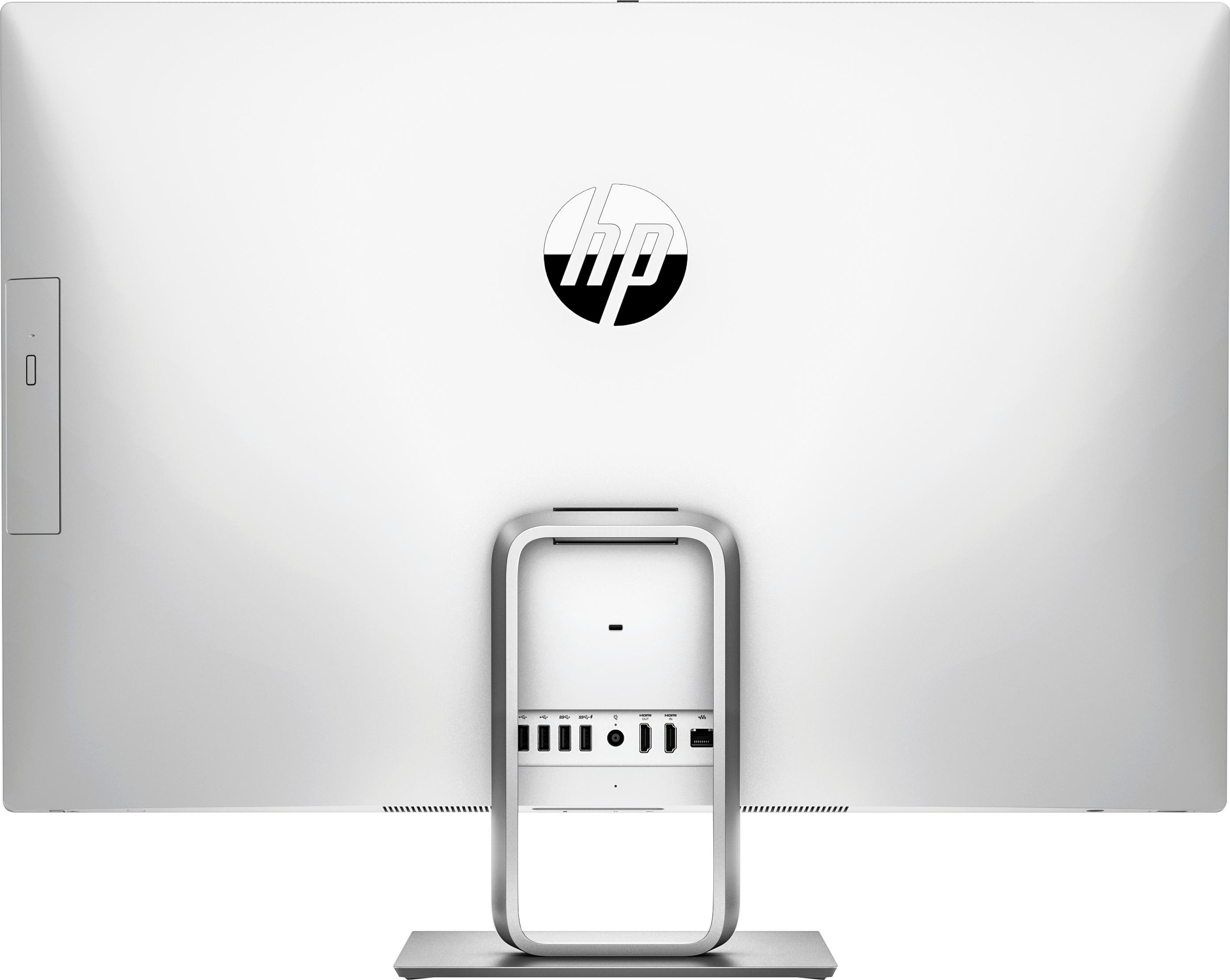
|Posted .This reviewer received promo considerations or sweepstakes entry for writing a review.Got this unboxed and started the setup which was straight forward and didn't take too long to complete. Then began the process of installing all of the updates, first the Windows updates, then the updates listed in the HP Support Assistant. The Windows updates went smoothly, requiring two restarts and took about 30 minutes. The HP updates on the other hand weren't as smooth. For some reason they wouldn't download using the HP Support Assistant interface, so I had to do them each manually from the Support section of the HP website. This took close to two hours, but once through the process and after refreshing the HP Support Assistant all the upgrade messages were gone. The monitor is impressive. First off I logged into my Netflix account, since Netflix was already on the Start Menu and launched a movie. Great picture and good sound as well. At 27" this monitor is big enough to watch a movie and still have some screen space for other tasks. So I started to personalize the desktop with a new Theme, created an emergency restore/boot device on a spare flash drive and some other miscellaneous tasks. No problems with the movie while multitasking in several other windows. The keyboard and mouse look sleek and I'm okay with the mouse, but the keyboard is a little small for my liking and I'm having trouble not hitting double keys, but these are both easy to upgrade to whatever feels comfortable to you. The CD/DVD writer feels flimsy when you open the door and is something that feels like it may not hold up if used often. In all fairness I checked out other all-in-one systems yesterday while visiting my local store and they were all comparable. I guess with all the available online digital content and large flash drives, maybe the build quality of these drives just isn't as important any more. Looking at the rest of the system in the center of the bottom edge you 'll find the headphone jack, digital card reader and a USB-C port. It's a little challenging to find the ports, even with the monitor tilted all the way back. On the back you've got an ethernet port, DC power, two USB 3.1 ports, 2 USB 2.0 ports and an HDMI in and HDMI out port. Overall I'm a fan of this system. I love the monitor and having only one power cord to worry about versus my gaming PC with the multitude of wires coming out the back of it. It's a great PC for an office or maybe even a dorm room where space might be at a premium where it can double for both work/study and entertainment especially with the HDMI in port where you could hook up your choice of media/cable boxes if you aren't ready to cut the cable.
I would recommend this to a friend- Pros mentioned:Ease of use
All in one
Posted .This reviewer received promo considerations or sweepstakes entry for writing a review.I like how everything in one and works great. I enjoy using it.
I would recommend this to a friend HP 27" Model R014 - Computing at its Best!
Posted .This reviewer received promo considerations or sweepstakes entry for writing a review.Nifty design and well thought through with a USB-C right up front under the display. This is an easy set up for all your computing needs with a beautiful display and the Optane feature of this model is truly responsive. Also, I no longer have to contend with an unruly wired Medusa hanging out at the back of my desk accumulating dust bunnies for months (if not years!). I simply turn the monitor around slightly, a little blast or two of canned air once a month and done. I am one happy customer and I can breathe again. You will not be disappointed with HP's 27"-R014 All-in-One. I rarely ever write reviews - but on this computer, I simply had to.
I would recommend this to a friend- Pros mentioned:Ease of use
Hp all in one computer
Posted .This reviewer received promo considerations or sweepstakes entry for writing a review.Good buy showed age at end but it was a breeze learning how to use the computer
I would recommend this to a friend