Customer Ratings & Reviews






- Model:
- 555227
- SKU:
- 6371722
Rating by feature
- Value
Rating 3.5 out of 5 stars
- Quality
Rating 4.3 out of 5 stars
- Ease of Use
Rating 4.0 out of 5 stars
Customers are saying
Customers enjoy the immersive experience and ease of use of the Hue Play HDMI Sync Box, praising its color accuracy and the generally smooth setup process. However, some customers find the price to be high and have reported compatibility and connectivity issues. A few users also mentioned occasional lag.
This summary was generated by AI based on customer reviews.
Do not buy! Drops video!
||Posted . Owned for 6 months when reviewed.This reviewer received promo considerations or sweepstakes entry for writing a review.Causes repeated, intermittent no video for about 10 seconds each time it happens. Thanks, Phillips!
No, I would not recommend this to a friendBrand response from The Philips Lighting Team
Posted .Hi there, thank you for your review. We think we can help you with this issue! Please could you reach out to us via Facebook.com/huephilips or Twitter.com/tweethue? In the meantime, please try and reset the sync box by pressing and holding the button on the front of it for 10 seconds. We hope to hear from you soon.
App doesn't work
||Posted . Owned for less than 1 week when reviewed.This reviewer received promo considerations or sweepstakes entry for writing a review.It won't connect or work without the app and the app doesn't work. This is a huge waste of money.
No, I would not recommend this to a friendBrand response from The Philips Lighting Team
Posted .Hi there, thank you for your review. We're sorry to hear about this issue with the Hue Sync app. Could you check the app store for any pending updates? We'd like to hear more about what doesn't work exactly, so please can you reach out to us via Facebook.com/huephilips or Twitter.com/tweethue.
We're reachable 24/7 there!
Frustratingly Difficult to work
||Posted . Owned for 1 week when reviewed.This reviewer received promo considerations or sweepstakes entry for writing a review.The Hue Play doesn't sync properly with any inputs
No, I would not recommend this to a friendDO NOT BUY
||Posted .This reviewer received promo considerations or sweepstakes entry for writing a review.IT WORKED FOR LESS THEN A DAY AN IT WILL NOT CONNECT TO WIIF OR THE LIGHTS RETRUN IT TOMMROW
No, I would not recommend this to a friendBrand response from The Philips Lighting Team
Posted .Hello Mikey, thanks for sharing your experience with us. That's too bad to hear. Could it be that the HDMI Sync Box is connected to your 5 GHz network, by any chance? If this is the case, we suggest connecting it to the 2,4 GHz frequency. If you experience difficulties still, feel free to reach out to us on social media: Facebook (http://m.me/HuePhilips) or Twitter (https://twitter.com/tweethue), where we are able to provide you with solutions 24/7.
Do not buy this
||Posted . Owned for 1 week when reviewed.This reviewer received promo considerations or sweepstakes entry for writing a review.Tried to set it up like 10 times didn’t work had to return it it never work
No, I would not recommend this to a friendBrand response from The Philips Lighting Team
Posted .Hi there, thanks for your review. We are sorry to hear that! We can help you out. Please contact us on Facebook or Twitter at Facebook.com/huephilips or Twitter.com/tweethue This is where we offer 24/7 support!
Poor Quality
||Posted .This reviewer received promo considerations or sweepstakes entry for writing a review.Defective right out of the box. Extremely disappointed.
No, I would not recommend this to a friendDisappointed
||Posted . Owned for 1 month when reviewed.This reviewer received promo considerations or sweepstakes entry for writing a review.Hate it won't connect to wifi and its a brand new box
No, I would not recommend this to a friendProduct
||Posted .This reviewer received promo considerations or sweepstakes entry for writing a review.It’s a Waste of money don’t buy this! Don’t need it
No, I would not recommend this to a friend- Pros mentioned:Color, Setup

Does exactly what it's supposed to do
|Posted .This reviewer received promo considerations or sweepstakes entry for writing a review.I have been using Hue lights for a couple of years now and pretty much have a scene for every room, including my porch light. I have my timers set, brightness, etc. Last year I added a light strip to across the back of my TV and love the ambient light that it produces. I have all of the lights off in my living room and the ambient light behind the TV is perfect. I had heard of other light sync solutions but was waiting for Hue to release their own. I do think the price is pretty steep, but that can be the case with many Hue products. Setup of the box was pretty easy. I have my Apple TV and PS4 connected to the box. I left my Sonos Beam connected to the TV via HDMI as I could not get audio to play when connected to the box. One of my only gripes is that the sync box used a different app than the other Hue lights do, would be nice if I could control it from the same app. Regardless, like all Hue products, setup on the app was simple. I played around with the brightness and ambient settings and finally got it to my liking. My preference is the highest brightness at the lowest intensity. I have to say the output was a bit shaky at first but after a couple of days everything started to work perfectly and my eyes got used to it. Now that I am used to the lights changing colors, I really love what it adds to my home theater setup.
I would recommend this to a friend - Pros mentioned:Hdmi sync, Setup
Very Cool and Simple Setup
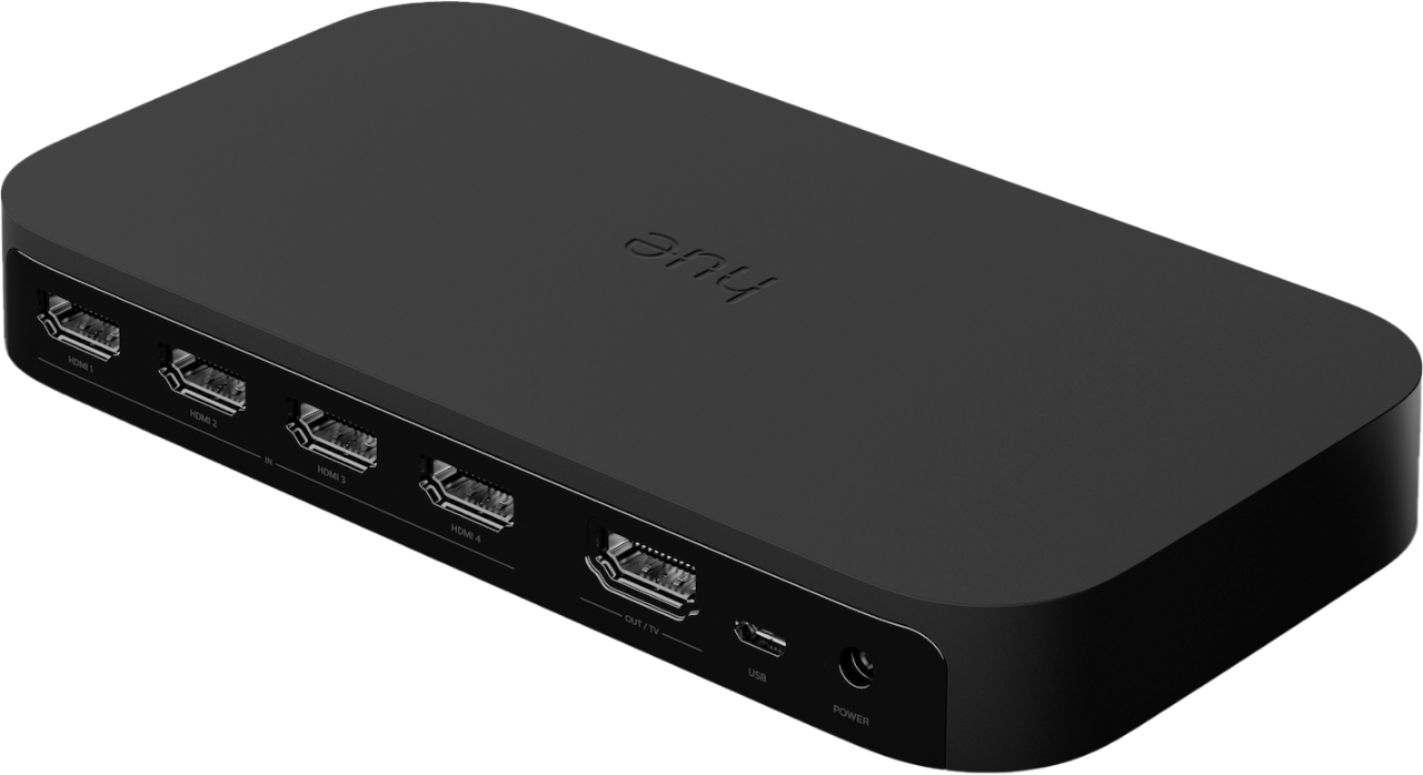
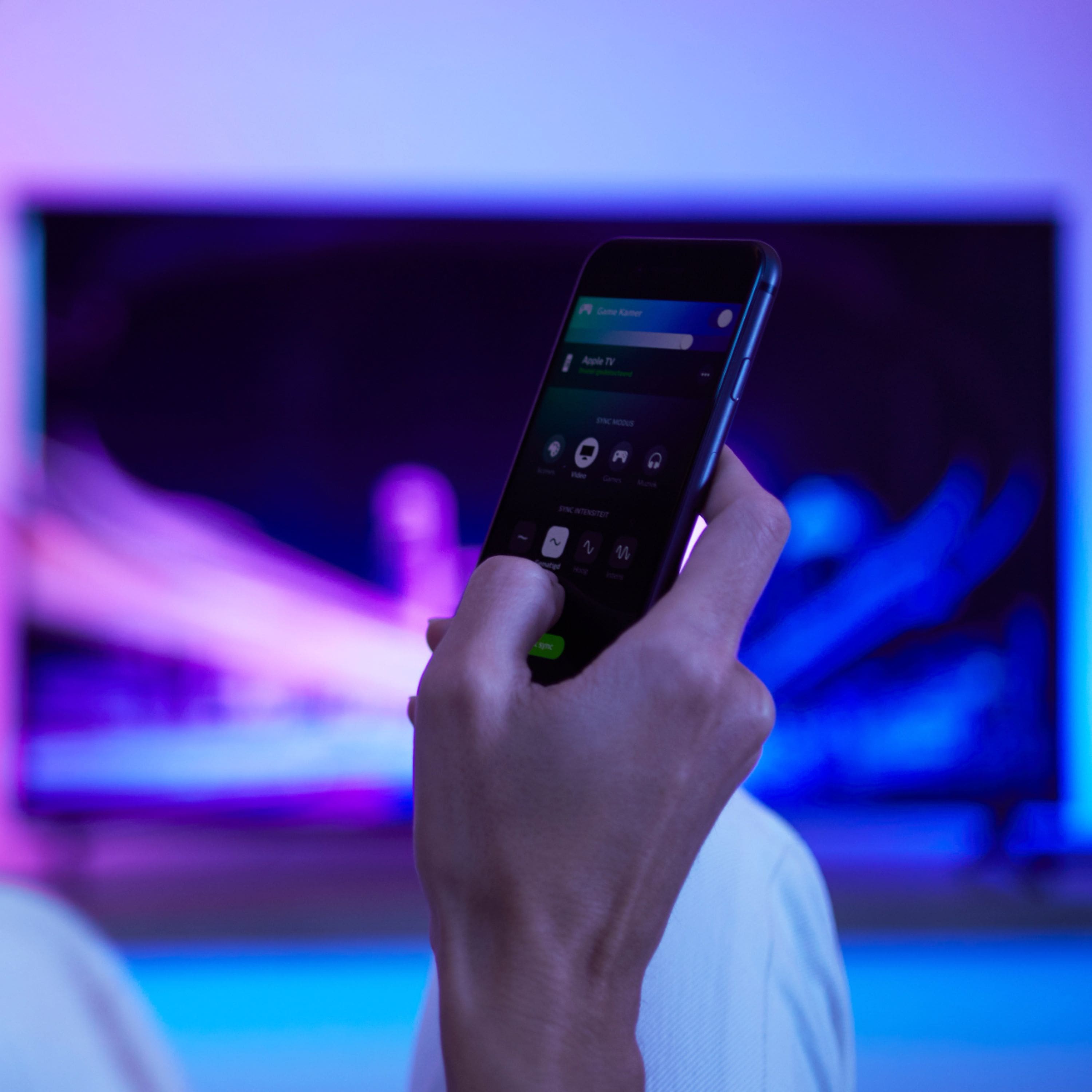
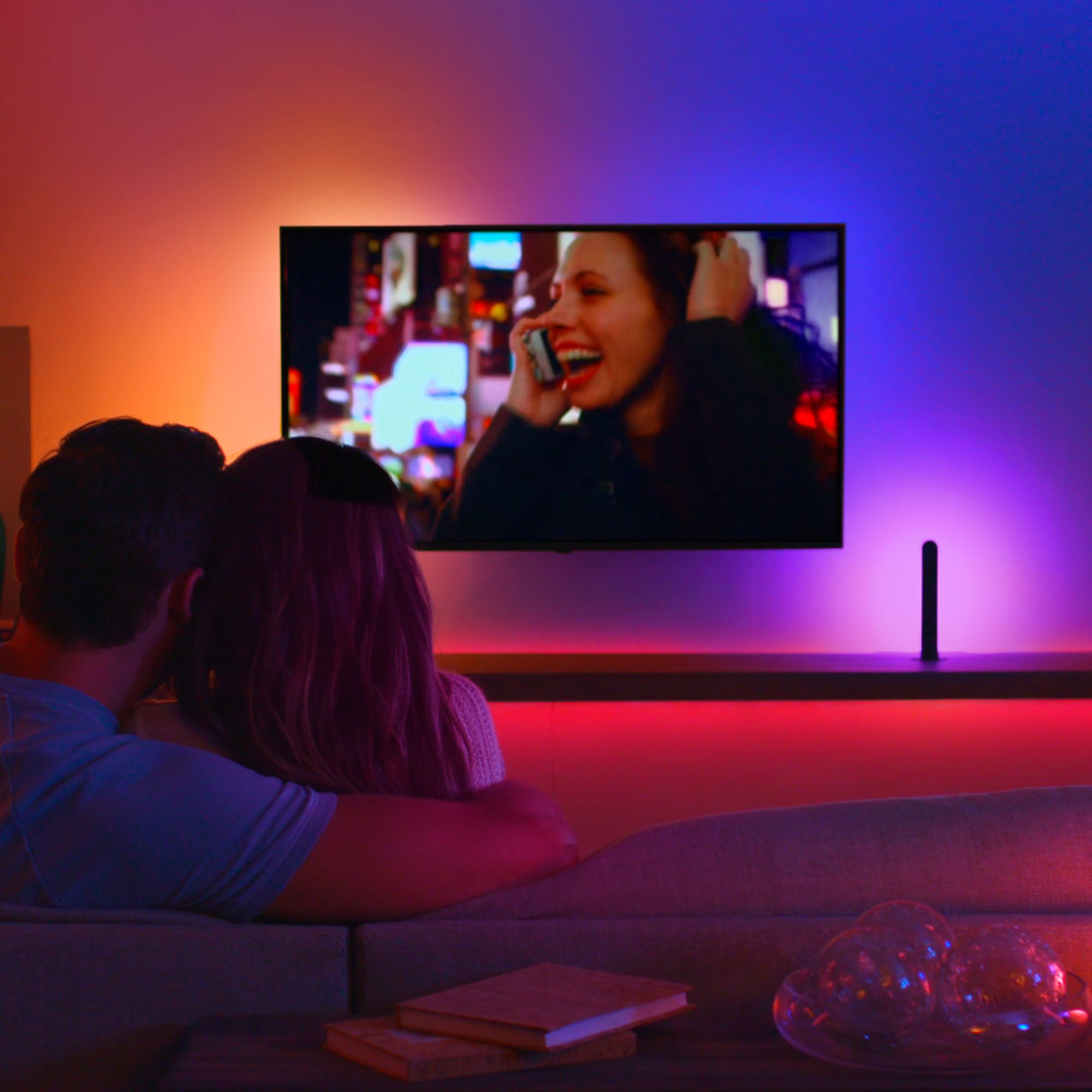
|Posted .This reviewer received promo considerations or sweepstakes entry for writing a review.At first I thought this was an expensive cool toy, and maybe it is. But is really, really is very cool. The more movies I watch with it the more hooked I get. I am using it with two new play light bars and two generation 2 light bulbs. Will replace the two gen 2 bulbs with gen 3 as I am noticing they do not match the blues and greens of the new play bars. Not a fault of the Hues Sync, just the older bulbs. The two old bulbs flood up and the bars to the sides, all from behind the TV. The results are amazing even with the two older bulbs. The Sync box does an incredible job of matching the colors on each of the four lights independently with the predominant (usually) color on the four areas of the TV. As odd as I thought it sounded, it really is like surround sound in lights. The box really does extend the TV (not the actual picture) out and onto the walls and adds a lot of fun to TV watching. While it can be configured to start syncing automatically when input is received from any of the four HDMI inputs, I start it manually. I have found that some things such as football games aren’t really enhanced much by the lights since the are generally white/blue shades at the top (sky) and greens to the sides (the field). I enjoy it most with movies. Once the TV is wall mounted, I plan on adding a 5th down-sweeping light. An app is used to control it which allow you to configure the lights. Once added to an “entertainment area”, you simply drag the lights in the app to their positions around the TV. You can control the brightness, intensity (degree and speed) of the color changes, and mode (music, movies, gaming) from the simple app user interface. Setup was simple. You plug the provided HDMI into the TV out port on the box. Then up to four HDMI inputs into in ports. Note that it only supports HDMI. There is a USB port, but this is to control on and off automatically. Not sure why that is needed since it automatically detects signals and starts and stops syncing based upon this, if configured to do this. I don’t use the USB port. Next plug it in and the app walks you through setup. This basically involves waiting a few seconds for the box to boot up (light blinks blue), connecting it to your WiFi network and then pairing it with your SECOND GENERATION Hues bridge. Again, all this is done through the app except pushing the button on the bridge to pair the box. That’s it and then it’s fun time. I was a little hesitant about the impact it might have on TV resolution since the signal goes through the box. But have noticed no changes at all to picture quality. Note that the box does support 4K, but not 8K. Another hesitation I had was if it would mess up my routines already setup for the same lights. Basically, it does not. Generally, the way it works is that when syncing stops, the lights return to whatever setting you have configured for the light on power on. For example mine are set to return to the last power on state. When syncing stops they return to the last active routine and then continue from there following the active routine schedule. While it obviously isn’t a must for watching TV, I love what it adds to movies, much in the same way that surround does for sound. Highly recommend.
I would recommend this to a friend - Pros mentioned:Hdmi syncCons mentioned:Lag
Get ready for Immerse movie experience!
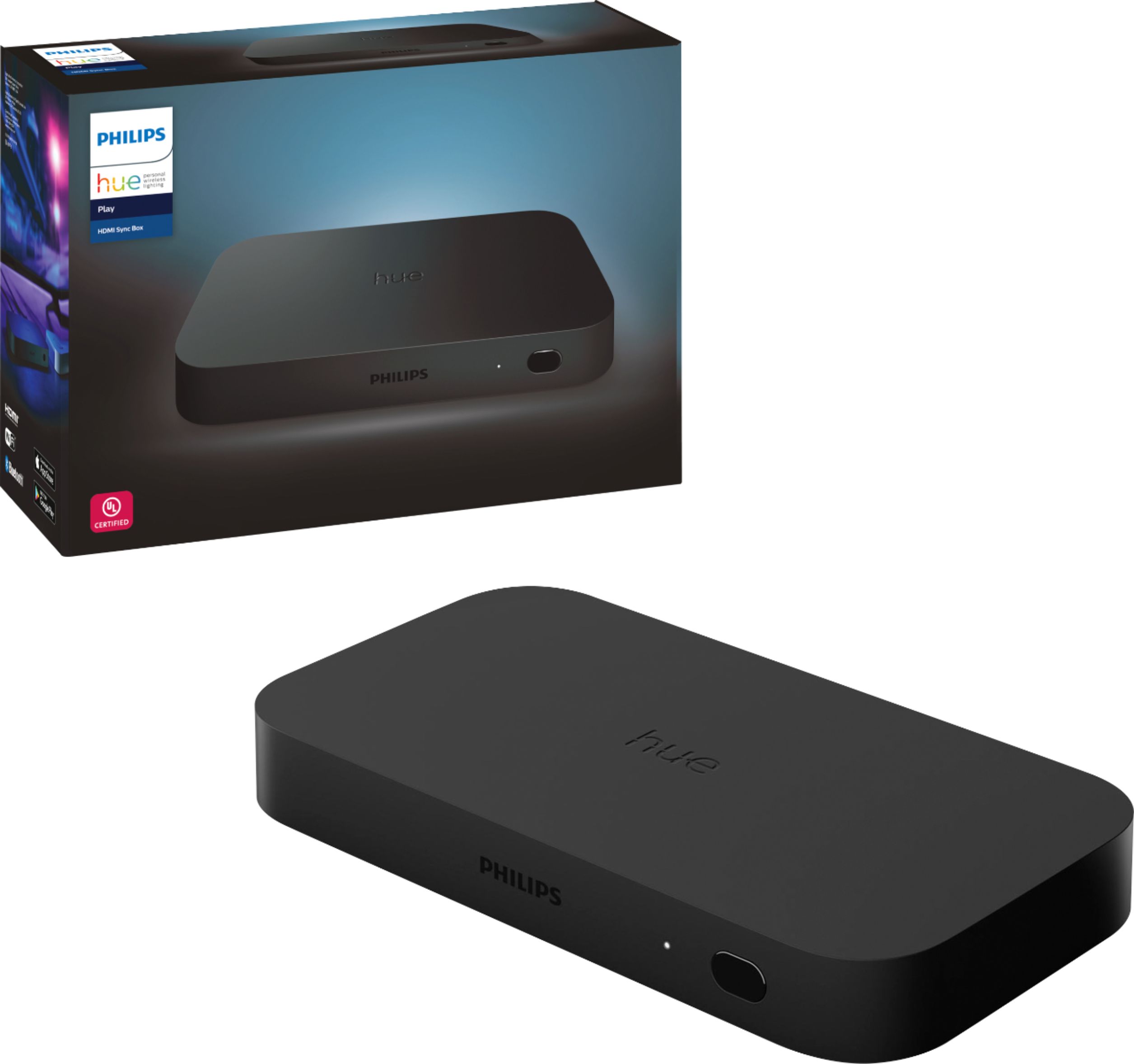
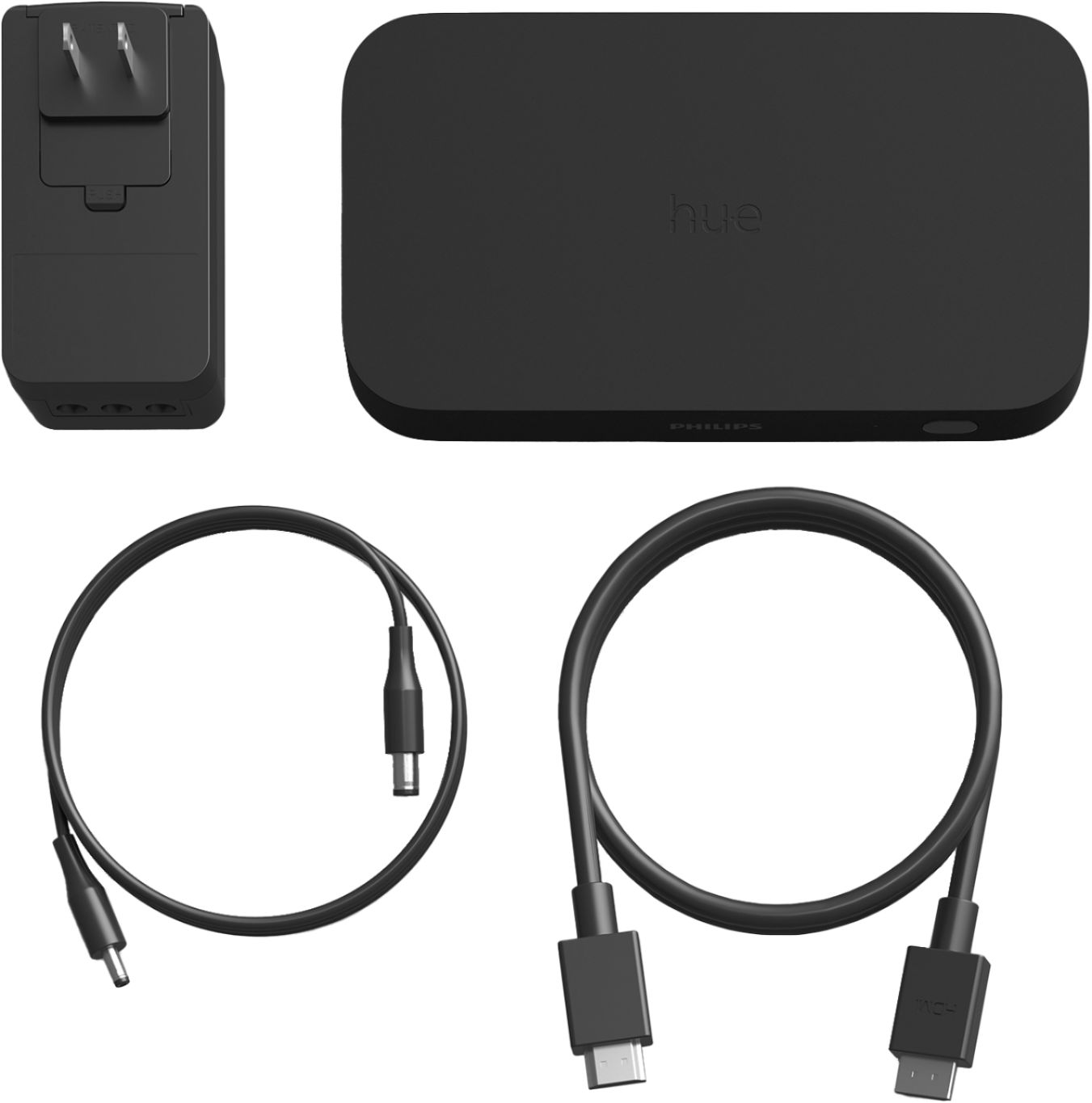
|Posted .This reviewer received promo considerations or sweepstakes entry for writing a review.I have been using Phillips Hue products for more than 3 years now. I am really impressed with the line of hue products offered by Philips. I have been waiting for a sync box from Philips to integrate with my TV for all the hue lights configured in my living room ceiling lights and behind the TV with Philips Hue Play. The wait is over now. I have purchased the Philips Hue Sync Box to fulfill my needs. It came with Philips Hue Play HDMI Sync Box, HDMI cable, Power adapter, and cable. Setup is a bit tricky on my home theater setup. I have various devices like Apple TV, XBOX connected with one of the receiver outputs on my 82” Inch Samsung TV and another receiver out is connected with Epson projector. I have connected one of the receiver inputs to HDMI 1 in Sync box and connected Sync Box output to my receiver. I have installed the Hue Sync app on my phone and completed the setup. There was a firmware update available and it took 15 mins to complete the firmware update. After the update, I was able to configure the entertainment area and selected my ceiling hue color lights as well as Hue play lights installed behind the TV. Please note that the Philips Hue bridge is required to configure the Hue Sync box. I played a movie from Disney Plus and all lights started changing colors based on movie play. It was a super feeling especially the action scenes. There are three configurations in the Hue Sync app to support movies, music, and game. I have used all 3 options with Disney Plus, Spotify and Xbox One X and everything working great. We watched a movie with friends they were really impressed with the setup. It supports up to 4K with 4 inputs and 1 output. It automatically detects which device is playing on your TV screen and automatically switches to it. It can be configured in the Hue Sync app as well. It is working for all hue lights and supports up to 10 lights. There is no lag on lights while watching movies or listening to music. There are many options available in Hue Sync like configuring entertainment area, brightness of lights, etc. We are using this setup every week while watching movies and highly recommend this if you have the home of Philips hue products.
I would recommend this to a friend Glitching
||Posted . Owned for 1 week when reviewed.This reviewer received promo considerations or sweepstakes entry for writing a review.Sometimes tye device cutting the signal to my TV and I had to restart the device or unplug then plug the HDMI cable to gain the picture.
No, I would not recommend this to a friend- Pros mentioned:Ease of use, Hdmi sync
Adds Atmosphere to my Home Theatre
|Posted .This reviewer received promo considerations or sweepstakes entry for writing a review.I want really sure I needed this sync box and lighting set up...Until I set it up to my existing system. The items came in two boxes, one with the sync box and the other with the color LED lights. I downloaded the HUE sync app and began the set up process. Overall it was fairly simple and up and running in about 15-20 minutes. I imagine if I had to do it again it would be quicker, but initially it took a bit longer than I expected. If you have difficulties, there are videos by Phillips available and also many videos on YouTube, so getting up and running should not be an issue. Initially I set it up to use with my TV and home theatre system, and wow, it is very cool. I turned off all the other lights and let the system do its thing. It syncs very well with what you are watching on your TV and really adds atmosphere to the viewing experience. It appears that if you have an existing HUE lighting system, you can add those to the system as well, but I have yet to do so. I also have a set of HUE landscape lights and hope I can sync those as well for the holidays. Overall this is a very cool set up that isn't a necessity, but it is a lot of fun. Highly recommended.
I would recommend this to a friend - Pros mentioned:Hdmi syncCons mentioned:Price
Its not bad only...
Posted .This reviewer received promo considerations or sweepstakes entry for writing a review.I hooked this bad boy up. I used the sync with entertainment areas before on a computer. The big difference is how it works. On the computer, if I play a music video the lights would sync up with the Music and the Video, Meaning all lights would reflect the color of the images on the screen. However this is not the case. The music video I plays was mostly blue and purple. The lights were coming out as yellow and red. The flashing and rhythm of the lights how ever was on point with the music. I switched modes to see if I picked video if it would sync better. It didn't really. What happened next was the lights color synced to the video not the music. The colors were correct but not the flashing and rhythm of the lights like it was before. They need to tweak the music setting to stay with the color that is on your screen, or have an option that will flash color if you have only music playing with out images. Other then that it was Ok. I don't like that it can not work with APPS off your smart TV. so I have everything running on the Xbox or the google chrome. and the sync box is not that great at switching between the 2. I think this could have been done better. Hopefully they add more features and tweak some stuff. At a $229 price you would expect more.
I would recommend this to a friend - Cons mentioned:Price
Fun, but for a hefty price
Posted .This reviewer received promo considerations or sweepstakes entry for writing a review.I have owned the sync box for about a year and a half and have had a lot of fun using it. This makes playing brightly colored video games or watching movies so much more enjoyable as the room lights up with every change in color. The price is the main downside for me. For 250+, I feel like I should be getting a product with all the kinks figured out and not have any issues. The setup was not enjoyable. I was having issues getting it to connect to my wifi but I eventually got it working after around 30 mins of trial and error. Setting up the entertainment areas was easy as the process is pretty streamlined. Once I got it all set up I thoroughly enjoyed using it. It has adjustments so sometimes I can have it be more intense or less intense, change brightness, and activate certain lights. It has four HDMI ports on the back so it makes it easy to switch between inputs. The only other issue I had were the lights randomly going off after a while and the entire screen turning off randomly. Easy fix but still annoying.
I would recommend this to a friend - Pros mentioned:Ease of use
Expand your screen... with light
|Posted .This reviewer received promo considerations or sweepstakes entry for writing a review.We all know that a 4K picture is awesome.... Mix in some amazing sound, and that experience get's better. Now, you can get the rest of your environment to tie in, and bring it to another level. This box will connect between your video source and your TV. VERY easy to connect and setup. It will act as a switcher device between multiple devices. I didn't specifically check that out, as I have an AV receiver that does it for me. You can connect up to 10 Philips Hue lights... I only connected 3 (because that is all I have right now)... And you are off. If you can picture watching Blue Planet... Your large amazing TV is showing the depth of the water, and now that water seems to expand the entire room, because all the lights change to shades of blue. Playing some games on my XBOX, the room and experience just gets that much expansive. While the power adapter is large, so you can connect other lights with one plug. I would recommend getting a 1ft extension "power strip" saver, because it is a little big. Sometimes it can get a bit intense on the color changes (especially while playing games). Depending on your size or room, you may need to utilize more lights to get the full effect. If you want to take your movie, tv, and game experience to another level. this box will help with that.
I would recommend this to a friend - Pros mentioned:Hdmi sync, Immersive experience
Outstanding
|Posted .This reviewer received promo considerations or sweepstakes entry for writing a review.I bought this for my movie room which includes a 120" HD projector and 7.2 (yes, x.2 for 2 subs) entertainment. Set-up is fairly easy with installation in-line with the HDMI to the TV/Projector. If you already have Phillips lighting, just add it. If not, register and then add Tell the app where the lights are and watch the magic. Key point - install the lights behind the TV facing the wall outwards, or with a projector/screen, the light strips attached to the frame works better Watch your movies with the lights off, and enjoy the immersive experience. Don't expect full image projection, but a more engaging experience with the ambiance reflected throughout the room Warning...this will make you want to expand your experience with Phillips lighting products
I would recommend this to a friend - Pros mentioned:Ease of use
Awsome
Posted .This reviewer received promo considerations or sweepstakes entry for writing a review.Was nervous about buying this product due to so many negative reviews. I decided to try it out. I have had no issues at all. Very easy to setup and meets all my expectations. I recommend having a strong Internet Wi-Fi signal available for the Sync Box, and keep the Hue Hub near the room with the Entertainment area. I am running an Apple TV, and DVD player plugged directly into the Sync Box. The Sync Box is then directly connected to the HDMI input on my TV.
I would recommend this to a friend - Pros mentioned:Hdmi sync
Amazing effect but one drawback...
|Posted .This reviewer received promo considerations or sweepstakes entry for writing a review.I’ve been waiting for this for a while, ever since Philips started selling the Hue Play smart lights. The problem previously was that the Hue Play lights could only sync to content playing thru a computer. Philips solved for that problem with the Hue Play HDMI Sync Box. The Philips sync box allows you to connect your Hue Play lights directly to your TV and allows them to sync to whatever content is playing on your TV. The sync box has a much smaller footprint than I imagined it would, which is a very good thing. If you are like me, you probably already have a gaming console (or three), a streaming device, a cable box, and other devices hooked up to your TV and don’t have much space for another device. The sync box has four HDMI inputs to hook up the devices that you want to sync the lights to. The power adapter is not over big either and actually allows you to power the sync box and the lights using only one outlet on your power strip (a huge positive!). Again, if you are like me with all these devices needing power, real estate on the power strip is in short supply. Set up was fairly simple. Despite the small footprint and only needing one outlet, I did have to rearrange a little bit. Once I did that, I downloaded the Philips Hue Sync App (required) and got started. The App will walk you through the set up of the sync box and linking the sync box to your Hue Play lights and your Hue bridge (also required). I started by trying only one device with the sync box. I picked my apple tv. I plugged in the HDMI cable from my apple tv into the sync box and was ready to go. I started Moana and the sync box took effect. The hue play lights turned on and started with bright blues and greens to match the ocean and trees. The effect is pretty cool and definitely enhances the content. My wife usually rolls her eyes at me when I hook up a new device, but she liked this as well once she saw the effect. The next thing I tried out was Star Wars Revenge of the Sith as I wanted to see the contrast between the brightness of an animated Disney movie to the darkness of outer space and how the sync box translated. I was amazed at the first 10 seconds after the beginning scroll. The scene pans down from the dark space to the bright sun behind Coruscant and my living lit up like the sun was right there! A few seconds after, a ship flies by and blocks the sun and as the ship passes, the sun becomes visible in lower left corner of the scene. The light on the left brightens up to match the scene while the light on the right remains dark to match space, pretty awesome! While I continue to be amazed by the effects of the system that Philips created, I do have some issues. The first is an issue I created. The walls in my living room are painted in a darker color, which mutes the light effects to some extent. I’m sure it would be more incredible if my walls were white. So if you have darker walls, build that into your expectations. The second is an issue that I haven’t been able to solve and might be a deal breaker for some. For some reason, the sync box keeps throwing a “power on” signal to my TV and I haven’t been able to get it to stop. While I’m watching content, there is 0 issue. When I turn my TV off at night, after a few seconds, the TV turns back on. I didn’t have that issue before hooking up the sync box and I don’t have that issue when I disconnect the sync box. So for the time being, if I’m watching something that I want the lighting effects on, I connect the sync box and leave it connected til I’m ready to go to sleep. When I’m going to turn the TV off, I have to disconnect it. I’m sure there’s a fix but I haven’t been able to get it exactly right quite yet. Overall this system that Philips created with the sync box and the hue play lights is amazing. But the experience has taken a hit because I haven’t been able to set it and forget it yet.
I would recommend this to a friend Just fun!
|Posted .This reviewer received promo considerations or sweepstakes entry for writing a review.Hue products arguably aren’t the most practical or cost effective smart lighting system out there. But they are unquestionably one of the most fun. And products like the Sync Box exemplify why that is. The sync box does an admirable job of reproducing the kind of localized context based mood lighting that’s been available on some Philips TVs for a few years now with just about any screen imaginable, and is compatible with both standard hue bulbs and dedicated light strips and bars that can be mounted directly to a TV or entertainment center for a more discrete installation. Setup just takes a few minutes, and once everything’s plugged in and programmed in the app there’s very little you need to do past that. Once it’s running the effect is surprisingly neat. I can’t say it’ll revolutionize your viewing experience, but it’s pretty cool seeing the lighting in the room react to match what’s happening on the screen and can make action scenes and colorful animation pop that much more. The design is a definite highlight as well. Aesthetically it’s a basic curved black box just a bit larger than your typical streaming device. But it becomes very clear that the engineers who assembled this thing put a lot of thought into the overall user experience. To begin with, it eschews the standard power adapter for a brick that can power two additional Hue lights/strips in addition to the sync box, meaning you can power your entire TV lighting setup from just a single outlet. Admittedly I'd have rather they not gone with the wall-wart design for this, as it's big enough to be difficult to fit onto most surge protectors, but it still beats having to find three outlets. It’s also got an option I’ve never seen before to detect the power state of your TV by running a USB cable to one of the ports found on most modern Smart TVs, a slightly more reliable means of detecting when the thing’s been turned on than the HDMI-CEC connection it uses by default. And the 4 port HDMI switch works brilliantly, handling automatic signal detection and device switching almost flawlessly. That said, there are still some rough edges here. To begin with, it does struggle with detecting the signal from streaming devices that are basically always on, such as a Roku. I’ve found I often have to manually power on the sync box as a result. It also lacks a dedicated remote control, and your options for controlling it via the Sync app are a bit on the sparse side. Speaking of, I’m also not the biggest fan of their decision to split the Sync Box app into its own program rather than just integrating it directly into the main Hue app so you aren’t having to constantly switch between them. It’s also currently lacking in any sort of integration with Google Home or Alexa – which could arguably help make up for some of the other shortcomings. I’m keeping my fingers crossed that these features are something that might one day find their way into a software update – but for now it does feel every now and then like I’m working with a beta version of the final product. Overall, while the Sync box doesn’t really do anything that I’d consider essential (or especially useful,) I’d still recommend it as a fun toy to get a bit more use out of your Hue White and Color bulbs while adding a bit of extra flair to your next movie night.
I would recommend this to a friend