Customer Ratings & Reviews






- Model:
- 555227
- SKU:
- 6371722
Rating by feature
- Value
Rating 3.5 out of 5 stars
- Quality
Rating 4.3 out of 5 stars
- Ease of Use
Rating 4.0 out of 5 stars
Customers are saying
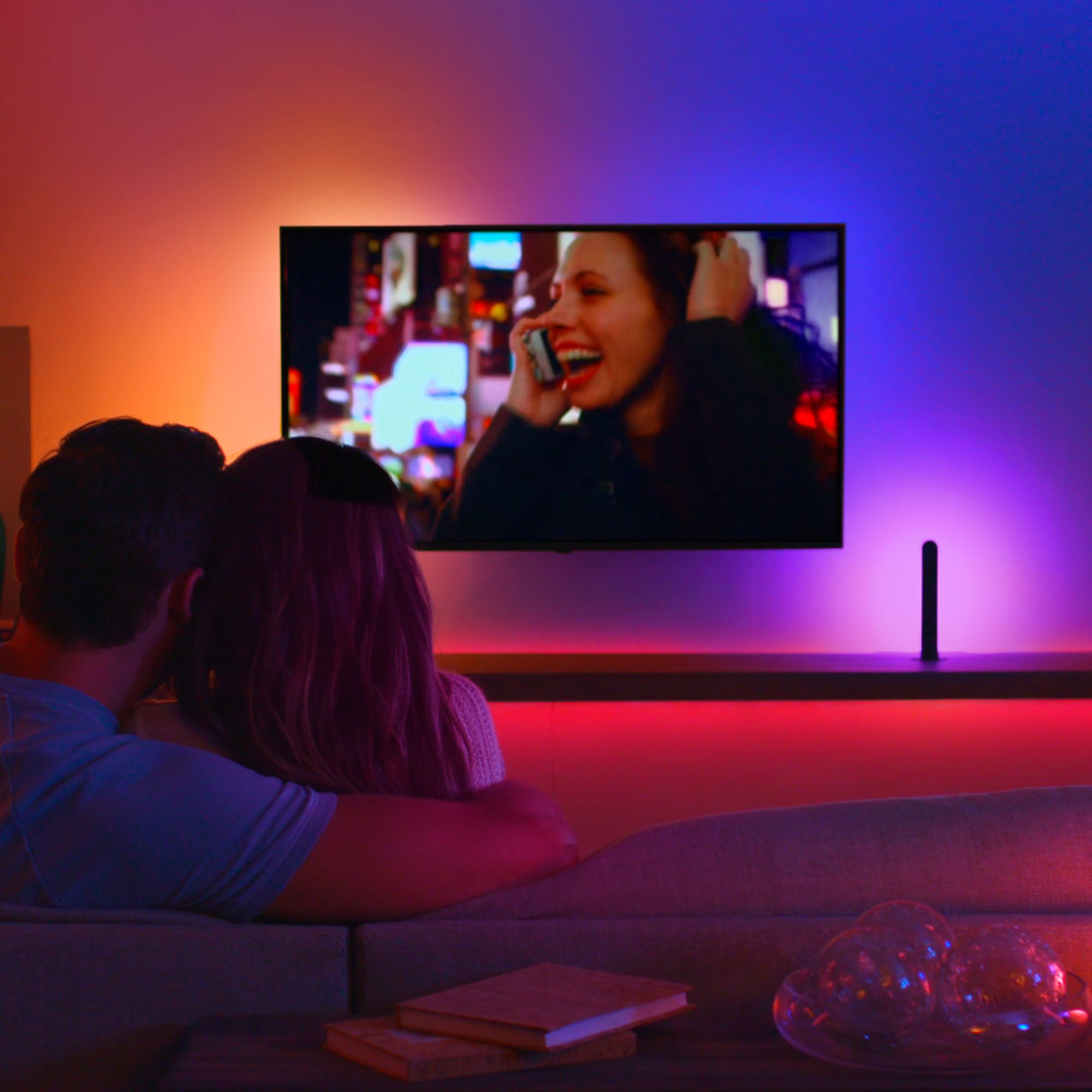
Customers enjoy the immersive experience and ease of use of the Hue Play HDMI Sync Box, praising its color accuracy and the generally smooth setup process. However, some customers find the price to be high and have reported compatibility and connectivity issues. A few users also mentioned occasional lag.
This summary was generated by AI based on customer reviews.
- Pros mentioned:Hdmi sync

Once you get past the set-up, it's great
|Posted .This reviewer received promo considerations or sweepstakes entry for writing a review.This started as a three star review based solely on the issues I had setting up. First, there were issues with recognizing signal, then the app crashed several times which required multiple set-up, and lastly, there wasn't enough set-up documentation. Now that all that is behind me, I'm loving the device. I have a set of play bars and two set of shape lights connected and syncing away. PLEASE NOTE: ALL SETTINGS ARE IN THE APP; including CEC and USB synching, ARC support and power options. The build of the device is sturdy and simple. I would have preferred a better way to know which HDMI port is selected on the box, but with auto synching, it doesn't seem necessary. I was also a bit turned off that you still are tethered to the app for functionality and synching (similar to the PC stream option), but once I set the device to auto switch ports and auto sync, the app is rarely used except for extra tweaking. As for the app, it's very simple and well laid out. Once I got past the initial crashes, I haven't had an issue. It also has been excellent at connecting quickly to the lights. I would have been interested in having an option to combine this app with the original Hue app instead of two, but I can also see how this might be a bit too crazy in terms of interfacing. So far, it hasn't been too much of a nuisance. Last note that ultimately redeemed the final star…it supports ATMOS pass through! This actually helped me eliminate a switch issue I was dealing with previously. Overall, I am satisfied, and enjoy the extra level of immersion. Pretty fun.
I would recommend this to a friend Light Show in Your Living Room
|Posted .This reviewer received promo considerations or sweepstakes entry for writing a review.This absolutely seems like the best use of Philips Hue color light bulbs. The Sync box lets you turn your living room into an immersive light show for music or a TV viewing experience like nothing you’ve ever seen. The sync box works really well for what it was designed to do, though there are a few drawbacks that kept me from giving this product 5 stars. The Good: The sync works almost instantly. I’ve noticed no lag between the TV colors and the light colors and the matching is perfect. There are several intensity settings and brightness settings for your lights so, you can tweak them how you like. There are also different settings for TV, games, and music that make the lights respond differently. The biggest difference I’ve seen is that the music scene responds to the beat of the music. I’m very pleased with how well this all works, it really does make your view experience better. The Bad: Setup: This was my main problem with the sync box, it took me several attempts to get it setup right. The setup process takes you through settings up all your lights and making sure your sync box is working to control your lights but, if you have a sound bar that supports arc or a home theater system, things get tricky. The sync box does support arc bypass, so in theory you can put the sync box in between the tv and your AV unit and it should work and their shouldn’t be any change to your setup. The problem is that it’s very spotty. When I’d switch between inputs I’d lose sound or for some reason the sync box would change inputs to an hdmi port with nothing plugged in. My next problem here is that all of the arc settings and auto hdmi switching is buried in settings and not brought into the setup process like they should. I finally gave up and just plugged the sync box into hdmi 1 on my sound at and now everything works but, that means I can’t use my analog inputs from the sound at to work with the hue lights. Input Limitations: This was another bummer, if you run smart apps directly on your TV or through coax, this product won’t work because, you have to run things through the hdmi ports on the sync box. Overall, if you can’t get past a somewhat difficult setup and don’t care that your TV smart apps can’t be used, then this is a really cool addition to a home theater setup.
I would recommend this to a friend- Pros mentioned:Ease of use
Best out of box solution for TV back-lighting
|Posted .This reviewer received promo considerations or sweepstakes entry for writing a review.This product is great if your looking for a back-lighting that is synced with your TV. It adds an amazing level of immersion if your watching in a dark room with a good movie. I was impressed by how easy this box was to set up all I had to do was pair it with my hue box with my existing hue hub and use the special app they have just for the Sync box. My only complaints about the box might be that I can't seem to get the back-lighting to shut off when I turn off my TV, instead i just get the lights set to there last value. I then have to manually shut the back-lights off with the normal hue app. My only other major complaint is that if you can't seem to be able to use the hue sync box as well as the hue sync app on a computer on the same hue network. Because the sync box is running the software says that there is already an entertainment area connected keeping you from selecting a second set of lights for a different display to run with the software instead of the sync box. Otherwise I have not had too many issue with the light syncing most of the time the lights sync well with what is displayed. I hope that they will continue to work on the software to make the light syncing better over time as well.
I would recommend this to a friend - Pros mentioned:Hdmi sync
Good product but the great
Posted .This reviewer received promo considerations or sweepstakes entry for writing a review.I like the way it works without using your laptop airplay/mirror screen. I have followed the instructions and it was easily connected with my WiFi. I have no issue with WiFi connection. It’s working great, colors sync is about 90%. No delay in lights, may be msecs. Problem 1. you have to connect all your HDMI with sync box, once they are connected then your tv remote can’t change the source, for example if you want to change the source from Xbox to Apple TV you have to change from sync app from iPhone, that’s not user friendly. Problem 2. This sync box doesn’t work with smart tv apps like Netflix, YouTube, amazon prime. For that either you have to download these app on you Xbox or on Apple TV. Disappointed with that. If you are ok with that then this is good product.
No, I would not recommend this to a friend - Pros mentioned:Hdmi sync
Great product
Posted .This reviewer received promo considerations or sweepstakes entry for writing a review.Great product, works well with amazon, ps4, switch. Ps5 and all xbox's do not perform well with this. Ps5 will occasionally give a fuzzy screenand Xbox will not display ar all.
I would recommend this to a friend - Pros mentioned:Color
Easy and Immersive
|Posted .This reviewer received promo considerations or sweepstakes entry for writing a review.I’ve used several different setups to accomplish what this box does, and this is by far the best. The app is easy to use and set up was simple. It is important to use the app to adjust the brightness and intensity of the lights. The initial settings were too intense for my liking. It supports all of the hue devices I have (light strip, color bulbs, light bars). The syncing is very responsive, no visible lag between scene and light changes. I do wish that this was built into the existing hue app, and a separate app wasn’t needed. However, once you set it up, you shouldn’t need to continue to use the app unless you add lights or need to modify a scene, so that is understandable. I wouldn’t hesitate to get this, it really adds an immersive environment to games, movies, and tv shows.
I would recommend this to a friend - Cons mentioned:Connectivity
Has strong potential but needs more work
Posted .This reviewer received promo considerations or sweepstakes entry for writing a review.I was looking forward to finally being able to play my xbox games, watch movies, etc. with this box instead of having to rely on the Hue Sync app on the PC. But the Hue Play HDMI Sync Box in my opinion is too buggy and just not quite ready yet. I hope someday it will though. My TV has HDR 10, which the box is supposed to support (Do not confuse this with HDR 10+. This box does NOT support HDR 10+ but does support HDR 10). For the first day, this worked solid and I had zero problems. Having my lights flash to the explosions in my video games was an experience like no other. But then, the problems started. Which is a shame because I was really looking forward to this and I hope someday I can give this product another try. The next day, it was not getting input from my Roku. To get it working with the Hue box again, I had to disconnect from the box, plug directly into the TV, and turn off anything HDR on the Roku settings. I sent a message to Phillips and they verified the settings I originally had should have worked. Having to down the quality a bit on my Roku wasn't a huge deal breaker, but then a week in, it quit taking input from my Xbox out of the blue. The only way to fix this was to change the settings on my TV and bump the settings down to HDR 10 at 30Hz. That was the final straw for me. I thought maybe I just experienced a once in a blue moon bug, so I decided to exchange it for another one. Once again, the box worked solid for a day. Then the next day, it quit working with my Xbox again. At this point, I've had it with this thing and will unfortunately be returning it. To add salt to the wound, there is no remote control to change inputs. The only way to control this box is through your smartphone or tablet. For this hefty price, they should have included a remote control. If I have a guest over and they want to watch anything, I have to take their phone and install the apps so they can control the box. Come on Phillips. Give us a remote! For $230, I deserve a better experience than this. Maybe down the road, they will come out with firmware updates to patch some of these bugs, but right now, I just can't trust it. If they come out with a newer more polished model down the road, I'll definitely give it another try. But for now, I'd advise everyone to give this a pass for now until they either come out with a better model or come up with more firmware updates. The Hue Play HDMI Sync Box has so much potential to be great, but in my experience, this thing was plagued with problems when it came to certain settings dealing with 4K and HDR 10 particularly on the Roku and Xbox. I hope Phillips improves this product down the road so I can try this again. But for now, it gets a no from me.
No, I would not recommend this to a friendBrand response from The Philips Lighting Team
Posted .Hi there, thanks for your extensive review on the HDMI Sync Box. We understand that this is not the way you'd like to use the HDMI Sync Box to the fullest. If you require more steps to troubleshoot the device if you haven't returned it, or need more help in the future, feel free to get in touch with our 24/7 support channels at Facebook (http://m.me/HuePhilips) or Twitter (https://twitter.com/tweethue), where we are determined to get it to work as it should.
create a dance party and improve movies
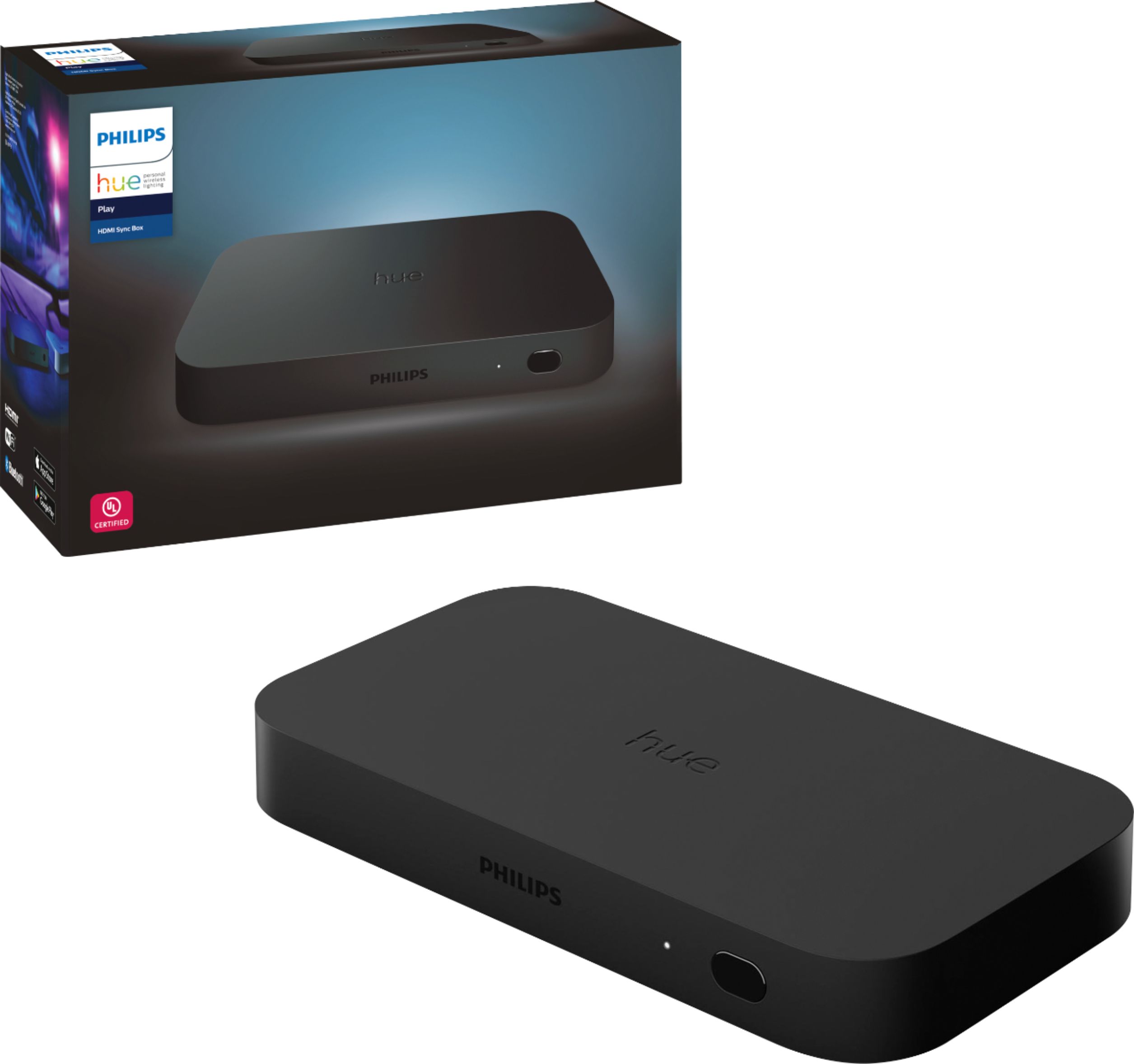
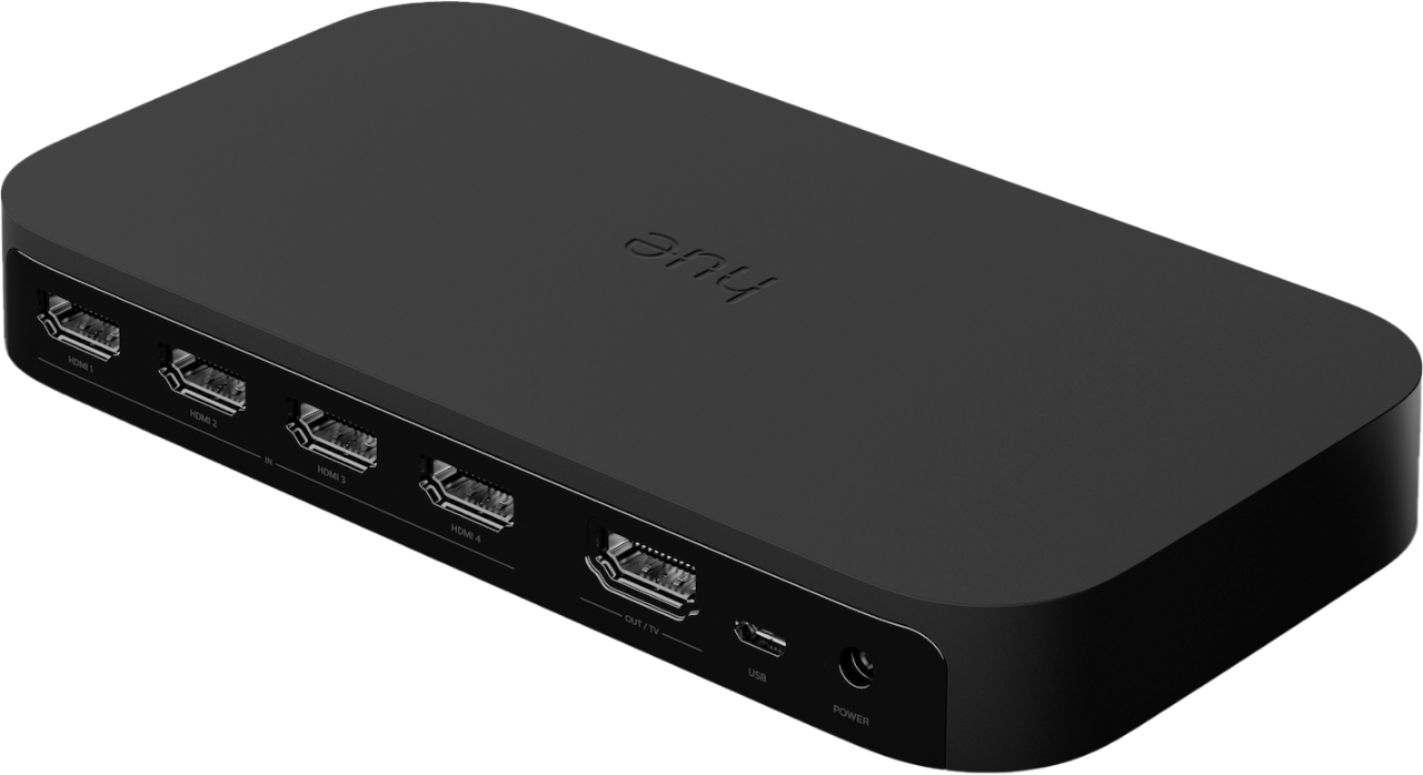
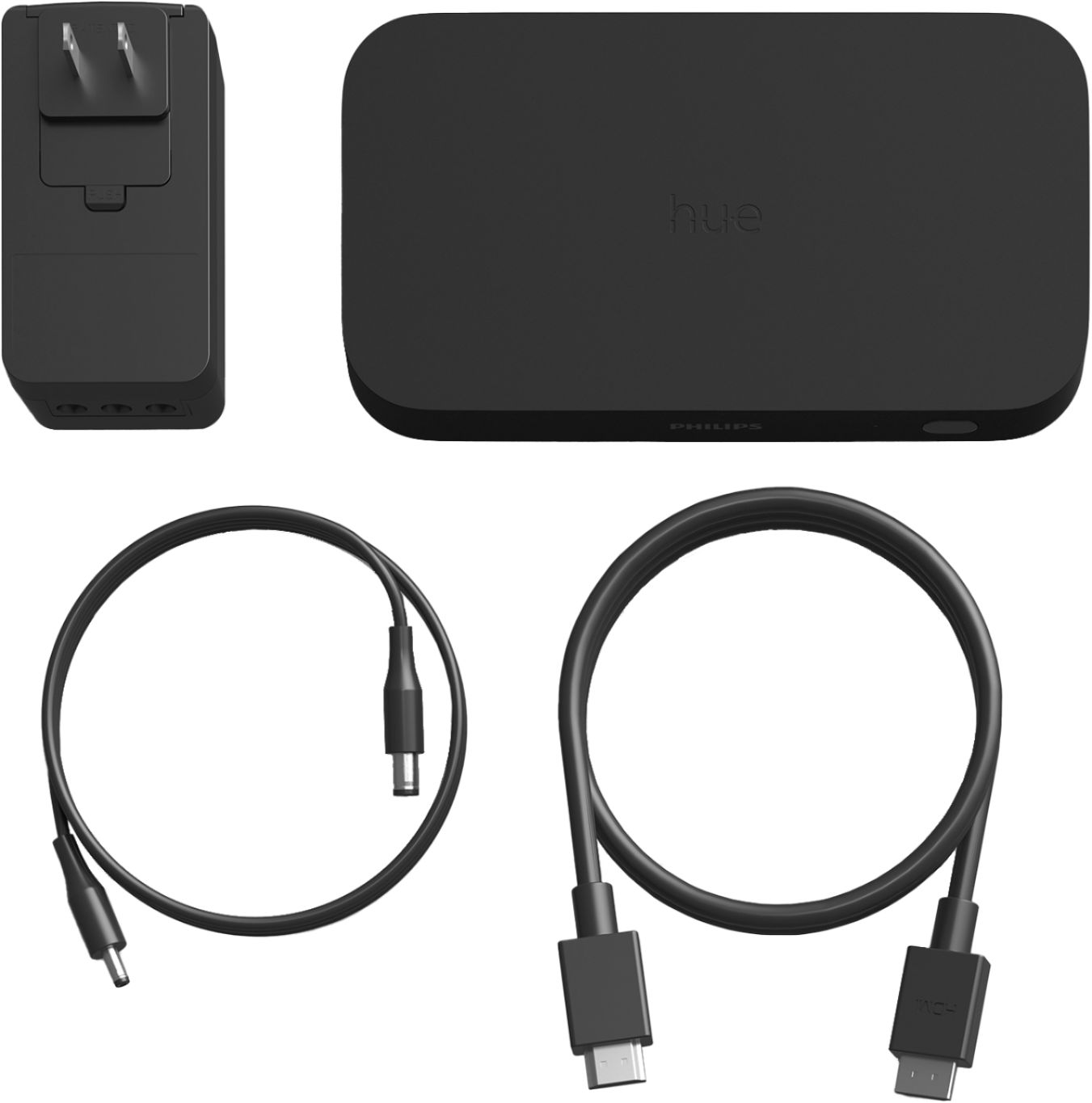
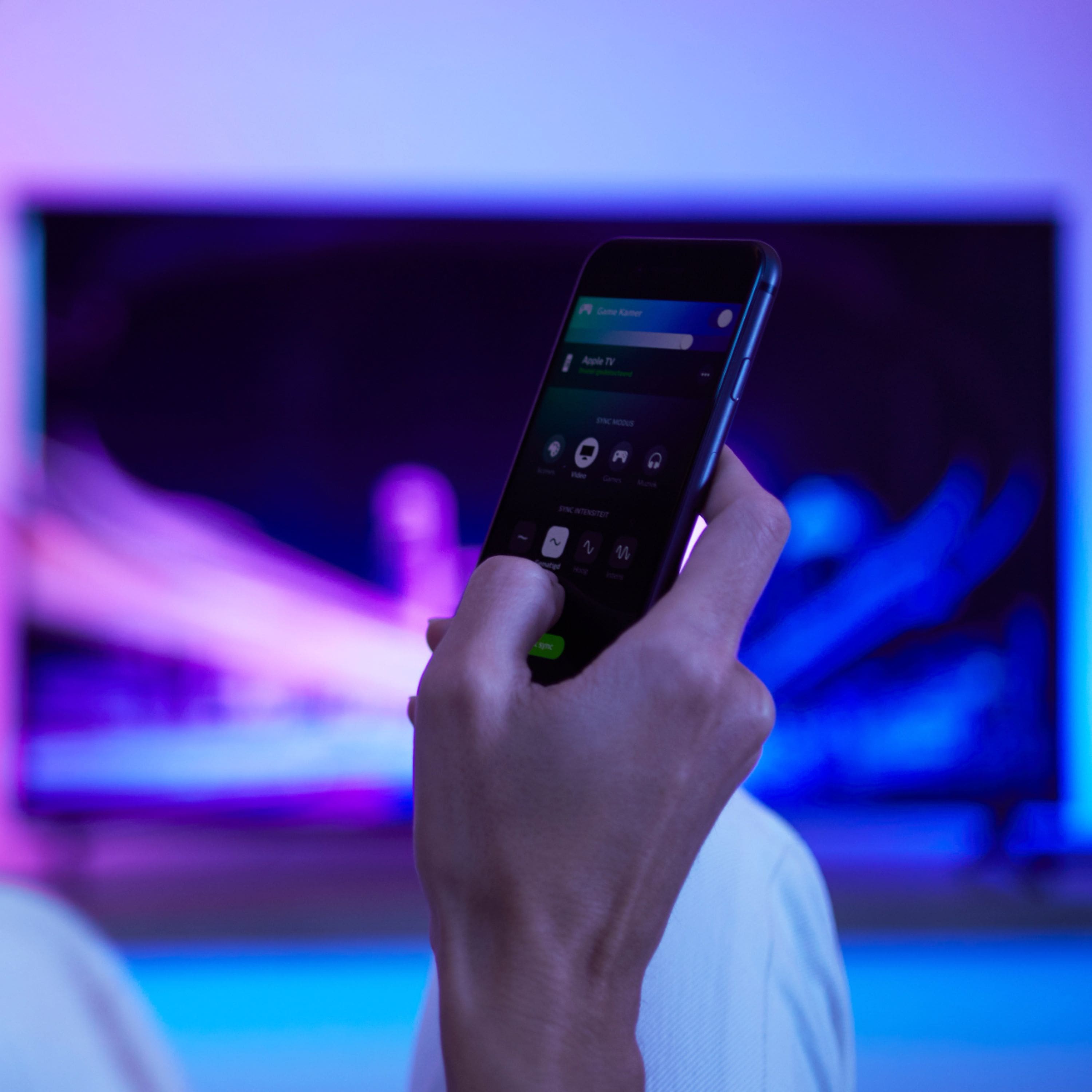
|Posted .This reviewer received promo considerations or sweepstakes entry for writing a review.I LOVE the sync box. Let me explain why. I have tried using apps in the past that would sync the lights to video and/or sound, but the delay in the lights changing just made it not feel right. This fixed all of that. Whats in the box: HDMI cable, power cable, sync box. Setup: Very easy. There are 4 HDMI inputs, one HDMI output, USB input and power. I only used one of the HDMI inputs, as I have a home theater receiver with HDMI switching. Otherwise this unit would be its own HDMI switcher that would make it easy to use with 4 different devices. I also don't use the USB cable, as all it does is detect if a TV is powered on by detecting power from a cable connected to the TV. HDMI CEC takes care of that for me. After plugging in the sync box in-between my receiver and the tv, time to set it up in the app. I'm not sure why, but this device requires a separate app from Hue, as its not built in to the "regular" app. You do, though, have to set up the entertainment area in the regular app first. This is easy to do, and supports up to 10 lights. During the entertainment setup, it uses a graphic of a TV, and you drag the lights to show the position in the room. Easy. After you do this, you go back to the new sync app, and adjust some simple settings in there....more on that later. Use: Once the box is set up, you use the sync app to adjust the settings you want to, well, adjust. You pick between sync modes: video, music or game. Intensity: subtle, moderate, high or extreme. Brightness: A slider to adjust the base brightness that the lights use. How it works: The sync box analyses the sound and video, and matches the lights to what you are watching/listening to. I have found for movies, I keep it on "high" intensity for action, or "moderate" for drama type movies. Music, I keep it on intense as it follows the beat of the music very well. For all uses I keep the brightness setting midway, or a tad below the middle. Overall: There is NO lag in the light changes, and it matches very well. I use two hue play bars behind my tv, and it is awesome. The CEC settings work perfectly, and I have zero issues during setup messing with CEC. I have had that in the past with other devices, but none with this. The only con is that it uses a separate app, but the pro of that con (does that make sense?) is that it is one tap and your in for changing the settings, and you aren't digging through menus of the regular hue app.
I would recommend this to a friendA neat experience
|Posted .This reviewer received promo considerations or sweepstakes entry for writing a review.The lighting and Hue Play didn’t take too much effort to set up and can use a single AC adapter with multiple plug-in spots for the Hue Play Sync Box and included lighting, taking up only 1 wall outlet instead of 3. It comes with multiple mounting options to position the included lights practically wherever you want to place them. I feel it does not work with music currently, with color transitions either too slow or too rapid. Hopefully, this will be resolved with a future software/firmware update. It’s an exciting way to watch things in the living room, or room of your choice, and with the addition of Philips Hue color bulbs in additional spots, can create a “surround lighting” experience that syncs nearly instantaneously with what you are viewing. I found that the lighting perfectly matched up with my 2nd generation Hue color bulbs, for a seamless transition between the lights. A great new way to experience color LED lighting.
I would recommend this to a friendCool, but sometimes complicated
Posted .This reviewer received promo considerations or sweepstakes entry for writing a review.The sync box combined with the hue lights is really cool! It synced all the lights we wanted together. So if we’re playing music throughout the house we can have the lights dance with us! Setting it up to the hue lights behind the tv was a little complicated. Creating zones were a little complicated. We had to play with it a few days before we got it all synced to the correct zones and learned the google command to control for Google home. To get the inputs correct and to learn the verbal commands took awhile to learn. Now that it’s all set up and we all learned how to work it, it’s fun and hasn’t gotten old yet. (We have had it about a month)
I would recommend this to a friendAdds to the Experience
|Posted .This reviewer received promo considerations or sweepstakes entry for writing a review.I tested the Hue Play HDMI Sync Box with the Hue Play White & Color Smart Lights. Though not required, the two are obviously designed to work together with a TV in this way. The AC Adapter has connections for three devices which allowed the Sync Box and both Hue Play lights to use just on AC plug. However, you can use any hue lamp or bulb with the sync box, up to ten hue lamps can be controlled by a Sync Box. The app setup was easy. The system was easily connected to my Hue Bridge within a minute. Another minute later to add the Hue Play lights to my media room which had two lamps with Hue Color bulbs in them. The app shows a box and lets you place the lamps in your room for a relative position to get the light effect just right. The lamps and Hue Play lights all worked together. I eventually made a zone for the room with the room with the Play to keep control of the table lamps separate when desired. The Hue Sync app has three sync modes; Video, Music, and Game. Select a mode and then set the intensity of the light; subtle, moderate, high, or extreme. I think a better word for this setting would be responsiveness. There is also a brightness slider to set how bright you wish the light to be. The Hue Play HDMI Sync Box has four HDMI inputs which I filled with 4K devices; Xbox One X, PS4 Pro, Roku Ultra, and a Cable Company TiVo. I also swapped the Roku connection out for a Wii U, Apple TV 4K, Amazon Fire Cube, and an LG 4K Disc player. The Hue Play switches to whichever device I turn on perfectly on its own. As an HDMI switch, it works very well. Initially there were some problems. Every time I open the app, the app shows “Connecting…”. Nothing can be done until it connects, which can take 15-30+ minutes, no exaggeration. The other option is to get up and reset the Sync Box. There is no error or indication if the problem is the Wi-Fi or ZigBee communications. Searches online for a solution came up empty. There are many experiencing this issue. I have just one Sync box and it has line of sight to my Netgear Nighthawk X12 router with the Hue bridge wired to it just 15’ away. The Sync box and my phone are on the same Wi-Fi network. So, I tried another Zigbee channel and that seems to have resolved the issue. My door lock and a light switch use ZigBee, so perhaps they were causing some conflict. Some meaningful error after a reasonable time out with troubleshooting steps to take would be very helpful here. The play lights and my room lamps all change color and intensity in sync with the media content. At first, I found it a bit much, too dominant and distracting. I found moving the Hue Play lights from the side of the TV to behind the screen, so they shined against the wall less distracting. With some tweaks to the brightness and responsiveness, the effect became much more complimentary. The screen seemed larger, like the edges of the screen melted away at the peripheral instead of a hard stop at the edge like a window. It took some troubleshooting and tweaking to get it to work this well, but the effect is worthwhile. I wouldn’t recommend it to someone who expects a plug and play experience. But if you are OK spending some time positioning lights and tweaking settings, you’ll be happy you did.
I would recommend this to a friend- Pros mentioned:Ease of use
Awesome Lighting Experinece
Posted .This reviewer received promo considerations or sweepstakes entry for writing a review.Easy to setup! It works like a charm. Looks great!
I would recommend this to a friend - Pros mentioned:Color
Best lights on the market
Posted .This reviewer received promo considerations or sweepstakes entry for writing a review.Colors are accurate and display is great. Wish it had 120hz support for 4k
I would recommend this to a friend - Pros mentioned:Setup
Not ready for prime time
Posted .This reviewer received promo considerations or sweepstakes entry for writing a review.Wanted to love this, but I’m regretting being an early adopter :( I was only connecting an Apple TV 4K to it, so setup was relatively easy. Worked well for a few minutes but then the lights started behaving erratically. The lights it controls will just randomly turn off, and it’s a toss up whether they’ll come back on in 30 sec, 5 mins or never at all (unless I reset the entire system). It also supposedly supports HDMI-CEC so I expected the CEC from the Apple TV 4K to be able to relay commands through the sync box to TV but this wasn’t the case (and yes, I had CEC turned on in app). My Apple TV remote no longer controlled wake/sleep or volume on a Samsung smart TV like it typically would. Having “pretty lights” is not worth having to use two remotes again, and I am unsure whether this is software/firmware related or a limitation of the box. Another reviewer claims this works (though I’m not sure what product he has connected to it) so who knows. Contacted Hue CS which said “While we are working on resolving all the issues our new system seems to have, we promise to have a resolution soon.” so it seems like they are working on it, but it’s hard to know whether the box will ever behave like I expected (and whether it fully supports CEC), which is too much of a risk for the high price tag. So for now I’d suggest giving them time to work out the kinks before you commit!
No, I would not recommend this to a friendBrand response from The Philips Lighting Team
Posted .Hey Kristen, thanks for posting your review here. We're not pleased to hear that you are regretting your purchase, and we would like to assist you with this! Let's see, did you try to downplay the resolution for the Apple TV 4K, to see if that changes anything? As for the CEC, in the Hue Sync app you can also enable the option to automatically switch between HDMI inputs when a device is turned on, this also applies for the Apple TV. Could you go here via Settings > Automatic control options > HDMI input auto switch, and enable the Apple TV input? f you require further support, you can always send us a message on our social media channels, where we provide 24/7 assistance with any issues you may have: Facebook (http://m.me/HuePhilips) or Twitter (https://twitter.com/tweethue).
- Pros mentioned:Ease of use
Merry Christmas
Posted .This reviewer received promo considerations or sweepstakes entry for writing a review.I gave this to my son for Christmas and he has been using daily with his lights, etc. A great gift!
I would recommend this to a friend - Pros mentioned:Hdmi sync
Great system a must have for movie fans
Posted .This reviewer received promo considerations or sweepstakes entry for writing a review.Amazing product want you hue system to sync with your movies games whatever you are watching get this love the Star Wars movies with this is amazing.
I would recommend this to a friend Used device sold as new
Posted .This reviewer received promo considerations or sweepstakes entry for writing a review.When i opened my box after paying full price from best buy at my local store, I noticed nothing was plastic wrapped, the device had fingerprints all over it, and its not quite performing like it should by changing HDMI inputs through Alexa and throufh the hue app. This device was obviously opened and resealed with a non-Phillips seal (which i saw on my cleary new light i purchased as well). They had limited supply so i assume they just put a returned opened device back on the shelves for someone to pay full price for. Ill be turning this in and waiting until theyre stocked.
No, I would not recommend this to a friendgorgeous tv lights
Posted .This reviewer received promo considerations or sweepstakes entry for writing a review.Obviously you have to have this in order to get the hue lights to work. And it works fantastic. The passthrough for HDMI CEC works great. The only drawback is that it will not pass through a 4k 120fps signal.
I would recommend this to a friend- Pros mentioned:Hdmi sync
Buy it now
Posted .This reviewer received promo considerations or sweepstakes entry for writing a review.It was a little difficult getting it to sync but once it did my setup looks amazing
I would recommend this to a friend - Pros mentioned:Ease of use
Great product!!!
Posted .This reviewer received promo considerations or sweepstakes entry for writing a review.Easy to install and setup. Works like a charm. Can't imagine a TV experience without it.
I would recommend this to a friend