Customer Ratings & Reviews
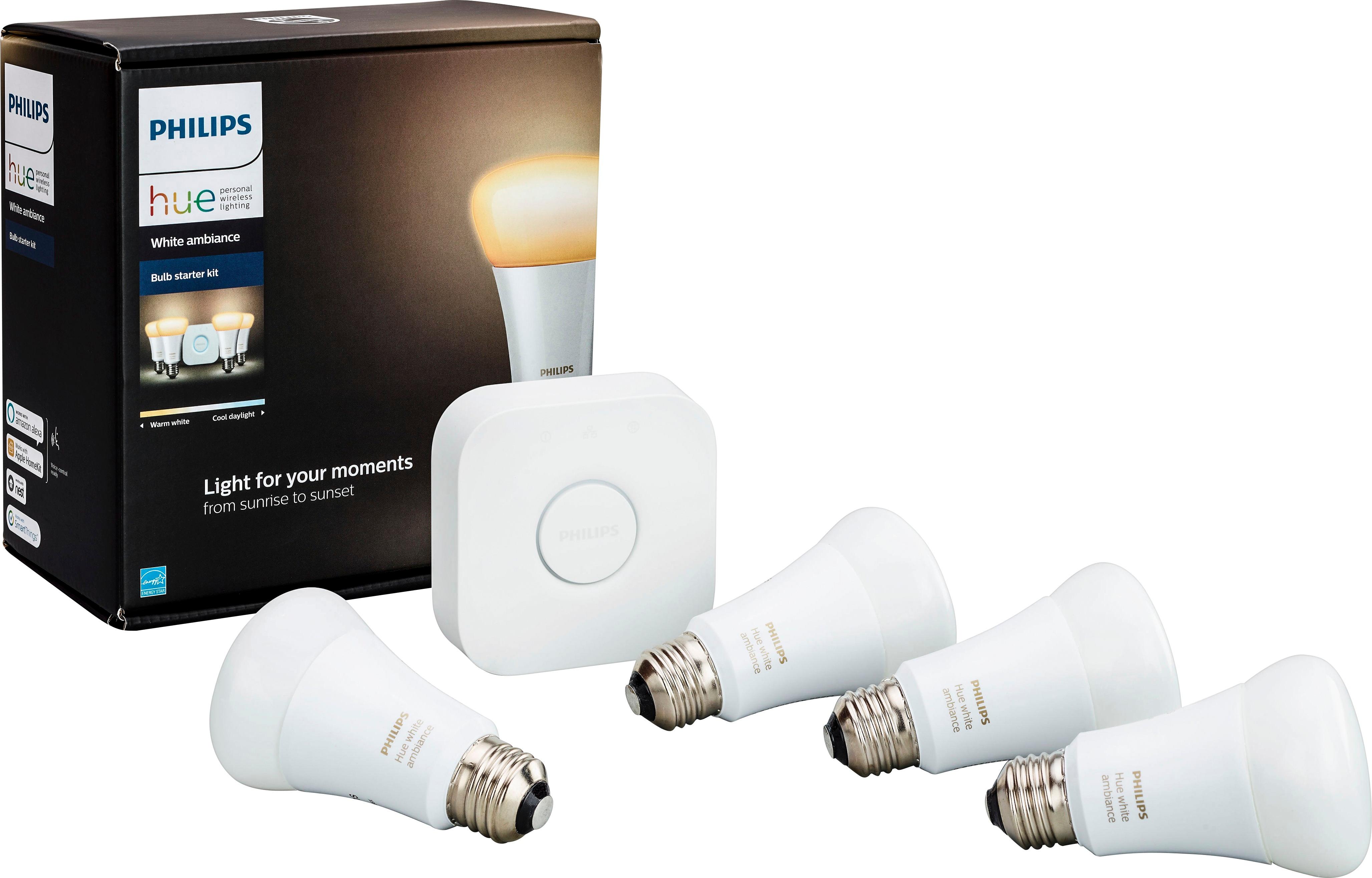


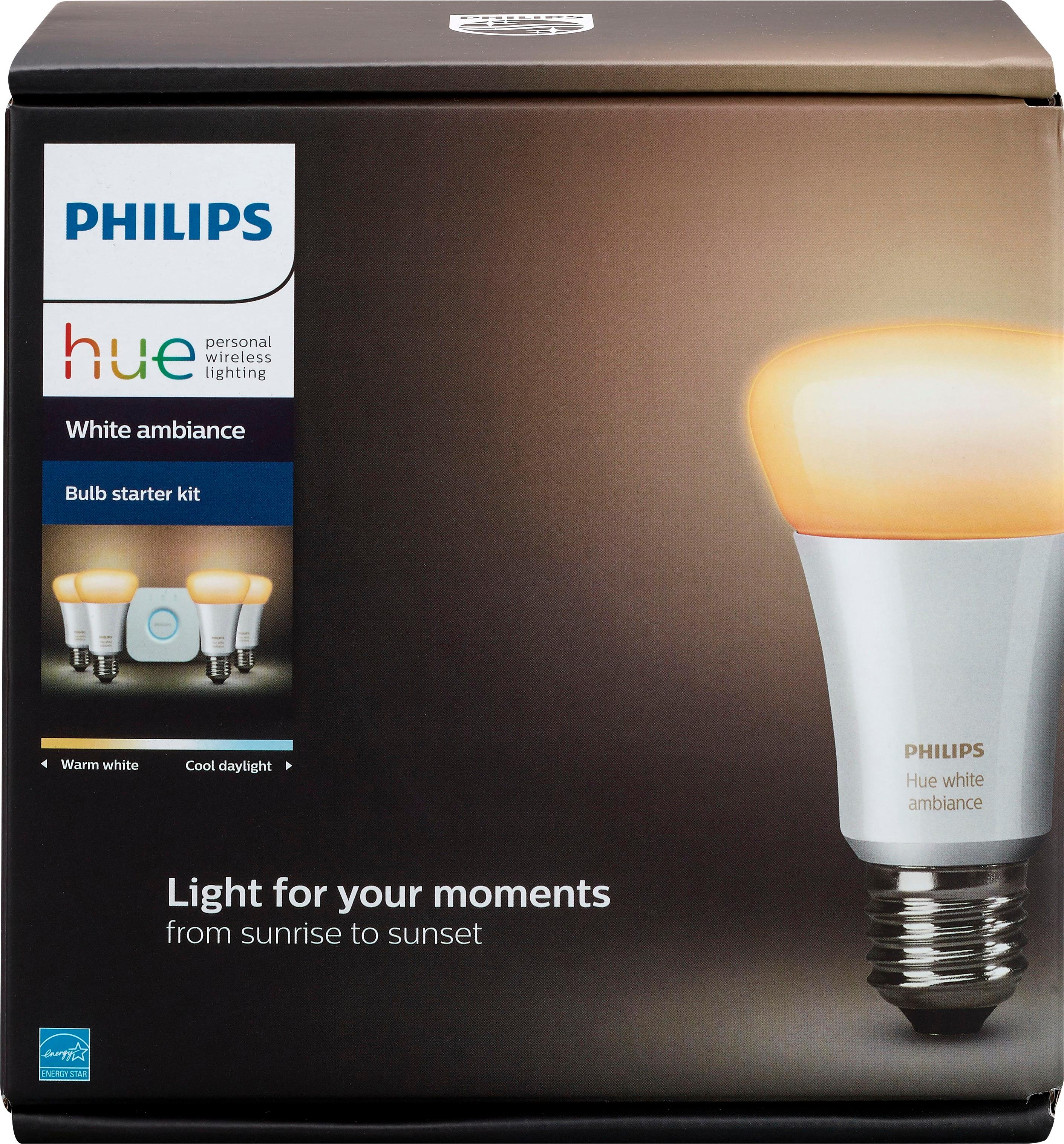





- Model:
- 471986
- SKU:
- 5802006
Rating by feature
- Value
Rating 4.4 out of 5 stars
- Quality
Rating 4.8 out of 5 stars
- Ease of Use
Rating 4.6 out of 5 stars
Customers are saying
Customers consistently note the ease of use and brightness control offered by the Hue White Ambiance A19 LED Starter Kit, with many praising the user-friendly app and straightforward setup. Positive feedback also highlights the system's compatibility with other smart home devices and its automation capabilities. However, some customers find the price to be a significant drawback.
This summary was generated by AI based on customer reviews.
What a disappointment
||Posted .This reviewer received promo considerations or sweepstakes entry for writing a review.Bought these because of the new “feature” that is supposed to remember the on-off state of the bulb in the event of a power failure, but it doesn’t work. Also apparenlty the device requires a web account and has a very poor security rating. Returned them promptly
No, I would not recommend this to a friend- Pros mentioned:Brightness, Setup

Easy setup, works great!
|Posted .This reviewer received promo considerations or sweepstakes entry for writing a review.This set has everything you need to run these smart lights. I also have a Google Home, so I'm using it to control them. The Google Home does a great job being the central command center for home automation devices. Setup was pretty straight-forward using the app. The kit came with four bulbs, and the bulbs are internally pre-named, but you have to figure out which one is which by trial and error. Not a big deal, actually it was a little fun detective work! Also it's fun to come up with names for the bulbs, but you have to stay away from words that would already be used, like "light," "plug," "outlet," or the name of a location to keep Google Home from getting confused. Or you can just keep them with their default names. These are primarily white bulbs. There's a whole range of customization available, from dimness to color temperature, so you can have it like candlelight, a night light, or a daylight bulb or anywhere in between. If you have lamps without switched outlets, or are otherwise inconvenient to get to, these are great. I'm very happy with these.
I would recommend this to a friend it's really good and basic but powerful
||Posted .This reviewer received promo considerations or sweepstakes entry for writing a review.it's really good and basic but powerful enough to be effective
I would recommend this to a friendLove Philips Hue
|Posted .This reviewer received promo considerations or sweepstakes entry for writing a review.I have been using Philips Hue for nearly two years. I presently have 6 color bulbs, 8 ambiance bulbs, 1 white bulb, 1 LED strip, 3 dimmer controls, and 1 motion sensor. In my opinion, Philips Hue is the de facto standard in wireless automated lighting. The new ambiance lights are fantastic. I rarely use my color bulbs for anything other than soft white so the new ambiance bulbs are a revelation (and cheaper too). They offer the ability to tune the white light to your need which presents a big plus over the standard white bulb that Philips also offers. I use the bulbs in lamps, recessed lighting, conventional overhead lighting, and even outside for my driveway. Now that Hue supports HomeKit I am able to automate by lights and control them more conveniently on my Apple products. That said, the Philips Hue app supports even more automation and control and works across Android and iOS. I use the motion sensor to control lighting on my stairs at night. I use automation routines to turn on certain lights in the living room and my office in the morning before the family wakes up. I also use automation to turn off certain lights at specific times in the evening. Of course, you can do so much more, but that is what I use for now. The only real trick to using Hue is placing the bridge some place central in your home and still be able to connect it via ethernet to a switch or router. To me that is the biggest downside of the Hue Bridge is the lack of wireless connectivity to your home network. Can be very limiting where you place it and when you have a two story home with a finished basement it can be very tricky to get a solid signal to all your Hue devices. Fortunately, my router sits pretty central on the main floor so I get a solid signal across my house. Be warned though. Once you go down the path of Hue and home automation it becomes a very slippery slope of addiction. It is super fun to see what all you can do around your house and the more you use them the more possibilities you dream up.
I would recommend this to a friendNOT FOR ME
||Posted . Owned for 3 months when reviewed.This reviewer received promo considerations or sweepstakes entry for writing a review.Buy the extended warranty had this product for 6 years Something goes wrong every 2 years.
No, I would not recommend this to a friendMore info
||Posted . Owned for 1 month when reviewed.This reviewer received promo considerations or sweepstakes entry for writing a review.I wish I would have known before I got these home that they would not work with the hub I had
No, I would not recommend this to a friendNot so great.
||Posted .This reviewer received promo considerations or sweepstakes entry for writing a review.Requires strong WiFi signal and bandwidth to use. Ultimately had to return. Not a great gift. Too personal.
No, I would not recommend this to a friend- Cons mentioned:Hub
Not required for smart home
||Posted .This reviewer received promo considerations or sweepstakes entry for writing a review.You don't need a hub for smart lights. This is garbage.
No, I would not recommend this to a friend - Pros mentioned:Setup
Easy, smart lighting, nice ambiance features
|Posted .This reviewer received promo considerations or sweepstakes entry for writing a review.With four bulbs to customize, the Philips Hue White Ambiance starter kit provides enough options and features for any smart lighting beginner to feel like a pro. Setup was simple: replace up to four bulbs with the provided Philips Hue lights; power and connect the hub; download and fire up the app; and that's it - off you go. The hardest part was figuring out which area of the house I wanted to configure, which ended up being my master bedroom. I used the bulbs for the main light, a desk lamp, the nightstand, and one for the closet light. I really like the pre-configured templates provided on the app, but you can customize and save any setting you can come up with. I appreciate the fade-in option for the morning wake up, and I like the "reading" configuration for the evenings. You can also customize which bulbs to turn on and which ones to leave off, if desired. Some other smart lighting brands offer customization but it would feel like jumping through hoops to do simple things like setting up a time frame for adjusting the ambiance. The Philips Hue app makes this process quite simple. And as a nice plus, it connects very easily to Google Assistant for voice commands. Overall, this is a great first step for those interested in testing out smart lighting and want simplicity, value, and some nice configurations for their smart home setup. Full disclosure, I received this product for my unbiased, honest review.
I would recommend this to a friend good product
||Posted .This reviewer received promo considerations or sweepstakes entry for writing a review.good product at a decent price ... i would recommend
I would recommend this to a friendNever Enough Smartbulbs...
|Posted .This reviewer received promo considerations or sweepstakes entry for writing a review.My wife thinks I'm crazy. As a Trekkie, there's nothing better than being able to remotely turn on all the lights in a room either with my voice or my devices (or a motion sensor). There's a bit of a learning curve because you have to coach yourself into not using the switches. My wife hates that she can't use any of the switches anymore, but has generally gotten used to the convenience of being able to light the house wherever she's going before she gets there. "I broke the lights" was a common refrain the first week. As smart bulbs go, Phillips makes the best ones, hands-down, and here's why: - Apple HomeKit integration (that means onboard encryption on the hub for your wifi password and traffic, which is insanely important). - Amazon Echo integration, Google Home integration, Native Apps on all platforms (these lights work with almost everything) - the AMBIANCE lights have a huge variety of colors and white temperatures and are within a few watts of other LEDs (even when you consider they must be "always on" to receive instructions, I have not noticed a difference in our power expenditure). - huge variety of lightbulb styles so you can have matching hardware and color temperatures across your house - regular firmware and app updates - Phillips is keeping on top of security holes and bugs, they release new firmware at least every 2-3 weeks. So let's talk positives and learning curve: - "Echo, turn on the Kitchen Lights" is the command for a room with multiple bulbs. Or "Echo, turn on the Lamp" is the command for JUST ONE LIGHT. You can name both rooms and bulbs individually, then sync to Amazon, Google, and Siri. - you set your switches ON. If you turn them off, you can't turn your lights on and off remotely. - if you turn your switches OFF then ON, your lights are on in the ON mode (and will sometimes lose whatever color setting you had) but can be shut off remotely. - the "White Ambiance" lights have a crazy amount of white "temperatures" (shades of white) ranging from warm/yellowish/orangish white to wake-your-butt-up blue-white. To match existing bulbs if you don't care about colors, buy this version. - Amazon and Google are NOT AMAZING at setting "mood lighting". You can, however, say, "Echo, set the Living Room Lamp to 50% brightness". You can also use either Apple HomeKit or the built-in app to set timers, auto-on, auto-off, and "Scenes" (pre-set combinations of rooms/lights on/off/shades of white/color/etc). - you can dim to exactly whatever brightness you want. - the Apple HomeKit timers let you automate certain things: when you arrive, the lamp can turn on. When sunset hits, certain lights can turn on or off. - you can also integrate with IFTTT so that when your doorbell is rung, your lights flash... if your favorite stock crashes, you get a tweet, the lights can change color or whatever... not super useful, but the fact that you CAN do this is cool and potentially useful if you had the right recipes and needs. So, aside from "wow, that's really cool that I never have to worry about going into a dark room and stubbing my toe with my hands full again" factor, what are some negatives? - you must use your voice (via Amazon, Siri, or Google) and if you have to be quiet and don't wanna whip out the app, you run the risk of accidentally turning on the wrong light or whatever else. Not recommended for parents of young kiddos who wake easily. You have to also remember what you called the lights and memorize that because no voice assistant is smart enough yet to just turn on or off the lights in the room you're in without context. The key word there is "yet" as the ubiquity and price point of these devices almost begs the question: why couldn't the individual Dots/Home Minis be tethered to a "room" with a context-senitive "Echo, Lights On!"-type command?... TBD - the integrations are OK, they work well, but sometimes the hub and/or assistants seem to lose connection to bulbs and they cannot be turned on or off with your assistants but instead have to be turned on/off within the app (which seems to have an override for the Z-wave method the lights use to communicate to the hub). - you will want to outfit your entire freaking house and it's really expensive to do so About that: to outfit your entire house is crazy expensive, and you will want to because once you are able to turn on the lights with your voice, you will want to do it everywhere. The Colors is kitschy and cool, but outside of a party trick or a kid's room, it's hard to justify the (as of the time of this writing) $50-per-bulb pricetag. And if you try to buy in bulk (beyond the like, packages Phillips offers) you'll be routed to a local distributor who'll laugh at you. True story, this actually happened when I suggested a bulk purchase program. Let's also talk about the difference in bulbs, too - the AMBIANCE series is what you want. I'm not kidding, the other A19 (ROUND, NOT AMBIANCE) bulbs are crazy yellow. I mean '70's yellow, yellow, barely white yellow. I had these originally, but returned them for the Ambiance series. So: worth it? Absolutely (especially if you're a Trekkie or Techie and want the light to be on automagically when you get home). If you're making the jump from CFLs to LEDs, consider leaping even further to these smartbulbs.
I would recommend this to a friend- Pros mentioned:Ease of use
Works Great w/ Google Home!
|Posted .This reviewer received promo considerations or sweepstakes entry for writing a review.I already had a Google Home, so I was excited to try this starter set when I saw that they would work together. I haven't been disappointed. Getting the lights up in my house was a little tricky, but I think that was due more to my house than the bulbs. Once they were in place, I didn't have any issues getting the app set up and connecting with my Google Home. I'll be honest here, I'm a forgetful person. Sometimes I leave lights on downstairs when I go to bed and don't want to go back down to turn them off. I also have a tendency to leave lights on when I leave the house, and not think about it until I'm too far away to bother going back for anything. Now it doesn't matter, I just pull out the app and turn everything off. It also works if I'm out later than expected, I can turn the lights on to make it look like someone is home. Maybe I'm too paranoid, but it helps give me peace of mind. The voice commands with Google Home have also worked well so far, and I'm slowly building my smart home! I haven't experienced any issues, and I like the lighting that you get from these bulbs. I plan to buy more to put in throughout my house!
I would recommend this to a friend Worst product ever
||Posted . Owned for 1 month when reviewed.This reviewer received promo considerations or sweepstakes entry for writing a review.Its so unreliable useless peace of junk and when power goes of it has no idea what to do even a regular light bulb knows what to do WARNING DO NOT BUY RIP OFF
No, I would not recommend this to a friendNot a set setting
||Posted .This reviewer received promo considerations or sweepstakes entry for writing a review.I returned this item since every time I turn on my room lights I had to set up again and again the setting that I like. Hope that in the future has a save setting light.
No, I would not recommend this to a friendWouldn’t stay connected to our wifi.
||Posted . Owned for 2 months when reviewed.This reviewer received promo considerations or sweepstakes entry for writing a review.Kept having to reset up. Did not want to stay connected to our wifi. We finally gave up and got the Sylvania Bluetooth bulbs.
No, I would not recommend this to a friendFor the Technophiles
|Posted .This reviewer received promo considerations or sweepstakes entry for writing a review.As a person who appreciates Tech for Tech's sake, I can understand the enthusiasm for substituting walking over to a light switch/dimmer and just flipping or sliding a switch, with opening a phone App to get basically the same result. If Tech is your thing, then these are your lights. When compared to incandescent lamps plugged into a dimmer and timer, here are the Pros and Cons. PROS: - Quick and accurate response - After a Kit like this one with both the "Bridge" controller and 4 bulbs is purchased, you can buy up to a total of 50 bulbs without needing to buy another controller. - At 10 watts power consumtion each, the bullbs are about the eqivelent to old tech 60 watt incandecent bulbs in lumen brightness. - You can program each individual bulb to change both its white color temperature and it brightness on a repeating schedule. - The bulbs will save you money on both your electrical lighting bill and your A/C bill since they run much cooler than incandescent bulbs. -These lights can be controlled by voice commands using Google Home, Amazon Alexa, etc. -You can impress your friends with a demo of your "Connected Home". CONS: -These bulbs are relatively pricy when compared to some brands. However, "Cheap" LED bulbs are notorious for failure and I assume that a name brand like Philips is likely to build more quality and endurance into their products than no-name companies that are competing only on price. - Setting mood lighting with an App is fine, but if someone flips the wall switch off and on again, they will default to full brightness until the App is run again. Not everyone will have access to the App and this could spoil the "mood".
I would recommend this to a friendAn innovative idea
|Posted .This reviewer received promo considerations or sweepstakes entry for writing a review.I've had a hard time writing a review for this product because the Philips Hue series of are so much more than just light bulbs that you can turn on and off with an app. This kit includes the 2nd generation Philips Hue bridge and 4 White Ambiance 11W (60W equivalent bulbs). While most off the shelf LED bulbs only work at certain color temperature, say 2200K, which is more of a yellowish glow, or 4000K which is closer to a straight white, or 6000k which starts to become a whitish blue light. These type of lights are "locked in" at the type (or color if you may) of light that they cast. The Philips Hue White Ambiance bulbs are capable of producing color temperatures between a range 2200K to 6500K and practically do an amazing job of producing every color temperature within that range. Yes, this kit does allow you to effective remote control your lights, but it has many options on how to do so. So for my review, I will explain how I have used them. I rent, so I can only alter things to a certain degree. With the four bulbs, I have placed them where listed below: My Bedroom ceiling fixture My Dining area fixture Lastly, 2 bulbs in my living room ceiling fan (it has normal bulb sockets) Within the app you can assign individual bulbs into an area. I have mine assigned as listed above to these areas. You can further create groups that include any combination of these rooms or individual bulbs. As you add more White Ambiance bulbs to your setup, this becomes increasingly useful. I might also add that you can adjust the brightness of any of these bulbs at any color temperature from 0-100% brightness. I have found them useful as I have them setup to work with my Google Home. I can, through voice commands, turn the lights on and off, adjust brightness levels, and even switch to some color temperature presets referred to the Hue app as Scenes. This is great if you have already laid down for the night and forgot to turn off the lights in another room, or want to leave one of the lights on, but perhaps at 5% brightness throughout the night. The possibilities are near endless for their use and application and I cannot possibly cover even a fraction of what you can do with them in one review. I am giving them a 5 star review, but keep in mind that that to go all in for something like a single family home, with many places to utilize Philips Hue bulbs, it definitely requires an investment. The starter kit gives you 4 bulbs and the hub to work with, but individual additional bulbs (this also works with the Hue color bulbs) can leave some with sticker shock. Last but not least, the included bridge can support up to a recommended 50 bulbs and an absolute maximum of 63. "Hey Google, turn off all lights" This never gets old :)
I would recommend this to a friend- Pros mentioned:Ease of use
Nice lighting package, easy to use.
|Posted .This reviewer received promo considerations or sweepstakes entry for writing a review.Wonderful outfit, I'm using it to control lighting in 3 rooms, giving each a different mood. Easy to setup, app detected the bulbs quickly, each can be controlled independently. I'll be purchasing some of the colored bulbs as well for more flexibility. Note that the bulbs are not cheap. HUE app is easy to use although the self-defined routines are not as flexible as I'd like. Some rely on location being turned on the the phone, a personal negative but that's just me. Still teaching myself to use the HUE app to control the lights and not the lamp switches.
I would recommend this to a friend Great Lamps With A Problematic Interface
|Posted .This reviewer received promo considerations or sweepstakes entry for writing a review.My reaction to this LED lamp kit has been almost completely enthusiastic. But I find the accompanying application has what feels like an intentionally poor design. Instructions for the set boil down to: (1) plug in the lamps, & (2) download the app. I felt like the setup was way too complicated. When setting up the bulbs in locations, there is nothing on the bulbs to indicate the order in which the hub addresses them so after I named the locations in the app, I wound up swapping bulbs to match the locations. The hub, the bulbs, and the application all have internal programming and after my initial setup, all three needed to update - but they didn't update sequentially - so I got notices for updates on day two and day three - and each of the updates took a long time (more than 15 minutes each!). Setting the lamps up for an on/off schedule felt intentionally complicated. And even though now I have everything scheduled the way I want it to be, the application stills feels unintuitive. But I love the lamps themselves. I really like being able to change the color tones of the light - from the warmest of incandescent to the coolest of daylight - so I can match the lights to the colors and moods of my rooms. As you would expect, the lights are very cool to the touch. They power on and off quickly but gradually so that a lamp turning on isn't suddenly blinding in a dark room. And the range of dimming is impressive. Ultimately, for what the lamps can do, I would rate them at 5-stars with no hesitation. But I can't understand how such a major manufacturer could have released such an awkward and problematic interface.
I would recommend this to a friendMay take some getting used to
|Posted .This reviewer received promo considerations or sweepstakes entry for writing a review.The system set up is pretty straight forward; install the hub, install the app on your phone (perform any updates) and then assign the bulb locations within the app. Our automation use is somewhat limited because we don't have something like Alexa to talk to as soon as one walks into the home to verbally turn on all the lights or only specific lights. We have used the app and Siri to verbally turn lights on and off. I would think one would want to add further home automation devices like Google Home or Alexa to fully obtain the benefit of this lighting system. The app provides "Scenes" that can be selected to Relax, Read, Concentrate, Energize, Tropical Twilight, Arctic Aurora, etc... These scenes modify the shading and coloring of the lighting to create different effects. Bottom line, Philips Hue does its intended task well and the app is user friendly and straight forward. As mentioned, the system would be of even greater benefit in a fully automated home with something like Alexa. It's nice to have the convenience to use the app when we are away at night to turn on an entry light or to modify the lighting scene to better suit our needs.
I would recommend this to a friend