Customer Ratings & Reviews

- Model:
- 200749-63
- SKU:
- 5709005
Rating by feature
- Sound Quality
Rating 4.2 out of 5 stars
- Battery Life
Rating 4.5 out of 5 stars
- Connectivity
Rating 4.5 out of 5 stars
Customers are saying
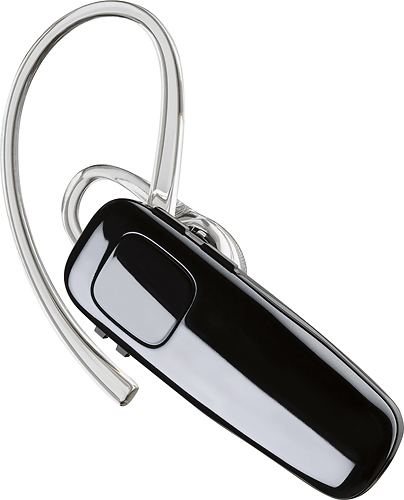
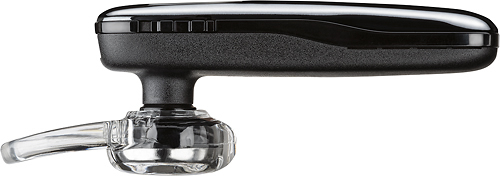
Customers praise the M95 Bluetooth Headset's sound quality, battery life, and ease of use. Many also appreciate its comfortable fit and the long talk time it provides. While some users found the maximum volume insufficient, and occasional connection issues were reported, the positive feedback on other features outweighs these concerns. The headset is also frequently cited as lightweight and affordable.
This summary was generated by AI based on customer reviews.
Its ok
||Posted .This reviewer received promo considerations or sweepstakes entry for writing a review.The only thing I don't like about my ear piece is that it connects and disconnectes 2 much
No, I would not recommend this to a friendBrand response from PlantronicsRepresentative
Posted .Thank you for your honest review on our M95, we are sorry to hear you're experiencing trouble with your unit.
In order to troubleshoot connectivity or audio issues you might want to try resetting the Bluetooth connection between your phone and headset to see if that helps the issue. To do so:
1. Delete the headset from your cell phone's list of paired devices.
2. Once deleted, power your phone completely off, then power it back on. This resets the Bluetooth stack in the Bluetooth software on the phone.
3. Re-pair the headset with your phone. If this does not fix your issue, we suggest pairing the headset to another cell phone as a test.
If the issue is not present on the second phone, then the problem may be with the first phone, rather than the headset. If the issue exists on the second phone as well, you will need to replace the headset. Please don't hesitate to contact our customer care group at www.plantronics.com/support if you require assistance.
Not a good product for me
||Posted .This reviewer received promo considerations or sweepstakes entry for writing a review.I was told by the sales person that this was a great product. It may be for some, but not for me. The inner ear fitting was too large. I have very small ears and they did not fit properly. This kept me from being able to hear well. I had to hold my fingers on it and push it inward to be able to hear. So that kinda defeated the purpose :/
No, I would not recommend this to a friendBrand response from PlantronicsRepresentative
Posted .Thank you for your honest review on our M95, we will forward your feedback to our team for consideration when developing new products and accessories.
Please don't hesitate to contact us at www.plantronics.com/support if you require assistance.
Ear
||Posted . Owned for 3 months when reviewed.This reviewer received promo considerations or sweepstakes entry for writing a review.Does not sit in my ear well always aims out........
No, I would not recommend this to a friendWorks ok for a less expensive Bluetooth
||Posted .This reviewer received promo considerations or sweepstakes entry for writing a review.Works ok for a less expensive Bluetooth, would not recommend to use while driving. Cost is low.
I would recommend this to a friendHAS 11HOURS BEFORE CHARGING
||Posted . Owned for 1 week when reviewed.This reviewer received promo considerations or sweepstakes entry for writing a review.Would have liked caller I.D. easy to setup. Good hearing.
I would recommend this to a friendIt did it's job
||Posted .This reviewer received promo considerations or sweepstakes entry for writing a review.I liked it until I realized you can't go into the other room without it disconnecting
No, I would not recommend this to a friendBrand response from PlantronicsRepresentative
Posted .Thank you for your honest review on our M95 Bluetooth headset, this and similar models should provide you with up to 33 feet of range with a direct line of sight between the headset and your phone/audio source. Please don't hesitate to contact our customer care group at www.plantronics.com/support if you require assistance!
Ok
||Posted .This reviewer received promo considerations or sweepstakes entry for writing a review.I got this...and over time it started to lose hearing and speaking quality
I would recommend this to a friendBrand response from PlantronicsRepresentative
Posted .Hello, we are sorry to hear about your experience with the M95 headset, please try the following to reset the headset and connection: 1) Completely unpair from your phone. 2) Power off and on both devices. 3) Press and hold the call button until the LED flashes red/blue on your headset. 4) Reconnect. If the issue continues, there might be an actual fault with the headset, in which case a replacement will be necessary. The M95 comes with a 1 year Limited Warranty, if you continue to experience difficulties, please don't hesitate to contact Plantronics Customer Care at 855-765-7878.

Average
||Posted .This reviewer received promo considerations or sweepstakes entry for writing a review.It doesn’t have the features of my previous headset but it does the trick
I would recommend this to a friendBrand response from PlantronicsRepresentative
Posted .Thank you for your honest review on our M95 Headset. If you are looking for a model different than an entry level, we strongly recommend you to check out our latest models like our different Voyagers. We thank you for your comments. We will forward them to our team for consideration and review. Feel free to contact our Customer Care Team at: https://www.plantronics.com/us/en/support/contact if you have any questions!
dont buy
||Posted .This reviewer received promo considerations or sweepstakes entry for writing a review.doesn't measure up to the others ... don't bother wasting your money guess i got what i paid for
No, I would not recommend this to a friendWorked at first, then died.
||Posted .This reviewer received promo considerations or sweepstakes entry for writing a review.I bought this headset as a replacement for a Motorola that physically broke after 6months of use. This head set worked great at first, but a week after the purchase, it sounded like I was "talking in a tunnel" according to those on the other end of the line. About 2 weeks into the use if this item, the sound had gotten so bad that I had to nearly yell to be heard, and cup my hand over the whole unit to hear (kind of defeats the purpose of hands free). A little while later I chucked it in the nearest garbage can. I would suggest sending it back the second you have an issue, as Best Buy offers great customer returns if done in a timely fashion.
No, I would not recommend this to a friendIt is ok when it is on it keep disconnecting from
||Posted . Owned for 3 weeks when reviewed.This reviewer received promo considerations or sweepstakes entry for writing a review.this is my third one only this one keep disconting from my phone
I would recommend this to a friendBrand response from PlantronicsRepresentative
Posted .Hello and thank you for your honest review on our M95 headset, however, we are sorry to hear about your experience. Please note this is not a common issue with already 3 units. If you are experiencing some connectivity issues with the headset, you may want to try resetting the Bluetooth connection with your mobile. To do so: 1) Unpair the headset from your mobile phone by accessing your Bluetooth settings. 2) Power off your mobile phone for 2 minutes and turn it back on. 3) Re-pair the headset by pressing and holding down the call control button until you see the LED flashing red and blue. 4) Access to your Bluetooth settings and select "PLT_M95". Once successfully paired, you will hear "pairing successful" and the LED on your headset will stop flashing red and blue. We also recommend testing the headset with a different mobile to completely isolate the issue. If for some reason the issue remains, it means the headset has an actual problem and it is best to replace it. Remember this unit counts with a limited warranty since the first day of purchase, and if you need a replacement you can click on the following link for further instructions: https://bit.ly/2N637EC. Please note the life span of the product depends on the usage but on many cases they last for way past their warranty period. Please don't hesitate to contact our Customer Care Team at https://www.plantronics.com/us/en/support/contact if you require technical assistance.
Bluetooth
||Posted .This reviewer received promo considerations or sweepstakes entry for writing a review.Not long enough range, not as capable as Motorola. Uncomfortable in ear
No, I would not recommend this to a friendBrand response from PlantronicsRepresentative
Posted .Hi! Thank you for sharing your feedback on our M95. We're sorry to hear about your experience. The M95 is a Class 2 Bluetooth which should provide you up to 33 feet of range with a direct line of sight. If you are experiencing any range issues, you might want to try resetting the Bluetooth connection: https://goo.gl/emzUTA. Testing your headset with different phones and also at different locations and while connected to a single device at a given time is ideal in order to isolate the cause of the problem. If you don't find it comfortable to wear, please try using different ear gel sizes in order to find the most secure and comfortable fit. For more information: https://goo.gl/9qnh4P
Reviews were good but did not keep product.
||Posted .This reviewer received promo considerations or sweepstakes entry for writing a review.Reviews were good item looked stylish compared to others but did not keep product.
I would recommend this to a friendNo frills on this earpiece
||Posted .This reviewer received promo considerations or sweepstakes entry for writing a review.THis works extremely well. It is a no frills earpiece but is built well
I would recommend this to a friendBrand response from PlantronicsRepresentative
Posted .Hi James! Thank you for taking the time to share your feedback on our M95 Headset. Your comments will be shared with our Product Development team, as we appreciate feedback based on customer use to create the best possible products. Feel free to contact our Customer Care Team at: https://www.plantronics.com/us/en/support/contact if you have any questions.
Bluetooth
||Posted . Owned for 3 weeks when reviewed.This reviewer received promo considerations or sweepstakes entry for writing a review.Waist of money!! Everybody I talk to gets an echo back in their ear when I'm on this Bluetooth. There is only 2 buttons on it (power and volume) I've tried turning the volume down on both my Bluetooth and my phone and they still get the echo back of everything said....ANNOYING to say the least! ANDDDDD of course it's opened and been in my ear so no returning it now :( I DO NOT RECOMMEND and if somebody has a solution for the problem, please post it
No, I would not recommend this to a friendBrand response from PlantronicsRepresentative
Posted .Hi Chevy and thank you for sharing your honest feedback on our M95; Though we're deeply sorry to hear you've had echo issues with your unit. Please rest assured that scenarios like these are very unlikely. To troubleshoot it, please reset the Bluetooth connection. To do so: Delete the headset from your cell phone’s list of paired devices. Once deleted, power your phone completely off, then power it back on. This resets the Bluetooth stack in the Bluetooth software on the phone. Lastly, re-pair the unit with your phone. Set the earpiece in pair mode by pressing and holding the call button for 6-8 seconds until LED flashes red and blue repeatedly. Lastly, please test the earpiece with a different cell phone model, as it is ideal to isolate the cause of the issue. If you still get the same results, then the earpiece has an actual problem and it is best to replace it. This model counts with a one-year limited warranty. Thank you for bringing this to our attention. For further assistance, please contact our Customer Care Team at: 800-985-9815.
Three
||Posted . Owned for 1 week when reviewed.This reviewer received promo considerations or sweepstakes entry for writing a review.Can’t listen to any thing dose not get go connection
No, I would not recommend this to a friendIt can be broken
||Posted . Owned for 2 weeks when reviewed.This reviewer received promo considerations or sweepstakes entry for writing a review.I used it for a year and half then the piece behind ear broken.
I would recommend this to a friendBrand response from PlantronicsRepresentative
Posted .Hello and thank you for your review on our M95 headset, however, we are sorry to hear that. It sounds like the damaged part is the ear loop and we might have some spares at our warehouse that we can send you. Please note the life span of the product depends on the usage but on many cases they last for way past their warranty period. Our intention is to provide the highest quality products to our customers and we thank you for bringing this to our attention. Please feel free to contact our Customer Care Team at 800-985-9815 if you require assistance!
- Pros mentioned:Sound quality
Average Bluetooth device
||Posted .This reviewer received promo considerations or sweepstakes entry for writing a review.Sound quality is good but that comfortable in the ear.
I would recommend this to a friend Ok
||Posted .This reviewer received promo considerations or sweepstakes entry for writing a review.no big thrill, it is just ok, I have been using these for years now.
I would recommend this to a friendBrand response from PlantronicsRepresentative
Posted .Thank you for sharing your feedback on our M95 Headset. We will forward your comments to our team for review. Please don't hesitate to contact our customer care group at https://www.plantronics.com/us/en/support/contact if you require assistance!
Echos
||Posted .This reviewer received promo considerations or sweepstakes entry for writing a review.every Person I spoke to said It had a bad echo or I sounded far and asked me if I had them on speaker phone. It was not very clear and it does not have background noise cancellation. Save the $50 try to use it towards something better I wouldn’t suggest buying this one.
No, I would not recommend this to a friend