Customer Ratings & Reviews

- Model:
- 200749-63
- SKU:
- 5709005
Rating by feature
- Sound Quality
Rating 4.2 out of 5 stars
- Battery Life
Rating 4.5 out of 5 stars
- Connectivity
Rating 4.5 out of 5 stars
Customers are saying
Customers praise the M95 Bluetooth Headset's sound quality, battery life, and ease of use. Many also appreciate its comfortable fit and the long talk time it provides. While some users found the maximum volume insufficient, and occasional connection issues were reported, the positive feedback on other features outweighs these concerns. The headset is also frequently cited as lightweight and affordable.
This summary was generated by AI based on customer reviews.
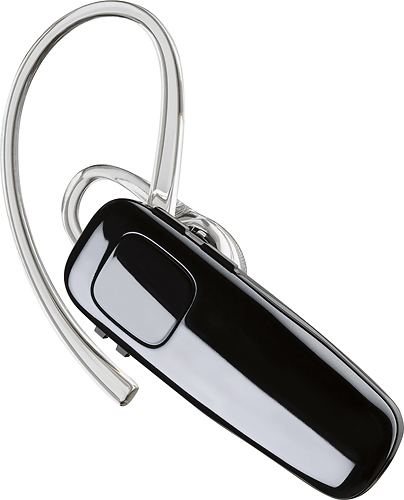
PAINFUL M95 Single Ear Bluetooth
||Posted . Owned for 1 week when reviewed.This reviewer received promo considerations or sweepstakes entry for writing a review.I love Plantronics my old one had a soft tip never hurt my inner ear! This item has a round piece that goes inside of ear and I personally don't like this product. I have a inner ear blister now, it's so tight that I'm barely able to use due to blister. Very painful!! Wished it had a soft tip like my other one no blister witb last ear Bluetooth.
No, I would not recommend this to a friendBrand response from PlantronicsRepresentative
Posted .Thank you for sharing your honest review on our M95. Though we're sorry to hear you didn't find your earpiece comfortable to wear. The headset is designed to fit the vast majority of ear shapes and sizes. This particular model comes with a medium size ear gel, but there are other sizes available that may provide you a more comfortable fit. You can find these with the following part number: 201955-01 - Spare small ear gel kit (3) and 201955-03 - Spare large ear gel kit (3), ear loop. We thank you for bringing this to our attention. We will surely forward your comments to our team for review and consideration when developing new products. If you find the product too uncomfortable for normal use we strongly recommend that you consider using a headset with a different wearing style. Please note the manufacturer's warranty can only replace units with defect from manufacture and for the same model. If you have any questions, please don't hesitate to contact our Customer Care Team at: 800-985-9815.

Awful Sound Quality
||Posted .This reviewer received promo considerations or sweepstakes entry for writing a review.I purchased 2 Plantronics M95 Bluetooth Headsets. I paired the first one and I constantly could myself speak in a feedback loop. I unpaired it and then paired it to my wife's phone to make sure it wasn't my phone that was causing the feedback. My wife experienced the same thing. Just to rule out our phones, I paired the second earpiece and there was no feedback but the sound quality was awful. It did not eliminate any background noise like it should have. I would not recommend this earpiece.
No, I would not recommend this to a friendBrand response from PlantronicsRepresentative
Posted .Hello and thank you for your honest review on our M95 headset. However, we are sorry to hear about your experience. If you are experiencing some audio issues with the headset and already tested a different mobile with same results, then it's all pointing an actual problem with the headset and it is best to replace it. Remember this unit counts with a limited warranty since the first day of purchase, and if you need a replacement you can simply click on the following link for further instructions: https://bit.ly/2N637EC. Our intention is to provide the highest quality products to our customers and we thank you for bringing this issue to our attention. Please don't hesitate to contact our Customer Care Team at 800-985-9815 if you require assistance.
Hears outside boise
||Posted .This reviewer received promo considerations or sweepstakes entry for writing a review.The issue I have with this Bluetooth device is that it hears external noise way too much. I had to get a different Bluetooth device because my clients would hear a dog barking from a distance
No, I would not recommend this to a friendBrand response from PlantronicsRepresentative
Posted .Thank you for your honest review on our M95. If you are looking for a headset with excellent noise and wind reduction we recommend that you consider our Voyager series products which include 3 to 4 microphones for optimal voice transmission. Please don't hesitate to contact our customer care group at www.plantronics.com/support if you require assistance.

Horrible earpiece!
||Posted . Owned for 2 weeks when reviewed.This reviewer received promo considerations or sweepstakes entry for writing a review.This particular earpiece is absolutely horrible. It was NOT worth the money whatsoever. When using it, the feedback was so unbearable I just could not use it. I could hear the person I was talking to fine but I could also hear the background noise almost more than the person themselves, but I could also hear myself echo when I talked and it was so frustrating! I would NOT recommend this product at all. Would actually give it "0" stars.
No, I would not recommend this to a friendBrand response from PlantronicsRepresentative
Posted .Hi Andy and thank you for your honest review on our M95; Though we're very sorry to hear about your experience. This model counts with a noise-canceling microphone that reduces background noise. To troubleshoot audio issues, please reset the Bluetooth connection between your cell phone and the earpiece. To do so: https://bit.ly/2OOMfnw. To set the earpiece in pairing mode, press and hold the call button for 6-8 seconds until the indicator light flashes red and blue repeatedly. Lastly, testing the earpiece with a different cell phone and while it is paired to a single Bluetooth device is ideal to determine the cause of the issue. If you still get the same audio issues, then the earpiece must have an actual problem and it is best to replace it. This model counts with a one-year limited warranty. We will surely forward your comments to our team for review and consideration. If you require further assistance, please don't hesitate to contact our Customer Care Team at: 1-888-363-0726
- Pros mentioned:Sound quality
Great Bluetooth..
||Posted . Owned for 3 months when reviewed.This reviewer received promo considerations or sweepstakes entry for writing a review.Love My Bluetooth. Can Listen To Music And Receive Phone Calls While Walking. Sound Is Crystal Clear.
I would recommend this to a friendBrand response from PlantronicsRepresentative
Posted .Hi NayNay! Thank you for your kind comments. We're always thrilled to hear from a happy customer. We're thinking you may have selected one star by mistake. If you have any questions related to our products, feel free to contact our Customer Care Team at: 1-888-363-0726.
the sound isn't as good as i had hoped
||Posted .This reviewer received promo considerations or sweepstakes entry for writing a review.At times the sound isn't the great and i have to turn off the blue tube and speak to callers with the phone next to my ear. This is so difficult because I can't mutlti last.
No, I would not recommend this to a friendBrand response from PlantronicsRepresentative
Posted .Thank you for your honest review on our M95, we are sorry to hear you experienced trouble with your unit.
You might want to try resetting the Bluetooth connection between your phone and headset to see if that helps the issue. To do so:
1. Delete the headset from your cell phone's list of paired devices.
2. Once deleted, power your phone completely off, then power it back on. This resets the Bluetooth stack in the Bluetooth software on the phone.
3. Re-pair the headset with your phone.
If this does not fix your issue, we suggest pairing the headset to another cell phone as a test. If the issue is not present on the second phone, then the problem may be with the first phone, rather than the headset. If the issue exists on the second phone as well, you will need to replace the headset.
Please don't hesitate to contact our customer care group at www.plantronics.com/support if you require assistance!
It doesn’t last well over time
||Posted .This reviewer received promo considerations or sweepstakes entry for writing a review.It doesn’t last well over time. This ended up being a waste of money because over time the volume of the speaker decreased to the point where I could not hear it
No, I would not recommend this to a friend- Cons mentioned:Volume
Disappointed
||Posted .This reviewer received promo considerations or sweepstakes entry for writing a review.Picks up way to much backround noise and cant hardly hear the person on the phone and they cant hardly hear me
No, I would not recommend this to a friendBrand response from PlantronicsRepresentative
Posted .Hi Tony and thank you for your honest review on our M95 however, we're sorry to hear you've had trouble with your unit. In order to troubleshoot audio issues, you may want to try resetting the BT connection with your phone. To do so: Delete the headset from your cell phone’s list of paired devices. Once deleted, power your phone completely off, then power it back on. This resets the Bluetooth stack in the Bluetooth software on the phone. Lastly, re-pair the headset with your phone. Testing your headset with a different phone is also ideal to isolate the cause of the issue. Regarding the volume of the speaker, please make sure you have increased the volume on both the earpiece and your phone for a better experience. If you still have the same issues, then most likely this unit has a problem and we'll need to replace it. This model has a one-year warranty from date of purchase. Thank you for your comments. We will forward them to our team for review and consideration. Feel free to contact our Customer Care Team at: 855-765-7878 if you require further assistance!
Does Not Cancel Out Background Noise
||Posted .This reviewer received promo considerations or sweepstakes entry for writing a review.When my husband is in his truck I can barely hear him because of the background noise that the headset allows to get through. Will be returning it today.
No, I would not recommend this to a friendBrand response from PlantronicsRepresentative
Posted .Hi Cindy! Thank you for taking the time to share your feedback on our M95, however we're sorry to hear about your experience. This model does have a Noise cancelling microphone and it should reduce noise, wind, and echo. If this is not the case, you might want to try resetting the Bluetooth connection with your phone. To do so: 1. Delete the headset from your cell phone’s list of paired devices. 2. Once deleted, power your phone completely off, then power it back on. This resets the Bluetooth stack in the Bluetooth software on the phone. 3. Re-pair the headset with your phone. If you are looking for a headset with stronger Noise cancelling and Windsmart Technology, you might want to see our Voyager 5200 headset. We thank you for bringing this to our attention. We will forward your comments to our team as a future consideration. Feel free to contact our Customer Care Team at: https://www.plantronics.com/us/en/support/contact if you have any other questions!
Mediocre Bluetooth
||Posted . Owned for 1 week when reviewed.This reviewer received promo considerations or sweepstakes entry for writing a review.This is my second Bluetooth from this company because it just blanked out on me, hoping the second time around it lasts longer
No, I would not recommend this to a friendBrand response from PlantronicsRepresentative
Posted .Thank you for sharing your honest feedback on our M95; However, we're sorry to hear about your experience. Please note the life span of the product depends on the usage but on the vast majority of cases they last for way past their warranty period. If you're issue was related to no longer being able to charge it, we have a few tips to extend the battery life of our products: https://goo.gl/V5xD4Q. This model counts with a one-year warranty. We thank you for your comments. They have been shared with our team for review and consideration. If you have any questions, please don't hesitate to contact our Customer Care Team at: 1-888-363-0726.
Not great
||Posted .This reviewer received promo considerations or sweepstakes entry for writing a review.Drops out mid call every now and then and can't reconnect easily. Requires another product to pick up slack. Returning
No, I would not recommend this to a friendBrand response from PlantronicsRepresentative
Posted .Hello! Thank you for your honest review on our M95, however, we are sorry to hear about your experience. We intend to provide the highest quality products to our customers and we thank you for bringing this to our attention. If you are experiencing audio or connectivity issues, we recommend resetting the Bluetooth connection with your mobile by unpairing and re-pairing the headset. We also recommend testing the headset with a different mobile phone to see where the issue is coming from. If for some reason the issue persists, then it will be best to replace this headset. Remember this unit does have a limited warranty from the date of purchase and you can request a replacement directly through our official website. If you require further assistance, please don't hesitate to contact our Customer Care Team at 1-888-363-0726.
Not likely
||Posted .This reviewer received promo considerations or sweepstakes entry for writing a review.Based on device description, I gave a try for this. Not really likely. Can’t hear quality sound and experienced air pain.
No, I would not recommend this to a friendBrand response from PlantronicsRepresentative
Posted .Hi and thank you for your honest review on our M95; However, we're very sorry you were not satisfied with the unit. This model features Wideband for HD Audio, which means it enhances clarity when used with wideband-ready phones and networks. These headsets are designed to fit the vast majority of ear shapes and sizes; however, we do know that one size may not fit all. We recommend you to try a different size of ear gel. The earpiece comes with a medium size but you should be able to find them in Large or Small size. Here are the part numbers: 201955-03 - Spare large ear gel kit (3), ear loop & 201955-01 - Spare small ear gel kit (3), ear loop. We thank you for bringing this to our attention. Your feedback has been shared with our team for review and consideration. If you have any questions, please don't hesitate to contact our Customer Care Team at: 1-888-363-0726.
- Cons mentioned:Volume
I am dissatisfied and will be returning product
||Posted .This reviewer received promo considerations or sweepstakes entry for writing a review.Unlike other Bluetooths I have purchased, I cannot adjust the volume high enough for me to hear well with this Bluetooth.
No, I would not recommend this to a friendBrand response from PlantronicsRepresentative
Posted .Thank you for your honest review on our M95 Bluetooth headset. We are very sorry for your experience. Our customer care group is available any time at www.plantronics.com/support to address any questions or issues before returning your headset to the place of purchase.
Not the best value
||Posted .This reviewer received promo considerations or sweepstakes entry for writing a review.I expected more from a Plantronics product. It looses connection with the phone too often and even when it works the quality of the sound is not that great
No, I would not recommend this to a friendBrand response from PlantronicsRepresentative
Posted .Thank you for your honest review on our M95, we are sorry to hear you're experiencing trouble with your unit.
In order to troubleshoot connectivity or audio issues you might want to try resetting the Bluetooth connection between your phone and headset to see if that helps the issue. To do so:
1. Delete the headset from your cell phone's list of paired devices.
2. Once deleted, power your phone completely off, then power it back on. This resets the Bluetooth stack in the Bluetooth software on the phone.
3. Re-pair the headset with your phone. If this does not fix your issue, we suggest pairing the headset to another cell phone as a test.
If the issue is not present on the second phone, then the problem may be with the first phone, rather than the headset. If the issue exists on the second phone as well, you will need to replace the headset. Please don't hesitate to contact our customer care group at www.plantronics.com/support if you require assistance.
ECHO
||Posted .This reviewer received promo considerations or sweepstakes entry for writing a review.I have always used the Plantronics ear buds and thought i couldn't go wrong with it again. This particular model has let me down though. I can hear people just fine during a conversion, however, whomever I'm talking to complains about an echo on the line. VERY disappointed!
No, I would not recommend this to a friendBrand response from PlantronicsRepresentative
Posted .Hello! Thank you for reviewing our M95, however, we are sorry to hear about your experience. We intend to provide the highest quality products to our customers and we thank you for bringing this to our attention. If you are experiencing audio problems, we recommend resetting the Bluetooth connection with your mobile by unpairing and re-pairing the headset, lowering the volume on the headset can also help us reduce feedback or echo. We also recommend testing the headset with a different mobile phone to see where the issue is coming from. If for some reason the issue persists, then it will be best to replace this headset. Remember this unit does have a limited warranty from the date of purchase and you can request a replacement directly through our official website. If you require further assistance, please don't hesitate to contact our Customer Care Team at 1-888-363-0726.
Had an echo
||Posted . Owned for 1 week when reviewed.This reviewer received promo considerations or sweepstakes entry for writing a review.I only had it for a few days. The couple calls I used it on people complained of an echo, so I returned it.
No, I would not recommend this to a friendBrand response from PlantronicsRepresentative
Posted .Hello! Thank you for your review of our M95, however, we are sorry to hear about your experience. We really appreciate you taking valuable time out of your day to give your feedback. When experiencing echo with your headset, we recommend lowering the volume, in some cases, if the headset volume is too high, the microphone might pick up the sound from the speaker creating an echo on the far end. Testing the headset with a different mobile phone can also help us isolate the problem. We will forward your comments to our Product Development Team, as we appreciate feedback based on customer use to create the best possible products. Please don't hesitate to contact our Customer Care Team at 1-888-363-0726 if you require assistance.
no good
||Posted .This reviewer received promo considerations or sweepstakes entry for writing a review.They should take this product off the market because it didn`t work and brought it back and purchase another brand that work much better.
No, I would not recommend this to a friendBrand response from PlantronicsRepresentative
Posted .Hello, we are sorry to hear about your experience with the M95 headset. If you experience difficulties with a product, please don't hesitate to contact Plantronics Customer Care athttps://www.plantronics.com/us/en/support/contact we will be happy to assist you.
The earpiece should pivot:(
||Posted . Owned for 1 month when reviewed.This reviewer received promo considerations or sweepstakes entry for writing a review.I cannot switch ears without removing the delicate ear clip.In other words ,it sits in my glovebox and I don’t use it:(
No, I would not recommend this to a friendBrand response from PlantronicsRepresentative
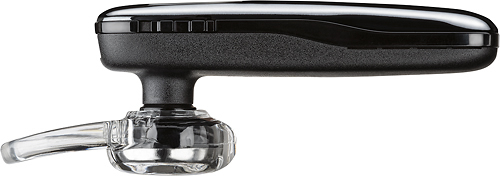
Posted .Thank you for your honest review on our M95 Headset; however, we're sorry to hear you've had trouble to adjust the fit of your earpiece. Please note that in order to switch ear you need to remove the ear loop and place it in the opposite direction. Lastly, you simply rotate the ear gel to switch ear. We will forward your comments to our team for review and consideration. If you have any questions, please don't hesitate to contact our Customer Care Team at: 1-888-363-0726
- Pros mentioned:Battery life, Sound quality, Weight
Sound quality excellent, call quality sufficient.
Posted .This reviewer received promo considerations or sweepstakes entry for writing a review.Here's the question you have to ask yourself. If you are looking for an all day, in the office on the phone with clients Bluetooth, you honestly should get an overhead one with boom mic. Nothing else compares. But if you are looking for a super lightweight, long battery life unit with excellent sound for hearing on calls or listening to music as you run around town, and can live with acceptable but not excellent outgoing call quality, this is your headset. The best part is you do not look like a cyborg wearing it. It is small and quite discrete. To summarize. Not the 100% professional office Bluetooth, but definitely the one you want to pop on your ear when you leave the office or head to the gym.
I would recommend this to a friend Headset not good for me. I will try different type
||Posted . Owned for 1 week when reviewed.This reviewer received promo considerations or sweepstakes entry for writing a review.It hurts my ear and doesn't stay in. I tried with out the covering and with the covering neither one fits my ear well.
No, I would not recommend this to a friend