Customer Ratings & Reviews
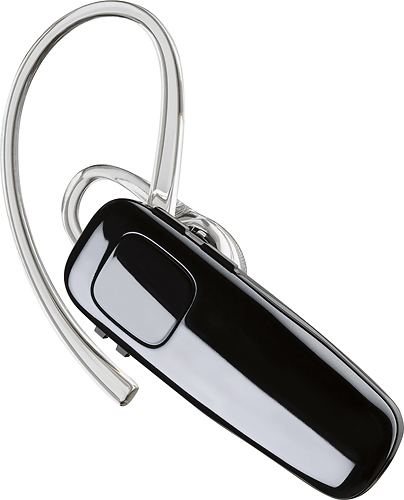

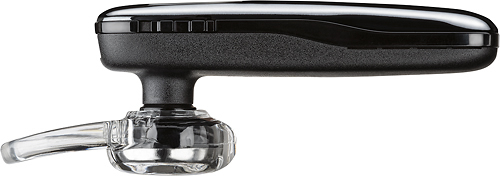
- Model:
- 200749-63
- SKU:
- 5709005
Rating by feature
- Sound Quality
Rating 4.2 out of 5 stars
- Battery Life
Rating 4.5 out of 5 stars
- Connectivity
Rating 4.5 out of 5 stars
Customers are saying
Customers praise the M95 Bluetooth Headset's sound quality, battery life, and ease of use. Many also appreciate its comfortable fit and the long talk time it provides. While some users found the maximum volume insufficient, and occasional connection issues were reported, the positive feedback on other features outweighs these concerns. The headset is also frequently cited as lightweight and affordable.
This summary was generated by AI based on customer reviews.
I can hear them, but noise cancellation is awful
||Posted .This reviewer received promo considerations or sweepstakes entry for writing a review.I have never have had so many people complain about my sound quality on this headset. Absolutely terrible. Zero noise cancellation.
No, I would not recommend this to a friendBrand response from PlantronicsRepresentative
Posted .Hi!
Thank you for your honest review on our M95. We are sorry to hear you've had trouble with the noise cancelling feature. You might want to try resetting the Bluetooth connection with the following instructions: https://goo.gl/b4dzhW In case the issue continues please note your unit has a limited warranty from the date of purchase. If you are located in the US, this unit has a one year warranty from date of purchase. For instructions on how to request a replacement please click here: https://goo.gl/f2kWbe.
If you need further assistance please contact our Customer Care Team: https://www.plantronics.com/hk/en/support/contact
Plantronic M95
||Posted .This reviewer received promo considerations or sweepstakes entry for writing a review.This Plantronic Bluetooth when speaking on it with someone, the return sound came over if though they where speaking in a well.
No, I would not recommend this to a friendBrand response from PlantronicsRepresentative
Posted .Hello! Thank you for your honest review, we are sorry to hear you are experiencing difficulties with the M95, please try the following to reset the connection: Completely unpair the headset from your phone, power off and on both devices, press and hold the call button on your headset until the LED flashes red/blue, scan with your phone and connect. A new connection should take care of the audio issue, if you continue to experience difficulties, please don't hesitate to contact Plantronics Customer Care at 855-765-7878, additionally, you have a 1 year warranty from the purchase date, if needed.
Never worked
||Posted . Owned for 1.5 years when reviewed.This reviewer received promo considerations or sweepstakes entry for writing a review.This never worked with my bluetooth phone, I am sorry I didn't return to best buy what a waste of money.
No, I would not recommend this to a friendBrand response from PlantronicsRepresentative
Posted .Thank you for sharing your honest review on our M95; However, we're sorry to hear you've had trouble with your unit. If the earpiece is not showing up under your phone's Bluetooth settings, please make sure the earpiece is in pairing mode. To do so: power on the earpiece. Then press and hold the call button for 6 or 9 seconds until the indicator light flashes red and blue repeatedly. Afterwards you should be able to see the the PLT_M95 Listed as an available device to select it. If the problem is related to audio issues, then please try resetting the Bluetooth connection between your phone and earpiece. To do so: https://goo.gl/emzUTA. Please note this model comes with a one-year manufacturer's warranty from date of purchase. We thank you for bringing this to our attention. If you require further assistance, please don't hesitate to contact our Customer Care Team at: 1-888-363-0726.

Fixer
||Posted . Owned for 1 month when reviewed.This reviewer received promo considerations or sweepstakes entry for writing a review.Comfortable fit but i get complaints there is too much feed back. Very disappointed.
No, I would not recommend this to a friendBrand response from PlantronicsRepresentative
Posted .Hello Bryan and thank you for sharing your honest feedback on our M95; However, we're sorry to hear about your experience. To troubleshoot audio issues, please reset the connection: https://bit.ly/2OOMfnw. To re-pair, set the earpiece in pair mode by pressing and holding the call button for 6-8 seconds until LED flashes red and blue repeatedly, then go to Bluetooth settings and select the PLT_M95. Testing the earpiece with a different cell phone model is also ideal to isolate the cause of the issue. If you still get the same results after these tests, then the unit might have an actual problem and it's best to replace it. This model counts with a one-year limited warranty. We will surely forward your comments to our team for review and consideration. If you require further assistance, please contact our Customer Care Team at: 1 888 248 4143 or 1 916 928 7561.
The worst headset I've ever had
||Posted . Owned for 1 year when reviewed.This reviewer received promo considerations or sweepstakes entry for writing a review.Poor sound quality, poor call quality, horrible noise on calls.
No, I would not recommend this to a friendBluetooth review.
||Posted . Owned for 3 weeks when reviewed.This reviewer received promo considerations or sweepstakes entry for writing a review.Too much background noise. Never have that feedback from listeners. May return...bought 2
No, I would not recommend this to a friendBrand response from PlantronicsRepresentative
Posted .Thank you for your honest review on our M95. We're sorry to hear you've had trouble with the unit. To troubleshoot audio issues, please reset the Bluetooth connection between your phone and the earpiece. To do so: https://bit.ly/2OOMfnw. We also recommend you to reset the network settings on your phone. Lastly, testing the earpiece with a different phone and while it is paired with a single Bluetooth device is also ideal to determine the cause of the issue. If you still get the same results, then most likely the earpiece has an actual problem and it is best to replace it. This model counts with a one-year limited warranty. We thank you for bringing this to our attention. If you require further assistance, please don't hesitate to contact our Customer Care Team at: 1-888-363-0726.
- Pros mentioned:Ease of use, Fit
Great for us....
Posted .This reviewer received promo considerations or sweepstakes entry for writing a review.I baught two of these for me and the wife because the price is right. They have worked great and actually have some good features. The fit is nice and doesn't cause ear pain like "ALL" the others have done to us. Also they are sooooo simple to pair with the voice commands!! Can't be any easier. Good product.
I would recommend this to a friend Product is poor
||Posted . Owned for 1 month when reviewed.This reviewer received promo considerations or sweepstakes entry for writing a review.This bluetooth has a lot of feedback. And it had a hard time connecting.
No, I would not recommend this to a friendNo good
||Posted . Owned for less than 1 week when reviewed.This reviewer received promo considerations or sweepstakes entry for writing a review.It kept disconnecting from my phone and would mute in the middle of a call. I do not recommend it.
No, I would not recommend this to a friendDropping, not clear, coverage is bad
||Posted .This reviewer received promo considerations or sweepstakes entry for writing a review.Dropping more frequently. Sometimes the other end person is not hearing. Not that quality for this higher price
No, I would not recommend this to a friendBrand response from PlantronicsRepresentative
Posted .Hi Sarva! Thank you for your honest review on our M95 Headset. We're sorry to hear about your experience. In order to troubleshoot audio issues, please try resetting the Bluetooth connection with your phone. To do so: 1. Delete the headset from your cell phone’s list of paired devices. 2. Once deleted, power your phone completely off, then power it back on. This resets the Bluetooth stack in the Bluetooth software on the phone. 3. Re-pair the headset with your phone. Testing your headset with different phones and also at different locations and while connected to a single device at a given time is ideal in order to isolate the cause of the problem. If you get the same results after performing the previous instructions then most likely there is an actual problem with this unit and it is best to replace it. Please note this unit has a one-year limited warranty from date of purchase. Feel free to contact our Customer Care Team at: https://www.plantronics.com/us/en/support/contact if you have any questions!
Not M95
||Posted . Owned for less than 1 week when reviewed.This reviewer received promo considerations or sweepstakes entry for writing a review.Box says M95 but devices says M90...still works but...
I would recommend this to a friendBrand response from PlantronicsRepresentative
Posted .Hi Richelle and thank you for your honest review. Please note the printing on the device is correct. The 95 version is just a way we use to identify certain products that are sold by a specific retailer, in this case BestBuy. Many of other products have this type of label. If you have any questions, please don't hesitate to contact our Customer Care Team at: https://www.poly.com/us/en/support/contact
Echo complaint from callers
||Posted .This reviewer received promo considerations or sweepstakes entry for writing a review.Everyone says they hear themselves back with an echo when they talk.
No, I would not recommend this to a friendCrap
||Posted .This reviewer received promo considerations or sweepstakes entry for writing a review.Horrible audio quality. I mean it did work but if you're driving or have even a light breeze you can't communicate.
No, I would not recommend this to a friendBrand response from PlantronicsRepresentative
Posted .Hi Robby! Thank you for your honest review on our M95, however we are sorry to hear you've had this experience. Please note this earpiece should reduce noise, wind and echo from calls. If this is not the case you might want to try resetting the Bluetooth connection with the following instructions: https://goo.gl/CB82XY. In case you get the same results, your unit has a one year warranty from the date of purchase. For instructions to submit a claim and request a replacement: https://goo.gl/LdFyNV. In case you need further assistance you can contact our Customer Care Team at: https://www.plantronics.com/us/en/support/contact
not clear
||Posted .This reviewer received promo considerations or sweepstakes entry for writing a review.people said I sound horrible. With this I decided to return. I don't want to sound horrible,I want to sound great
No, I would not recommend this to a friendBrand response from PlantronicsRepresentative
Posted .Thank you for your honest review on our M95! We are sorry for your experience with this unit and we will forward your comments and feedback to our team for future consideration, please don't hesitate to contact us at https://www.plantronics.com/us/en/support/contact if you require assistance!
Not good
||Posted . Owned for 1 week when reviewed.This reviewer received promo considerations or sweepstakes entry for writing a review.Doesn't work well with my iPhone 7plus and I can't get it to stay in my ear l will be returning it
I would recommend this to a friendBrand response from PlantronicsRepresentative
Posted .Hello and thank you for your review on our M95 headset, however, we are sorry to hear about your experience. If you are having some issue with the headset connected to your iPhone, you may want to try resetting the Bluetooth connection. To do so: 1) Unpair the headset from your mobile phone by accessing your Bluetooth settings. 2) Power off your mobile phone for 2 minutes and turn it back on. 3) Re-pair the headset by pressing and holding down the call control button until you see the LED flashing red and blue. 4) Access to your Bluetooth settings and select "PLT_M95". Once successfully paired, you will hear "pairing successful". We also recommend testing the headset with a different mobile to completely isolate the issue. Please be sure to try wearing your headset on either ear and also trying all of the included ear gel sizes in order to find the most secure and comfortable fit. Our intention is to provide the highest quality products to our customers and we thank you for bringing this issue to our attention. We will forward your comments and feedback to our team for future consideration when developing new products and accessories. Please don't hesitate to contact our Customer Care Team at https://www.plantronics.com/us/en/support/contact if you require assistance.
Poor quality
||Posted .This reviewer received promo considerations or sweepstakes entry for writing a review.Terrible blue tooth. Sounds like someone is whispering in your ear with volume turned all the way up
No, I would not recommend this to a friendBrand response from PlantronicsRepresentative
Posted .Hello and thank you for your honest review on our M95 headset. However, we are sorry to hear about your experience. If the audio of the headset is too low, you may want to reset the Bluetooth connection with your mobile. To do so: 1) Unpair the headset from your mobile phone by accessing your Bluetooth settings. 2) Power off your mobile phone for 2 minutes and turn it back on.
3. Re-pair the headset by pressing and holding down the call control button until you see the LED flashing red and blue 4) Access to your Bluetooth settings and select "PLT_M95". Once successfully paired, you will hear "pairing successful" and the LED on your headset will stop flashing red and blue. You may also want to test the headset connected to a different mobile to completely isolate the issue. If for some reason you still encounter the same issue with a different mobile, then it means the headset has an actual problem and it is best to replace it. Remember this unit counts with a limited warranty since the first day of purchase, and if you need a replacement you can simply click on the following link for further instructions: https://bit.ly/2N637EC. Please don't hesitate to contact our Customer Care Team at 800-985-9815 if you require assistance.
Plantronics M 95
||Posted .This reviewer received promo considerations or sweepstakes entry for writing a review.People receiving the call can't understand what you're saying. Call echoing.
No, I would not recommend this to a friendBrand response from PlantronicsRepresentative
Posted .Thank you for your honest review on our M95; However, we're sorry you've had audio issues with your unit. To troubleshoot it, please reset the BT connection between your cell phone and the earpiece. To do so: https://bit.ly/2OOMfnw. You might also want to reset the Network settings on your phone. Lastly, testing the earpiece with a different cell phone and while it is paired wth a single Bluetooth device is also ideal to isolate the cause of the issue. In case you still get the same results, please note this model counts with a one-year limited warranty if purchased as brand new in its retail packaging. We will surely forward your comments to our team for review and consideration. If you have any further questions, feel free to contact our Customer Care Team at: 1-888-363-0726
bad product
||Posted . Owned for 2 weeks when reviewed.This reviewer received promo considerations or sweepstakes entry for writing a review.very poor design too small everyone that I talk to hears themselves as an echo.
No, I would not recommend this to a friendBrand response from PlantronicsRepresentative
Posted .Hello and thank you for your honest review on our M95. We're sorry to hear you've had audio issues with your unit. There a couple of things you could try and should solve them. First, please reset the Bluetooth connection between your cell phone and the earpiece. To do so: https://bit.ly/2OOMfnw. Testing the earpiece with a different cell phone and while it is paired to a single Bluetooth device is also ideal to determine the cause of the issue. If you still get echo issues, then the earpiece might have an actual problem related to hardware and it is best to replace it. Please note this model comes with a one-year limited warranty. We thank you for your comments. We have shared them with our team for review and consideration. If you require further assistance, please contact our Customer Care Team at: 1-888-363-0726.
not the best
||Posted .This reviewer received promo considerations or sweepstakes entry for writing a review.not really happy, Bose stopped making theirs, needed one really bad. Very irritating to wear.... Will not buy another..
No, I would not recommend this to a friendDon't buy this
||Posted . Owned for 2 months when reviewed.This reviewer received promo considerations or sweepstakes entry for writing a review.Horrible feedback during phone and video calls ...not worth it
No, I would not recommend this to a friendBrand response from PlantronicsRepresentative
Posted .Hi JMedrano and thank you for sharing your honest feedback on our M95. We're truly sorry to hear you've had audio issues with your unit. To troubleshoot it, please reset the BT connection. To do so: Delete the headset from your cell phone’s list of paired devices. Once deleted, power your phone completely off, then power it back on. This resets the Bluetooth stack in the Bluetooth software on the phone. Lastly, re-pair the unit with your phone. Also, please reset the Network settings on your phone. Lastly, testing the earpiece with a different cell phone (if using iOS, try android if possible) and while it is paired with a single Bluetooth device is also ideal to determine the cause of the issue. Please note this model counts with a one-year limited warranty. Thank you for bringing this to our attention. If you require further assistance, feel free to contact our Customer Care Team at: https://www.poly.com/us/en/support/contact