Customer Ratings & Reviews

- Model:
- 200749-63
- SKU:
- 5709005
Rating by feature
- Sound Quality
Rating 4.2 out of 5 stars
- Battery Life
Rating 4.5 out of 5 stars
- Connectivity
Rating 4.5 out of 5 stars
Customers are saying
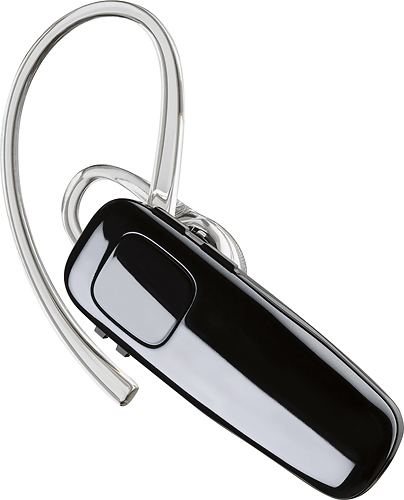
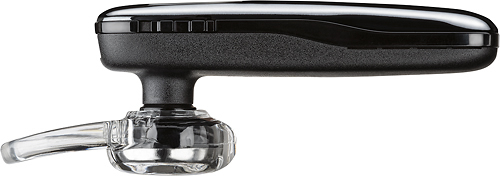
Customers praise the M95 Bluetooth Headset's sound quality, battery life, and ease of use. Many also appreciate its comfortable fit and the long talk time it provides. While some users found the maximum volume insufficient, and occasional connection issues were reported, the positive feedback on other features outweighs these concerns. The headset is also frequently cited as lightweight and affordable.
This summary was generated by AI based on customer reviews.
Not worth it
||Posted .This reviewer received promo considerations or sweepstakes entry for writing a review.These are not worth it my husband is a truck driver and says these are horrible
No, I would not recommend this to a friendBrand response from PlantronicsRepresentative
Posted .Thank you for your honest review on our M95, please don't hesitate to contact our customer care group at www.plantronics.com/support if you require assistance.

Just complete garbage
||Posted .This reviewer received promo considerations or sweepstakes entry for writing a review.The product is made extremely poorly. Just garbage. Would never recommend to anyone.
No, I would not recommend this to a friendSo low
||Posted .This reviewer received promo considerations or sweepstakes entry for writing a review.I don’t recommend this item because it’s too expensive for that quality
No, I would not recommend this to a friendBrand response from PlantronicsRepresentative
Posted .Thank you for your honest review on our M95, we are sorry to hear this product did not meet your expectations and we will forward your feedback to our team for future consideration when developing new products. Please don't hesitate to contact our customer care group at www.plantronics.com/support if you require assistance.
Ear buds
||Posted .This reviewer received promo considerations or sweepstakes entry for writing a review.Worked 3 days. Guess we see if there warranty is any good
No, I would not recommend this to a friendBrand response from PlantronicsRepresentative
Posted .Hello! We are sorry to hear about your experience with the headset. Please note the life span of the product depends on the usage but on many cases they last for way past their warranty period. Please note that if you purchased the product in the last 30 days, you may return it to the place of purchase. If your retailer is unwilling to replace the product, or if you purchased the product more than 30 days ago, we will be happy to replace the product for you: https://bit.ly/2Xs8dAm. Our intention is to provide the highest quality products to our customers and we thank you for bringing this issue to our attention. Please feel free to reach out to our Customer Care Team at 800-985-9815 if you require assistance!

unsatisfied
||Posted .This reviewer received promo considerations or sweepstakes entry for writing a review.completely unsatisfied, wont connect to incoming calls. complete waste of money
No, I would not recommend this to a friendBrand response from PlantronicsRepresentative
Posted .That may be an issue with the headset or with the connection between the headset and phone. You might want to try resetting the Bluetooth connection between your phone and headset to see if that helps the issue. To do so:
1. Delete the headset from your cell phone's list of paired devices.
2. Once deleted, power your phone completely off, then power it back on. This resets the Bluetooth stack in the Bluetooth software on the phone.
3. Re-pair the headset with your phone and test.
If the issue is the same we recommend testing the device with another phone to determine if it's on the phone or headset. If the issue persists even on a different phone we can replace that device, it comes with a 1 year warranty from the date of purchase. You can use the following URL to view our replacement steps: http://www.plantronics.com/us/support/kb/detail.jsp?vfurl=/articles/en_US/Warranty/RN9669&retURL=%2Fapex%2FknowledgeSearch®ion=us&p=&c=All&k=replacement&t=All&lang=en_US&popup=false&c=All
After one week it wouldn't sync to my phone. I wa
||Posted .This reviewer received promo considerations or sweepstakes entry for writing a review.Stop syncing to my phone after a week. Very disappointing. I need a refund.
No, I would not recommend this to a friendBrand response from PlantronicsRepresentative
Posted .That may be an issue with the headset or with the connection between the headset and phone. You might want to try resetting the Bluetooth connection between your phone and headset to see if that helps the issue.
To do so:
1. Delete the headset from your cell phone's list of paired devices.
2. Once deleted, power your phone completely off, then power it back on. This resets the Bluetooth stack in the Bluetooth software on the phone.
3. Re-pair the headset with your phone and test.
If the issue is the same we recommend testing the device with another phone to determine if it's on the phone or headset. If the issue persists even on a different phone we can replace that device, it comes with a 1 year warranty. Please don't hesitate to contact us at www.plantronics.com/support if you require assistance.
Returned
||Posted .This reviewer received promo considerations or sweepstakes entry for writing a review.Did not like fit or sound quality. I returned the earpiece
No, I would not recommend this to a friendBrand response from PlantronicsRepresentative
Posted .Hello and thank you for your honest review on our M95 headset. However, we are sorry to hear about your experience. While we thrive for our headset to fit everyone, we understand that one size doesn't fit all. With this in mind we include 3 different ear tip sizes for a better fit. If you were experiencing some audio issues with the headset, next time you may want to try resetting the Bluetooth connection with your mobile. To do so: 1) Unpair the headset from your mobile phone by accessing your Bluetooth settings. 2)Power off your mobile phone for 2 minutes and turn it back on. 3) Re-pair the headset by pressing and holding down the call control button until you see the LED flashing red and blue. 4) Access your Bluetooth settings and select "PLT_M95". Once successfully paired, you will hear "pairing successful" and the LED on your headset will stop flashing red and blue. Our intention is to provide the highest quality products to our customers and we thank you for bringing this issue to our attention. Please don't hesitate to contact our Customer Care Team at 800-985-9815 if you require assistance.
Sucks
||Posted .This reviewer received promo considerations or sweepstakes entry for writing a review.Won’t hook up to my 2nd phone it a piece of junk don’t buy.
No, I would not recommend this to a friendBrand response from PlantronicsRepresentative
Posted .Hi Todd. Thank you for your honest review on our M95 Headset. We're sorry to hear you haven't been able to pair with a second phone. The M95 does have Multipoint feature, however in order to pair it, please make sure you set the unit in pairing mode manually. To do so: Power on the earpiece, press and hold the call button for 6 or 8 seconds until the indicator light flashes red and blue repeatedly (This means your earpiece is in pairing mode) and you should see the PLT_M95 listed as an available device under Bluetooth settings of your second phone. We hope this information helps. Please don't hesitate to contact our Customer Care Team at: https://www.plantronics.com/us/en/support/contact if you require further assistance!
To much back ground noise
||Posted . Owned for 3 weeks when reviewed.This reviewer received promo considerations or sweepstakes entry for writing a review.To much back ground noise people cannot hardly here me
No, I would not recommend this to a friendBrand response from PlantronicsRepresentative
Posted .Hi! Thank you for your review, however, we are sorry to hear about your experience. If you are having some audio issues with the headset, it could be related to a bad connection. You may want to try resetting the Bluetooth connection with your mobile. To do so: 1) Unpair the headset from your mobile phone by accessing your Bluetooth settings. 2) Power off your mobile phone for 2 minutes and turn it back on. 3) Re-pair the headset by pressing and holding down the call control button until you see the LED flashing red and blue. 4) Access to your Bluetooth settings and select "PLT_M95". Once successfully paired, you will hear "pairing successful" and the LED on your headset will stop flashing red and blue. You may also want to test the headset connected to a different mobile to completely isolate the issue. If for some reason you still encounter the same issue, then it means the headset has an actual problem and it is best to replace it. Remember this unit counts with a limited warranty since the first day of purchase, and if you need a replacement you can simply click on the following link for further instructions: https://bit.ly/2N637EC. Please don't hesitate to contact our Customer Care Team at https://www.plantronics.com/us/en/support/contact if you require assistance.
POOR BLUETOOTH
||Posted .This reviewer received promo considerations or sweepstakes entry for writing a review.TRIED TO GET THIS SET UP WITH MY BASIC PHONE AND IT WOULD NOT WORK WELL
No, I would not recommend this to a friendBrand response from PlantronicsRepresentative
Posted .You might need to place the headset in pairing mode in order for your phone to find and connect to it. You can do so by following these steps: http://www.plantronics.com/us/support/kb/detail.jsp?vfurl=/articles/en_US/How_To/M70-M90-How-to-Pair&retURL=%2Fapex%2FknowledgeSearch®ion=us&p=&c=All&k=m90%2Bpair&t=All&lang=en_US&popup=false&c=All
Please don't hesitate to contact us at www.plantronics.com/support if you require assistance with your unit.
really trouble people couldn't hear me just the no
||Posted .This reviewer received promo considerations or sweepstakes entry for writing a review.Device that terrible you cannot hear anything or people cannot hear you
No, I would not recommend this to a friendBrand response from PlantronicsRepresentative
Posted .We will be glad to assist you with any issue you might have with your headset, please contact us at www.plantronics.com/support
DID NOT LIKE
||Posted .This reviewer received promo considerations or sweepstakes entry for writing a review.DID NOT LIKE !!!!!!!!!!!!!!!!!!!!!!!!!!!!!!!!!!!!!!!!!!!
No, I would not recommend this to a friendBrand response from PlantronicsRepresentative
Posted .Hello! We are sorry to hear the M95 wasn't a fit for you, if you need any product recommendations please don't hesitate to contact Plantronics Customer Care at 855-765-7878.
Uncomfortable
||Posted .This reviewer received promo considerations or sweepstakes entry for writing a review.It hurts my ear it's like the silicon is not on the earbud.
No, I would not recommend this to a friendBrand response from PlantronicsRepresentative
Posted .Thank you for your honest review on our M95, we are sorry to hear you didn't find a comfortable fit with this model.
You may want to try adjusting the angle of the eartip by rotating it slightly on the headset's speaker and trying the headset on your other ear to see if this helps you get a more comfortable fit. We will forward your comments to our team for future consideration, please don't hesitate to contact us at www.plantronics.com/support if you require assistance!
Dissatisfied
||Posted .This reviewer received promo considerations or sweepstakes entry for writing a review.It wouldn’t connect to my phone. Very disappointed.
No, I would not recommend this to a friendBrand response from PlantronicsRepresentative
Posted .Hi! Thank you for your honest review on our M95 headset. However, we are sorry to hear about your experience. If your headset is not connecting to your mobile you may want to make sure that it's in pairing mode. To do so: 1) With your headset powered on, press and hold down the call control button until you hear "pairing" and the headset starts flashing red and blue. 2) Once flashing red and blue access your phone Bluetooth settings and wait for "PLT_M95" to come up and select it. 3) Once successfully connected you will hear "pairing successful;" and the headset will stop flashing red and blue. You may also want to try connecting the headset to a different mobile to completely isolate the issue. Please don't hesitate to contact our Customer Care Team at 800-985-9815 if you require assistance.
cuts out alot
||Posted .This reviewer received promo considerations or sweepstakes entry for writing a review.not willing to buy again people tell me its cutting out on the sound
No, I would not recommend this to a friendBrand response from PlantronicsRepresentative
Posted .That may be an issue with the headset or with the connection between the headset and phone. You might want to try resetting the Bluetooth connection between your phone and headset to see if that helps the issue.
To do so:
1. Delete the headset from your cell phone's list of paired devices.
2. Once deleted, power your phone completely off, then power it back on. This resets the Bluetooth stack in the Bluetooth software on the phone.
3. Re-pair the headset with your phone and test.
If the issue is the same we recommend testing the device with another phone to determine if it's on the phone or headset. If the issue persists even on a different phone we can replace that device, it comes with a 1 year warranty from the date of purchase. You can use the following URL to view our replacement steps:
http://www.plantronics.com/us/support/kb/detail.jsp?vfurl=/articles/en_US/Warranty/RN9669&retURL=%2Fapex%2FknowledgeSearch®ion=us&p=&c=All&k=replacement&t=All&lang=en_US&popup=false&c=All
Horrible!
||Posted .This reviewer received promo considerations or sweepstakes entry for writing a review.much noise is heard!!!! everyone tells me I do not understand what I say!!!!
No, I would not recommend this to a friendnot good
||Posted .This reviewer received promo considerations or sweepstakes entry for writing a review.tis was the first 1 I bought and the quality is bad
No, I would not recommend this to a friendBrand response from PlantronicsRepresentative
Posted .Thank you for sharing your feedback on our M95 Headset. We're sorry to hear our product didn't meet your expectations. We will forward your comments to our team for review and consideration. Our Customer Care team is available at: https://www.plantronics.com/us/en/support/contact if you have any questions.
Constantly Disconnects
||Posted .This reviewer received promo considerations or sweepstakes entry for writing a review.Not only does it disconnect often, quality was poor.
No, I would not recommend this to a friendBrand response from PlantronicsRepresentative
Posted .Thank you for your honest review on our M95, we are sorry to hear you're experiencing trouble with your unit.
In order to troubleshoot connectivity or audio issues you might want to try resetting the Bluetooth connection between your phone and headset to see if that helps the issue. To do so:
1. Delete the headset from your cell phone's list of paired devices.
2. Once deleted, power your phone completely off, then power it back on. This resets the Bluetooth stack in the Bluetooth software on the phone.
3. Re-pair the headset with your phone. If this does not fix your issue, we suggest pairing the headset to another cell phone as a test.
If the issue is not present on the second phone, then the problem may be with the first phone, rather than the headset. If the issue exists on the second phone as well, you will need to replace the headset. Please don't hesitate to contact our customer care group at www.plantronics.com/support if you require assistance.
Do not buy this garbage
||Posted .This reviewer received promo considerations or sweepstakes entry for writing a review.Outside its M95 but inside it M90 and poor quality
No, I would not recommend this to a friendBrand response from PlantronicsRepresentative
Posted .Thank you for your honest review on our M95, please don't hesitate to contact us at www.plantronics.com/support if you require assistance with your unit.
- Pros mentioned:Sound quality
Was a great little headset
Posted .This reviewer received promo considerations or sweepstakes entry for writing a review.Absolute best bluetooth headset I've ever owned. 6yrs old and it still works, still sounds great, only issue is the battery is starting to show it's age and won't hold a charge as long as it used to. Battery lasts roughly 5ish hours on a full charge, down from 11hrs when it was new. No complaints tho, tough little headset, too bad you can't get it anymore, or I would buy another one.
I would recommend this to a friend