Customer Ratings & Reviews
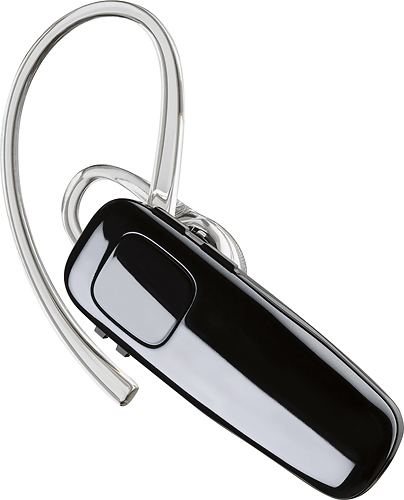

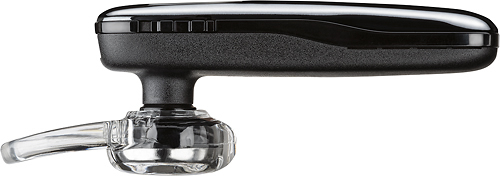
- Model:
- 200749-63
- SKU:
- 5709005
Rating by feature
- Sound Quality
Rating 4.2 out of 5 stars
- Battery Life
Rating 4.5 out of 5 stars
- Connectivity
Rating 4.5 out of 5 stars
Customers are saying
Customers praise the M95 Bluetooth Headset's sound quality, battery life, and ease of use. Many also appreciate its comfortable fit and the long talk time it provides. While some users found the maximum volume insufficient, and occasional connection issues were reported, the positive feedback on other features outweighs these concerns. The headset is also frequently cited as lightweight and affordable.
This summary was generated by AI based on customer reviews.
Terrible background noise
Posted .This reviewer received promo considerations or sweepstakes entry for writing a review.I wouldn't recommend this one. This is the 2nd one I've purchased and everyone complains about the background noise. They won't even talk to me when I'm on it. My friend recommeded the Plantronics Voyager Legend and I don't hear any background noise with hers.
No, I would not recommend this to a friendBrand response from PlantronicsRepresentative
Posted .Thank you for your honest review and feedback on our M95 Bluetooth headset.
While our M series headsets do feature noise reduction and echo cancellation that should allow your callers to hear you even in fairly noisy environments we do recommend considering our Voyager series headsets if you need industry leading noise cancellation, wind reduction and voice clarity.
If you experience background noise even when using your headset in a quiet environment that may be an issue with the headset or with the connection between the headset and phone. You might want to try resetting the Bluetooth connection between your phone and headset to see if that helps the issue. To do so:
1. Delete the headset from your cell phone's list of paired devices.
2. Once deleted, power your phone completely off, then power it back on. This resets the Bluetooth stack in the Bluetooth software on the phone.
3. Re-pair the headset with your phone and test.
If the issue is the same we recommend testing the device with another phone to determine if it's on the phone or headset. If the issue persists even on a different phone we can replace that device, it comes with a 1 year warranty from the date of purchase. You can use the following URL to view our replacement steps: www.plantronics.com/us/support/kb/detail.jsp?vfurl=/articles/en_US/Warranty/RN9669&retURL=%2Fapex%2FknowledgeSearch®ion=us&p=&c=All&k=replacement&t=All&lang=en_US&popup=false&c=All
Put your money towards the Voyager 5200
Posted .This reviewer received promo considerations or sweepstakes entry for writing a review.My wife could not hear anything I would say over this thing, but it is really good at sending background noise through. Ended up throwing this thing away and buying a second Voyager 5200 (accidentally broke the first one)
No, I would not recommend this to a friendBrand response from PlantronicsRepresentative
Posted .Thank you for your honest review on our M95 Headset. We're sorry to hear about your experience. For audio issues, you might want to try resetting the Bluetooth connection. To do so: https://goo.gl/6ZG6LW. You might also want to try using the headset with a different phone to isolate the cause of the problem. Please note this unit does have a one-year warranty from date of purchase. Thank you for your comments, we will make sure to forward them to our team for consideration. Please feel free to contact our Customer Care Team at: https://www.plantronics.com/us/en/support/contact if you require further assistance!
Ron
Posted .This reviewer received promo considerations or sweepstakes entry for writing a review.It doesn't work as advertised. Poor quality audio. It drops out during a conversation.
No, I would not recommend this to a friend