Customer Ratings & Reviews

- Model:
- 207364-63
- SKU:
- 5900205
Rating by feature
- Value
Rating 4.2 out of 5 stars
- Quality
Rating 4.4 out of 5 stars
- Ease of Use
Rating 4.5 out of 5 stars
Customers are saying
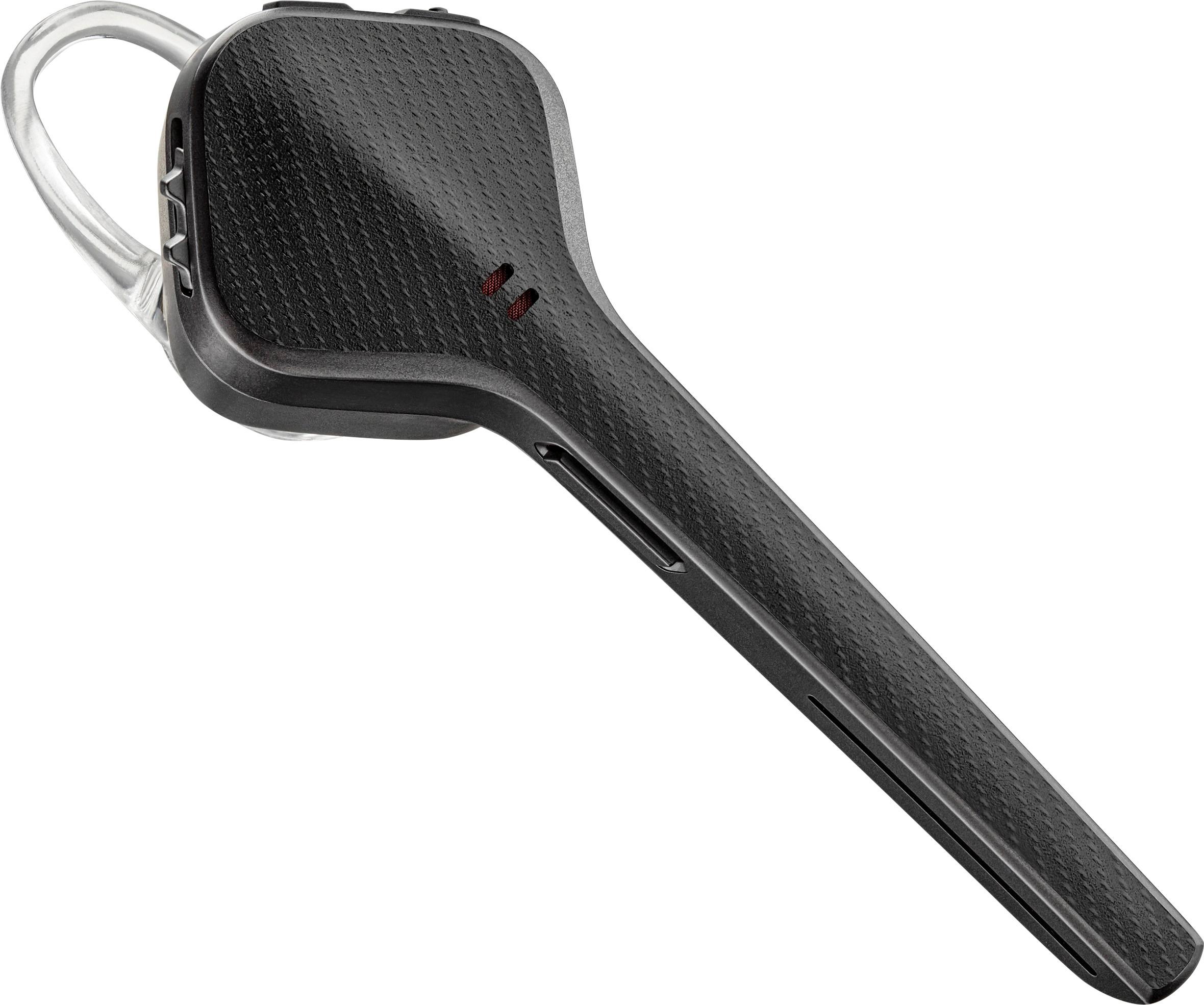
Customers regard the Voyager 3220 Bluetooth Headset very favorably, particularly praising its sound quality, ease of use, and long battery life. Many also appreciated the lightweight design and reliable Bluetooth connection, noting strong reception and range. However, some users found the fit uncomfortable and wished for longer talk time and potentially higher volume levels. A few also felt the price was somewhat high.
This summary was generated by AI based on customer reviews.
Not the best Bluetooth
||Posted .This reviewer received promo considerations or sweepstakes entry for writing a review.I really wanted too like Plantronic but i guess out is just not for me. The difficulty of setting up and uncomfortable design makes it very hard to like
No, I would not recommend this to a friendIt stopped working suddenly!!!
||Posted . Owned for 1 month when reviewed.This reviewer received promo considerations or sweepstakes entry for writing a review.Do not buy!! I purchased it Jan 12 stopped working suddenly yesterday for no reason.. It Justs beeps!!
No, I would not recommend this to a friendBrand response from PlantronicsRepresentative
Posted .Hello Reese and thank you for your honest review on our Voyager 3220; However, we're sorry to hear you're having trouble with your unit. There are a couple of things you could try that should fix this issue. First, please reset the Bluetooth connection between your phone and earpiece. To do so: Delete the headset from your cell phone’s list of paired devices (Forget device/Delete). Once deleted, power your phone completely off, then power it back on. This resets the Bluetooth stack in the Bluetooth software on the phone. Lastly, re-pair the unit with your phone. To set the earpiece in pairing mode, press and hold the call button for 6 or 8 seconds until the indicator light flashes red and blue repeatedly. You might also want to ensure your unit's firmware version is updated through our Plantronics Hub Software. In case you get the same results, please note this model has a one-year warranty from date of purchase. Thank you for your comments. We will forward them to our team for review and consideration. If you require further assistance, please don't hesitate to contact our Customer Care Team at: 1-888-363-0726

Ok, not great for the price
||Posted . Owned for 1 month when reviewed.This reviewer received promo considerations or sweepstakes entry for writing a review.The headset is sapost to tell you who is calling sometimes it works most times it doesn't kinda disappointed thinking about returning it not much better than the one it was replacing
No, I would not recommend this to a friendBrand response from PlantronicsRepresentative
Posted .Hello and thank you for sharing your honest feedback on our Voyager 3220 headset; However, we're very sorry to hear you've had technical difficulties with your unit. As you may know, when you first pair your headset to your phone, you get a pop-up window asking for access to your phonebook. Please make sure that you select the option to save this setting, for the next time you power on your earpiece it will automatically access to your contacts, otherwise you will miss this feature. We thank you for bringing this to our attention. Your comments will be forwarded to our team for review and consideration. Please note this model includes a one-year warranty from date of purchase. If you require further assistance, please don't hesitate to contact our Customer Care Team at: https://www.plantronics.com/us/en/support/contact
STATIC
||Posted .This reviewer received promo considerations or sweepstakes entry for writing a review.The headset microphone stem is shaped poorly and rubs against your cheek creating a lot of static. Horrible with wind. Would not recommend.
No, I would not recommend this to a friendBrand response from PlantronicsRepresentative
Posted .Hi!
Thank you for your honest review however, we are sorry to hear you are having trouble with your Voyager 3220. If you are experiencing Static we recommend you to reset the Bluetooth connection to fix this issue: https://goo.gl/2JG4iT . In case this issue continues please do a firmware update through the Plantronics Hub Software for Windows or Mac: https://goo.gl/iM5pxY. Please note that the microphone touching your cheek shouldn't generate static in case you keep getting static please note this unit has a warranty from the date of purchase. To have more detailed troubleshoot steps or appropriate warranty information please contact our Customer Care Team https://goo.gl/Y8zZGL
Heavy
||Posted . Owned for 1 week when reviewed.This reviewer received promo considerations or sweepstakes entry for writing a review.This is the second one iv had an this one only charges 90 percent an battery goes down fast. Calling the company
No, I would not recommend this to a friendBrand response from PlantronicsRepresentative
Posted .Hello and thank you for your review on our Voyager 3200 headset, however, we are sorry to hear about your experience. Charging issues with Bluetooth headsets can be a problem caused by the power source, cable or the product itself (it can be the charging connector or the battery on some cases). You may want to try charging the headset using a different charging cable and power source to completely isolate the issue. We also recommend checking if the headset doesn't have any updates available through Plantronics Hub: https://bit.ly/2r50mgg. If for some reason the issue remains, then it means the headset has an actual problem and it will be best to replace it. Remember this unit counts with a limited warranty since the first day of purchase and you can request a replacement directly through our official website. Please note the life span of the product depends on the usage but on many cases they last for way past their warranty period. Please don't hesitate to contact our Customer Care Team at https://www.plantronics.com/us/en/support/contact if you require assistance.
i can end calls like the old one
||Posted . Owned for 1 month when reviewed.This reviewer received promo considerations or sweepstakes entry for writing a review.i will not but it again let me go now if i need another Blue tooth i will go to Amizon much better prices and comes right to my door.Bye Bye
No, I would not recommend this to a friendBrand response from PlantronicsRepresentative
Posted .Thank you for sharing your honest feedback on our Voyager 3220. We're sorry to hear you've had trouble with your unit. We strongly suggest you to contact our Customer Care Group if you require technical assistance, as your issues may be fixed through troubleshoot. We thank you for bringing this to our attention. This model counts with a one-year warranty if purchased as brand new. If you have any further questions, please contact our Customer Care Team at: 1-888-363-0726.
Defective handset
||Posted . Owned for 3 months when reviewed.This reviewer received promo considerations or sweepstakes entry for writing a review.After 3 1/2 months, this headset lasts for about one to 1 1/2 hours of talking time. It sucks, I wish I would not have bought it.
No, I would not recommend this to a friendBrand response from PlantronicsRepresentative
Posted .Hello! Thank you for your review of our Voyager 3220, however, we are sorry to hear you are having problems with your headset. If your headset is not holding the charge, we recommend that you try another charging cable and another wall outlet if possible to isolate the problem. If the same issue persists, then it could be an actual problem with the unit and it will be best to replace it. Please note this model does have a limited warranty from the date of purchase and you can request a replacement directly through our official website. Please don't hesitate to contact our Customer Care Team at 1-888-363-0726 if you require assistance.
Headset
||Posted . Owned for 3 weeks when reviewed.This reviewer received promo considerations or sweepstakes entry for writing a review.Was not noise canceling. Multiple people still complained about background noise just like when using my $30.00 headset.
No, I would not recommend this to a friendBrand response from PlantronicsRepresentative
Posted .Hi! Thank you for reviewing our Voyager 3220, we are sorry to hear about your experience. We intend to provide the highest quality products to our customers and we thank you for bringing this to our attention. If you are experiencing audio issues, we recommend resetting the headset by pressing and holding the call control and mute buttons for 5 seconds while it's turned off, we also recommend unpairing and re-pairing the headset with your mobile phone, testing with a different phone can also help us isolate the problem. Last but not least we always recommend checking if there are any firmware updates with the Plantronics Hub application. Please don't hesitate to contact our Customer Care Team at 1-888-363-0726 if you require assistance.
Extremely poor sound quality
||Posted . Owned for 3 weeks when reviewed.This reviewer received promo considerations or sweepstakes entry for writing a review.Sound quality will be good one minute and then will be garbled the next minute.
No, I would not recommend this to a friendBrand response from PlantronicsRepresentative
Posted .Thank you for sharing your honest feedback on our Voyager 3220; However, we're sorry to hear about your experience. This model features a triple-mic DSP noise-cancelling technology, mobile wide band compatibility up to 6,800 Hz; echo cancellation, proprietary DSP, A2DP, mobile wideband compatibility (HD Voice enabled). To troubleshoot sound issues, please try to reset the connection between your earpiece and phone. To do so: https://goo.gl/emzUTA. We also recommend you to reset the Network settings from your phone. Please ensure the unit's firmware version is up to date through our Plantronics Hub Software for Desktop. Lastly, testing the earpiece with a different phone and while it is connected to a single Bluetooth device is also ideal to determine the cause of the issue. If you get the same results, even after performing the previous steps, then most likely the unit has a problem. The unit comes with a one-year limited warranty. We thank you for bringing this to our attention. If you require further assistance, please don't hesitate to contact our Customer Care Team at: 888-363-0726.
Planned obsolescence
||Posted . Owned for more than 2 years when reviewed.This reviewer received promo considerations or sweepstakes entry for writing a review.It lasted one year almost exactly I’m sure the makers don’t make these kinds of accessories to last
No, I would not recommend this to a friendBrand response from PlantronicsRepresentative
Posted .Thank you for taking the time to share your honest feedback on our Voyager; However, we're sorry to hear your unit stopped working. The life span of the product depends on the usage but on the vast majority of cases they last for way past their warranty period. If the unit is no longer powering on, try using a different micro-USB cable to isolate the cause of the issue, along with a 5-volt wall charger for optimal performance. You might also want to ensure the unit's firmware is up to date through our Hub Software for Desktop: https://bit.ly/30jDXJM. If the issue persists, then most likely the unit has an actual problem and it is best to replace it. As you may know, this product counts with a one-year limited warranty. We will forward your comments to our Team for review and consideration. If you require further assistance, please don't hesitate to contact our Customer Care Team at: 1-888-363-0726.
RETURNED
||Posted .This reviewer received promo considerations or sweepstakes entry for writing a review.I returned this item. I charged it overnight and the battery died within 45 mins.
No, I would not recommend this to a friendBrand response from PlantronicsRepresentative
Posted .Hello! Thank you for your honest review on our Voyager 3200 headset, however, we are sorry to hear about your experience. Our intention is to provide the highest quality products to our customers and we thank you for bringing this issue to our attention. Charging issues with Bluetooth headsets can be a problem caused by the power source, cable or the product itself (it can be the charging connector or the battery on some cases). Next time, we recommend you to charge the headset using a different charging cable and power source to completely isolate the issue. If for some reason you still encounter the same issue, then it means the headset has an actual problem and it is best to replace it. Remember this unit counts with a limited warranty since the first day of purchase, and if you need a replacement you can simply click on the following link for further instructions: https://bit.ly/2N637EC. Please don't hesitate to contact our Customer Care Team at https://www.plantronics.com/us/en/support/contact if you require assistance.
Not great
||Posted .This reviewer received promo considerations or sweepstakes entry for writing a review.Had it for 15 days before it stopped connecting with my phone and it only turned on when it’s charging.
No, I would not recommend this to a friendBrand response from PlantronicsRepresentative
Posted .Thank you for your honest review of our Voyager 3220; however, we're sorry to hear about your experience. We intend to provide the highest quality products to our customers and we thank you for bringing this issue to our attention. If your headset is not charging or it doesn't turn on, we recommend that you try another charging cable, another charger, or another wall outlet if possible to isolate the problem. If the headset still won't charge, then it could mean an actual problem with the unit and it will be best to replace it. Please note this model does have a one-year warranty from the date of purchase and you can request a replacement directly through our official website. If you require further assistance, please don't hesitate to contact our Customer Care Team at 1-888-363-0726.
Bluetooth
||Posted .This reviewer received promo considerations or sweepstakes entry for writing a review.Iam closing my account,I was 2 days over the return policy and they wouldn’t take it back
No, I would not recommend this to a friendBrand response from PlantronicsRepresentative
Posted .Hi! Thank you for reviewing our Voyager 3220, however, we're sorry to hear about your experience. We recommend verifying directly with the seller if there are other options. If you require technical assistance or have any questions, please don't hesitate to contact our Customer Care Team at 1-888-363-0726.
Waste of Money
||Posted .This reviewer received promo considerations or sweepstakes entry for writing a review.Worked for about 6 months but a total waste of money. TRASH nothing but static after 3 months on the 2 we bought.
No, I would not recommend this to a friendBrand response from PlantronicsRepresentative
Posted .Thank you for sharing your feedback on our Voyager 3220. We're sorry to hear about your experience. If you are having static issues, there are a few things that should fix this issue. Please try resetting the Bluetooth connection with your phone. To do so: https://goo.gl/emzUTA . You may also want to ensure your unit's firmware is up to date through our Plantronics Hub Software https://goo.gl/5ceQ1v . Testing your headset with a different phone and while connected to a single device is also ideal to isolate the cause of the issue. If you continue to have these issues even after following the previous steps, then most likely they have an actual problem and we'll need to replace them. This model has a one-year warranty from date of purchase. Thank you for your comments, we will forward them to our team for review and consideration. Feel free to contact our Customer Care Team at: 855-765-7878 if you have any questions!
DO NOT BUY FROM BEST BUY
||Posted . Owned for 1 month when reviewed.This reviewer received promo considerations or sweepstakes entry for writing a review.DO NOT BUY FROM BEST BUY Online best buy will not honor store-bought purchases if they go bad.
No, I would not recommend this to a friendBrand response from PlantronicsRepresentative
Posted .Thank you for your honest review on our Voyager 3220; However, we're deeply sorry to hear about your experience. Please note the life span of the product depends on the usage but on many cases they last for way past their warranty period. It is unusual to encounter issues after such a short period of time and we thank you for bringing this to our attention. Please note that as long as the unit is purchased as brand new in its original packaging, the unit counts with a one-year manufacturer's warranty. If you have any questions or you require further assistance, please don't hesitate to contact our Customer Care Team at: 1-888-363-0726.
- Pros mentioned:Sound quality
Trade off
Posted .This reviewer received promo considerations or sweepstakes entry for writing a review.I went to replace my 6th or 7th Voyage Edge to find that it had been replaced with the identical but rebranded 3220. Great headset! Wonderful sound. Incredible distance allowed between phone and headset. BUT!!! It is extremely fragile. Don't leave it in your breast pocket and then bend over to pick something up. If it falls out and hits the floor beware. If it lands on its tip it's toast. You will hear the other party fine, but you will sound like a garbled mess. Don't drop it. FYI, the charger cases that came as standard issue with the Edge work perfectly with the 3220.
I would recommend this to a friend Not a good buy for the price
||Posted .This reviewer received promo considerations or sweepstakes entry for writing a review.Had alot of problem with reception. Kept getting alot satic
No, I would not recommend this to a friendBrand response from PlantronicsRepresentative
Posted .Thank you for sharing your honest review on our Voyager 3220; However, we're sorry to hear you've had audio issues. There are a few things you could try that should fix it. First, please reset the connection between your phone and earpiece. To do so: https://bit.ly/2OOMfnw. To re-pair the earpiece make sure you set the earpiece in pairing mode by holding the call button for 6 or 8 seconds until LED flashes red and blue repeatedly. Ensure the unit's firmware version is up to date through our Hub Software for Desktop available on our website. Lastly, test the earpiece with a different phone and while it is connected to a single device, as it is ideal to isolate the cause of the issue. Please note this model comes with a one-year limited warranty, in case the issue persists. We thank you for bringing this to our attention. If you require further assistance, please don't hesitate to contact our Customer Care Team at: 1-888-363-0726.
Worthless
||Posted .This reviewer received promo considerations or sweepstakes entry for writing a review.Sound quality was terrible. Sent it back within minutes of using device.
No, I would not recommend this to a friendBrand response from PlantronicsRepresentative
Posted .Hi! Thank you for your honest review on our Voyager 3220 headset, however we are sorry to hear your experience. If you were experiencing some audio issues with the headset we recommend to reset the Bluetooth connection with your mobile. To do so: 1. Unpair the headset from your mobile phone by accessing your Bluetooth settings. 2. Power off your mobile phone for 2 minutes and turn it back on. 3. Re-pair the headset by pressing and holding down the call control button until you see the LED flashing red and blue. 4. Access to your Bluetooth settings and select "PLT_ v3200 Series". Our intention is to provide the highest quality products to our customers. Please don't hesitate to contact our Customer Care Team at 800-985-9815 if you require assistance.
Waste of money
||Posted . Owned for 1.5 years when reviewed.This reviewer received promo considerations or sweepstakes entry for writing a review.It worked fine for a day then started hearing echos
No, I would not recommend this to a friendBrand response from PlantronicsRepresentative
Posted .Hi! thank you for your review on our Voyager 3220, however, we are sorry to hear about your experience. We intend to provide the highest quality products to our customers and we thank you for bringing this to our attention. If you are experiencing echo with your headset, we recommend lowering the volume, in some cases, if the headset volume is too high, the microphone might pick up the sound from the speaker creating an echo on the far end. You may also want to try resetting the Bluetooth connection with your mobile by unpairing and re-pairing the headset. Last but not least we always recommend testing the headset with a different mobile phone to see where the issue is coming from. If for some reason the issue remains, then it could be an actual problem with the headset and it will be best to replace it. Remember this unit does have a one-year warranty from the date of purchase and you can request a replacement directly through our official website. If you require further assistance, please don't hesitate to contact our Customer Care Team at 1-888-363-0726.
bluetooth
||Posted . Owned for 1 month when reviewed.This reviewer received promo considerations or sweepstakes entry for writing a review.fell out of ear very easily not a very good bluetooth
No, I would not recommend this to a friendBrand response from PlantronicsRepresentative
Posted .Thank you for your honest review on our Voyager 3200; However, we're sorry to hear you were not able to find a secure fit. This model comes with 3 different sizes of ear gels with a loop that tucks into the back curve of your ear for a stable fit. You can also add the optional clip-on earloop for a more secure fit. These headsets are designed to fit the vast majority of ear shapes and sizes; however, we do know that one size may not fit all and if you find the product too uncomfortable for normal use we strongly recommend that you consider using a headset with a different wearing style. If you have any questions, please don't hesitate to contact our Customer Care Team at: 1-888-363-0726.