Customer Ratings & Reviews
- Model:
- 9019
- SKU:
- 6379227
Rating by feature
- Value
Rating 4.2 out of 5 stars
- Quality
Rating 4.4 out of 5 stars
- Ease of Use
Rating 4.4 out of 5 stars
Customers are saying
Customers recognize the Lab Printer for its user-friendly design. However, some customers have expressed concerns regarding the quality of printed photos.
This summary was generated by AI based on customer reviews.
- Pros mentioned:Ease of use

Very easy and user friendly: darkroom on your desk
|Posted .This reviewer received promo considerations or sweepstakes entry for writing a review.I am a Prof who is really into his photography. I am going to review this for two types of audience: a) People who love quick and easy ways to print their memories and are aware and fond of the exposure and color qualities of good old Polaroid cameras. b) People who value their photography and have expensive lens and kits and want correct exposures and color composition for their work. Quickly for the latter, this is NOT for you. It is easy and quick alright but this is not what you are looking for, I am sure. I took some prints of pictures that I shot with a Nikon full frame and a great prime lens. The prints that came out of that will definitely not win any contest. But then again you are not buying this to frame those pictures on the wall, are you? For the former-- grab it. Quickly. You will love it. It's easy. Sleek. Does the job. Lifelong memories in an instant. a) Charge it. b) Put the film in (Polaroid 600 or i-type) c) Follow directions to take the film screen off. d) Download the Polaroid Original app on your phone. e) Select a picture that is in your phone though the app. f) Keep the phone on top. Align it to the lens accordingly. g) Press the shutter h) Even before you can start playing your violin the picture will come out i) Wait for 10-15 minutes (for color prints) and enjoy! The story is just that. Technically, the exposure and color are all over the place. But if you know what Polaroid is and what they stand for then this is a good purchase. Set your expectations accordingly. I asked my mom to do a print and she did it. I asked my five year old to take a print and she did it as well. 5 stars for ease of use and quickness. 5 stars FROM all Polaroid users and lovers 5 stars for the classic Polaroid look 1 star from a photography expert who wants crisp and precise pictures 5 Stars from someone who wants a sleek and portable image printing lab on his desk. OK-Polaroid-- is there a way we can control the exposure in a subsequent release? A button? I know it will be tough with the current set up is and it may also make the thing more expensive. But I had to ask.
I would recommend this to a friend - Pros mentioned:Print quality
Retro Fun, at a Cost
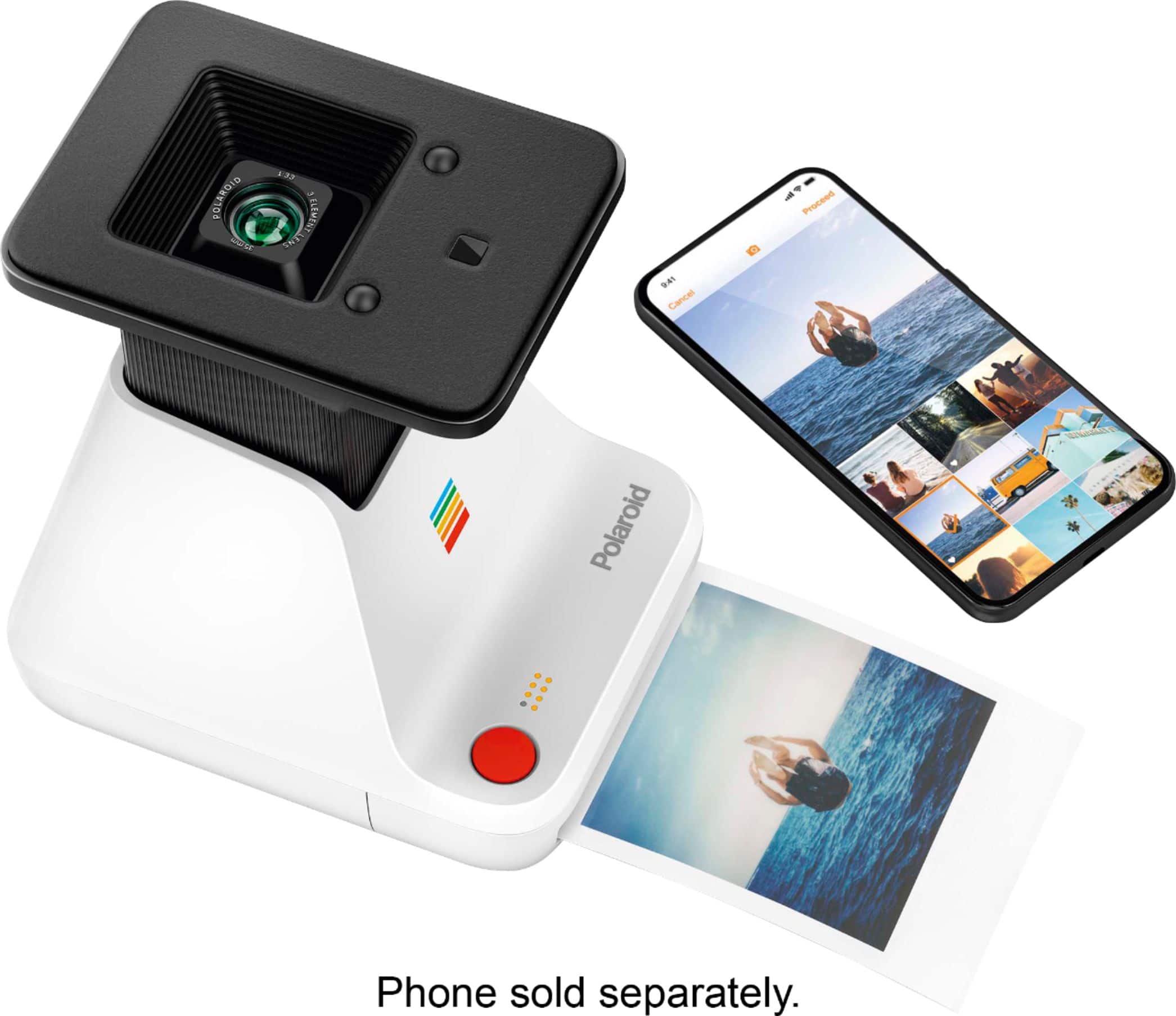
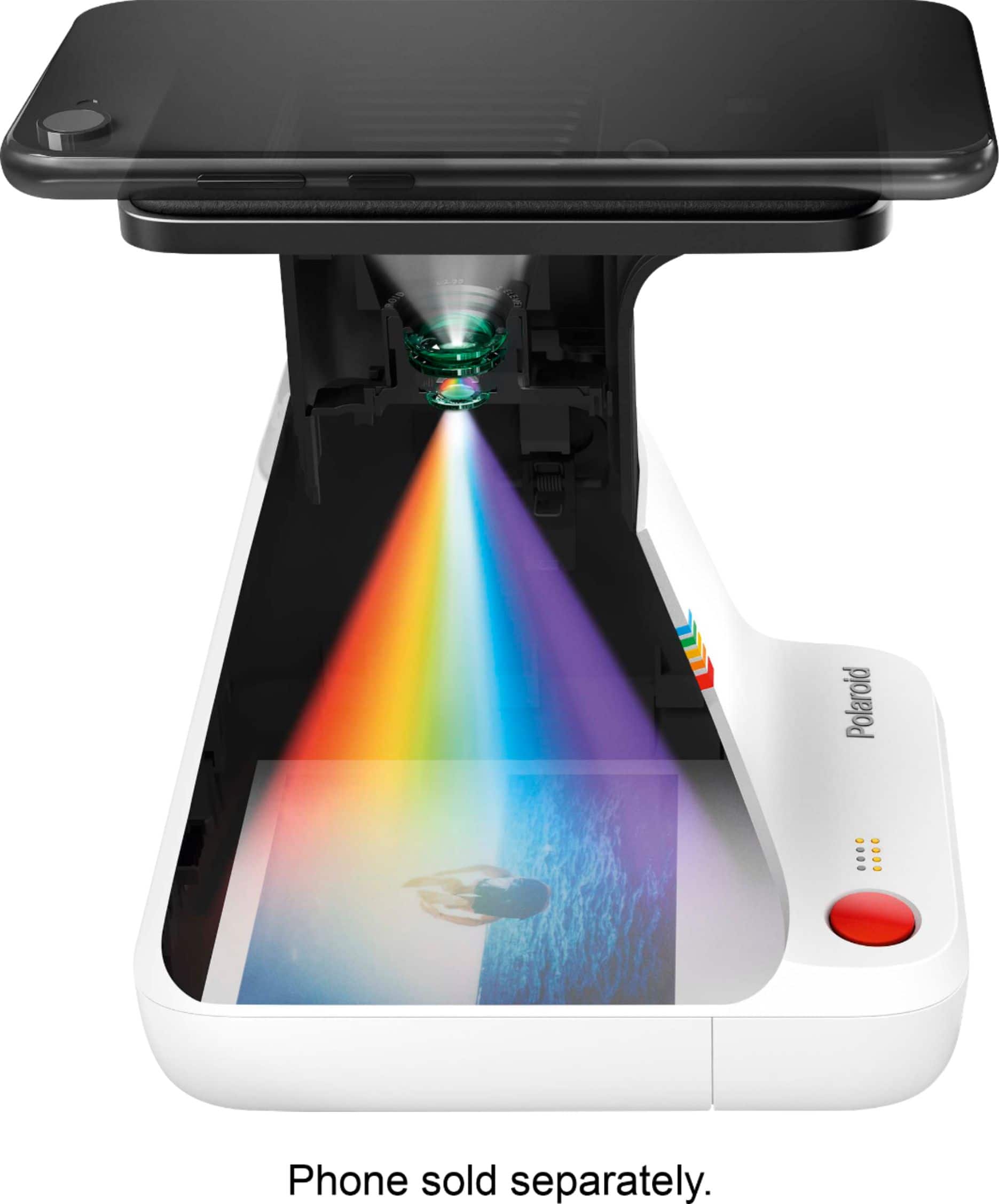
|Posted .This reviewer received promo considerations or sweepstakes entry for writing a review.This photo printer is an interesting creation - rather than using Bluetooth or a cable to print photos from your phone, it actually takes a picture of your phone screen to expose the Polaroid film. The setup process is very easy; the Polaroid phone app you use to select the photo and prepare it to be printed walks you through each step and includes helpful reminders to turn off true tone and night shift on your iPhone to improve printing quality. The printer uses standard Polaroid color or black-and-white film and, provided you follow the directions, prints photos as quickly as the chemical processes allow. I tried printing the same photo using each of the exposure settings available in the app and found that the default exposure setting produces the best results. All the photos print out a little dark and hazy, which may disappoint you if you're expecting the same crisp, clear picture you see on your phone screen. However, if you temper your expectations and enjoy the printer for what it is -- a fun but pricey way to make analog prints of digital memories -- you'll have as much fun as I did making photos. Using the Polaroid Originals Lab Printer made me appreciate film cameras again, and has me wanting to try one of Polaroid's new cameras, too.
I would recommend this to a friend - Pros mentioned:Ease of use
Great, vintage-style prints.
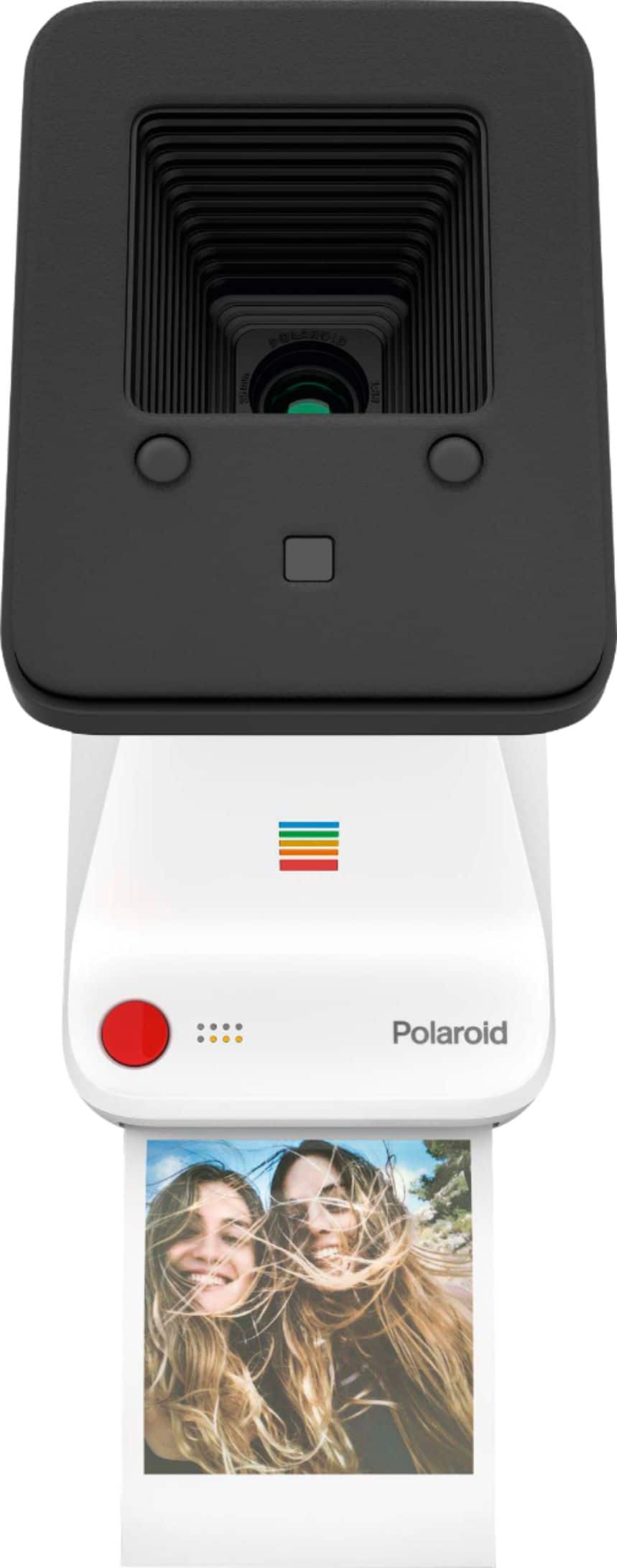
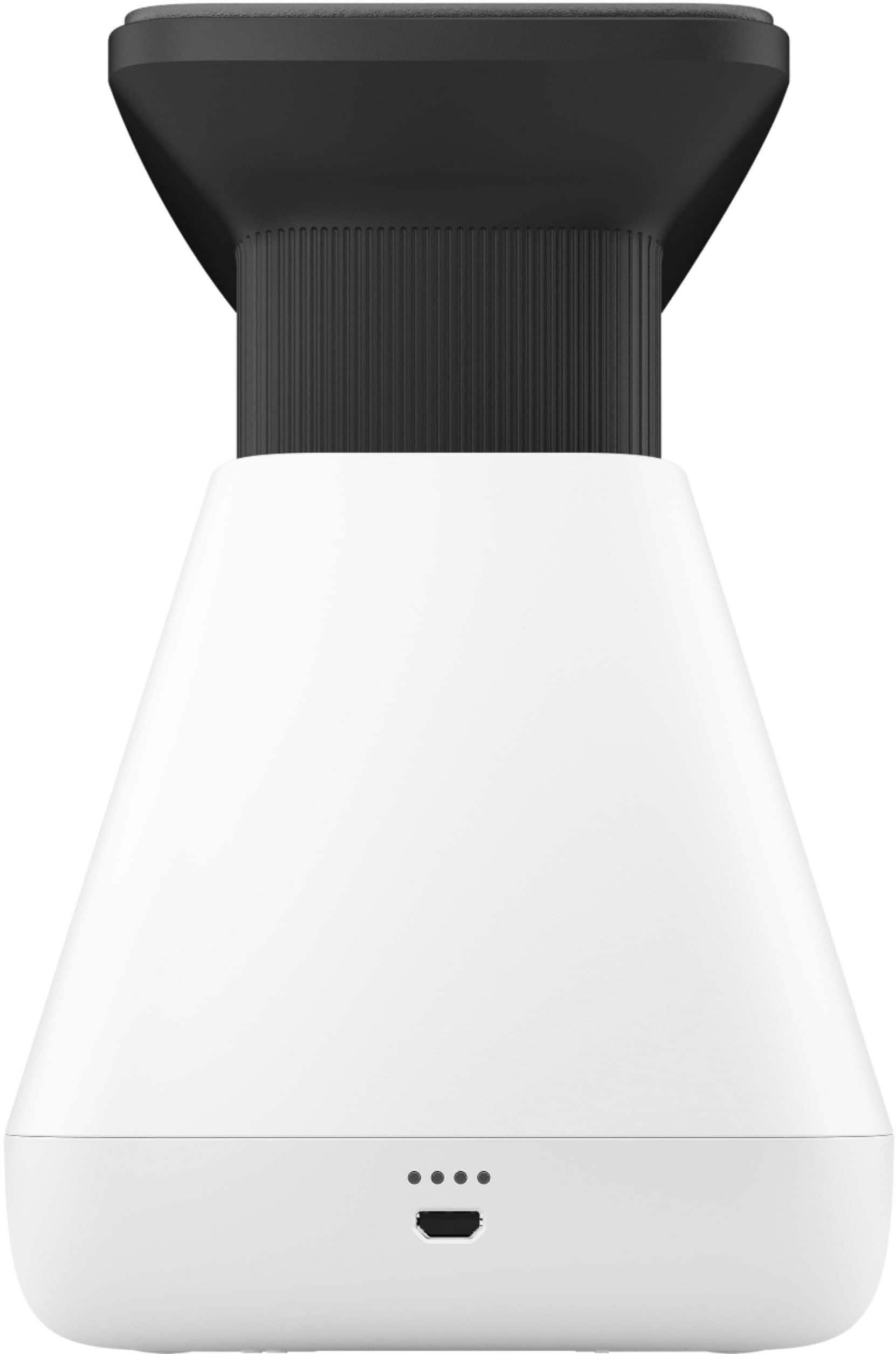
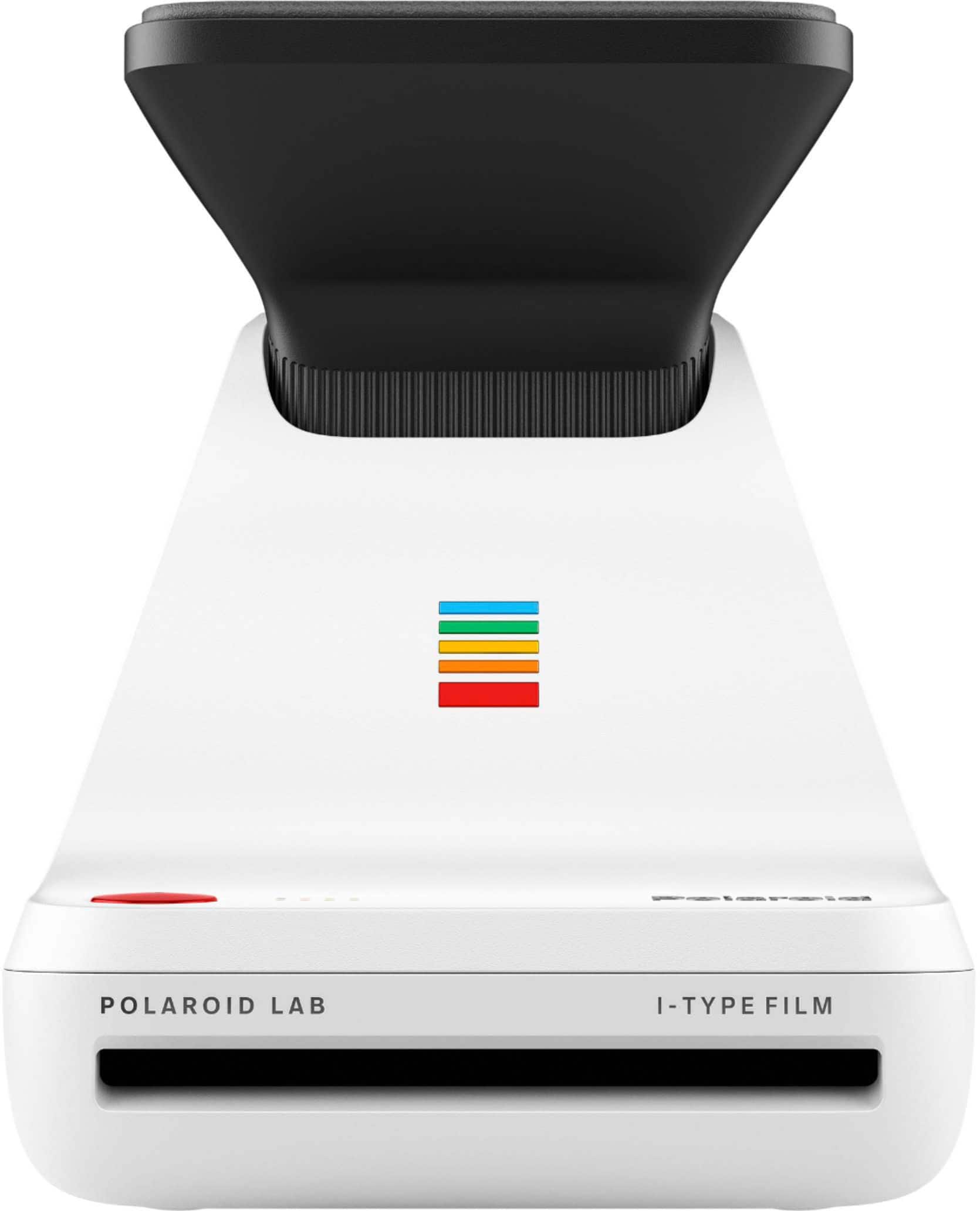
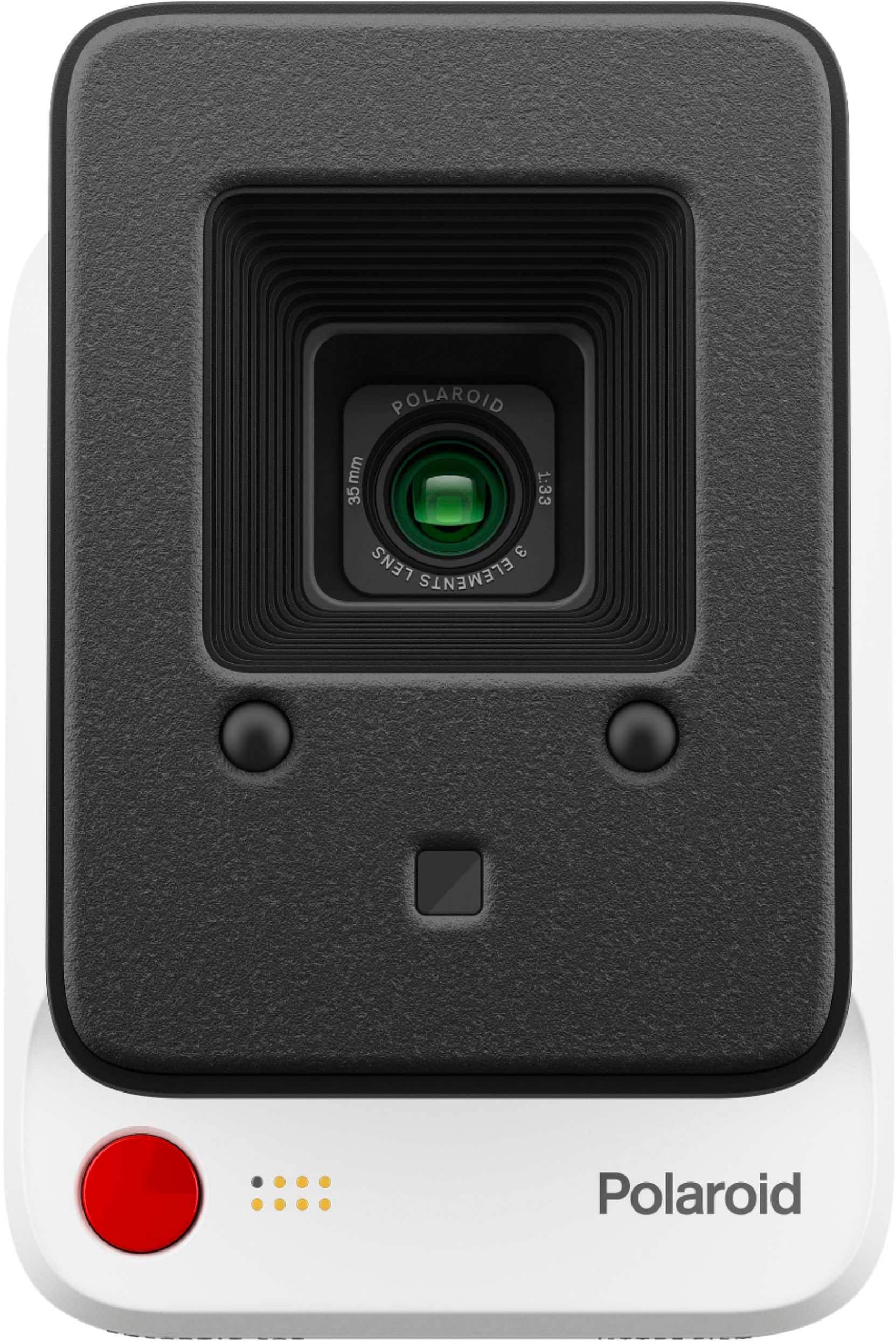
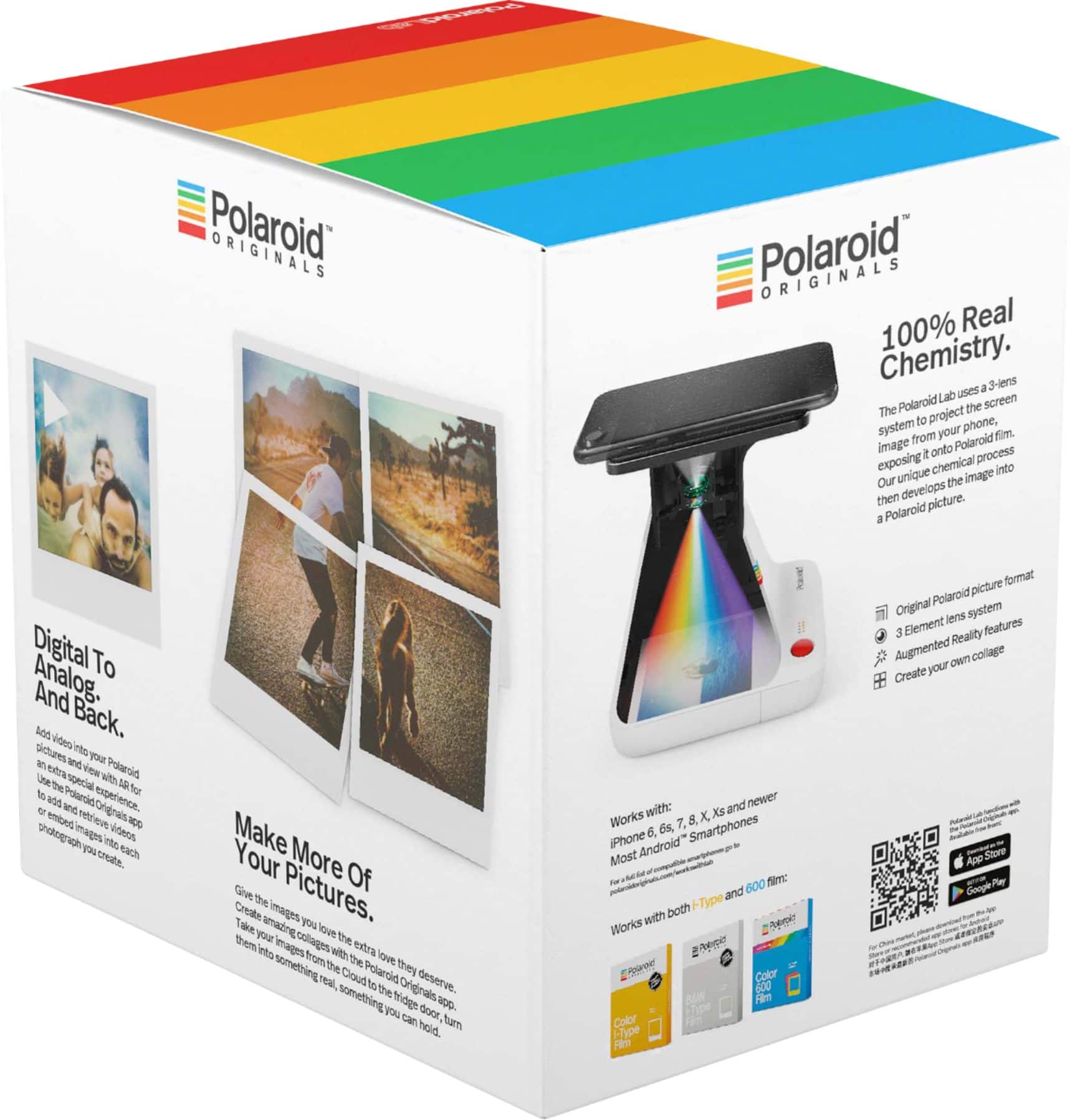
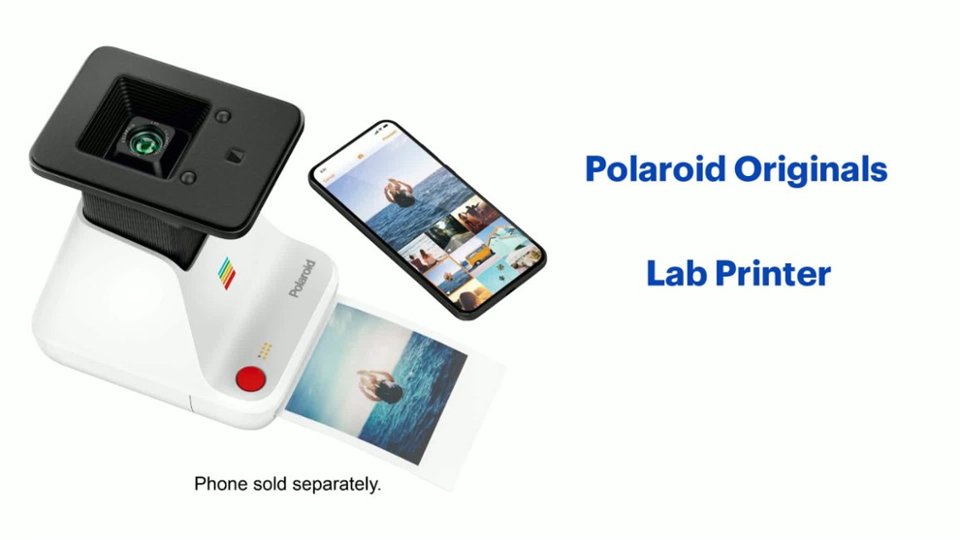
|Posted .This reviewer received promo considerations or sweepstakes entry for writing a review.If you're looking at this review, I'm guessing you're familiar on some level with Polaroid cameras. Most of us have become accustomed to taking pictures with our phones, which now come equipped with increasingly more capable cameras. In a world where you can just take out your phone, snap a picture of whatever you're looking at, and then instantly send it to whoever you want, is there room for a tiny, portable photo printer? The Polaroid Lab is around the same size as an actual Polaroid camera, and it shares some of the same design elements. It uses actual Polaroid film (I loaded it with 600 Color) and has an optical lens. The similarities end here because the Lab requires the use of your phone. After downloading the required app, you simply load an image from your phone's gallery and place it face down on the Lab, which then detects the picture and adjusts its orientation to match the lens. Then, with the push of a button, it takes a photo of the photo you've selected. This sounds a little strange, but the result is a Polaroid shot that looks... well, like a Polaroid. I found that the results of my efforts came out a little blurry, a little overexposed, and a little washed out. In other words, just like most Polaroid shots. It's a charming sort of vintage aesthetic that I don't think is possible to fully replicate by other means, and I like it. As far as the device itself goes, it's easy enough to use. It plugs into any standard 5v micro-USB charger, and there's a convenient indicator on the front of the device that shows you how much film you've got left in the Lab. The app just works without requiring you to sign up for yet another service, which is fantastic. It's cool to look at, and it's fun to use. I can't envision a situation where I'd want or need to take advantage of its portability, but it's nice to know it's there. I did run into one major issue. I couldn't get the thing to work at all with my iPhone 6 Plus. It would detect my phone, and I could see that the app was re-positioning/orienting the photo to match the lens, but the Lab refused to allow me to take a picture, indicating via rapidly flashing lights on the polaroid "rainbow" logo, that I was to reposition my phone. I spent about an hour or so tinkering with my phone display settings, searching the internet, and reading support documents on Polaroid's website to no avail, and eventually gave up. I had already decided the Lab was simply defective when I tried, as a last-ditch effort, using my wife's phone (an iPhone 7 Plus). It operated flawlessly. For some reason, the Lab just doesn't like looking at my screen, which looks no different from hers in size, color or brightness, and this could easily have been a dealbreaker. If you like the idea of having vintage-style prints to post up on your fridge or elsewhere, the Polaroid Lab offers a quick, simple and easy way to do that at home, and it nails the look. I look forward to using it more around the holidays.
I would recommend this to a friend - Pros mentioned:Ease of use, Print quality
Fun Goofy Little Photo Gizmo
|Posted .This reviewer received promo considerations or sweepstakes entry for writing a review.I’ll give it to Polaroid, they are trying to stay relevant in a smartphone age and I was a little surprised how cool I thought the Originals Lab was. You absolutely need to know what you are getting, this isn’t going to print HD quality prints but, if you want retro looking Polaroids of your favorite pictures, this really does a good job. Using the Originals lan is fairly straightforward. Charge it up with a micro usb, download the Polaroid app, select a photo, and set the phone face down on the photo lab. In seconds you’ll have a Polaroid that looks like you used a real Polaroid camera. I was really shocked at how well it worked and how good the pictures looked. Now, you aren’t going to have crystal clear pictured because that’s just not what this is but, it doesn’t look like someone took a picture of a phone screen either. The app is pretty easy to use. You can select any photo you want and print it out as a single or make a collage type thing with up to 9 Polaroids. That’s going to be expensive but, still pretty cool. There’s also an AR mode where you can embed videos into the Polaroid and when you scan the picture with the app you see a video. It really doesn’t work well and not really sure why you would ever use it. But, all around it does exactly what it was designed to do, give you a way to get instant Polaroids of any picture on your phone in a very unique and fun way.
I would recommend this to a friend - Pros mentioned:Overall performance
Definitely a Polaroid
|Posted .This reviewer received promo considerations or sweepstakes entry for writing a review.This is definitely a Polaroid minus the moment where you cannot see how the picture will end up as. It's a very nice product that will give you genuine Polaroid experience. I wouldn't really call it portable though. It's a little large to carry around your neck. You will need a backpack if you were to lug this around. The picture quality varies depending of the color and brightness of the picture your are trying to print. If it's a very artistic picture, do not expect the same exact look in the printed Polaroid. If you're just taking a normal picture, you'll be very satisfied with the printed quality.
I would recommend this to a friend - Pros mentioned:Ease of use, Print quality
Quick way to put digital photos onto paper.
|Posted .This reviewer received promo considerations or sweepstakes entry for writing a review.The product and app are easy to use. After taking the first picture and waiting 15 minutes for it to develop, I noticed the picture was not as sharp and clear as I was expecting, I changed some settings with in the Polaroid app and the picture got better, but it still looked as if the picture was taken in the 1980’s. The instructions say to take phone cases and screen protectors off. I was not able to take my screen protector off, so I’m not sure if that had an issue with the picture quality or not. With the built in rechargeable battery and USB cable, it makes it really handy for on the go. Overall I like the product and it seems well built.
I would recommend this to a friend Picture quality
||Posted . Owned for 1 week when reviewed.This reviewer received promo considerations or sweepstakes entry for writing a review. Picture quality was horrible. I don’t recommend buying this
No, I would not recommend this to a friendBrand response from Polaroid Support
Posted .Hi Kris I'm sorry to hear you had some poor results! This doesn't sound normal for the Lab so something may have happened with the unit you had, or the film you tried. Please contact our customer service team at usa (at) polaroid (dot) com and we can help.
- Pros mentioned:Ease of use
Polaroid Pictures without the Polaroid Hassle!
|Posted .This reviewer received promo considerations or sweepstakes entry for writing a review.Let's be honest here. Polaroid pictures have a different kind of vibe to them. They seem more genuine and holistic than traditional printed photos. That's because, with traditional Polaroid pictures, there are no re-dos or editing. Instead, these cameras suspend time itself and capture the universe with all of its perfections and imperfections shown on a single piece of film. BUT LET ME TELL YOU SOMETHING BUDDY - ALL THAT CHANGES WITH THE BRAND NEW POLAROID ORIGINALS - LAB PRINTER. With this mighty fine device, you can now print Polaroid pictures using pictures stored from your phone. That's right ladies and gentledudes, you have the power to edit and retake pictures you want printed on Polaroid film. Yee to the haw! The device and its app are relatively easy to use. Just be sure to read the instructions to ensure your pictures come out fresher than grandma's freshly baked apple pie on a Sunday morning. The only caveat is the price of the device and film refills, but that's generally a given when you use a Polaroid in generally. 5/5 would recommend to a homie.
I would recommend this to a friend - Pros mentioned:Ease of use
Nifty throwback gadget
|Posted .This reviewer received promo considerations or sweepstakes entry for writing a review.I've been getting more into photography lately, but never really worried too much about printing anything. With everything digital now, I never saw much of a point. Being born in the mid 80's, I remember people having and using polaroid cameras back in the day, but I never owned one myself. This new Lab printer makes really neat retro prints from your smart phone. It's pretty cool that you can take a high res photo, edit it however you like, and then print it. It gives you the best of both worlds so you are wasting fewer prints and worrying if something is going to come out blurry or off center. You make sure the photo looks exactly the way you want it before printing, which is neat. It's a bit weird that the Lab gets your photo from the phone screen, basically just takes a picture of it. I would have liked to see a bluetooth interface or something instead, but it still works well. A built in rechargeable battery lets you make prints anywhere, and a cool batch of 8 led's on the front tell you how many prints are left in your cartridge (total of 8 per cartridge). I will not being using this device to print a ton of pictures due to cost, but being able to create something retro and modern at the same time when I come across a great photo on my phone will be a lot of fun. Overall I really like this device, even though it is more of a novelty than a "must have" photography accessory.
I would recommend this to a friend - Pros mentioned:Print quality
A Cool Idea Implemented Well
|Posted .This reviewer received promo considerations or sweepstakes entry for writing a review.Overall, this is a cool little device. Downloading an app to instantly print out your own photos in Polaroid form, and one that I was skeptical would work at first. But, after trying out different phones and phototypes, it's safe to say that Polaroid accomplished something cool here. The initial setup is a little confusing, but the directions walk you through everything as best they can. One thing to note is that Polaroid recommends removing a screen protector when using the device, but in reality, you don't need to follow this rule. Of course, if you have any cracks or scraps on your screen it will show up in photos. The photos print fast and develop quickly, and the app interface is easy to use and makes sense once you use it once. The only real drawback here is that the printer itself is big, and it would be a little cumbersome to drag around all the time if your plan was to take it everywhere or during your travels. Battery life is solid, and I never had problems connecting. Overall, I'd definitely recommend this.
I would recommend this to a friend - Pros mentioned:Print quality
The Future Is Here
|Posted .This reviewer received promo considerations or sweepstakes entry for writing a review.Imagine, being able to digitize photos into Polaroid prints from the comfort of your home. Well this is now reality. I know that Fujifilm Instax is the dominant force of the Polaroid-like industry, but this printer is in my opinion a game changer and brings back the Polaroid name to modern significance. It does a fantastic job of creating Polaroid-esque photos from digital ones that you take from your phone. It's pretty amazing. Note that this is not a Polaroid camera, but more of a conversion printer. You take pictures on your iPhone or smart device, download the app, and use it with the printer to print out your photos after customizing its look and feel. If you enjoy printing out pictures on your own and wanting the Polaroid look, this is the printer for you. It's a bit on the expensive end in my opinion for what it does, but if it's on sale and/or you can afford it, by all means, it's great to experiment with.
I would recommend this to a friend - Pros mentioned:Print quality
Cool niche Polaroid printer
|Posted .This reviewer received promo considerations or sweepstakes entry for writing a review.Very interesting cool retro style photo printer. It’s gimmicky but not in a bad way. Not every photo you have should be made into a Polaroid. Basically you download the app, select a picture on your phone that you want to be a Polaroid style photo, and when you line up the picture on your phone with lens in the printer, it takes a picture of your picture and turns it in to a Polaroid. Some may ask, why don’t I just take a photo with a actual Polaroid? And if you have, you understand how big and bulky they are to carry and take places. Now you can make any picture on your phone Polaroid. It even degrades the picture slightly so it looks like a vintage Polaroid. Very cool crafty Polaroid printer!
I would recommend this to a friend - Pros mentioned:Print quality
A unique product and great tool
|Posted .This reviewer received promo considerations or sweepstakes entry for writing a review.The Polaroid Lab solves a real problem. My girlfriend has been a big fan of taking polaroids for a few years now since its nostalgic image is a nice look. The issue with taking polaroids is that you have to carry a large camera around with you. This has caused many moments when my girlfriend wished she had the camera with her but did not have it on her. The Polaroid Lab solves that problem. Any pictures stored on your phone can be turned into a polaroid with the Lab. The quality of the printed polaroid is also excellent. That was my concern going in. However, I was pleasantly surprised.
I would recommend this to a friend - Pros mentioned:Print quality
Neat Concept, Ok Execution
|Posted .This reviewer received promo considerations or sweepstakes entry for writing a review.This purpose built device is a unique concept. It converts the digital pictures on your phone to an old school Polaroid pic. I had good luck with pictures turning out well from a variety of environments (concert with lots of light effects, outdoors). Couple of negatives- 1.) I never could figure out how to get the embedded AR to work. I consider myself to be fairly tech savvy, and still couldn't get it to function. 2.) The film is very pricey. I don't expect to use this all the time for this fact. I'll keep it for printing off special pictures (example-keepsakes for my 81 year old grandmother who doesn't have a smartphone). The app (required to use the printer) functioned well on my phone (Samsung Galaxy 8+). Just make sure you have any auto screen brightness settings turned off. If you do a lot of photography on your phone and want physical copies it may be worth the price, but not someone like me (take infrequent pictures).
I would recommend this to a friend - Pros mentioned:Ease of use
Easy to use printer
|Posted .This reviewer received promo considerations or sweepstakes entry for writing a review.This printer is pretty cool! The instructions that come in the box are easy to follow, and so are the on-screen instructions from the app. This printed out classic looking Polaroid pictures. My 10 y.o. niece saw me put my phone against the printer and press the red button, so she grabbed my phone and printed a picture off Instagram in a split second. I was surprised that it worked, but it wasn't as bright. So for best results, use the app.
I would recommend this to a friend Awesome but do your research
Posted .This reviewer received promo considerations or sweepstakes entry for writing a review.People really need to stop expecting Polaroid quality to be as good as our phone cameras just because technology has improved over the years doesn't mean it needs to be. Polaroid is old school and vintage so your pictures will look that way. My pictures came out better than expected. I don't have a screen protector which made it that much better. If you find having to take your screen and phone protector off a hassle, don't buy this. If you hate having to wait 15 min for development, don't buy this. If you expect clear high quality, don't buy this. The lab makes taking pictures on my phone much more fun! Plus I own a Polaroid camera as well so I know the results I'll be receiving after development.
I would recommend this to a friendOne-Trick pony
|Posted .This reviewer received promo considerations or sweepstakes entry for writing a review.Ok. First off, this product gets 3 stars because it does what it says it's supposed to do. And that's where the niceties end. You probably are thinking of getting this to convert some of your digital snaps and memories to the good ol' fashioned days of Polaroid. That was my intention. And while in theory it DOES do that.. There's a giant elephant in the room. It. Will. Take. A. Long. Time. Videos on the Polaroid website show two teens with armfuls of "printed out" photos from this device. Well.. I guess we know what they've been up to the last 5 years. Each photo will take approx 18 minutes from laying your phone on top of the makeshift lens (after you download the app), to having it pop out of the lab. Done? No. It will take 15 minutes for the photo to "develop". So make sure it is somewhere VERY dark, or you will have messed up. Going back to the video with the girls and the stacks of Polaroids.... I guess we also know now where their college fund went too. As of now, you can purchase a pack of "Color 600 Film" (8 pictures) for.......$20.00. While I'm all for the idea of this device. The execution is really rather flimsy and weak. And don't get me wrong, I'm a strong supporter of "analog" photos. It's just that this device, and the price of the film... And the length of the process to get said film to have photos on it, it gets 3 stars. And that's pushing it. Again, it does what it says it's going to do. But with alot of "gotchas" and caveats. Tread carefully.
No, I would not recommend this to a friend- Cons mentioned:Phone compatibility
Disappointing
|Posted .This reviewer received promo considerations or sweepstakes entry for writing a review.I was excited to try the Polaroid lab. I love taking pictures and have tried different home printers over the years. This one is not what I had hoped. I charged it fully as instructed and downloaded the Polaroid app. I used the 600 series film and photos on my iPhone 7 Plus. First I had to remove my otter box. I never like to remove my cover and will only buy covers that allow charging. So this is my first problem. Even worse, the instructions recommend removing the screen cover. Mine is glass with no scratches so I elected not to remove it. Operation was fairly simple with included quick start guide, a printed manual and guided instructions via the app. There power button is on the side and when turned on the platform raises. Open the app and instructions show you to chose a picture and place the phone face down on the Polaroid lab. Lights blink to let you know if you have things lined up correctly. Press a button and a follow instructions. It takes 10-15 minutes to allow a color print to develop. I tried 6 different photos. Three were high quality photos from my Nikon camera. Two were photos taken by my iPhone. They were all terrible. The color was like old photos but they were blurred and lacked detail. So I tried my husbands Samsung that had no screen protector with the same terrible results. It is nice that it has led lights to indicate the amount of charge remaining and also how many pictures or film remain. For me, the cost of the film with the terrible quality makes this a failure. It’s not even good for sharing at a gathering because it’s slow and the pictures weren’t even recognizable. Keep looking.
No, I would not recommend this to a friend Worst customer service after lost product
Posted .This reviewer received promo considerations or sweepstakes entry for writing a review.Worst customer service experience ever! I ordered my first product as a Christmas gift however Best Buy told me they lost the package and would be doing an investigation to update me on the next steps, over a week later I still had no update or present for my girlfriend. I had to call Best Buy 3 more times just to get another sent out which they tried to tell me they couldn’t do and only give me a refund. When I then asked if they could give me faster shipping to ensure the gift arrived on time and because the first one was lost and no help was given, Best Buy told me they could just for an email to come saying it was still standard shipping. Then when I did receive the package close to a month after ordering, the box was broken however it was so close to Christmas I didn’t have time to order another. Worst holiday and gift experience ever and worst customer support throughout the process of them losing my gift
I would recommend this to a friendBrand response from Polaroid Support
Posted .Hi there, I'm sorry to hear about your issues with Best Buy! This is meant to be a place to review the Polaroid product. Please contact Polaroid support at usa [at] polaroid [dot] com and we can help.