Customer Ratings & Reviews
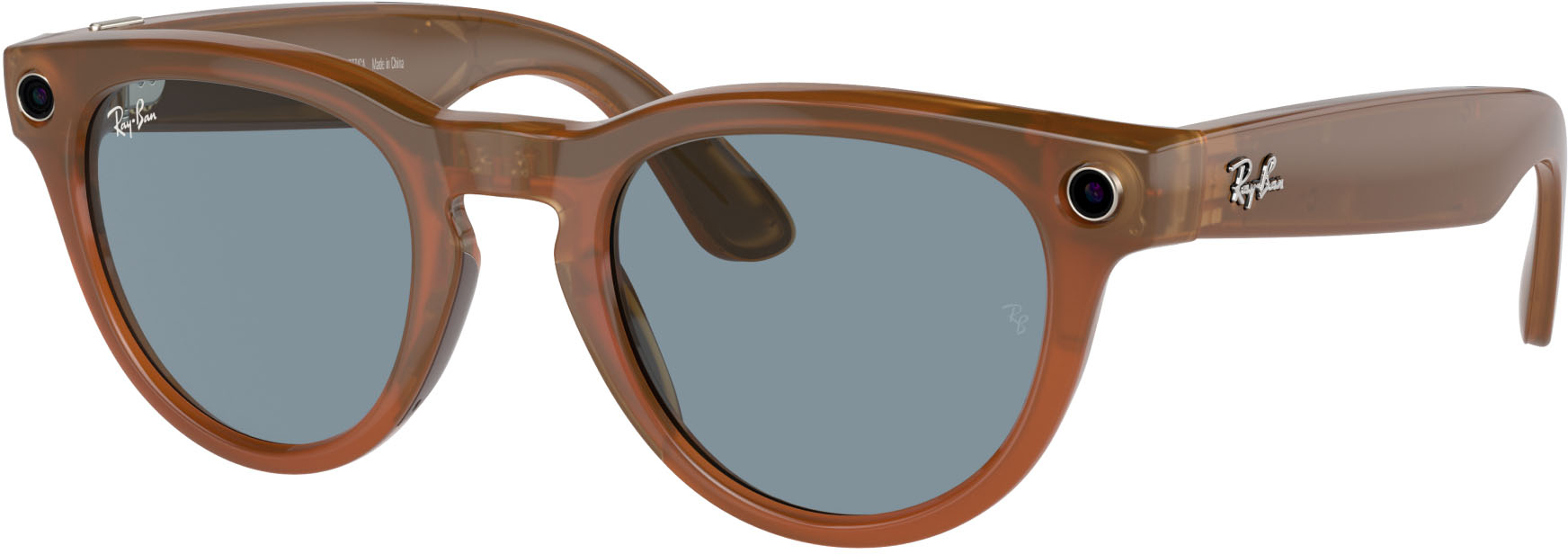
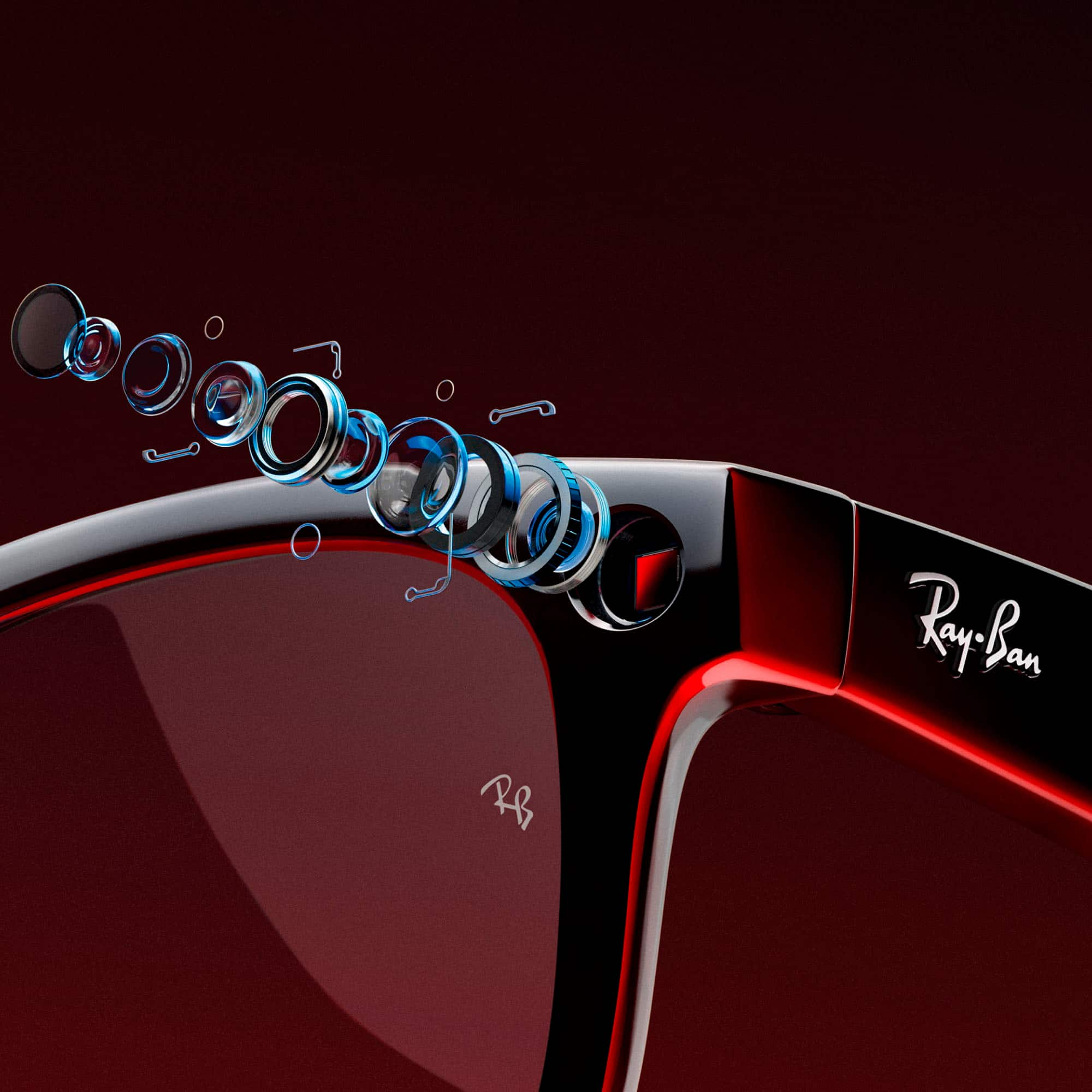
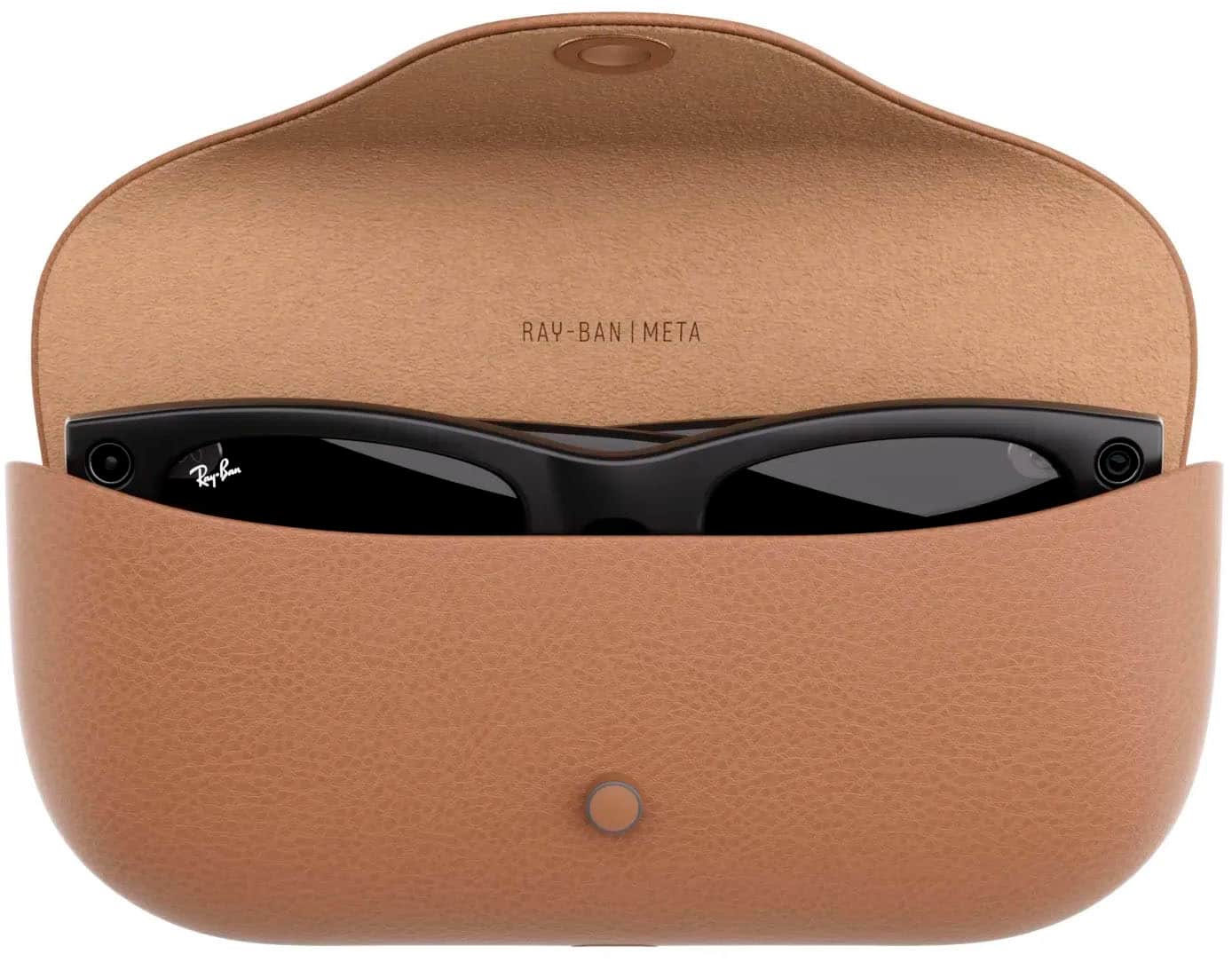
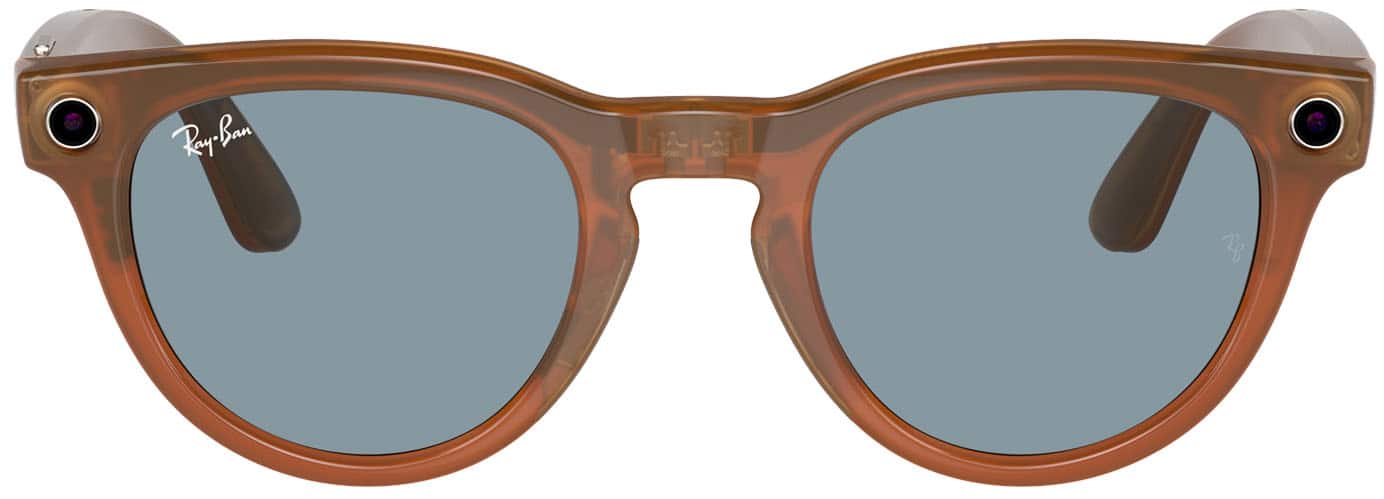














- Model:
- 67068050
- SKU:
- 6560297
Rating by feature
- Value
Rating 4.5 out of 5 stars
- Quality
Rating 4.6 out of 5 stars
- Ease of Use
Rating 4.6 out of 5 stars
Customers are saying
Customers are impressed with the Headliner (Gen 1) glasses, particularly the very good picture and video quality. The battery life and overall performance have also exceeded expectations, and users find them user friendly. While the style is appreciated, some find them expensive, and a few have noted occasional lag when connecting.
This summary was generated by AI based on customer reviews.
- Pros mentioned:Ai, Video quality

Great (Very Cool) Meta-AI-enabled Sunglasses
|Posted .This reviewer received promo considerations or sweepstakes entry for writing a review.These Meta Headliner glasses are very nice. If I had any complaint about them, it's that if you listen to music with them, you might notice the bass is weak/missing. However, considering they do not go into your ears, the sound is surprisingly good otherwise (volume control is easy with the touch pad). They come with a charging case (USB-C) which looks just like any other traditional eyeglass case, not much bigger) that you can carry in your pocket. The pairing button is on the case. When I paired them, it said to check of a code matched the code on my glasses, unfortunately I did not know where to look for that so I just accepted it. Note that there was an error connecting to the temporary Wi-Fi network on the glasses when I first tried, but rebooting the phone seemed to fix that message. They Meta AI feature is impressive, that's not even a strong enough word for how amazing it is. As an example, there was a picture of a bee on my phone, I asked what kind of insect I'm looking at and it got it right. I later, looked at the TV when History channel was on, and asked it what was on the TV and it said "a show or documentary about Poland" which was right. Later, an auto insurance commercial was on and I asked it what kind of commercial it was and it said it appeared to be for auto insurance. These examples were just in my living room where I was first testing it. In each of these examples, I prefaced my prompt with "Hey meta, look and" which enables it to take a snapshot and look before answering. You can also ask it questions without having it look like you might any other AI, fortunately it seems to keep its answers fairly short (great, because it's talking in your ear, not like a screen where you can just skim what you want from the text). Unfortunately, I can't test these too extensively in the wild yet because I don't have prescription lenses in them. While they are intended to be used as Sunglasses, there is fortunately an option to install prescription lenses in them. I plan to do that at my regular eyeglass store if they support it, I know they carry Ray Ban glasses there. My intention is to install transition lenses so that I could potentially use them indoors or outdoors somewhat regularly. You take photos and video with the capture button (quick press = photo, long hold=capture video). Photos came out clear, though I'm sure some reviewers might be more picky about the resolution than I am. It will now be really easy not to miss a great photo opportunity - I won't have to dig in my pocket for a phone or open a photo app. When you record video, a light comes on to indicate that you are recording. Someone in the family joked that I should just put a piece of tape over the light (like black electrical tape). I don't recommend doing this, though, it's usually a good (legal) idea to let people know they're being recorded. The HD quality video it recorded though was impressive, and the sound on the recording sounded clear (my voice sounded better to me in the recording than I sound to myself in my ears when I talk). I allowed it to make phone calls, and tried it out. The person on the other end of the phone said I was clear, and the call sounded as clear as if I were holding a land line to my ear. Answering and hanging up is with a double tap, or you can (for example) say "Hey Meta, Answer". It could even send texts, "Hey Meta, Send message to [name] [message]" and it responds confirming the contact name and message content before sending. The recipient confirmed they received the message. None of the AI systems out there may be perfected yet (and may never be), but this is a very cool toy to play with and if you can afford it and normally wear glasses, these make wearing them fun. I intend to use them regularly once I get prescription lenses, and would recommend them to others.
I would recommend this to a friend - Pros mentioned:Ai, Battery life, Video quality
2nd Generation with Massive Improvements
|Posted .This reviewer received promo considerations or sweepstakes entry for writing a review.When the Ray Ban Stories first came out I was amazed with the technology in the glasses and with Meta`s second generation here they have only expanded on that technology in ways that this may potentially be the next big thing that everyone "must have." First right out of the box these sunglasses are exactly what you would expect from a pair of Ray Ban sunglasses as the look, feel, and fit are all top notch. By collaborating with Ray Ban I feel Meta has definitely made a great decision as there is a reason Ray Ban sunglasses are some of the most sold. The other major thing to note here is the vast improvement in the case as previously it was more of a blocky case whereas now the new case looks nearly identical to your traditional leather Ray Ban case. The led indicator on the outside where the clasp goes is also a nice subtle touch. Moving onto the actual usability there is definitely a lot to unpack here. First, pairing the glasses to your phone is absolutely seamless with the sue of the Meta View app. Here you can tell Meta specializes in smartphone apps as this app is so easy to use. Also, one thing to mention is battery life as these made it through multiple hours of use and I did not have to charge the case at all throughout the week. Next was looking at how easy it would be to use these and to start off I started with the audio component and listened to a variety of songs to which the sound is definitely an upgrade from the prior version and I will say even with the improved sound there is very little, if any, leakage in sound for others to hear. Supposedly the touch pad on the side of the glasses is larger this time around and I can say I did not have any issues using any of the touch controls when using them for play feedback whereas in the previous version it did occur occasionally where I would go to turn up or down the volume and it wouldn`t register so a definite upgrade again here. Moving onto the actual camera/video component of these glasses I was thoroughly impressed with the improvements as yea it may not be as good as your $1,000 smartphone camera, but the differences are negligible. The video component is where these really shine though as it is exceptional! My biggest concern for wearable cameras is the stabilization component and Meta has done a great job here as it is barely noticeable with the video not bobbing around all over as you film. Also, the transition from lighting situations (outside to inside of a building) is seamless as there is no adjustment/focus period here. The microphone for filming is also exceptional as this time around they have used five microphones where when filming it films in spatial audio to which when you play the video back you can actually here the various sounds occurring in different areas when you captured the video. In regard to the microphones with two of them being on the nose piece it is naturally closer to your mouth so when talking it is crystal clear. The last item I have to mention is the voice assistant / AI. This allows you to simply speak and tell the glasses to take a picture or start a video to which this feature worked seamlessly. It also allows you to ask more simple questions in my experience and even creates automated captions for you as well. The feature I really hope they deliver on is that they promised a feature where you can look at something and ask a specific question pertaining to that item and it will answer accordingly. Again, this may be one of those pie in the sky ideas, but my hope is still intact. Overall, with the breadth of advancements from the first generation I again come away thoroughly impressed as I was with the previous product. Everyone scoffed at Bluetooth headphones and smart watches when they first came out, but nowadays they are evident everywhere to which I believe this may be that next true "must have" item. I feel that virtual reality may be too far off in the future, but Meta`s advances in virtual reality are evident here in a more inconspicuous way.
I would recommend this to a friend - Pros mentioned:Battery life, Video quality
Great piece of everyday tech
|Posted .This reviewer received promo considerations or sweepstakes entry for writing a review.As an early adopter of Ray-Ban's foray into smart glasses with the Ray-Ban Stories, I was cautiously optimistic about their next iteration. But I must say, the Ray-Ban Meta - Headliner Smart Glasses are not just an improvement—they represent a quantum leap forward in the realm of wearable technology. Starting with the camera, the ultra-wide 12 MP lens is a game changer. The field of view captures more of what I see, and with a five-mic system, the audio is crisp and clear. It's as if my followers are right there with me at car shows and enthusiast events. The ability to livestream directly to Facebook will elevate my social media presence, giving my audience a first-person experience that's both intimate and engaging. Audio quality, which was decent in the Stories, has seen a significant upgrade in the Headliner. The custom-built speakers deliver an auditory experience that's rich and immersive. I can take calls or listen to music with a newfound clarity, even amidst the roaring engines of cars or the bustle of a busy street. The only caveat being others might be able to hear snippets of your conversations if close enough to you but probably won’t be able to make out every word your caller is saying. The inclusion of Meta AI is perhaps my favorite upgrade. Being able to control the glasses with voice commands is not just convenient, it feels futuristic. I’m sure "Hey Meta" will become a regular part of my vocabulary, allowing me to capture moments hands-free or get information on the fly. The controls are intuitive, offering a seamless blend of touch and voice commands. Whether I'm quickly snapping a photo with the touchpad or initiating a livestream with a voice command, the interaction feels natural and effortless. The charging case is another highlight. Its compact design doesn't compromise on functionality, providing me with a total of 12 hours of battery life. The smart charging feature ensures my glasses are always ready for the day ahead. The Meta View App enhances the experience further. Being able to manage multiple glasses, delve into features through an interactive tour, and add special effects to my content adds layers of functionality that keep the Headliner feeling fresh. The image and video acquisition specs are impressive, capturing moments in high resolution. Combined with the high-quality speakers and an advanced mic array, the Headliner Smart Glasses are an all-in-one content creation powerhouse. Even with all this tech packed in, the Headliner maintains a lightweight frame that's comfortable for extended use. I'm currently using them with contacts but am eagerly awaiting prescription lenses for an even more seamless experience. In terms of compatibility and connectivity, the Headliner doesn't disappoint. With support for both iOS and Android and incorporating the latest in Wi-Fi and Bluetooth technology, it fits effortlessly into my tech ecosystem. In conclusion, the Ray-Ban Meta - Headliner Smart Glasses have not just met but exceeded my expectations. They are more than just an accessory; they've become an integral part of my daily life and an indispensable tool for my livestreams and social media interactions. Ray-Ban and Meta have truly outdone themselves, bringing us one step closer to a future where smart glasses are our everyday companions.
I would recommend this to a friend Not quite right
||Posted . Owned for 1.5 years when reviewed.This reviewer received promo considerations or sweepstakes entry for writing a review.I tried these out for a week and brought them back. The technology is not quite there give it another year or so.
No, I would not recommend this to a friendNot for bigger heads
||Posted . Owned for less than 1 week when reviewed.This reviewer received promo considerations or sweepstakes entry for writing a review.Too much pressure on head and don’t wrap around ears like normal ray bans
No, I would not recommend this to a friendHard to wear
||Posted . Owned for 1 month when reviewed.This reviewer received promo considerations or sweepstakes entry for writing a review.These are cool but are not easy to wear. I don’t think these are next big thing.
No, I would not recommend this to a friend- Pros mentioned:Battery life, Video quality
Fun to wear with excellent picture quality
|Posted .This reviewer received promo considerations or sweepstakes entry for writing a review.The Ray-Ban Meta glasses are a neat concept on smart glasses. The pair I chose were the headliners, although if I had it to do over, maybe I would have chosen the Warfare just do to my face shape. That is the one thing that you would have to figure out for yourself. The biggest concern I had when I first opened the package and took out my new Ray-Bans was the weight. I was afraid they would not be comfortable to wear for extended periods of time. They are much heavier than a regular pair of glasses, as one would expect, but I was very happy with the way they felt after I put them on. If I go back and forth between these and my lightweight glasses, I can certainly tell, but just putting these on, I don't really notice the additional weight at all. The lenses are high quality and clear. I chose the green lenses and I really like how they look and the clarity they have. Controls are easy to learn. Everything seems to be on the right side with a button to push for pictures and hold for video. You slide your finger along the ear piece to increase and decrease the volume and you tap or double tap the right temple to control the music. If you don't want to learn all of that, you just say, Hey Meta, and you can control your glasses using the built in voice control functions. All of this is done through the app which is available for both Apple and Android. Set up is easy and quick and the provided carry case can charge the glasses up multiple times. The glasses are good for up to 4 hours of use on a single charge. Overall, these are nice glasses and the picture quality of the stills and the video are very good.
I would recommend this to a friend Meta ray ban
||Posted . Owned for 1 month when reviewed.This reviewer received promo considerations or sweepstakes entry for writing a review.Its not good the quality is bad i dont like this product i must say no one buy ....................................................
No, I would not recommend this to a friendBrand response from Meta Store Support
Posted .Hi there,
Thank you for the review and for sharing your experience. We're sorry to hear that you did not have a good one. If there is anything we can help you with, please don't hesitate to contact us on our Support Channel : https://www.meta.com/help/ai-glasses/?srsltid=AfmBOoqIfwPnvDj7F62bZQUtL1LVdB5b6bUUBIOf1jjD8GU1s7AmARbn
We will be more than happy to help you !
Have a great day !
No good. I return it
||Posted . Owned for 1 week when reviewed.This reviewer received promo considerations or sweepstakes entry for writing a review.I don't like it. its very cheap material and very unconfutable . I had a very bad headache after using it. everyone hear what you are hearing, also it has too much access to everything in my phone, which is I don't like it.
No, I would not recommend this to a friend- Pros mentioned:Style, Video quality
Good frames, camera, audio, AI needs developed
|Posted .This reviewer received promo considerations or sweepstakes entry for writing a review.The Ray-Ban Meta – Headliner Smart Glasses are pretty fun to play with. They arrived in a clever package that was recyclable. There was a simple QR code to get you to the app that controls the glasses. I found them very easy to set up. The app walks you through connecting the glasses to you smartphone. Style and comfort are important, and Ray-Ban got these right. They have nice coverage with just a little light leakage at the sides. They are comfortable to wear. I was a bit worried when I first pulled them out of the case because they are heavy compared to a normal pair of sunglasses. I was afraid they would hurt my ears or nose. After wearing them for a couple of hours, I was pleasantly surprised to find that they didn’t bother me at all. You can forget you are wearing them when out and about. They are perhaps slightly tight out of the box, but I have a big head. I’ll get them adjust when I have prescription lenses put in them. Yup…that’s a great option. They have an agreement with a specific eyeglasses chain that will put prescription lenses in them without voiding the warranty. I’m definitely doing that soon. The charging case is very stylish and has a nice tight fit that secures the glasses in the proper position for charging. It’s on the large side for a case, but they have to put the battery somewhere as it is charging case. Feature wise, they are fun to play with. I enjoyed asking the Meta AI simple questions as I strolled through the neighborhood. “Hey Meta…What’s the weather?” type of stuff. You can ask it to tell what you are seeing. The camera will turn on for a second and then the AI will describe the scene. It’s cute. The camera is better than expected. You simply click the button on the top of the right earpiece to take a pic. For video, you hold that same button down to start recording, and tap it again to stop. I’m not exactly sure what the resolution of the pics and vids is, but it looked great. It’s a pretty wide angle shot…true to what you are seeing in your field of view. You can’t zoom or focus, but I didn’t find that to be a problem. You can choose how long you want a video to shoot in the app, with 1 minute being the max for a single video. I wish that time was longer for sure. I also found the syncing of the media back to the app on the phone strange. It seems like it needs to create a peer-to-peer network between the glasses and phone to download the pics and vids to the phone. Every time I open the app is askes me to join the network to sync. I did figure out how to get it sync automatically when connected to wifi, but it would be nice if it would sync on the fly. I do like that it will add the media to my standard photo app. That keeps all of my stuff in one place. When you delete something from the app, it asks if you want to delete it from you other library as well. The side of the right earpiece is a touch sensitive panel. In the App, you can assign your favorite music app to the touch panel. Then you simply long press the side of your glasses, and your assigned app launches and starts playing whatever you had queued up last time you used it. You can turn the volume up and down by sliding your finger forward or backward on the earpiece. Sound quality is decent enough for what it is. You don’t get much low end, but that’s totally expected in something that small and out of your ear canal. I like being able to listen to a little music without losing the ambiance around me or the ability to talk to people I meet on the street. It doesn’t get super loud, but it’s loud enough for what it is. If you have it cranked up, please can hear it a bit, so be aware of that. Now to what I don’t love about these smart glasses. It’s all in the capabilities of the AI. I recently had a sciatic nerve irritation. I asked it what exercises I could do to help with sciatic pain. It just answered that it’s not allowed to give medical advice. Come on…I could search that on any browser and get recommendations. Why can’t the AI at least return search results? It won’t talk about stocks or anything money related. When I asked it how I can get to a location from where I’m currently at, it just said it’s not able to provide directions yet. Why not? Hook the app up to the phone GPS and let it give me directions. Lots of apps can do that. Why not these expensive glasses? When you ask it to tell you what you are looking at, it gives generic information. “A house with a fence and a garage” type of information. I asked it to identify a car sitting in a driveway and it just said it was a 4 door sedan. It couldn’t tell me what make and model it was even with the badges clearly in view. While it’s a cute tech gadget to show off to your friends, I didn’t find it particularly useful. I’m hoping the future software upgrades will improve its capabilities. So, the final verdict is mixed. I like the frames. They are comfortable with good coverage. While the earpieces are wide, I don’t find them too big. I like the style, it’s kind of a 50’s retro look on the earpieces. I really enjoy the camera and video options. That’s really why I got them, so that I can shoot a video while landing trophy fish. Sound quality is OK. The mics are decent, it picked up the voices in my videos pretty well. The AI just isn’t there yet. It’s essentially a very simple search engine that has a lot of restrictions on it. They are a good pair of glasses with respectable tech that need stills to be developed further. They give me hope for the future, but they need work.
I would recommend this to a friend - Pros mentioned:Battery life, Video quality
Looks Great and Does So Much
|Posted .This reviewer received promo considerations or sweepstakes entry for writing a review.I want to thank the BestBuy Tech Insioders Network for sending me the Ray-Ban Meta Headliner Smart Glasses. To be able to look at some unknown object and say "Hey Meta, what is this object" and hear the complete description of it makes me feel like a superhero in front of my friends. I can ask it any question I have along the way such as "What time is it?" or "Will it rain in the next hour?" and it will let me know. I think this would be very helpful to a blind person if the glasses described what's in front of them without having to shoot a photo first. The information it tells you is also saved in a list to the app along with a photo of what you were looking at. The sound quality is terrific and my ears are not blocked since the sound is "projected" into my ears from the stems and I can still hear sounds around me. I walked around a park listening to music streamed from my iPhone and took photos and videos using the glasses' HD camera along the way. The quality of the photos and video are great for social media and can be automatically posted to Instagram as a post or Instagram Stories, a Facebook post or Facebook stories, and text messages and photos can be sent to WhatsApp or Facebook Messenger. Of course the photos and videos can be saved to the app and then transferred to the camera roll to be used anywhere else as well. The photos and videos can also be selected and transferred with a touch on the app or automatically transferred when the glasses are put into the charging case. Speaking of the charging case, it looks like a standard leather eyeglass case but contains a battery that can recharge the glasses every time you put the glasses in the case. The case can be charged using a USB-C cable to a charger (not included) or to your computer. The only limitations the glasses have is that you can only shoot vertically for social media and that you can only shoot for up to 60 seconds per clip. At first I thought that would be a problem but while walking through the park I realized that by standing still and turning my head slowly and steadily and only shooting as much as necessary for a given shot, I could later edit the shots together and make a much longer video that wouldn't make get people dizzy. If I knew I needed to shoot an entire event, I would use one of my professional cameras but as they say the best camera you have is the one you have with you and since I'm wearing the glasses, the camera is always available when I need it. I needed to make a call while walking in the park so I decided to try out the calling feature on the glasses. The quality of the call was great and I asked the other person how I sounded and he was amazed how clear the call was when I told him I was calling through my glasses. After the call, I went back to listening to music. You can stream the music from Amazon Music, Apple Music, Spotify or Calm if you subscribe to them. Since the glasses are from Meta, you need a Facebook account but since I already have one and also have the Meta Quest 3, I just logged in and was able to set up the glasses in a few minutes. Since the Headliner glasses look like a regular pair of glasses, I will wear them all the time and be a total Know-it-all.
I would recommend this to a friend Not worth it.
||Posted . Owned for 3 weeks when reviewed.This reviewer received promo considerations or sweepstakes entry for writing a review.Absolutely not worth that. Battery doesn't last....
No, I would not recommend this to a friendUgly and thick plastic
||Posted . Owned for less than 1 week when reviewed.This reviewer received promo considerations or sweepstakes entry for writing a review.Ugly looking and fit awkwardly, the plastic is thick and heavy.
No, I would not recommend this to a friend- Pros mentioned:Ai, Video quality
These glasses give you a glimpse of the future.
|Posted .This reviewer received promo considerations or sweepstakes entry for writing a review.Meta and Ray-Ban's new smart glasses look benignly like any other sunglasses, with only the camera module providing a giveaway that they're more than that. Yet using them felt rather extraordinary at times, as the combination of audio, the camera, and AI came together to provide an altogether new experience. I was especially excited about the AI integration, as Meta has some of the top AI researchers in the world working for them, and in general, I was very pleased with the AI's performance and usefulness. The glasses—this being the Headliner model—look like premium sunglasses. And for all of their internal gadgetry, it is not heavy or uncomfortable to wear. In fact, I found them extremely comfortable, so much so that I will likely take them in to have the lenses replaced with prescription ones. (A package insert gives instructions on how to find a site that can do so while keeping the warranty intact.) Thankfully my vision isn't too bad without glasses so these are still quite tolerable for me to wear now. The glasses come in a very nice Ray-Ban case that provides good protection. Only the Type-C port on the bottom gives away that it's different, and the glasses snugly fit down onto the charger in the case when folded. Setup was really quite easy with the Meta View app, especially if you already have a Facebook account, which, this being Meta, you'll obviously need. The glasses have a good, sturdy feel to them, and they are water resistant, not waterproof, so they can tolerate light rain but not a torrential downpour or immersion. On the inside of the frame, there is a small power button to toggle them between being smart glasses or regular sunglasses. Undoubtedly to keep the weight down—a wise choice for wearability—the battery life when used as smartglasses isn't extremely long, rating roughly 4 hours. The outside of the right frame is a touch sensitive area that allows you to swipe to control volume, or tap to pause. On the top of the right frame is the shutter button—a short hold to take a still picture, and a longer hold to begin video recording. For privacy protection, the camera's engagement turns on an indicator light to let others know it's in use. The camera is a 12MP ultrawide view camera, which for me took very good photos that showed a bit of barrel distortion for inside photos. Pictures and videos can be imported easily in the Meta View app for viewing or deletion. The real star of the show, in my view, is the AI integration. The voice assistant is configurable in the app to one of multiple very natural sounding male or female voices. The AI is activated by the phrase "Hey, Meta" and responsiveness is fairly quick, with an audible chime to let you know it's activated. Much like the mobile version of some popular AI services, I suspect the AI is programmed to give as short of an answer as possible that still answers the prompt fully. I was very impressed with it, and interacting with it gave a bit of a Star Trek feel. I gave it the following prompts: "Tell me the difference between a Type Ia supernova and a Type II supernova." "Give me a short summary of The Great Gatsby." "Summarize the plot of The Scarlet Letter." "What is current weather forecast for this evening?" "What time is it in San Diego?" "How long would it take me to drive from [my location] to [nearby city]? Voice recognition on all of this was excellent and it never asked me to clarify or repeat myself. It answered all of these questions satisfactorily (I knew it'd be good when it got the supernova question correct) except for the final one. In that case, it told me it did not have access to real-time traffic and maps and suggested I use Google Maps or Waze. But overall? The AI was really good and should only get better. During the initial product demonstration, Meta showed some multimodal AI use whereby the camera could "see" things; in my testing, this doesn't seem to have been enabled yet, but if/when it does, the usefulness of the AI feature will only grow. The audio quality is really good and surprisingly unobtrusive to others. It's a little weird, in a good way, as it's difficult to place the sound field exactly--sometimes, it seemed almost like the voice assistant was in my head! I did use it, both by AI or directly from the phone, to make phone calls, and the sound quality was pretty good. Music via Spotify also pleasantly surprised, if lacking in bass somewhat. Overall, this is just one of those fabulously cool products that give you that taste of a Star Trek-like future. The tech is all well-executed, the AI is very promising, but crucially, they also perfectly work *as sunglasses*, being comfortable to wear and remaining stylish. Highly recommend.
I would recommend this to a friend Ray ban
||Posted . Owned for 1 month when reviewed.This reviewer received promo considerations or sweepstakes entry for writing a review.Horrible quality broke in 3 weeks and tried to return and didn’t let me
No, I would not recommend this to a friend- Pros mentioned:Style
High tech sun protection
|Posted .This reviewer received promo considerations or sweepstakes entry for writing a review.Hello friends, this is my review of the new Ray-ban Meta Headliner. Let me begin by saying that Ray-ban did a fantastic job of packaging these glasses. Not only are the shipping boxes spot on but also the presentation upon opening them up. The headliners have a gorgeous leather case that also serves as the charging station. I really like this feature due to it causing you to store your glasses in a case to protect them. Also the case is just nice to look at as well with lights on the outside to show charging etc.. Next off i wanted to say something about the style. The headliners have a classic look that almost anyone can wear with confidence. I like how Ray-ban reduced the weight of these glasses by removing the unneeded bits and stuck those in the case. I have tried other glasses similar to these and they were much tougher to wear for long periods of time. These headliners do squeeze my head a bit but are braking in with more wear time. This feature of the glasses keeps them on your head nicely though. I have not had the glasses fall off my face at all. The headliners are feature packed for such a small device. You can do all the standard things you can with any bluetooth speaker. However with these guys you can do a lot more , such as take video and livestream. This is pretty amazing considering the weight and feel of these glasses. Personally my favorite thing to do with these glasses is walk my dog. The headliners allow me to enjoy my favorite tunes and yet keep an ear out for traffic and other hazards while out and about. I'm super happy i picked these guys up and i recommend them highly to others.
I would recommend this to a friend - Pros mentioned:Battery life, Video quality
a Smart way to See!
|Posted .This reviewer received promo considerations or sweepstakes entry for writing a review.Ray-Ban Meta Smart Bluetooth Audio Glasses in this case the Wayfarer Standard are a great pair of smart glasses that have key factors including items such as great audio quality based on their smart speaker type. The smart open ear speakers allow for situation awareness of your surroundings. They have clear and balanced sound with little distortion. Their clear microphone audio also makes for easy to hear and use calls and voice commands. The smart assistant integration allows for hands-free control. The integrated high-quality camera allows for capturing awesome photos and videos. For comfort and fit the lightweight design minimizes fatigue during periods of extended wear. Their Stylish design provides a large selection of glasses that will match your personal style. They have a relatively long battery life that is essential for uninterrupted video and photo use. The glasses are compatible with a lot of smartphones and other devices. Here are some additional factors to consider: They are durable, built to last, especially if you plan to use them for active pursuits. As an aside I have worn Ray-Ban sunglasses since I was a lifeguard and feel they have protected my eyes from all sorts of damage (flying debris, UV light etc.). I really like the style of the recharging case, it is classic and highly functional !
I would recommend this to a friend - Pros mentioned:Video quality
Ray-Ban has gone Meta
|Posted .This reviewer received promo considerations or sweepstakes entry for writing a review.The Ray-Ban Meta Headliner Smart Bluetooth Audio Glasses (in Shiny Black with Polarized G15 Green lenses) are the absolute next level in smart glasses. Ray-Ban pairing with Meta is a Meta-move for the ages. When thinking of sunglasses, there are few brands that are forefront when it comes to eye protection and Ray-Ban is one of those. With a couple model options available for Meta glasses, the Headliner style is a fabulous standard. These sunglasses fit as expected for the standard headliner, touching the lower orbit of my face. The fit is comfortable, allowing for hours of wear at a time. The Polarized G15 Green lenses are a new try for me, I’ve used polarized lenses since my first pair of sunglasses; however previously only black/brown tones. The Green tone is subtle and adds a pop to colors overall with the standard polarization as expected otherwise. As a pair of sunglasses, these are up to the Ray-Ban standard. Onto the fun part, technology. The glasses come in a standard appearing light brown Ray-Ban case with a twist. The glasses will charge through the nose bridge piece while in the case (which indicates by a light if needs charging/charged (yellow/green). The case has a USB-C connection port for re-charging. There is no USB-C cord included, as Ray-Ban recognizes that if you’ve purchased these glasses you should have a USB-C laying around somewhere. There is a QR code to scan for more info about the charger, but seriously, if you’re investing in these I agree, there is a VERY high likelihood you already have a charging cord laying around. The case itself will provide at least 24-hours of wear time with 1-charge, as that is what I’ve gotten myself out of them over the past few days of use. The glasses have not died on me yet while using before getting back to the case, but with a drop from 100 to 50% playing music and taking a few photos it does seem that 4-hours would be about the max usage on one charge. Since they charge in the case, as long as you keep up with case you are golden. Emphasis on the case is a must to charge. The smart features are placed nicely in the glasses. The left side of the frames has the 12MP camera that does take both clear and beautiful photos and video. This is mirrored by a camera look-a-like on the right side so that they do not look uneven (which I appreciate). There is button on the top of the right glasses arm frame to allow for capture. 1-click will take a photo, 1-held click will start a video. There is also a unseen sliding/press bar on the side of the glasses arm that allows for starting/stopping music and turning up/down volume. There is an LED indicator for both yourself and others a photo has been taken/recording has started. There is also a sound indicating this also, that cannot be disabled for privacy purposes. Learning how to use the glasses and set-up in the Meta View app took less than 10-minutes total. During set-up you can change the voice of the glasses, and I won’t lie that I chose an option that sounds similar to what you’d expect in a 007 movie or mission impossible. It is a great feeling. There is also voice commands/search that can be executed using “Hey Meta” feature. The app itself is simple and useful. Allowing for adjustment of the glasses, camera setting, setting up calling/messaging and music. The smart features may be easily simplified. You do need to have Meta account (which is will create if you do not have one) to use the features. Photos/videos captured with the glasses stay in the onboard memory until downloaded to the phone. Once there you may share directly from the app to other Meta apps or to contacts. There is also the feature that if in Instagram, while in the “live stream” portion if your glasses are on you may choose to stream from the glasses themselves. A live stream from first person point of view, just immerses those viewing right into the action. These glasses are next level, with easy capture while on the go without needing to touch your phone (or have it near). Of note, you can easily play music with just a touch, and the music can be easily heart while still hearing the world around you. The only caveats that I’ve encountered worth mentioning is overall battery time, if using as a primary sunglasses they may die if you place your sunglasses on your head like I do instead of back in the case. Also, with the camera being on the left side, there is slight adjustment needed when taking perfect photos with them but at the same time these are more for on the go action and adventure, so a minor detail. Overall, I am more than pleased
I would recommend this to a friend - Pros mentioned:Video quality
Spy glasses?
|Posted .This reviewer received promo considerations or sweepstakes entry for writing a review.I give these 5 stars because they do what they say they do, and actually do it pretty well. The video quality kind of surprised me how good it was. I guess I was expecting it to be more in line with the kind of quality you get from cameras on tablets, just ok, but I probably should realize they put pretty much the same size camera in phones these days that take amazing video and pictures. The quality is not going to be as good as a good phone camera or dedicated camera because it doesn't have any of the software the phone cameras do to help get better pictures and video or the lens and sensors that dedicated cameras do. But it's still really good quality, especially for being on a pair of glasses. These can be really helpful if you're live vlogging or even if you need to stream something and can't hold a camera while doing so. They look much more natural than wearing a helmet with a camera rigged to it... Call quality and audio from the speakers is actually pretty decent as well. You have to have reasonable expectations because, after all, these are speakers inside of sunglasses and not earbuds. But the sound is loud enough and clear enough to hear even with other background noise. Just keep in mind that because they sound isn't going directly into your ear canal as with earbuds or headphones, others around will be able to hear whatever you're listening to depending on how loud you have the volume. "Hey Meta"... at least they offered some type of assistant for handsfree control, and it works reasonably well for simple things like making calls, etc., but it's not on par with Google Assistant by any means. It would've been nice if you could use another assistant of your choice, but since it's Meta device, I guess they want to push their products... Maybe with a software update at some point they'll allow that? As far as style goes, I would say these Headliner versions are more for females as they have an almost cat-eye style look to them when you put them on. For men I would suggest the Wayfarer version. For this reason I ended up giving them to my 10 year old son who thinks they're "spy glasses". He thinks they are the coolest thing. I guess sort of have "spy glasses" kind of abilities, but don't worry, whenever you're recording video or you take a picture, there is a white LED that lights up on the front of the glasses so people know you're recording. I guess they wouldn't actually know that, but they would wonder why you have a light on the front of your glasses...
I would recommend this to a friend - Pros mentioned:Video quality
Upgraded And Helpful!
|Posted .This reviewer received promo considerations or sweepstakes entry for writing a review.I love the new AI system in the new Ray-Ban glasses! With it being new, I'm sure they're going to upgrade a little bit of the glitches like when you try and make a phone call, and you clearly say the name and which number to call then it still has to go through everything before it makes the call. But that's just something small because it does get it right it just takes a little time getting there. And I'm sure they're going to improve the AI when it is translating Flyers and other things that are longer than a paragraph or two. I was surprised when I examined the glasses and found that the microphone in the part that rest on your nose, remained in the same place. I was a little disappointed because this is something that irked me with the last set of glasses where I couldn't be heard at all talking to anyone who was on my other line. But I was pleasantly surprised when my mother said that she heard me very clearly and I heard her very clearly. The only thing she thought is I sounded a little bit Hollow, which again I'm sure would be fixed with updates. The picture quality is phenomenal! Also, shooting HD videos in low light highlight or any light are really clear and detailed! I love how you can tell the AI to snap a picture anytime you want, but it also would be nice to have a trigger word for the picture and video when you want to do either. If you could just use one word that you say and the AI will snap a picture or shoot a video but really be nice! I'm shocked that for this price you get everything that these glasses offer!
I would recommend this to a friend