Customer Ratings & Reviews
- Model:
- RZ03-04680200-R3U1
- |
- SKU:
- 6531755
Customer reviews
Rating 4.5 out of 5 stars with 438 reviews
(438 customer reviews)Rating by feature
- Value4.3
Rating 4.3 out of 5 stars
- Quality4.6
Rating 4.6 out of 5 stars
- Ease of Use4.6
Rating 4.6 out of 5 stars
Customers are saying
Customers often highlight the BlackWidow V4 Pro's excellent keyboard quality and visually appealing RGB lighting. The comfortable wrist rest and responsive key feel are also appreciated. Some find the price a bit high, while others have noted the software can be difficult to use.
This summary was generated by AI based on customer reviews.
Rated 1 out of 5 stars
Save your time and money.
||Posted . Owned for 3 weeks when reviewed.This reviewer received promo considerations or sweepstakes entry for writing a review.Save yourself time and money and buy a different keyboard. I bought this keyboard less than a month ago and I have keys that require several presses to register or register double. Working with support will require you to jump through all sort of hoops and then they will not help you at all. Look at any site that sells this keyboard (even their own) and you will see the same issues. It is a common issue.
No, I would not recommend this to a friendRated 1 out of 5 stars
Would be nice if it worked
||Posted . Owned for 4 months when reviewed.This reviewer received promo considerations or sweepstakes entry for writing a review.Overpriced garbage. After a couple months, the "e" and "t" keys started double pressing, so I contacted Razer support. They had me send it in and determined it was defective, so they sent me a new one. The new one started having the same issues with the "c" and "n" keys within a week. I don't know what I'm going to do at this point, maybe Razer will eventually send me a good one, but buyer beware.
No, I would not recommend this to a friend- Cons mentioned:Price
Rated 1 out of 5 stars
Bad Keyboard
||Posted . Owned for 4 months when reviewed.This reviewer received promo considerations or sweepstakes entry for writing a review.Do not buy. Bad product. Bad Support. Do not buy. Bad product. Bad Support.
No, I would not recommend this to a friend Rated 1 out of 5 stars
Meh
||Posted . Owned for 5 months when reviewed.This reviewer received promo considerations or sweepstakes entry for writing a review.Already double clicks in 5 months, has weird issue where only half the keyboard works requiring you to replug it.
No, I would not recommend this to a friendRated 1 out of 5 stars
Do NOT buy
||Posted . Owned for 2 months when reviewed.This reviewer received promo considerations or sweepstakes entry for writing a review.After a month or so of use it started double pressing and even just not registering certain keys. Im very disappointment, and this appears to be a common problem others have with this keyboard and Razer in general.
No, I would not recommend this to a friendRated 1 out of 5 stars
Keys not registering aafter less than amonth
||Posted . Owned for 1 week when reviewed.This reviewer received promo considerations or sweepstakes entry for writing a review.Within a amonth hvaing issues with the a key where it's not aalwayas resgistering or it's double typing. For the cost of this thing it's unacceptable. Please ignore ny spelling issues, I'm trying to use it for this review.
No, I would not recommend this to a friend- Pros mentioned:Keyboard quality, Rgb lighting, Wrist rest
Rated 5 out of 5 stars
My favorite keyboard!
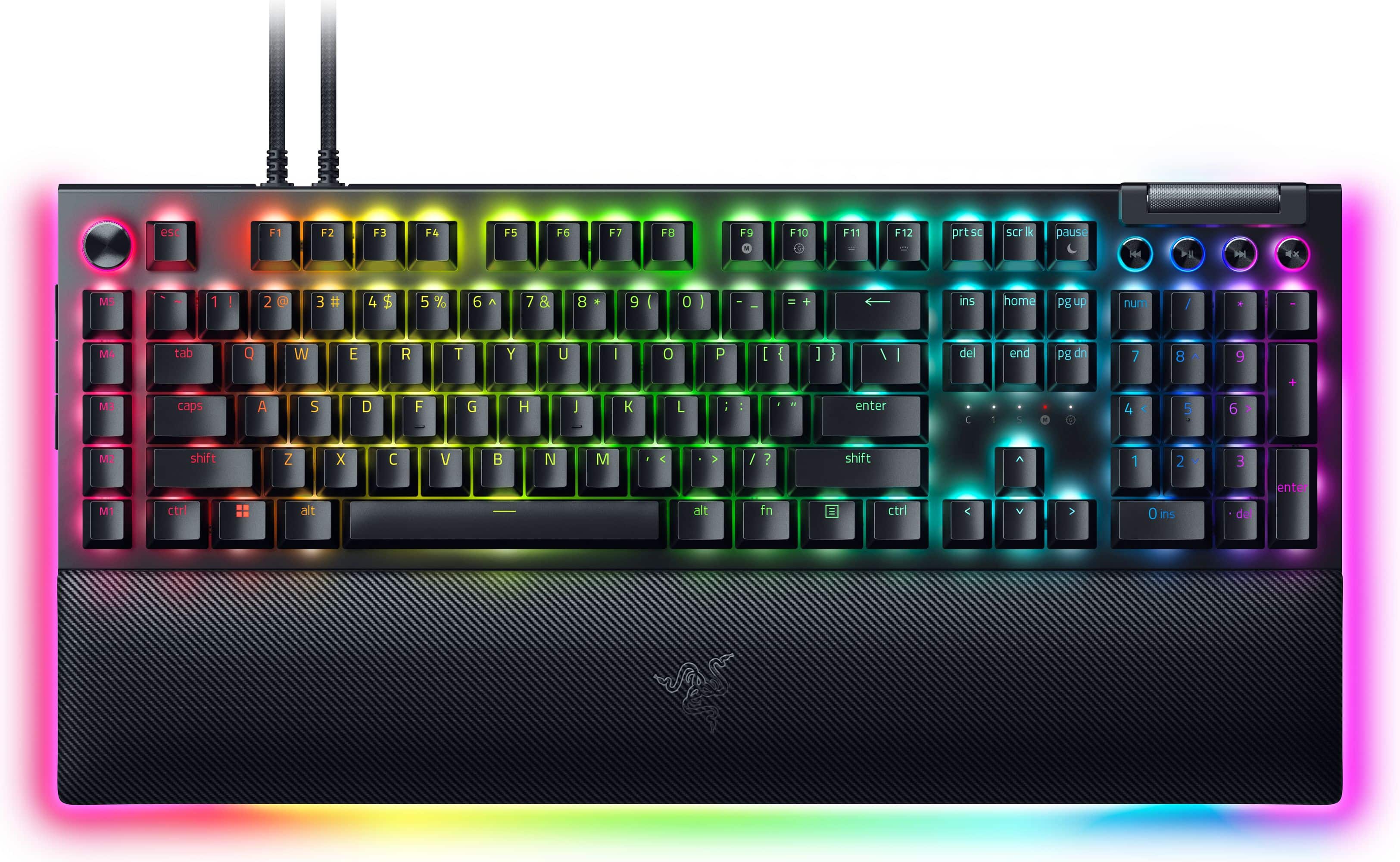
|Posted .This reviewer received promo considerations or sweepstakes entry for writing a review.Right out of the box I knew this one was special. Literally. I pulled the keyboard out of the box and just tactically, its heft, its solid build quality, it became my favorite keyboard before I even plugged it in. When I did attach it and fire up my gaming laptop, it continued to impress me. The keys are quick, sharp, and snappy. To me it has a great feel and I even find myself typing faster because it's so mechanically responsive. I love the innovation it offers. The programmable macro keys along the side are very well-placed, I didn't get confused between the left end of the normal keyboard and those macro buttons. To me, the super bonus is those extra edge buttons. They remind me of the forward and back buttons on a mouse, and they're in a great position where it's easy to find them by feel. I feel way more confident being able to cast complex combinations in The Witcher III. The keyboard's wrist rest is really comfortable. I was impressed by the way it attaches with magnets, but then I powered it on and saw that those magnet connectors also powered RGB all around the edge. Yes, it's big, but if you have space for it, it's solid, has a great feel and fast action, and lots of macro buttons.
I would recommend this to a friend Rated 1 out of 5 stars
dont buy this keyboard
||Posted . Owned for 1 month when reviewed.This reviewer received promo considerations or sweepstakes entry for writing a review.had for less than a month before it broke.. come to find out that bestbuy only has a 15 days return policy and wouldn’t accept it. had to take it somewhere to get it fixed.
No, I would not recommend this to a friend- Pros mentioned:Keyboard qualityCons mentioned:Size
Rated 5 out of 5 stars
Very Fast and Responsive Gaming Keyboard
|Posted .This reviewer received promo considerations or sweepstakes entry for writing a review.Summary ------------- This is a review for Razer BlackWidow v4 pro clicky and tactile keyboard. Pros ------- 1. Super quick and responsive 2. 8 macrokeys 3. Super nice illumination 4. Palm support with underlight 5. USB passthrough for connecting devices directly to the keyboard Cons ----- 1. Cost 2. Its big Details ----------- This is a wired keyboard and basically a plug and play. As soon as you connect the keyboard through the provided USB cable, the computer downloads appropriate drivers automatically and you are good to go. Downloading the software razer Synapse 3 software let you customize the macro keys and RGB functions. The command dial is great, it lets you toggle between various functions. Media keys let you play and pause. The keys also let you control brightness which I don’t generally use anyways. Playing games using this keyboard is a jot. The game play of overwatch 2 brings out the best of the keyboard, its very responsive and the RGP colors match the game. Overall it’s a great buy.
I would recommend this to a friend Rated 1 out of 5 stars
Unbelievably bad quality keyboard
||Posted . Owned for 1 month when reviewed.This reviewer received promo considerations or sweepstakes entry for writing a review.Keyboard broke & started typing randomly after april purchase with low daily use and no water spillage. Very disappointed in the brand's quality, will not be purchasing again.
No, I would not recommend this to a friend- Pros mentioned:Rgb lighting, Wrist restCons mentioned:Switches
Rated 4 out of 5 stars
Great Keyboard with lots of functionality
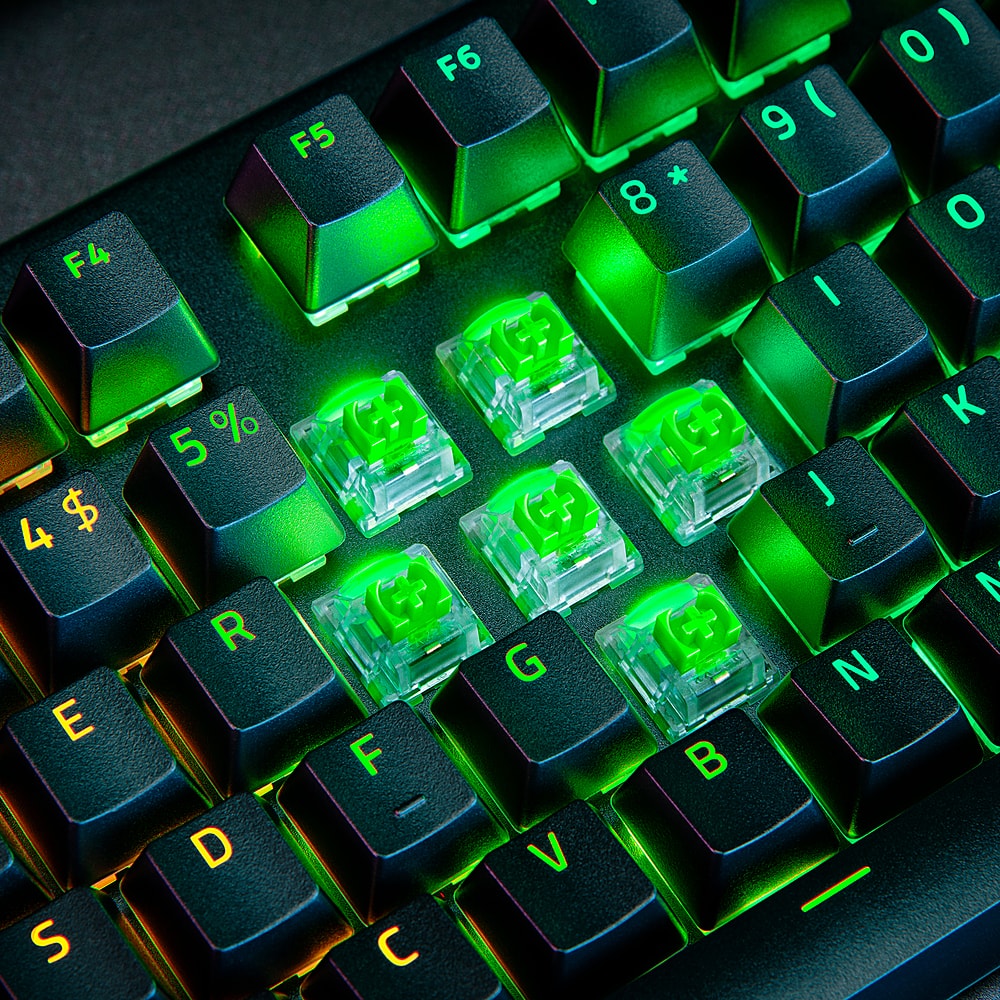
Posted .This reviewer received promo considerations or sweepstakes entry for writing a review.I bought this to upgrade form my older Razer - BlackWidow V2 standard keyboard. I do love the color upgrade on this (much brighter) and the wrist pad and extra macro buttons and media buttons as well as the dial are a plus. I just wish that Best Buy had different switches than green for this. The green is a little heavy for my taste. But I couldn't find the optical keyboard I was looking for in the store so I went with this one. Still not disappointed though. Worthy buy. (note - if you want the light sync to work with synapse, and are using Windows 11 or any of the betas, you need to turn off the backlight settings in your Windows Settings otherwise it won't sync with Synapse).
I would recommend this to a friend - Pros mentioned:Key feel, Wrist rest
Rated 5 out of 5 stars
best keyboard I ever used
Posted .This reviewer received promo considerations or sweepstakes entry for writing a review.this is the first mechanical keyboard I ever owned this is so much fun to type on, it is quick and very clear when the keys go to that halfway point, you know when the letter is pushed around halfway. the green tactile keys are perfect for the home, I would not go any louder these are perfect for the touch and responsiveness this keyboard is worth the price and I even did not mind going wired to own this keyboard I do not regret one thing about this keyboard, the lightning is exceptional and the wrist rest is very comfortable should have done this years ago, you can not go wrong on this purchase
I would recommend this to a friend Rated 4 out of 5 stars
Loud, clicky & massive-Return of macros
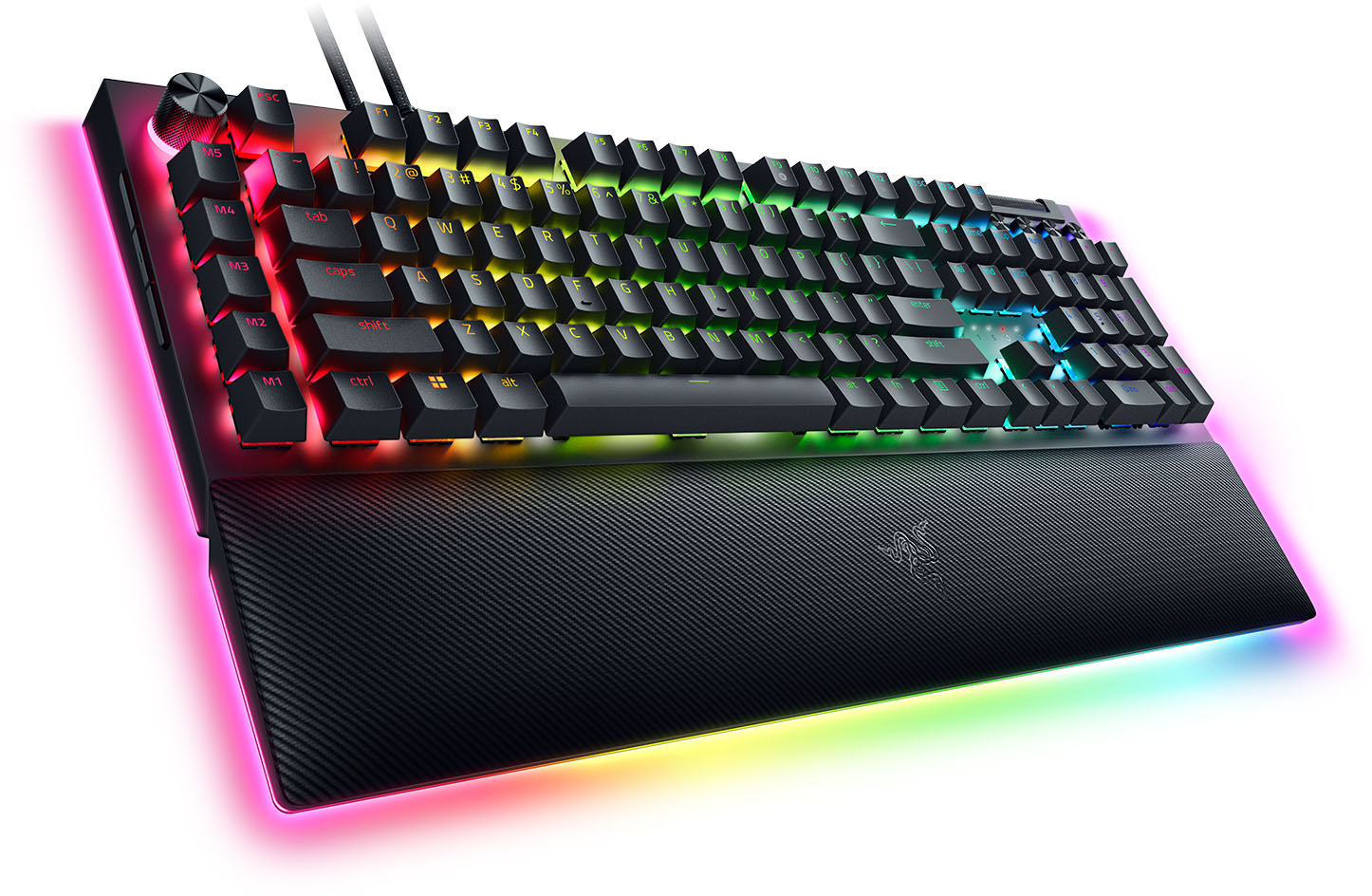
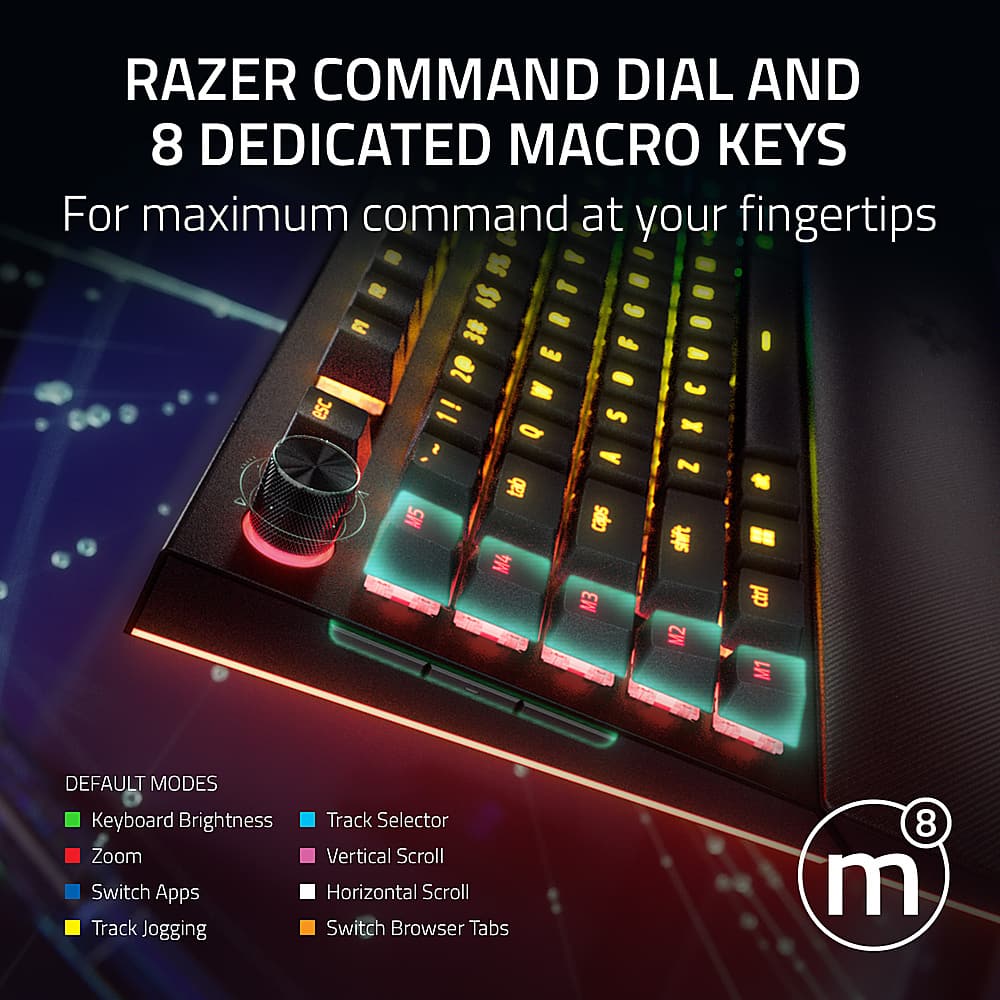
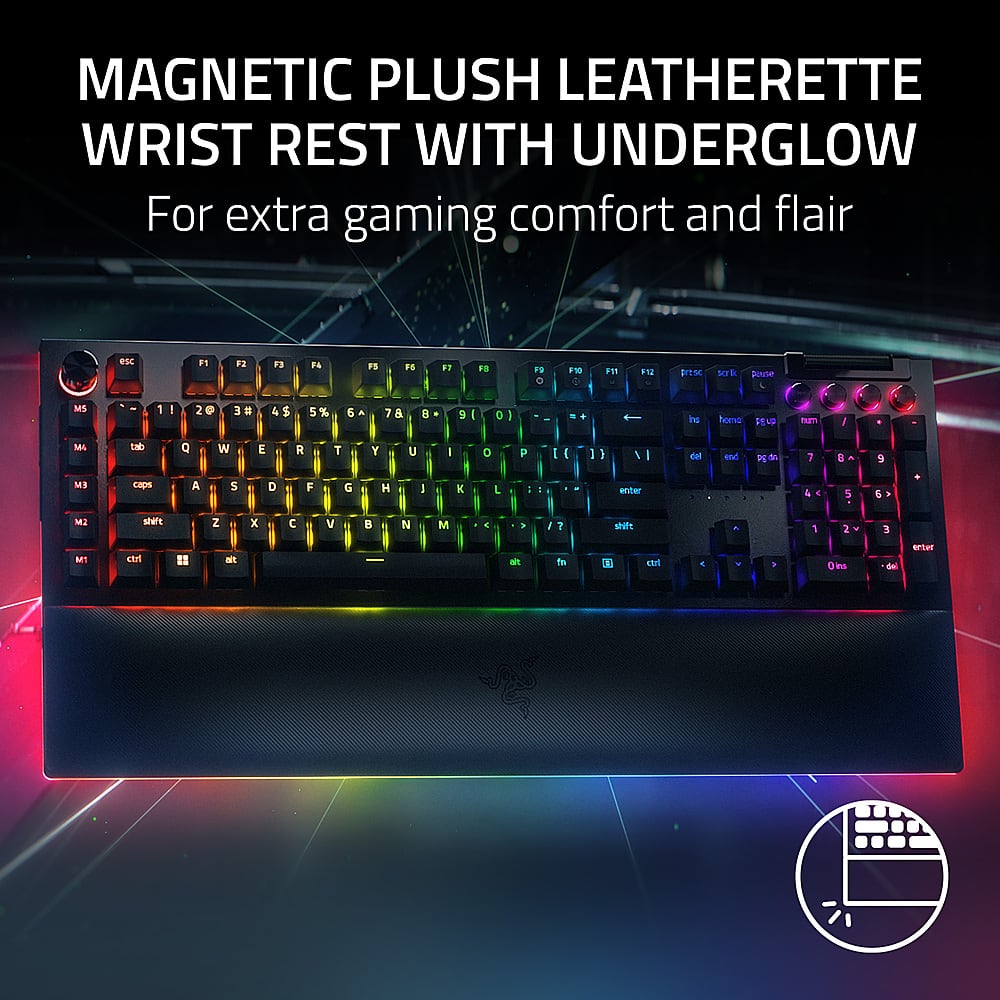
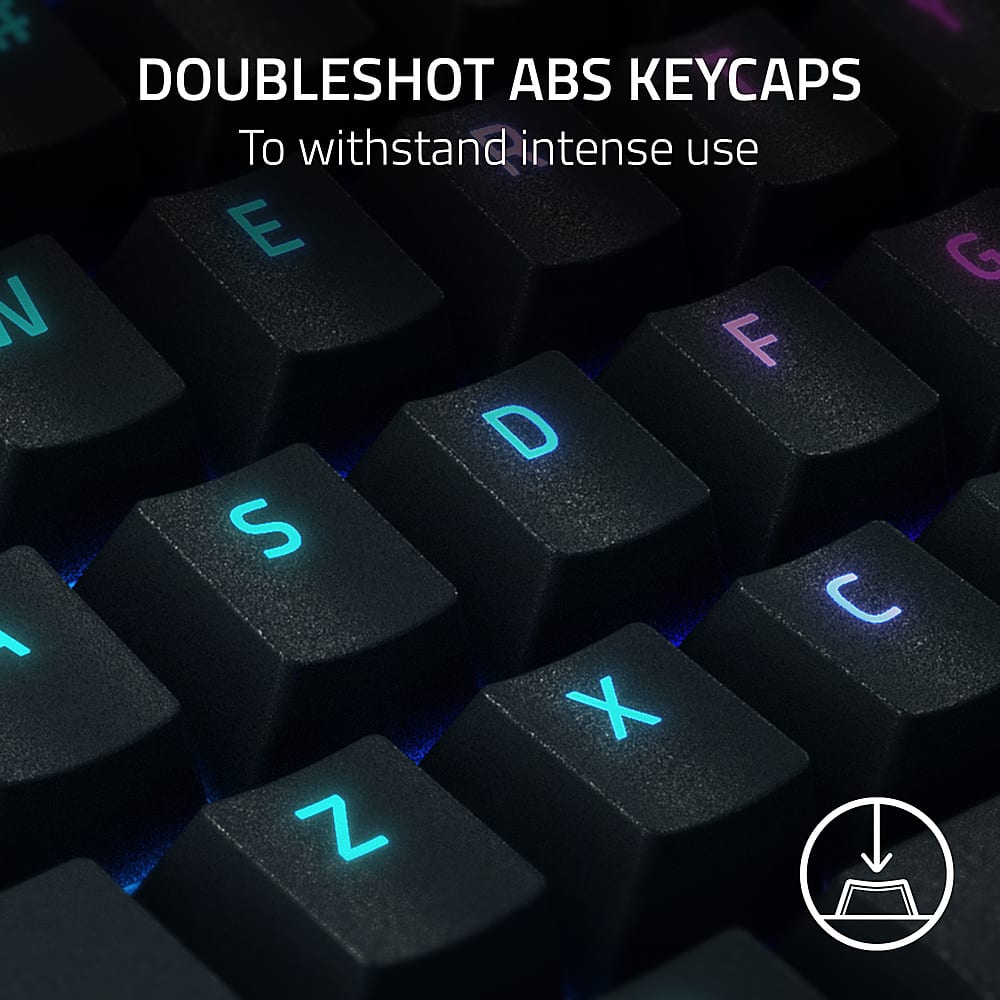
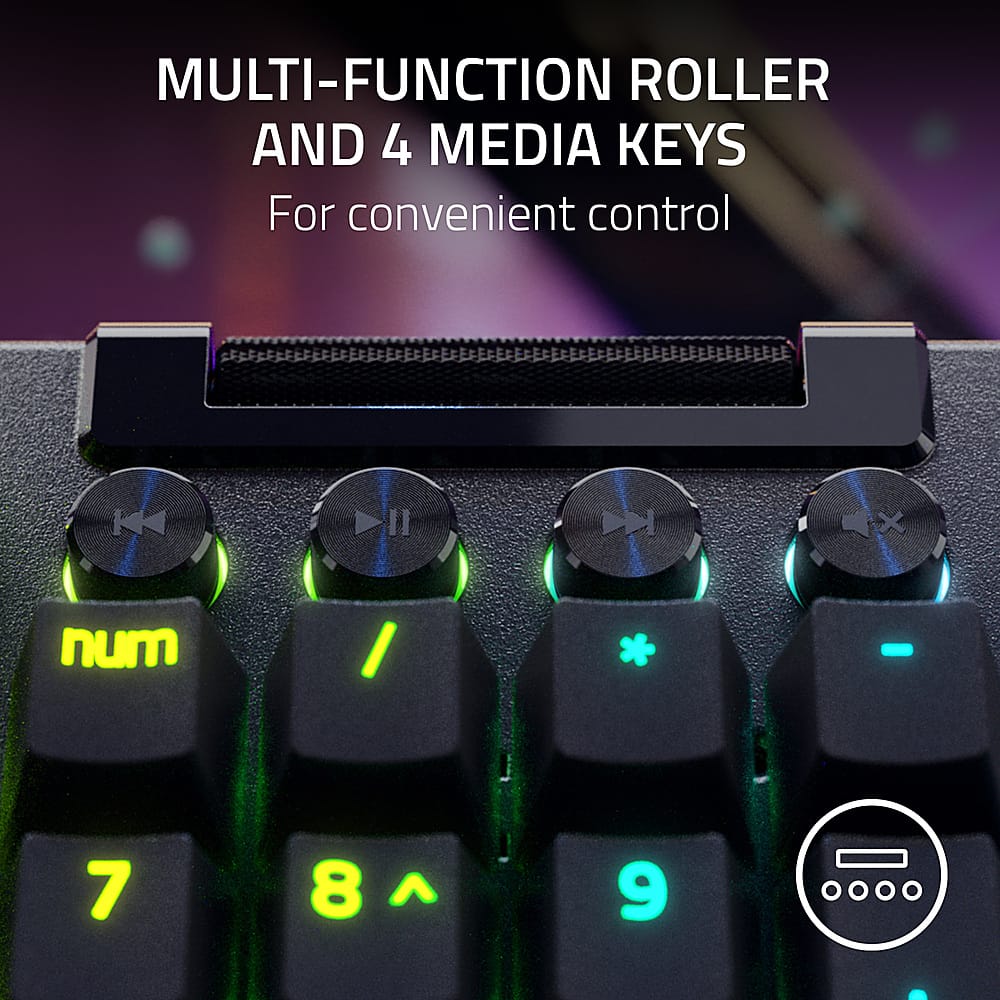
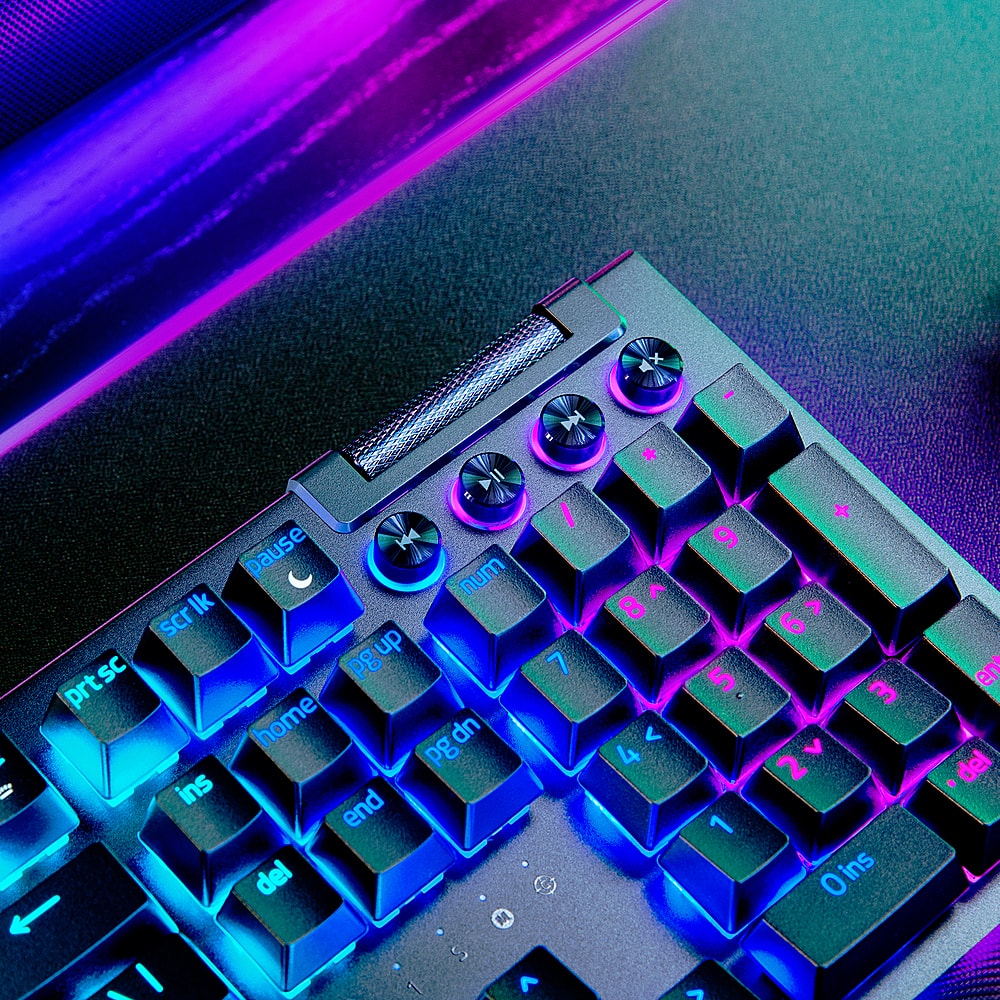
|Posted .This reviewer received promo considerations or sweepstakes entry for writing a review.Overall Amazing keyboard! This keyboard looks and feels great. It's built sturdy and offers a range of customization options with it's 8 macro keys. 5 on top, 3 on the left side. With an additional multi function dial above. Across the keyboard are some sturdy media keys with light up rings and a volume roller. Much better than wedging those keys as a secondary function on another key. One thing to note however, this could be isolated to me but is worth a mention. The media keys have a contrasting feel. More specifically, the key actuation between mute/play is significantly different from RWD/FWD. On one side I see that I typically use mute/play more frequently and hardly ever the other keys. So perhaps this to be by design to give your most frequent a way of identification by touch, similar to raised bumps on your f and j keys. On the other hand, I may have just had a few specs of dust wedge their way into those keys. The remaining keys are all ABS double shot with an aluminum top plate, 2 of my least favorite aspects of this keyboard. Along the base you've got your standard plastic bottom shell, 2 levels of pop out feet with multiple points of rubberized padding around the base. The padded wrist wrest is soft and helps while typing for extended periods of time. It's magnetized and attaches by siding under, while also housing another RGB row of light to match the sides of the board. The rear houses 2x USB-C 1x USB A for power, USB passthru, and output for passthru. Software Synapse, the Razer software for customizing your macro keys, RGB lights, and a whole lot more is immediately brought up when first connecting the keyboard. This is a welcome sight from Razer as it doesn't leave you scrambling to find a QR code in the manual or searching the web for its potential software after plugging in. It offers customization for any of your macro keys and just about every other key as well. Integrates with other apps to extend functionality as well as triggering certain tasks based on the app launched. Features By default, the macro keys aren't mapped, at least 1-5. Your side keys, or 6-8 are mapped to snipping tool (for screenshots), game bar, and tasi view. The multi task dial defaults to light brightness, windows zoom, switch apps, and track jogging. In a document, track jogging will move the cursor forward or back just like the corresponding arrow keys. The default carries 8 profiles which are predetermined and cannot be changed. However, you can add your own profile with its own dial function if the defaults didn't work for you. The absolute best here is the 2 plugable USB C ports for power and passthru. Considerations I mentioned a few nags in the above sections. These are ABS plastic keycaps meaning they'll get shiny and fade quickly. The side macros, although not destructive in the default setting, I tend to hit them anytime I move the keyboard. It's an overall odd place. The aluminum top plate, although I feel no real difference in material or paint from other keyboards, stains easily. Although I hardly ever touch there, the aluminum between the arrows and home, del, ins, etc. has already begun to show signs of oil. Lastly, upon first connecting the keyboard to PC and before installing Synapse. One of the macros triggered something disabling some letters and about every function key. After some time troubleshooting and being forced to use the keyboard without those functions a reboot fixed it. But several days later after Synapse was already installed, the same thing occurred. Steps to get there were slightly different from the first time as I was last editing RGB colors. I got up and left the desk for a short period of time. During that time, my laptop went to sleep with everything working just fine. Upon my return and after waking the PC, I realized the keyboard was now off. Keys functioned with a few functions that did not and it would only light up upon a keypress. I thought it had activated game mode but upon checking Synapse it showed it wasn't. Eventually, I did learn that Synapse activated the visualizer function, but as to why some keys shut off I don't really know. Conclusion Nevertheless, I really like this keyboard! The aesthetics are nice, wrist rest is well thought out and macros are versatile. I can alter the keycaps to something more my taste but really do the same for the top plate. Nor can I really explain what's gone on with Synapse to disable some keys. This is worth 4-stars.
I would recommend this to a friend- Pros mentioned:Keyboard quality
Rated 5 out of 5 stars
High quality keyboard
|Posted .This reviewer received promo considerations or sweepstakes entry for writing a review.The Razer Blackwidow v4 Pro is a nice and solid keyboard. It does not feel cheap. It comes with 2 USB-A to USB-C cables, and they are braided. One is for the power and connection to your computer. The other is a pass-through port. According to documents, they are USB2.0. There is a USB-A on the keyboard that uses the pass-through but keep in mind it is USB2.0. So, I would not use it to connect any storage devices. It may not use have any power to it and it will only be USB2.0 speeds. The top left of the keyboard has a command dial. You can press it and it cycles through different options like Windows zoom, application switcher, track jogging, and keyboard brightness. You can change the values by turning the dial. This is one of my favorite features. Another favorite is the buttons on the left side of the keyboard. There are three buttons. One of them is a screenshot button. I use this frequently because I take screenshots often. Before I would do the use the Windows + Shift + S shortcut. Now I have a button. Windows 10 recognized it and the installer for the Synapse app popped up. The software is easy to use. There is even a way to turn off RGB lighting (thank goodness). Most mechanical keyboards are “gaming” and come with RGB lighting. I like using mechanical keyboards but prefer to have the RGB off when not playing any games. I have tried other mechanical keyboards and this one finally comes with an RGB off option. Creating an account is optional. I used it as a guest. If you do not log in, you cannot save your profile and settings online. I find it annoying that most things force you to create an account. Why can’t they just export a profile file that can be imported if I wanted to use it on another computer? I just do not like having to create so many different accounts for a company to be data breached. But I am glad it is optional and does not force me to create an account. The key switches are Razer green. They have nice feedback and clicky. It feels good to type on. It is not as good as my red or blue switches but still nice. It is not as loud either. This is a genuinely nice, quality keyboard. So far, the software is good as well. I am glad Windows 10 recognized it and the software installer popped up automatically. I did not have to look online for it. The software has many customizations and options. It complements the keyboard well.
I would recommend this to a friend - Pros mentioned:Rgb lighting, Wrist rest
Rated 5 out of 5 stars
RGB all the way around! Premium look and feel!
|Posted .This reviewer received promo considerations or sweepstakes entry for writing a review.I've had quite a few Gaming keyboards over the years and I have to say hands down, this is my favorite by far! I am infatuated with RGB lighting! My desktop looks like a spaceship with my mouse, mouse pad and keyboard all being RGB as well as two light towers that go on each side of my monitor. This though is the first keyboard where the light even extends around the wrist resting area that magnetically attaches to the bottom of the keyboard! What made it even more appealing was the fact that it wasn't the hard plastic like most but instead it was a leathery feeling padded material which was way more comfortable! Next were the buttons !! 4 Media buttons and 8 Macros for programming ( Five of which are on the left side of the keyboard and three which are hidden lower. The dials are a brushed sleek looking aluminum along with a textured roller bar. It has a detachable USB type C and a Normal USB. It has a really sweet function dial that you can program and change it just by clicking to go to the next function. Depending on if you'd like the keyboard flat or at an angle it does have adjustable feet to meet whichever way you prefer. The top shell of the keyboard seems to be a metal or aluminum as well with bottom housing being plastic. It just adds to the looks and styling of this keyboard! It also has a full 10 key section and if you're like me that's a must! So with all that being said I'd highly recommend this to others!
I would recommend this to a friend Rated 4 out of 5 stars
Excellent personal keyboard
|Posted .This reviewer received promo considerations or sweepstakes entry for writing a review.The reason I call this a great personal keyboard is the requirement to have Razers software loaded to do advanced layouts of the lights and change the macros and the macro wheel. This is both a good thing and a bad thing. The bad, I have multiple machines I share a keyboard, mouse and monitor between. My work laptop will not allow me to install the Razer software because I do not have admin rights on the laptop. This limits me in what I can do, I like to use different lighting for WASD and GHJKL (my most used keys in VI editor). Since my programmed light layout does not stay with the keyboard when I use my KVM switch, I can not use a custom layout for work. Now for the good. Razer always brings something 'new' to the table. They have added a wheel in the top left that handles macros and predefined functions based on the ligh color it is displaying. Once again both good and bad. You need to remember what color does what. It works well, but also does not always act consistent. They keys are very sensitive and the key travel is very comfortable. The keyboard is quite loud. I like the feel of the keys, but it did take some getting use to. The keys seemed higher than my previous keyboard. Razer has one of, if not the most, comfortable wrist rests that come with a keyboard. The cables are plenty long enough. One is for the keyboard itself. The other is for the accessory, but is not required. If you are getting this for one computer, highly recommended. If you need this for work also, make sure that you have admin rights.
I would recommend this to a friend- Pros mentioned:Wrist rest
Rated 5 out of 5 stars
Even better than BlackWidow V3 Hyperspeed
|Posted .This reviewer received promo considerations or sweepstakes entry for writing a review.Razer continues the BlackWidow line with the amazing V4 Pro! While only wired, it is detachable for easy storage. In addition, there is the optional USB Passthrough. The keyboard is extremely clicky, even with noise cancelling headphones. The macro buttons on the side and left of the main keyboard are a very welcome addition with the best default actions I have seen for macro buttons on any other keyboard. The main control knob is in the perfect position. Setting up the keyboard for personal use was also extremely quick with Synapse quickly installing the module/data needed for the keyboard and is able to recognize left vs right control/shift for the macro assignments. In comparison to the BlackWidow V3 Hyperspeed, the multimedia controls above the numpad are improved with the button to mute audio split from the main roller to control the volume level. Despite not being wireless, the V4 Pro itself weighs about the same as the V3 Hyperspeed. The V3 does come with a separate arm/wrist rest, but the V4 does improve on it giving it the classic Razer RGB around the edges (while plugged into the V4). While I will not be using the arm/wrist rest myself, it is extremely light and of great material. Also good for non gaming use.
I would recommend this to a friend - Pros mentioned:Key feel, Rgb lighting, Wrist rest
Rated 5 out of 5 stars
Best keyboard ever!!
Posted .This reviewer received promo considerations or sweepstakes entry for writing a review.I got this keyboard a week ago and i love it so much, has bright lights and i love the key sound, (i got the clicky kind) great wrist wrest with lights built in, everything about this keyboard is worth it.
I would recommend this to a friend - Pros mentioned:Keyboard quality
Rated 5 out of 5 stars
Phenomenal Gaming Experience with the Razer BlackW
|Posted .This reviewer received promo considerations or sweepstakes entry for writing a review.I recently upgraded my gaming rig with the Razer BlackWidow V4 Pro Full Size Wired Mechanical Green Switch Gaming Keyboard. I simply must say this keyboard has completely revolutionized my gaming experience. It is truly a game-changer. Delivers top notch performance, stand-alone quality, and an unbeatable experience. For starters the standout feature of this keyboard has to be its Razer Green Switches. These mechanical switches offer the tactile and clicky feel that I absolutely love and I believe is perfect for gaming. They have precisely the right actuation force threshold for activation and that gives a perfectly satisfying, audible feedback, click sound with every keystroke. Whether it’s executing surgically precise movements in fast-paced first person shooters or executing complex combos in a role playing game, the BlackWidow V4 Pro delivers quick and responsive keystrokes with zero lag or ghosting. It has greatly enhanced my reaction times and improved my overall gaming performance. The construction materials and quality of the BlackWidow V4 Pro are outstanding. This keyboard is based on a durable aluminum frame which is not only sleek but also feels exceptionally sturdy. The keys are slightly textured to provide a comfortable grip that prevents slippage during intense gaming sessions. Another wonderful, feature-filled aspect of the BlackWidow V4 Pro is its customizable Chroma RGB lighting. With the Razer Chroma, you have access to an extensive range of lighting effects and color options, allowing you to create fully customized and unique lighting profiles that match your gaming setup or personal style. The lighting can also be synchronized with other Razer peripherals, creating a visually immersive gaming experience. The dedicated media keys and programmable macro keys are conveniently placed on the keyboard for easy access, enhancing both productivity and gaming efficiency. The BlackWidow V4 Pro also offers a host of additional unique features that you won't find on many other gaming keyboard competitors. The detachable magnetic wrist rest provides excellent comfort during long gaming sessions, reducing strain on the wrists. The keyboard also includes a USB and audio pass-through, allowing for easy connectivity to other devices and peripherals. Razer's Synapse software is intuitive and user-friendly, providing extensive customization options for macros, lighting, and profiles. The onboard memory allows you to save your settings and take them with you wherever you go. In conclusion, I have really enjoyed using and getting to know the the Razer BlackWidow V4 Pro Full Size Wired Mechanical Green Switch Gaming Keyboard. I would definitely reserve this beast for serious gamers - a bit overkill for entry level applications. That being said, its exceptional performance, sturdy build quality, customizable lighting, and additional features make it a worthwhile investment for those who will utilize its potential. Razer has once again delivered on their commitment to provide gamers with top notch peripherals for competitive gaming. I highly recommend the BlackWidow V4 Pro.
I would recommend this to a friend - Pros mentioned:Rgb lighting
Rated 5 out of 5 stars
Surprisingly functional
|Posted .This reviewer received promo considerations or sweepstakes entry for writing a review.Razer has done a great job with delivering a full sized keyboard that’s both comfortable and performs flawlessly with my PC and Xbox. Some of my favorite features include the command dial that razer has implemented into this keyboard. The command dial is customizable and can be used in many ways. The possibilities are literally endless with just the single dial. My next favorite feature is the ability to individually light up each key. The software that Razer includes let you create a custom profile for tons of different applications. you can even send them up to automatically switch based on the app that you’re using or I setting a macro to switch to them on the fly. I am not usually a fan of palm rests, but this one is actually quite enough and surprisingly comfortable. It’s also kind of cute how it has RGB lighting as well. I’m not usually a fan of a full-size keyboard, but razor has done a good job at adding useful keys and buttons to justify the larger size. Overall razer is doing a good job with keyboards. Hopefully one day I can say the same about the rest of their product lineup.
I would recommend this to a friend