Customer Ratings & Reviews
![USC F1 F2 F3 F4 F5 F6 F7 F8 F9 F10 F11 F12 prt SC scr lk pause HH PE PM M5 1 ! 2 @ 3 # 4 $ 5 % 6 ^ 7 & 8 * 9 ( 0 ) - + ins home pg up num / MG tab Q W E R T Y U I O P [ { ] } \ del end pg dn 7 8 9 + EM caps A S D F G H J K L : - enter C 1 2 3 4 5 6 > M2 shift Z X C V B N M - / ? shift 1 2 3 M1 ctri alt alt fn ctrl 0 ins del enter](https://pisces.bbystatic.com/image2/BestBuy_US/images/products/db34a04d-e8cb-4a6c-b0e8-8cb5450ca606.jpg)


- Model:
- RZ03-04680200-R3U1
- SKU:
- 6531755
Rating by feature
- Value
Rating 4.3 out of 5 stars
- Quality
Rating 4.6 out of 5 stars
- Ease of Use
Rating 4.6 out of 5 stars
Customers are saying
Customers consistently note the BlackWidow V4 Pro keyboard's high quality and satisfying mechanical sound, along with its vibrant RGB lighting and comfortable wrist rest. Users appreciate the responsive key feel, convenient volume control, and optional USB passthrough. However, some find the keyboard to be expensive, and a few have expressed concerns about the non-hot-swappable switches and the user-friendliness of the software.
This summary was generated by AI based on customer reviews.
awesome keyboard
||Posted . Owned for 2 months when reviewed.This reviewer received promo considerations or sweepstakes entry for writing a review.Absolutely fantastic keyboard, I dont like that its got only one USB passthrough, but other than that this keyboard has it all, the buttons on the left side are great until i accidentally bump them, but other than those times they are actually very useful and i find my self using them quite often, i LOVE the way the media center controls are setup.
I would recommend this to a friendAwesome!
||Posted . Owned for 1 week when reviewed.This reviewer received promo considerations or sweepstakes entry for writing a review.Really nice tactile keys, easy to set up and very comfortable
I would recommend this to a friendRazor keyboard
||Posted . Owned for 2 weeks when reviewed.This reviewer received promo considerations or sweepstakes entry for writing a review.Light sometimes don't turn on but this seems to be a common trend
I would recommend this to a friend- Pros mentioned:Rgb lighting
Best keyboard
||Posted . Owned for 3 weeks when reviewed.This reviewer received promo considerations or sweepstakes entry for writing a review.Best keyboard,good rgb.Have many additional buttons
I would recommend this to a friend Would buy again
||Posted . Owned for 1 month when reviewed.This reviewer received promo considerations or sweepstakes entry for writing a review.Awsome keyboard very responsive, customization is great have had some issues with the software but otherwise would definitely recommend
I would recommend this to a friendGreat Purchase
||Posted . Owned for 2 weeks when reviewed.This reviewer received promo considerations or sweepstakes entry for writing a review.I bought this for my boyfriend because he was in need of a new keyboard. His last one had keys that kept sticking or wouldn’t work at all. Easy to say that he really likes this one over his older model!
I would recommend this to a friendLove this
||Posted . Owned for 1 week when reviewed.This reviewer received promo considerations or sweepstakes entry for writing a review.I love this keyboard it’s pretty fast, I love the typing sound and I also love the macro and rgb lights that you can customize.
I would recommend this to a friend- Pros mentioned:Key feel, Keyboard quality, Rgb lighting

Such a great gaming keyboard.
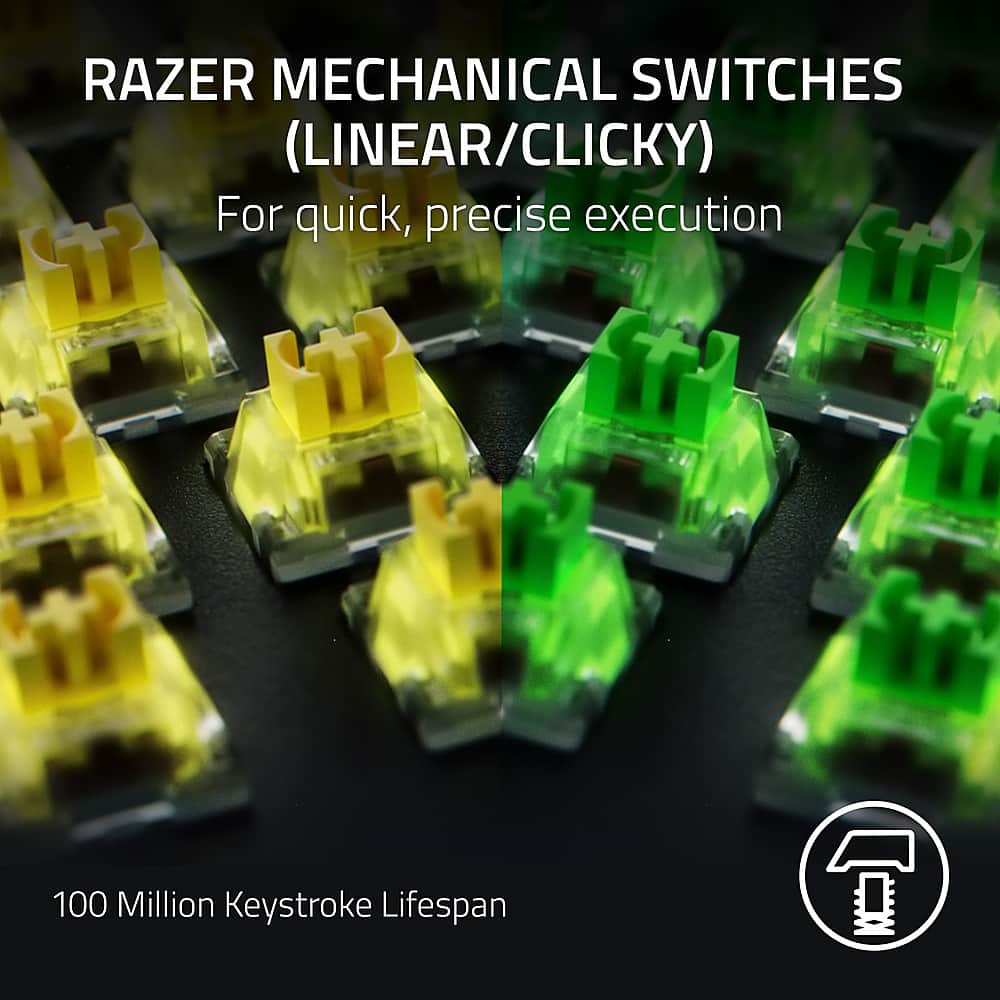
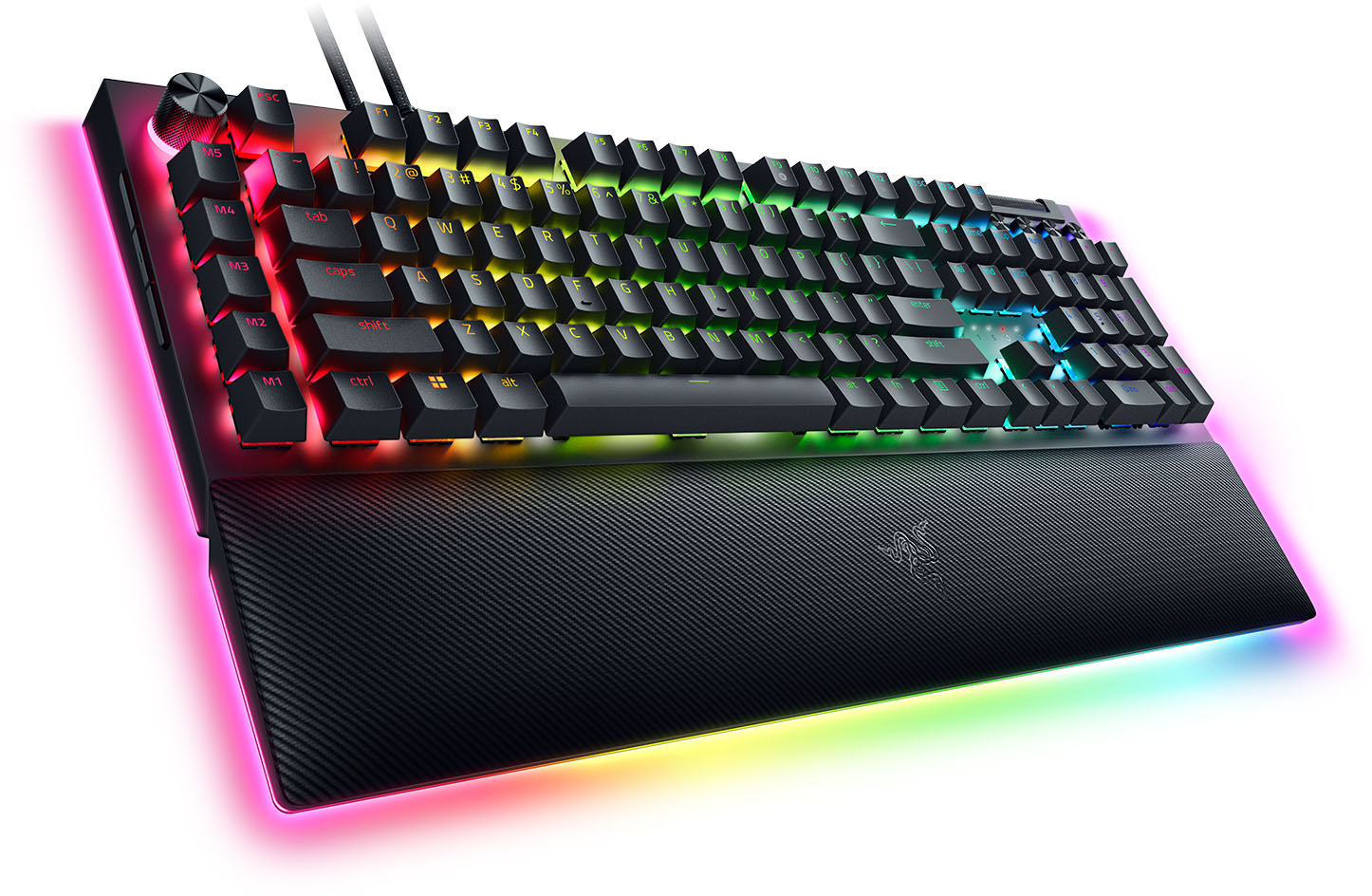
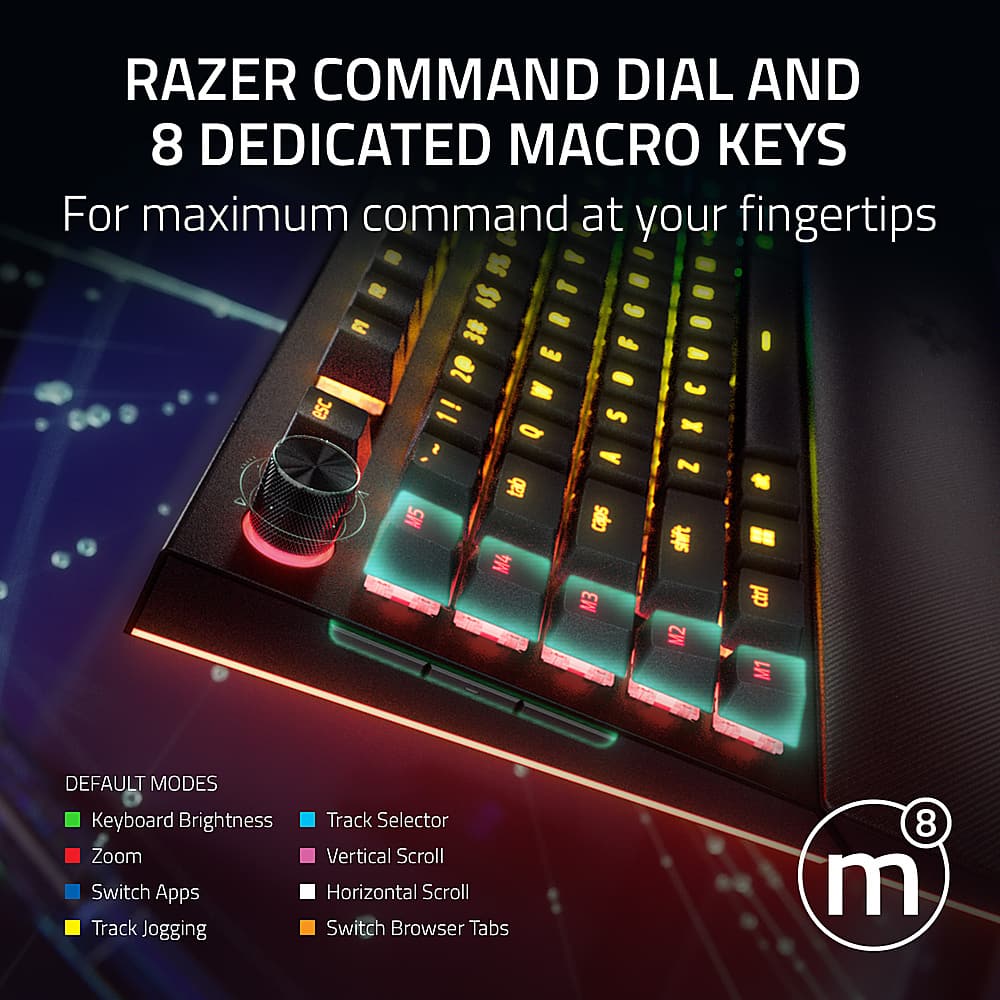
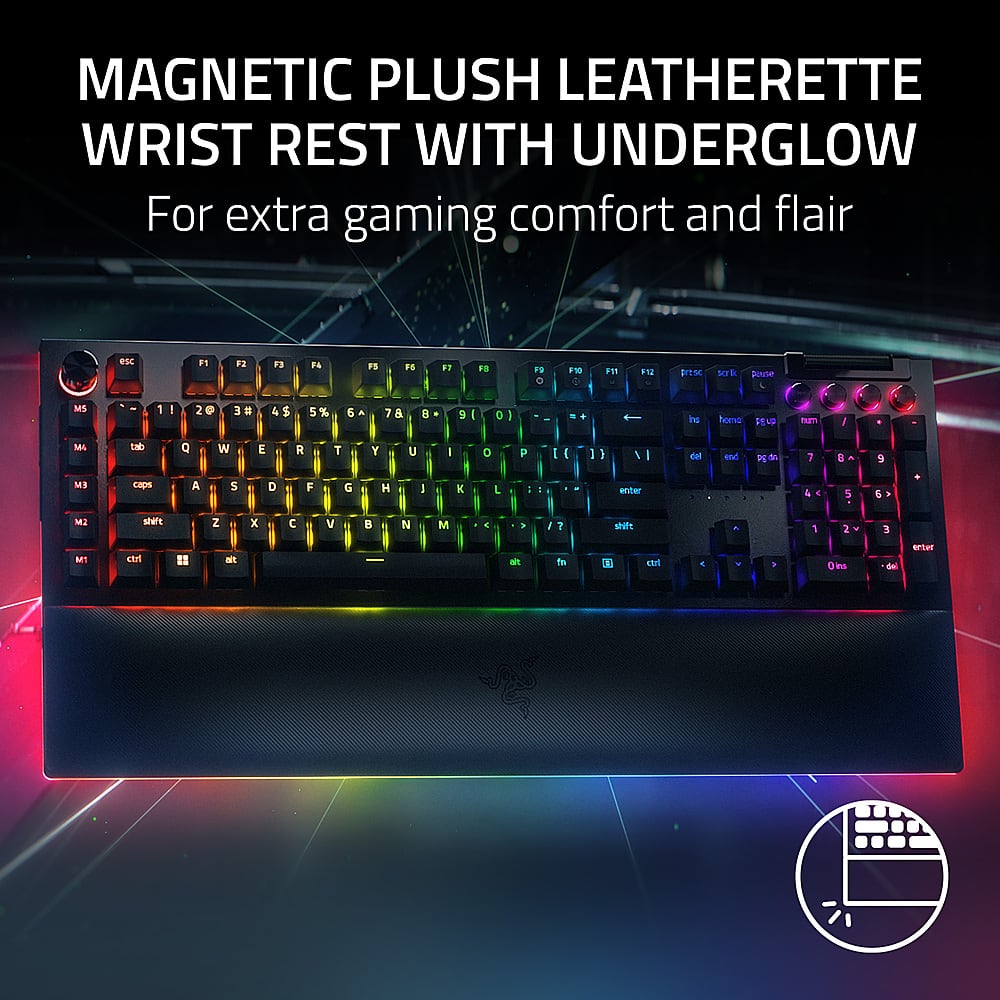
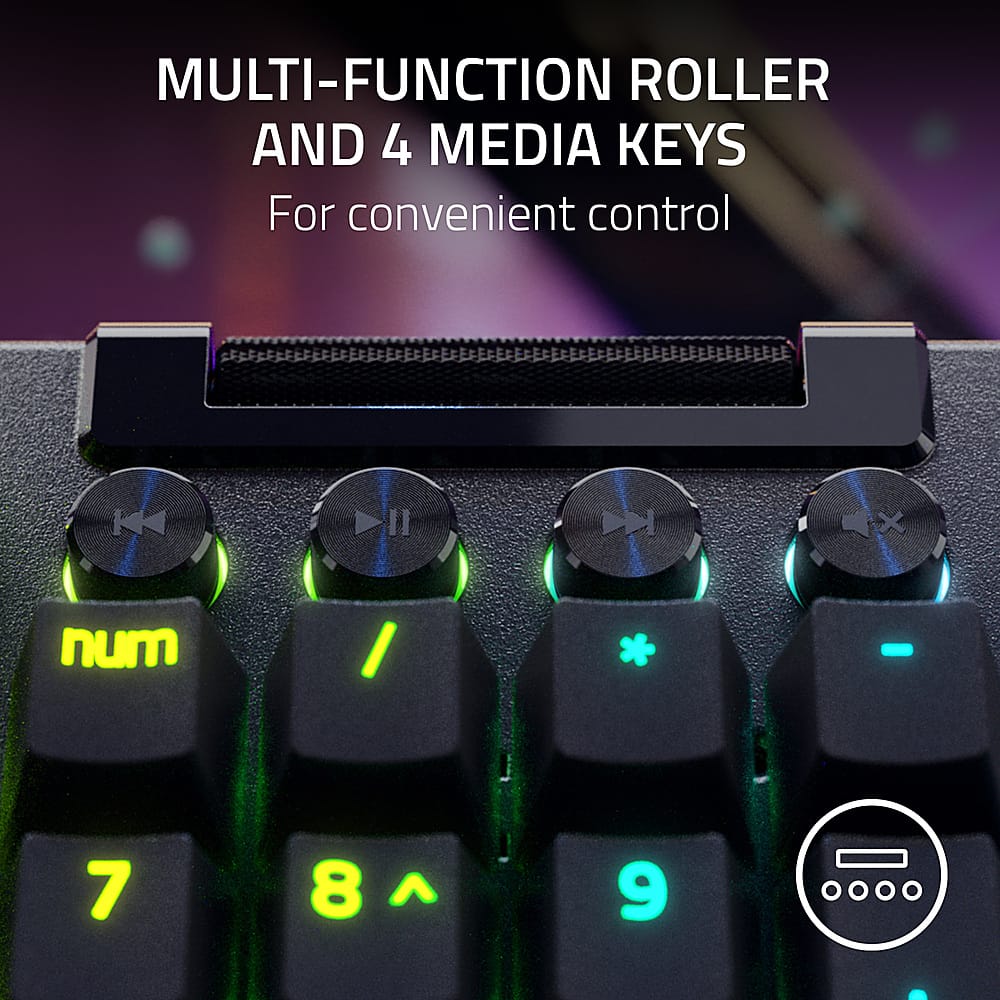
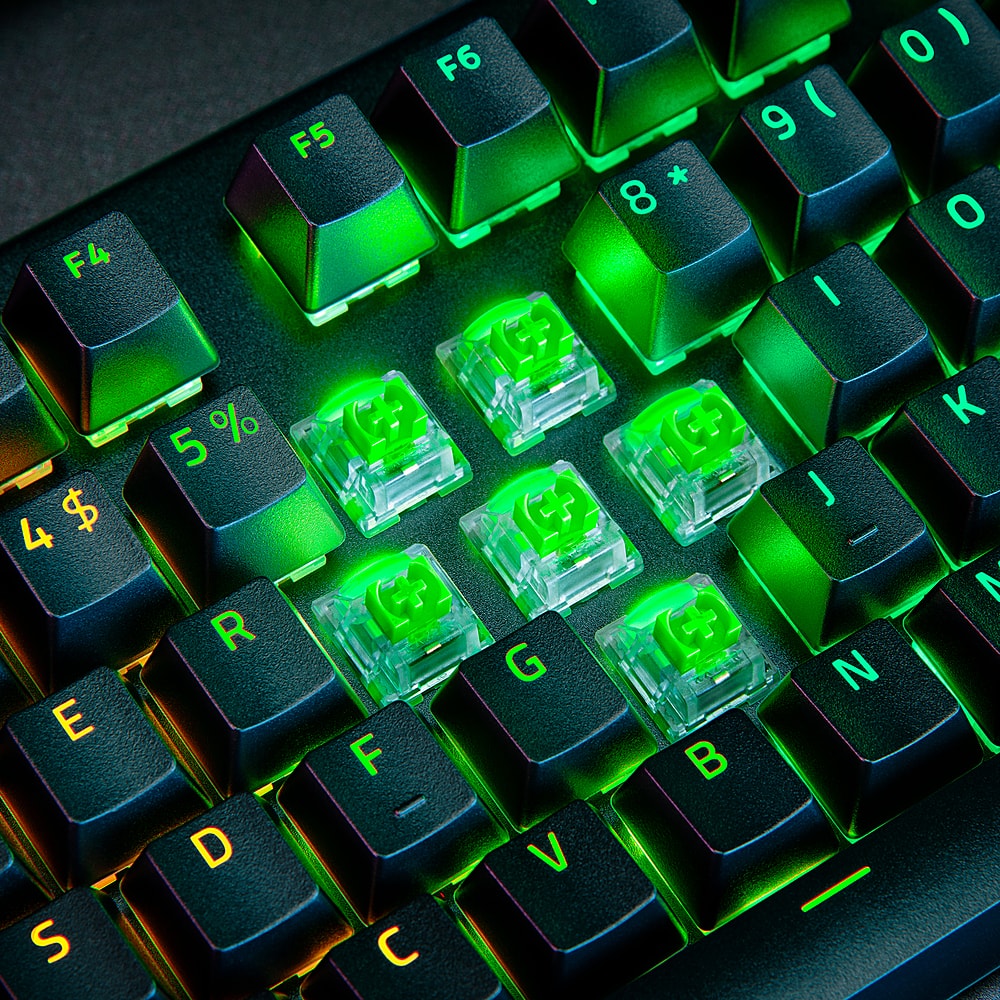
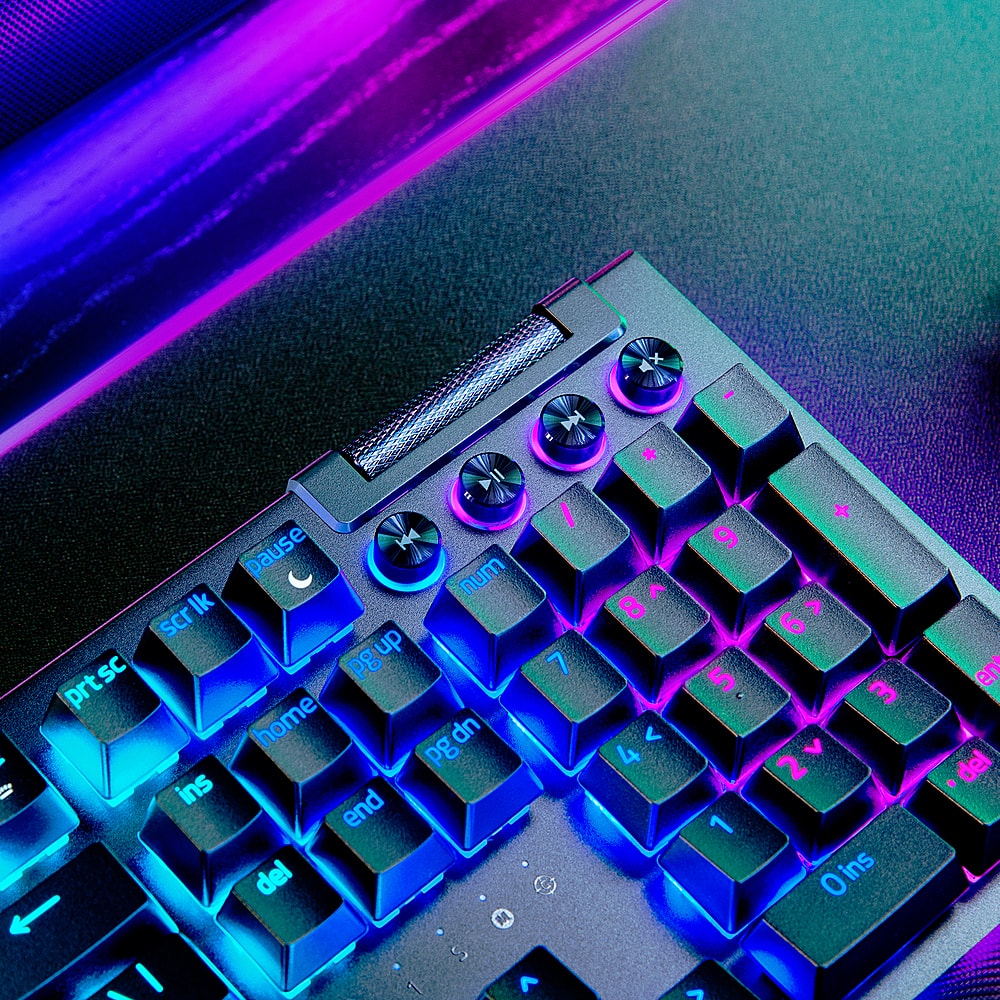
|Posted .This reviewer received promo considerations or sweepstakes entry for writing a review.Razer BlackWidow V4 Pro is an extremely impressive keyboard that I happen to enjoy as a gamer and have been using for a while now. I really like tons of features that helped me out using it on the fly. There are 4 buttons on the left side of the Blackwidow that give you a Screenshot, Snipped, Xbox Guide, and Desktop switching button that is so intuitive to use on Windows and makes so much sense not really taking your hand off the keyboard. The construction on the keyboard is super amazing. It feels solid, and not a key is wiggly at all. Each key you pressed feels really tactile giving really good feedback with each press. . My keyboard doesn’t flex and it definitely feels like you’re getting your moneys worth here. I really enjoy the key strokes here even using it to type this review it’s pretty great. Razer’s green mechanical switches feels really nice to type on and I do have to praise what they have done here. Again, everything here is beautifully design. In my opinion you have a volume rocker at the top that allows you to adjust the volume within windows. The keyboard also have a dedicated macro keys. The black widow V4 comes with a USB-C pass through as well as the cables to get, you started as quickly as possible. What’s even more impressive here to me is the RGB and what they’ve done to get the lighting to look as gorgeous as possible. I truly enjoy the under glow of the keyboard and the magnetic wrist rest. This feels extremely nice on the risk one typing it does connect magnetically to the keyboard. I personally never seen anything like this. I truly enjoy the under glow any lighting zones you can set up with this keyboard is amazing. You need to sign up for Razer’s Synapse to get the best feature’s possible from keyboard itself. I just enjoy the keyboard to be honest. There are media buttons as well. It’s super nice to have something that feels this good, and you have a command dial on the keyboard which gives you 8 different commands as you turn it in windows: Keyboard Brightness Zoom Switching apps Track Jogging Track Selector Vertical scroll Horizontal scroll Switch browser tab. The one I use the most, switch browsing tabs on the Internet very rapidly. This keyboard is one of the best I’ve used and comes with a two-year warranty from the company, so I have no issues trusting it especially due to its construction. It’s extremely clicky and tactile. I will use this keyboard for my current set up going for it. The under glow of RGB really gives it a nice tone and feel. I will be using the Blackwidow V4 from Razer from here on out.
I would recommend this to a friend Super nice keyboard!
||Posted . Owned for 1 week when reviewed.This reviewer received promo considerations or sweepstakes entry for writing a review.This keyboard has to be ine of the best i have had ever! Love the keys and brightness control and modes you can put it in! Its amazing! Very nice response!!
I would recommend this to a friend- Pros mentioned:Key feel, Keyboard quality, Rgb lighting
Solid build, gamer's dream
|Posted .This reviewer received promo considerations or sweepstakes entry for writing a review.What gamer doesn’t want a programable, RGB backlit keyboard? I know… it’s not a question that should ever need to be asked. I’ve tried a variety of gamer keyboards, but this is by far the best, solid built and comfortable wrist rest (that also attaches to the keyboard with edge lighting) I’ve used. Designated media controls for play, pause, next/previous track, and mute audio along with a volume control wheel. If you’ve never had a chance to use a volume wheel, you don’t know what you are missing. The wheel provides a quick and easy way of adjusting the volume at a moment’s notice! RGB lighting is programable through the Razor Synapse program. Plug in the keyboard to your PC and it will prompt you to install the software once the keyboard is detected. So easy! There are other programs that are able to be downloaded in addition to Synapse. Every key can be individually customized with various lighting features that provide a wide variety of possibilities. Edge lights are also customizable by sections. Beautiful color options that are true to the selection. Lights are easily dimmable with the multi-function control dial. One setting controls the lighting dim, click the dial in to change the function and it zooms/scrolls/track scrubs/switch programs/switch browser tabs. There are 8 programable keys to suit your needs. I love the Macro key placement on the left near the WASD section for quick access, however, I am not a fan of the 3 side buttons. I’m always bumping into them as I adjust the keyboard placement. I could see where they can be useful to some users. Keys are responsive and… warning…they are very clicky. A little louder than I would prefer but that’s not going to stop me from using this.
I would recommend this to a friend - Pros mentioned:Keyboard quality, Rgb lighting, Wrist restCons mentioned:Size
Simply Fantastic and One of My Favs of All Time
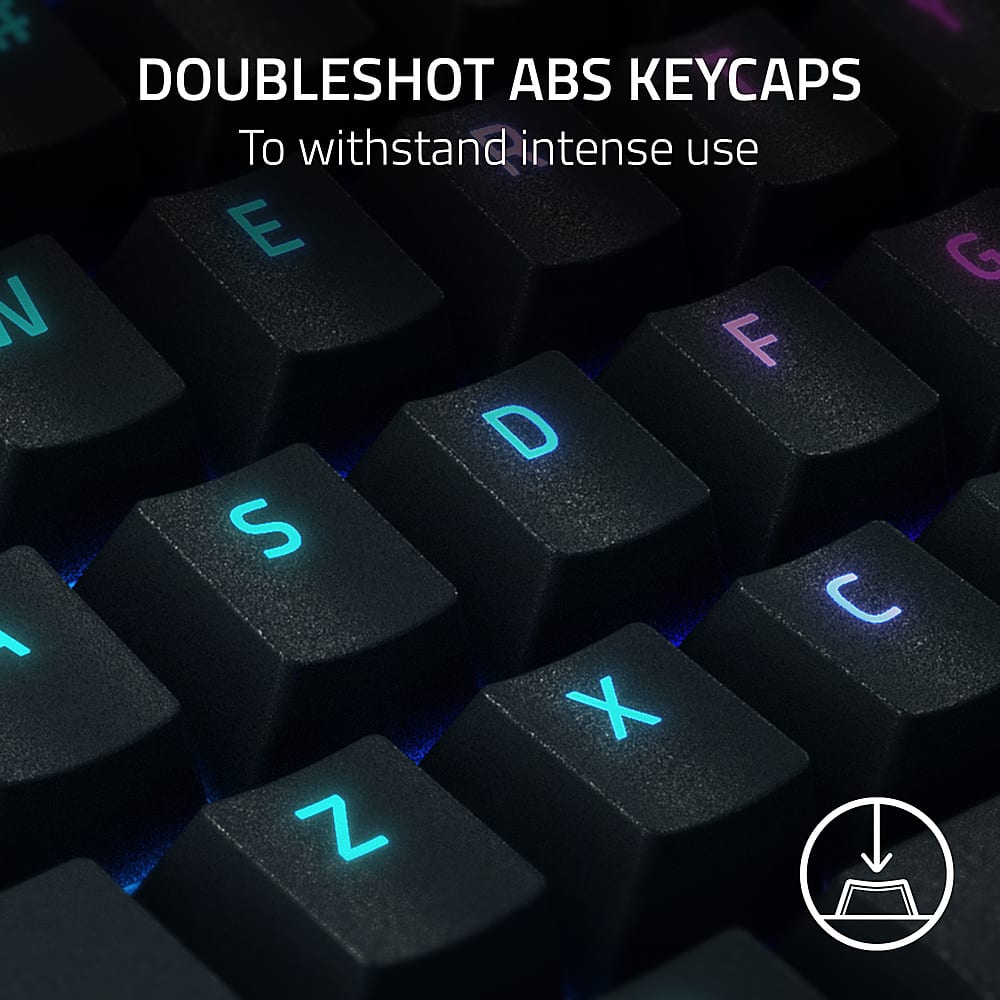
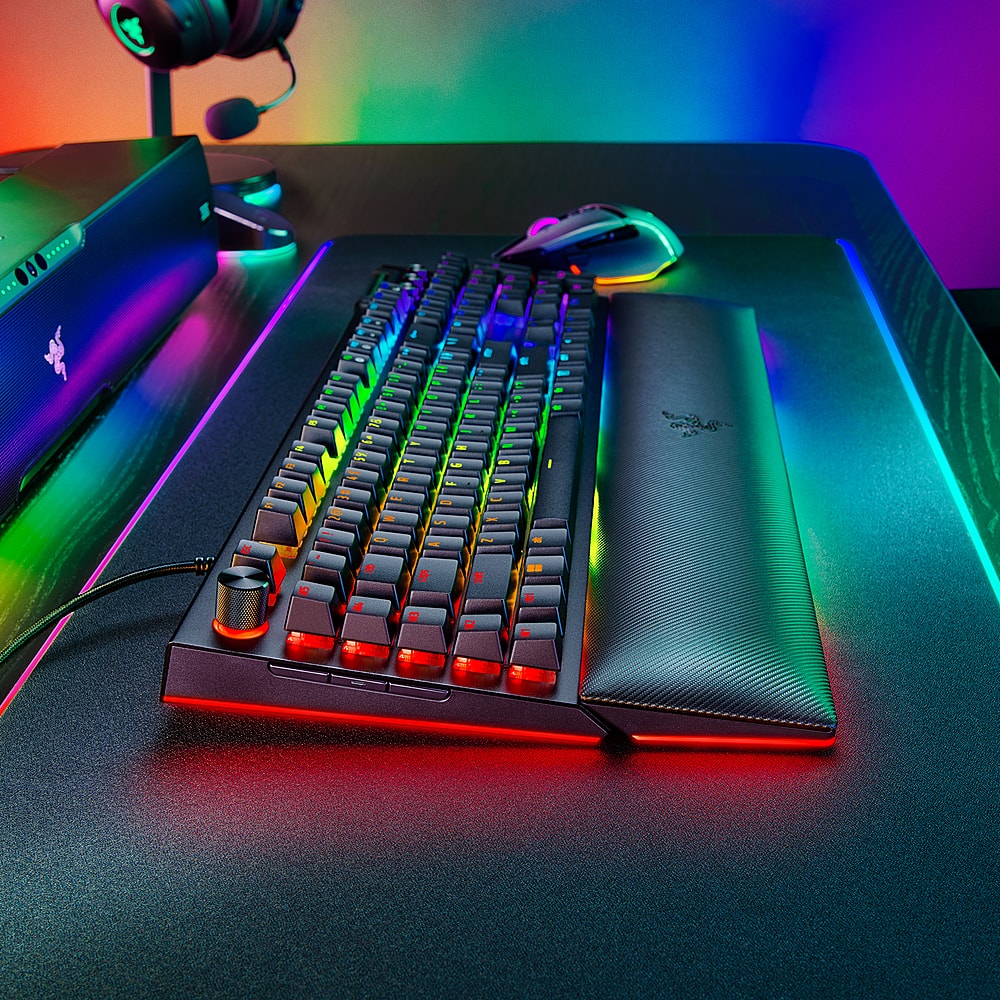
|Posted .This reviewer received promo considerations or sweepstakes entry for writing a review.This keyboard is so expensive because it is packed to the gills with features and performance. If you aren’t into all of those features or won’t use them, it may be worth looking at a more affordable option. I think they really knocked it out of the park and holistically I think is going to be extremely hard to beat. As it has nearly everything you’d want and you’ll be hard pressed to find another board that does it better. Switches, loudness (greens specifically), and size are the only real negatives. But the yellow switches would be a lot less loud. PROS: - The addition of foam on the inside of this board makes a huge difference in sound. The green switches aren’t as loud as they normally are due to being muted inside the board itself and sound a lot better. But are still quite loud. Most importantly, I haven’t noticed any pinging, more of a thock, which has been an issue with previous Razer boards. Excellent addition. - Build quality is fantastic. Everything looks and feels high quality (which is the first time I’m saying that about a Razer keyboard). - Green switches will be personal preference. I personally like the sound (but loud). Performance wise, travel distance is competitive. The bump helps a lot with accurate typing and knowing when the switch has been activated for gaming. Minimal amount of wobble with solid stabilizers. Up there with some of the best I’ve tried from a stability viewpoint. - Has 8,000 Hz polling rate AND 8,000 key scanning. I’m unaware of any other keyboard with similar specs. The competition has 8,000 polling and 4,000 key scanning. I do notice a difference in responsiveness. To the point it is equal to the Wooting 60HE. Which has 0.1 mm actuation and total travel of 0.2 mm but 1,000 Hz. Compared to 4 mm (total) or if perfect for actuation/reset 0.8 mm (total travel) which is why they equal out. As the polling/keyscanning makes up for the increase in distance for switch actuation and reset. Both of these boards are way ahead of the competition in speed. Which I can feel in games making it feel ultra responsive. But mileage will vary here based on skill and game. In a racing game I was able to shave off about 2 – 5 seconds. So not a huge difference, but an appreciated addition. Comes stock at 1,000 Hz. Once changed do NOT need to have Synapse open. - 8 total macro keys can be beneficial. If you use hypershift it doubles. - RGB lighting is spectacular. Bright, colorful, accurate. They’ve made a change to the switches where they are transparent making more light come through. The lettering is professional, clear, and equally lit. Side lighting is awesome. Honestly, the best I’ve ever seen. Doesn’t need Synapse as FN+CTRL + 1 – 9 will change RGB. - Wrist rest and the under glow is premium. Best I’ve tried (which I am saying a lot but it is well deserved). It is a fake leather type material that is very soft. Looks like it has a breathable weave to it. Has just the right padding where it gives enough to be comfortable but doesn’t bottom out. Only concern is buildup of sweat. Magnetically attaches with large rubber pads on the bottom to prevent slippage. - I prefer the doubleshot ABS keycaps over PBT keycaps. They feel more premium to me over any other keycaps I’ve felt. I am not a fan of their sold separately doubleshot PBT keycaps. These feel much better and let the light through better. Standard bottom row in case you want to swap out. But keys feel a bit narrow. - Has large rubber pads on the bottom of the keyboard and wrist rest meaning it isn’t going to be sliding around. But do wish it had cable management under the board. - Volume wheel on the right side is accurate and feels premium. Unexpectedly, it isn’t a smooth scroll but instead has bumps like a scroll wheel. Which I find to be more accurate. - Dedicated media keys are always appreciated. Very minimal if any wobble. Have a nice solid click to them. But are a bit loud. Also, only the rim is in RGB. Making it hard to know which is which in the dark (which is the best way to view the keyboards RGB). But easy once you learn it goes back, pause/play, forward, stop. - Multipurpose knob on the left is well done. High quality knob that has dedicated steps and feels satisfying to use. Also, small and out of the way so isn’t gaudy. Adds nice functionality to the keyboard. But a more gimmicky feature to me. I mostly used it for zoom on my 4k screen and to adjust brightness of RGB. - Razer Synapse 3 offers a ton of customizability and is user friendly. I haven’t had issues with it for over a year. But is resource intensive (RAM and background tasks). Wish it was more lightweight. - Can use third party cables without issues. As the cutout of the USB-C plugin is large. MEH: - USB Passthrough. It comes with two thin USB-A to USB-C cables. Only one of those is required to run 8,000 Hz and RGB lighting. However, a second one can be added so you have a USB-A 2.0 slot on the keyboard itself. Slower speeds for the USB passthrough is unfortunate. But I’ll take the removable USB-C cable (over a forever attached bulky cable that would provide enough power) over that functionality. Which is also likely why optical switches aren’t an option. As they require more power. CONS: - Due to the location of the left side buttons, I often press them accidentally when moving the keyboard. As they don’t require a lot of pressure to actuate. But found them useful, as they come stock (top to bottom) as Open Screenshot Menu, open Xbox Game Bar, and Open Task View. Can be remapped in Synapse. - Razer Green’s are very loud and will annoy others in the room with you. Are not as high quality as some other switches feel wise (as a bit scratch). But are vary stable. - Spacebar is twice as loud as the other keys. But more of a thock which helps. Slower/controlled presses make it quieter. But when you don’t do that it is excessively loud. - Razer Synapse 3 continues to take a lot of resources and doesn’t fully shut down when exited (bloatware). - Wish it had more switch options over green (clicky) or yellow (linear?). Specifically, their optical switches. - On The Fly Macro recording ONLY works with Razer Synapse open and the Macro module installed. However, once you save a macro to a key it will work WITHOUT the software running. - This is a full-size keyboard with macro keys so it takes up a TON of space. However, they did their best to keep the boarders minimal making it take up as little of space as possible which I greatly appreciate. - Keycaps feel a bit thin.
I would recommend this to a friend annihilate your online opponents
||Posted . Owned for 1 week when reviewed.This reviewer received promo considerations or sweepstakes entry for writing a review.When you see it you say “Wow”, and then when you annihilate your online opponents with it you say “cool” LOL
I would recommend this to a friendStay away! Awful Keyboard.
||Posted .This reviewer received promo considerations or sweepstakes entry for writing a review.I'm writing this review from this keyboard and notaltering mykeystrokes at all. As you can seefrom theway this review is written... thiskeyboardis terrible. The spacebar eitherdoesn't work at all or it double-spaces. No amount of updatingfirmware or software or restartingor adjust windowskeyboard settings has helped. Razer support is a joke. I couldtake it into geek squad, but to be honest, I just want to return it or refund it.I'velived with it for a while, and it's starting to really drive me nuts. I would not recommend this keyboard to my worstenemy. Ifno stars was an option, that's what I'd chose. STAY AWAY FROM THIS PIECE OF JUNK KEYBOARD.
No, I would not recommend this to a friendBest Gaming Keyboard
||Posted . Owned for 1 week when reviewed.This reviewer received promo considerations or sweepstakes entry for writing a review.Best gaming keyboard, feels great! Lights are very vibrant and the effects are endless! Love it!
I would recommend this to a friend- Pros mentioned:Keyboard quality, Rgb lighting, Wrist restCons mentioned:Switches
Gaming keyboard with every bell and whistle
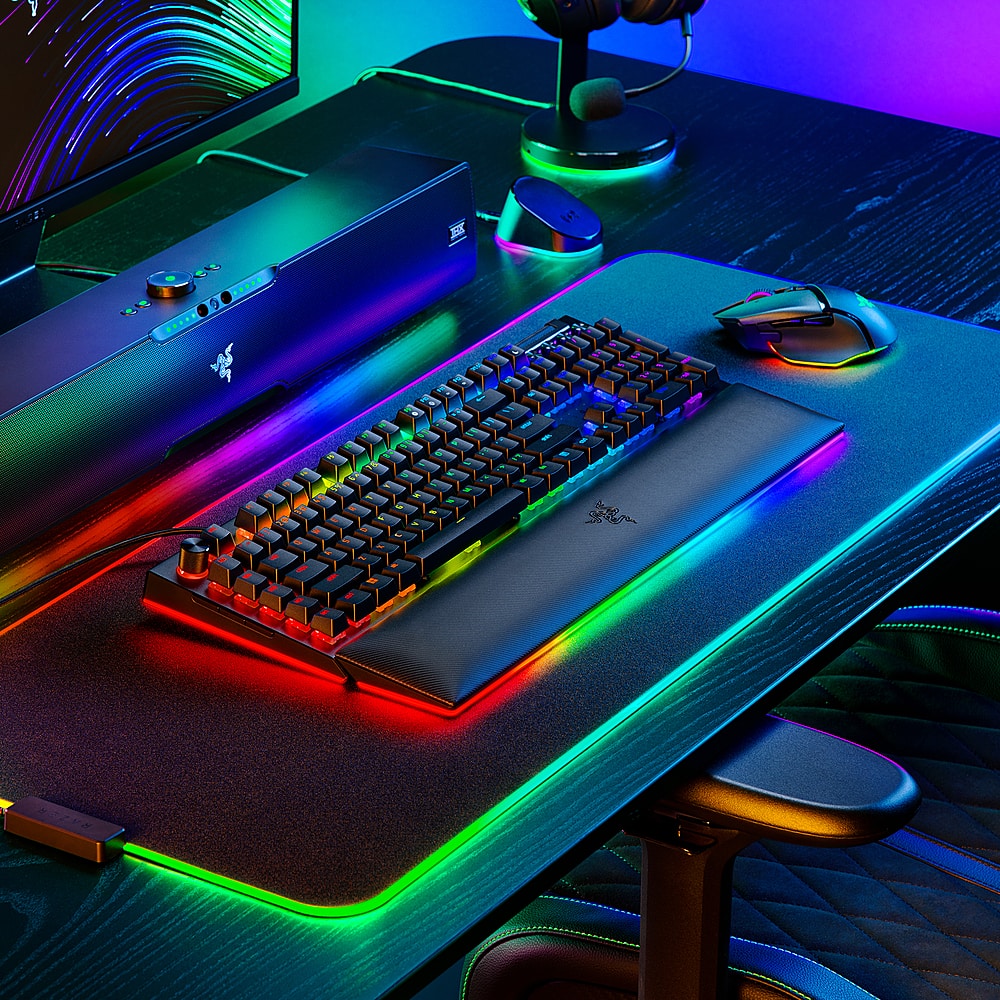
|Posted .This reviewer received promo considerations or sweepstakes entry for writing a review.The Razer BlackWidow V4 Pro is a huge achievement for a gaming keyboard. Razer has taken the best features of keyboards from several manufacturers and targeted user segments and combined the in one device. Add in the highly customizable RGB lighting and this really seals the deal as a top tier product. Feature wise, the first thing that will jump out to many people are the two wired USB-C connections coming off the back of the keyboard. Razer has made an interesting choice here to add a passthrough USB port while keeping to the lowest possible latency for both keyboard and passthrough port - there is not a USB hub involved in this connection. The connection for the keyboard itself can be configured up to an 8000hz sync rate, and the passthrough port is straight through as well for the lowest possible latency when used with a Razer hyperspeed 2.4ghz dongle. As a result, I was able to clean up my desk a little by having plugging my Viper 2 Pro's dongle into the keyboard rather than having to have a USB dongle hanging somewhere else out of sight but within range of my mouse. Another unique feature of the BlackWidow V4 Pro are the MANY extra keys which can be configured for pretty much any function you can think of. To the left of the main keyboard section are the M1-M5 macro keys and the customizable dial at the top left of the keyboard. On top of being customizable, many of the functions you can program to these keys can be stored in onboard memory so you can use them even if the computer is not running Synapse. That's incredibly useful to me as I use my keyboard both with my corporate owned laptop for work as well as my personal gaming desktop - and obviously I can't install Synapse on the corporate PC. There are 3 additional buttons on the far left edge of the keyboard which are incredibly useful as well. By default they are mapped (top to bottom) to the windows Screen snip hotkey (normally Win+Shift+S), then the Xbox Game bar (Win+G), and finally the windows Task View interface. I honestly don't know what I'd use the task view interface for with my personal gaming machine but this is something I use all the time when working so these features are a godsend. The only complaint I have with them is these 3 buttons on the left edge are very sensitive and that's normally where I set my phone when sitting at my desk, so I kept tapping them inadvertently at first. Definitely not a deal breaker but something to keep in mind. The RGB lighting on the BlackWidow V4 Pro is impressive and extremely responsive. The extra lightstrip that's built into the edges of the detachable wristrest is a pretty cool addition if a little meme-worthy :). I used Synapse to create a custom lighting pattern that layers a few things on top of each other when using with my personal PC. I also wanted to draw attention to the Razer Axon software that's available for Windows PCs. I admit to not really being much of an RGB guy in general, but I have been playing around with the Chroma enabled desktop backgrounds for the last week and there are some cool choices. If you have an all-Razer desk this might be even more enjoyable (my only Chroma accessories are the BlackWidow and the Goliathus extended mousepad). A side note about the wristrest - this thing is PLUSH. I love it. Finally, can't do a keyboard review without talking about the typing experience itself. This is a premium mainstream keyboard at a premium mainstream price. Razer's made the choice to cram in a ton of extra features beyond a standard 104 key unit. Some other brands have keyboards approaching this price with fewer features which will include PBT keycaps. Razer has kind of hedged a bit with the keycaps. They are still ABS, but they are doubleshot ABS with an interesting textured finish on the top of the keycap similar to what you'd get on a PBT set. For one, the keycaps do feel more premium than the basic ABS ones on inexpensive keyboards. Two, the doubleshot nature should mean they hold up better than less expensive boards where the enamel can chip. Finally, the texture is supposedly going to hold up better than standard ABS keycaps that begin to show oil and wear pretty quickly. After a week of use, I am not seeing that shiny finish you get after using a standard ABS keyboard, so I'm impressed there. I will probably still buy the Razer PBT keycap set you can buy as an add on, but I'm not rushing to do it. The Razer Green switches feel pretty much like any other basic clicky switch. Actuation is smooth and the click is nice and audible which I prefer. I've read some complaints about consistency of the tactile bump + clicky sound on this keyboard and I did not find it to have these issues. Pretty much every key sounds and feels the same on my board. I have zero complaints about responsiveness of the keys when gaming or typing for work. Two thumbs and 8 additional fingers up for the BlackWidow V4 Pro. It's basically the perfect keyboard for my use case.
I would recommend this to a friend Great keyboard
||Posted . Owned for 3 weeks when reviewed.This reviewer received promo considerations or sweepstakes entry for writing a review.Other than the fact that Razer synapses 3 sucks super bad, this is a huge upgrade from v3
I would recommend this to a friendLove it
||Posted . Owned for 1 month when reviewed.This reviewer received promo considerations or sweepstakes entry for writing a review.Nothing like having a new keyboard that works. And the lights help in the dark
I would recommend this to a friend- Pros mentioned:Keyboard quality
Not worth the price
||Posted . Owned for 2 months when reviewed.This reviewer received promo considerations or sweepstakes entry for writing a review.I originally purchased this to upgrade from a blackwidow v3, but there was little to no difference. I liked the additional macro keys, but I ended up returning it and getting a steel series apex pro keyboard which I was much happier with.
No, I would not recommend this to a friend - Pros mentioned:Key feel, Keyboard quality, Rgb lighting
Great keyboard with a comfortable wrist rest
|Posted .This reviewer received promo considerations or sweepstakes entry for writing a review.I had been using the Razer Ornata Chroma (Destiny 2 Edition) for quite some time, most everything else with my computer had been updated with the exception of my Keyboard. The Razer has been reliable so I took to getting a new Keyboard from them with a few added features. I had been gaming on PC on and off, but have gotten back in to it much more now that my boys are getting older, the RGB on the keyboard always got their attention when they were younger, Razer has amazing addressable RGB, I typically keep a static blue with a reactive color on key press. The Synapse software allows you to get as wild as you want with it, so you can play with it to your liking. The Blackwidow V4 Pro interested me for the volume/music controls plus the Macros. I didn't even notice the side buttons, that can be programmed to open specific tasks, I like to snip things quit a bit, so I have the Snipping tool set on one of them which saves me from having to press "Windows + Shift + S" I haven't got too much into the Macros as of yet, mostly playing shooters at this time, but waiting for Diablo to release which maybe then I may invest some time to learn to set them up as I look to put some time in to that game. The Razer command dial has a few options to it, I've left it primarily on RGB brightness incase I ever want to make it dimmer, the keyboard comes preloaded with settings for the dial, pressing it changes between presaved functions, each having a different color. The Keys themselves are super responsive, and give a good clicky feedback. The keys themselves aren't too loud to the press, but have a satisfying feedback to know you've pressed the key. They got a good balance, not too loud. The wrist rest is much more comfortable than my previous wrist rest on my previous Razer, but isn't at all plastic like others on the market. There is a very comfortable padding to the keyboard itself, and doesn't feel to get sticky with sweat over a gaming session thus far. The one thing the macro row taught me, is that I will use my pinky on the edge of the keys such as shift/CAPS to tell hand position on the keys. If I take my hands off the keyboard I found myself hitting the CAPS key quite a bit, initially, thinking I was hitting a letter key. I figured out what I have become accustom to, and have begun to adjust, not a flaw of the keyboard just something I noticed that I do which having the row of macros to the side threw me off. The keyboard has two detachable USB-C Cables that plug in to USB-A Ports on your PC. You have a USB-A port next to these that you can use as USB extension, which I believe what the second cable is for. Overall, I have been a fan of the Razer accessories I have, and this was a nice upgrade to my setup. My previous keyboard is still in great shape, and am currently working on a build for my boys to game, so that will go to them. Thus why I don't mind spending a little more on a keyboard with the extra functionality, because I know this will last for years!
I would recommend this to a friend - Cons mentioned:Price
Do not waste your money buying this
||Posted . Owned for 5 months when reviewed.This reviewer received promo considerations or sweepstakes entry for writing a review.Been trying to get help and best buy app is frustrating it does not work, poorly optimized and the product didnt even last like a few months it just stopped working. Do not buy this garbage
No, I would not recommend this to a friend