Customer Ratings & Reviews
- Model:
- RC21-02300100-R3UC
- |
- SKU:
- 6599736
Customer reviews
Rating 4.4 out of 5 stars with 162 reviews
(162 customer reviews)Rating by feature
- Value4.4
Rating 4.4 out of 5 stars
- Quality4.7
Rating 4.7 out of 5 stars
- Ease of Use4.6
Rating 4.6 out of 5 stars
Customers are saying
Customers are impressed with the Laptop Cooling Pad's ability to maintain a cool temperature, its visually appealing RGB lighting, and its robust build. The cooling pad is also appreciated for its quiet operation under normal use and the added convenience of a USB hub. However, some customers have noted that its bulkiness makes it less suitable for travel, and a few have experienced compatibility issues.
This summary was generated by AI based on customer reviews.
Rated 5 out of 5 stars
Goood
||Posted . Owned for 3 months when reviewed.This reviewer received promo considerations or sweepstakes entry for writing a review.Gooooooooooooooooooooooooooooooooooooooooooooooood
I would recommend this to a friendRated 2 out of 5 stars
Probably with the right laptops
||Posted . Owned for 2 weeks when reviewed.This reviewer received promo considerations or sweepstakes entry for writing a review.I’m sure it works really well if it works, but with my Lenovo laptop, there’s a magnet that just makes my laptop turn off constantly whenever it’s on the cooling pad.
No, I would not recommend this to a friend- Pros mentioned:Build quality, Cooling performanceCons mentioned:Noise level

Rated 4 out of 5 stars
Great cooler, but really only for SERIOUS loads.
|Posted .This reviewer received promo considerations or sweepstakes entry for writing a review.TLDR: If you are a massive gamer with a gaming laptop that really cranks out the BTUs, don't even read this, go get the Razer Laptop Cooling Pad. If your gaming laptop is your prime gaming machine, this is no different than putting in a top notch cooler for a tower. You know your gear works better and lasts longer at cooler temps, and even if you don't have one of the two Razer Blade models that are specifically configured to work best with this, you will still get some outstanding thermal protection with this Pad. That being said, if you only dabble in gaming or media and never really stress out your system on the regular, then this is not worth the money or the noise. Main Review: I'm going to keep this relatively short and sweet. If you read past the TLDR, you are a serious gamer with a serious laptop and you want it to work its best and to last as long as possible. If you are a recent Razer Blade owner, you have probably been waiting for this as soon as you heard about it. No matter what, this is THE cooling pad with you in mind. Is it loud, yes. But not much louder than I've heard some of these gaming laptops get on their own. Is it pricey, meh. It's not cheap but if you want something that is actually going to work, do you really want to cheap out. The next best thing to this is only like $50 cheaper and isn't NEARLY as well built as this thing. I do not have one of the Razer Blades that was this Pad supports so far but I AM planning on getting the next generation Blade when it hits (I'm assuming that it will have even better integration with the LCP). For me, this was a preemptive purchase. As it is, I was playing with this using my new work computer which is a 16 inch laptop with better than integrated graphics, but not the top of the line mobile gaming cards. Also, while I am a gamer, this is currently my only PC (until that Razer Blade comes out), and I don't have any serious AAA games loaded. I DO though have a few games that tax the system and the thermals of my PC and I do like playing while waiting in airports or in my hotel room while on trips. That being said, the Razer LCP will NOT be going with me on any trips. It is a BEAST. Great for home/local use, not so great for travel. While playing some favorites from GOG and the couple of preview games from Steam, the Razer LCP did its job. It kept my laptops thermals under control, probably to a greater degree than a gaming laptop would do on its own because this does not have as robust of a cooling system. I also didn't stress out the pad too much and was able to keep the throttle under 40% and that also kept the noise down to a tolerable level. For giggles I did max out the fan and whoo boy can this thing move some air! It will also drown out everything in the room with the noise! My wife even complained about the sound despite me having the door to my office closed and her watching TV. Hopefully your computer never needs this to be at 100%, or else I hope you are single, or your SO is hard of hearing. I thought about running some numbers and such, but other reviewers on here have posted great comparisons with serious gaming laptops (they also took nicer pictures than me). At the level I'm using right now, this is really overkill. But later this year I think that this is going to be a solid investment.
I would recommend this to a friend Rated 5 out of 5 stars
Great machine!
||Posted .This reviewer received promo considerations or sweepstakes entry for writing a review.Great purchase! I am a gamer so this vip in order to keep my laptop running.
I would recommend this to a friend- Cons mentioned:Noise level
Rated 1 out of 5 stars
Not recommended
||Posted . Owned for 3 weeks when reviewed.This reviewer received promo considerations or sweepstakes entry for writing a review.I don't like this thing, it's incredibly loud and does almost nothing to lower the temperature of my Asus rog strix processor.
No, I would not recommend this to a friend Rated 5 out of 5 stars
Great For Big Gaming Laptops
||Posted . Owned for 2 weeks when reviewed.This reviewer received promo considerations or sweepstakes entry for writing a review.Great and super portable for my 18” gaming laptop!
I would recommend this to a friend- Cons mentioned:Noise level
Rated 1 out of 5 stars
Not a FAN of this.
||Posted . Owned for 1 month when reviewed.This reviewer received promo considerations or sweepstakes entry for writing a review.Very expensive and very loud. I did like the additional USB ports. It also limits some features to Razer laptops.
No, I would not recommend this to a friend - Cons mentioned:Compatibility
Rated 1 out of 5 stars
Useless
|Posted . Owned for 2 weeks when reviewed.This reviewer received promo considerations or sweepstakes entry for writing a review.Magnets in the device tell my laptop (16" alienware) that the screen is closed, so it shuts off laptop. Cant use it.
No, I would not recommend this to a friend - Pros mentioned:Build quality, Cooling performance, Rgb lightingCons mentioned:Noise level
Rated 5 out of 5 stars
Lots of options to keep it cool while gaming .
|Posted .This reviewer received promo considerations or sweepstakes entry for writing a review.This Razer Laptop cooling pad is a well built, solid pad that gives so many options beyond just cooling. The custom frame sizes allows it to work with different sized laptops. They magnetically lock into place so you know when it is set correctly. The cooling pad and laptop get a good seal to each other. The cooling pad raises the laptop off the desk surface allowing plenty of space underneath to let the air flow while giving the laptop a nice angle for comfortable use. Windows detected the cooling pad when powered on and a window to download the Razer program popped up. Once the program was installed, the cooling pad needed an update which was also quick and easy. The fan can be adjusted with the side button on the cooling pad for quick use. There are 3 speed options: Performance (High), Balanced (Medium), and Quiet (Low). It's nice to be able to use that while getting acquainted with the customization options available. The fan noise is quite loud, especially on Performance setting (High). The intelligent fan control has been working great. It's the customizations on fan curves, RGB lighting, device syncing, macros, and more in the Razer Synapse program that really make the cooling pad stand out though. Customize the fan speed at certain temps, change the color scheme on the cooling pad, have compatible devices light in sync with each other, set the lighting on your keyboard to whatever you want, it's all there and more. There is a lot of information on what the settings are and how to use them. This is a quality, fun cooling pad for laptops. Keep it cool while gaming!
I would recommend this to a friend Rated 1 out of 5 stars
Red lights issue
||Posted . Owned for 3 months when reviewed.This reviewer received promo considerations or sweepstakes entry for writing a review.Not great it would often flash red whenever something was plugged into the same electrical strip being charged with the cooling pad
No, I would not recommend this to a friend- Pros mentioned:Cooling performance, Rgb lightingCons mentioned:Noise level
Rated 4 out of 5 stars
It Does the Job, There's Some Elements to Consider
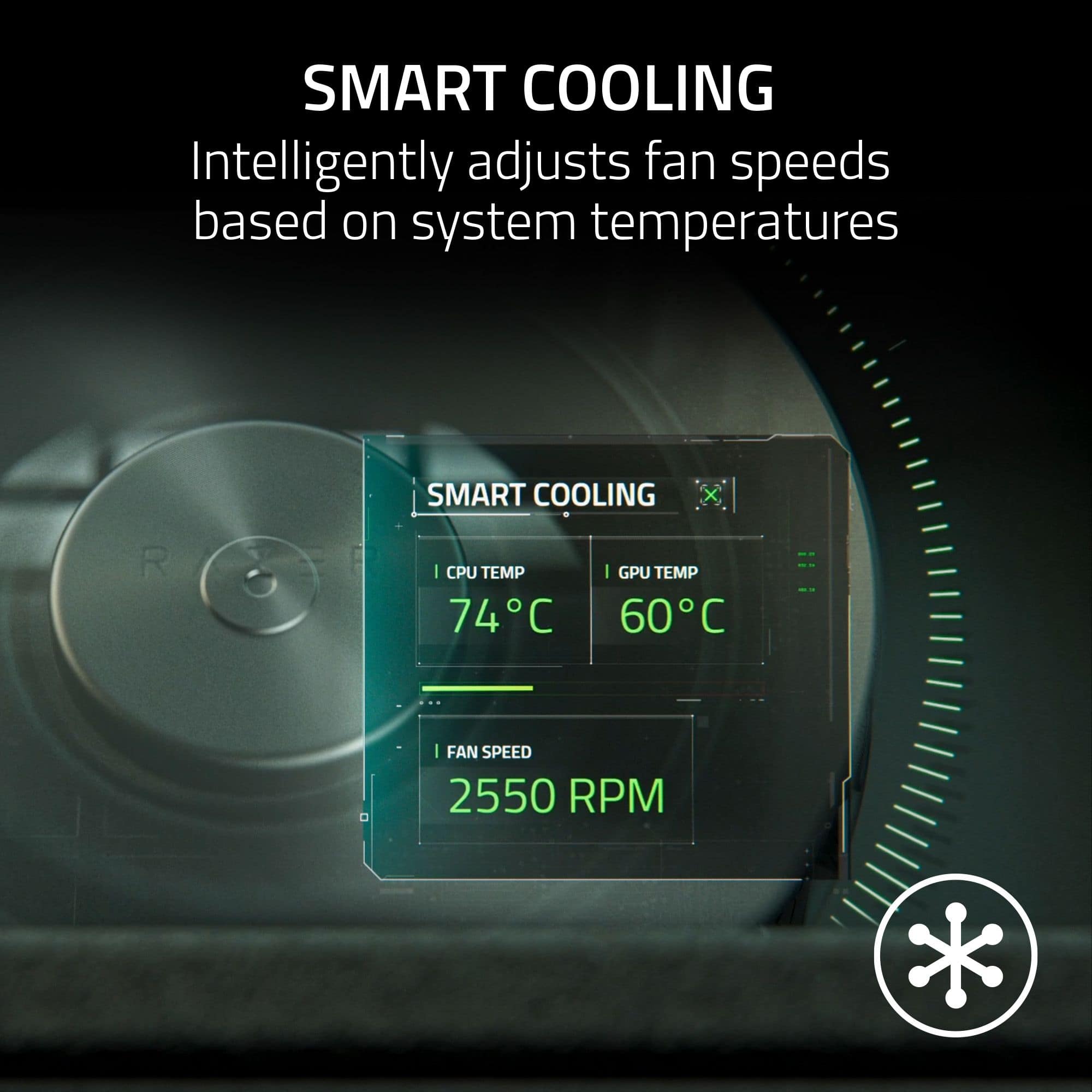
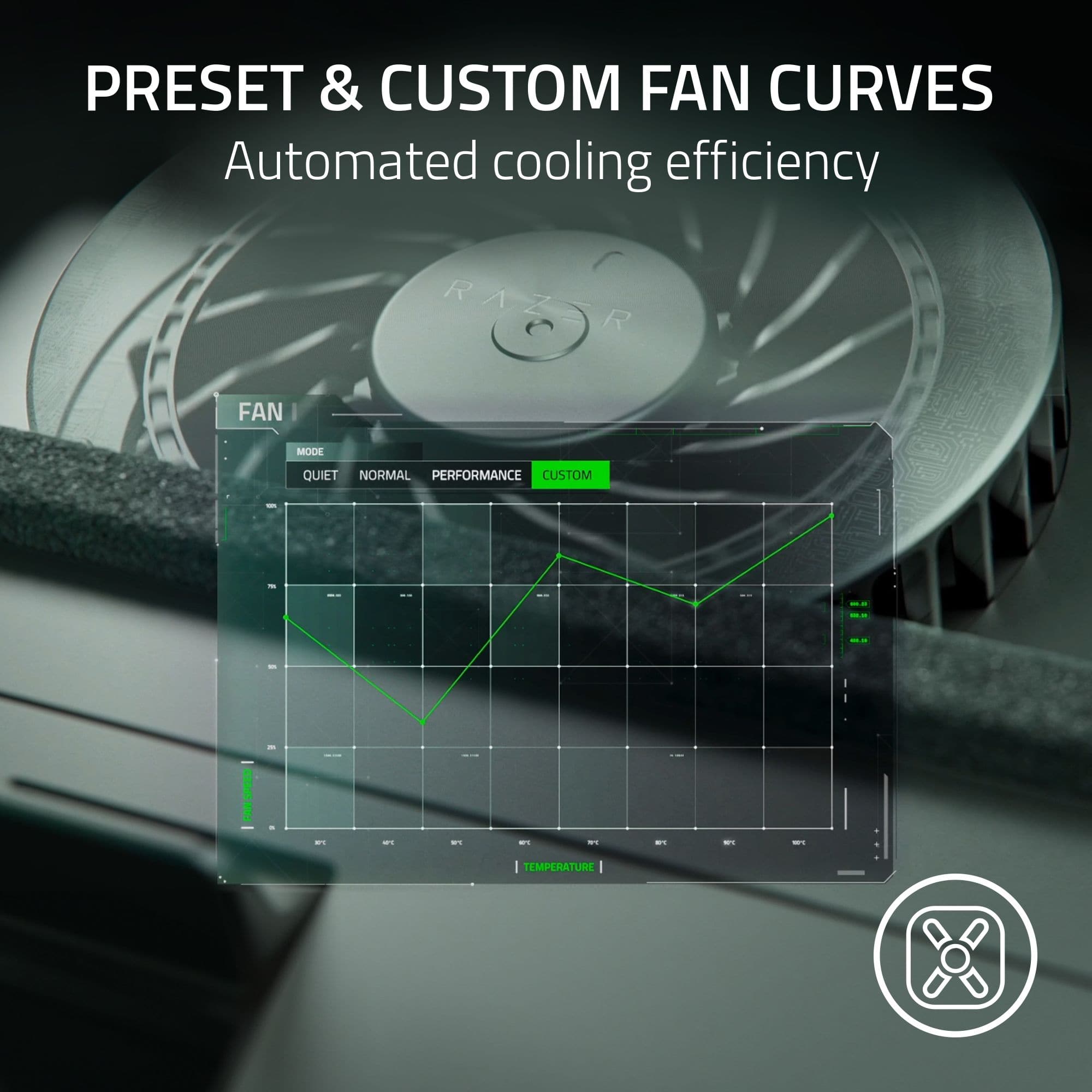
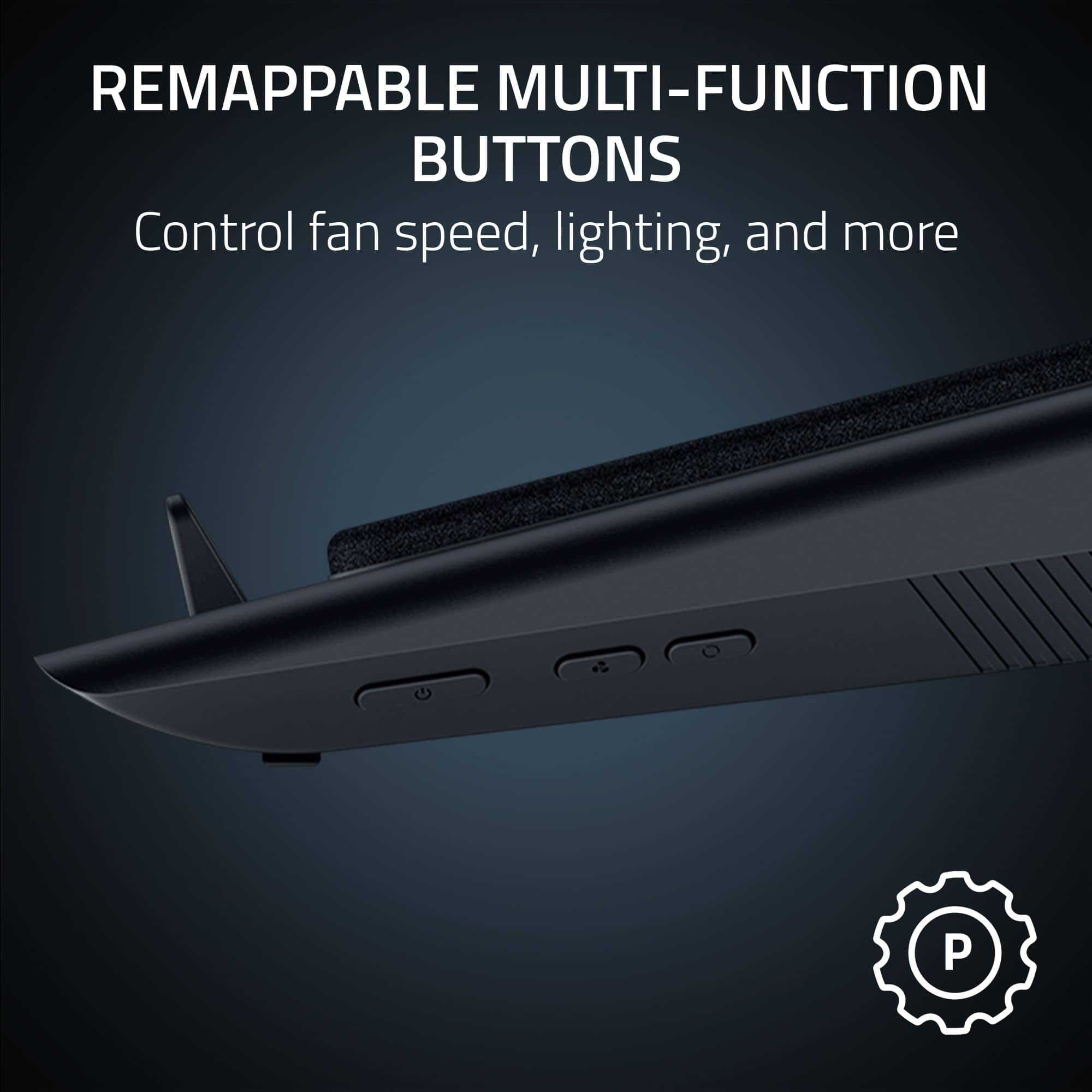
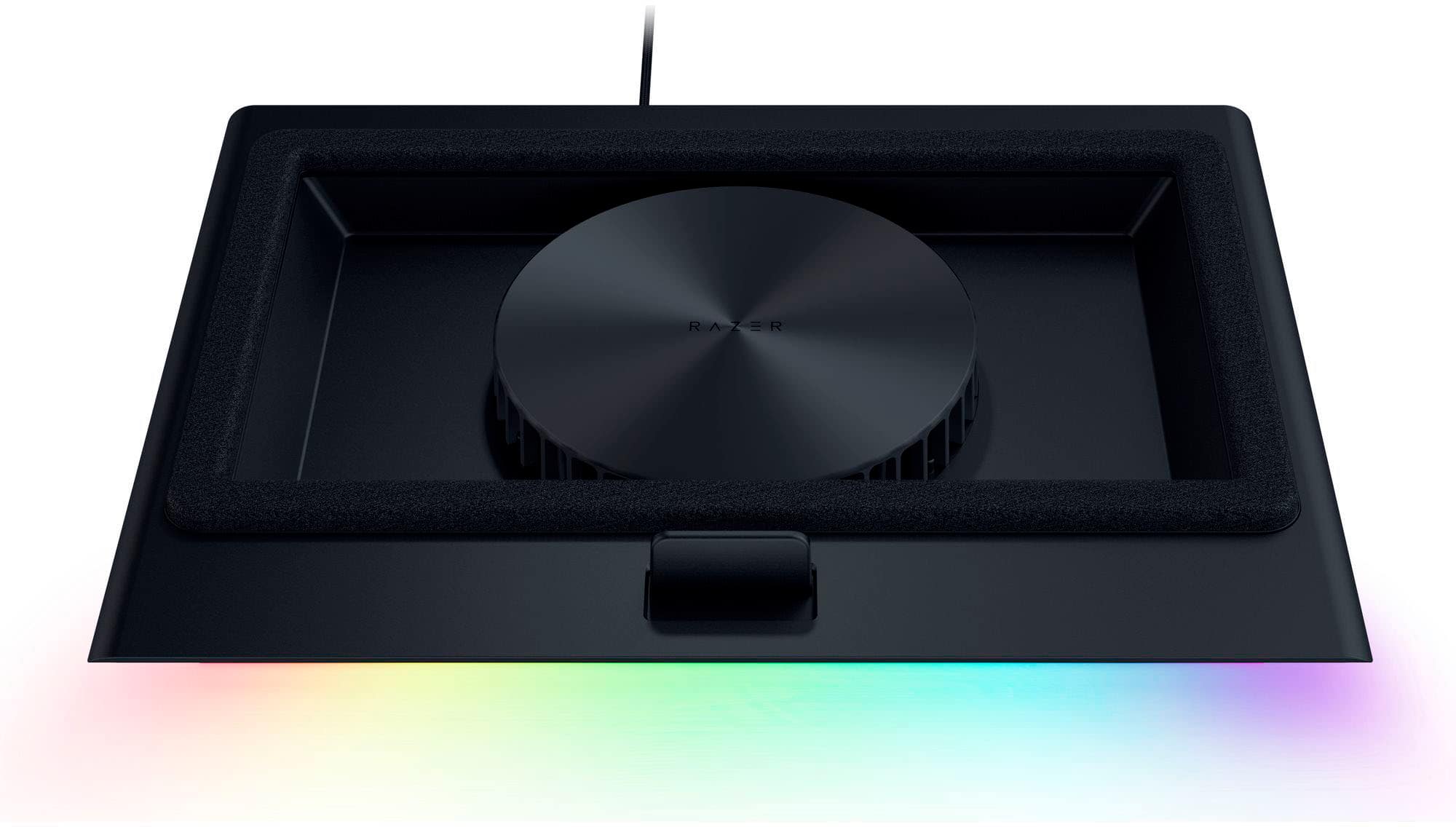
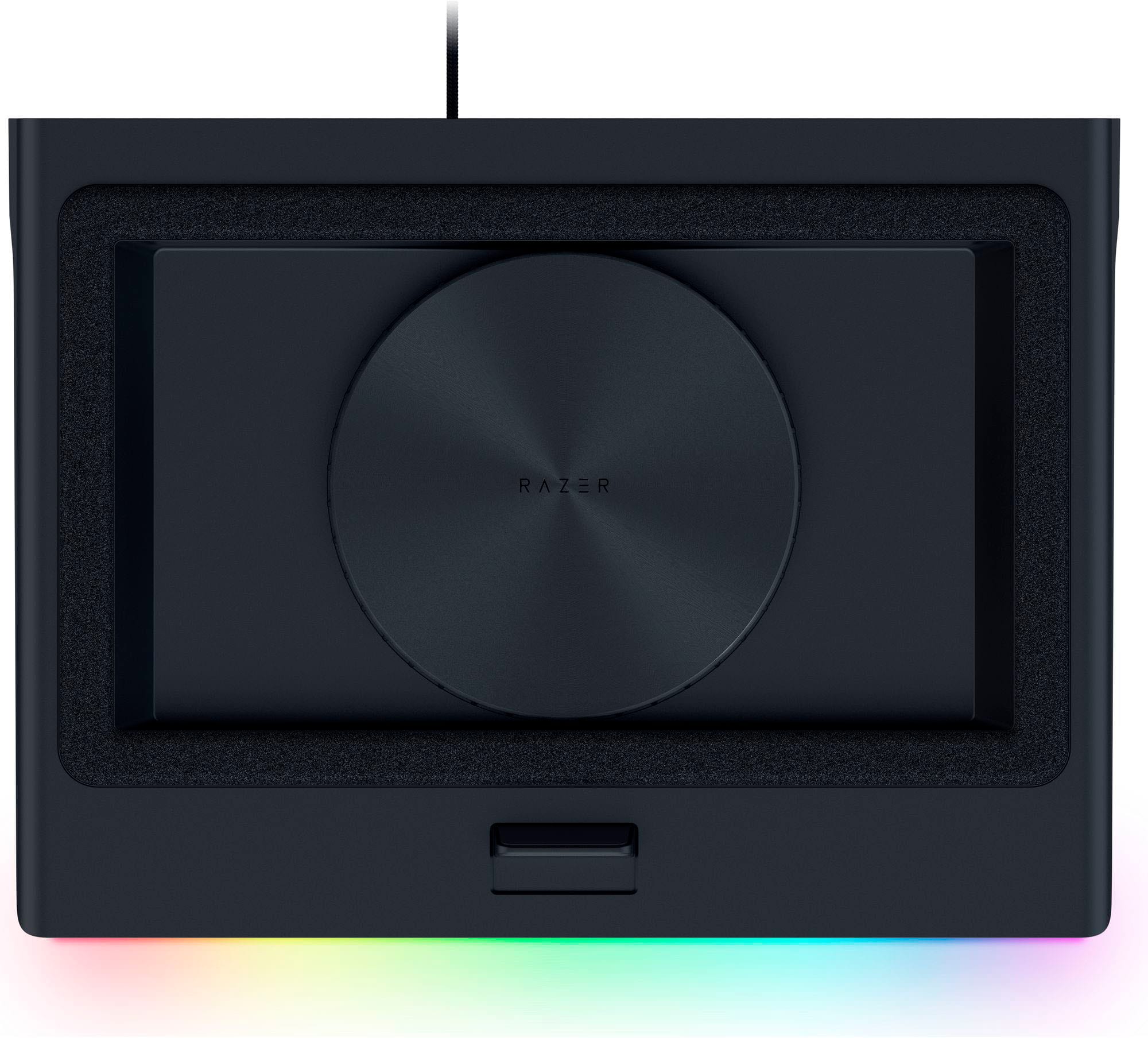
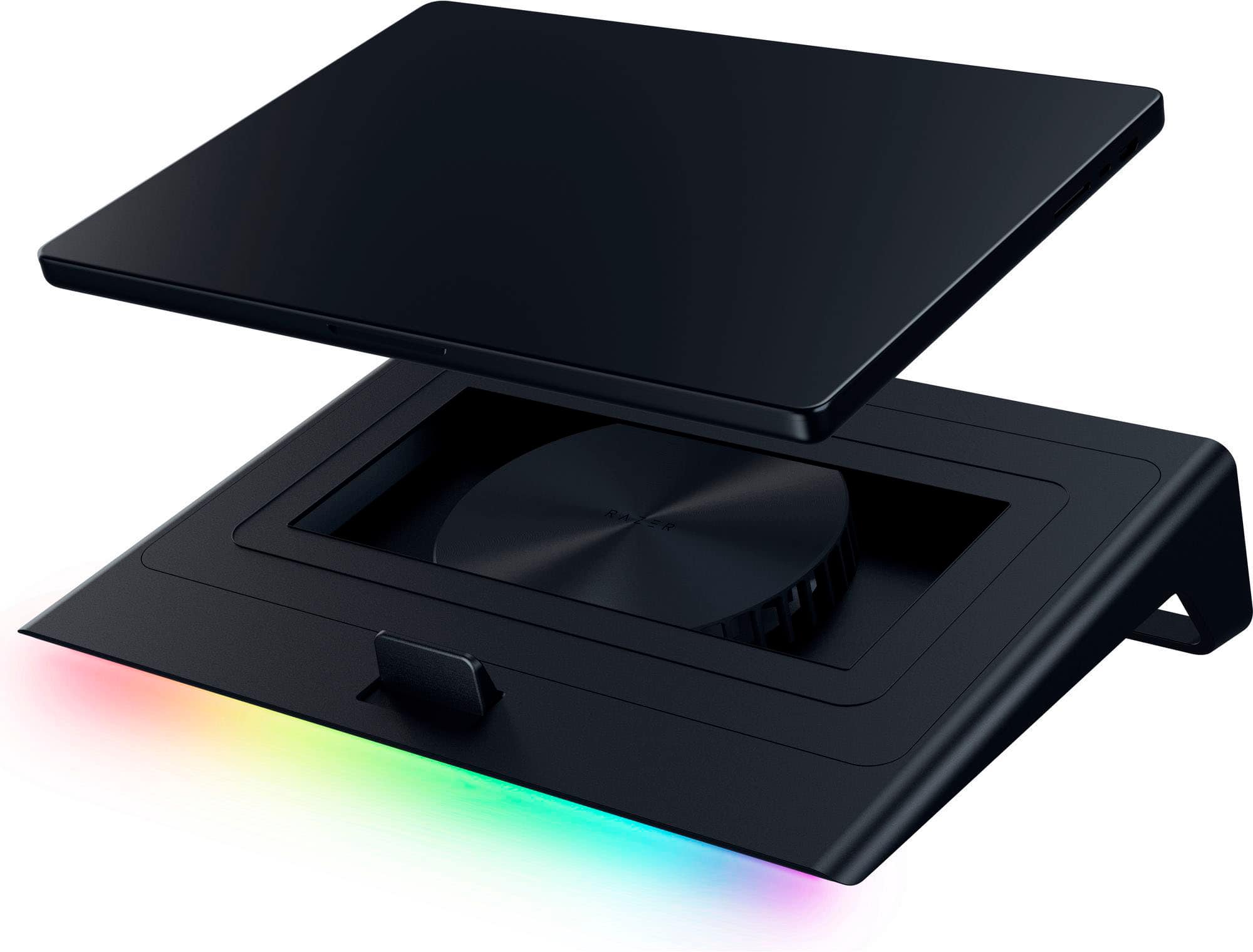
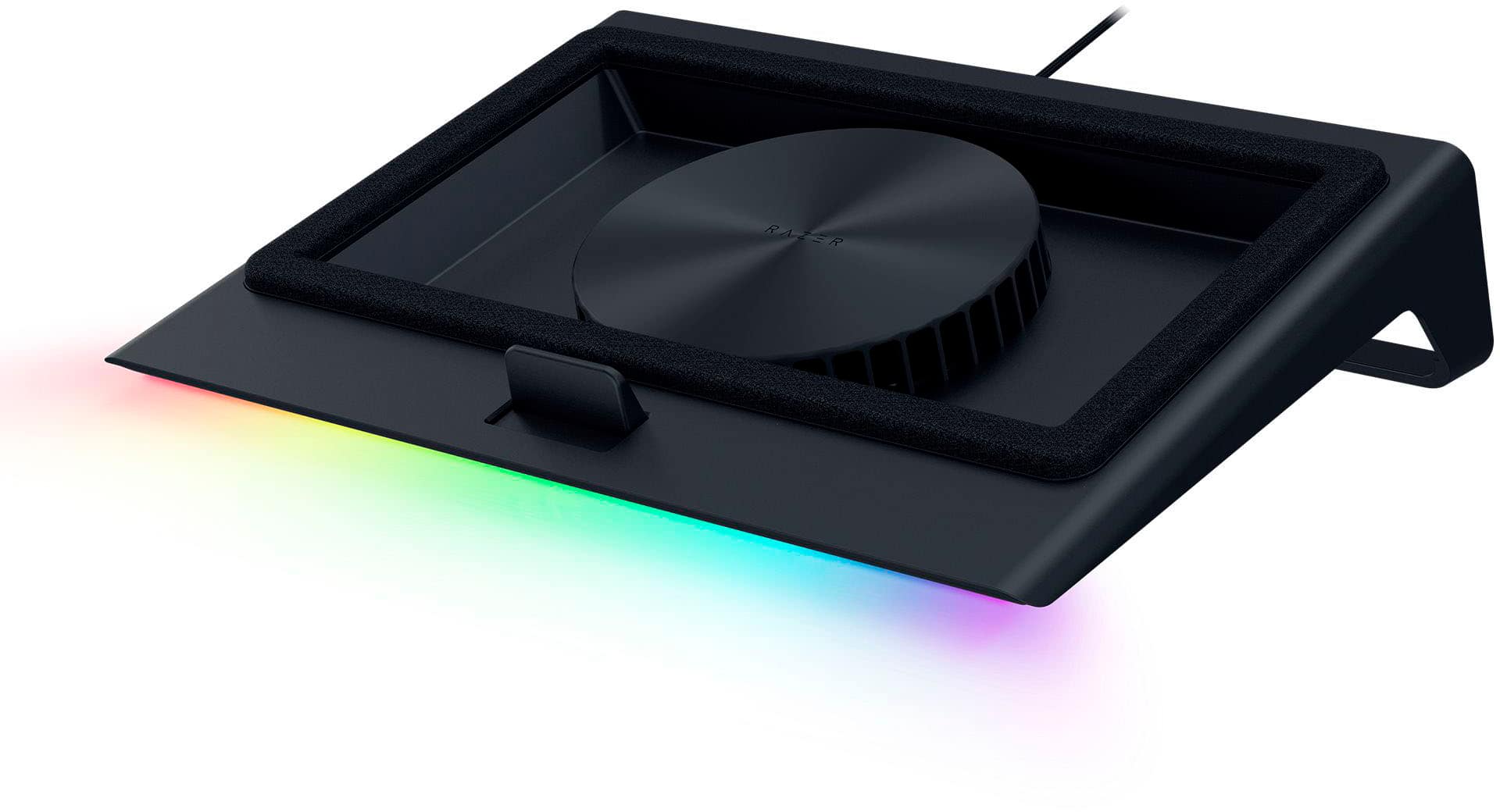
|Posted .This reviewer received promo considerations or sweepstakes entry for writing a review.This Razer laptop cooling pad is actually a platform with a 15-degree tilt to the front. The front is about 1.75 inches high, and it rises to the back to 4.5 inches. It comes with 3 magnetic frames labeled A, B, C, to accommodate various laptop sizes or for laptops with no bottom venting. It's designed for 14 to 18 inch laptops. My laptop is 14 inches, and it fits perfectly on the preinstalled "B" frame. The platform itself is 11.5 inches by 15.6 inches. Two frames have foam padding that the laptop sits on and allows venting. The frame for laptops with no bottom venting has no foam, the laptop sits directly on the frame over the cooling fan. Either way, it creates an air pressure chamber for maximum cooling. Besides the cooling pad/platform and frames, it also includes the power adapter and a product guide, which I found quite helpful. The platform has RGB lighting along the front edge. Along the right side are the power button, fan speed button, and RGB lighting button. However, once you download the Razer Synapse app, everything can be controlled through the app. The first thing I noticed when I turned it on is the fan noise. It's louder than I expected. Depending on the speed used, the noise ranges from about 40dB on low, which is quiet, up to about 52dB on max speed which is comparable to a quiet dishwasher. With the app you can choose to run the fan at Fixed speeds- low, med, high, or what they label Smart Fan Curve (variable speeds)- Quiet, Balanced, or Performance. You can also manually set the speed to a fixed RPM from 500 to 3200. The app also allows for customization of the RGB lighting. My laptop GPU runs cool, but my CPU runs hot, so that is what determined what fan speed I used. My CPU runs over 90 degrees C when gaming which is hotter than is recommended - CPUs should run under 80 degrees C. The low/quiet settings did not do the job, but the med/balanced settings generally kept my CPU under 80 with occasional spikes over 80. With the Razer Cortex app, you can display an overlay on your gaming screening that includes fps and CPU/GPU utilization and temperature along with a few other things. That made it easy to monitor the effectiveness of the cooling fan while gaming. I rate the effectiveness of the cooling of the fan as excellent. There were a couple of hiccups with the overlay where one time it would not show on the game screen and I had to restart my laptop, and another time it froze and I had to restart the app and the game. Those were one-time issues and I've used the app and fan gaming for many hours. I would not like gaming with my keyboard on a raised angled platform, but I didn't have to contend with that as I use a gaming keyboard and gaming monitor, and my laptop sits behind my monitor. Basically, I use it like a PC. Also, I game with headphones so the noise is not an issue for me but maybe for others if they're nearby. In summation, this cooling platform does an excellent job of what it's designed for but there's two things that need to be considered when deciding whether to buy - if you use your laptop like a regular laptop you'll have to adapt to using it on a raised angled platform, and there can be a noise factor depending on fan speed being used. So I guess I would recommend it, if those two elements wouldn't be an issue you.
I would recommend this to a friend - Pros mentioned:Build quality, Cooling performanceCons mentioned:Noise level
Rated 4 out of 5 stars
Excellent Cooling for most, but not for my laptop
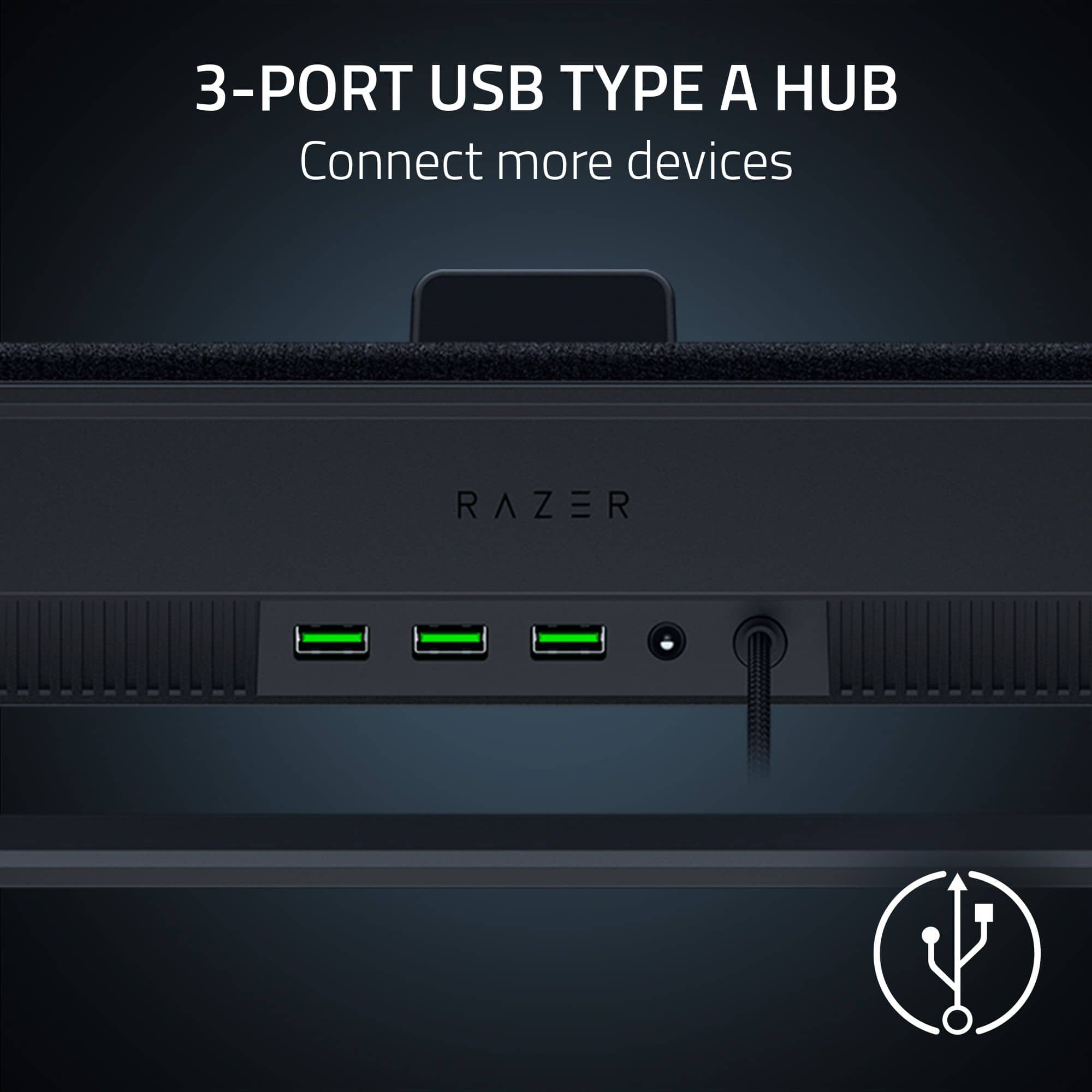
|Posted .This reviewer received promo considerations or sweepstakes entry for writing a review.Let me start with my issue. I have a Gigabyte G6 16 inch gamin laptop. When I place the laptop on the Cooling Pad, it immediately goes to sleep. The placement of the magnets in the Cooling Pad seem to put the laptop to sleep no matter the position of the lower support slider. When I can get past the sleep issue by sitting the laptop either on the bottom support or angled, another magnet is perfectly placed to also turn off the NVIDIA RTX 4060 card in the laptop and I am forced to use the onboard Intel GPU. Long story short, Gigabyte, with the rear ports, does not play well with the Cooling Pad. This does happen with all three inserts. I have been working with Razer Support on the issue above and they have been fantastic. If I get a resolution, I will respond to this review. Build quality is great. This is exactly what you would expect from Razer. The fan can be quite loud, the quiet mode is about 1000 RPM, it is much quieter than the balanced or performance modes. There are three different inserts for the Cooling pad, depending on the size and design of your laptop, select the one that best matches your hardware. There is a power cord and a built in USB A cord to connect to your laptop. A dongle/adapter works if you only have USB type C ports. Additionally there are three USB A ports on the back of the base to act as a hub. The lighting is not overwhelming and can be controlled by the Synapse software. However the entire unit is quite large. Fan speed can be adjusted inside Synapse as well. Since my gaming laptop was a no go for the review, I tested this with a Dell XPS that I use for work and personal matters. It is the far more mobile of my laptops. I had to use a USB A to USB C adapter to connect the Cooling pad to the XPS. The XPS only has Type C ports. I noticed slightly better performance with the XPS on the Cooling Pad using a performance test software. The temps did not seem to be much different just marginally cooler. Generally speaking the XPS does not get very warm unless I am pushing the GPU to its limits. It has a NVIDIA RTX 4050. There are external controls for the Cooling Pad, they are along the right had side that turn the power on, adjust lighting and adjust fan speed. The issues with the Gigabyte laptop I attribute to the layout of the systems ports and the motherboard. I am hoping support will come back with a way to remove the magnets that are causing the issues. I dropped a star because of my issues, but that is just a bad combo of my hardware and the Cooling Pads hardware. Others would probably give a much lower rating, but the Cooling Pad is well designed and should work for most other laptops. The loudness of the fan would be another reason that kept me from giving a 5 star rating. I am not sure how they could make the system quieter, maybe future releases may have a better sound suppression design.
I would recommend this to a friend Rated 1 out of 5 stars
Awfully experience at Best Buy in Palm Beach Garde
||Posted . Owned for 3 weeks when reviewed.This reviewer received promo considerations or sweepstakes entry for writing a review.Awful customer service! Will never ever going back to purchase again at Best Buy!
No, I would not recommend this to a friend- Pros mentioned:Cooling performanceCons mentioned:Noise level
Rated 5 out of 5 stars
Must Have for Laptop Gamers
|Posted .This reviewer received promo considerations or sweepstakes entry for writing a review.This Razer Laptop Cooling Pad is a powerful computer gaming accessory that is a must have for laptop gamers. As we all know, heat is the enemy of electronics so extra cooling will go a long way to guaranteeing device longevity and performance. At first glance, the cooling pad seems solidly constructed for long term reliability. I have used other laptop cooling pads in the past and have found that they usually fail after a period of time. I am optimistically hopeful that that will not be the case with this cooling pad. Included in the box is a power adapter and USB-A cable to connect to your PC. It is not possible to power the cooling pad using USB-A from your PC. This is because the power draw of the fan is more than what USB-A can handle. Some gaming laptops have a USB-A port, but it should be noted that a USB-A to USB-C adapter can be used to connect to laptops that do not have a USB-A slot available. The cooling pad can be used without connecting it to the PC using the physical buttons on the cooling pad. However not connecting the pad to the PC will deprive the user of the substantial benefits of using the excellent Razer Synapse App and the enhanced functionality that it provides. Once I got the cooling pad running, I noticed that the fan is as loud as others have noted. This does not surprise me though because the laws of physics dictate that a powerful mechanical fan will generate noise. There is no real way around this. The harder the fan blows, the more noise will be generated. The fan speed can be set to lower speeds and corresponding lower noise levels. The fan speed also lowers itself based on the laptop temperature. I game with over the ear active noise cancelling headphones which cancel out nearly all of the fan noise. This cooling pad also functions as a hub when connected via USB to your PC. The ports are high speed and function perfectly. Do not try and power anything more than a mouse, keyboard, or USB storage device from the hub, or it may not work properly and will aso draw too much [power from the fan. The fan itself is sealed and has tight miniaturized air vents that limit dust intrusion. Most of the cooling pad failures I have experienced in the past have been because of dust accumulation that clogs the fan operation. I am hoping that this design will eliminate that potential problem. Only time will tell, but I think the design is promising. Every laptop gamer needs a cooling pad. This Razer laptop Cooling Pad is an excellent choice to meet that need. It is more expensive than cheaper pads, but the performance matches the expense. My gaming PC reliably experienced drops in temperature between 10 and 20 degrees. This will in turn extend the longevity and performance of my expensive gaming laptop, making it well worth the price.
I would recommend this to a friend - Pros mentioned:Cooling performance, Rgb lightingCons mentioned:Noise level
Rated 5 out of 5 stars
Cooler that actually works.
|Posted .This reviewer received promo considerations or sweepstakes entry for writing a review.The packaging was well made, and everything seemed premium. The main cooler is made of nice plastic and included a frame to fit my 14” laptop and when I remove the frame it fit my 16” laptop. Definitely read the instructions since you need to plug in the power cable to run the cooler fan and RGB lighting. I liked the buttons on the right side for easy access. I found the fan loud initially but if really pushed some air to cool my laptop. After I plugged it into my USB port and ran the multiple Razer installers. I was unable to log into the Synapse 4 easily. I reset my password, and it never came so I just ran this as a guest. Then was prompted to update the firmware which required downloading an updater from Razer’s website. Once I updated it then it said the Hyperboost feature is now available. Finally, I was able to run the Synapse software and I really liked that the fan can read the Computers CPU and GPU temp. You can set it for Quiet, Balanced, Performance mode. This is really helpful since I have never used a cooler that was this advanced. Also, you can set different RGB color patterns based on your preference. When playing games and Advanced Photo editing on my laptop with Intel 14th gen and Integrated GPU it helped prevent throttling. I was able to still play low/medium settings, but the gameplay was more fluid. On My 16” Gaming laptop it really kept the laptop cool, and I was able to get about 15% more FPS out of the games I play like Forza, Fortnite and Flight Sim. I also liked that the balanced cooler was more dynamic so if it was not working the fan was quiet. The only major con is that this is not something easily moved around the house or traveling since it is really thick, and the power cable has me plugged close to the wall since it is really short. I just added a small extension cord, but it takes away from the premium experience.
I would recommend this to a friend - Pros mentioned:Build qualityCons mentioned:Portability
Rated 5 out of 5 stars
A Large Laptop Owner's Dream Cooling Pad!
|Posted .This reviewer received promo considerations or sweepstakes entry for writing a review.A very sturdy cooling pad with a little flair, and options for customization (except for one specific aspect that may matter for some). The software use to customize the lighting effects, and the separate software to control the fan settings, download automatically once the device is plugged into your PC, so you don't have to go hunting for software online, or to try to use a CD drive to download anything critical. While I found the lighting software to be a bit busy, I was able to intuitively zero in on what I wanted to do fairly quickly with the lighting. One look at the fan software, and I decided to try out the onboard controls first, and they were very intuitive and easy to use, so I wont be going back to the software. Very glad that there was an option here, even if the software looked more user-friendly than it does. The fan works great, and neither one of the software packs have disrupted any of my PC's other software (my PC has its own RGB lighting and onboard fan controls of its own). A couple of things to consider are the plugs for this pad, and the nonadjustable tilt angle of the pad. There is an onboard USB plug that you can plug right into the device to utilize the lighting profiles and functions, but a separate plug adapter is necessary to run the fan functions.Anyone with limited plug options or who wants to be more mobile with their PC will need to be conscious of the outlets needed for the fan (or will need to invest in a portable plug adapter/charging bank of some kind to run the devices fan). This consideration is second to the overall portability of this device, as the device is angled with a very solid lift bar at the back of the device. The bar is not adjustable and cannot be detached, so this is not a device that can easily fit into a standard traveling case, or at least not without being intentional about planning transport options in advance. the device fits my 18" laptop perfectly (it comes with a few topside platforms for devices of a smaller size, but comes preinstalled with the larger 18" platform), which means that someone with a bag or tote for a smaller device is going to have their hands full trying to get this well-built pad to fit inside. In my case, I already had to special order a laptop bag that can fit my PC due to the larger size, so the bag I ordered could fit this device as-is, but would require giving up valuable bag space for other items to do so. Anyone who plans to use the pad in a more stationary way with a daily driver PC will be fine without all the extra considerations listed above, with perhaps the exception of the outlet considerations for the fan plug. Bottom line, this is an excellent device, and the lighting options and available fan customization raise this well above any standard cooling pad. The overall, non-adjustable size and tilt of the device, and the need for an outlet, need to be considered when considering portability, and those with devices less that 17-18" inches may need to give extra consideration regarding travel usage with this pad, but for those with larger devices, and those planning to use this in a more stationary manner, this is a large laptop lover's dream cooling pad. I highly recommend, with encouragement to consider in advance how you plan to use this device, for the best experience.
I would recommend this to a friend - Pros mentioned:Cooling performanceCons mentioned:Noise level
Rated 5 out of 5 stars
dropped temps by more than 10C
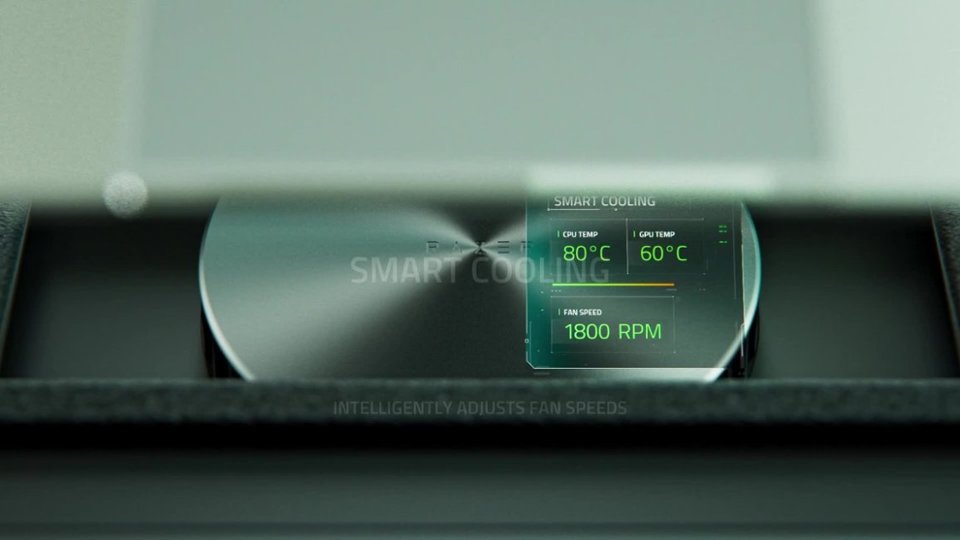
|Posted .This reviewer received promo considerations or sweepstakes entry for writing a review.Heat will eventually kill a laptop, it always does in the end, and delaying that for as long as possible is of interest, hence me rolling the dice on this cooling pad. Did it work? Shockingly well it turns out, dropping temps on my 5900hs by 10 -15 degrees in common tasks. Pretty great actually In the box you get: the cooler, different magnetic frames, ac adapter, documentation/stickers. This thing is super easy to set up. Plug it into your laptop, plug it into power and you're basically good to go. On first boot it'll ask to install razer synapse, and as much as I hate that slow bloated software, I'd recommend it. Once installed synapse will want to update the firmware of the cooler, then you should be good. From here you can feel free to delete that software forever (unless you need to update the cooler again), but it does have its benefits. There are three buttons on the right side of the cooler: power, fan speed, lighting. This is really all you need to keep your laptop cool, but you'll want to use synapse if you have specific temp and noise targets. About setup - adjust your laptop cooler and laptop fans individually - locking the rpm of the one you're not adjusting. Out of the box the fan was constantly revving up and then down as were the fans on the laptop itself. They were basically passing the heavy lifting back and forth until I locked the cooler pad at 50%, and readjusted my laptop fan curve. Once the laptop fans were happy I went back into synapse set it back to auto to see how it behaved. I adjusted the fan curve to be a bit less aggressive there and everything was working perfectly. 10+ degree cooler temps and significantly less noise. This process took about 10-15 minutes for me to dial in, but it's 100% worth it. I get the performance I want, no throttling, and my setup is very quiet now. This thing will get loud though when the system is under heavy load, there's no getting around that (laptops be like that sometimes). I'm struggling to think of something more critical to say, but I really can't. This thing works really well. I guess synapse still sucks and it hasn't really ever gotten better, but it gets the job done. I don't know I'm just really impressed with this, great design and execution.
I would recommend this to a friend - Pros mentioned:Cooling performanceCons mentioned:Noise level
Rated 4 out of 5 stars
Big cooling pad that keeps cool, but loud….
|Posted .This reviewer received promo considerations or sweepstakes entry for writing a review.If you’re going to use a high end gaming laptop, a cooling pad is almost essential. Keeping the machine cool keeps it from throttling, but it also keeps it in good shape in the long term. Razer being a brand synonymous with gaming performance, it’s a no-brainer to turn to them for a cooling pad, and doing so, you would get about what you expect. In terms of design, this thing is big. It has to be as it is intended to be used for laptops 14” to 18”, so for those using 14” laptops with the intention to saving space, know that this is going to take up space. As for the RGB, it’s a nice addition, and I’m surprised I’m going to say this…it could have used more. I’m normally not the RGB guy, but I’m surprised with the real estate Razer went as subtle as they did. The backend adds 3 USB A ports…I definitely would have liked some USB C ports. As for the cooling…it definitely works, but at a cost. When the temps get high, so does the volume. For those familiar with the laptop gaming space, this isn’t a new thing. I’m sure your laptop fan kicks up as well. If you’re like me, you’re probably using headphones anyway, in which case, the volume will be less of a problem…but if you aren’t using headphones…it definitely adds volume. All in all, if you’re purchasing this, you’re doing so for a reason. The Razer Laptop Cooling Pad will satisfy your needs, my problem is. It does so while adding a bunch of USB A ports as opposed to C ports while taking up extra space for most. Still, I’d recommend this.
I would recommend this to a friend - Pros mentioned:Cooling performanceCons mentioned:Noise level
Rated 5 out of 5 stars
RAZER KEEPING IT COOL
|Posted .This reviewer received promo considerations or sweepstakes entry for writing a review.Owning a few high tier gaming laptops that sometimes feel like your holding pure fire, I knew I needed to give this Razer Laptop cooling pad a try. Right out of the box to having the unit cooling my laptop, took all in all about 15 minutes. Pull out of box, find the right insert for the laptop you want to use it with, plug it into the wall and then a usb-A cable into the laptop. Download razer software and boom thats it, it was ready to go like a windy day in Chicago ... Pros Compatible with 14" up to 18" laptops (utilizing different sized/shaped inserts) Also supports fanless or ventless laptops Extends your UsbA ports with 3 usba ports on the back (usb a hub) RGB lighting, controlled by side button or app Nice air flow fit Filter to help keep the dust on the fan down Kept my power hungry laptop at a nice temp the whole time Cons the unit is a little bulky when paired with a larger 18" laptop the rgb lights can feel a little washed out when using my very bright rgb laptop on the top, they almost become non distinguishable the fan can become quite loud, but in its defense it does its job and keeps the unit cool Overall this is a great cooling pad, the air flow is phenomenal and it did actually keep my laptop at or under 40c the entire time. adding the ability to maintain and monitor the temperature thru the app thus turning up and down the fan is a great feature and i really would recommend this to those of you with hot running gaming laptops, it will defintely help keep your laptop alive.
I would recommend this to a friend - Pros mentioned:Cooling performance
Rated 5 out of 5 stars
Keeping it cool!
|Posted .This reviewer received promo considerations or sweepstakes entry for writing a review.When purchasing an expensive laptop, whether that be a dedicated workstation or a powerful setup that can also accommodate gaming, you'll want to consider this product among others in its peer group for a good value purchase. I needed a platform that would allow for airflow between my laptop and my desk, I needed a cooling mechanism that would help with heat dispersion, and I needed something that looked somewhat professional during the day with a little flare of LED lights. For me, this product meets that criteria, and it turned out to be a perfect fit for a 14" laptop. My laptop is thin and does not have great ventilation if sitting on a flat surface, and when using it for intensive gaming, it seems to get very hot, especially since the chassis is made of metal, it gets hot to the touch sometimes. This helps reduce the load on the internal fans, reduces the heat building up inside, keeping the chassis cooler and allowing me to continue gaming with the system slowing down from excessive heat. I'm glad I found this product as it is very convenient and easy to use. The technology for stock cooling systems on gaming/workstation laptops has dramatically evolved over the years, but it doesn't hurt to get good airflow to the motherboard, processor, and GPU (especially if ambient temperatures are already high). For me, I view this as a peace of mind purchase that comes with a couple of extra USB ports for charging electronics. This cooling pad has 3 usb ports on the rear, 2 buttons to activate the fans and lights. It is powered via a usb cable built in and by plugging it in to the laptop USB port (or another source such as a portable battery pack with usb-a connection.) The fans, even when all are active, are reasonably quiet and the platform feels very cool to the touch, but I feel like it might not be enough for laptops under a heavy workload putting in long hours of gaming. Competitive gamers will know that temperature can impact component performance (and lifespan), and I personally would not spare power for those reasons. The noise level is not nearly as high as the 6-fan suite inside my gaming desktop case, but the engineering of this pad does seem to be more than what meets the eyes and ears. Overall, it is a great product and look forward to long term use. Will report back if any issues, but I don't foresee any negatives at this time other than the use of a USB port on the laptop that might be needed, but as mentioned, there are 3 additional USB-A ports on the back of the pad so you can still use those for any add-ons like a wireless mouse/keyboard or controller if needed. Besides that, it is everything I needed.
I would recommend this to a friend