Razer - Laptop Cooling Pad with Intelligent Fan Control and Chroma RGB for Laptops 14 Inches to 18 Inches - Black
Key Accessories:
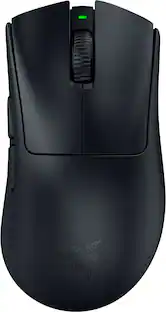
- Razer - Basilisk V3 Pro Optical Gaming Mouse with HyperScroll Tilt Wheel - Wireless - Black$99.00The price was $159.99

More Buying Options
About This Item
- Key Specs
- Number Of Fans: 1
- Number of USB Port(s): 3
- Adjustable Height: false
- Maximum Laptop Size: 18 inches
- General
- Brand: Razer
- Model Number: RC21-02300100-R3UC
- Product Name: Laptop Cooling Pad with Intelligent Fan Control and Chroma RGB for Laptops 14 Inches to 18 Inches
- Color: Black
- Cooling
- Adjustable Fan Speed: true
- Fan Speed: 2550 revolutions per minute
- Number Of Fans: 1
- Features
- Number of USB Port(s): 3
- Lighting Type: RGB
- Adjustable Height: false
- Compatibility
- Maximum Laptop Size: 18 inches
- Model Compatibility: 14 Inches to 18 Inches
- Dimensions
- Product Width: 11.5 inches (The out of box width of the item. Width is measured as the horizontal distance from one side of the item to the other as it would be primarily used or placed.)
- Product Length: 15.6 inches (The out of box length of the item. Length is measured as the longest dimension of the item.)
- Product Height: 4.49 inches (The out of box height of the item. Height is measured as the vertical distance from the bottom of the item to the top as it would be primarily used or placed.)
- Product Weight: 3.53 pounds (The out of box weight of the item.)
- Warranty
- Warranty - Parts: 2 years
- Warranty - Labor: 2 years
- Other
- UPC: 840272914793
Stay cool when things heat up with the Razer Laptop Cooling Pad – a smart stand that dynamically controls fan speeds based on your laptop’s temperature. Featuring an airtight pressure chamber, customizable fan curves, and a 3-port USB A hub for maximum connectivity, give your laptop the boost it needs for better performance.
- Razer HyperBoost: Takes full advantage of the Razer Laptop Cooling Pad’s smart cooling capabilities to maximize the performance of compatible Blades by improving thermal performance that allows key laptop components to sustain higher power limits.
- Smart Cooling: From idle to full load, keep your laptop running smoothly with our first laptop cooling pad that changes fan speeds automatically to manage system temperatures based on your settings.
- Airtight Pressure Chamber: Included foam seals ensure no cool air leakage and work in tandem with a high-velocity140 mm fan to significantly reduce CPU, GPU, and surface temperatures.
- Works With Most Laptops: Whether you’ve got an ultra-portable 14″ laptop or an 18″ powerhouse, choose between three magnetic frames that maximize cool air pressure and circulation
- Preset & Custom Fan Curves: Keep your system cool in any scenario with our recommended presets or calibrate the fan to adjust for noise level or desired internal temperature via Razer Synapse.
- 3-Port USB Type A Hub: From webcams to controllers to drawing tablets, plug in more devices to your laptop without solely relying on its native USB ports.
- Remappable Multi-function Buttons: Make on-the-fly changes to the fan speed and Razer Chroma RGB lighting, or remap the button to adjust volume, launch apps, and more via Razer Synapse.
Whats Included
- Razer Laptop Cooling Pad
- 3 x Detachable magnetic frames (A, B, C)
- Power adapter + regional plugs
- Important Product Information Guide
Product Manuals
Q: How does the cooling pad adjust fan speeds?
A: The Razer Laptop Cooling Pad has a smart stand that dynamically controls the fan speeds based on your laptop's temperature.
A: The fan speed is 2550 revolutions per minute.
Q: Can the fan curves be customized?
A: The Razer Laptop Cooling Pad features customizable fan curves.
Q: What is the weight of the cooling pad?
A: The product weight is 3.53 pounds.
Q: What is the maximum laptop size that can be used with the cooling pad?
A: The maximum laptop size that can be used with the cooling pad is 18 inches.
A: You are right of course. In this case, "Air Tight" refers to the fact that there is no air gap between the laptop and the cooling pad -- any air from the fan has to go to the laptop and cannot escape around the bottom of the laptop. I own this cooling pad and it does a great job.
A: It has 3 different sets for the fan, once the laptop is on the stand it gets a bit quiet if youre using it on the high setting
A: The cooling pad utilizes a power cord that you plug into an outlet and has a USB that connects to your laptop. The USB is only for communicating with the laptop, not supplying power.
Reviews
Rating 4.4 out of 5 stars with 182 reviews
- Cooling Performance (133)
- RGB Lighting (19)
- Build Quality (16)
- Noise Level (58)
- Compatibility (7)
- Portability (5)
- Size (3)
Customer Images
The vast majority of our reviews come from verified purchases. Reviews from customers may include My Best Buy members, employees, and Tech Insider Network members (as tagged). Select reviewers may receive discounted products, promotional considerations or entries into drawings for honest, helpful reviews.
Compare similar products

Stay cool when things heat up with the Razer Laptop Cooling Pad – a smart stand that dynamically controls fan speeds based on your laptop’s temperature. Featuring an airtight pressure chamber, customizable fan curves, and a 3-port USB A hub for maximum connectivity, give your laptop the boost it needs for better performance.

Turn your laptop into a workstation with the 17" Chill Mat + with 4-port Hub. The Chill Mat+ combines a chill mat with all the important things you need when working at a desk. Dual fans keep your laptop cool while a 4-port hub allows you to connect all your peripherals. The adjustable height allows you to use it as a laptop stand. Use it flat, or at the highest setting (4”) with an external keyboard for better ergonomics. The Chill Mat+ with 4-Port Hub is the ideal solution for owners looking to get the most out of their laptop.

The 17” Dual Fan Chill Mat™ provides a comfortable and ergonomic work surface to keep you and your laptop cool. The chill mat rests on your lap and disperses heat, using dual fans to provide ventilation which can be obstructed if the laptop is used on a pillow or comforter. Simply plug the USB connector into the laptop to activate cooling. The ergonomic tilt makes typing easy, while the soft neoprene material provides cushioned comfort on your lap. The open design allows fans to run quietly and stimulates constant airflow. Four rubber stops on the face of the chill mat prevents the laptop from slipping and makes using your laptop an enjoyable experience.

Keep your laptop cool with help from this Targus Dual Fan Chill Mat AWE61US cooling system, which utilizes USB-powered dual fans and a ventilated grille to dissipate heat. Rubber pads help keep your laptop securely in place.
| Pros for Razer - Laptop Cooling Pad with Intelligent Fan Control and Chroma RGB for Laptops 14 Inches to 18 Inches - Black | |||
|---|---|---|---|
| Cooling Performance, RGB Lighting, Build Quality | Cooling, Noise Level, Overall Performance, Ease of use, USB Ports | Cooling Performance, Noise Level | Cooling, Noise Level, Ease of use, Overall Performance, Weight |
| Cons for Razer - Laptop Cooling Pad with Intelligent Fan Control and Chroma RGB for Laptops 14 Inches to 18 Inches - Black | |||
| Noise Level, Compatibility, Portability, Size | Price | There were no cons for this product— | Fan |
Specs
Explore tech essentials Sponsored
 $119.99The price was $159.99
 $109.99The price was $159.99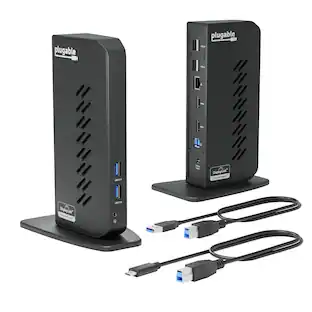
Plugable - USB 3.0 and USB-C Universal Laptop Docking Station for Windows, Mac, ChromeOS | Dual HDMI
$112.95The price was $135.35