Customer Ratings & Reviews


- Model:
- RC21-02280100-R3U1
- SKU:
- 6610562
Rating by feature
- Value
Rating 4.6 out of 5 stars
- Quality
Rating 4.9 out of 5 stars
- Ease of Use
Rating 4.7 out of 5 stars
Customers are saying
Customers admire the USB 4 Dock Station with 14 Ports for its extensive port selection, reliable power delivery, and dual HDMI outputs. The dock's design and overall performance receive positive feedback, with users appreciating its compact size and versatile connectivity options. However, some users have reported occasional screen glitches and difficulties achieving desired refresh rates. Additionally, a few users have noted that the device tends to run warm during operation.
This summary was generated by AI based on customer reviews.
- Pros mentioned:Overall performance
awesome
||Posted . Owned for 1 week when reviewed.This reviewer received promo considerations or sweepstakes entry for writing a review.The buld quality and the amount of ports is awesome and everything works flawlessly
I would recommend this to a friend - Pros mentioned:Overall performance
Excellent docking station !
||Posted . Owned for 1 week when reviewed.This reviewer received promo considerations or sweepstakes entry for writing a review.This docking station immediately solved all of the problems I was encountering with my monitors.
I would recommend this to a friend - Pros mentioned:Ports
Best laptop dock ever.
||Posted . Owned for 1 month when reviewed.This reviewer received promo considerations or sweepstakes entry for writing a review.Its very fast response and it has many ports and all. I use it on 2025 x13 flow its great set up.
I would recommend this to a friend - Pros mentioned:Overall performance
Razer- USB Dock Station
||Posted . Owned for 1 week when reviewed.This reviewer received promo considerations or sweepstakes entry for writing a review.Works great for my laptop and desk. The Dock Station performs as stated in product review.
I would recommend this to a friend Amazing for rhe money
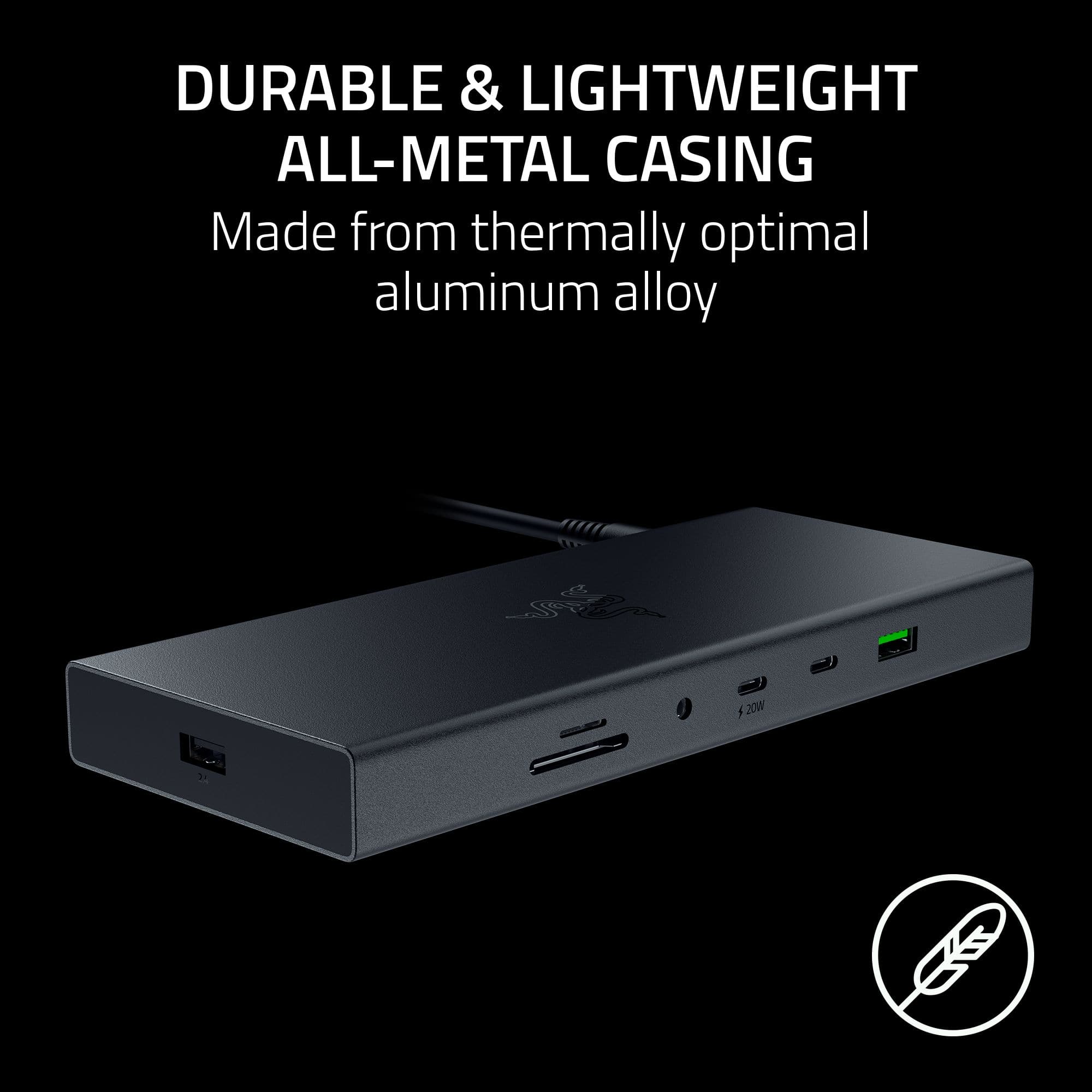
||Posted . Owned for 2 weeks when reviewed.This reviewer received promo considerations or sweepstakes entry for writing a review.I like how premium it feels. It feels way better than other brands when it comes to its chasis
I would recommend this to a friend- Pros mentioned:Overall performance
Review
||Posted . Owned for 1 month when reviewed.This reviewer received promo considerations or sweepstakes entry for writing a review.Performed well. Was looking for a product to work well with gaming laptop
I would recommend this to a friend - Cons mentioned:Refresh rate
Good dock but doesnt do what i needed
||Posted . Owned for 2 weeks when reviewed.This reviewer received promo considerations or sweepstakes entry for writing a review.The Razer USB C 4 dock is good. But unfortunately I’m connecting it to a MacBook M4 Pro which has the capability to dispay at 120hz. When using the hdmi 2.1 output on the dock to my dispay it only pushed 60hz. I contacted Razer support and they were not much help. They asked for Videos and pictures of my set up then stopped replying. Im stuck with the dock now but I am not satisfied with the product. Especially at the price point I purchased it at.
No, I would not recommend this to a friend Good but pricey
||Posted . Owned for 1 month when reviewed.This reviewer received promo considerations or sweepstakes entry for writing a review.Good dock, has all the ports and outputs that I would ever need. Given that I only use it for work (2 external monitors, no gaming), the price point might have been a little high/unnecessary but zero complaints.
I would recommend this to a friendGreat product
||Posted . Owned for 1 week when reviewed.This reviewer received promo considerations or sweepstakes entry for writing a review.wonderful selection of ports, nowadays its hard to find like this docking station
I would recommend this to a friendClean set up
||Posted . Owned for 3 months when reviewed.This reviewer received promo considerations or sweepstakes entry for writing a review.Took a little to figure out but it makes using my gaming laptop so much easier
I would recommend this to a friendNot fully Mac-compatible.
||Posted . Owned for 1 week when reviewed.This reviewer received promo considerations or sweepstakes entry for writing a review.Won’t output 4k over 60hz for a Mac - not pleased.
No, I would not recommend this to a friendGreat
||Posted . Owned for 2 weeks when reviewed.This reviewer received promo considerations or sweepstakes entry for writing a review.Wasn't working at first but after a restart it's great. Everything is fast and reliable
I would recommend this to a friendDoes a good job
||Posted . Owned for 1 week when reviewed.This reviewer received promo considerations or sweepstakes entry for writing a review.Works well. the quality of the wire and outer casing is nice. its
I would recommend this to a friendNice unit, check your USB requirements
||Posted .This reviewer received promo considerations or sweepstakes entry for writing a review.Easy set up. Does what it is intended to do. Would like to have an extra USB or two.
I would recommend this to a friend- Pros mentioned:Design, Hdmi, Ports

Excellent dock with all the connections you need
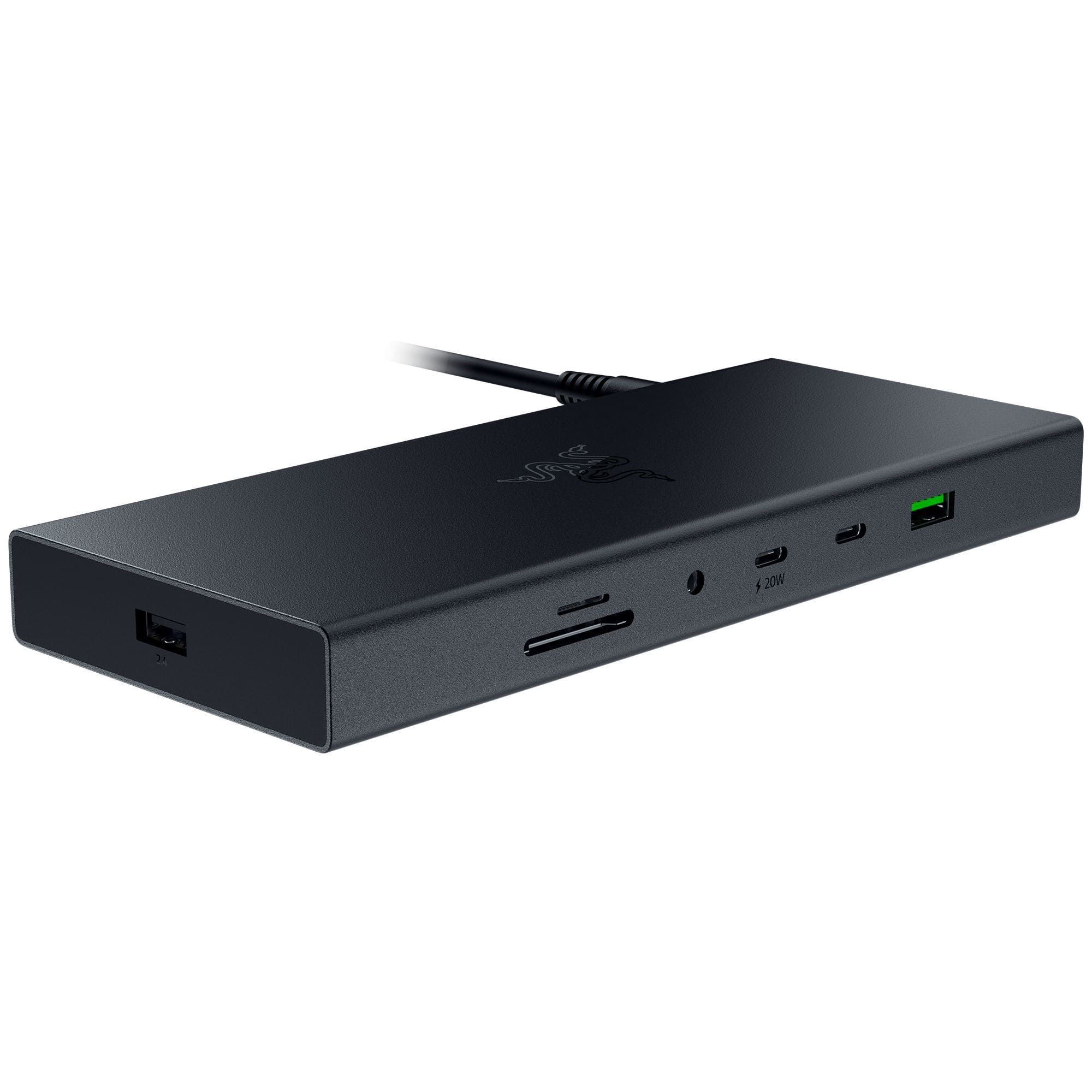
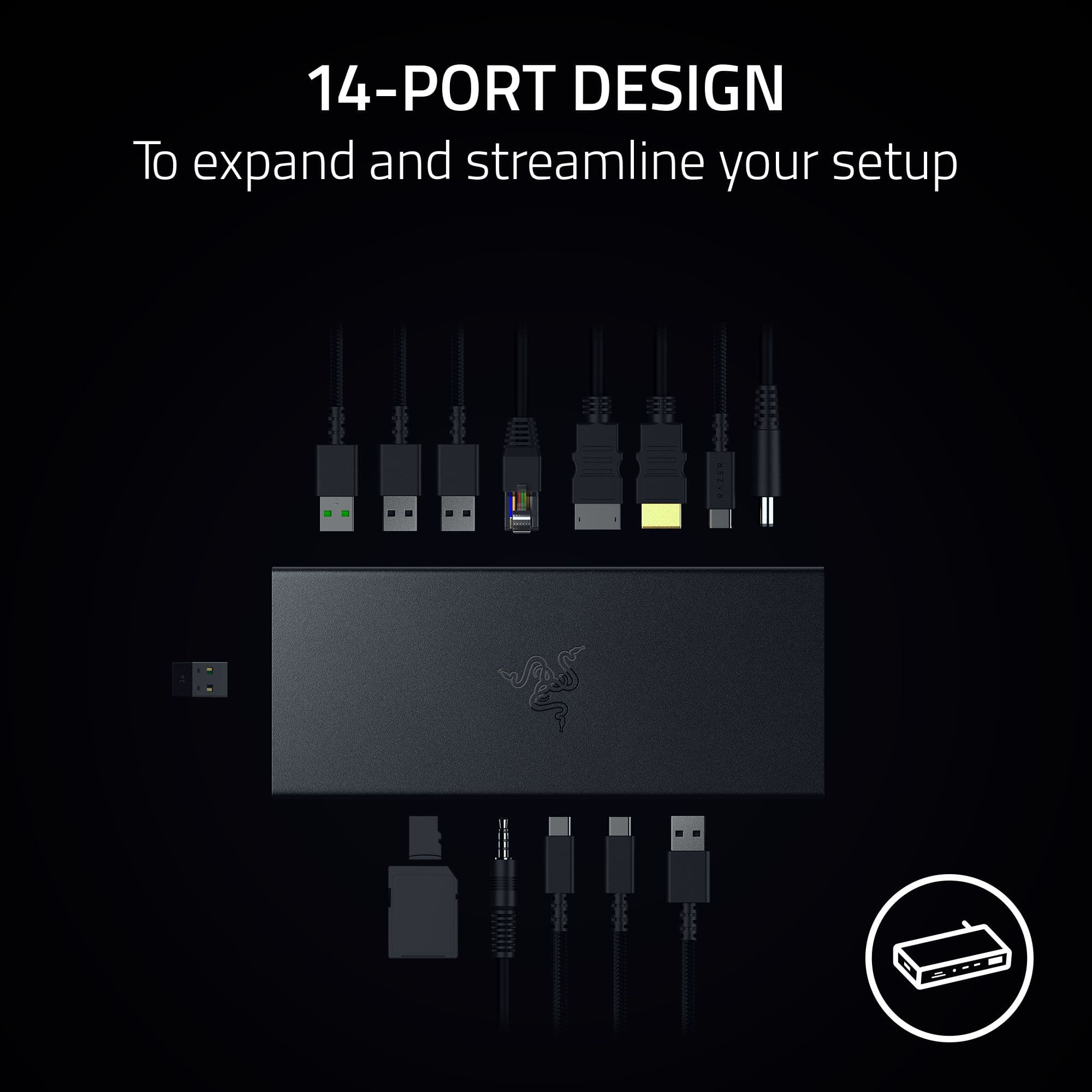
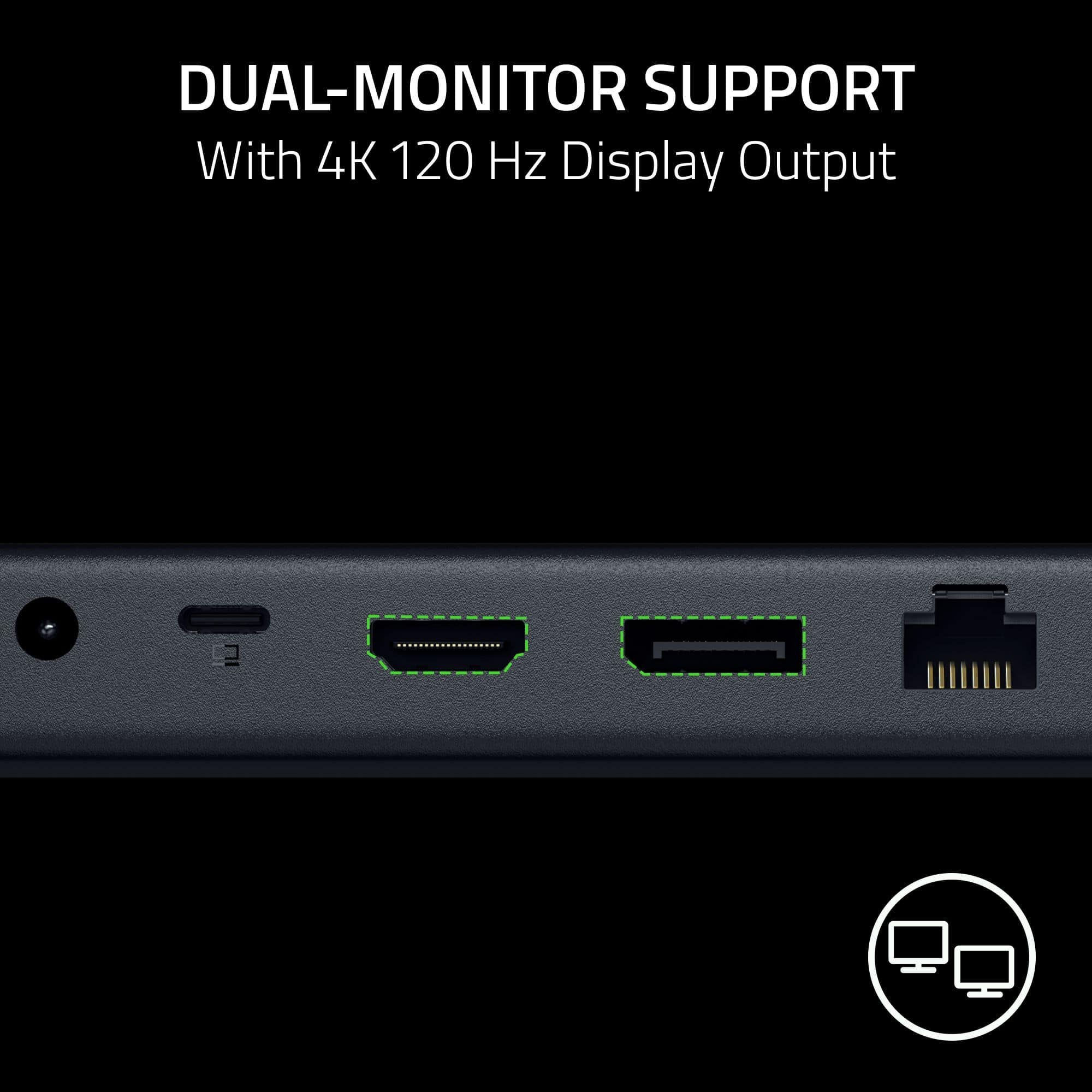
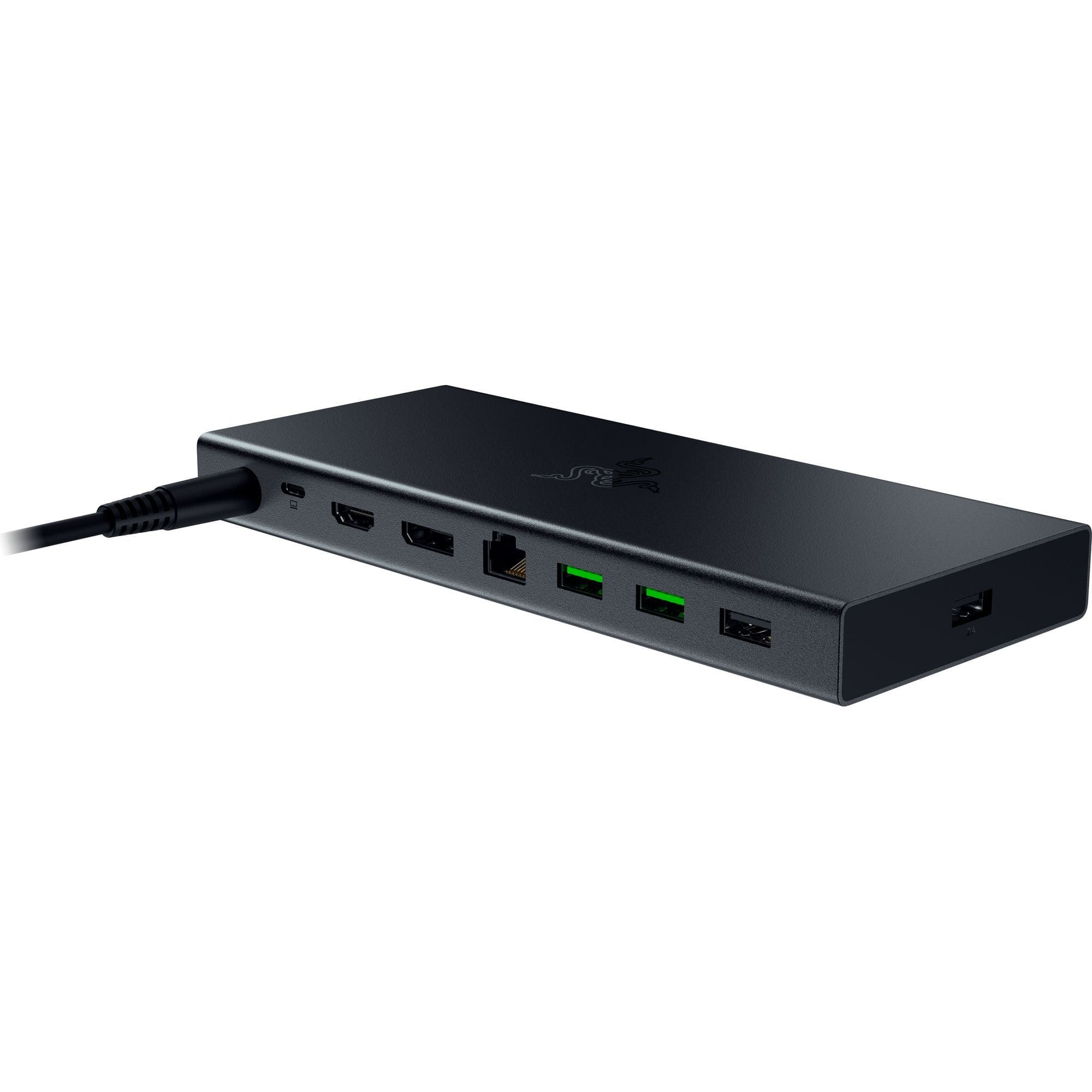
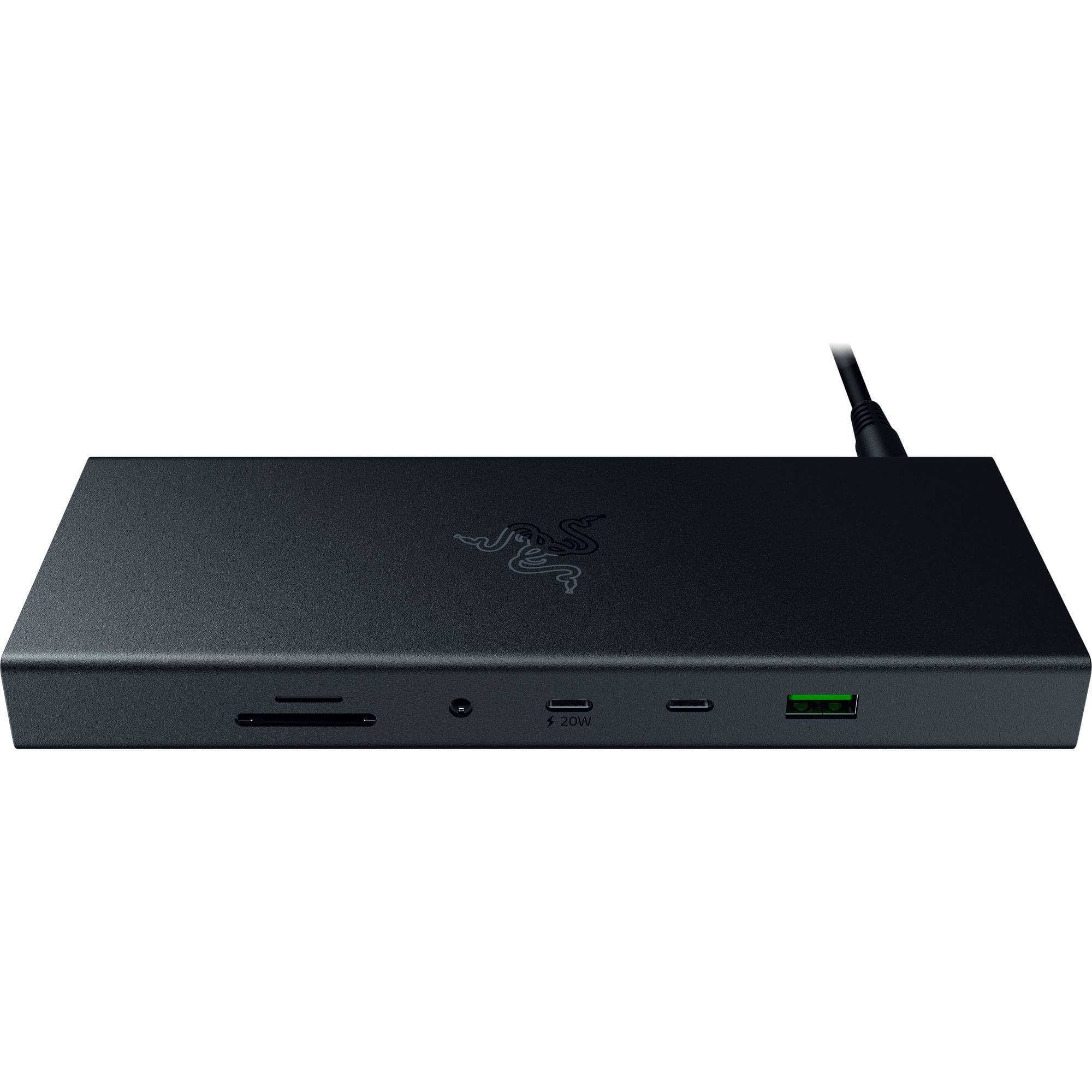
|Posted .This reviewer received promo considerations or sweepstakes entry for writing a review.GOOD - Lots of ports - USB 4 bandwidth for upstream - Compact size - Good overall design and layout - Doesn't require Razer software to work - Includes its own 180 W power supply BAD - Documentation isn't clear on power delivery capacity ( either 85 W or 100 W ) - SD card slot is upside down relative to other ports - Side power button isn't compatible with all laptops - Status light on the power brick quite bright TLDR Razer's USB 4 dock is a nicely compact dock that doesn't take up a ton of space on your desk and gives you all the ports you'd need for working on a modern laptop. DETAILS The dock stats already tell most of the story. It has seven USB ports for connecting various peripherals to you laptop, which should be more than you're likely to need. Two of those ports are type-C connections, and one of those can supply 20 W power. Additionally you have an Ethernet jack, one DisplayPort 1.4, one HDMI 2.1, a 4-pole 3.5mm audio jack ( works with headset mics, not just headphones ), and two card readers. Using a USB 4 upstream connection to a laptop means it has plenty of bandwidth available to share all those connections. Unless you're running multiple 4K monitors while also copying terabytes of data from a network location, you shouldn't have any bottlenecking issues through the dock. And the dock fits all these connections quite nicely into a svelte little brick that won't dominate your desk space. Better still, the dock is completely plug-n-play. You won't need to download any specific drivers for it ( at least my Win10 laptop didn't need to ). It doesn't even need Razer's software suite to run. Additionally, the dock comes with its own 180 W power supply. This allows you to keep the ( likely much smaller ) power supply for your laptop itself handy for travel instead of using it to power the dock. The dock also has a power button on the right hand side. However, while this button will power the dock itself on and off, not all laptops will recognize it to actually power them on and off. The biggest "problem" with the dock, if that's even the right word, is whether it can deliver 85 W or 100 W to the laptop. Most docks like this tend to require 10 - 15 W of power for themselves to operate. For example, a dock may pull 60 W of power from the power supply in the wall, but it will only send 45 W of that to power the laptop as it needs the rest for itself. The product manual for the dock says it supports PD 3.0 with up to 100 W of power to the laptop. But on the same page, the port specifications says it can only go up to 85 W. As the dock's 180 W power supply is well above this threshold, it doesn't make any sense why the 85 w spec should be there. Even if the laptop alone was using 100 W and the other USB PD port was using its full 20 W, there's no way the dock itself and the rest of the peripherals would come close to using 60 W. For most people, this is probably a non-issue. Most work laptops now run on 60 W or less. Even higher performing laptops with 100 W draw stay under 80 W in normal day-to-day use. But this could be a very real concern for gaming laptops if the dock is limiting you to a lower power envelope. Apart from the PD discrepancy, I only have two small complains about the dock. The SD card reader is upside down compared to the rest of the ports. To use the micro SD slot, the card needs to be inserted with the label side up, as expected. However the full-size SD slot needs the card label-side down and contact pins up. There are no markings or labels on the dock indicating this, and it took me a few minutes to figure this out, as I could not get the SD card in. The card readers are rated for UHS-II speed, so copying dozens of GBs of raw DSLR images and drone video footage is quite speedy. My other small complaint is the status light on the power supply is pretty bright. This probably isn't an issue for most people, since it can be tucked under a desk or something. But I know a few people don't need to have a dock power supply act as a night light in their home office.
I would recommend this to a friend Changed my world
||Posted .This reviewer received promo considerations or sweepstakes entry for writing a review.Changed my world! No more fighting for space on my desk to connect all of my accessories.
I would recommend this to a friendNo dual monitor support do Mac.
||Posted . Owned for 1 week when reviewed.This reviewer received promo considerations or sweepstakes entry for writing a review.Does NOT work for dual monitors with a Mac. Everything else seems to work fine - but I specifically needed this capability so it didn’t work for me.
No, I would not recommend this to a friendReturn the product.
||Posted . Owned for 1 month when reviewed.This reviewer received promo considerations or sweepstakes entry for writing a review.It just wasn't what I was looking for. for the price.
I would recommend this to a friend- Pros mentioned:Hdmi, Ports, Power delivery
Just what I've been needing!
|Posted .This reviewer received promo considerations or sweepstakes entry for writing a review.Finally, a quality docking station that is future-proof! I have spent years (literally) looking for a decent docking station and they really are not easy to find for the end-consumer. Either not enough ports, speed, or too high of cost. I always envisioned one cable with plenty of bandwidth to power everything, and even looking at the online china models, they fell short or the reviews were poor. Razer is a great brand and solves all the issues I’ve ran into. USB 4 isn’t even widely available yet, so its really stepped it up and will provide some serious futureproofing. Luckily for me, I have a Thunderbolt 4 USB C port on my gaming laptop, so this was a great fit for me. I have a desktop and laptop, both gaming computers. I also run 3 monitors (4k, and two 2k’s), and sometimes like to switch to my laptop for gaming or general purposes due to better hardware in my laptop. My 4k monitor does not support USB C, my laptop only supports one HDMI port, so having multiple monitors is not possible without having some sort of accessory to help. I’ve used simple, non-powered, usb-hubs/docking station but they only offer a couple of ports and the bandwidth is limited, especially for wanting to use high resolution video. I fired the docking station up and everything worked and peripherals picked up immediately. I added two monitors to the laptop, ethernet port, and about 4-5 peripherals via USB and everything worked great, the monitors did take awhile to register and stabilize the setup with my laptop which was expected. I will say if you make changes to the monitors or plug/unplug them it really creates a delay because your computer is having to adjust to the changes more than it would be just plugging into a graphics port such as HDMI or Display Port, but so long as you don't mess with it you should be fine. I didn’t notice any difference in framerate on my 4k monitor while playing my FPS game, so that was nice. The power delivery of 100 Watts is great, but not good enough for my laptop which requires 180Watts. That power would be perfect for a non-gaming laptop or tablet…all you need is one cable for power and all your peripherals, imagine the clutter free desk! One of the USB C ports offers 20W power, so nice option for plugging a phone in requiring one less power plug for your desk. I honestly have been waiting for Razer to come out with a newer version of their docking station lineup, that was more updated and this one is even better priced than previous models. I really think they hit a homerun with this and will be taking advantage of it between my desktop, laptop, and work laptop. It really is the perfect addition for computers with limited ports, even running off USB 3.2 on my desktop without the monitor hookups, the speeds and ports are fantastic. It also has the perfect combination of USB A & C ports which gives me the flexibility for all my stuff. I highly recommend this for anyone who uses a laptop as their primary computer, I personally always need more ports and options.
I would recommend this to a friend - Pros mentioned:Hdmi, Power delivery
One connection to beat them all!
|Posted .This reviewer received promo considerations or sweepstakes entry for writing a review.As PCs and Macs have evolved over the years, one of the “innovations” because they have been getting thinner and thinner has been fewer and fewer ports for the things that we may need. Therefore, with everyone having multiple peripherals, including multiple displays, the need for a versatile dock has become more and more important. Enter the Razer USB 4 Doc - Mercury Edition. The first thing you’ll notice is that Razer chose to go with USB 4 rather than Thunderbolt. That’s not a negative in this case; USB 4 is ultra-fast. Everything about the Razer USB 4 Doc is premium, including the unboxing experience, the way everything is packed, and the robust 180 W power adapter which allows up to 20 W charging from the front through a USB-C (for your cellphone, for example) as well as 100 W for your PC or Mac. The Razer USB 4 Doc is a true 14-in-one versatile adapter from 3.5 mm for audio to RJ45 to SD and Micro SD readers, three USB type C connectors, and five USB type A; the connectivity options are almost endless. While the dock itself feels quite solid and robust, it is fairly small, so once you have all of your ports utilized, it does become a little bit cluttered looking, but that’s just a minor annoyance. The charging works seamlessly, as well as my dual displays; overall, everything works as expected and is housed in this very convenient package. I would definitely recommend this to anyone, especially those in a home office situation that need versatile connectivity.
I would recommend this to a friend