Skip to contentGo to Product SearchGo to Footer
Main Content

Customer Ratings & Reviews
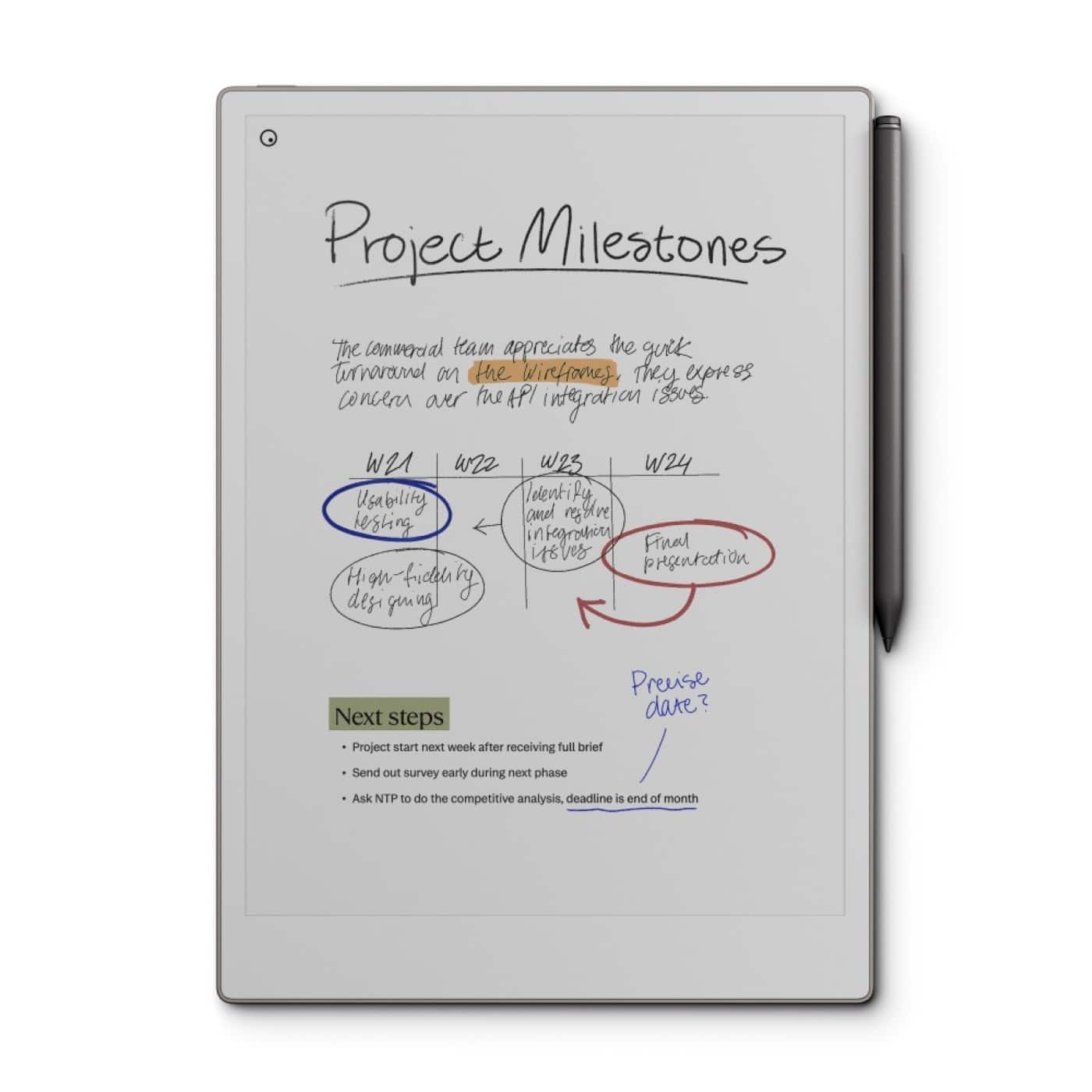
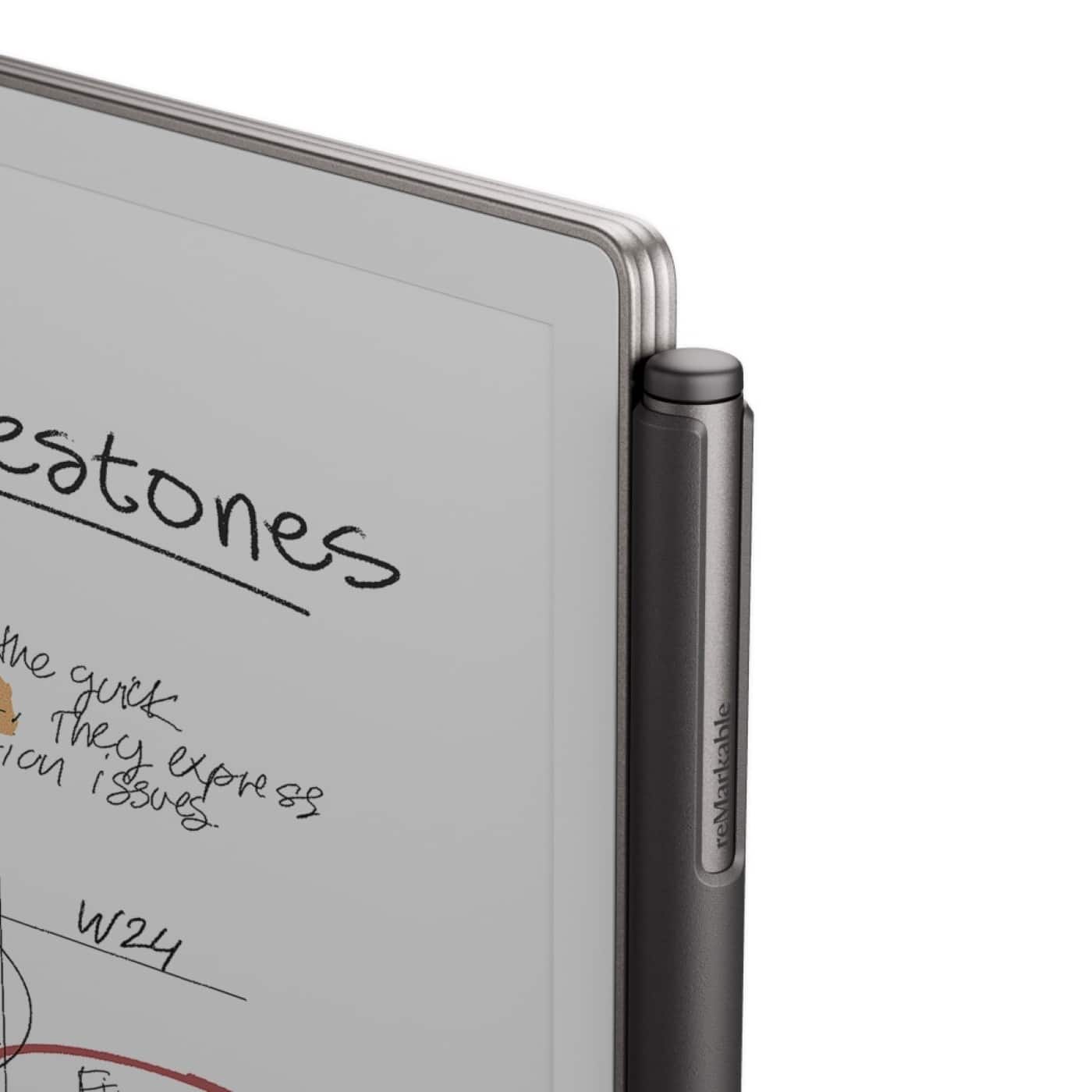
Your price for this item is $679.00

Customer reviews

Rating 4.4 out of 5 stars with 341 reviews

Rating Filter

Rating by feature

  • Value

    Rating 4.2 out of 5 stars

  • Quality

    Rating 4.7 out of 5 stars

  • Ease of Use

    Rating 4.6 out of 5 stars

Pros mentioned filter

Cons mentioned filter

87%would recommend to a friend

Customers are saying

Customers love the Paper Pro - 11.8" Paper Tablet with Marker Plus for its ease of use and near-paper writing experience. Many appreciate the battery life, screen size, and overall performance. Some customers feel the product is overpriced, and a few have noted that PDF file support is limited.

This summary was generated by AI based on customer reviews.

The vast majority of our reviews come from verified purchases. Reviews from customers may include My Best Buy members, employees, and Tech Insider Network members (as tagged). Select reviewers may receive discounted products, promotional considerations or entries into drawings for honest, helpful reviews.
Page 17 Showing 321-340 of 341 reviews
  • Pros mentioned:
    Battery life, Writing experience
    Tech Insider Network Member

    Rated 4 out of 5 stars

    Premium paper like device for note taking

    |
    Tech Insider Network Member
    Posted .
    This reviewer received promo considerations or sweepstakes entry for writing a review.

    Everyone has a distinct preference on how they keep themselves organized. I love taking notes and it has helped me learn new skills quicker, been a guide to ensure successfully being autonomous to peers and leadership, and help me create archived conversations to keep projects on schedule. I have tried numerous methods, both on physical paper and digitally via apps on an iPad with Apple Pencil. I have tons of moleskin like notebooks, switched to a main online retailer’s house brand which was equally as good to carry everywhere as the primary note taking medium. As work and life got more action packed, I quickly took some note taking classes and instituted a pivot to using an iPad to digitalize my notes. I embraced some of the more notable methods for being able to summarize a meeting. The Cornell method has been the one that stuck and its nice to see Remarkable included that in the templates available to choose from. I tend to use this style more for work since it gives 3 distinct areas on the page to maximize the way I document the important items. Using the iPad for over 5 years now the application that I picked over many was Goodnotes. I was able to organize both folders and individual notes easily into separate projects ranging from associate development to reoccurring meetings. One of the biggest gaps I feel and something to consider since it happens to be for me one of the biggest benefits of transitioning to digital note taking is the ability to search. Keywords, titles, dates, and anything in Goodnotes you can easily search all notes which is a collection now of over 10,000 pages and immediately get a comprehensive list of all search results. This has been invaluable for me to have my notes easily referenceable even in the future. This is not possible with today’s software on Remarkable and one of the biggest gaps in recommending this neat tool from my perspective. What I do love about the Remarkable Pro, the writing experience is unlike anything else. The smooth screen texture paired with the Apple Pencil has caused me to write faster and less legible, something I had to focus on improving so the search function wouldn’t ever let me down. Construction is amazing, big writing surface and thin but durable frame. I tried to load a book but the formatting is just a bunch of notes pages so this is really designed to solely be a device to take notes. When you consider the price, to me it is a tough sell when you get more with an Ipad. If you are a person who could use less distractions when using technology, this is for sure something to review. Collaboration options, like Goodnotes you can share and archive easily folders or individual notes depending on the meeting style and need. The flexibility to email and invite others within the device helps promote group collaboration and eliminates potentially establishing silos. It also has device facing applications so I have the Remarkable app installed on my MacBook Pro and it allows me to jump between that and the device and maintain cohesion. Hand writing and typing content on a single page allows you to maximize your note taking. Note these features will only mirror across devices when you pay for these enhanced features. Battery life and marker pro - rock solid battery life, easily get the entire work week using it all day every day, plus the seamless magnetic attach and charge with the Marker makes it so everything is always ready for action. I do like the ability to use the eraser on the market pro, one less touch point on the screen to choose eraser, then back to writing. Screen - for sure the star of the device. I absolutely love using this to take notes! The sensation is so close to using paper, its amazing. The pictures on Remarkable’s website does make the screen look both brighter and colors being more vivid then actual life. I have the brightness up to the max and still can’t get it to look like some of the marketing images. Still, the interaction of the pencil and screen surface is something to demo, it won’t disappoint. I did purchase a 3rd party case which turned out to be nicer than I expected considering it was 1/5th the price of the Remarkable branded case options. I have been finding minor inconveniences with the Remarkable vs iPad but the user experience of physically writing on the Remarkable pro cause most to become irrelevant. I will still travel for work with a laptop, iPad and now Remarkable pro.

    I would recommend this to a friend
  • Pros mentioned:
    Battery life
    Tech Insider Network Member

    Rated 5 out of 5 stars

    What a Remarkable device!!

    |
    Tech Insider Network Member
    Posted .
    This reviewer received promo considerations or sweepstakes entry for writing a review.

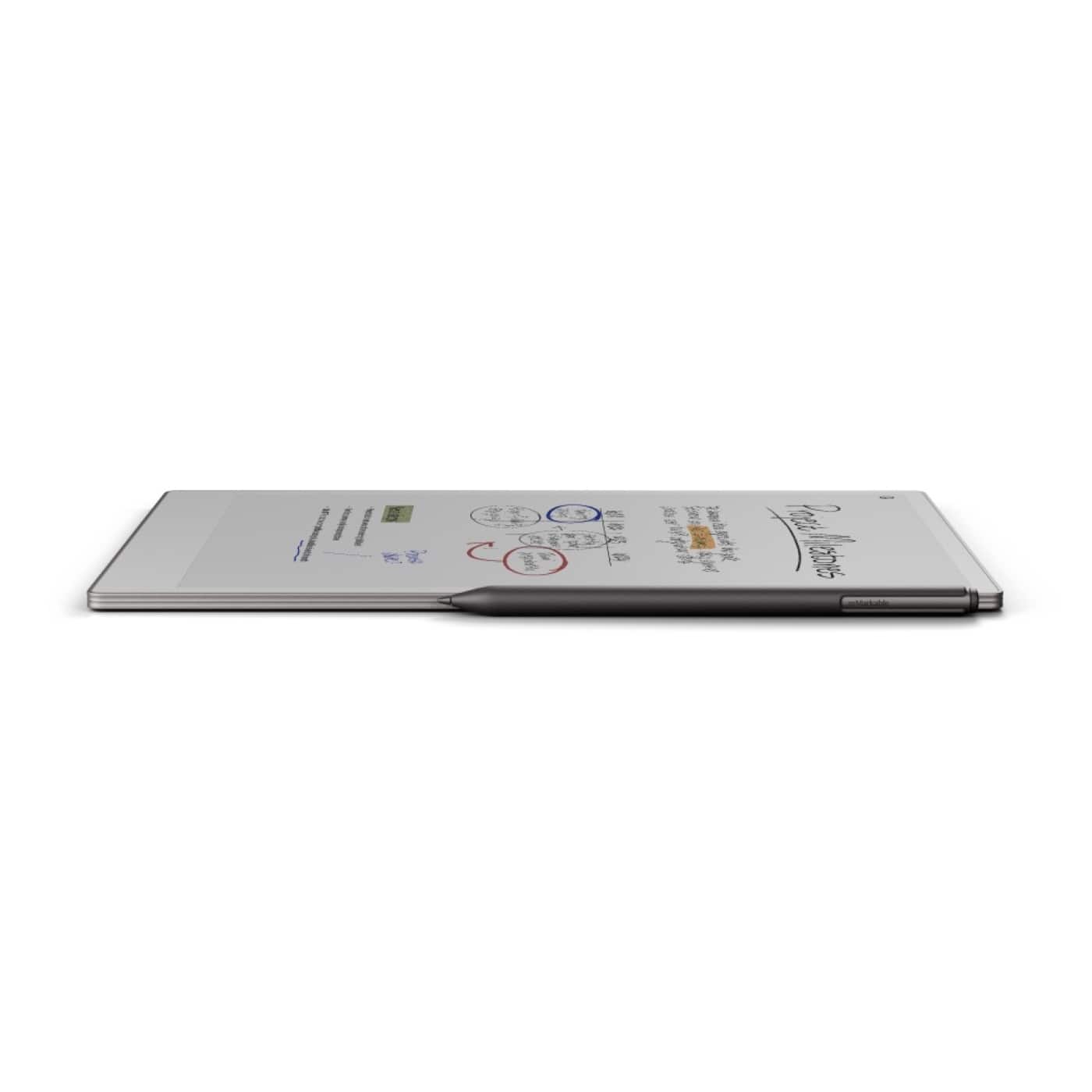
    The reMarkable Paper Pro is the type of product that you never really knew you needed until you insert it into your daily life! If you’re in any type of business, a school student, or a person just wanting a digital journal or notebook without the hustle and bustle of an iPad this will be right up your alley! It’s a unique and interesting product that becomes more and more valuable as you use it! Read on to hear the finer points of why I enjoyed my experience with the reMarkable Paper Pro Initial impression from unboxing and setup was very straightforward. The packaging is minimalistic and holding the tablet in your hand for the first time it really is thin, lightweight, and sleek! Weighing in at only 1.16 pounds and less than .20 inches thick its very impressive! Turning on and initial setup was easy and went smooth as silk. You create an account and can choose at that point to use their Cloud service. I recommend doing so to test out the full potential of the device, there’s usually a trial you can take advantage of with the purchase of the device! After setup is finished you can go through tutorials and see how to use the device. It’s easy to follow tutorials that anyone can use and understand. The device came with a The Marker Plus, it magnetically connects to the side of the tablet and charges at the same time. The pen feels good in your hand and has an eraser on the back like a normal pencil. What I like about the pen itself is that you can change the “stroke” on the software to multiple different ball point, highlighter, paint brush style etc, while all using the same tip! The settings allow you to change between right and left hand setting and writing with it feels good. The pen is responsive on the screen and is highly accurate. It still doesn’t 100% feel like writing on paper, but once you get used to it becomes natural. It’s accurate enough to be able to draw and sketch along with writing notes. The tip seems to last a long while but the Marker Pro comes with 6 extra tips. After using the device for roughly a week I’ve come to really enjoy its simplicity and overall experience. It is worth noting that it’s a highly different user experience than an Ipad. It doesn’t have extra apps or distractions or notifications, so it allows you to stay focused on the task at hand. You can manipulate notes, markup pdfs, create drawing/sketches with ease, and even journal if you want to. The possibilities are endless. If you’re a nursing student like my wife this device will be a life saver to load up all the pdf documents for class to be able to highlight and markup and write annotations etc. I work for a national builder and have been using this to display floorplans and mark them up in front of the customer. If you’re someone who shares notes on the fly with a team and have a lot of different files but want to organize them all in one place this will become essential. Anyone who’s paper dependent at all and want to go digital the remarkable paper pro is exactly what you need. Luckily the device comes with roughly 46 gigabytes of storage and Wifi capabilities so you have plenty of space for all your documents. The cloud service is essential to be able to take advantage of sharing the documents seamlessly. You can also use Google Drive and Dropbox as well for sharing documents! Battery life is highly impressive. I barely had to charge the remarkable during the last week. Overall this remarkable Paper Pro has completely replaced my need to carry paper around in my job and allows me to share and edit any document on the fly! It’s become an essential business tool and my experience with the device has just started! If you’re looking to go paper free and allow yourself to store all your notes, thoughts and documents in one place, this Is the device for you!

    I would recommend this to a friend
  • Pros mentioned:
    Battery life, Screen size
    Tech Insider Network Member

    Rated 4 out of 5 stars

    Simpler Tech

    |
    Tech Insider Network Member
    Posted .
    This reviewer received promo considerations or sweepstakes entry for writing a review.

    I have soo many paper notebooks everywhere, all over my house. I use them personally and for work and it's becoming a mess. So I've been thinking about getting a tablet just for note taking and reading, then I can get rid of all these pads of paper. One simpler device without all the apps and distractions. That's the way they market it and I like it! I had previously tried a color e-ink tablet but I didn't like the 10 inch screen. It just wasn't big enough. Then the Remarkable Paper Pro was released. I love the size of it! It is extremely well built and super thin. I would have been OK with black and white but the ability to have the colors is very nice. Many reviews complain about the refreshing of the colors and how it gets really annoying but I haven't found that to be true. You get used to it pretty quick. It is the nature of the technology right now and it will only get better. Reading books on this tablet is just fine. (although I miss my page turn animation) if your books are just text, there's no lag. Graphics and comics could be frustrating to read with the refreshing. Drawing and writing on the RPP is lovely. It almost feels like paper but a bit more slippery. I don't notice any lag when writing, the marker keeps up perfectly. The marker plus having the built in eraser is a nice upgrade, although there is an eraser button on the tablet that would be easy enough to use with the standard one. It feels comfortable to hold but maybe the next one can be a bit thicker. The battery life is good. I've used it a few hours a day for a week and haven't had to charge it yet. It does have the USB C for charging and the marker easily snaps to the side with strong magnets to charge. At first when I set up the connect app I was thinking it was pretty useless as I could only view my files. I wanted the ability to edit and add to my notes on the go but there were no options for that. I did some reading on reddit as I figured there must be something wrong and I did find advice to log out of the app and tablet, then log back in. After everything synced I finally got the tools to edit! (only text typing tho, hopefully I can write on my phone soon) At this price point the monthly fee ($3) should be included. The Remarkable is priced kinda high. If the marker and a case were included, it could be more justifiable. Another thing I hope they fix with an update is the top end of the light. It is too dim! It needs to get three times brighter. So far I'm really enjoying the Remarkable Paper Pro and I don't need paper notebooks everywhere. Having all that mess condensed to one thin tablet is wonderful!

    I would recommend this to a friend
  • Pros mentioned:
    Battery life, Writing experience
    Tech Insider Network Member

    Rated 5 out of 5 stars

    Many benefits over an iPad

    |
    Tech Insider Network Member
    Posted .
    This reviewer received promo considerations or sweepstakes entry for writing a review.

    I want to thank the Best Buy Tech Insiders network for sending me the Remarkable Pro. I have been using it for a week now and I find I like it for it's lack of distractions. I have 2 iPads and everytime I sit down to read a book or magazine on it, I get bombarded by notifications and emails popping up every few minutes. Of course i could disable them by going into Focus mode but then I get a thought and want to look something up online or I remember I have to tell somebody something and that's the end of reading. Since I got the Remarkable Pro, I put some books and PDFs on it, I take it into another room without a computer, I leave my iPad and iPhone in a different room and I sit down and read. No distractions! I love it. The Remarkable Pro has an 11.8" color screen but since the Remarkable is an e-ink device, the colors are dull. I'm used to the bright colors on the iPad but for reading, it doesn't matter. I took it to work with me and took notes on it and it felt just like I was writing on paper. They give you a good selection of pen styles, markers, highlighters, etc. and you can choose the thickness of the strokes. You can choose from 9 colors when you are writing. You can draw something and then stretch it or shrink it. You can organize your work into folders and add tags to your documents. If you are reading a document, you can annotate it or highlight sections of the text. When you write something on the Remarkable, you can have it convert your handwriting into text which is really cool. You are able to connect it to your computer using a USB-C cable and download the Remarkable app on the computer so you can add documents to the Remarkable just by dragging and dropping it on the computer and it transfers instantly. You can also present using screen sharing if you need to. You can send your documents via email and save your documents to Google Drive, Dropbox or One Drive so your documents are always safe and where you might need them. One thing I almost forgot to mention is the pen (stylus) let's you erase just by using the back of the pen just like a regular pencil which makes taking notes that much easier. It's a great device and since it is e-ink, it will keep it's charge for weeks whereas I have to charge my iPad every night.

    I would recommend this to a friend
  • Pros mentioned:
    Battery life, Screen size
    Tech Insider Network Member

    Rated 3 out of 5 stars

    Colorful e-ink tablet

    |
    Tech Insider Network Member
    Posted .
    This reviewer received promo considerations or sweepstakes entry for writing a review.

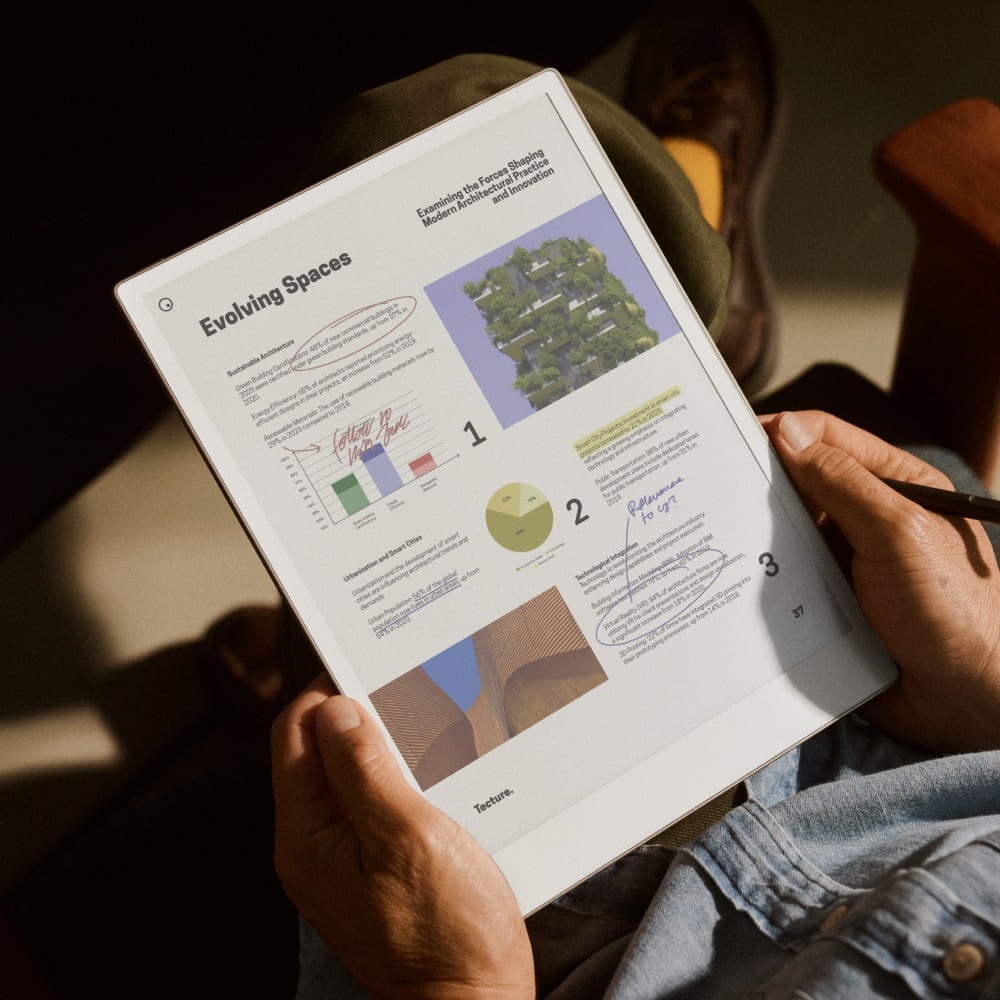
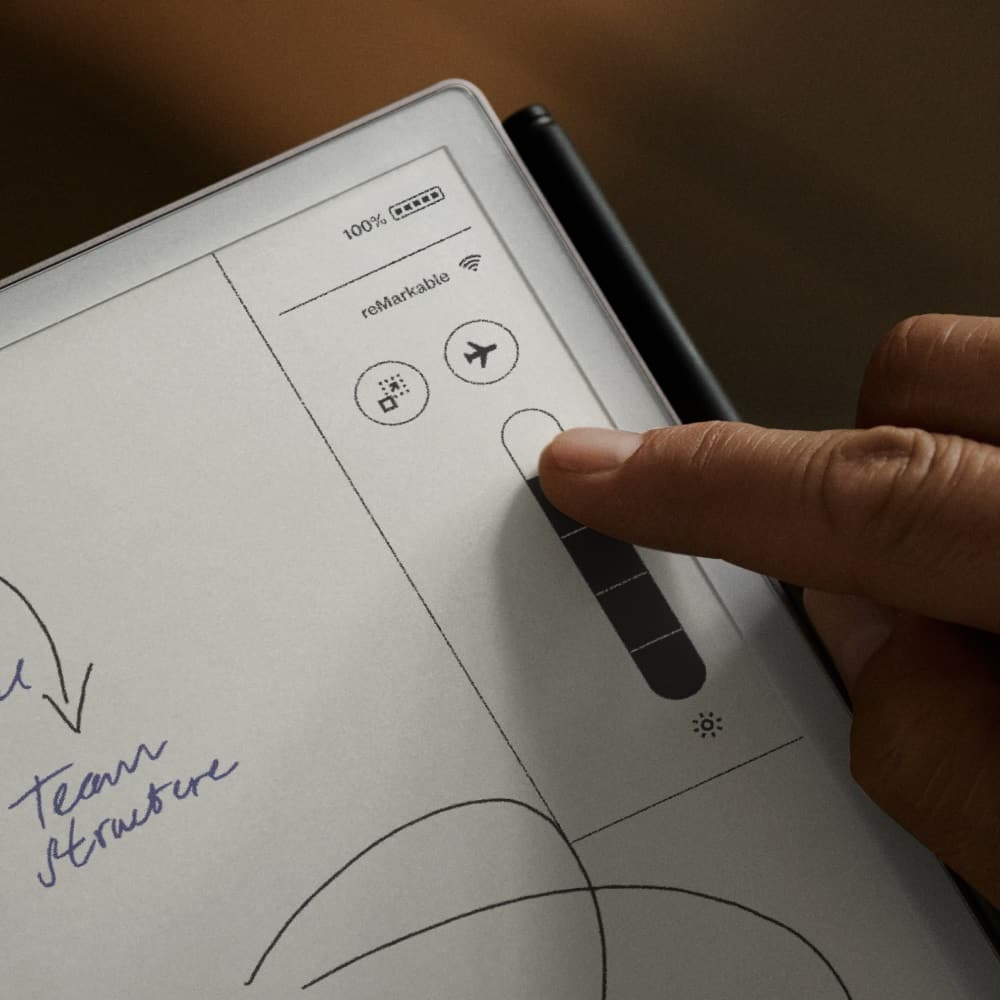
    I’ve read all the articles about how handwriting is actually better for retaining information, and since then I’ve been in pursuit of the perfect tools for taking notes by hand, yet integrating with my digital lifestyle. I’ve tried apps that scan paper pages, physical notebooks with dedicated apps, handwriting apps on Windows 2-in-1 laptops, Chromebook apps, and handwriting apps for my iPad. Each of these have things to commend their use, but ultimately all had some fatal flaw. That’s when my attention turned toward e-ink tablets. The release of the Paper Pro brought what seemed like the perfect device for writing: excellent hardware utilizing a robust set of tools, and now in color! I picked one up and put it through its paces. If you are in the market for one of these devices, I hope I can help your decision process. Unwrapping the Paper Pro gives your first glimpse of color on the e-ink screen. The build quality of the Paper Pro is impeccable. It’s a little thicker than the reMarkable 2, but that’s probably due to the frontlight. The aluminum back and sides feel smooth and solid, and there are 4 rubber feet on the back to keep it from moving on a table. Setup was easy and the step-by-step walkthrough takes you through the entire process. After connecting to wifi and checking for software updates, you’re good to go. Two things are immediately apparent: the large size of the screen and the feel of the Marker Plus on the screen. Other e-ink tablets have textured screens, but compared to the Paper Pro, they feel much smoother. The Paper Pro has a “scratchier” feel and some additional resistance that is actually quite pleasant. I know that not everyone will like this, but I felt that it made my writing more accurate with more definite feedback, so I prefer what reMarkable has done with their latest screen. The Paper Pro features a wide array of writing instruments, including ballpoint pen, fineliner, highlighter, pencil, mechanical pencil, calligraphy pen, marker, shader, and paintbrush. Each of these has 3 thicknesses and 6-9 different colors. More on color later. The Paper Pro uses an e-ink panel that is not used by other manufacturers, so it behaves a bit differently than others. It is noticeably grayer than others I've used, but not negatively so. It also seems to have a bit less contrast, so I found it necessary to use a thicker line. This is one area that is a bit disappointing—contrast. Using a very fine pen thickness makes it harder to see, and while I can use a thicker pen to help with that, the bottom line is that the panel just has less contrast. The writing experience is excellent. The Marker Plus feels good in the hand, and it includes a built-in eraser for a more natural experience. Once I found the pen style I liked, I got busy taking notes. The reMarkable operating system is pretty intuitive. It was easy to create folders and notebooks. There is almost no lag while writing, but the screen refreshes are more noticeable than other e-ink screens. That didn’t bother me, but it may be a bit disconcerting at first. Palm rejection is perfect. There seems to be a bit of inconsistency between times when a finger touch works and when you need to use the pen. Moving objects around on screen can be done with a finger, but the pen is required to complete the operation. A similar thing happens when selecting the pen type. I’m sure I’ll get used to it, but thought I’d mention it. One of the big things introduced with the Paper Pro is color. Highlighting on an e-ink tablet without color was always unsatisfying, so it’s very nice to see highlights in color. Highlights initially show up in gray, then switch to the chosen color after the screen refreshes. Be aware that while the colors are very nice, they’re not bold and vivid like you might see on an lcd tablet or computer screen. That’s just the nature of e-ink, and the colors are still very effective, and much better than not having them. This is one of the best features and one that I intend to use a lot. Here are a few features that I really like having: • Settings stay with the document! Things like page orientation, pen style, thickness and color are remembered from document to document—very convenient! • You can have different page styles within the same document • The ability to add layers to make sets of changes that can be reversed without affecting the base document. • Ability to add typed text with formatting, together with handwritten text. This allows for much more flexibility. • Ability to email documents to anyone directly from the Paper Pro. Another new feature over the reMarkable 2 is the addition of a frontlight. This version of e-ink panel has a noticeably gray tinge, as I mentioned earlier, and this impacts the level of perceived contrast. Using thicker pen styles is one way to combat that, but the frontlight helps as well. Too bad the Paper Pro is equipped with such a weak frontlight. There are 4 levels of brightness, but I would only ever use anything less than maximum if I were in a completely dark room. The frontlight definitely helps, but sometimes I couldn’t tell if it was on. It’s nice to have and definitely makes this a better device, but it’s just underwhelming and makes you wish for more. The companion apps (desktop and mobile) provide the ability to view your notes on other devices, and the optional Connect subscription also allows editing those notes on other devices. You can also do live screen shares with the app, allowing better collaboration with your notes in a meeting. This is a nice feature. Integrations with OneDrive, Google Drive and Dropbox are a very nice touch and allow for seamless sharing of documents back and forth with those services. Note, however, that this does not mean you’ll have live synch with those services. Documents saved back to your cloud service will need to be renamed to retain your changes. For me, my main use for a device like the Paper Pro is as my daily planner/to-do list. That means that I need to be able to see those things at a glance, without having to take a deliberate action to do so. That alone eliminates the most traditional tablets from contention, unless you’re willing to leave it plugged in all day. The Paper Pro features “light sleep”, which puts the unit to sleep after 20 minutes with the last-used page still showing, for up to a few hours. I love this! It’s also possible to set the device to never turn off. With the frontlight turned off to save battery, this could be a viable option. Battery life is good, but not great. With my usage pattern, I can get through almost a week pretty comfortably. The light definitely impacts that, as does the need to charge the Marker Plus, which is done through its magnetic attachment to the side of the unit. What about reading? Writing is the main purpose of the Paper Pro, but you can also read books in Epub format (if they’re not protected) or PDFs. With the larger screen size, both of these look great. This is especially useful for larger technical documents. It doesn’t feature all the reading-friendly features of a dedicated ereader, so you may not be able to get rid of your e-reader just yet, but if you have a lot of DRM-free material, the Paper Pro is more than adequate as an e-reader. The biggest roadblock to adoption for the Paper Pro has to be cost. At $629 with the Marker Plus, this is a very expensive writing tablet. While the overall experience is better than what you can get elsewhere, is it $300 better? If you’re most excited about color and the larger size, then perhaps you’d say yes. There are some significant features that are better on the Paper Pro, but again, those have to be weighed against the cost. While I recommend the Paper Pro, it’s really only for those who can afford to pay for the latest and greatest and don’t care about the expense. The first iteration of a color reMarkable is excellent, but it does feel a little like a 1.0 release, so I expect it to improve in future iterations.

    I would recommend this to a friend
  • Pros mentioned:
    Battery life, Ease of use

    Rated 4 out of 5 stars

    Happy with Purchase

    Posted .
    This reviewer received promo considerations or sweepstakes entry for writing a review.

    This tablet is lightweight to pack around and easy to use. The battery lasts a longtime and it’s easy to organize my thoughts. The additional color feature is a game changer for me with my OCD tendencies. I don’t use the subscription, but uploading documents from my computer to my tablet is simple, similar to uploading to Google Docs or SharePoint for other things. The only reason I have 4 stars for value is I feel you should get a longer complimentary subscription with the price for the device.

    I would recommend this to a friend
  • Pros mentioned:
    Battery life, Writing experience
    Tech Insider Network Member

    Rated 4 out of 5 stars

    Excellent tablet, refresh rate a buzzkill

    |
    Tech Insider Network Member
    Posted .
    This reviewer received promo considerations or sweepstakes entry for writing a review.

    This is a real cool piece of technology allowing you to write and take note almost as if you're writing on paper. The feel is paper-like but not quite there yet. The onboarding process went pretty smoothly pairing the device with an account you can create online. Then there's a quick tutorial to show you some of the basic features of the tablet. During this process you use the included pen to learn how to use the tablet. Then, you can stick the pen to the side of the tablet magnetically at which time it automagically starts to charge. This being an e-ink tablet, the battery life is excellent. Some of the features like Dropbox sync will come in handy to upload files, PDFs, etc. A couple of quirks, however, keep me from giving it 5 stars. One - the hand / swipe gestures didn't work most of the time to the point that it was a bit of a frustrating experience. Two - this is not the fault of this particular device but I believe e-ink devices in general...I'm talking about the page refresh issue. Each time you make a change the page flashes for a brief second. It's a bit jarring but I guess you get used to it after awhile. Overall I like this and would recommend it to others.

    I would recommend this to a friend
  • Pros mentioned:
    Battery life
    Tech Insider Network Member

    Rated 4 out of 5 stars

    Distraction free writing, sketches, and markups

    |
    Tech Insider Network Member
    Posted .
    This reviewer received promo considerations or sweepstakes entry for writing a review.

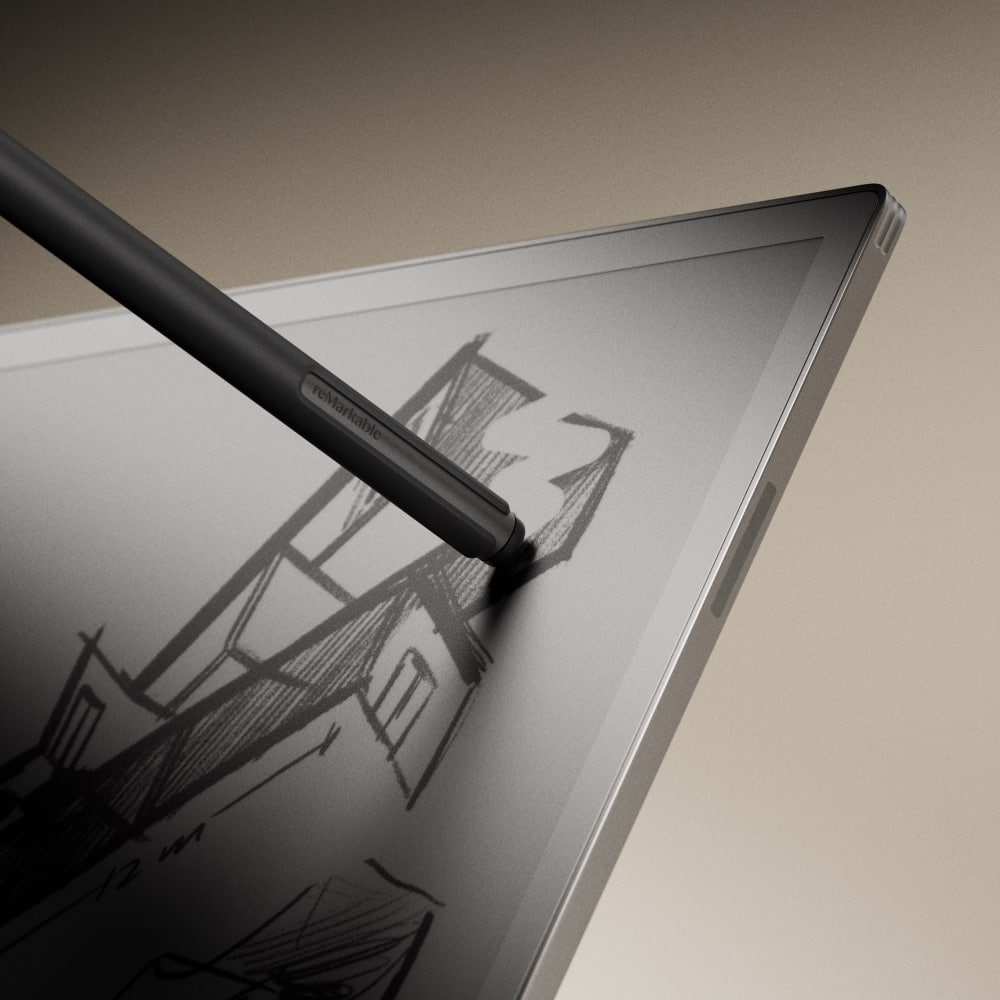
    The reMarkable Paper Pro facilitates distraction free writing, note taking, and revision markups very well. This is my first reMarkable product, so if you are looking for comparisons to previous models, I can’t really help. As a first-time user, however, I can say that this product does what it claims to do. A quick shout out for using recyclable packaging. I appreciate that effort. The Paper Pro is simple to operate. It boots up pretty quickly and brings you to a home screen. It only took me a couple of sessions to settle into the line size and find the features that I’ll use the most. From the home screen, you can create folders to organize your work. I’m a bit OCD about organization of files, so I found this very helpful. It’s easy to keep work and personal items separate. The menus are simple and easy to navigate. You simply hit a simple button on the touchscreen with your finger or the pencil to create a quick note, full notebook, etc. Once created, you can name your pages, if you’d like, and you are off to the races. I found the resistance between the pencil and screen to be on the slick side. I was expecting it to feel a little more like a pencil on paper. It feels more like a fine tip pen on smooth paper. I’m happy with the feel, but from what I’ve read, this might feel different than what user of previous models are used to. The colors are a nice touch. It makes it easier to organize thoughts and highlight certain elements on the page. The colors are not super bright like highlighters. They are more pastel in tone. I like them. It’s easy on the eyes and still gets the job done while allowing for a little pop. I like the active pencil. It has excellent responsiveness. It wirelessly charges through the magnet connection to the side of the tablet. I have the fancy pencil with the eraser on the opposite end. I use it a lot. I’ve always made a lot of corrections to my notes, and this makes it easy. Once I’ve got my notes the way I want them, I have the option of converting a section or the entire page to typed text. I have pretty terrible handwriting, and so far, it hasn’t had any trouble converting my notes. Formatting isn’t always perfect if you are making lists, but it’s pretty easy to clean up, if need be, with the touchscreen keyboard. The battery lasts a LONG time. Obviously, it will depend somewhat on how much you use it, and what brightness you have the front light on, but it’s very strong. Speaking of the front light, it’s very nice. This is different from a regular tablet that is back lit. In this design, the light shines down on the writing surface and reflects back at you. You end up with a softer lighting effect that is less strain on your eyes. You don’t really even notice it’s on in the daylight, but as it gets darker, the screen remains easy to work with while not blinding you. You can adjust the brightness. I turned it down slightly. It’s perfect for working in a dimly lit area or in bed. The lack of distractions is very helpful if you struggle to focus with the constant temptation of web browsers and notification and DM apps. This takes all of that away. It only does one thing, and it does it well. Notes. I do like that you can use the app or a web browser on a computer to upload PDFs and ePUB books to the tablet. It also allows JPG and PNG files. There is an option to upload Power Point and Word documents for reading as well. You can’t modify any of the original files on the tablet, but you can mark them up with notes to refer to later on when you make revisions on a computer. There isn’t much I don’t like. I find the file types too restrictive for sure. The only eBook format they support isn’t what most online eBook vendors use, so pay attention to formats if you intend to read on this table. I think I’d actually like a little more resistance between the pencil and the tablet. This device is much more usable if you spring for the keyboard case. I like the ability to type and write. Out of the box, you only get writing unless you want to use a clumsy touch screen keyboard. With the keyboard case, it functions like a distraction free word processor with the ability to mark things up for later revision. Unfortunately, that add on is expensive, and proprietary, so I don’t love that. I don’t love that I need a subscription to keep everything in sync with the cloud. They kind of nickel and dime you after the initial purchase if you want to make it fully functional and safe for storing important notes. Who would like this? Someone who is distracted by all the pop ups and notifications and temptation of web surfing during meetings or writing jobs but still wants a technology solution over pen and paper. Someone who writes for a living, wants the ability to quickly capture idea on the fly, and wants a simple device that is easier to carry around than a laptop. Someone who likes to read or write in bed while a partner is trying to rest. Cartoonists who want to be able to quickly sketch ideas to be fleshed out later. It has a lot of potential users, just understand what you are getting. It is distraction free whether you want it to be or not!

    I would recommend this to a friend
  • Pros mentioned:
    Writing experience
    Tech Insider Network Member

    Rated 5 out of 5 stars

    A Seriously reMarkable Device!

    |
    Tech Insider Network Member
    Posted .
    This reviewer received promo considerations or sweepstakes entry for writing a review.

    As an early adopter of the reMarkable 2, I was excited to hear about the arrival of the reMarkable Paper Pro. For those not familiar with reMarkable devices, they are simply eInk tablets designed to provide a paper-like note-taking and reading experience—nothing more. reMarkable is one of the few companies that understand that sometimes less is more! Instead of focusing on developing a device that does everything (apps, email, social media, note-taking, etc.), the reMarkable team took a different approach. They set out to create a distraction-free digital note-taking device that closely mimics the pen-on-paper experience. The reMarkable Paper Pro combines everything that attracted me to the reMarkable platform and adds a few key features that enhance my already enjoyable note-taking experience. The most notable feature has to be the introduction of color eInk. Despite everything I love about the reMarkable platform, I have always found myself wishing there was a way to highlight and differentiate items of importance in my notes without needing to utilize thicker pen strokes or viewing on a separate device. Color eInk has been a game-changer for me! The addition of color has enabled me to highlight key information, quickly annotate PDF agreements and documents, and organize my daily notes according to importance and priority. To be perfectly honest, I always thought color eInk would be nice to have, but I’ve quickly realized, at least for me, it's a MUST have. The new Paper Pro also offers a refined writing experience over the reMarkable 2 that should not be overlooked. The larger eInk display is sized to almost perfectly match a standard sheet of notebook paper, making it ideal for drawing, note-taking, and, thanks to the newly added backlighting, perfect for reading e-books and notes. This new display, paired with the new Marker Pro (active EMR stylus), offers a smoother writing experience thanks to the significantly improved display. I experienced almost zero lag and no calibration issues during my testing; while minimal on the reMarkable 2, these were noticeably improved with the Paper Pro. While I absolutely love the Paper Pro, there is just one item I found less appealing. The Paper Pro is 30% heavier than the reMarkable 2; while not earth-shattering, it’s certainly noticeable. Overall, to say I’m happy with the reMarkable Paper Pro would be an understatement. I have always highly recommended the reMarkable platform and plan to continue my glowing endorsement with the new Paper Pro!

    I would recommend this to a friend
  • Pros mentioned:
    Writing experience

    Rated 5 out of 5 stars

    Its fanntastic for work & school

    Posted .
    This reviewer received promo considerations or sweepstakes entry for writing a review.

    Just uograded to the pro primarily for the backlight and color. My higher schooler took my old Remarkable 2 primarily for calculous homework. Grest writing experience. Also PDF files download easily (book options are very limited for me so far). Tried the Kindle and while the hardware is good it doesnt have the software and App functionality of Remarkable. I highly recommend both Remarkable 2 and the Pro.

    I would recommend this to a friend
  • Rated 5 out of 5 stars

    Great Notepad - Many uses.

    Posted .
    This reviewer received promo considerations or sweepstakes entry for writing a review.

    So, first, I'll start; I didn't purchase this at Best Buy, but I did purchase it directly from Remarkable (I didn't realize BB had them). I love the product, but I don't understand why folks think it is heavy, yet they may have an iPad, which, to me, is heavy (if you get the large one). If you are like me and end up writing a ton of little notes, this is for you; even just saving passwords, meeting notes, and what to do is excellent. I use my phone for a calendar and day planner, but for scribbles, daily what to-do's, this is perfect for taking a phone message, etc. I recommend going to ETSY to search for templates; a ton will fit your use for me. It's the Sticky pad template, and I use it every day. I can turn on my pad, see what I need to do, etc. I have saved the template several times for personal, account info, and tasks. Well, you have the idea. And it's a notepad. It makes my desk look clean since all my doodles, notes, etc., are on a pad. Seriously, jump over to ETSY and look at the templates; there are a ton that will help you with daily tasks.

    I would recommend this to a friend
  • Cons mentioned:
    Price

    Rated 3 out of 5 stars

    Great note taking device, but…

    Posted .
    This reviewer received promo considerations or sweepstakes entry for writing a review.

    I purchased this device from Best Buy after watching several videos about it. Here are my experiences. The first thing I noticed are the colors. The colors look great, however, they are not nearly as vibrant as they appear to be in marketing images. They are more muted and pastel-like. Second thing I noticed is how limiting the software can be. There is no way to search your handwritten notes. Remarkable has implemented a tags feature, but that’s cumbersome. Even though the display can show 20,000 colors, you can only pick one of nine. You can only choose six colors with the highlighter. There is no pre-loaded shapes function, which is standard on many other e-ink devices. If you decide draw shapes, there is no fill function to automatically fill the shapes in. There are only three line sizes you can choose with most tools. You cannot add apps on this device, which I get since it’s supposed to be “distraction-free”; however, in 2025, and for this expensive of a device, it’s unthinkable they won’t include apps. You’ll need to subscribe to their Connect service to upload documents to the tablet, which is kinda annoying. Overall, I liked the device, and I could only recommend it if it was half the price. At this price point, it’s overpriced for how limiting it is. There’s other options out there I would recommend that can do more for less money. I will be returning this device to Best Buy.

    No, I would not recommend this to a friend
    • Brand response from remarkable Team
      Posted .

      Hi Justin! Thank you for your feedback. We’re sorry to hear the reMarkable didn’t meet your expectations but appreciate that you still like the device overall. We understand your concerns regarding the colors, software limitations, and lack of certain features. We’re constantly working to improve the device and appreciate your input.

  • Rated 5 out of 5 stars

    Better than an ipad

    Posted .
    This reviewer received promo considerations or sweepstakes entry for writing a review.

    Best way to take notes and send them out by email, no distractions like with an ipad

    I would recommend this to a friend
  • Pros mentioned:
    Ease of use

    Rated 2 out of 5 stars

    Not worth it

    Posted .
    This reviewer received promo considerations or sweepstakes entry for writing a review.

    I purchased the remarkable paper pro for the size and writing and storing documents for personal and business needs. I have been using the pro for about a week and realize it’s not what I expected at all. It’s difficult to see my planner download even with the light turn all the way up. My work isn’t that sharp but on the dull side. I have kindle scribe and it’s by far the best compared to this new remarkable paper pro. The pen makes loud noise when using which can be a bit distracting. The pros is the different color highlighters offered, the ability to use other apps like google drive and Dropbox. I also like how easy it to download PDF’s. I don’t like how you have go through steps to use the highlighters. The kindle scribe allows you to highlight right from pen with a click. It’s very difficult trying to download books, novels, articles and I still haven’t figured it out! So frustrating. If your looking for a good E ink writing tablet that does everything including reading and make to download with ease, I highly recommend the kindle scribe. I will be taking back my remarkable paper pro. It’s not worth $749.00 with pore resolution, writing experience, lack of ease of use, very hard on eyes, and occasionally freezes. I do not recommend the REMARKABLE PAPER PRO.

    No, I would not recommend this to a friend
    • Brand response from remarkable Team
      Posted .

      Hi Missy! Thank you for your detailed feedback on our new reMarkable Paper Pro. We’re sorry to hear it didn’t fully meet your expectations. We appreciate your insights on the highlighting features and the process for downloading books and articles, and we’re always working to improve our paper tablets. Best, Stina

  • Pros mentioned:
    Ease of use

    Rated 2 out of 5 stars

    Maybe I got a dud….

    Posted .
    This reviewer received promo considerations or sweepstakes entry for writing a review.

    Durability rated poor because it died after 4 workdays of use in a pristine clean office setting. Backlight rated 3 because there’s no discernible difference between the levels between off and high. Basically, the light is either on or off. I bought my PaperPro on 12/26. I used it for 4 workdays. On the 4th morning, it wouldn’t awake and there were fuzzy lines on the screen. After tech support, restore, reset to factory settings and repeating all again, tech support said the device was restored to normal and I could resume normal activity. However, the tablet never recovered. It was not. The screen just said loading and never changed, although it did periodically flash rapidly. So, I took it back to Best Buy who was of course, extremely helpful. I’m sad because I really liked the Pro. I got a reMarkable2 now instead. It’s nice and not at all glitchy. The feel of it is great and I know 4 people who have had their reMarkables for 3 years or more and are very happy. I must say, the layout of the controls on the 2 are better and I don’t miss the backlight at all. I think the light on the Pro is not useful for me because I don’t work in the dark. I miss the color options of the Pro and its bigger size. Also, the Pro has really substantial rubber knobs on the back that keep it from sliding. Maybe I’ll get a Pro in the future when they have the software glitches resolved. For now, I’ll concentrate on being happy with the ease of use of the 2 and the fact that there are zero glitches with anything about it (so far) and the screen contrast is better than the Pro. I did pay for the overpriced folio for the 2 because it doesn’t sit as well on the desk as the Pro did and the folio resolved that.

    No, I would not recommend this to a friend
    • Brand response from remarkable Team
      Posted .

      Hi there. Thank you for sharing your experience with reMarkable Paper Pro and reMarkable 2. We’re sorry to hear about the issues with reMarkable Paper Pro and appreciate your honest feedback on its performance and design. We’re glad to know the reMarkable 2 is meeting your needs and providing a glitch-free experience.

      Your insights are invaluable, and we’ll ensure they are shared with our product team. If you have additional feedback, you can submit it here: tinyurl.com/TellUsrM.

  • Rated 5 out of 5 stars

    This is a tool. It isn't a classic tablet.

    Posted .
    This reviewer received promo considerations or sweepstakes entry for writing a review.

    I bought this after having had a Remarkable 2 for a few months. I LOVE this device. I mostly use it as a planner and an e reader. I've started reading graphic novels since purchasing. One of the best features is that it's not connected to any kind of internet surfing browser or app. The ability to have a single focus when I use this device is why I was able to justify the higher price. I'm in school now, but when I'm done and have more time, I plan to purchase a keyboard and do more writing with it. I am so glad I own this tablet. It's worth it.

    I would recommend this to a friend
  • Pros mentioned:
    Screen size

    Rated 2 out of 5 stars

    Too glitchy

    Posted .
    This reviewer received promo considerations or sweepstakes entry for writing a review.

    Recently upgraded from the RM2 to the pro, and after 90 days, decided to return it. I found it to be very glitchy (not as clean of a writing experience as the 2, and very frequent screen ‘refreshes’ that irritated my eyes. I love the larger screen size and the ability to highlight, but the cons are enough that I decided it wasn’t worth it. Battery life is also terrible compared to my RM2–and I dont even use the backlight (which I thought I would use more, but I actually didnt like it—found that the overhead light on a plane is better than the backlight). I look forward to the next generation when they’ve worked out the glitches! All of my colleagues have RM2’s and I’ve discouraged everyone I’ve talked to NOT to upgrade.

    No, I would not recommend this to a friend
    • Brand response from remarkable Team
      Posted .

      Hi Elizabeth. Thank you for taking the time to share your experience with the reMarkable Paper Pro. We’re sorry to hear it didn’t meet your expectations, but we’re grateful for your detailed feedback. It’s important for us to understand how our devices perform in real-world use, and your insights about the glitches, screen refreshes, battery life, and other features are incredibly valuable.

      If you have additional suggestions or ideas for improvement, you’re welcome to share them here: tinyurl.com/TellUsrM. Your feedback will be passed along to the relevant teams.

  • Rated 2 out of 5 stars

    Product damaged-returned

    Posted .
    This reviewer received promo considerations or sweepstakes entry for writing a review.

    The advisor that helped me is mahar. Tall guy glasses- super friendly and assisted me for my order pick up. Had excellent customer service as I had to return the item due to it being damaged out of the box- over all awesome unboxing great product if the screen wasn’t slightly damaged

    I would recommend this to a friend
  • Rated 4 out of 5 stars

    Remarkable Pp

    Posted .
    This reviewer received promo considerations or sweepstakes entry for writing a review.

    I am in love with this notebook, writing feels little different from rm2 but it is acceptable, batterie life is not goog as rm2

    I would recommend this to a friend
  • Rated 1 out of 5 stars

    Truly disappointing.

    Posted .
    This reviewer received promo considerations or sweepstakes entry for writing a review.

    Truly disappointing. The paper tablet broke within a year and the company has no phone number to call and talk to anyone. They did respond via email making some excuse why they wouldn't cover the tablet. I would never purchase another product from this company and you shouldn't either.

    No, I would not recommend this to a friend
    • Brand response from remarkable Team
      Posted .

      Hi Scot! Thank you for the feedback you have provided. While our support team is available via email to assist with issues, we recognize the importance of providing a seamless and satisfactory resolution process. We're sorry if we weren't able to meet your expectations in this instance. We’re constantly working to improve both our products and the support we provide, and this will help us do better.