Deals Worth GiftingShop now

Skip to content
Gift Ideas
Main Content

Customer Ratings & Reviews
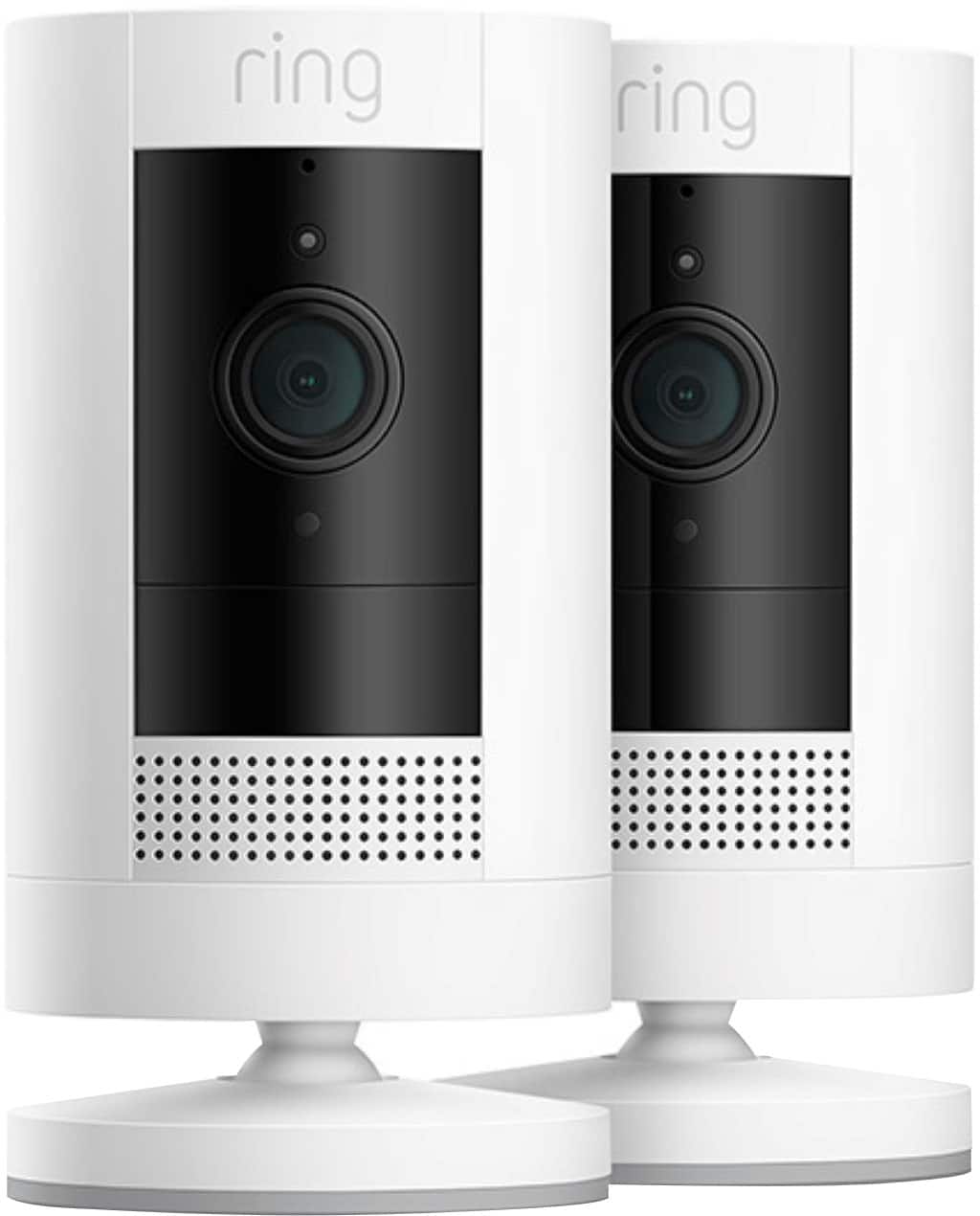
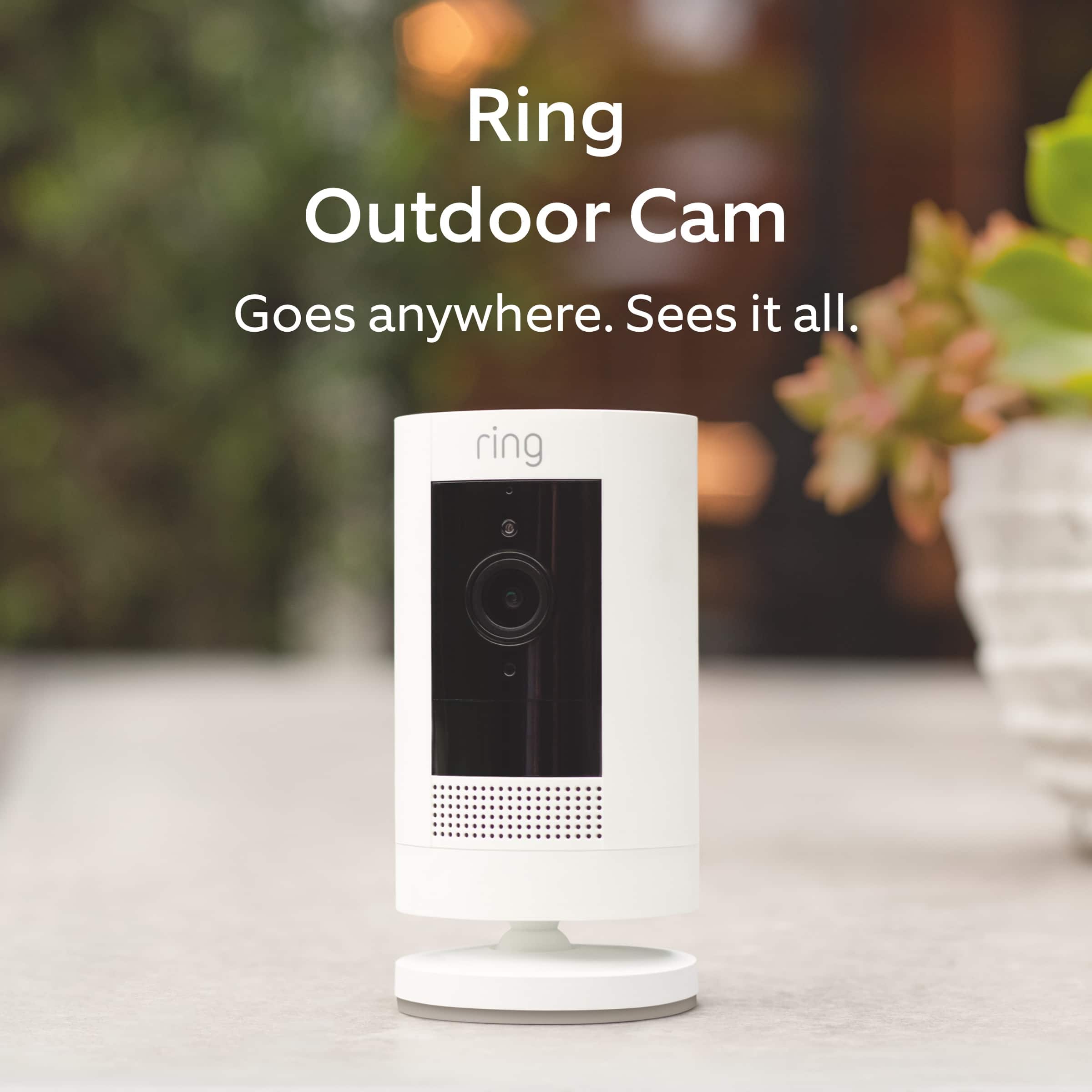
Your price for this item is $149.99

Customer reviews

Rating 4.6 out of 5 stars with 267 reviews

Rating Filter

Rating by feature

  • Value

    Rating 4.6 out of 5 stars

  • Quality

    Rating 4.6 out of 5 stars

  • Ease of Use

    Rating 4.7 out of 5 stars

Pros mentioned filter

Cons mentioned filter

92%would recommend to a friend

Customers are saying

Customers value the easy setup, good video quality, and long battery life of the 2-Pack Stick Up Indoor/Outdoor Wire Free 1080p Security Camera. They appreciate the convenience of wireless installation and the sense of security it provides. However, some customers have concerns about the motion detection feature, as it sometimes misses movements or has a delay in picking up motion after being in rest mode.

This summary was generated by AI based on customer reviews.

The vast majority of our reviews come from verified purchases. Reviews from customers may include My Best Buy members, employees, and Tech Insider Network members (as tagged). Select reviewers may receive discounted products, promotional considerations or entries into drawings for honest, helpful reviews.
Page 13 Showing 241-260 of 267 reviews
  • Rated 5 out of 5 stars

    Indoor cameras

    |
    |
    Posted . Owned for 3 weeks when reviewed.
    This reviewer received promo considerations or sweepstakes entry for writing a review.

    They work awesome! All day n night and the battery life is good too

    I would recommend this to a friend
  • Rated 5 out of 5 stars

    Great security system!!

    |
    |
    Posted . Owned for 3 weeks when reviewed.
    This reviewer received promo considerations or sweepstakes entry for writing a review.

    These 2 pack wireless cameras are great for the safety of our home!!

    I would recommend this to a friend
  • Rated 5 out of 5 stars

    Ring Camera

    |
    |
    Posted . Owned for 1 week when reviewed.
    This reviewer received promo considerations or sweepstakes entry for writing a review.

    Excellent, but the 10 piece system is complicated.

    I would recommend this to a friend
  • Rated 5 out of 5 stars

    Ring security cameras

    |
    |
    Posted . Owned for 2 weeks when reviewed.
    This reviewer received promo considerations or sweepstakes entry for writing a review.

    Since installing the ring cameras, my family and I feel a lot more safe at home

    I would recommend this to a friend
  • Cons mentioned:
    Battery life

    Rated 1 out of 5 stars

    One camera already dead

    |
    |
    Posted . Owned for 3 months when reviewed.
    This reviewer received promo considerations or sweepstakes entry for writing a review.

    One camera died after three months of use. Replaced batteries etc and does not work. Neither camera worked well with solar panels and batteries still needed changed

    No, I would not recommend this to a friend
    • Brand response from Ring
      Posted .

      Hello Mac9.

      We appreciate the time you have taken to share your Ring experience with us. We understand how important it is for your Ring Stick Up Cam to function consistently and reliably, so you are alerted to any wanted or unwanted activity in or around your home. The features and technology provided by the Ring Stick Up Cam are incredibly valuable and help provide you with peace of mind about your home security. Rest assured, we hear you and are here to offer you some help.

      It sounds like your Ring Stick Up Cam is not performing as expected. We would love the opportunity to share with you some troubleshooting steps that you can try to get your Ring Stick Up Cam functioning as intended. If your device is unresponsive, try pressing and holding the reset button for 20 seconds.

      Follow these steps in the Ring app to reconnect the Ring Stick Up Cam to your wifi network:
      1. Open the Ring app.
      2. Tap the menu (≡).
      3. Tap "Devices" and select the camera you'd like to reconnect to wifi.
      4. Tap the "Device Health" tile.
      5. Under "Network," tap "Change Network" and follow the prompts in the app.
      Allow some time for your device to fully reconnect to the network, then check your wifi signal strength in "Device Health" to confirm it has successfully reconnected.

      There are some troubleshooting steps that you can take to ensure that you have your Ring Solar Panel set up for optimal performance. The device's battery level may vary based on the amount of direct sunlight the solar panel receives. It is important to ensure that your Ring Solar Panel is installed correctly and that it is receiving enough direct sunlight to operate as intended. For best performance, Ring recommends at least two to three hours of direct sunlight for the Ring Solar Panel. With the recommended amount of direct sunlight, the device will remain continuously charged under most conditions.

      Make sure there are no obstructions or objects that could cast a shadow on your solar panel, such as an extended roof, tree, or bush. Seasonality and how far north (or south) you live can affect the strength of the sun. If you live in the Northern Hemisphere, install your solar panel facing south. If you live in the southern hemisphere, install it facing north. Ring recommends using the adjustable arm to angle the panel at about 45 degrees toward the sky to get the most sunlight possible.

      If you still have the Ring device in your possession, we invite you to reach out to our community. Ring Community is our first peer-to-peer community forum, giving our customers the ability to help one another and share their personal feedback and experiences with Ring. We look forward to hearing from you. Please let us know if we can be of any further assistance!

      Thank you,
      Amilia from Ring. Ring

  • Rated 5 out of 5 stars

    Excellent Product

    |
    |
    Posted . Owned for 3 weeks when reviewed.
    This reviewer received promo considerations or sweepstakes entry for writing a review.

    I have a Ring Doorbell Camera 4. Am totally happy with the Ring Brand .

    I would recommend this to a friend
  • Rated 5 out of 5 stars

    Great for outdoor use

    |
    |
    Posted . Owned for 2 weeks when reviewed.
    This reviewer received promo considerations or sweepstakes entry for writing a review.

    Great addition to our other ring products. Sync perfectly with other outdoor cameras

    I would recommend this to a friend
  • Rated 3 out of 5 stars

    -Amazing if it works

    |
    |
    Posted . Owned for 1 month when reviewed.
    This reviewer received promo considerations or sweepstakes entry for writing a review.

    The cameras are amazing and the battery life holds for about 1 1/2 -2 weeks. I do have an issue however, one of the cameras quit working 45 days after purchase. Not sure what I can do since it’s way after the 30 day cut off time to return

    I would recommend this to a friend
    • Brand response from Ring
      Posted .

      Hi IsmailJ.

      Thank you for taking the time to share your experience with us. We understand how important it is for your Ring Stick Up Cam to function consistently and reliably, so you are alerted to any wanted or unwanted activity in or around your home. The features and technology provided by the Ring Stick Up Cam are incredibly valuable and help provide you with peace of mind about your home security. We are eager to address the issue you raised in your review and provide you with a resolution today.

      It sounds like your Ring Stick Up Cam is not performing as expected. We would love the opportunity to share with you some troubleshooting steps that you can try to get your Ring Stick Up Cam functioning as intended. If your device is unresponsive, try pressing and holding the reset button for 20 seconds. Follow the steps in the Ring app to reconnect the camera to your network. To reconnect a Ring Stick Up Cam to your wifi network: Open the Ring app. Tap the menu (≡). Tap "Devices" and select the doorbell or camera you'd like to reconnect to wifi. Tap the "Device Health" tile. Under "Network," tap "Change Network" and follow the prompts in the app. Allow some time for your device to fully reconnect to the network, then check your wifi signal strength in "Device Health" to confirm it has successfully reconnected.

      If you still have the Ring Stick Up Cam in your possession, we invite you to reach out to our community. Ring Community is our first peer-to-peer community forum, giving our customers the ability to help one another and share their personal feedback and experiences with Ring. We look forward to hearing from you. Please let us know if we can be of any further assistance!

      Thank you,
      Melissa from Ring. Ring

  • Rated 1 out of 5 stars

    I should have bought a different brand

    |
    |
    Posted . Owned for 2 months when reviewed.
    This reviewer received promo considerations or sweepstakes entry for writing a review.

    The camera is pretty good for live views. The history is terrible. I watched a doe and her fawn in my back yard and the camera didn't pick them up even though I would have seen them on live view. Today I found my mail in the middle of the street and the camera didn't pick up the person who put it there. I bought it specifically to find out who is doing what on my property.

    No, I would not recommend this to a friend
    • Brand response from Ring
      Posted .

      Hi greenfeet.

      Thank you for taking the time to share your experience with us. We understand how important it is to have your Ring Stick Up Cam capture all the correct motion events. The Ring Stickup Cam was designed to capture motions based on your specifications to help keep your home secure. We are here to provide you with some information to resolve the issue you mentioned in your review.

      It sounds like the device is not performing as expected in regards to person detection. It is important to ensure that you have the proper motion settings in place for your environment.

      Follow these steps to adjust your "Motion Zones":

      1. Open the Ring app.
      2. Tap on the menu (☰).
      3. Tap on "Devices."
      4. Tap on your camera.
      5. Tap "Motion Settings."
      6. Tap "Edit Motion Zones."
      7. Set your zones and motion range to your preferred area(s).
      8. Tap "Done."
      9. Tap "Save."

      Accuracy in motion detection can also be improved by enabling "Smart Alerts" for people only in your Ring app.

      To enable "Smart Alerts":

      Tap the menu (≡) on the top left.
      Tap "Devices."
      Tap the device that you want to adjust.
      Tap "Motion Settings."
      Tap "Smart Alerts."
      Tap "Enable Feature."
      Tap "Continue."
      Select the notification options that you want for "Person" and "Other Motion."
      You'll see a video camera where you can select or de-select recording and a bell icon to represent alert notifications. If you want the camera to focus on both people and other motions, be sure to enable both.
      After you've adjusted your settings, tap "Done."

      If your device is still not picking up as much motion as expected, you may need to adjust the motion frequency setting in the Ring app. The motion frequency control allows you to increase alerts so you get notified about the motion events that matter to you. If you are missing events that should have been recorded, we recommend increasing the motion frequency to "Frequently."

      If any additional information is needed regarding your Ring Stickup Cam, please reach out to our community. Ring Community is our first peer-to-peer community forum, giving our customers the ability to help one another and share their feedback and experiences directly with Ring.

      Thank you,
      Melissa from Ring.

      Thank you,
      Melissa from Ring. Ring

  • Cons mentioned:
    Battery life

    Rated 1 out of 5 stars

    DEFECTIVE ITEM

    |
    |
    Posted . Owned for 1 month when reviewed.
    This reviewer received promo considerations or sweepstakes entry for writing a review.

    The battery only lasted 2 weeks. They wouldn't let me return it witin 30 days. I will never buy from this company again.

    No, I would not recommend this to a friend
    • Brand response from Ring
      Posted .

      Hi SCAMMEDBYBESTBUY.

      Thank you for taking the time to share your experience with us. We understand the importance of receiving a working device in your order. The features and technology provided by Ring Security Cameras are incredibly valuable and help provide you with peace of mind about your home security. We are eager to address the issue you raised in your review and provide you with a resolution today.

      It sounds like you are having a concern with a return. In this particular case, we suggest that you reach out to Best Buy's customer service at: 1-888-237-8289.We are confident that they will be able to provide you with a resolution to this concern.

      If you still have the Ring device in your possession, we invite you to reach out to our community. Ring Community is our first peer-to-peer community forum, giving our customers the ability to help one another and share their personal feedback/experiences with Ring. We look forward to hearing from you, if we can be of any further assistance!

      Thank you,
      Matthew from Ring. Ring

  • Rated 2 out of 5 stars

    Decent product. Wouldn’t recommend for outdoor use

    |
    |
    Posted . Owned for 5 months when reviewed.
    This reviewer received promo considerations or sweepstakes entry for writing a review.

    I purchased these several months ago. At first they worked perfect. We keep them outside as they’re indoor and outdoor. However, one of them no longer produces sound. I assume it’s due to rain. Would likely not buy these again.

    No, I would not recommend this to a friend
    • Brand response from Ring
      Posted .

      Hi Pattym3lt2.

      Thank you for taking the time to share your experience with us. We understand how important it is for your Ring Outdoor Cam to record clear and concise videos so that you can effectively monitor your home. The features and technology provided by the Ring Outdoor Cam are incredibly valuable and help provide you with peace of mind about your home security. Rest assured, we hear you and are here to offer you some help.

      It sounds like the device is not performing as expected in regards to audio. We are happy to share some tips with you to help you troubleshoot why your Ring device may be experiencing poor audio. Make sure the external volume is up on your mobile device (on the device where you're viewing your Ring videos or "Live View"). If your phone or tablet has poor service or internet, it could be affecting "Live View" or your video downloads. Try turning Bluetooth off, then open "Live View" or view a recorded Ring video.

      Poor wifi can often cause Ring device issues, including capturing audio. We recommend following these steps in the Ring app: Tap the top menu (☰), then Devices. Choose your Ring Video Doorbell Wired. Tap "Device Health." Under the "Network" section, you'll see your device's "Signal Strength." If your "Signal Strength" (RSSI) is amber or red, your Ring device likely has a poor connection to your location's wifi. Try moving your wifi router closer to your Ring device.

      If any additional information is needed regarding your Ring Outdoor Cam, please reach out to our community. Ring Community is our first peer-to-peer community forum, giving our customers the ability to help one another and share their feedback and experiences directly with Ring. Join the Ring Community today!

      Thank you,
      Amilia from Ring. Ring

  • Cons mentioned:
    Battery life

    Rated 1 out of 5 stars

    Unhappy

    |
    |
    Posted . Owned for 1 month when reviewed.
    This reviewer received promo considerations or sweepstakes entry for writing a review.

    I have issues with the battery, you have pay a year fee $50. Per camera, which I was told I would not have to pay when I bought them

    No, I would not recommend this to a friend
    • Brand response from Ring
      Posted .

      Hi PhilipA.

      We appreciate the time you have taken to share your Ring experience with us. We value the experience you have with Ring, and want to ensure the Ring Outdoor Cam is meeting the standards it's intended to provide. It is essential to have peace of mind when it comes to your home security, and battery life plays a big role in that. Rest assured, we hear you and are here to offer you some help.

      It sounds like you are concerned about the battery life of your Ring device. There are some steps that you can take to ensure that you have your device set up for optimal performance.

      The more events captured by your Ring devices, the more your battery is used. Using Live View often will drain your battery faster. In addition, if your device is capturing an excessive number of events each day, you may need to recharge your battery sooner.

      To prevent excessive activity, under Motion Settings for your device in the Ring app you can:
      Adjust your Motion Sensitivity slider to a lower sensitivity.
      Redraw your Customizable Motion Zones.
      Change Motion Frequency to regularly or periodically.
      You could also adjust the direction of your Ring device so it doesn't detect as much motion.

      You can go to Power Settings in the Ring app to see what features may be draining your battery. To access Power Settings, open the Ring app:
      Tap menu (≡) on the top left of the Dashboard. Tap Devices.
      Tap the individual device (video doorbell or security camera) you want to check. Tap Power Settings to check your Battery Level percentage and Feature Power Usage.
      Tap a feature to adjust Snapshot Capture, Motion Frequency and Video Recording Length.

      At temperatures below 40°F, lithium polymer batteries are less effective at holding a charge. Since Ring devices use lithium polymer batteries, when the temperature drops below 40°F, it may be necessary to charge your battery more often. Battery performance will return to normal once the weather warms up and remains above freezing.

      At Ring, we work hard to be completely transparent in both our products, and the optional services in which we provide. The Ring Home Plan is mentioned on our Ring packaging, on our website, and in the welcome email you received upon setting up your device. Your Ring products provide their standard features (real-time notifications, live view, and two-way talk) without any subscription. Ring Home Plans offer downloading and sharing video capabilities and additional features for those who want them.

      If any additional information is needed regarding your Ring Outdoor Cam, please reach out to our community. Ring Community is our first peer-to-peer community forum, giving our customers the ability to help one another and share their feedback and experiences directly with Ring.

      Thank you,
      Amilia from Ring. Ring

  • Cons mentioned:
    Motion detection

    Rated 1 out of 5 stars

    Bad product

    |
    |
    Posted . Owned for 2 months when reviewed.
    This reviewer received promo considerations or sweepstakes entry for writing a review.

    Misses quite a few motions. Doesnt report. Plus cant go back and see events without a subscription. Dont recommend

    No, I would not recommend this to a friend
    • Brand response from Ring
      Posted .

      Hi Cameras.

      Thank you for taking the time to share your experience with us. We understand how important it is for your Ring Stick Up Cam to function consistently and reliably, so you are alerted to any wanted or unwanted activity in or around your home. The features and technology provided by the Ring Stick Up Cam are incredibly valuable and help provide you with peace of mind about your home security. We are eager to address the issue you raised in your review and provide you with a resolution today.

      It sounds like your Ring Stick Up Cam is not performing as expected. We would love the opportunity to share with you some troubleshooting steps that you can try to get your Ring Stick Up Cam functioning as intended. It is important to ensure that you have the proper motion settings in place for your environment. This camera uses adjustable motion detection and runs on passive infrared sensors. The system identifies visitors via a moving heat signature and sends a notification to your smart device when one is detected. You can adjust three preset motion zones and their distances under the "Motion Settings" tab on the device's page in the Ring app. Additionally, you can choose how often the camera checks for movement in those predefined zones via the "Motion Frequency" setting. If you find that your camera is missing some motions, please set the motion frequency to "Frequently."

      Accuracy in motion detection can also be improved by enabling the "Smart Alerts" feature for people only in your Ring app. To enable "Smart Alerts," please follow these steps:
      Tap the menu (≡) on the top left.
      Tap "Devices."
      Tap the device that you want to adjust.
      Tap "Motion Settings."
      Tap "Smart Alerts."
      Tap "Enable Feature."
      Tap "Continue."
      Select the notification options that you want for "Person" and "Other Motion."
      You'll see a video camera where you can select or de-select recording and a bell icon to represent alert notifications.
      After you've adjusted your settings, tap "Done.

      We invite you to reach out to our Community if any additional information is needed regarding your Ring Stick Up Cam. The Ring Community is our first peer-to-peer community forum, giving our customers the ability to help one another by sharing their feedback and experiences with each other.

      Sincerely,
      Matthew from Ring. Ring

  • Cons mentioned:
    Battery life

    Rated 1 out of 5 stars

    device defective

    |
    |
    Posted . Owned for 1 month when reviewed.
    This reviewer received promo considerations or sweepstakes entry for writing a review.

    the device we received is defective. the battery is getting dead just in a day.we had to recharge it everyday.

    I would recommend this to a friend
    • Brand response from Ring
      Posted .

      Hi VenkatasrikrishnaC.

      Thank you for taking the time to share your experience. We understand the importance of having a solid charge on your Ring Stick Up Cam so that you are able to have a longer time between charge cycles. Having longevity in a battery-powered security device is crucial when it comes to monitoring your home, especially if you are away for long periods of time. We are here to provide you with some education to resolve the battery life issue you mentioned in your review.

      It sounds like the device is not performing as expected. There are some troubleshooting steps that you can take to ensure that you have your device set up for optimal battery-life performance. The more events captured by your Ring devices, the more your battery is used. Using "Live View" can also drain your battery faster. If your device is capturing an excessive number of events each day, you may need to recharge your battery sooner.

      To prevent excessive activity, under "Motion Settings" for your device in the Ring app, you can:
      Adjust your "Motion Sensitivity" slider to a lower sensitivity.
      Redraw your "Customizable Motion Zones."
      Change "Motion Frequency" to regularly or periodically.
      You could also adjust the direction of your Ring device so it doesn't detect as much motion.
      You can go to "Power Settings" in the Ring app to see what features may be draining your battery.
      To access "Power Settings," open the Ring app:
      Tap the menu (≡) on the top left of the dashboard.
      Tap "Devices."
      Tap the individual device (video doorbell or security camera) you want to check.
      Tap "Power Settings" to check your "Battery Level" percentage and "Feature Power Usage."
      Tap a feature to adjust "Snapshot Capture," "Motion Frequency," and "Video Recording Length.".

      To check for the correct power mode setting follow these steps:
      To manually switch between Wired Mode and Battery Mode:
      Open the Ring app.
      Tap the Menu (☰).
      Tap Devices.
      Select the Devices you want to update.
      Tap Device Settings.
      Select General Settings.
      Select Power Mode.
      Switch to Wired Mode or Battery Mode.

      We invite you to reach out to our Community if any additional information is needed regarding your Ring Battery Doorbell. The Ring Community is our first peer-to-peer community forum, giving our customers the ability to help one another by sharing their feedback and experiences with each other.

      Sincerely,
      Matthew from Ring. Ring

  • Pros mentioned:
    Video quality

    Rated 1 out of 5 stars

    Stick camera

    |
    |
    Posted . Owned for 1 month when reviewed.
    This reviewer received promo considerations or sweepstakes entry for writing a review.

    Very good for me i have no worries when I am at work check anytime clear vedio worgh to buy

    I would recommend this to a friend
    • Brand response from Ring
      Posted .

      Hi Babybarbie.

      Thank you for taking the time to share your Ring experience with us and other consumers. We believe in keeping people close to what’s important. That is why we are driven to create products that help you protect what matters most at home and empower you to connect with your visitors from wherever you are. Together, we’ll make neighborhoods safer!

      Ring Community was launched to help deliver the most current news and educational information to our neighbors. This online forum is divided into four categories: Product Boards, Ring Updates, Tips + Tricks, and a Moderators’ Corner. The Product Boards are where you can begin new topics with your questions or feedback; there is also a search option that helps you find topics that were already posted by other neighbors.

      Sincerely,
      Matthew from Ring. Ring

  • Rated 1 out of 5 stars

    Ring service is awful and unethical

    |
    |
    Posted . Owned for 4 months when reviewed.
    This reviewer received promo considerations or sweepstakes entry for writing a review.

    Ring service is awful and unethical. I have Ring in 2 separate homes due to the unethical billing practices I will be removing from both of my homes . Make sure you see ALL THE FEES they charge after you pay for the products. Better solutions are available.

    No, I would not recommend this to a friend
    • Brand response from Ring
      Posted .

      Hi MathewV.

      Thank you for your feedback. At Ring, we want to ensure that you have the best possible experience with our products. Your peace of mind and security are extremely important to us. You should be able to enjoy the peace of mind that the Ring Stick Up Cam is designed to add to your home security. We are here to provide you with information to resolve the concern that you mentioned in your review.

      While subscribed to one of our optional Ring Home Plans, you will have access to videos of every motion and live view event. Without this service, you will still receive real-time video alerts on your smartphone and have access to the live view feature.

      Ring Community is our first peer-to-peer community forum, giving our customers the ability to help one another and share their feedback and experiences with Ring. We invite you to reach out to our community if any additional information is needed regarding your concern.

      Thank you,
      Melissa from Ring. Ring

  • Rated 1 out of 5 stars

    Very disappointed

    |
    |
    Posted .
    This reviewer received promo considerations or sweepstakes entry for writing a review.

    Extremely poor customer service- read return policy very carefully before purchasing anything here. Will never purchase from Best Nuty again

    No, I would not recommend this to a friend
    • Brand response from Ring
      Posted .

      Hi sad1234.

      Thank you for taking the time to share your experience with us. At Ring, we want to ensure that you have the best possible experience with our products. Your peace of mind and security are extremely important to us. The features and technology provided by the Ring Outdoor Cam are incredibly valuable and help provide you with peace of mind about your home security. Rest assured, we're here to help!

      In this particular case, we'd suggest you reach out to Best Buy's customer service: 1-888-237-8289 or https://www.bestbuy.com/services/triage/home. We are confident that they will be able to provide you with a resolution to this concern.

      If you still have the Ring device in your possession, we invite you to reach out to us at our community. Ring Community is our first peer-to-peer community forum, giving our customers the ability to help one another and share their personal feedback/experiences with Ring. We look forward to hearing from you, if we can be of any further assistance!

      Thank you,
      Amilia from Ring. Ring

  • Rated 1 out of 5 stars

    Product died in 7 months

    |
    |
    Posted . Owned for 8 months when reviewed.
    This reviewer received promo considerations or sweepstakes entry for writing a review.

    One if the cameras died after 7 months. A firmware update put it into a boot loop and no amount of resets, repeat setups, or Ring customer support could recover it. Now ive been disconnected from Ring phone support multiile times trying to exchange it… wonderful (not!).

    No, I would not recommend this to a friend
    • Brand response from Ring
      Posted .

      Hi RogerB.

      Thank you for taking the time to share your experience with us. At Ring, we want to ensure that you have the best possible experience with our products. Your peace of mind and security are extremely important to us. The features and technology provided by the Ring Outdoor Cam are incredibly valuable and help provide you with peace of mind about your home security. Rest assured, we're here to help!

      At Ring, we believe that stronger communities are the key to safer neighborhoods. That is why we are driven to create products that help you protect what matters most at home, and empower you to connect with your visitors from wherever you are. We are saddened to read that this device did not meet your expectations but are still here to assist you. Our support team is available 24/7.

      If you still have the Ring device in your possession, we invite you to reach out to our community. Ring Community is our first peer-to-peer community forum, giving our customers the ability to help one another and share their personal feedback/experiences with Ring. We look forward to hearing from you, if we can be of any further assistance!

      Thank you,
      Amilia from Ring. Ring

  • Rated 1 out of 5 stars

    Worthless Cameras

    |
    |
    Posted . Owned for 2 weeks when reviewed.
    This reviewer received promo considerations or sweepstakes entry for writing a review.

    I purchased these cameras 2 weeks ago. They are totally worthless. Even with people walking 2-3 feet away from it, it does not record 90% of the movements. What good is a security camera that misses that much? By the way, one of them is next to the router and modem.

    No, I would not recommend this to a friend
    • Brand response from Ring
      Posted .

      Hi CesarP.

      Thank you for taking the time to share your experience with us.

      We understand how important it is for your device to detect motion consistently and reliably. The Ring Stick-Up Cam is designed to detect motion based on your specifications so that you are notified of all motion events that matter to you. We would love the opportunity to work with you to get your device performing optimally for your home's environment.

      It sounds like you have some concerns with your device's motion detection. If your device appears to be missing a lot of motion, you may want to check the motion frequency setting. The motion frequency control allows you to reduce alerts from repetitive patterns of motion or increase alerts so you get notified about the motion events that matter to you.

      Follow these steps to adjust the motion frequency:
      Tap the menu (≡) on the top left of the Dashboard.
      Tap Devices.
      Select the device you'd like to adjust.
      Tap Motion Settings.
      Tap Advanced Settings.
      Tap Motion Frequency.
      Select Frequently, Regularly or Periodically.
      Frequently: Motion detection always stays active. Shortest battery life.
      Regularly: Motion detection takes a short break after each Motion Alert. Medium battery life.
      Periodically: Motion detection takes a longer break after each alert. Maximum battery life.
      Tap Save in the upper-right corner.

      Ring Community was established to assist in providing our neighbors with the most recent news and instructional material. Four sections make up this online forum: Ring Updates, Product Boards, Tips & Tricks, and a Moderators' Corner. You can start new topics on the Product Boards with your questions or suggestions; a search function will assist you in locating subjects that other neighbors have previously posted.

      All the best,
      Nicole from Ring. Ring

  • Rated 1 out of 5 stars

    Black Friday Sale Ring 2 pack

    |
    |
    Posted . Owned for 1 month when reviewed.
    This reviewer received promo considerations or sweepstakes entry for writing a review.

    The RING products are great products. But when these RING 2 pack we’re on sale just a few days later for Black Friday with Best Buy it is very disappointing that we can’t get the price difference considering the fact that the box was not even open.

    I would recommend this to a friend
    • Brand response from Ring
      Posted .

      Hello JoyM.

      Thank you for taking the time to share your experience with us. Your experience with Ring is our top priority, and it is important to us that when investing in our products, they meet your needs and expectations. What you describe is not the experience we want you to have, rest assured we are here to offer you some help.

      In this particular case, we'd suggest you reach out to Best Buy's customer service: 1-888-237-8289 or https://www.bestbuy.com/services/triage/home. We are confident that they will be able to provide you with a resolution to this concern.

      At Ring, we understand you have many choices when it comes to your home security. If the retailer has not resolved this concern for you, please reach out to our community forum. Ring Community is our first peer-to-peer community forum, giving our customers the ability to help one another and share their feedback and experiences directly with Ring.

      Thank you,
      Amilia from Ring. Ring