Customer Ratings & Reviews
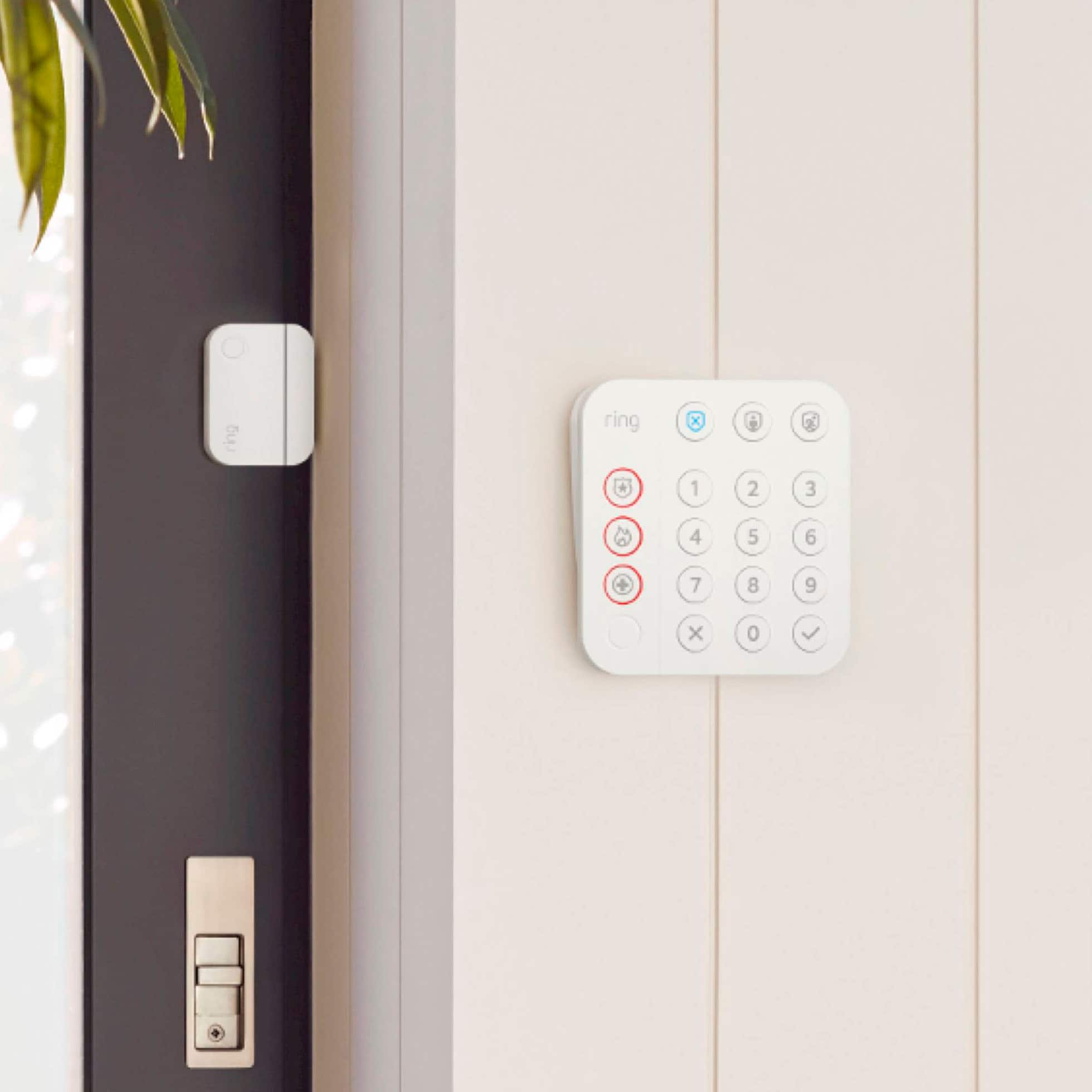

- Model:
- B08HSVCB5M
- SKU:
- 6481924
Rating by feature
- Value
Rating 4.6 out of 5 stars
- Quality
Rating 4.6 out of 5 stars
- Ease of Use
Rating 4.6 out of 5 stars
Customers are saying
Customers have good things to say about the Alarm Pro Home Security Kit 14 Pieces, particularly its ease of use and overall performance. Many find the installation process straightforward and are pleased with the level of security it provides, especially considering the price. However, some customers have reported issues with sensors and battery life. Additionally, a few customers mentioned concerns related to the alarm system.
This summary was generated by AI based on customer reviews.
Alarm system
||Posted . Owned for 3 weeks when reviewed.This reviewer received promo considerations or sweepstakes entry for writing a review.Still learning how to adjust and operate the system
I would recommend this to a friendRing has a great alarm system and low monthly cost
||Posted . Owned for 3 weeks when reviewed.This reviewer received promo considerations or sweepstakes entry for writing a review.Love the ring alarm and love the low monthly price.
I would recommend this to a friendBest system out there
||Posted . Owned for 3 weeks when reviewed.This reviewer received promo considerations or sweepstakes entry for writing a review.Best system out there. Does it all and works great!
I would recommend this to a friendReally let down
||Posted . Owned for less than 1 week when reviewed.This reviewer received promo considerations or sweepstakes entry for writing a review.It hasn’t worked since the day the tech installed it. I have tried for weeks to get someone here to reinstall or put a new one in. The problem is they keep rescheduling the service now for 3 weeks. At first I said why would I want the same tech come that did a bad job the first time but now they can send me the cleaning person as long as someone comes. Well I have been promised now someone for sure will be here Thursday. I await with bated breath lol. Actually Best Buy is usually the best but this is due to a 3rd party needing to come and not Best Buy’s Gerk Squads fault
No, I would not recommend this to a friendBrand response from Ring
Posted .Hi TKRV.
Thank you for taking the time to share your experience with us. Your experience with Ring is our top priority, and it is important to us that when investing in our products, they meet your needs and expectations. What you describe is not the experience we want you to have, rest assured we are here to offer you some help.
In this particular case, we'd suggest you reach out to Best Buy's customer service: 1-888-237-8289 or https://www.bestbuy.com/services/triage/home. We are confident that they will be able to provide you with a resolution to this concern.
Ring Community was launched to help deliver the most current news and educational information to our neighbors. This online forum is divided into four categories: Product Boards, Ring Updates, Tips + Tricks, and a Moderators’ Corner. The Product Boards are where you can begin new topics with your questions or feedback; there is also a search option which helps you find topics that were already posted by other neighbors. We invite you to join our community today!
Thank you,
Amilia from Ring.
Cool alarm
||Posted . Owned for 1 month when reviewed.This reviewer received promo considerations or sweepstakes entry for writing a review.Awesome alarm system. Wish it was a little cheaper price.
I would recommend this to a friendAlarm
||Posted . Owned for 1 month when reviewed.This reviewer received promo considerations or sweepstakes entry for writing a review.Bought month ago, very satisfied with the product so far
I would recommend this to a friendBrand response from Ring
Posted .Hi Charlie.
Thank you for taking the time to share your Ring experience with us and other consumers. We are glad to read that you are enjoying your new Ring Alarm Pro Security Kit! We believe in keeping people close to what’s important. That is why we are driven to create products that help you protect what matters most at home and empower you to connect with your visitors from wherever you are. Together, we’ll make neighborhoods safer!
Ring Community was launched to help deliver the most current news and educational information to our neighbors. This online forum is divided into four categories: Product Boards, Ring Updates, Tips and Tricks, and a Moderators’ Corner. The Product Boards are where you can begin new topics with your questions or feedback; there is also a search option that helps you find topics that have already been posted by other neighbors. We invite you to visit our Ring Community today.
Thank you,
Miyuki from Ring.
- Cons mentioned:Sensor
Ring
||Posted . Owned for 3 weeks when reviewed.This reviewer received promo considerations or sweepstakes entry for writing a review.Some of the items do not work. The sticky part did not work on most of the sensors.
No, I would not recommend this to a friendBrand response from Ring
Posted .Hi IsabelC.
Thank you for taking the time to leave your review of the Ring Alarm Pro 14-Piece Kit. We understand the importance of a seamless setup and installation process so that you can begin using your device right away. The features and technology provided by the Ring Alarm Pro 14-Piece Kit are incredibly valuable and help provide you with peace of mind about your home security. Rest assured, we are here to provide you with a concrete resolution as quickly as possible.
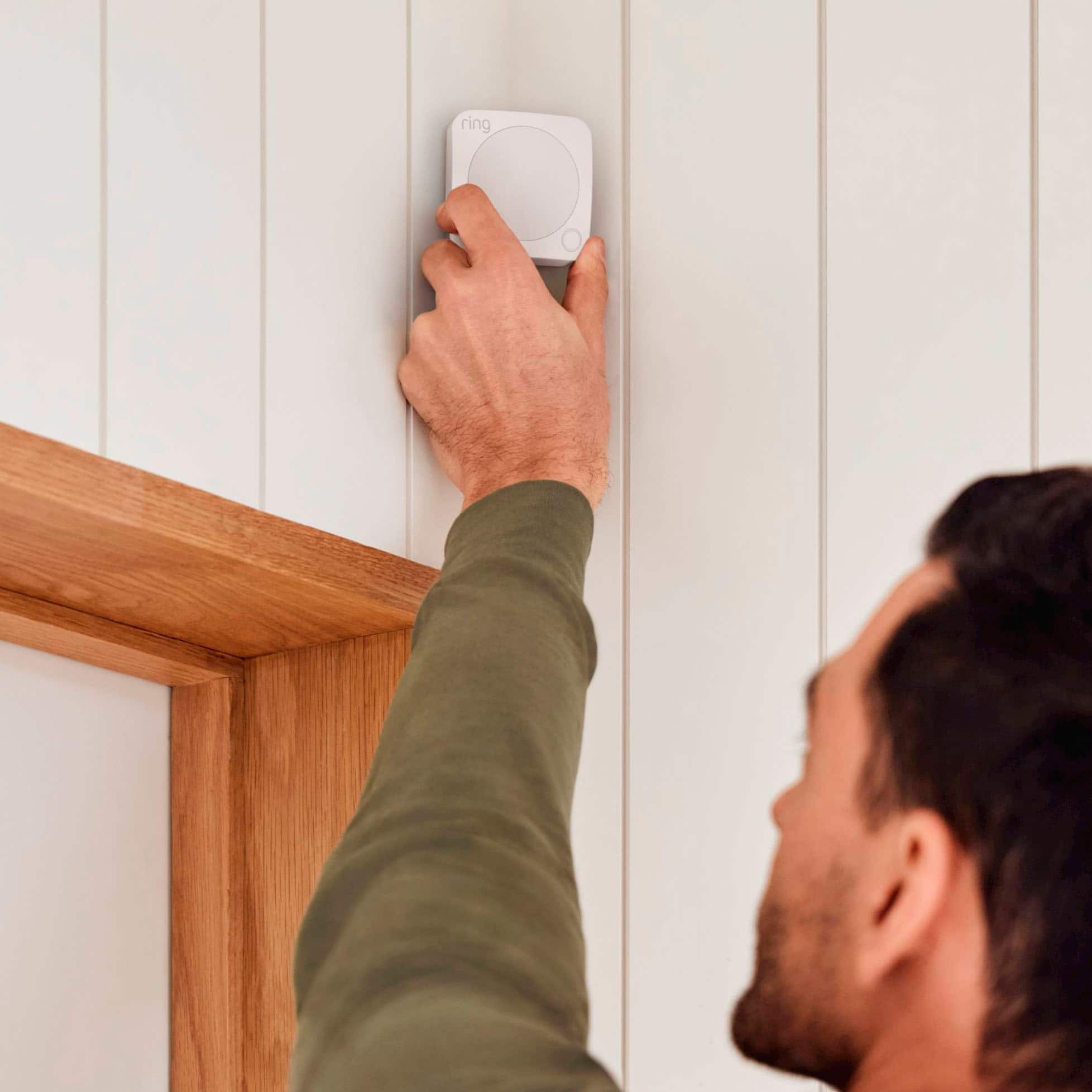
It sounds like you are experiencing an issue with the installation of the sensors from the kit. To ensure that the devices can adhere to the surface properly, we recommend wiping the area with a damp cloth prior to installing. Allow the area to dry before removing the paper from the adhesive pads on the back of the device. You can use double-sided tape, as well, to reinforce the pads if needed.
We invite you to reach out to our community if any additional information is needed regarding your Ring Alarm Contact Sensor (2nd Gen.). The Ring Community is our first peer-to-peer community forum, giving our customers the ability to help one another by sharing their feedback and experiences with each other.
Thank you,
Melissa from Ring.
Can’t get past initial setup of base station
||Posted . Owned for 1 month when reviewed.This reviewer received promo considerations or sweepstakes entry for writing a review.I am still having a hard time connecting my ring alarm base station to my Internet. The system is useless if you can’t get beyond this step.
No, I would not recommend this to a friendBrand response from Ring
Posted .Hi KoreyZ.
Thank you for taking the time to share your experience with us. We understand the importance of a seamless setup process so that you can begin using your Ring Alarm Pro right away. The features and technology provided by the Ring Alarm Pro are incredibly valuable and help provide you with peace of mind about your home security. We can definitely provide you with more information regarding the connection concern mentioned in your review.
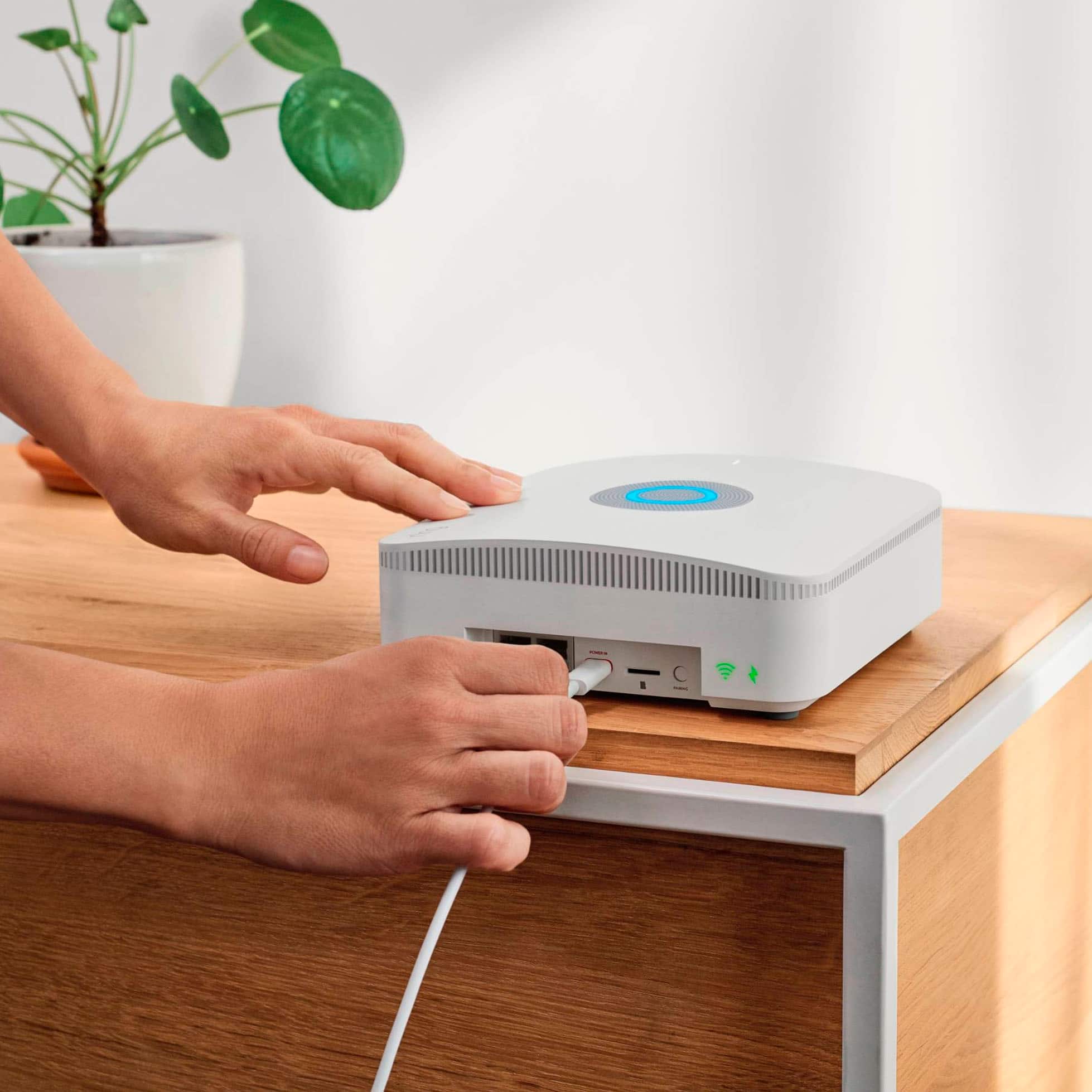
It sounds like the device is not operating as expercted. There are very specific setup steps that must be followed when initially connecting the Ring Alarm Pro base station to your network. You’ll want to connect your Alarm Pro base station to your existing modem using the included Ethernet cable or any compatible Ethernet cable. Follow the steps in the Ring app to complete the setup.
You can create a second wifi network (also know as Double NAT-ing) that will operate independently from your primary wifi network. This allows you to use certain features, including "24/7 Backup Internet," "Extra Data," and "Ring Edge" while maintaining your original wifi network and connected devices.
Another option is to put your Alarm Pro’s eero router into "Bridge Mode." Doing so will allow your existing router to manage the connection between your wifi network and Internet Service Provider (ISP).
NOTE: When using "Bridge Mode," you must connect Alarm Pro to your router via an ethernet cable. Additionally you will lose certain Alarm Pro advanced features, such as "24/7 Backup Internet" and "Extra Data." You will however retain the ability to use "Ring Edge" for local video processing.
You will also need to subscribe to the Ring Protect Pro Plan and set up your Alarm Pro in the Ring app and the eero app to manage your Alarm system and your wifi network. Follow the steps in the Ring app during the setup process. This method of setup will allow you to use the alarm portion of the device with full functionality while having the Ring Alarm Pro's included Eero router available as a backup network, should your existing internet go down.
If you are getting the message: "Your Ring Alarm Pro failed to communicate with Ring," your Alarm Pro Base Station can no longer finish setup. This could be an issue with your internet connection, your cellular signal, or the Base Station may no longer have power. To resolve this, make sure your Alarm Pro is plugged in to a working power source, then check the internet connection. If you’ve unplugged an ethernet cable with a working internet connection, please plug it back in, then tap "Try Again." If you’ve moved your Alarm Pro to a different spot it may not have a strong cellular reception. Move it to another spot that has a stronger cellular signal, and tap "Try Again."
We invite you to reach out to our community if any additional information is needed regarding your question. The Ring Community is our first peer-to-peer community forum, giving our customers the ability to help one another by sharing their feedback and experiences with each other.
Thank you,
Melissa from Ring.
- Cons mentioned:Alarm
Save your money not worth it
||Posted . Owned for 5 months when reviewed.This reviewer received promo considerations or sweepstakes entry for writing a review.Doesn’t quite give the sense of security like art and xfinity weak alarm sound nothing loud enough to alert neighbors like the xfinity and adt systems
No, I would not recommend this to a friendBrand response from Ring
Posted .Hi Tjay.
Thank you for taking a moment to leave your review on the Ring Alarm Pro 14-Piece Kit. At Ring, we believe that stronger communities are the key to safer neighborhoods. That is why we are driven to create products that help you protect what matters most at home and empower you to connect with your visitors from wherever you are. We understand the importance of having all relevant product information prior to purchasing and would love the opportunity to assist you with any questions or concerns you may have.
It sounds like the Ring Alarm Pro was not what you expected. We wanted to share with you some of the key features that the device offers. Ring Alarm Pro includes a Ring Alarm for trusted physical security and an Eero wifi router for fast wifi and network security. Unlike traditional home security systems, Ring Alarm Pro also offers optional layers of backup protection to help you stay connected in case the power or internet goes out. The siren on the Ring Alarm Pro Base Station is 104 decibels, with additional optional sirens from any Ring Alarm Keypad connected to the Base Station
If you still have the Ring device in your possession, we invite you to reach out to us at Ring Community site. Ring Community is our first peer-to-peer community forum, giving our customers the ability to help one another and share their personal feedback and experiences with Ring. We look forward to hearing from you if we can be of any further assistance!
Sincerely,
Matthew from Ring.
- Pros mentioned:Overall performance
Clark
||Posted . Owned for 3 weeks when reviewed.This reviewer received promo considerations or sweepstakes entry for writing a review.Love my ring alarm system . Definitely will recommend to family and friends
I would recommend this to a friend Not for homes with existing wifi
||Posted . Owned for less than 1 week when reviewed.This reviewer received promo considerations or sweepstakes entry for writing a review.Its hard to understand why this can't be set up without necessitating their router/wifi app and setup. If you already have a mesh system that you love do not buy this. Find a product that stays in its own swim lane.
No, I would not recommend this to a friendBrand response from Ring
Posted .Hi santeli.
At Ring, we understand it is essential to have your Ring Alarm Pro online and working properly so you can keep your home secure. The Ring Alarm Pro was designed with the ability to be configured according to your network needs. Rest assured, we hear you and are here to offer you some help.
It sounds like the device is not performing as expected. You can create a second wifi network (also know as Double NAT-ing) that will operate independently from your primary wifi network. This allows you to use certain features, including 24/7 Backup Internet,2 Extra Data,2 and Ring Edge2 while maintaining your original wifi network and connected devices.
Another option is to put your Alarm Pro’s eero router into Bridge Mode. Doing so will allow your existing router to manage the connection between your wifi network and Internet Service Provider (ISP). During Alarm Pro setup in the Ring app, you’ll be directed to the eero app to replace your existing router with the Alarm Pro eero router. Follow these steps:
Instead of plugging your Alarm Pro directly into your modem (or modem/router combo device) as the eero app suggests, plug Alarm Pro into an open ethernet port on your router.
Follow the remaining setup instructions in the eero app before returning to the Ring app to complete setup.
If you do not have an open port on your router, see “You May Need to Use an Ethernet Network Switch” below for adding a multi-port network switch.
For homes over 1,500 square feet, an additional eero extender per 1,500 square feet is recommended for optimal wifi coverage. Scroll down to the Connect Your Ring Devices to the New Network section to see how to enable Alarm Pro’s advanced features, such as Ring Edge.2
You May Need to Use an Ethernet Network Switch
If your router (or modem/router combo) does not have an open ethernet port for your Alarm Pro, use a multi-port ethernet network switch.
When using a separate modem and router, it’s important to connect the ethernet network switch to your router; not directly to your modem. This will allow you to use the same IP address provided by your Internet Service Provider (ISP).
Note: Follow the setup instructions provided with your ethernet network switch if you need additional help.
After your network switch is connected to your router, use an ethernet cord to plug the Alarm Pro into an open port before you proceed with setup instructions above.
Use a network name and password for your new eero network that is different from your existing wifi network. If two wifi networks are using the the same network name simultaneously, it will lead to technical complications.
Ring Community is our first peer-to-peer community forum, giving our customers the ability to help one another and share their feedback and experiences with Ring. We invite you to reach out to our community if any additional information is needed regarding your Ring Alarm Pro 14-Piece Kit.
Thank you,
Melissa from Ring.
- Cons mentioned:Sensor
Returned It
||Posted . Owned for 3 weeks when reviewed.This reviewer received promo considerations or sweepstakes entry for writing a review.Never got to use it It does not come with cameras. Also the box appeared open
No, I would not recommend this to a friendBrand response from Ring
Posted .Hi TamaraO.
Thank you for taking the time to share your experience with us.
We understand the importance of having all relevant product information prior to purchasing. The features and technology provided by Ring devices are incredibly valuable and help provide you with peace of mind about your home security. We can definitely provide you with more information regarding the concern mentioned in your review.
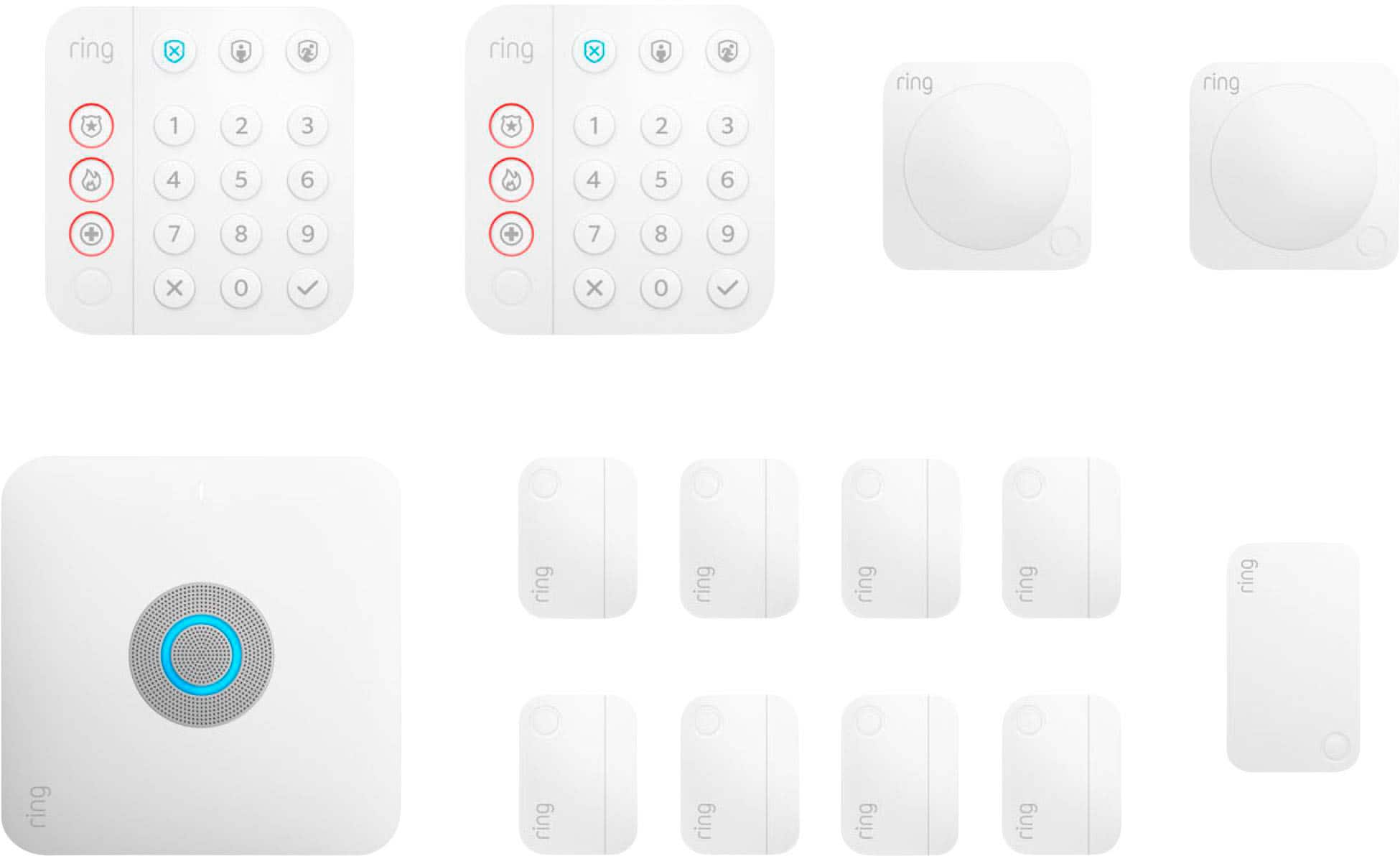
It sounds like you have some concerns regarding what comes with the 14-piece Ring Alarm Pro Home Security Kit. The Ring Alarm Pro Security Kit, 14-Piece, combines whole-home protection, a fast eero Wi-Fi 6 router, and network security in one. It includes Ring alarm accessories to protect 8 windows or doors and motion detection in 2 hallways or rooms. It also offers wifi coverage of up to 1500 sq. ft. The follow parts are included in this kit:
Ring Security Pro Base Station
Power supply
Ethernet cable
Keypad (x2)
Contact sensors (x8)
Motion detector (x2)
Range extender
Visit our support center for more information.
Ring Community was launched to help deliver the most current news and educational information to our neighbors. This online forum is divided into four categories: Product Boards, Ring Updates, Tips + Tricks, and a Moderators’ Corner. The Product Boards are where you can begin new topics with your questions or feedback; there is also a search option that helps you find topics that have already been posted by other neighbors.
All the best,
Nicole from Ring.
Security System
||Posted . Owned for 1 month when reviewed.This reviewer received promo considerations or sweepstakes entry for writing a review.Have to get this professionally installed, it is not a DIY purchase as advertised.
No, I would not recommend this to a friendBrand response from Ring
Posted .Hi MeghanL.
Thank you for taking the time to share your experience with us. At Ring, we strive for each of our customers to encounter a smooth setup and installation experience. The Ring Alarm Pro is designed to work in many environments and provide a seamless setup process. Rest assured, we hear you and are here to offer you some help.
There are very specific setup steps that must be followed when initially connecting the Ring Alarm Pro base station to your network. You’ll want to connect your Alarm Pro base station to your existing modem using the included Ethernet cable or any compatible Ethernet cable. You also need to be sure that you have subscribed to the Ring Protect Pro Plan and have connected the system to the Eero app for full functionality of the device.
In addition, we recommend reaching out to Ring Customer Support at 1-800-656-1918 for assistance. Our skilled agents are available 24/7 and ready to assist you.
In addition, we invite you to reach out to our community if more information is needed regarding your Ring Alarm Pro. The Ring Community is our first peer-to-peer community forum, giving our customers the ability to help one another by sharing their feedback and experiences with each other.
Thank you,
Melissa from Ring.
Beware Fees for service just doubeled
||Posted . Owned for 6 months when reviewed.This reviewer received promo considerations or sweepstakes entry for writing a review.I have been a loyal customer with Ring for over 5 years. This year they decided to DOUBLE the fees they charge. This alarm system is no longer cost effective and the customer service is down right awful. Look for other solutions and avoid RIng.
No, I would not recommend this to a friendBrand response from Ring
Posted .Hi MathewV.
Thank you for sharing your experience with us. We understand the importance of having all relative information regarding the optional Ring subscription plans. Since the launch of Ring subscription plans, we’ve regularly found ways to enhance the plans to give our customers more value. We are updating our Ring plans and available features with our mission in mind, keeping you close to what’s important. We're committed to continue delivering quality products and services, and we value your insights and feedback.
We appreciate your continued commitment to Ring products and services for your home security needs. Rest assured, we hear you, and we are here to answer any additional questions that you may have.
Ring Community was launched to help deliver the most current news and educational information to our neighbors. This online forum is divided into four categories: Product Boards, Ring Updates, Tips + Tricks, and a Moderators’ Corner. The Product Boards are where you can begin new topics with your questions or feedback; there is also a search option that helps you find topics that have already been posted by other neighbors. We invite you to visit our community today.
Thank you,
Melissa from Ring.
Tech is MIA
||Posted . Owned for 1 month when reviewed.This reviewer received promo considerations or sweepstakes entry for writing a review.Your third party contractor is a real charmer. Not going to come to your house if the product cannot be completely installed. How do houses under construction get anything prior to it being fully built. You need to run some wiring now is the time. I will be buying a lot of electronics--but you are making me wish I had just gone with Ring. Best Buy has no good method of even discussing a home owners needs let alone actually show up and do anything.
No, I would not recommend this to a friendBrand response from Ring
Posted .Hi Techie. Making sure you're able to get your Alarm Pro up and running in your new home is definitely an important concern. I'd recommend following up with the retailer you purchased the installation services from to see what they're able to do in this situation. We also have some installation videos for the Ring Alarm system in our Help Center here: https://support.ring.com/hc/en-us/articles/4411075299348-Ring-Alarm-videos-for-setup-and-installation. If you need further guidance on how to get everything set up, check out the Ring Community at https://community.ring.com/ to find answers from other neighbors. All the best, Ashley from Ring.
Not all components were provided
||Posted . Owned for 1 month when reviewed.This reviewer received promo considerations or sweepstakes entry for writing a review.Literally took two months to finally receive all the components of my purchased alarm system. The product itself seems fine (definitely can't say so about the exterior camera system, but that's another review), but it shouldn't take two months and three installation attempts to receive all the parts, especially when I was told everything was in stock.
No, I would not recommend this to a friendBrand response from Ring
Posted .Hello Chas,
We appreciate you taking time out of your day to share your Ring experience with us! We understand how important it is to have the proper instructions and components for installation purposes. Likewise, we would like to ensure that you have a seamless setup experience. We are here to provide you the information that is needed to get your Ring Alarm up and running.
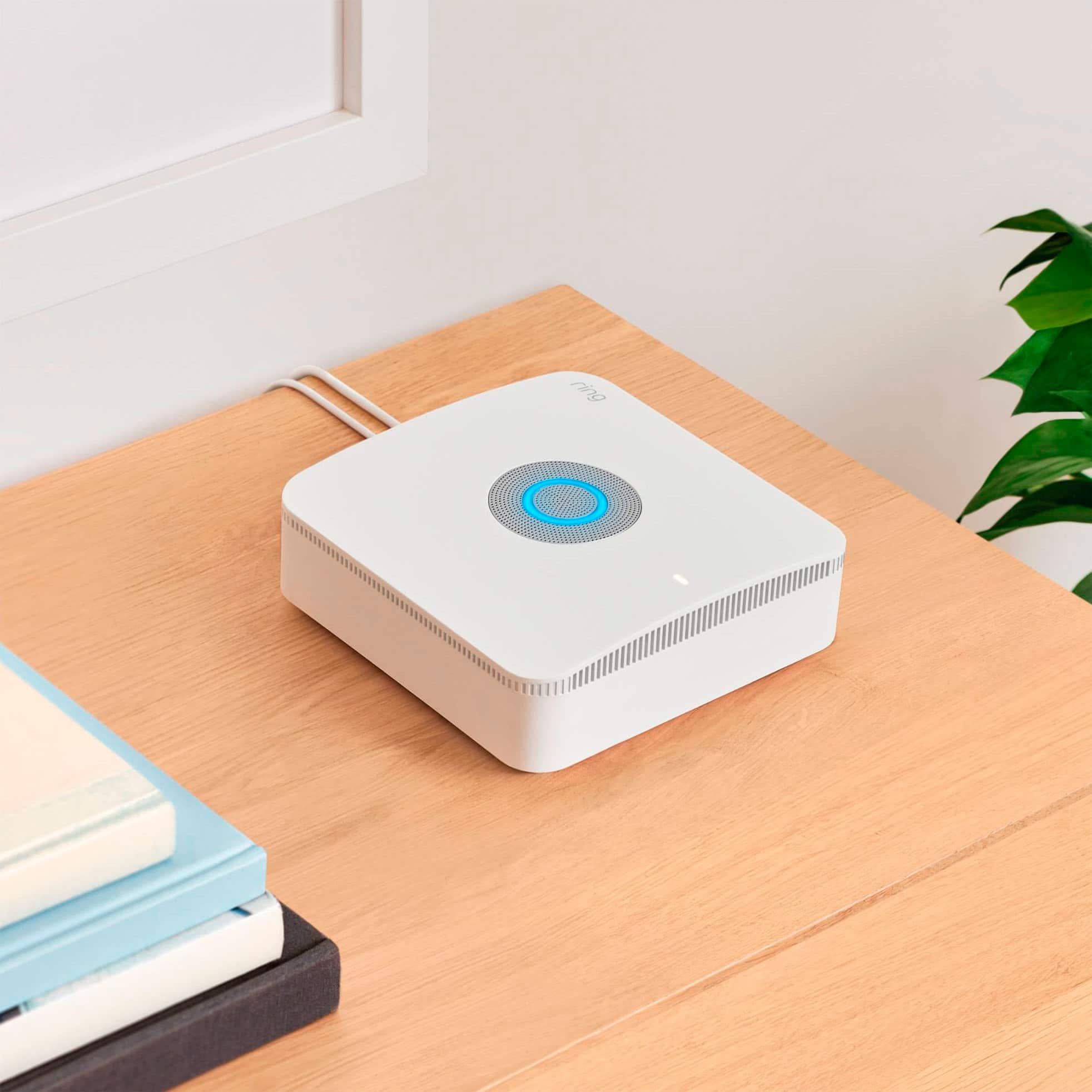
The Ring Alarm Base Station is the hub of your home, with a Ring Alarm security system, an eero Wi-Fi 6 router, plus optional battery backup and internet connectivity add-ons available in case the power or internet goes out. Alarm Pro is designed to be the primary router, or gateway, for your home. It should not be added to an existing wifi network. I have attached a help article that will provide more detailed information to help get your Ring Alarm Pro up and running optimally: https://support.ring.com/hc/en-us/articles/4404570435604.
We invite you to reach out at https://community.ring.com/ if any additional information is needed regarding your Ring Alarm Pro setup experience. Ring Community is our first peer-to-peer community forum, giving our customers the ability to help one another and share their feedback and experiences with Ring.
All the best,
Jess from Ring
Not worth the price
||Posted .This reviewer received promo considerations or sweepstakes entry for writing a review.Wifi is not strong at all! I could not even connect an additional ring camera.
No, I would not recommend this to a friendBrand response from Ring
Posted .Hi Courtney.
Thank you for taking the time to share your experience with us. We understand the importance of a seamless setup process so that you can begin using your Ring Alarm Pro right away. The features and technology provided by the Ring Alarm Pro are incredibly valuable and help provide you with peace of mind about your home security. We can definitely provide you with more information regarding the connection concern mentioned in your review.
It sounds like the device is not operating as expected.
If you see this message: "We’re having trouble finding your Ring Alarm Pro", it could mean a few things:
Your Alarm Pro Base Station is not plugged in to power. Try plugging it into an outlet or a fully charged Power Pack, and tap Try Again.
Your Alarm Pro is not in Bluetooth Pairing mode. If your Base Station is plugged in and powered on, but the LED ring on the top of the system is not spinning, you’ll need to press the pairing button on the back. This should turn Pairing Mode back on. Tap Try Again.
You’ve selected Ring Alarm Pro Base Station as the device to setup but are actually wanting to setup an Alarm Base Station. Tap the X in the upper right corner to leave the Alarm Pro setup flow. Next, you’ll start the Set up a device process from the start, but this time select Alarm Base Station.
Your phone or tablet does not have Bluetooth turned on.
You’ve selected Ring Alarm Pro Base Station as the device to setup but are actually intending to setup an Alarm Base Station. Tap the X in the upper right corner to leave the Alarm Pro setup flow. Next, you’ll start the Set up a device process from the start, but this time select Alarm Base Station.
If you are getting the message: "Your Ring Alarm Pro failed to communicate with Ring," your Alarm Pro Base Station can no longer finish setup. This could be an issue with your internet connection, your cellular signal, or the Base Station may no longer have power. To resolve this, make sure your Alarm Pro is plugged in to a working power source, then check the internet connection. If you’ve unplugged an ethernet cable with a working internet connection, please plug it back in, then tap "Try Again." If you’ve moved your Alarm Pro to a different spot it may not have a strong cellular reception. Move it to another spot that has a stronger cellular signal, and tap "Try Again."
We invite you to reach out to our community if any additional information is needed regarding your Ring Alarm Pro. The Ring Community is our first peer-to-peer community forum, giving our customers the ability to help one another by sharing their feedback and experiences with each other.
Thank you,
Amilia from Ring.
Ring products not reliable
||Posted . Owned for 2 weeks when reviewed.This reviewer received promo considerations or sweepstakes entry for writing a review.Not reliable. Buy a different brand. The base station broken within 8 months and several sensors. Several of my cameras also broke. Seems like the Ring products aren't a good choice
No, I would not recommend this to a friendBrand response from Ring
Posted .Hi KMKAT.
We appreciate you taking the time to share your experience and feedback with us.
At Ring, we want to ensure that you have the best possible experience with our products. Your peace of mind and security are extremely important to us. The features and technology provided by Ring Alarm and security devices are incredibly valuable. We would love the opportunity to work with you to ensure your devices are performing as intended.
It sounds like you have concerns with the longevity of your Ring devices. We strive to deliver quality devices that will serve you in the long run, as we understand that you will be relying on them for your home security. The Ring Alarm Pro Base Station is designed to be the hub of your home, with a Ring Alarm security system, an eero Wi-Fi 6 router, and optional battery backup and backup cellular internet add-ons available in case the power or internet go out. If you need help with a specific concern with any of your devices, we encourage you to visit our support center: https://ring.com/support/products/alarm?page=1.
You can also reach out to our support team: https://ring.com/support/contact-us.
Ring Community was launched in March 2019 to help deliver the most current news and educational information to our customers. You can find tips and tricks from other Ring users at https://community.ring.com/. This peer-to-peer forum allows our neighbors to share their feedback and experiences to assist each other in resolving their concerns.
All the best,
Nicole from Ring.
Not a fine ring
||Posted . Owned for 1 month when reviewed.This reviewer received promo considerations or sweepstakes entry for writing a review.Equipment is not working as designed and has shut down on few occasions.
No, I would not recommend this to a friendBrand response from Ring
Posted .Hi there. We're sorry to hear about this. Feel free to share your concern on the Ring Community at https://community.ring.com/. As our first peer-to-peer forum, the Ring Community allows you to ask questions and interact with other neighbors to discuss your Ring devices. Best wishes, David with Ring.
Trash Ring product.
||Posted . Owned for 10 months when reviewed.This reviewer received promo considerations or sweepstakes entry for writing a review.Only one year and stopped working. Trash, only trash now.
No, I would not recommend this to a friendBrand response from Ring
Posted .Hi Jesus.
Thank you for taking the time to share your experience with us. We understand the importance of having your Ring Alarm Pro 14-Piece Kit function consistently and reliably so that you can effectively monitor you home. You should be able to enjoy the peace of mind that the Ring Alarm Pro is designed to add to your home security. Please know that we take your peace of mind seriously, and we are here to assist in finding you a resolution.
We advise you to reach out to Ring Customer Support at 1-800-656-1918. Our agents are available 24/7 and ready to assist you with finding a solution.
Ring Community was launched to help deliver the most current news and educational information to our neighbors. This online forum is divided into four categories: Product Boards, Ring Updates, Tips + Tricks, and a Moderators’ Corner. The Product Boards are where you can begin new topics with your questions or feedback; there is also a search option which helps you find topics that were already posted by other neighbors. We invite you to visit our community today!
Thank you,
Melissa from Ring.