Customer Ratings & Reviews


- Model:
- B08HSTJPM5
- SKU:
- 10731931
Rating by feature
- Value
Rating 4.6 out of 5 stars
- Quality
Rating 4.7 out of 5 stars
- Ease of Use
Rating 4.6 out of 5 stars
to a friend
Inexpensive and versatile home alarm system
||Posted . Owned for 1 month when reviewed.This reviewer received promo considerations or sweepstakes entry for writing a review.Quick setup and easy to use. Fully integrates with all Ring cams. Lite on the pocketbook!
I would recommend this to a friendWorks for me.
||Posted . Owned for 1 week when reviewed.This reviewer received promo considerations or sweepstakes entry for writing a review.Easy set up. Download the eero app and connect it first before you connect to the ring app. Almost got ripped off by another company offering the same services. Looked into this product then made the purchase and happy with the transaction. Family has a more since of security. Also backup cellular service with router is great because where I ingress and regress has horrible internet service. 24/7 backup system.
I would recommend this to a friendRing pro
||Posted . Owned for 3 weeks when reviewed.This reviewer received promo considerations or sweepstakes entry for writing a review.Very good and responsive alarm system. Very easy to set up and use.
I would recommend this to a friendGreat 2 in 1 combo.
||Posted . Owned for 1 week when reviewed.This reviewer received promo considerations or sweepstakes entry for writing a review.Easy to setup. Great to have both alarm and wifi router in one.
I would recommend this to a friendRing review
||Posted . Owned for 5 months when reviewed.This reviewer received promo considerations or sweepstakes entry for writing a review.I bought this because I have a young son who is nonverbal. He is known to try to leave the house. In order to ensure his safety I bought the chimes to put at all of our exit points and our bathroom. The chimes tell me when a door is opened and where so when he is home and I don’t have a visual on him I can go directly to that point where the chime rang and see what’s going on.
I would recommend this to a friendGreat product
||Posted . Owned for 1 month when reviewed.This reviewer received promo considerations or sweepstakes entry for writing a review.Great product. It gives my new house some level of security. No complains so far.
I would recommend this to a friendDoesn't work with Spectrum internet.
||Posted . Owned for 1 month when reviewed.This reviewer received promo considerations or sweepstakes entry for writing a review.Doesn't work with Spectrum internet service provider. I set up the Ring Alarm Pro and eventually got it to create a wi-fi network in my home after some hiccups. Eventually the Eero app showed internet as offline, but showed the base station and a range extender as online (see pic). A weird anomaly. The wi-fi light on the back of the Pro base station glowed red/orange, but internet worked fine. Spectrum didn't recognize my home network as my network so could only get a handful of stations. I spoke to Ring, Eero, and Spectrum customer service and all three said as far as they could tell their systems were working fine. My guess is the Ring Pro base station changes its IP address regularly and Spectrum doesn't recognize it as being my home wi-fi or recognize the internet feed. Not sure why the Eero app shows the system offline when it is online. After about a week I witnessed my Eero unit go red, and verified the Ring Pro base station go red (on top) - no internet. Yet there was internet at the modem, the base station just decided there wasn't. To troubleshoot I deleted the Pro base station off my network and set up a new network through just the Eero extender unit. Voila! My network worked, and the Eero app showed everything working well, and Spectrum recognized my home network, all my channels restored. I tried factory resetting the Pro base station but haven't had any luck yet. I tried to start set up again with the base station but it just spins and now it's gone dark. I'd like to give it one more try. I have a whole suite of Ring alarm products attached to my house with no base station to run them with. Other things I might try are, seeing if I can exchange it for a fresh one, seeing if I can get an old fashioned alarm base station from Ring (maybe have to buy a whole new kit for $150-$250 and just jettison the extra keypad and parts?), try a new modem (not the one from Spectrum). I'm kinda digging my Eero working just fine as a wi-fi router and getting all my cable channels. And I'm a week past when BBY will let me return the unit so I might be out $250 :( It's been an interesting journey and scary that I figured out more than three big companies' customer service people could tell me. You might have better luck than I did.
No, I would not recommend this to a friendBrand response from Ring
Posted .Hello ohiohomedad,
Thank you for taking a moment to leave your review on the Ring Alarm Pro. At Ring, we are constantly innovating on behalf of our customers to develop products that best meet their home and security needs, and provide them with as much choice as possible.
We appreciate that you have placed value in owning a Ring Alarm system to secure your home. We invite you to reach out to us at 1-800-656-1918, should you need any assistance to resolve this concern. You can also find tips and tricks from other Ring users at https://community.ring.com/. This peer-to-peer forum allows our neighbors to share their feedback and experiences with us directly.
Thank you,
Alexis with Ring
Very good but not great
||Posted . Owned for 1 month when reviewed.This reviewer received promo considerations or sweepstakes entry for writing a review.I would give it a 5 star, but the built in router is slow, I have 1 gig speed and I am only getting 130 mbps. But the alrm system is really good.
I would recommend this to a friend
Pro Router introduces big upgrades
|Posted .This reviewer received promo considerations or sweepstakes entry for writing a review.The Star of the show for this Ring Pro Security kit is the hardware and features the Ring Pro with integrated Eero WiFi 6 router and local microSD storage introduce. The rest of the system is the same as the 2nd Gen Ring Security kit with the same keypad, door sensors and motion detector. There is no indoor camera included however, which is a bit of a disappointment for a premium system but the bulk of the cost is tied to the Pro router. The Security system for Ring is adequate but I personally find the most value and utility with Ring in their doorbells and cameras. They work great however, the processing time for videos in the cloud can be frustrating and also concerning that your info is being sent to the cloud. That’s why a lot of people prefer camera systems that don’t have cloud storage or subscriptions and use local storage instead. That’s the first game-changing feature of the Ring Pro system, it allows you to use local microSD storage with Ring Edge and also the Eero router to make video processing and streaming instantaneous!!! No processing time at all, the Eero router stores and processes locally and streams at gigabit speeds to your phone or other smart device. The second major benefit as I mentioned is that you can create and segregate your Ring devices from the rest of your devices or mesh network. This can help avoid network congestion and collisions as well as separating devices if you have security concerns. I moved all my Ring devices to the Pro’s Eero mesh network. It’s WiFi 6 on the 2.4ghz band for distance, while bandwidth gets full gigabit speeds if needed, I did notice bringing up live view is a little slower than my WiFi 6E mesh system. Setup was super easy but I did have to close the app a few times due to a Hangup in the process of registering the router. The neat thing is all the accessories are already tied to the Ring Pro router so the Ring app has them tee’d up for you. You just need to pull the battery tapes out and the accessories pair immediately. I took stars off for a few reasons. They didn’t include a camera for your front door this time. Ring Edge is a great feature that actually offloads reliance on the cloud and Ring storage, but they still put it behind a pay wall requiring the Ring Protect Plus plan. Lastly, I do think the Eero isn’t quite as good as my mesh WiFi bringing up live view but the Ring Edge requires your cameras to connect to the Pro to process and store videos so I think the trade off is worth it. I’m also not super happy about having to download and use another app and ecosystem (eero) to manage my smart devices. I know the router and app are limited but I don’t really care since it’s a dedicated Ring network. There’s a bunch of other features the Pro offers like battery and cellular backup but those aren’t really selling points to me since I already have gas generator backup and my power rarely goes out with underground power lines. Good product update overall, I’m most excited about the Ring Edge feature, but not thrilled it still requires their Plus plan to use. If you already have the other part of the security system and just want the Ring Edge feature I’d recommend buying the Pro router by itself.
I would recommend this to a friendFor the right home, great product! See review
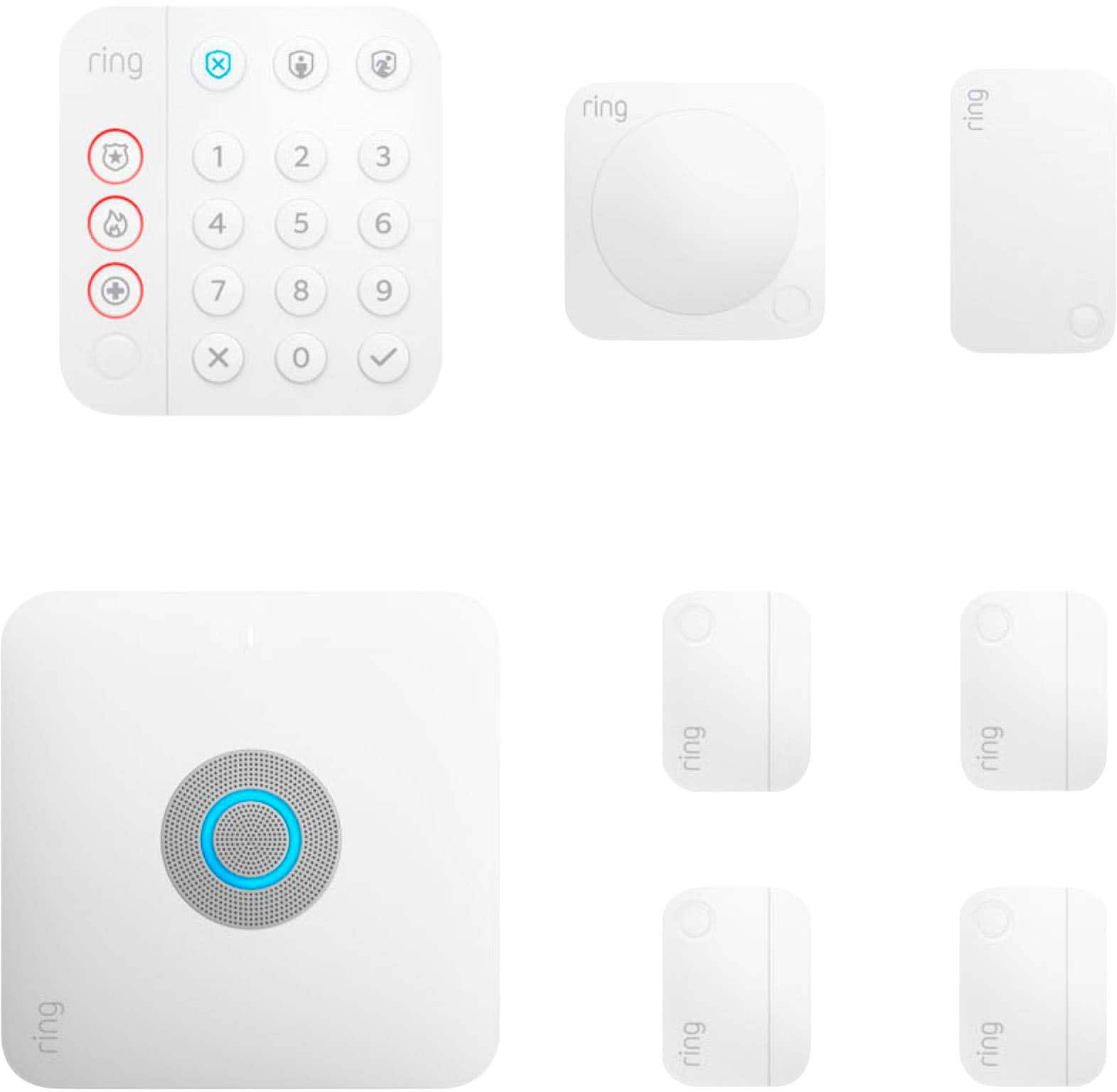
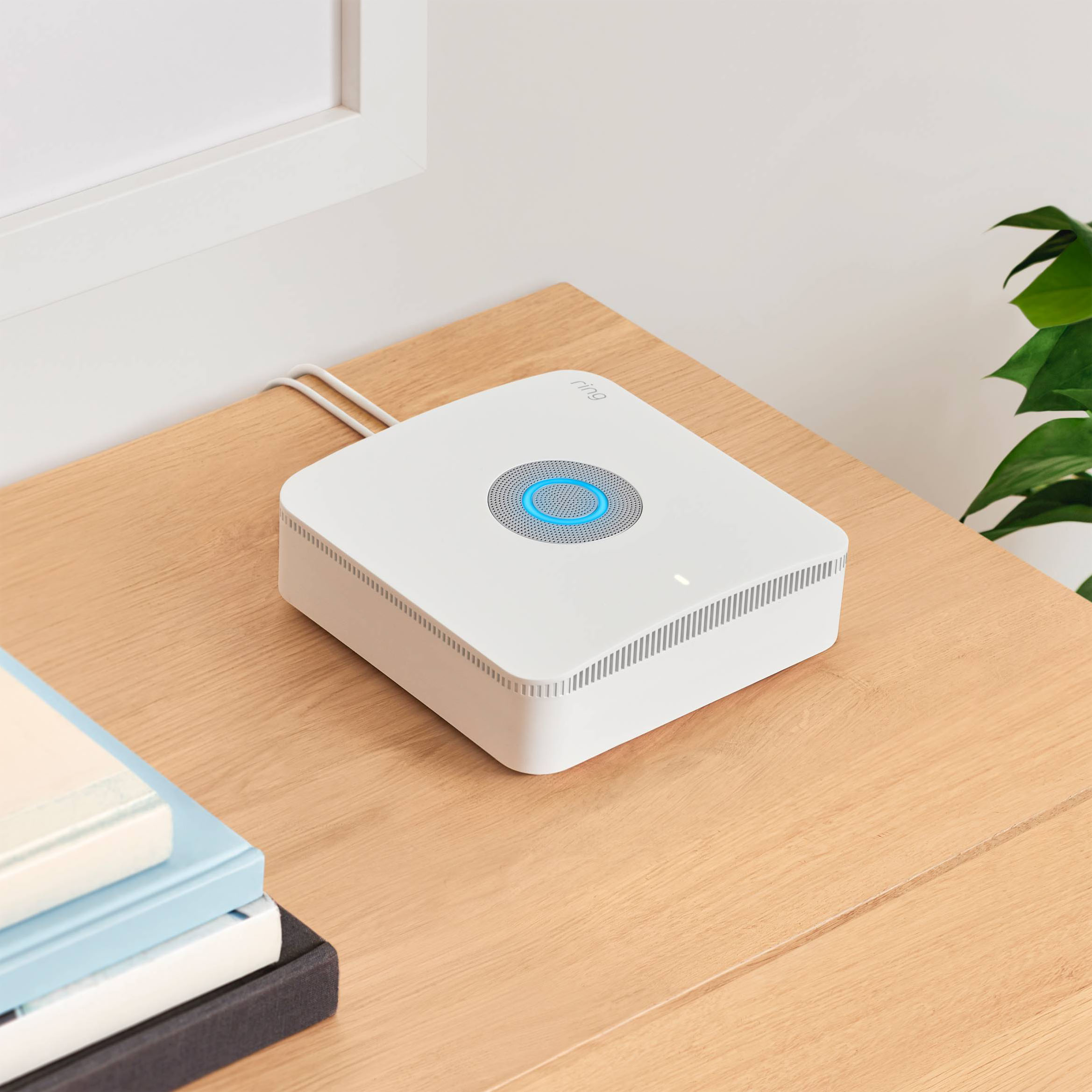
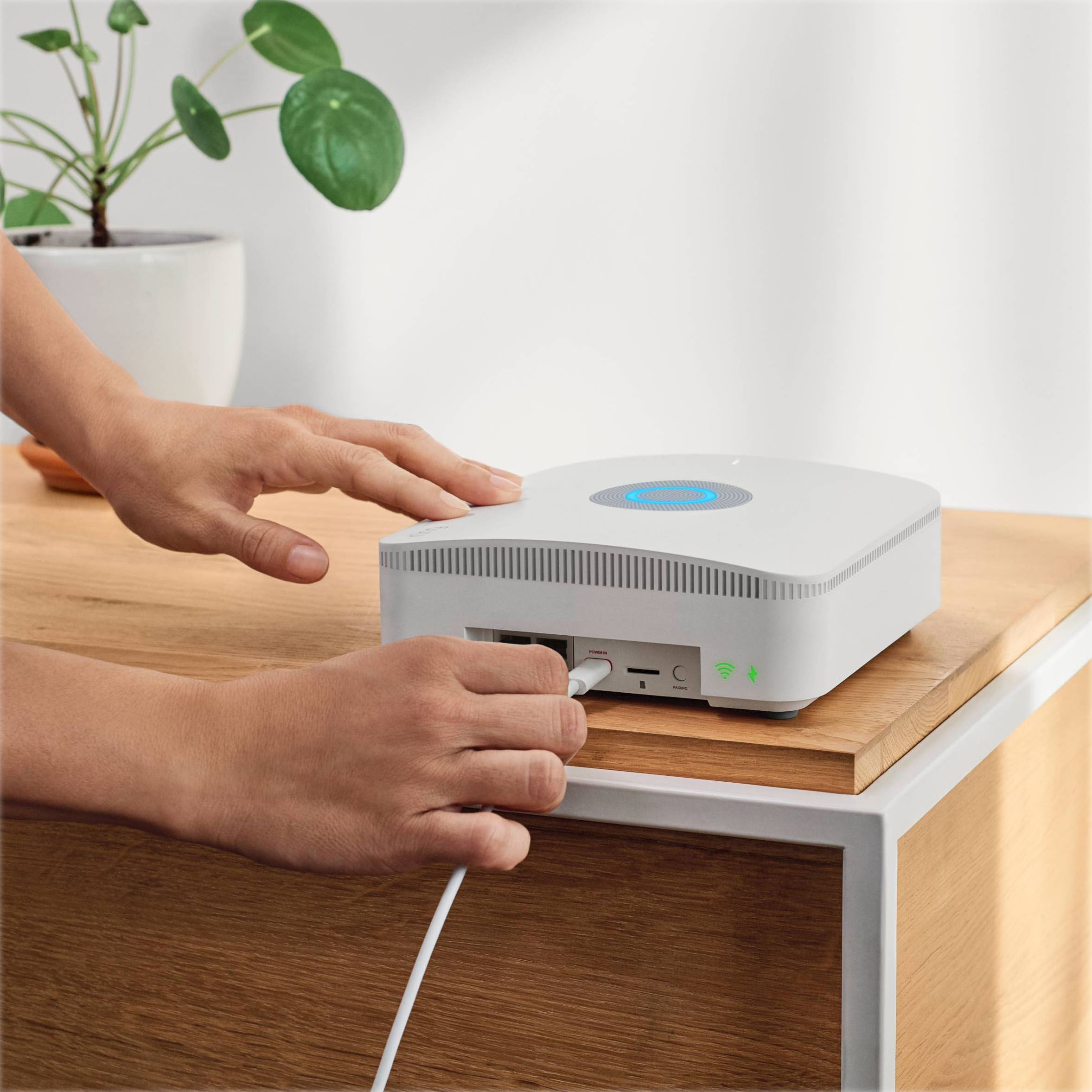
|Posted .This reviewer received promo considerations or sweepstakes entry for writing a review.Ring Alarm Pro 8-Piece Home Security Kit with Wi-Fi 6 eero Router Ring’s new Alarm Pro 8-Piece Home Security Kit with Wi-Fi 6 eero Router appears to be designed for small homes and consumers looking for a complete package. Complete, meaning that it includes a single Wi-Fi 6 router, ideally centrally located for optimal coverage. **WHAT’S IN THE BOX** • (1) Alarm Pro Base Station • (1) Keypad • (4) Contact Sensors • (1) Motion Detector • (1) Range Extender • (1) 3 ft. Ethernet Cable • Documentation (From the manufacturer) – “eero mesh wifi router provides up to 1500 sq. It. of coverage. Internet connection speeds depend on your internet service provider. Coverage estimates are based on normal use conditions. Actual range a and performance can vary, including due to factors such as interference, device usage, building materials and obstructions. Coverage estimates are a configuration reference, not a performance guarantee. Ring Alarm Pro is designed to be used as a router, as using Ring Alarm Pro as an extender may impact your ability to utilize Ring Protect Pro features.” From the jump, THIS Ring Alarm Pro system targets users who are part of or will soon join the Ring ecosystem that can include Ring Doorbell, more sensors, indoor and outdoor cameras, additional keypads and more Ring components so as to complete a comprehensive Ring-based home monitoring and security system. A small home or apartment might not require add-ons beyond this kit. The kit has four sensors for windows or doors and one hallway or room sensor. If your home needs more of any of these for full coverage, add what is needed. Ours needs more hall and window sensors, so we purchased them, and all work seamlessly with THIS kit. The kit includes ONE keypad, so if you want more than one, such as for a back and front door, and for a garage, for example, more keypads will be required. OR, if the household users wish to use the iOS or Android app, then added keypads may not be needed. Are you sensing the flexibility offered by this system? And what of the eero router? If you are happy with your existing router’s technology and coverage, you may wish to opt for a kit without the eero router. However, this router is also the alarm base with eero Wi-Fi 6 in combination, which is a good thing, though not necessarily for large homes. The included Range Extender will help, but not enough for homes over as little as 1,000 feet up to about 2,000 square feet, depending upon home construction and other standard factors effecting how far and how strong Wi-Fi will be in any home. Not trying to be obtuse, but this is THE issue for any Wi-Fi in any home and there is not one solution for all circumstances. Moving on, both the router and keypad have built-in backup batteries for short-duration power outages. Additional Ring Power packs at added cost can extend online presence during power outages. If your ISP has provided your modem with a router combination and Wi-Fi, you should be able to disable the router part of the combo unit and use this new eero. If you are paying for Wi-Fi, since the eero has it, you may be able to stop paying your ISP for Wi-Fi, saving as much as $6 or more per month! As for me, I prefer to own my own modem and router so this eero is a good way to go. This kit does NOT provide monitoring service. Optional 24/7 professional monitoring with a Ring Pro subscription is sold separately and there is no contract. Why have a security system without professional monitoring? Only the consumer can answer this, but as for this reviewer, I am a fan of Ring’s professional monitoring. We already have it for our comprehensive Ring-based home system to which we added the components in THIS kit. The Ring app tells each of us when someone is at the door (with Ring Doorbell, sold separately). We also have a Ring Plug-in Chime near the front door, also sold separately, but YOU may be satisfied with notifications on your smart phone through this kit. Other add-ons to consider include cellular internet options for Alarm Pro and a subscription to Ring Protect. Home security is a multi-level, layered plan! **THE SETUP** Setup involves placing the sensors, each with their own batteries that should last many months and are easily replaced at low cost. Setup is through the Ring and eero apps. The Alarm Pro module is ideally placed where it can be connected using Ethernet to your modem. Through the apps, setup is straightforward (after users have established accounts). As we already have Ring, we only needed to add the eero account and set up eero as our gateway instead of the existing router. And of course, the system is Alexa-compatible. A QR-code on each device is used for the setup, one at a time, please. The system uses Z-Wave for its internal network, so look up this technology. This is how the Range Extender extends the signal. And so it goes, one sensor at a time until getting to the Keypad, which is used for arming and disarming as well as emergency keys if you have chosen to subscribe to Professional Monitoring. **PUT IT TO THE TEST** Let’s make this simple. IF the setup and tests have been successfully completed, it just works! We have no issues, and this includes integrating with our older Gen 1 hardware. **CONCLUSION** Lots of “ifs” here. As stated at the outset, IF you are now or soon will become part of the Ring ecosystem and IF you will benefit from the eero router, this is a fine system and should provide safety and security if used properly. More security will be gained from the add-ons as stated. Nice job, Ring! **WARRANTY** Ring Alarm Pro is covered by the manufacturer’s one-year limited warranty.
I would recommend this to a friendRouter and security in 1, but some setup struggles
|Posted .This reviewer received promo considerations or sweepstakes entry for writing a review.## Setup This version of the Ring Alarm system includes a router built-in to the base station. This makes setup a little trickier as you need to juggle between two apps: the Ring app (for setting up the alarm functionality) and the Eero app (for setting up the router functionality). It would be better if you can handle everything in one app, but the Ring app does a good job of redirecting you to the Eero app when necessary. However, you’re still required to set up two accounts: one for Ring and one for Eero. The main reason you would want to go with the “Pro” version is the inclusion of the router, but if for some reason you want to use your own router with this system, I couldn’t find a way to disable the router functionality or otherwise put it into “bridge” mode. If you connect it to another router, the Eero will correctly set itself up as a separate network and you can still use the Ring alarm functionality. The Ring Alarm Pro also includes cellular connectivity at an additional monthly cost, and the router can use this cell connection to provide internet to other WiFi devices connected to it. The base cellular plan includes 3GB, so your data usage would have to remain very low (no streaming Netflix), but this could come in handy for a remote vacation home or cabin that would otherwise not have an internet connection. From what I can tell, it seems to use AT&T’s cellular service. Once you have the internet connectivity squared away, the app will guide you to set up the components of the system, by activating the door and motion sensors one by one, typically by removing the plastic battery tab. I struggled with this a bit, too, because some of the sensors didn’t seem to activate on the first try, and I had to exit the app and go back in to start the process over. There are handy tutorial videos in the app that walk you through how to best place the various sensors. ## Performance I really like the light-up keypad and voice responses that let you know what is going on as you use the system. To change mode, you need to enter your 4 digit PIN followed by a mode button: disarm, home, or away. If you’re successful, a voice will tell “disarmed” or “home armed” to confirm you did it correctly. If you’re like me and you just press the mode button without entering your PIN first, the numbers will blink to let you know you missed a step (but, sadly, no voice prompt). The delay feature when arming the system is also nicely executed: a countdown LED bar on the keypad lets you know how much time is remaining until the system is armed (or until the alarm will go off if you’re returning home). You can configure the delay for up to 3 minutes upon leaving or arriving home. The keypad also chirps while the countdown is in process to grab your attention and remind you that you have something to do. I also like that the system allows you to use it without professional monitoring. When the alarm is tripped, you’ll get push notifications on your phone. The siren on the base station is very loud and is sure to get the attention of close-by neighbors. The keypad also has its own siren that’s not as loud as the base station but should deter any would-be intruders. The base station has a backup battery that will still sound the alarm even during a power outage (the keypad has a rechargeable battery in it as well that should last months between charges). If you subscribe to the Pro plan, you also get backup cellular internet as mentioned earlier, so this security system has all of your bases covered as far as power outages and internet outages. ## Summary The Ring Alarm *Pro* version is meant to serve as your home internet router and security system in one. If you’re already happy with your home WiFi router, then you probably don’t need to spend the extra money on this *Pro* version. The keypad’s voice commands and LED animations help you understand the current state of your system, and you’re not required to pay a monthly subscription fee for basic self-monitoring.
I would recommend this to a friendGreat for the price
||Posted . Owned for 9 months when reviewed.This reviewer received promo considerations or sweepstakes entry for writing a review.Not too bulky, easy to install and added peace of mind when needed
I would recommend this to a friendEverything you need to get started & secure!
|Posted .This reviewer received promo considerations or sweepstakes entry for writing a review.This is a great kit to get started with home security! Setup is very easy and the app guides you all the way through, even prompts you to download and switch to the router setup when appropriate! The kit comes with enough to get started for most apartments, townhomes, and smaller homes but is easily expandable if you need a few extra door/window sensors or another keypad. The Alarm Pro base station with an ultra-fast built-in Eero WiFi 6 router is well worth the cost of the whole kit. I would absolutely recommend this setup to anyone looking for an easy to setup and expand security and WiFi system! The only real drawback is the lack of Google Assistant and Siri support, but it is an Amazon company and works seamlessly with Alexa (where you can setup routines with Hue lights and other non-Ring/Amazon Alexa systems). The expandability and easy of use is certainly the best part of this alarm system!
I would recommend this to a friendQuick, easy, affordable and effective security
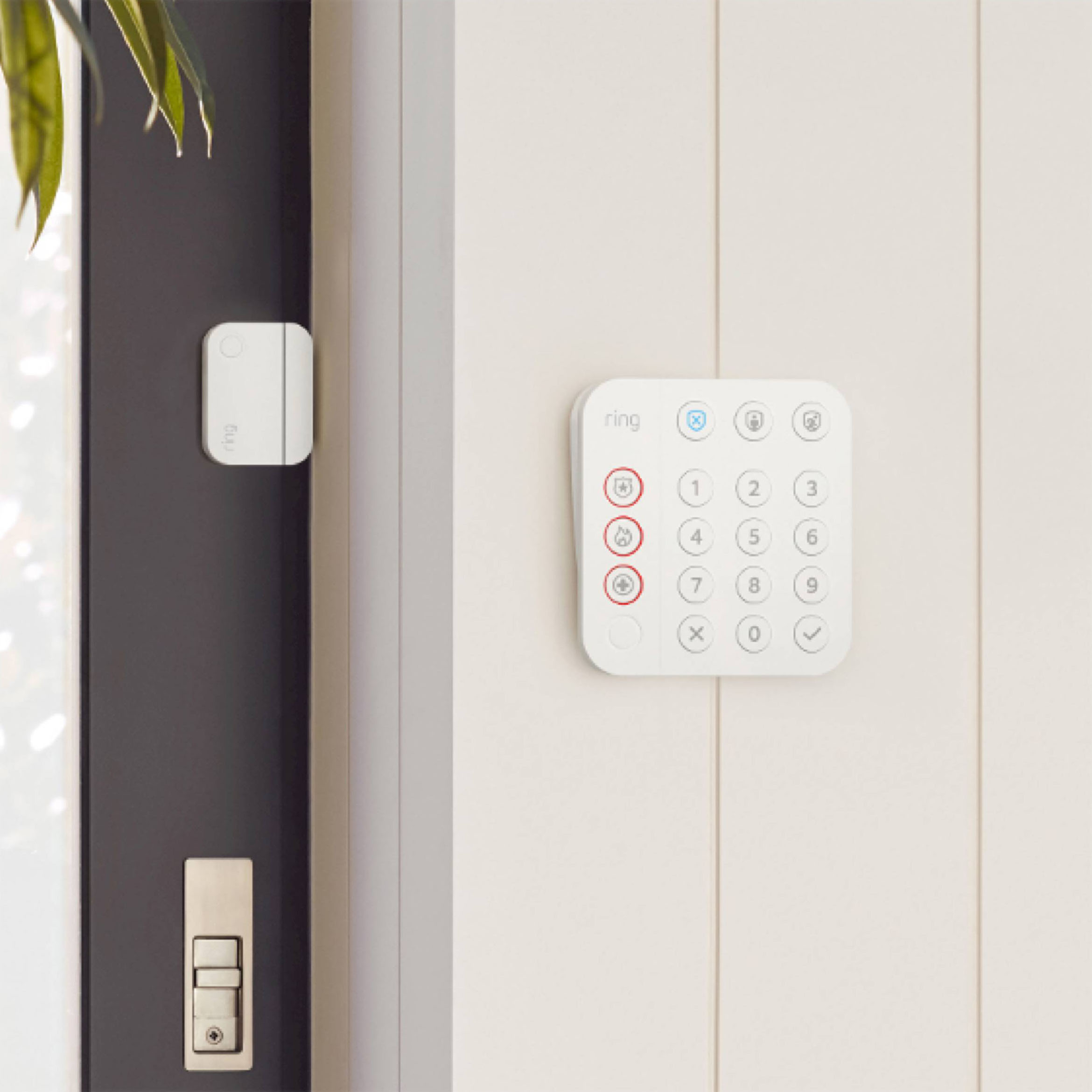
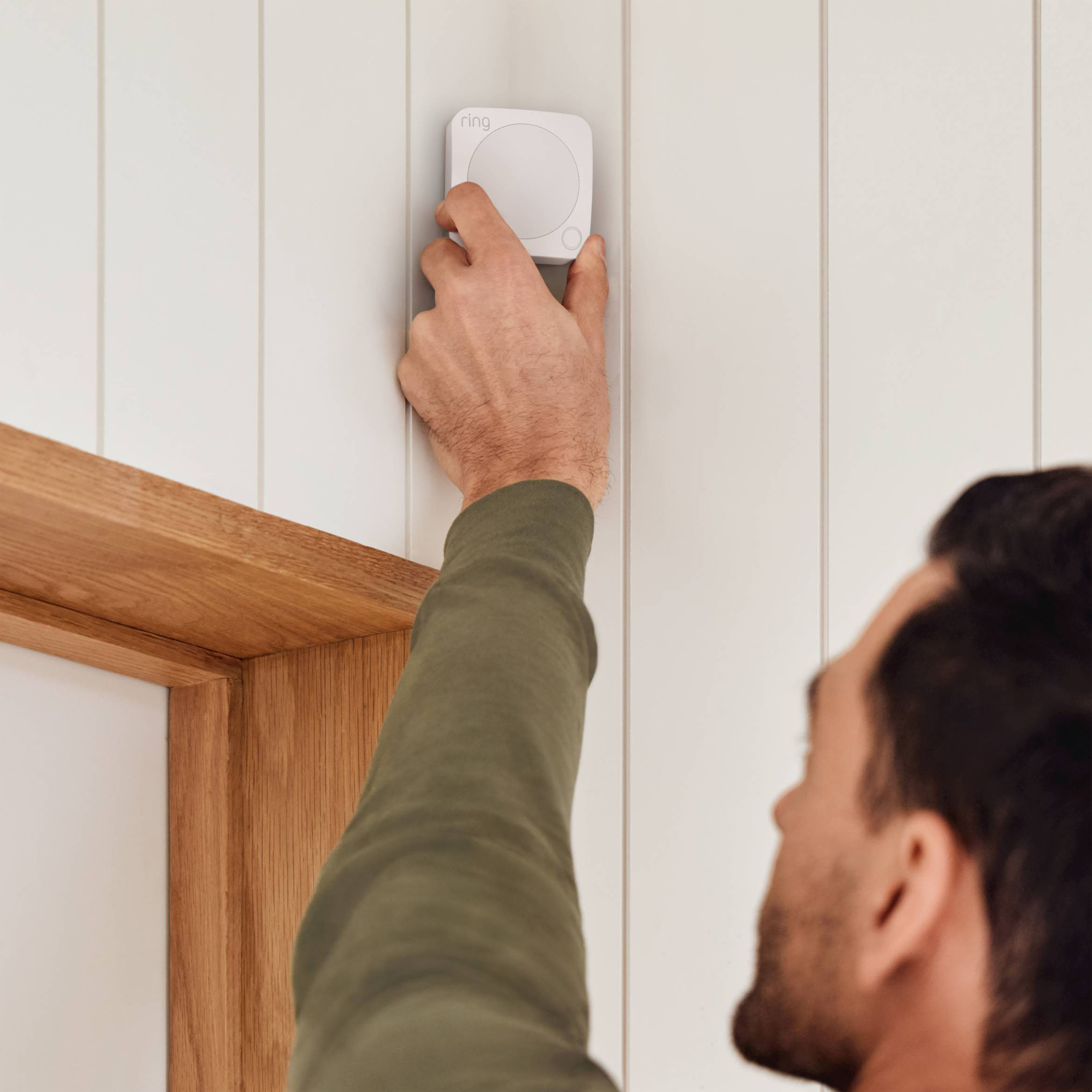
|Posted .This reviewer received promo considerations or sweepstakes entry for writing a review.This is the perfect security system and add-on for those who already have, or are planning to acquire, a Ring doorbell or any other Ring products. The hardware was very easy to install, set up and sync to your existing Ring app through an existing wifi connection and no tools or professional installation required. I was able to set the whole system up under an hour which included the hardware and app set up. In order to get the most out of your security, you’ll want to think about where to add the door/window sensors as well as the motion detector alert before installing the hardware. Once everything is installed in your home or office, you’ll have to set it up using your Wi-Fi and connecting it all through the Ring app on your smart phone/tablet. I suggest placing the security keypad near the entry door where you regularly enter/exit your home/office for easy access to arm/disarm your system. The 4 entry point magnetic sensors should also be installed on easily accessible doors/windows you may think someone could easily break into and the motion sensor I would recommend installing in an area that traffic or motion could be detected to alert you of. It’s also very easy to add additional sensors to your system as well including cameras, security lights, sensors, etc. One of the other great benefits of this system is it has a built in eero Wi-Fi 6 router built into it that helps extend your Wi-Fi system up to 1500 sq ft which you can also add Wi-Fi extenders to. You can also add Ring power packs to the system to ensure the power for your system stays on in the event of a blackout. If/when something is detected on one of your sensors, you will receive a push notification on your smart device and if you did opt for the Ring Protect Pro subscription, they could potentially contact you and/or the authorities to investigate. You can also opt into the Ring Protect Pro subscription which has 24/7 professional security monitoring however it is not a requirement. This is a simple and reasonably priced security add on to your home/office with the option of not paying a monthly fee through an alarm company. I would recommend this security add on system to anyone who already has Ring products, or is planning on adding more Ring products, and looking to add or replace additional security.
I would recommend this to a friendSelf-service beauty
|Posted .This reviewer received promo considerations or sweepstakes entry for writing a review.Prior to moving into my new home I had used a big name security system company, they locked me into a yearly contract that ended up being a pain to get out of. Fast forward to this alarm system, setting up does not require hardwires to be drilled in my walls, I do not need to have a stranger come into my home to install, and the contract is easy to manage on a month to month basis via the superb customer service. All in all, the system comes in a pre labeled boxes describing each and every function of every item in the bundle. Once everything is placed, the system was nearly immediately live and in service, which really blew my mind on how quick it was able to be up and running. This 8 piece system was such a breeze so install that I wanted expanded parts to cover other parts of my home, (I haven't yet) but I able to find where to add additional pieces to cover larger or more unique home layouts. Another cool thing about it being wireless is that it can easily be changed or altered based on what areas want to be covered. All in all I would highly recommend this starter alarm pack as its super easy to set up, is able to be expanded via purchasing new parts, and sync with my phone/companion app.
I would recommend this to a friendComplete Home Security System with Wi-Fi 6 router!
|Posted .This reviewer received promo considerations or sweepstakes entry for writing a review.I was looking to add more security devices to my existing ring home security system and Ring Alarm Pro was released with a built-in Eero router. It came with Ring Alarm Pro, Keypad, Contact sensors (x4), Motion detector, Range extender, Power supply, and Ethernet cable. Setup is quick and able to add the new devices quickly to my existing ring account using the Ring app on iPhone. I have installed the Ring Alarm, Keypad, motion detector, and range extender on the second floor. Built-in Eero Wi-Fi 6 router is a nice feature to keep devices connected if the primary internet goes out with 24/7 backup internet with Ring Protect Pro subscription feature and it covers up to 1500 square feet. The data charge is expensive which is 3$ per GB with a base plan comes with 3 GB and may not be used as failover internet for a long period of time. The main differences between standard Ring Protect Plus and Ring alarm pro are 24/7 backup internet, Extra data for $3 per GB, Expandable External power, Eero secure, and Ring edge with local video storage. Ring alarm pro subscription is 20$ per month compared to 10$ per month Protect plus. Since it has only one Eero unit, it is not covering the entire house. I am using the Eero pro 3 pack at home and I have configured it as a new network instead of replacing the existing one. It will be easy for many users to use one app instead of using the Ring and Eero app to do the initial setup. Base station LED is very bright, and the brightness level can be adjusted using the Ring app or completely turn off the LED. It is very easy to arm / disarm using the keypad or phone app. The contact sensors are slightly bigger compared to the previous generation. Since I have all devices with Ring including the doorbell, it is easy to integrate with Alexa and view live view in Echo show devices. If you are new to Ring and it is definitely worth getting Ring alarm pro as it has upgraded devices, a built-in Eero Wi-Fi 6 router, and better subscription features.
I would recommend this to a friendSolid system that could have had better finishing
|Posted .This reviewer received promo considerations or sweepstakes entry for writing a review.This all in one system is a great alternative to having a company come out and set up a home alarm once you get it set up. I didn't like that two different apps are needed to set up; Eero and Ring Home. During setup, you need to jump back and forth between the apps. It may take a few tries to set up. I kept getting Eero to find the home base, but within the Ring app it wouldn't show as online. After unregistering and retrying a few times, it finally came online in the dashboard once you pass that hurdle, setup of the sensors are a snap. one at a time just pull the plastic tab out and within 30 seconds the device is paired and finishing set up is a matter of picking a room and naming it. The keypad has a nice feel, however it looks much like a kid toy. what i didn't like is the cord coming out of it. Would have preferred a way to hardwire and hide the power or run it off a bigger battery. It looks messy and ugly. I'm not a fan of exposed wire. there are a lot of features that can be tailored to how much you want to be involved or leave it to others. If you're used to smart home features, you may want to opt to personally monitor so you can get your own alerts and act accordingly. For those that want a hands off approach, you can link it to a professional service. I dinged the stars because of the power cord for the keypad making the system look lazy and less professional and for the issues getting initial set up. if it works out for you right away and you don't mind the power cord, then this is great for you.
I would recommend this to a friendBrand response from Ring
Posted .Hello rjv86,
Thank you for taking the time to share your Ring Alarm Pro setup experience with us directly, we appreciate it. We are pleased to hear that this all-in-one system is working well for you, as a security solution for your home.
The eero settings are controlled from the eero app, and customers are able to easily navigate to the eero app directly from the Ring app during the setup process by following the on-screen prompts. The first time your Base Station connects to the internet, it will automatically begin a software update, which may take a few minutes. During the update, the light ring on your Base Station glows blue with a spinning yellow indicator. Once the ring is solid blue, the update is complete.
Regarding your concern with the Keypad power cord, we’ve got good news for you, the Keypad can be used wirelessly! The Ring Alarm Keypad rechargeable battery allows you to move the Keypad around your home easily, and the power should last a few months before it needs to be recharged (depending on usage and power save settings). The Ring Alarm Keypad has two power save options:
(1) With power save on: Mode buttons light up when a button is pressed. Numbers light up when it’s dark and any button is pressed. This option will conserve the most energy.
(2) With power save off: Mode buttons light up when motion is detected. Numbers light up when it’s dark and either (1) a button is pressed or (2) motion is detected.
In order to turn on and off the Keypad’s power save mode, you’ll need to open the Ring app and use the toggle on the Keypad settings page. Here are step-by-step instructions for locating this setting: From the main dashboard menu, tap Devices, tap Alarm Pro Base Station, then Keypad. On the Device Details page, tap the power save mode toggle. When it comes time to recharge your Keypad, please use the provided USB cable and plug.
At Ring, we aim to develop products that best meet our customers' home and security needs, providing them with as much customization as possible. Please reach out to our dedicated customer support team at 1-800-656-1918 today. We look forward to hearing from you.
Thank you,
Alexis
Great product w tons of customization possibilites
||Posted . Owned for 2 months when reviewed.This reviewer received promo considerations or sweepstakes entry for writing a review.Super easy to install and offers a little extra piece of mind, especially with some extra add-ons like the Spotlight cameras, it is a great way to add security to your home without having to go through exceptionally costly services. Right now, I have mostly WIFI devices with rechargeable batteries as addons but they offer solar panels to power the cameras and such. They were so easy to install I did my entire setup in under an hour before my husband went on a vacation, as an addition to my other home/personal protection "devices". Ring offers a great low cost monitoring program as well so that the police are notified or other services if you specify that you need fire/medical help with the panic button.
I would recommend this to a friendRing hits the nail on the head
||Posted . Owned for 5 months when reviewed.This reviewer received promo considerations or sweepstakes entry for writing a review.Love it so far. Had it for a few months working very well. The alarm app syncs with your cameras integrated very well with your cameras. It was easy to install easy to set up, I am grandfathered into rings alarms system, so the value is tremendously great for me. I had it for a few months now. Alarms starting to have a lot of confidence in it. Looking to add a few more other accessories to it. Overall very great alarm system in my opinion.
I would recommend this to a friendRing security system
||Posted .This reviewer received promo considerations or sweepstakes entry for writing a review.I have had it for a few years now and it works amazing. I would buy it again and again, it’s extremely easy to set up.
I would recommend this to a friend