Customer Ratings & Reviews


- Model:
- B08HSTJPM5
- SKU:
- 10731931
Rating by feature
- Value
Rating 4.6 out of 5 stars
- Quality
Rating 4.7 out of 5 stars
- Ease of Use
Rating 4.6 out of 5 stars
to a friend
Overall good alarm
||Posted . Owned for 1 week when reviewed.This reviewer received promo considerations or sweepstakes entry for writing a review.Good alarm just wish the wifi had a longer range also install was easy but short cables
I would recommend this to a friendwarantee extention
||Posted . Owned for 3 weeks when reviewed.This reviewer received promo considerations or sweepstakes entry for writing a review.I feel that Best buy should cover the waranty for at least 5 years !
I would recommend this to a friendBrand response from Ring
Posted .Hi Henry.
Thank you for taking the time to leave your rating on the Ring Alarm Pro 8-Piece Kit. We believe that stronger communities are the key to safer neighborhoods. That is why we are driven to create products that help you protect what matters most at home, and empower you to connect with your visitors from wherever you are. Together, we’ll make neighborhoods safer!
The Ring Alarm Pro 8-Piece Kit is an Alarm system that combines reliable home security with a secure internet network. Use Alarm Pro to set up "24/7 Backup Internet" for your primary internet service when you are subscribed to a Ring Protect Pro subscription, even if you don’t have a broadband internet connection at your location.
When you purchase a new or Certified Refurbished Device (which, for clarity, excludes Devices sold as “Used” & Used Devices sold as Warehouse Deals), we warrant the Device against defects in materials and workmanship under ordinary consumer use for one year from the date of original retail purchase. During this warranty period, if a defect arises in the Device, and you follow the instructions for returning the Device, we will at our option, to the extent permitted by law, either (i) repair the Device using either new or refurbished parts, (ii) replace the Device with a new or refurbished Device that is equivalent to the Device to be replaced, or (iii) refund to you all or part of the purchase price of the Device. This limited warranty applies, to the extent permitted by law, to any repair, replacement part or replacement device for the remainder of the original warranty period or for ninety days, whichever period is longer. All replaced parts and Devices for which a refund is given shall become our property. This limited warranty applies only to hardware components of the Device that are not subject to (a) accident, misuse, neglect, fire, alteration, or (b) damage from any third-party repair, third-party parts, or other external causes. For specific instructions about how to obtain warranty service for your Ring device, please contact Ring Community Support at 1-800-656-1918. Ring Customer Support Agents are available 24/7 and ready to assist you.
We invite you to reach out to our community if any additional information is needed regarding your Ring Alarm Pro 8-Piece Kit. The Ring Community is our first peer-to-peer community forum, giving our customers the ability to help one another by sharing their feedback and experiences with each other.
Thank you,
Melissa from Ring.
Ring alarm
||Posted .This reviewer received promo considerations or sweepstakes entry for writing a review.I really didn’t like the set up and it was so difficult for me after 4 tries I gave up and returned
No, I would not recommend this to a friendBrand response from Ring
Posted .Hello Lolo4,
Thank you for taking a moment to leave your review of the Ring Alarm Pro 8 Piece Kit. At Ring, we believe that stronger communities are the key to safer neighborhoods. That is why we are driven to create products that help you protect what matters most at home, and empower you to connect with your visitors from wherever you are. We are saddened to read that this device did not meet your expectations, but are still here to assist you, if needed. Please reach out to our dedicated support team at 1-800-656-1918 if you still have the device in your possession and would like setup assistance.
We look forward to hearing from you, if we can be of any further assistance!
Thank you,
Alexis with Ring
Good place to shop
||Posted .This reviewer received promo considerations or sweepstakes entry for writing a review.They gave me a camera which was assigned to someone else other than that everything was ok.
I would recommend this to a friendBrand response from Ring
Posted .Hello Chandrawanshi,
Thank you for leaving a review. Our top priority at Ring is to ensure that our customers have the best possible experience with our products. It is important to us that you have all the necessary information to ensure that your setup experience is seamless. We truly value your feedback, simply because it helps us improve the product from a consumer standpoint. Rest assured, we’re here to provide you with some information regarding device ownership and how Ring is protecting our neighbors by adding these safeguards.
If you got a message saying that your Ring device is registered to someone else, this means at some point, another person started the setup process in the Ring app. If you purchased it from a retailer, you should return the device and request a replacement. Here is a helpful article that elaborates on this in more detail: https://support.ring.com/hc/en-au/articles/4403292609044-Device-still-registered-to-its-owner-error-during-setup.
Additionally, if you have not already, please check out our Ring Community forum where other Ring users, like yourself, have an open discussion platform to share their experiences, as well as solutions to issues experienced: https://community.ring.com/.
Thank you, Jamila with Ring.

DIY Pro
|Posted .This reviewer received promo considerations or sweepstakes entry for writing a review.I have heard good things about the Ring alarm. Setting up and adding to my Ring door bell was very easy. The hub is best mounted on the wall, and can be mounted to look professional if you run the wires within the wall. Everything is intuitive and from set up to operation is good. I elected not to be professionally monitored at the moment but may add that at a later date. Without the professional monitoring you lose the cellular back up, and the connection is only wifi. Wish there was a way to have the cellular backup without the pro monitoring as well. The motion sensor is sort of flat and is adjustable in sensitivity. No issues and no false alarms so far. The same with door/ window sensors but did fine it was too big for one door. I do wish there was an option for additional sirens, like an outdoor. Ring shows this small additional add on, but it appears to not work that well. Would be nice if it set off some sort of 'alarm' with the Ring cameras, or door bell when triggered. The kit came with an extended and it must help because I have not encountered any connection issues. Actually, I discovered all sensors are 'monitored' for battery and connection so this really increases the bar for a 'proper' security system. The app which integrates with my Ring door bell works very well, and no connectivity issues. All in all, I like this system. A lot of pro items have been checked and it has been well thought out. Its not a cheap toy like some systems. Hopefully, they will address adding more options, like a proper outdoor siren (or door bell activation).
I would recommend this to a friendLemon
||Posted . Owned for 3 weeks when reviewed.This reviewer received promo considerations or sweepstakes entry for writing a review.The wire was a lemon that constantly goes offline and sends 1000s of notifications to our devices
No, I would not recommend this to a friendBrand response from Ring
Posted .Hello Cjs551,
Thank you for taking the time to share your Ring Alarm Pro experience with us. We appreciate it. Our products are intended to provide you with long-term peace of mind in terms of home security.Ring devices all include a one-year limited warranty on parts and hardware: https://ring.com/warranty. If you are a Ring Protect Plus member, an added benefit of this plan is an extended product warranty that would cover replacement for the lifetime of the device. Rest assured, whether you are a Protect Plus member or not, we do have some solutions that can resolve your concerns and ensure you have a Ring device that is capturing visitors around your home when you need it most!
To obtain the benefit of the limited warranty, please contact Ring community support at http://support.ring.com/or 1 (800) 656-1918 (US). For any additional questions or concerns, please feel free to reach out on our community forum at https://community.ring.com/. This forum was launched in 2019 to allow our neighbors to share their experiences and feedback directly with Ring.
We are eager to get a solution in place for you so you can monitor your home and get notified in a timely manner of visitors approaching your door. We look forward to hearing from you soon!
Thank you, Jamila with Ring.
Reliable
||Posted . Owned for 1 month when reviewed.This reviewer received promo considerations or sweepstakes entry for writing a review.Purchased as a gift for my daughters first home purchase.
I would recommend this to a friendRun away and choose an other option
||Posted . Owned for 7 months when reviewed.This reviewer received promo considerations or sweepstakes entry for writing a review.Worst product I ever bought. Not working after one week Impossible to reconnect No support at all Sticker don’t stick ! Poor me to buy some Amazon products…
No, I would not recommend this to a friendBrand response from Ring
Posted .Hi Christophe.
Thank you for sharing your feedback with us.
We understand the importance of having a consistent internet connection for the Ring Alarm Pro. Having a solid connection ensures you do not miss any activity around your home. Rest assured, we’re here to provide you with solutions to the connectivity concerns you are experiencing today!
It sounds like your Ring Alarm lost its internet connection. Alarm Pro is designed to be the primary router, or gateway, for your home. It should not be added to an existing wifi network.
You can install your Alarm Pro Base Station almost anywhere. Be sure to place it on a flat surface.
Make sure it’s in a spot that's near your modem if you want to use an internet service provider (ISP) as your primary connection to the internet. (In this case, you’ll want to connect your Alarm Pro to the modem using the included Ethernet cable.)
We also recommend placing it in an area with the best cellular signal. If your cell phone doesn’t have good reception in that spot, your Alarm Pro may not get a strong signal either. (You’ll need a cell signal if you plan to subscribe to Ring Protect Pro and take advantage of 24/7 Backup Internet, and Alarm Cellular Backup.)
You should also choose a central location to improve Z-Wave network and wifi coverage in all directions.
Ring Community was launched to help deliver the most current news and educational information to our neighbors. This online forum is divided into four categories: Product Boards, Ring Updates, Tips + Tricks, and a Moderators’ Corner. The Product Boards are where you can begin new topics with your questions or feedback; there is also a search option that helps you find topics that have already been posted by other neighbors.
All the best,
Nicole from Ring.
Best Buy is awesome they are the Bomb!
||Posted . Owned for 1 year when reviewed.This reviewer received promo considerations or sweepstakes entry for writing a review.This product was not so good due to it being manufactured by Amazon. Amazon stinks but Best Buy is awesome that’s all. I have to stay!
I would recommend this to a friendBrand response from Ring
Posted .Hello AppleandMike.
Thank you for taking a moment to leave your Ring Alarm Pro 8-Piece Kit rating. Here at Ring, we believe that stronger communities are the key to safer neighborhoods. That is why we are driven to create products that help you protect what matters most at home and empower you to connect with your neighbors from wherever you are. Together, we’ll make neighborhoods safer!
At Ring, we are constantly innovating on behalf of our customers to develop products that best meet their home and security needs, and provide them with as much choice as possible. Ring Community is our first peer-to-peer community forum, giving our customers the ability to help one another and share their feedback/experiences with Ring. We invite you to reach out to our community if you have any additional questions or feedback regarding your Ring Alarm Pro 8-Piece Kit. We look forward to hearing from you!
Thank you,
Melissa from Ring.
Home Security with a few added bonuses
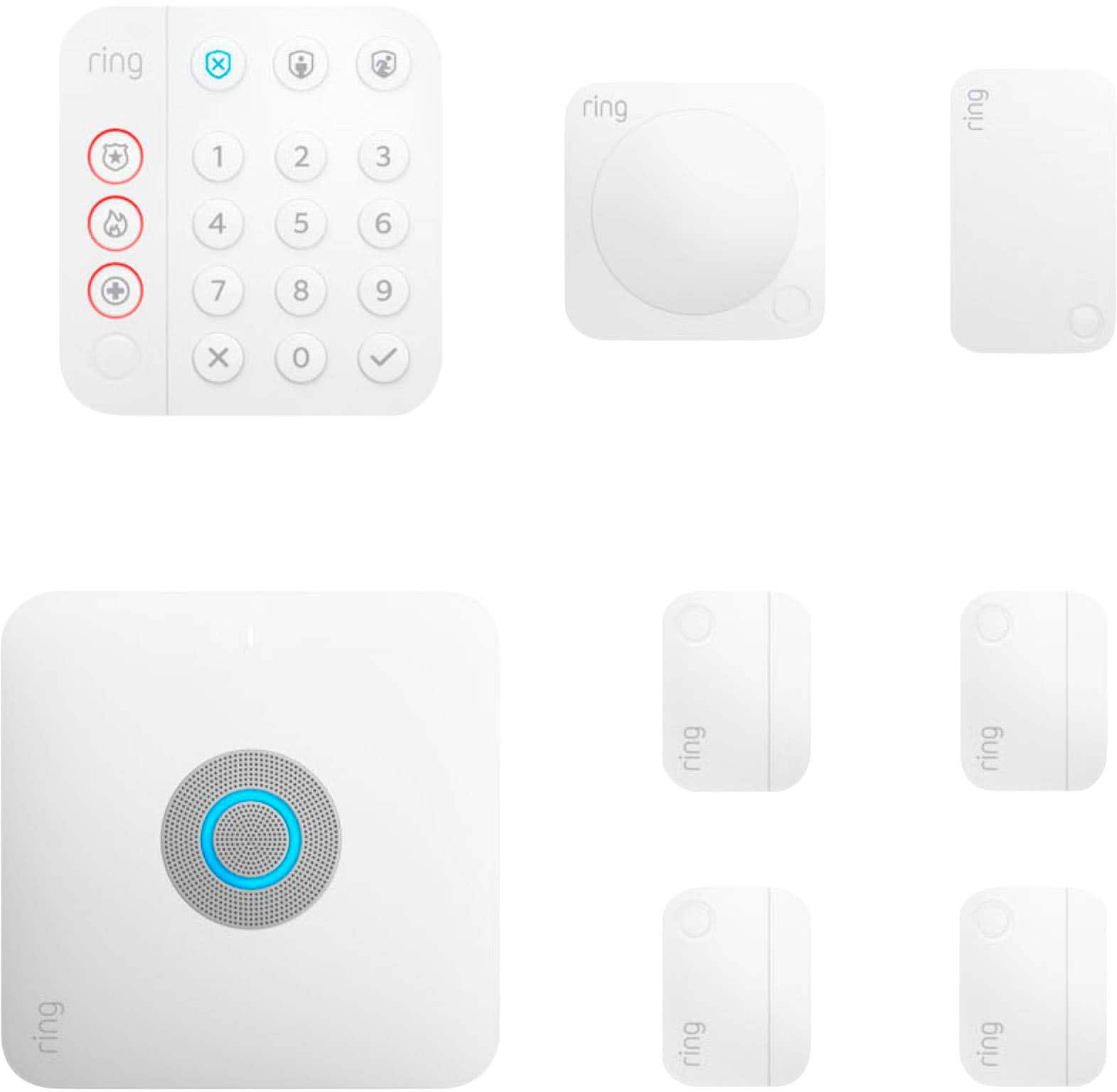
|Posted .This reviewer received promo considerations or sweepstakes entry for writing a review.In the box is the Ring Alarm Pro, Alarm Pro Base Station Adapter, Range Extender, motion detector, contact sensors (3), keypad adapter and instruction manual with important product information pamphlet. First impression, I really love the design of the inside of the box, everything is neatly boxed and labeled. I would highly recommend you read the instructions as well, just to give yourself a little information about the different options. Overall, I was a little disappointed that if I plan to use my local internet provider that I have to run an Ethernet cable to the Ring Alarm Pro but overall I like this idea because of all of the additional things that can be done with the Ring Alarm Pro. I live in a two level home and my modem is on the bottom level. I do have tower extenders on the upper level so plugging to a modem wasn’t a problem. Also, the Ring uses two apps, the WiFi network uses eero app to connect to the internet and the Ring app. A good thing about the Ring is if you don’t have an internet connection then you can use cellular data with their Ring Protect plan. (I know so many people in my area that are not able to get an internet service because of where they live, so this is a great option.) Also, with professional monitoring, you can use the additional buttons on the keypad for police, fire and medical. Both apps are really easy to use and the Ring app walks you through installation and helps to make sure everything is connected to the Ring Alarm Pro. When your ready to set up, download the apps and use the user guide when needed. Also, the Ring also offers Ring Power packs (battery packs) for when the power goes out and you can set them up under the Ring Alarm Pro; also keep in mind that you have to use this particular battery pack, no other product can be used. For someone that is a homeowner and is looking for an option to assist with protecting your home, this product is good because there are so many additional components that you can add, like the Ring Video Doorbell and cameras. Another good feature, the WiFi 6 option is available and you can add existing eero products but without them you can get up to 1500 square ft coverage. The Ring Alarm Pro supports up speeds up to 900mbps. Overall, I love the possibilities of adding on with this product, especially the WiFi option because it is time for me to upgrade my WiFi system and with the power outages and working from home, the Power Pack options would also be a great option for me as well. The best part is you can add up to four Power Packs (externally) for extra battery power but they will be an additional purchase but there is an internal backup battery inside that will provide up to 24 hours of power for the Ring. With the external packs, all of the features of the Ring Alarm Pro will work but with the internal battery, there will be limited access to the Alarm features. For all of my friends and family that work from home and/or have children that complete online schooling, I will definitely recommend this product to them!
I would recommend this to a friendWhat smart hubs should be-but with extra benefits
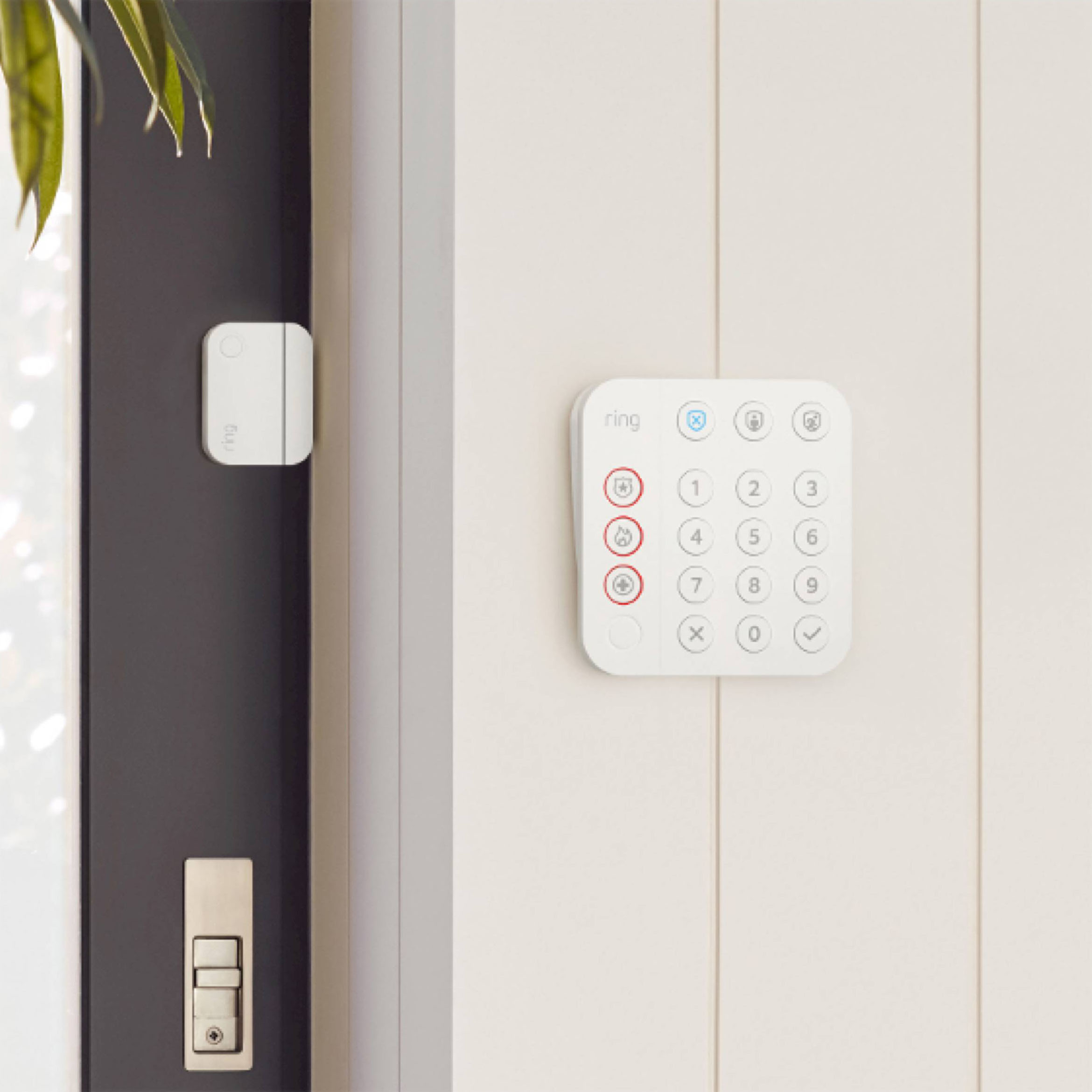
|Posted .This reviewer received promo considerations or sweepstakes entry for writing a review.This has been surprisingly amazing! Full disclosure, I’ve never been particularly fond of Ring products. One of my biggest issues with the name are having paywalls for any and every feature offered. With the exception of some very basic free functionality/service. This kit isn’t entirely free of paywalls. The most annoying marketing paywall is a UPS that can be stacked below the hub. The documentation refers to it as the only UPS that can be used with it. The issue with that is that any UPS that can supply it with the needed current and required protection will work. But going with a non-propitiatory UPS may void your warranty. Setup of this thing is incredibly simple. Grab the app, plug into network and just pull the plastic tabs on the sensors. The sensors come pre-paired with the hub and they came up in the app within seconds. Then just glue or screw into the wall. But heads up, none of the sensors actually come with any hardware, only pre-applied adhesive. Only the keypad has a set of wood screws. There’s also an added extender that only requires plugging into an outlet for large homes. The keypad has a sliding back plate and an intricate routing channel on the back of it for just about any installation. With it all in place, the system allows for some customizing of tones, to energy saving options. For additional functionality, the hub doubles as a neat WiFi 6 router. The app adds, what I later learned was accessible outside of the system, a social media like neighborhood watch system where nearby users post concerns or notices. In the app, it’s simply referred to as neighbors and encompasses a weekly report generated from county records of the incidents reported to law enforcement. Using the system in everyday life is incredibly easy. You can either arm from within the app or by entering the pin on the keypad followed by the check mark and one of the states at the top. This systems great for anyone who’s deeply invested in Ring products and would like for all of their devices to work together or the user who wants a simple self monitored option. There’s also the professionally monitored service which is a valid option with this system. All in all, this system checks off all of my criteria in a system I would be looking for. Even if I paired my surveillance to something self hosted/serviced.
I would recommend this to a friendWifi router and security in 1
|Posted .This reviewer received promo considerations or sweepstakes entry for writing a review.Gone are the days that you have to rely on a security company to install a system at our house that includes monitoring. Ring has continued to expand it's product line to help you feel secure at home. The Ring Alarm Pro is an easy way to add an alarm system to any home large or small. The 8 piece kit includes a power supply, ethernet cable ,keypad, 4 contact sensors to use on either windows or doors, 1 motion detector and a range extender. You can purchase additional window and door sensors to add to the system if you choose to do so. Each sensor has batteries in them which should easily last a few months based on usage. You can also purchase additional motion sensors if you choose too. The base station also doubles as a eero Wi-Fi 6 router that covers a 1500 sq ft home. You can also purchase additional eero 6 extenders to expand the Wi-Fi coverage in your home. Setup of the alarm system all is done through the ring app on your phone. Set-up was fairly easy and straight forward but may be a little slow at times. You can adjust the Wi-Fi settings through the eero app. If you are already part of the ring ecosystem this is a great addition to the doorbell and cameras that you may already have at home. I personally have a ring doorbell, ring cameras and the ring transformer at my home already so adding the security system was a no brainer in order to have everything in 1 app. You can control the system via the keypad, mobile app. voice control via Alexa. Ring also recently added geo-fence capabilities so that you can control your system via your location. You also have the option of adding 24/7 professional monitoring for $100 a year that will contact police or fire depending on the emergency. The fee also adds a cellular backup to the system just in case you lose internet connectivity. Overall Ring has done a great job in coming up with a security system that you can install and maintain on your own. If you are already part of the ring ecosystem then you can add an extra level of security to your home. I would definitely recommend this security system to anyone with any apartment or home.
I would recommend this to a friendNot for us.
||Posted . Owned for 1 month when reviewed.This reviewer received promo considerations or sweepstakes entry for writing a review.We were looking for a system that used cameras instead of perimeter sensors.
I would recommend this to a friendBrand response from Ring
Posted .Hello Case
Thank you for sharing your feedback. The Ring Alarm Pro uses contact sensors and motion sensors to monitor your home and activate the alarm if tripped. The Cameras will not trigger the alarm, but they can integrate with the alarm to record when the alarm is triggered. This Help Center page will show you how to do this: bit.ly/47YTbVA.
Best wishes
Ivan from Ring
Lots of features but not exactly intuitive
|Posted .This reviewer received promo considerations or sweepstakes entry for writing a review.I'm very impressed by the feature set of this alarm system. It's both an alarm, and it's a WiFi router. It also comes with a whole slew of different sensors. I got this because I had to replace my router anyway, and I was interested in getting a security system for my home. You will need to download and install both the Eero app (for WiFi) and the Ring app (for the security system) to get this device to work. As a router, it's not bad. I was a little disappointed by its range (it doesn't extend quite as far as my previous router), but it's every bit as fast. I like the fact that Eero sells expansion units that can be used to expand the range of the router. I'm probably going to pick one up to extend my WiFi coverage. I was a little disappointed that it doesn't have more ethernet ports. I'm used to routers having four or more, but this device only has two. The instructions that come with the router are unclear on what the micro-SD card slot can be used for. I wasn't able to get it to recognize the micro-SD card that I tried in it, but that could have been an issue with my card. I was also disappointed that the Eero app seemingly doesn't allow you to separate the 2.4 ghz and 5 ghz bands. I was hoping to create two, separate, WiFi networks. One for my Smart Home devices (2.4 ghz) and one for my computers and the like (5 ghz). Unfortunately, I couldn't make this happen. As an alarm system, this device was pretty easy to set up. It comes with a keypad, a z-wave range extender, multiple door/window sensors, and a motion sensor. Again, the instructions for the keypad were sorely lacking. There are three basic states to the alarm: Deactivated, At Home, or Away. You will need to enter your pin code (created during setup) any time you want to switch between modes. "Deactivated" stops any motion sensors or door/window sensors from triggering your alarm, "At Home" turns on your door/window sensors (but leaves any motion sensor turned off), and "Away" turns on all of your sensors after a short delay (allowing you to exit the premises). Along the left side of the keypad are quick action buttons for various emergency services (requires a service plan). As a pet owner, I have to say that I'm not keen on the motion sensor. It supposedly has technology to prevent your furry friends from triggering it, but I found it inconsistent at best. You may want to pass on this component if you have a furry friend. Installing the door and window sensors was extremely simple. They are very forgiving, and you just need to have the two halves within about an inch of each other to get them to work. The adhesive on the back of the sensors is surprisingly strong too. I'm quite happy with this device. It filled my need for a new router, and it also provides me with a certain degree of peace of mind for when I'm not at home.
I would recommend this to a friendHorrible
||Posted .This reviewer received promo considerations or sweepstakes entry for writing a review.It was a nightmare just to set up. The base station would not stay online.
No, I would not recommend this to a friendBrand response from Ring
Posted .Hello downpix,
Thank you for taking the time to share your Ring Alarm Pro setup experience with us directly, we appreciate it. Having a consistent and reliable network connection is important for your home security device and the other wifi enabled devices using the Alarm Pro Base Station's network. Rest assured, we are here to provide you with steps in order to resolve the connectivity issues you are experiencing.
Ring Alarm Cellular Backup is a feature that allows you to continue receiving alarm protection when there is no home internet access or when running on internal battery. To use Alarm Cellular Backup, you must subscribe to a Ring Protect subscription. It is a valuable feature when you have a power or internet outage and allows you to avoid having your system go offline. After power or internet is restored, if you’re having an issue with switching your Ring Alarm Base Station back to your internet network, follow these troubleshooting steps: https://support.ring.com/hc/en-us/articles/4418013510932-Ring-Alarm-Base-Station-Is-Stuck-on-Alarm-Cellular-Backup.
Ring Community launched in March 2019 to help deliver the most current news and educational information to our neighbors. It is our first peer-to-peer community forum, giving our customers the ability to help one another and share their feedback/experiences with Ring. Please reach out at https://community.ring.com/ if any additional information is needed regarding your connectivity concern.
Thank you,
Alexis from Ring
Amazing and Easy Install
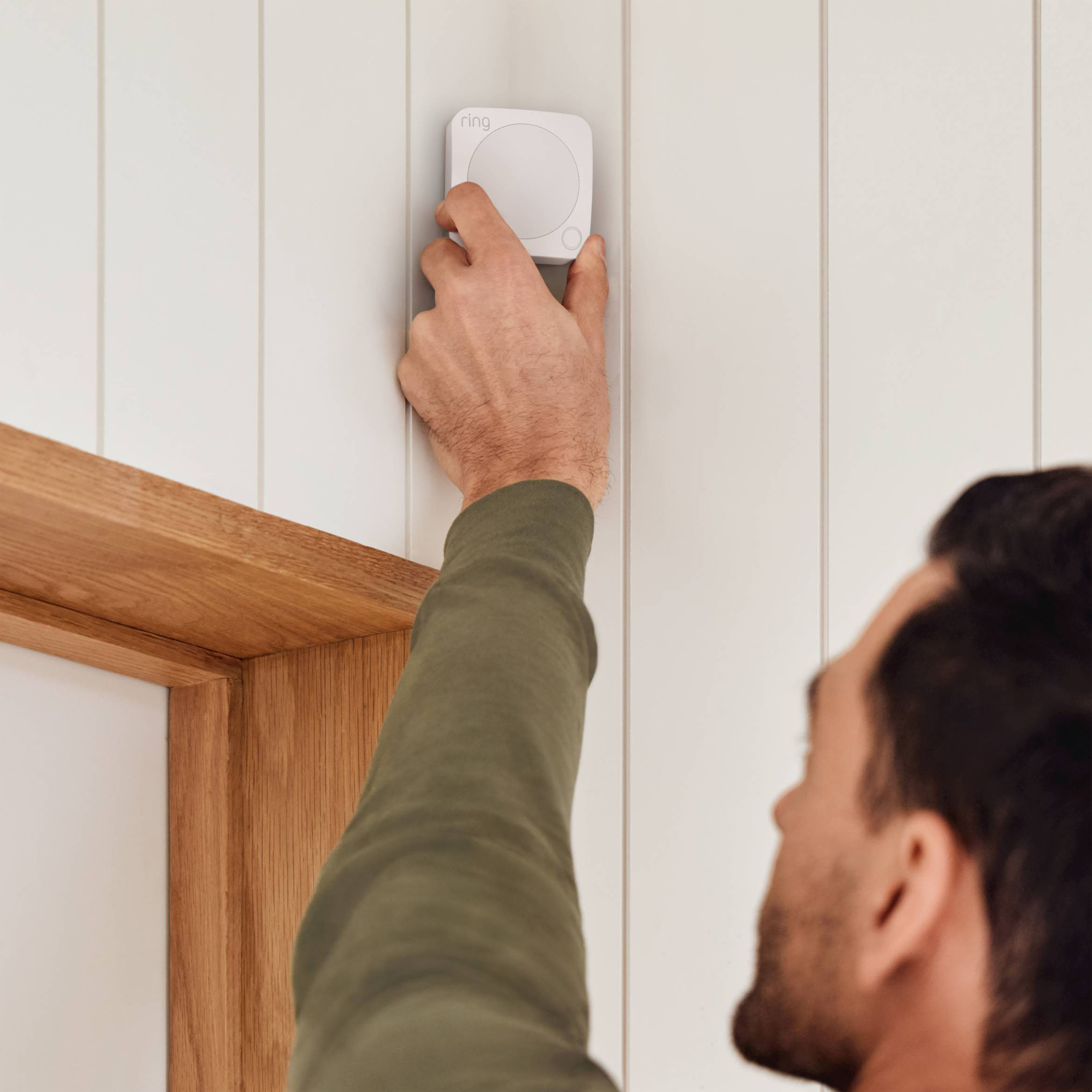
|Posted .This reviewer received promo considerations or sweepstakes entry for writing a review.Out of the box - 8 piece Ring Alarm Pro Home Security System! You receive sensors for windows and doors, interior motion detector, keypad control and range extender. Instructions are very detailed and helped with a very easy installation. It took me less than 30 minutes to set up all the sensors and set up. I purchased the doorbell elite and 3 floodlights with cameras to have views of all angles of the house, as well as additional sensors to cover all my first floor windows and basement windows. I use both app and professional monitoring because of the pets. The motion sensor was easy to set up in the mud room that has the entrance from garage and back door. The feature I love most is the neighborhood I live in we are all connected and have a neighborhood watch group. Anytime I open a window I'm alerted while at home or away. I also set up interior camera to view the pets :). Overall, if you a looking for an easy to use, install and integrated home security system that you can purchase additional items that are all compatible such as extra sensors, interior and exterior cameras than this is the perfect system for you. Another plus is professional monitoring. I highly recommend purchasing the system and setting up a Ring neighborhood watch.
I would recommend this to a friendExcellent Alarm System - Feel Safe in Your Home!
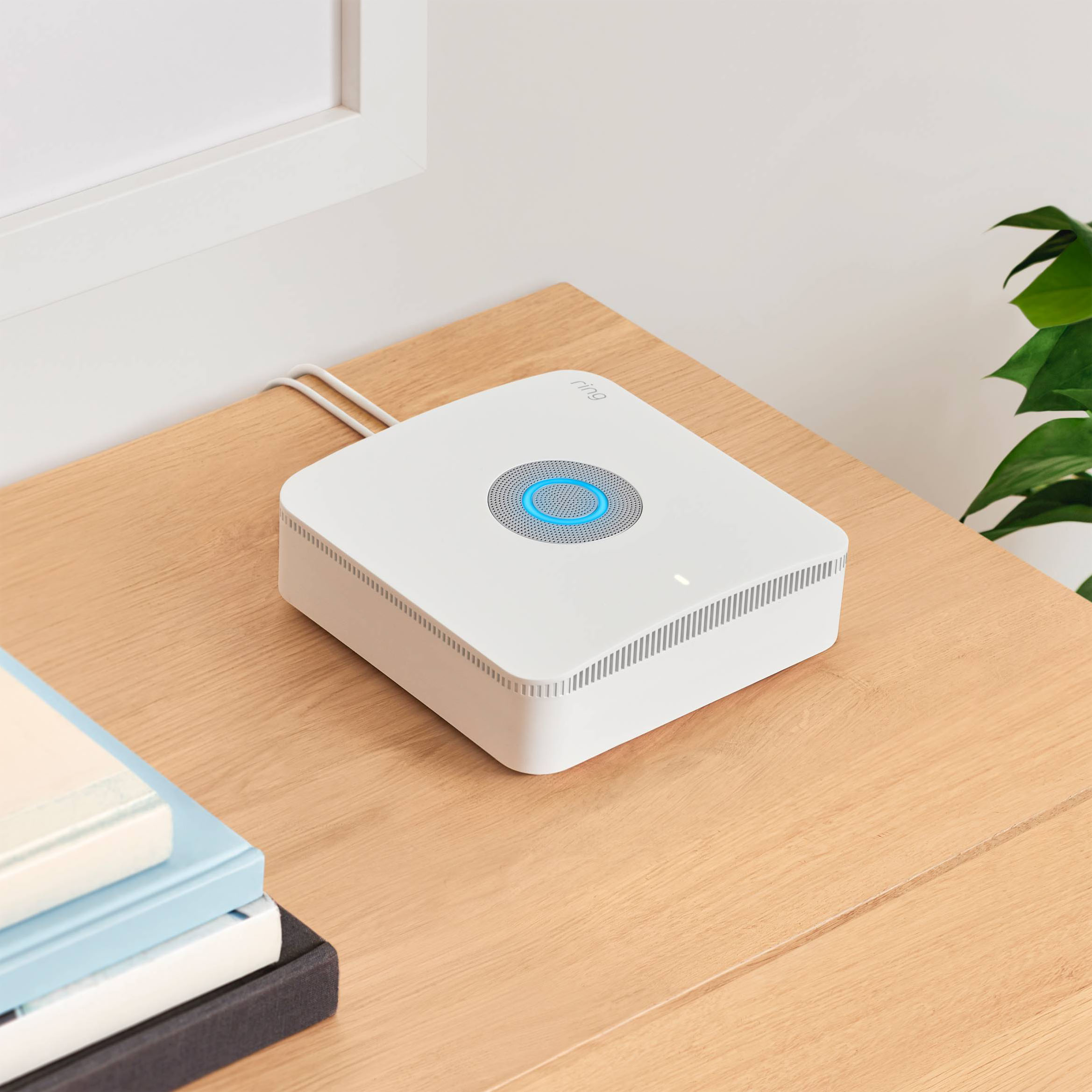
|Posted .This reviewer received promo considerations or sweepstakes entry for writing a review.This is my first go with a home alarm system and I am not disappointed. **I will start by saying the ONLY disappointment I have is that this new Ring Alarm Pro base station has built in eero 6 wifi, which means you HAVE to replace your current in home wifi router. As far as I can tell, and from looking up reviews and other people's opinions, there is NO way to keep your current wifi router and use the ring alarm pro base station as an extender. You HAVE to use the built in wifi. I think overall that kind of stinks, as some people may already have a nice wifi router that they really enjoy and wish to continue using. IF you fall into this category, but still want ring security, you will want the previous model ring alarm base station, which does NOT have built in included eero wifi. That one I have read you can use an extender to your current wifi. With that being said, and since I have this one with the eero 6 wifi built in, I had to replace my current wifi router. The previous router I had was a Linksys that had about 8 antennas poking off the router itself that you could bend and move in different directions. I loved that router because although I have a small home (1300 sq ft), I never had any issues with wifi signal. Using the Ring Alarm Pro base station with eero wifi, I lose wifi signal in the farthest rooms of my house from the base station, which is disappointing. I ended up having to order an eero 6 wifi extender, which I hope and think will solve the issue in the back rooms. Just something you should keep in mind for sure. But I am not taking off any stars in my review because of this. The Ring alarm system and what it comes with, at its price point more than makes up for it. The system itself is excellent and easy to set up. I was new to ring so I had to download the ring and eero apps. But once I did that, start with the Ring app and it will easily guide you step by step through everything. I was setup with my whole system in about 30 minutes. What I really like about this is that you can customize your alarm modes. You can set the alarm to "home" mode and have it disarm the indoor ring cameras you have. Then when you set the alarm to "away" mode, it can know to turn on those indoor cameras. **Please note I found out that hard way that the customization ONLY works with Ring products. I picked up some blink mini indoor cameras that work with Alexa (which ring is compatible with), but I was unable to set those up in the ring app so therefore I am unable to use them as a customization feature of the "home" or "away" alarm modes. I would need to use the Blink app to turn on/turn off the cameras. Just something to keep in mind if you wish to customize your cameras into your ring alarm customization, you will need to stick to buying ring bring cameras and doorbells. You CAN connect blink and ring products in the Alexa app in order to say have your RING video doorbell start recording when a BLINK camera detects motion, but that is unrelated to this RING alarm system. The Alarm Base Station plugs in near your cable modem. You will notice it has a BRIGHT LED ring on the very type once everything is setup correctly. If this is near a sitting area, it is highly annoying. You CAN turn this off by going into the ring app-devices-alarm pro base station-settings. Highly suggested. For the rest of the items, the keypad has a wall mount bracket you just screw in. It comes with a power cord which you can run to an outlet BUT it also can just run on battery power. Not sure how long this option will last. I'm sure once the battery is low you will receive a notification and need to re-charge the keypad. The motion sensor is ok. I set this to low motion since I have a dog and cats. It also comes with 4 door/window sensors which were super easy to install. Do NOT pull out the plastic tabs on the sensors before installing everything else first. The app has a nice feature where once you pull out the tab it shows you specifically which one it is you are setting up, and you can follow the on screen instructions to finish setup. Very easy. This comes with a 30 day trial of the ring pro subscription you need to have professionally monitored service and backup internet. What does this mean? In short, WITHOUT the subscription you are self monitored. Meaning if your alarm trips or your siren goes off, say someone is actually breaking into your house, then Ring is NOT monitoring it, will NOT contact you to check if you need help, and will NOT send police or other emergency services. It's up to you since you are self monitored to figure that out. Also if your power goes out, you are SOL. Without power, and therefore without your wifi, your alarm system is meaningless. The battery backup on the alarm station if your wifi went out would keep your system armed for you. Looks like the monthly service for professionally monitored service is $20 a mo, or $240 a year. It's up to you if you think that is worth it or not, or if there may be a cheaper option. Peace of mind for me and my family at $20 a month, with the customization this provides, is worth it to me and very recommended.
I would recommend this to a friendRing alarm
||Posted . Owned for 2 months when reviewed.This reviewer received promo considerations or sweepstakes entry for writing a review.Device is not loud enough to hear around the house
No, I would not recommend this to a friendBrand response from Ring
Posted .Hello Alfred,
Thank you for taking a moment to leave your review on the Ring Alarm. At Ring, we believe that stronger communities are the key to safer neighborhoods. That is why we are driven to create products that help you protect what matters most at home, and empower you to connect with your visitors from wherever you are.
Your experience with Ring is impactful on our future as a company, and we would love to hear from you directly on our Ring Community forum. If you have any experiences to share, questions regarding Ring and our services, or any feedback and product suggestions, we encourage you to have your voice be heard: https://community.ring.com/!
Thank you, Jamila with Ring
Easy to install!
|Posted .This reviewer received promo considerations or sweepstakes entry for writing a review.We have been using Ring products for many years. We have the Ring Doorbell and floodlights around our house. The Alarm pro System was very easy to install and was a perfect addition to the products we have already been using. You can protect up to 4 doors or windows as well as a motion sensor. We are using the sensors on three doors and one window. You hear a chime every time one of the doors is opened. You get a free 30 subscription to the monitored service - but it works without the service. My one wish is that it came with 1-2 extra sticky pieces for the sensors. I did put one on wrong the first time and I would like to replace it where it is located. Other than that - it is a great system at a great price.
I would recommend this to a friendGreat system, easy to use
|Posted .This reviewer received promo considerations or sweepstakes entry for writing a review.This 8 piece security kit is perfect for apartments, or small homes. I live in a townhouse with 2 bedrooms that are all upstairs one facing a street, so no true need for sensors on those windows. Downstairs I have 2 entrances, and my kitchen window which I easily placed sensors on. The setup process was by far the easiest of any security system I have had to date, with videos in the app to guide you a long with detailed step by step directions. I set my base station up in my room, so the extender is a nice touch if you’re someone like me who wants their base station a little closer to them. I did not use the motion sensor, because of my dog and his ability to easily trigger it. He’s a large breed dog and when I’m not home he’s not crates, and hops on couches, or beds and it just wouldn’t make sense to risk the possible false alarm. This was not enough to take a star away from the quality of this system for me personally. The reason being is Ring’s ability to connect to the internet on its own via the base station. I have too many things plugged up to my current modem at home, so I honestly didn’t have room. Enter eero, the ability to connect wirelessly without being hooked up to your modem or home internet. I have never seen anything like this personally in a security system and it’s an AMAZING feature. This will work great for people who don’t have internet connection at home/office or wherever this system is being used, or have internet but just unable to manually be hooked up to it. That alone is worth 5 stars to me. Ring did a great job with this. Easy setup, sleek designs of keypad, sensors, and base station, and wireless capability (you will have to pay monthly for that, but you get a month free). Don’t hesitate with this. Protect your property and feel comfortable doing it.
I would recommend this to a friend