Customer Ratings & Reviews


- Model:
- B08HSTJPM5
- SKU:
- 6481925
Rating by feature
- Value
Rating 4.6 out of 5 stars
- Quality
Rating 4.7 out of 5 stars
- Ease of Use
Rating 4.6 out of 5 stars
Customers are saying
Customers love the Alarm Pro Home Security Kit 8 Pieces for its ease of use and simple installation. Many appreciate the great price, whole house WiFi, and battery packs for power outages. The system's overall performance, added security, keypad feel, camera compatibility, and expandability are also well-received. However, some customers have reported issues with buffering and lagging.
This summary was generated by AI based on customer reviews.

Excellent system with lots of great features!
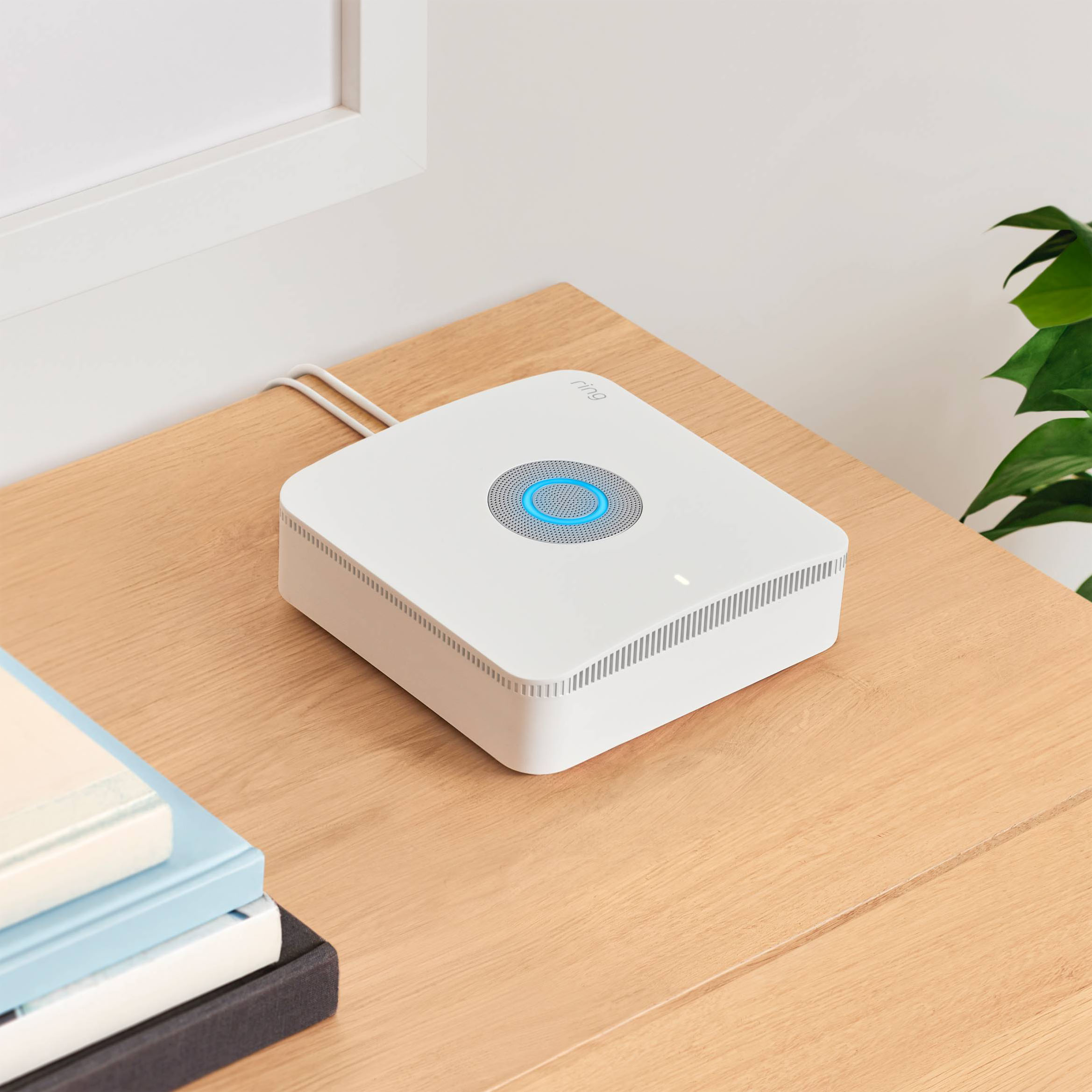
|Posted .This reviewer received promo considerations or sweepstakes entry for writing a review.This my second Ring Alarm system. Before upgrading to this system, I had the original 1st gen Ring Alarm system. I have been really happy with that system. The app works great and allows you to remotely arm and disarm your system, access Ring cameras, etc. The Ring Alarm system is also integrated with other Ring cameras and products which provides some great functionality and improved security. Compared to the original Ring Alarm system, this system is definitely an upgrade in terms of the base station that is included. It has a built in Eero wireless router which is a unique feature. I had the original Ring alarm and an Eero system before getting this system, so I thought this would be a perfect upgrade. I am a big fan of both my Eero mesh WiFi system and my Ring Alarm system, so this seemed like the perfect combination. Not only does this base station have a built in Eero system, but it also has a louder siren compared to the original base station, and it includes the ability to run your home internet on cellular backup in the event that your internet goes out. It also uses a USB C connector for power which is a nice upgrade. It is clear that Ring put a lot into upgrading and refining this base station. Beyond the base station, the keypad and sensors that are included with this system are very easy to install and set up. All you do is follow the instructions in the app and it guides you through the entire process. With upgrading from an older Ring system and replacing an Eero router, the setup for me was a little trickier than just setting up a new system. Nonetheless, Ring was able to transfer my sensors and settings and migrate me to the new base station without any hiccups. Additionally, I was able to go in and replace my existing Eero router with the Ring base station without too much trouble. The whole setup process was a lot smoother than I expected with no major issues. There is one thing that you do want to keep in mind with the combination of Eero into the Ring Alarm base station. With this configuration, you do have to put your Ring base station in the same location where your internet equipment from your internet service provider is located. In some cases, that may not be a very optimal location. I would prefer to have the siren from my base station in a different location of my house, but I had to put it where my internet equipment is located in order for it to operate as an Eero router. Overall, this is a great home security system. It has tons of useful features to make home security easy and effective. Additionally, the optional professional monitoring is very affordable and reliable. The monthly fee you pay for monitoring not only covers the professional monitoring, but it also covers cloud video recording for all of your Ring cameras. You really cannot beat this system when it comes to price, features, and integrations. I would highly recommend this system if you are looking for a home security system that is easy to use, has great features and functionality, and is a great price!
I would recommend this to a friend- Pros mentioned:Installation, Price
Very good. Easy to install and effective
|Posted .This reviewer received promo considerations or sweepstakes entry for writing a review.I installed it to have an independent alarm system (without monthly payment). This system is complete for a small apartment or a small area to monitor. Installation was very easy but the registration was a bit tricky. After that everything is fine. The WiFi router (main unit) is really good with very good coverage and high speed. I am planning to purchase more items (door bell and Camera) to add to the system. Maybe also another motion detection sensor. Priced well, and works very good. I'd really recommend it if you are staying in an apartment and you don't want to spend a lot on a fancy alarm system...
I would recommend this to a friend - Pros mentioned:Installation
Great Alarm system for your home
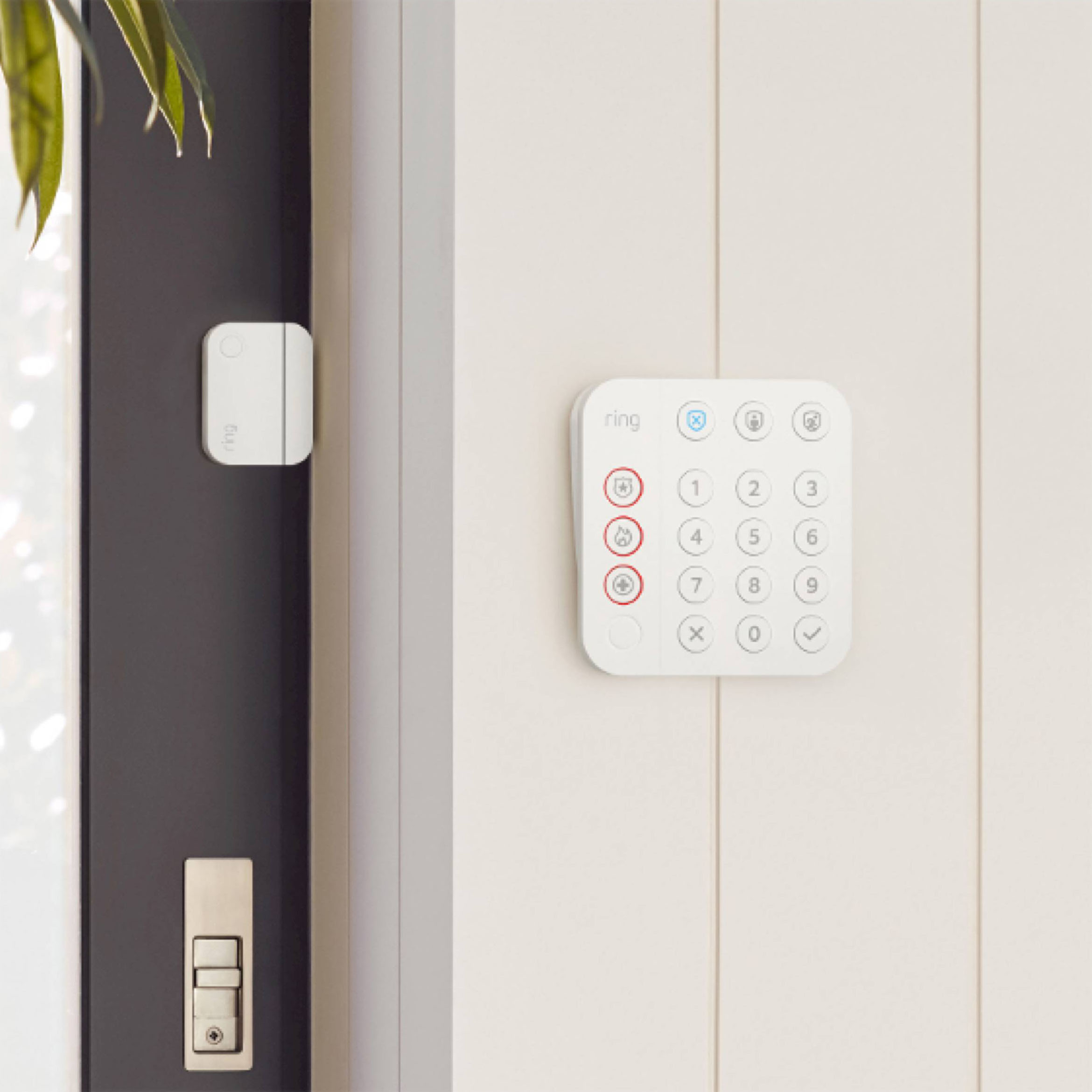
|Posted .This reviewer received promo considerations or sweepstakes entry for writing a review.The Ring Alarm Pro is a good alarm system for your home, condo, or apartment. The system allows you to screw the keypad and contacts to the windows or doors, or you can use the pre-installed self adhesive to tape the contacts to your windows or doors. This setup is good for those who are renting their apartment or condo and do not want to make any holes or damage to property they are renting. This will also allow you to take the unit with you if you decide to move to another dwelling. The setup was fairly simple. Setup requires the Ring app and Eero app. I have both an Orbi and Eero mesh network system in my home. I use the Orbi mesh network for all smart home devices, and use try to keep the Eero for laptops, tablets, and phones for faster speed. The Ring Alarm Pro appears to have it’s on built in Eero WiFi Network. During setup it asked me did I wanted to replace my current Eero WiFi network or create a new one. I wasn’t sure what was the best method so I wanted to bypass and continue because I had my Ring Alarm plugged into my Orbi system via an Ethernet cable. There wasn’t an option to bypass, so I force closed the app. When I went back to the Ring app I saw that it was able to finish setup without me having to choose. I later did a factory reset and did the setup over again. This time I opted to set it up using a new network. Once finished, I did not see a difference between the two methods. Once the setup was complete I was able to setup my pin code for my keypad and setup additional passcodes for others. The Ring app has large icons at the top of the app for Disarmed, Home, & Away. I use the Disarmed feature to turn my Ring Doorbells off while I’m outside cutting the lawn and switch to Home to turn them back on. This setup did not see to work well with the Ring Alarm Pro. If I Disarm the system the Ring Alarm will be off, but so will my cameras. If I Armed the Ring Alarm the cameras would be armed too. I wanted a way to Disarm the Ring Alarm while I’m at home and not needing the system to be active, but allow the Ring cameras to remain armed. I found a way to do this within the Settings of the Ring app. The base station has a really bright LED light that lets you know if the system if armed or disarmed. This can be an issue if you have the base station in a bedroom and you’re trying to sleep. I found a way to adjust the LED light in the Settings of the Ring app. You can decrease the LED brightness or disable it. Overall, it’s a good system which is currently working well for my setup.
I would recommend this to a friend - Pros mentioned:Installation, Price
Good alarm system, limited Eero router features
|Posted .This reviewer received promo considerations or sweepstakes entry for writing a review.The Ring - Alarm Pro Home Security Kit is a complete DYI system good for a small house or apartment. It can also be expanded with more door/window sensors and greater Wi-Fi coverage with additional Eero mesh extenders. The setup is pretty straight forward, with easy step by step instructions, it’s best to follow them in order after you familiarize yourself with all the components. If you’ve ever setup other Amazon products like a Ring doorbell or Echo smart speakers, this is similar, just a bit more complex with multiple components that need to be added to the system once you have your App and base station up and running. Be prepared to spend a couple of hours getting everything up and running. If you need more assistance the Ring website has a lot more help available with lots of pictures too. The windows/door sensors can be programmed to generate a specific chime sound every time the door is opened, even when the system is disarmed, which comes in handy if you want to know when other family members come in and out. App notifications for alarm events came in quickly while on the same Wi-Fi home network and with a few seconds delay while away from home. Generally speaking, if you have a simple home network setup that’s all Wi-Fi devices and don’t mind being fully integrated into the Ring ecosystem, this integration of the base station with the router may work for you. If you are like me and have several network switches , wired devices and an ISP that still uses PPoE to authenticate my broadband connection, then this integrated router setup is not an option. You could get it to work as a bridge instead of an access point, but it’s a bit of a hassle and devices may get confused with potential double NAT-ing. Moreover, the system tends to failover to cellular for no apparent reason. The cellular option is meant to come in handy if, say, someone tries to break in when you lose power and you no longer have an Internet connection, so you’ll still get notified via 4G LTE for the initial 3Gb/mo. You can get even more data and additional professional monitoring if you subscribe to the Ring Protect Pro plan, but that could get pricey. It’s likely to still be cheaper than most other traditional alarm systems and include a lot more extras. All in all, this is a great concept for an integrated all-in-one alarm system that’s also trying to be your home network, but for some that may not be an advantage.
No, I would not recommend this to a friendBrand response from Ring
Posted .Hello SUHD,
Thank you for taking the time to leave a review on the all-new Ring Alarm Pro 8-piece Security Kit. We are pleased to read that your initial setup experience was straight forward and that the step-by-step instructions provided to you were helpful.
24/7 Backup Internet is a new feature that neighbors can access with the Ring Alarm Pro device and a Protect Pro subscription. The 24/7 Backup Internet feature is built to keep your whole home internet connection online in the event of an internet outage. This means that if the internet goes out, not only does your Ring Alarm stay connected, but all other devices like smart TVs, tablets, and more can stay online during the outage. 24/7 Backup Internet includes 3 GB of data each month which you can use to browse the web, video chat, and stream content on laptops, tablets, smartphones, and similar devices, and it resets at the start of each billing cycle. If you need more than 3 GB of data, you can opt into Extra Data at $3 per additional 1 GB. You can monitor your data usage on the Ring App. If you don't want to use Extra Data, you'll still get Alarm Cellular Backup service, which keeps your alarm connected with limited security features during internet outages. Here is a helpful support article that elaborates on this feature: https://support.ring.com/hc/en-us/articles/360061018412-24-7-Backup-Internet-and-Extra-Data.
If you do choose to subscribe to the Protect Pro plan, it is just $20/month, with no contracts and gives you access to not only the 24/7 Backup Internet mentioned, but also Professional Monitoring, for Ring to request an emergency response on your behalf, in the event the alarm detects a security threat.
We’d love to work with you directly to make sure your system is performing to your expectations. Please reach out to our dedicated customer support team at 1-800-656-1918. We look forward to hearing from you!
Thank you,
Alexis with Ring
- Pros mentioned:Installation
Great kit if you want to replace or need a router!
|Posted .This reviewer received promo considerations or sweepstakes entry for writing a review.As a user of the Gen 1 Ring Alarm system, I got this planning to upgrade my base station and add the sensors and keypad that came with this Pro kit. Been very happy with the current system for a couple years. Very reliable and I do like the iPhone app interface a lot. All of the sensors and keypad with this Pro kit are the same as used with the Gen 2 kit and are a bit smaller and more sleek. Nonetheless, they all work well together from the same base which is really nice that Ring doesn't force you to obsolete older hardware when you upgrade. Upgrading from the Gen 1 base to the Pro base via the app was very easy. It actually allows you to backup and save all of your settings and preferences for all the sensors so it's not a fresh setup from scratch. If this is your first Ring system, it's still not a bad process. Very easy and intuitive. However, as an upgrader and per how I had it setup, the Pro was not for me (knocking it down 1 star). I wrongly assumed I would be able to use this Pro base as I had with the Gen 1...wirelessly connected to my current routed (adding it as a wireless bridge) and in a different room and on a different floor like today. Wrong! This Pro base must either REPLACE your current router or can be hard-wired as a bridge. Unfortunately, that's not what I wanted. I called tech support and they told me that it was not possible (maybe firmware update in the future?). Ultimately, I flipped back to the Gen 1 base which was a pain because unlike the upgrade, I had to call them and set up everything like new again. Detaching and re-registering every single sensor. The good news though is everything is back to normal. And I have a mix now of the old and new sensors throughout my home. But like I said, if you need/want a new router that is integrated, Pro may good for you. If not, go get the less expensive current Gen 2 Ring Alarm system.
I would recommend this to a friend - Pros mentioned:Ease of use
Great Basic Home Security Kit
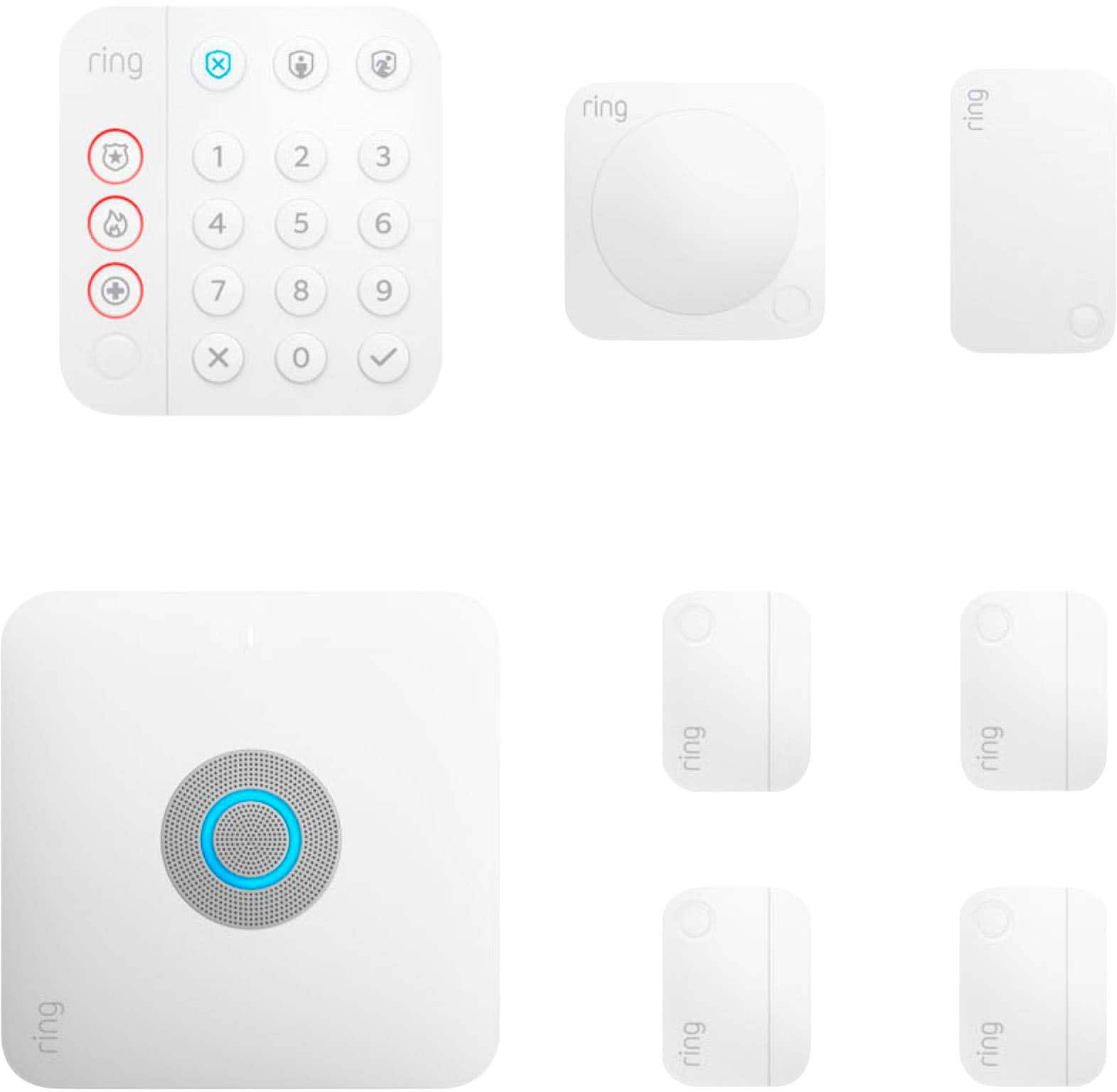
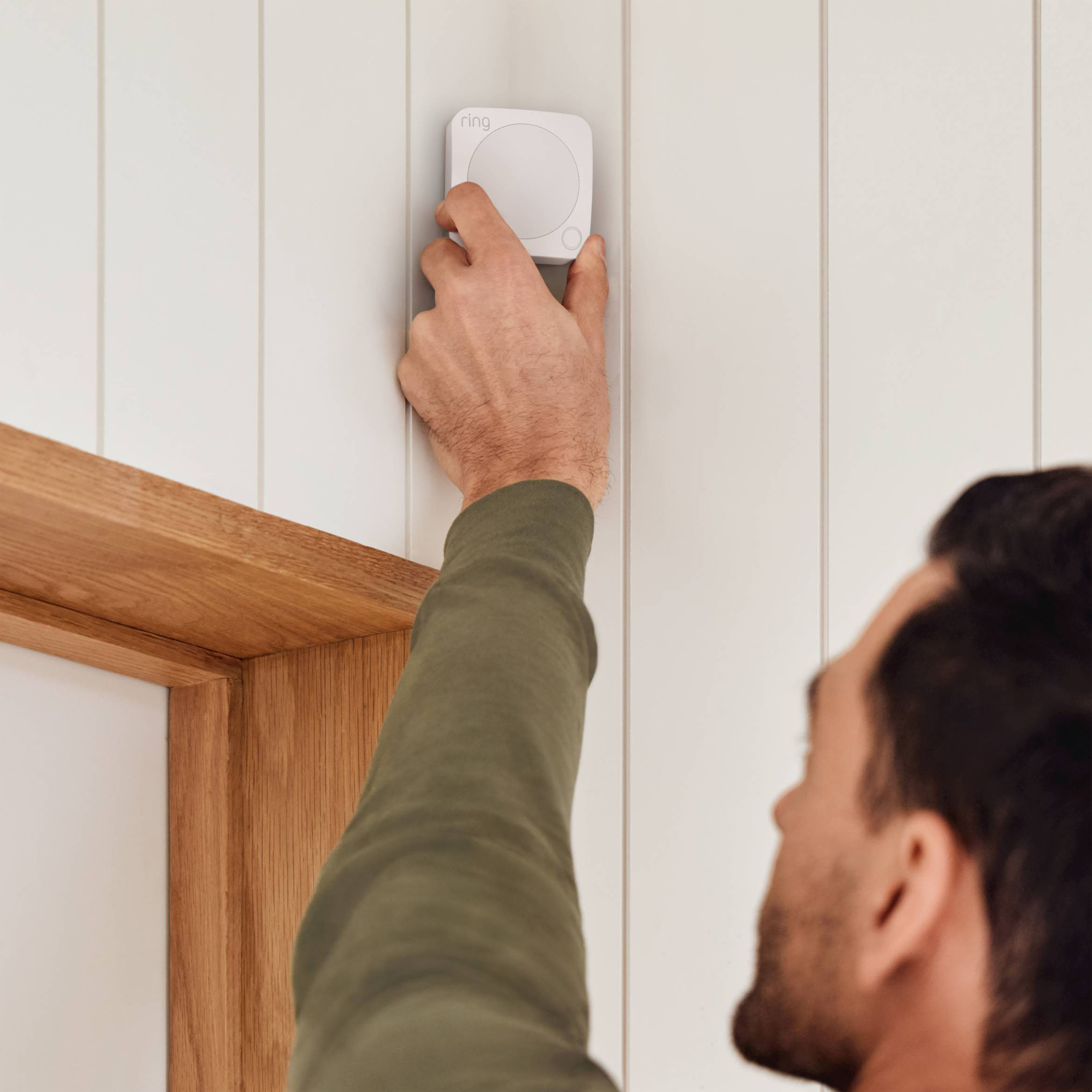
|Posted .This reviewer received promo considerations or sweepstakes entry for writing a review.We already have Ring home security devices and an Eero Mesh WiFi System set up in our home, so were pleased to see that this Ring Alarm Pro used Eero as well. It made adding the devices in the kit to our already established setup, super easy and seamless. The included components allow you to add to your existing Ring ecosystem, or expand from this basic kit with other Ring devices. After trying out this Ring Alarm Pro, we’ve decided to buy and put up more of the contact sensors for the windows in our home. The four contact sensors, range extender, and motion detector were all easy to install. Setting up the keypad control took a bit more time, but take the time to do it right, and familiarize yourself with the system. As for the Ring Alarm Pro’s base unit itself ... it is comforting to know that should my internet service experience an outage, the router can serve as a back-up if need be. (This feature is part of a subscription to Ring Protect Pro.) You will be wanting to install both the Ring and Eero apps. They allow you to customize and monitor the devices on your home network. Based upon my own personal experience having used Ring devices for many years, I can wholeheartedly recommend this Ring Alarm Pro Security Kit with no hesitation.
I would recommend this to a friend At last!
|Posted .This reviewer received promo considerations or sweepstakes entry for writing a review.Finally, a home alarm system that was designed for real people! I remember when it was recommended that you hire a professional to install an alarm system. There was good reason for that, as it was often very, very complicated. If the Ring AlarmPro is any indication of the trend, it’s a good one. Setting everything up was pretty straightforward, from initial setup to adding devices. I didn’t add everything at the beginning, but it was super easy to do so after the initial setup. The one problem area involved the charging cable. It uses a USB-C connection. Unfortunately, the cable doesn’t stay in the base unit without going through some creative maneuvering to coerce it to stay. Individual access codes are nothing new, and I’m glad that Ring realizes that. The app I use for my Ring doorbell integrated the alarm very well. I’d like a more reliable method to attach devices than just sticking it on the wall. That makes it extremely unpleasant if (when?) you need to relocate something. I just have to mention the keypad. Super easy to read, lights come on when your hand gets close to it (with programmable brightness!), and it has a great feel.
I would recommend this to a friendSimple to Install and Feeling Secure
|Posted .This reviewer received promo considerations or sweepstakes entry for writing a review.I installed all sensors in a little under 10 minutes and set up the router in a little under 5 minutes. All together it took me about 15 minutes set up time and all sensors worked flawlessly. The keypad functions normally and responds to my inputs. The motion sensor is very sensitive and the alerts come through instantaneously. The built in router is very fast but now I'm locked into the Eero and Amazon system. Only because of that I will have to give one star less as I would rather have chosen to connect with a router of my choice than an integrated one since now I have to switch routers or have multiple networks which isn't ideal. If you don't mind only using Eero wifi products then this is a great investment. Overall, there is added security and added benefit. To take full advantage you do have to subscribe to ring protect pro which is $20/month but worth it if you want all around protection/monitoring. Keep in mind that you can add additional sensors and wifi extenders to this kit separately if needed.
I would recommend this to a friend- Cons mentioned:Range
Ring alarm pro.. so so
Posted .This reviewer received promo considerations or sweepstakes entry for writing a review.Pros- does what its supposed to do as an alarm without range extender(in my house). For the piece of mind and money it was worth me having it knowing I could put all my devices on one router and its an alarm system….however it would only work for 20 mins with 5 cameras TV on netflix, cellphone surfing and you no longer have backup internet …(see cons) Cons— so far if it goes into cellular backup you cannot make it go back into normal mode when your internet comes back on remotely from outside of the house so it stays in backup mode. you have to reset it manually by putting a paper clip end in the back one time quickly to reset it. doesn’t let you decide which cellular carrier to use it comes with one and its like the 90’s they charge for usage of small increments smh.
I would recommend this to a friendBrand response from Ring
Posted .Hi Leopard.
Thank you for taking the time to share your experience with us. We understand how important it is for your Ring Alarm Pro 8-Piece Kit to function consistently and reliably, so you are alerted to any wanted or unwanted activity in or around your home. The features and technology provided by the Ring Alarm Pro 8-Piece Kit are incredibly valuable and help provide you with peace of mind about your home security. We are eager to address the issue you raised in your review and provide you with a resolution today.
It sounds like the device is not performing as expected. When your network goes down and cellular backup starts, your Base Station should automatically reconnect once the network is back online. Keep in mind that the Base Station checks for network availability periodically, so there might be a delay in reconnection. If your Alarm hasn't reconnected after an extended period, a power cycle of the Base Station by unplugging and plugging back in can trigger a resource check. For Wi-Fi connections, consider testing with Ethernet or improving the Wi-Fi signal strength by moving the Base Station closer to the router.
If any additional information is needed regarding your concern, please reach out to our community. Ring Community is our first peer-to-peer community forum, giving our customers the ability to help one another and share their feedback and experiences directly with Ring. Join the Ring Community today!
Thank you,
Miyuki from Ring.
- Pros mentioned:Ease of use
Good Option
|Posted .This reviewer received promo considerations or sweepstakes entry for writing a review.This was a fairly easy system to install. So far no issues or bugs like I had with my previous system which is definitely a plus. I like that you don’t have to commit to a subscription service but if you opt to not get it you will miss out all of the additional features so you may want to keep that in mind. It’s not a must but consider what you want to have access to and choose accordingly. This is also a pretty basic set up…you would definitely want to look into the add ons.
I would recommend this to a friend Amazing!
|Posted .This reviewer received promo considerations or sweepstakes entry for writing a review.This is not my first security system I have installed. Compared to another popular brand this one is all set up. What I mean is after your base unit connects, you literally just pull the tab on each accessory and it’s connected. With competition you have to scan the QR code on the back and wait and you’re lucky if it takes. This only took 20 minutes to set up and ready to roll. It comes with a month of free monitoring but will work without if you choose not to continue the monitoring. The app was very easy to understand after about 5 minutes of playing with it. One thing I like is you can add chimes to each sensor so if a door opens it gives you a little chime. You can even give each sensor a different chime or turn them off. I have twin toddlers so even if not armed it’s nice to know if a door is opened. I love it, Ring knocked it out of the park with this one.
I would recommend this to a friendMostly good
Posted .This reviewer received promo considerations or sweepstakes entry for writing a review.Mostly good, but theres a chance that some of the door pads dont stick. Not sure how to ask for a replacement.
I would recommend this to a friend