Customer Ratings & Reviews



- Model:
- B09WZBPX7K
- SKU:
- 10104278
Rating by feature
- Video Quality
Rating 4.8 out of 5 stars
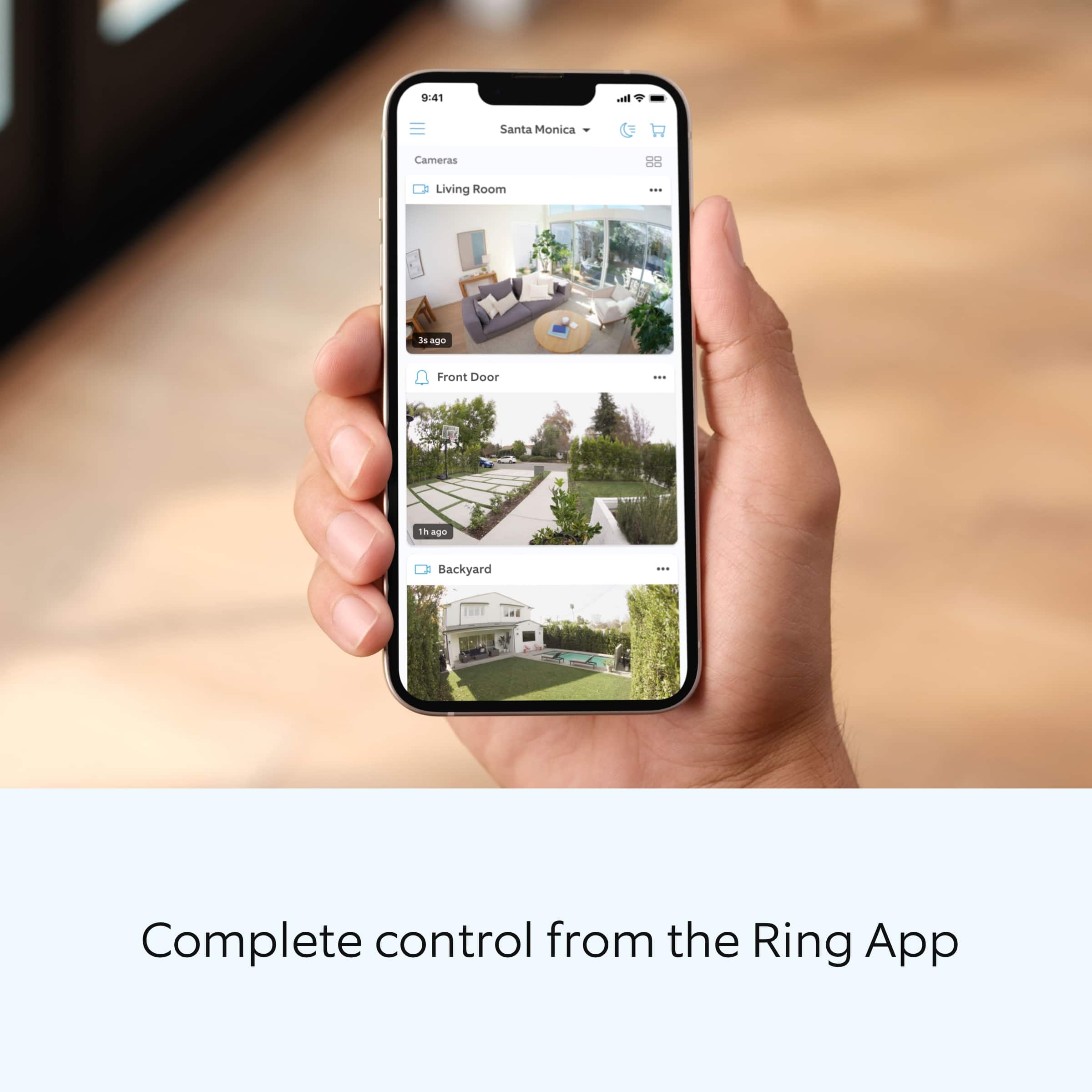
- Mobile App
Rating 4.8 out of 5 stars
- Sound Quality
Rating 4.7 out of 5 stars
Customers are saying
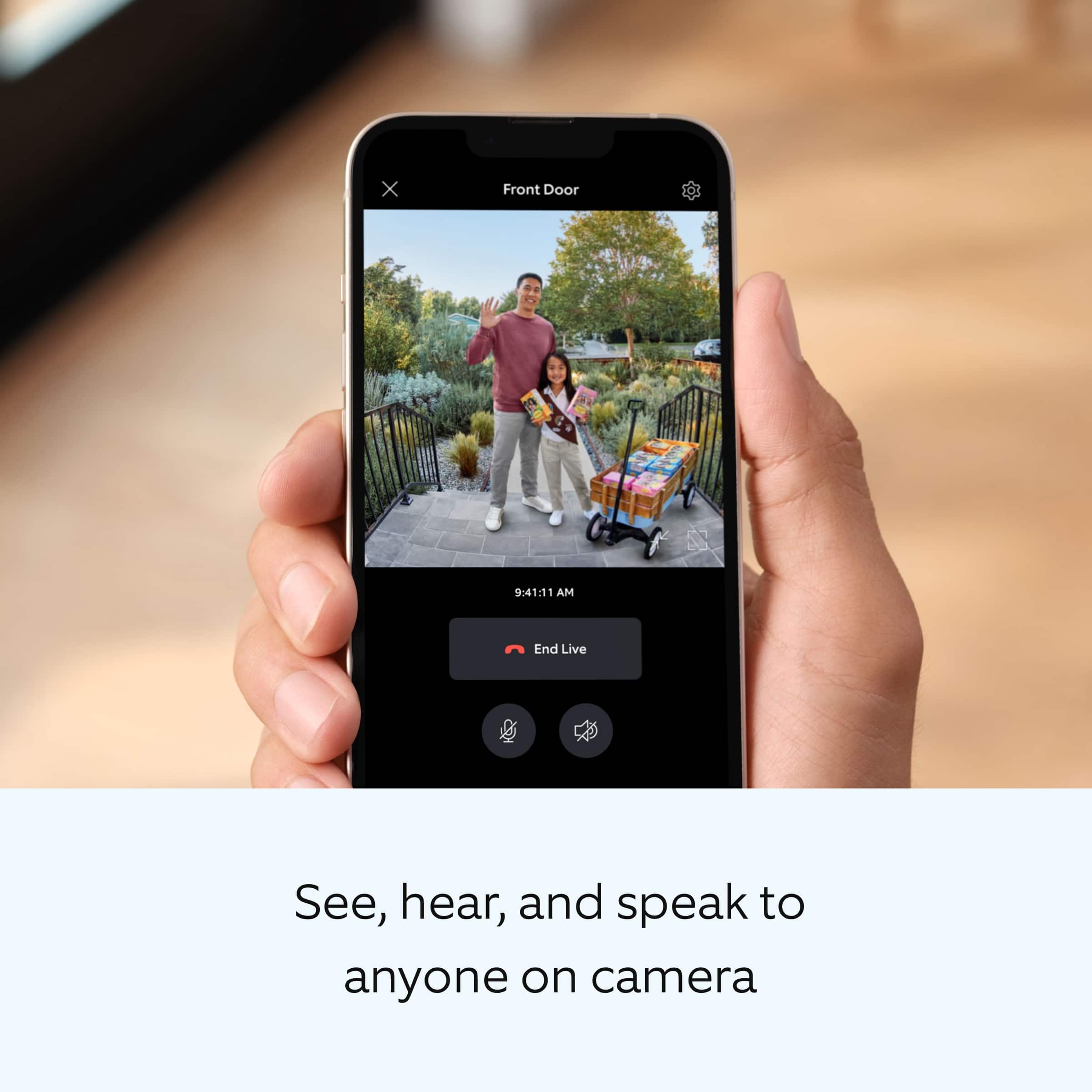
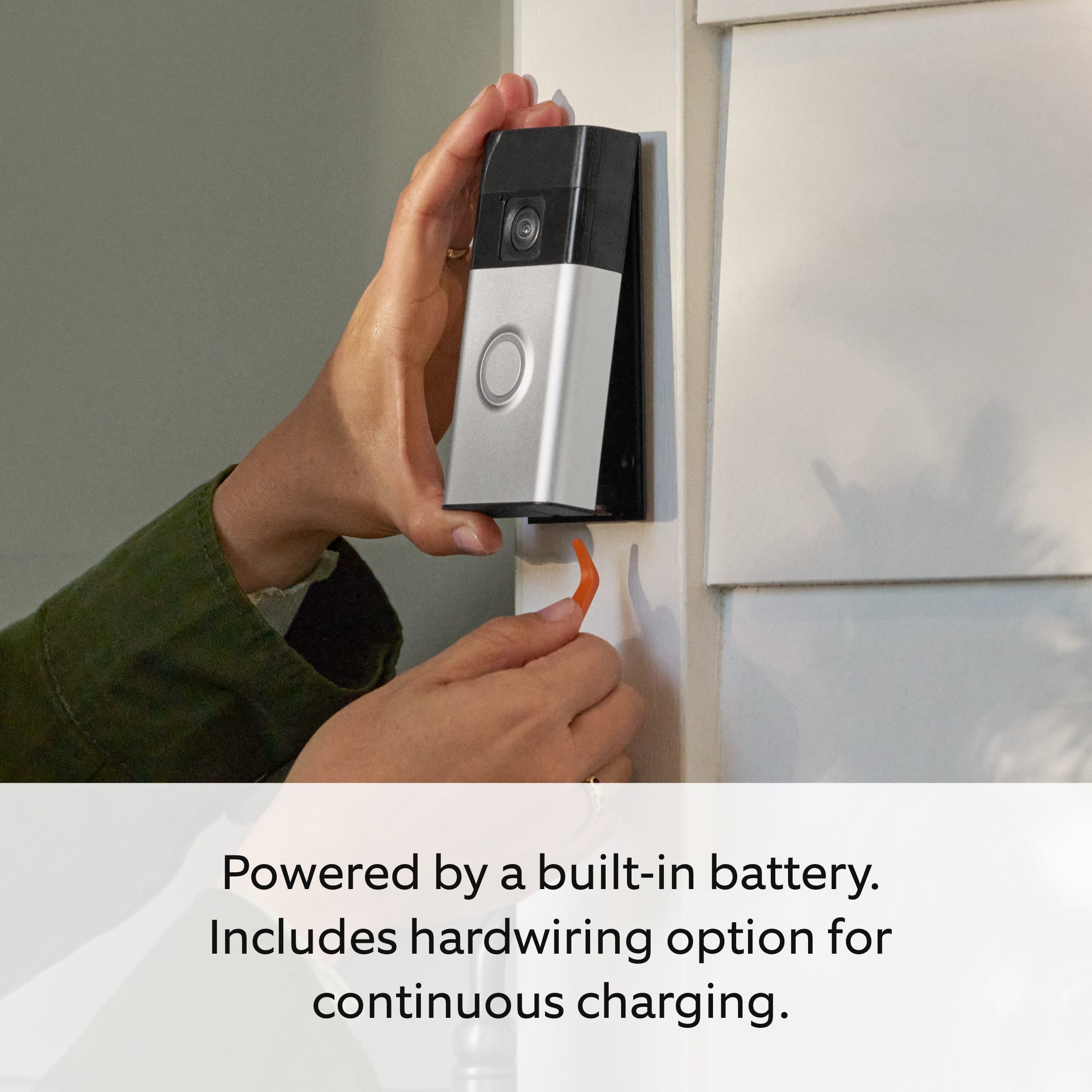
Customers are positive about the product's clear video quality, overall performance, and ease of use, frequently praising its excellent battery life, convenient installation, and comprehensive head-to-toe view for added security. However, some customers have experienced issues with connectivity, noting that the unit occasionally disconnects from Wi-Fi, and a few found the installation instructions to be unclear.
This summary was generated by AI based on customer reviews.
Disappointment
||Posted . Owned for less than 1 week when reviewed.This reviewer received promo considerations or sweepstakes entry for writing a review.It. Did not work like I thought it would. I don't know from the factory of what.
No, I would not recommend this to a friendBrand response from Ring
Posted .Hi MelindaY.
Thank you for taking the time to share your experience with us. At Ring, we want to ensure that you have the best possible experience with our products. Your peace of mind and security are extremely important to us. The features and technology provided by the Ring Battery Doorbell Plus are incredibly valuable and help provide you with peace of mind about your home security. Rest assured, we're here to help!
At Ring, we believe that stronger communities are the key to safer neighborhoods. That is why we are driven to create products that help you protect what matters most at home, and empower you to connect with your visitors from wherever you are. We are saddened to read that this device did not meet your expectations but are still here to assist you. Our support team is available 24/7.
If you still have the Ring device in your possession, we invite you to reach out to us at our community. Ring Community is our first peer-to-peer community forum, giving our customers the ability to help one another and share their personal feedback/experiences with Ring. We look forward to hearing from you, if we can be of any further assistance!
Thank you,
Amilia from Ring.
It can spend hours with capturing anything
||Posted . Owned for less than 1 week when reviewed.This reviewer received promo considerations or sweepstakes entry for writing a review.It can spend hours with capturing anything even though they movements close to it and it is set to the highest motion detection sensitivity.
No, I would not recommend this to a friendBrand response from Ring
Posted .Hi Tshally.
Thank you for taking the time to share your experience with us. We understand how important it is to have your Ring Battery Doorbell Plus capture motion events as intended. The Ring Battery Doorbell Plus was designed to capture motions based on your specifications to help keep your home secure. We are here to provide you with some information to resolve the missed motion issue you mentioned in your review.
It sounds like the device is not performing as expected in regards to motion detection. It is important to ensure that you have the proper motion settings in place for your environment. This camera uses adjustable motion detection and runs on passive infrared sensors. The system identifies visitors via a moving heat signature and sends a notification to your smart device when one is detected. You can adjust three preset motion zones and their distances under the "Motion Settings" tab on the device's page in the Ring app. If you have already increased the sensitivity, as mentioned in your review, you can choose how often the camera checks for movement in those predefined zones via the "Motion Frequency" setting. If you find that your camera is missing some motions, please set the motion frequency to "Frequently."
Accuracy in motion detection can also be improved by enabling the "Smart Alerts" feature for people only in your Ring app. To enable "Smart Alerts," please follow these steps:
Tap the menu (≡) on the top left.
Tap "Devices."
Tap the device that you want to adjust.
Tap "Motion Settings."
Tap "Smart Alerts."
Tap "Enable Feature."
Tap "Continue."
Select the notification options that you want for "Person" and "Other Motion."
You'll see a video camera where you can select or de-select recording and a bell icon to represent alert notifications.
After you've adjusted your settings, tap "Done."
If any additional information is needed regarding your Ring Battery Doorbell Plus, please reach out to our community. Ring Community is our first peer-to-peer community forum, giving our customers the ability to help one another and share their feedback and experiences directly with Ring.
Thank you,
Melissa from Ring.
Battery runs out in cold to fast
||Posted . Owned for 6 months when reviewed.This reviewer received promo considerations or sweepstakes entry for writing a review.It is ok but the battery runs out in the cold weather to fast.
I would recommend this to a friendBrand response from Ring
Posted .Hi BrendaW.
Thank you for taking the time to share your experience with us. We understand the importance of having a solid charge on your Ring Battery Doorbell Plus so that you are able to have a longer time between charge cycles. Having longevity in a battery-powered security device is crucial when it comes to monitoring your home, especially if you are away for long periods of time. We are here to provide you with some education to resolve the battery life issue you mentioned in your review.
There are some troubleshooting steps that you can take to ensure that you have your device set up for optimal performance.
As cold weather sets in, lithium-ion batteries like those used in Ring Doorbells and Security Cameras may experience several issues including trouble holding a charge, running out of power faster than normal, or losing functionality. Knowing at what temperature batteries will start to be impacted can help you take the necessary steps to keep your device working. When the temperature drops to:
36°F (3°C): The battery may not hold a charge as effectively, resulting in having to charge the unit more frequently.
32°F (0°C): The battery may not charge at all. Even hardwired configurations may not charge the battery.
-5°F (-20.5°C): The battery may stop working completely until temperatures warm up.
When it gets cold and your device's battery runs out, bring your entire device inside and charge the battery with a USB cord. This will allow your device to warm up while the battery charges.
The more events captured by your Ring devices, the more your battery is used. Using Live View often can also drain your battery faster. If your device is capturing an excessive number of events each day, you may need to recharge your battery sooner. To prevent excessive activity, under Motion Settings for your device in the Ring app you can:
Adjust your Motion Sensitivity slider to a lower sensitivity.
Redraw your Customizable Motion Zones.
Change Motion Frequency to regularly or periodically.
You could also adjust the direction of your Ring device so it doesn't detect as much motion.
You can go to Power Settings in the Ring app to see what features may be draining your battery.
To access Power Settings, open the Ring app:
Tap menu (≡) on the top left of the Dashboard.
Tap Devices.
Tap the individual device (video doorbell or security camera) you want to check.
Tap Power Settings to check your Battery Level percentage and Feature Power Usage .
Tap a feature to adjust Snapshot Capture, Motion Frequency and Video Recording Length.
If any additional information is needed regarding the battery life of your device, please reach out to our Community. Ring Community is our first peer-to-peer community forum, giving our customers the ability to help one another and share their feedback and experiences directly with Ring.
Thank you for being the best part of Ring! Have a wonderful day!
Sincerely,
Melissa from Ring.
Mr
||Posted . Owned for 3 weeks when reviewed.This reviewer received promo considerations or sweepstakes entry for writing a review.Sometimes there are omissions in recording an alert
I would recommend this to a friendBrand response from Ring
Posted .Hi Bill. Thank you for taking the time to share your experience with us. Consistent and dependable motion alerts are an essential feature for the Ring Battery Doorbell Plus to function properly. This is likely the reason you purchased this security device in the first place: to be alerted to people on your property. Please know that we are here to assist and are confident that together we can find a solution.
It sounds like the device is not detecting motion as you expected. The Ring Battery Doorbell Plus uses Adjustable Motion Detection and runs using passive infrared sensors. The system identifies visitors via a moving heat signature and sends a notification to your smart device when one is detected. You can adjust three preset motion zones and their distance under the Motion Settings tab on the device's page in the Ring app. Additionally, you can choose how often the camera checks for movement in those predefined zones via the Motion Frequency setting. If you find that your camera is missing some motions, please set the Motion Frequency to 'Frequently'.It is important to ensure that you have the proper motion settings in place for your environment. This includes increasing the "Motion Sensitivity" and setting "Motion Frequency" to "Frequently" in the Ring app.
Accuracy in motion detection can also be improved by enabling Smart Alerts for people only in your Ring app.
To enable Smart Alerts:
Tap the menu (≡) on the top left.
Tap Devices.
Tap the device that you want to adjust.
Tap Motion Settings.
Tap Smart Alerts.
Tap Enable Feature.
Tap Continue.
Select the notification options that you want for Person and Other Motion.
You'll see a video camera where you can select or de-select recording and a bell icon to represent alert notifications.
After you've adjusted your settings tap Done.
We agree that your Ring Battery Doorbell Plus should notify you when someone is at your home consistently and reliably. Please reach out to us at https://community.ring.com/ for additional tips and support! Our top priority is ensuring the motion detection is meeting your needs.
Thank you,
Melissa from Ring.
nahh i’m good
||Posted .This reviewer received promo considerations or sweepstakes entry for writing a review.low quality picture and audio. battery lasts about 10-14 days
No, I would not recommend this to a friendBrand response from Ring
Posted .Hi TraviScott.
Thank you for taking the time to share your experience with us. We understand how important it is for your Ring Battery Doorbell Plus to record clear and concise videos so that you can effectively monitor your home. The features and technology provided by the Ring Battery Doorbell Plus are incredibly valuable and help provide you with peace of mind about your home security. We want to ensure your device is working as intended by providing you with solutions to resolve the concerns you mentioned in your review.
It sounds like the device is not performing as expected. Ring devices require high-speed internet to bring you crisp, clear video and audio. Poor network connectivity can affect the performance of your Ring device. We are happy to share some troubleshooting steps to help you diagnose and fix common video issues that you may experience with Ring doorbells and cameras.
The Ring Battery Doorbell Plus requires a minimum upload speed of 2.5 Mbps for optimal performance. In addition to ensuring that you have sufficient wifi speeds, you will also want to check the signal strength of your device. A poor wifi signal can cause connectivity with your Ring device to be unreliable.
There are some troubleshooting steps that you can take to ensure that you have your device set up for optimal battery-life performance. The more events captured by your Ring devices, the more your battery is used. Using "Live View" can also drain your battery faster. If your device is capturing an excessive number of events each day, you may need to recharge your battery sooner.
To prevent excessive activity, under "Motion Settings" for your device in the Ring app, you can:
Adjust your "Motion Sensitivity" slider to a lower sensitivity.
Redraw your "Customizable Motion Zones."
Change "Motion Frequency" to regularly or periodically.
You could also adjust the direction of your Ring device so it doesn't detect as much motion.
You can go to "Power Settings" in the Ring app to see what features may be draining your battery.
To access "Power Settings," open the Ring app:
Tap the menu (≡) on the top left of the dashboard.
Tap "Devices."
Tap the individual device (video doorbell or security camera) you want to check.
Tap "Power Settings" to check your "Battery Level" percentage and "Feature Power Usage."
Tap a feature to adjust "Snapshot Capture," "Motion Frequency," and "Video Recording Length.".
If any additional information is needed regarding your Ring Battery Doorbell Plus, please reach out to our community. Ring Community is our first peer-to-peer community forum, giving our customers the ability to help one another and share their feedback and experiences directly with Ring.
Thank you,
Amilia from Ring.
RIPP OFF
||Posted . Owned for 2 weeks when reviewed.This reviewer received promo considerations or sweepstakes entry for writing a review.YOU RIPPED ME OFF !!!!!!!!!!!!!!!!!!!!!!!!!!!!!!!!!
No, I would not recommend this to a friendBrand response from Ring
Posted .Hi ClintonD.
Thank you for taking the time to share your experience with us. At Ring, we want to ensure that you have the best possible experience with our products. Your peace of mind and security are extremely important to us. The features and technology provided by the Ring Battery Doorbell Plus are incredibly valuable and help provide you with peace of mind about your home security. Rest assured, we hear you and are here to offer you some help.
In this particular case, we'd suggest you reach out to Best Buy's customer service: 1-888-237-8289 or https://www.bestbuy.com/services/triage/home. We are confident that they will be able to provide you with a resolution to this concern.
Ring Community was launched to help deliver the most current news and educational information to our neighbors. This online forum is divided into four categories: Product Boards, Ring Updates, Tips + Tricks, and a Moderators’ Corner. The Product Boards are where you can begin new topics with your questions or feedback; there is also a search option which helps you find topics that were already posted by other neighbors. We invite you to join our community today!
Thank you,
Amilia from Ring.
Ring doorbell
||Posted . Owned for 1 month when reviewed.This reviewer received promo considerations or sweepstakes entry for writing a review.Delayed capturing someone on the door and sometimes doesn’t capture setting is good on my end and battery when it drains less effective and battery drains fast hassle to remove battery and charge
I would recommend this to a friendBrand response from Ring
Posted .Hi DennisS.
Thank you for taking the time to share your experience with us.
We understand how important it is to have your Ring Battery Doorbell Plus capture all the correct motion events. Being able to rely on the alerts to know when someone is at your door is an essential feature of the Ring Battery Doorbell Plus. We are here today to provide you with information to assist you in finding the best solution for your home’s environment.
It sounds like your device is not detecting the motion as you are wanting it to. For optimal motion detection, you should mount the doorbell about 4 feet (1.20 meters) above the ground. If you want to angle the doorbell down for a better view, wedge kits are available for purchase. When setting up the motion detection settings for your device, we recommend using the motion wizard in the Ring app for optimal settings. Follow these steps to use this helpful feature:
Open the Ring app.
Tap the menu (≡) on the top left.
Tap Devices.
Tap the relevant device.
Tap Motion Settings.
Tap the magic wand icon in the top-right corner to launch Motion Wizard.
Here you can get help to reduce, increase, or improve your motion alerts.
Visit our support center for more tips and tricks to optimize the motion detection and battery life of your device.
Ring Community was launched to help deliver the most current news and educational information to our neighbors. This online forum is divided into four categories: Product Boards, Ring Updates, Tips + Tricks, and a Moderators’ Corner. The Product Boards are where you can begin new topics with your questions or feedback; there is also a search option that helps you find topics that have already been posted by other neighbors.
All the best,
Nicole from Ring.
Ring
||Posted . Owned for 1 month when reviewed.This reviewer received promo considerations or sweepstakes entry for writing a review.It don’t pick you up when you walk in front of it sometimes so this product I do not like
No, I would not recommend this to a friendBrand response from Ring
Posted .Hi DavidL.
Thank you for taking the time to share your experience with us.
We understand how important it is to have your Ring Battery Doorbell Plus capture all the correct motion events.The Ring Battery Doorbell Plus was designed to capture motions based on your specifications to help keep your home secure. We are here today to provide you with information to assist you in finding the best solution for your home’s environment.
It sounds like your Ring Battery Doorbell Plus is not picking up the motion you are wanting it to. The Ring Battery Doorbell Plus offers advanced motion detection and customizable motion zones. For optimal performance of these features, you will want to mount the doorbell about 4 feet (1.20 meters) above the ground. If your device is mounted too high, you may not get the motion detection you are looking for. A wedge kit (sold separately) can be used to angle your device down. This is helpful if your device is mounted higher than 4 feet (1.20 meters) above the ground, if it is installed on angled siding, or if your entryway is atop a set of stairs.
Once you've confirmed your device is mounted at the proper height for optimal performance, if you are still having trouble with motion detection, we invite you to reach out to our support team. We would be happy to assist further in finding the optimal settings for your home's environment.
Ring Community was launched to help deliver the most current news and educational information to our neighbors. This online forum is divided into four categories: Product Boards, Ring Updates, Tips + Tricks, and a Moderators’ Corner. The Product Boards are where you can begin new topics with your questions or feedback; there is also a search option that helps you find topics that have already been posted by other neighbors.
All the best,
Nicole from Ring.
Not worth the money
||Posted . Owned for 1 week when reviewed.This reviewer received promo considerations or sweepstakes entry for writing a review.Not a full view, view is within circle around camera. Video Doorbell 3 and previous versions are better. Camera quality isn’t good either.
No, I would not recommend this to a friendBrand response from Ring
Posted .Hi Casie.
Thank you for taking the time to share your experience with us. We understand the importance of having your Ring Battery Doorbell Plus record clear and concise videos so that you can effectively monitor your home. The features and technology provided by the Ring Battery Doorbell Plus are incredibly valuable and help provide you with peace of mind about your home security.
It sounds like the device is not performing as expected in regards to the field of view. The Ring Battery Doorbell Plus was designed with a field of view that is 150 degrees horizontal by 150 degrees vertical. We recommend using a Ring Corner Kit or Ring Wedge Kit to adjust the angle of the view according to your needs.
We invite you to reach out to our community if any additional information is needed regarding your concerns. The Ring Community is our first peer-to-peer community forum, giving our customers the ability to help one another by sharing their feedback and experiences with each other.
Thank you,
Melissa from Ring.
Disappointed
||Posted . Owned for 3 weeks when reviewed.This reviewer received promo considerations or sweepstakes entry for writing a review.Device’s night vision is awful. You have to have tons of light to be able to see anything clearly. Also the sensitivity has to be all the way up.
No, I would not recommend this to a friendBrand response from Ring
Posted .Hi VivianA.
Thank you for taking the time to share your experience with us. We understand the importance of having your Ring Battery Doorbell Plus record clear and concise videos so that you can effectively monitor your home. The features and technology provided by the Ring Battery Doorbell Plus are incredibly valuable and help provide you with peace of mind about your home security. We can definitely assist you with this today, and we are confident we can find the correct settings for your home’s environment.
It sounds like the device is not performing as expected in regards to "Night Vision." Ring Battery Doorbell Plus is Ring’s upgraded smart doorbell with super clear HD+ video and expanded head-to-toe field of view. From package deliveries and motion detection to visitors, you’ll see it all from wherever you are right in the Ring app. To ensure that the "Night Vision" feature works as intended, make sure your Indoor Cam’s infrared light is toggled on in the Ring app. The infrared light control is in your Ring app under Video Settings. Enable "Color Night Vision" in the Ring app to help improve clarity at night.
To turn the "Color Night Vision" on or off, follow these instructions:
Open the Ring app.
Tap the "Menu" (☰).
Tap "Devices."
Select the device you want to adjust.
Tap "Device Settings."
Tap "Video Settings."
Toggle "Color Night Vision" on or off.
Although rare, there have been instances where a Ring device can experience black, pink, and other distorted video quality, like night vision video captured during daytime hours. Here are a few things to try.
Check your Ring device's signal strength.
If your Ring device is far from your wifi router, it may be experiencing connection or video issues.
Open the Ring app.
Tap the "Menu" (☰).
Tap "Devices."
Select the Ring device you would like to test.
Tap on the "Device Health" tile.
Scroll to "Signal Strength" under the "Network" section.
The green, amber, and red colors are indicators of your device connection. Green is good; red is poor.
Reboot your Ring Battery Doorbell Plus in the Ring app.
Open the Ring app.
Tap the "Menu" (☰).
Tap "Devices."
Select the device that you wish to reboot.
Tap on the "Device Health" tile.
Scroll down to "Reboot This Device."
Give your device a few moments to start back up.
We invite you to reach out to our community if any additional information is needed regarding your Ring Battery Doorbell Plus. The Ring Community is our first peer-to-peer community forum, giving our customers the ability to help one another by sharing their feedback and experiences with each other.
Thank you,
Melissa from Ring.
Will not turn in outbid the box.
||Posted . Owned for less than 1 week when reviewed.This reviewer received promo considerations or sweepstakes entry for writing a review.Will not turn in out of the box. Battery shows fully charged.
No, I would not recommend this to a friendBrand response from Ring
Posted .Hi Gsp452.
Thank you for taking the time to share your experience with us. We understand how important it is for your Ring Battery Doorbell Plus to function consistently and reliably, so you are alerted to any wanted or unwanted activity in or around your home. The features and technology provided by the Ring Battery Doorbell Plus are incredibly valuable and help provide you with peace of mind about your home security. We are eager to address the issue you raised in your review and provide you with a resolution today.
It sounds like your Ring Battery Doorbell Plus is not performing as expected. We would love the opportunity to share with you some troubleshooting steps that you can try to get your Ring Battery Doorbell Plus functioning as intended. If your device is unresponsive, try pressing and holding the reset button for 20 seconds. Follow the steps in the Ring app to reconnect the doorbell or camera to your network. To reconnect a Ring Battery Doorbell Plus to your wifi network: Open the Ring app. Tap the menu (≡). Tap "Devices" and select the doorbell or camera you'd like to reconnect to wifi. Tap the "Device Health" tile. Under "Network," tap "Change Network" and follow the prompts in the app. Allow some time for your device to fully reconnect to the network, then check your wifi signal strength in "Device Health" to confirm it has successfully reconnected.
If you still have the Ring device in your possession, we invite you to reach out to our community. Ring Community is our first peer-to-peer community forum, giving our customers the ability to help one another and share their personal feedback and experiences with Ring. We look forward to hearing from you. Please let us know if we can be of any further assistance!
Thank you,
Miyuki from Ring.
Ring system battery and solar panel is terrible
||Posted . Owned for 2 months when reviewed.This reviewer received promo considerations or sweepstakes entry for writing a review.Poor service reps, tried getting our system addressed but to no avail they failed. Beat buy needs to concentrate on getting more feedback after a purchase.
No, I would not recommend this to a friendBrand response from Ring
Posted .Hi MikeandLuann.
Thank you for taking the time to share your experience with us. We understand how important it is for your Ring Battery Doorbell Plus to function consistently and reliably, so you are alerted to any wanted or unwanted activity in or around your home. The features and technology provided by the RIng Battery Doorbell Plus are incredibly valuable and help provide you with peace of mind about your home security. We can definitely provide you with more information regarding the concern mentioned in your review.
It sounds like your device is not performing as expected. Ring Battery Doorbell Plus is Ring’s upgraded smart doorbell with super clear HD+ video and expanded head-to-toe field of view. From package deliveries and motion detection to visitors, you’ll see it all from wherever you are right in the Ring app.
The Ring Solar Panel is configured to work with the Ring Battery Doorbell Plus to provide a trickle charge and extend the life of the battery. The Solar Panel can be mounted anywhere on a wall or a roof, but should be placed in an area that gets at least a few hours of direct sunlight each day. When mounting the Solar Panel, be sure to look out for overhanging branches or the shadows of nearby objects that may block the sun.
We invite you to reach out to our Community if any additional information is needed regarding your Ring Battery Doorbell Plus. The Ring Community is our first peer-to-peer community forum, giving our customers the ability to help one another by sharing their feedback and experiences with each other.
Thank you,
Melissa from Ring.
Buyer Beware!
||Posted . Owned for 1 month when reviewed.This reviewer received promo considerations or sweepstakes entry for writing a review.Does not come with the actual mount you need to install it. Also, Bestbuy told me which one I need 3 different times and each time was the wrong mount! Now it’s too late to return the item. Bestbuy is complete garbage and the people working there are so incompetent. If I could give zero stars I would have.
No, I would not recommend this to a friendBrand response from Ring
Posted .Hello Redrum,
Thank you for taking the time to share your experience with us. We understand the importance of a seamless installation process, as this allows you to start using your Ring Doorbell Plus right away. What you describe is not the experience we want you to have, rest assured we hear you and are here to offer you some help.
In this particular case, we'd suggest you reach out to our customer service team in order to troubleshoot this issue. Here is a link to our help center: https://ring.com/support/contact-us.
Also, Ring Community is our first peer-to-peer community forum, giving our customers the ability to help one another and share their feedback/experiences with Ring. We invite you to reach out at https://community.ring.com/ if any additional information is needed regarding your Ring Doorbell Plus device.
Thank you,
Alexis with Ring
A joke and customer service is a bigger joke
||Posted . Owned for 1 month when reviewed.This reviewer received promo considerations or sweepstakes entry for writing a review.Ring support with the issue of the Ring camera not detecting me, even when im standing right in front of it, was terrible. They said its my fault my place is multi-level. My place being multi-level has nothing to do with the camera not picking me up grabbing & reviewing my mail literally right in front of it.
No, I would not recommend this to a friendBrand response from Ring
Posted .Hi HollyK. Thank you for taking the time to share your experience with us. Consistent and dependable motion alerts are an essential feature for the Ring Battery Doorbell Plus to function properly. This is likely the reason you purchased this security device in the first place: to be alerted to people on your property. Please know that we are here to assist and are confident that together we can find a solution.
It sounds like the device is not detecting motion as you expected. Thank you for your diligence and commitment in working with our community support towards resolving this matter. This camera uses Adjustable Motion Detection and runs using passive infrared sensors. The system identifies visitors via a moving heat signature and sends a notification to your smart device when one is detected. You can adjust three preset motion zones and their distance. Additionally, you can choose how often the camera checks for movement in those predefined zones via the Motion Frequency setting. If you find that your camera is missing some motions, please set the Motion Frequency to 'Frequently'.It is important to ensure that you have the proper motion settings in place for your environment. This includes increasing the "Motion Sensitivity" and setting "Motion Frequency" to "Frequently" in the Ring app.
Accuracy in motion detection can also be improved by enabling Smart Alerts for people only in your Ring app.
To enable Smart Alerts:
Tap the menu (≡) on the top left.
Tap Devices.
Tap the device that you want to adjust.
Tap Motion Settings.
Tap Smart Alerts.
Tap Enable Feature.
Tap Continue.
Select the notification options that you want for Person and Other Motion.
You'll see a video camera where you can select or de-select recording and a bell icon to represent alert notifications.
After you've adjusted your settings tap Done.
We agree that your Ring Battery Doorbell Plus should notify you when someone is at your home consistently and reliably. Please reach out to us at https://community.ring.com/ for additional tips and support! Our top priority is ensuring the motion detection is meeting your needs.
Thank you,
Melissa from Ring.
Disappointment is the word
||Posted . Owned for 2 weeks when reviewed.This reviewer received promo considerations or sweepstakes entry for writing a review.It was perfect for 2 weeks. After I had my internet down, never was the same. I reseted wifi, internet, took batteries out, reinstalled... Pretty much everything you can do. The inconsistency showing people present, showing notifications, not showing live videos... Very disappointing
No, I would not recommend this to a friendBrand response from Ring
Posted .Hi FlavioC.
Thank you for taking the time to share your experience with us.
At Ring, we understand it is essential to have your Ring Battery Doorbell Plus online and working properly so you can keep your home secure. Having a solid connection ensures you do not miss any activity around your home. We are here today to provide you with information to assist you in finding the best solution for your home’s environment.
It sounds like your Ring Battery Doorbell Plus wifi signal is not very strong. A poor wifi signal can cause connectivity with your Ring device to be unreliable. Follow these steps to check wifi signal strength—or RSSI (Received Signal Strength Indicator)—in the Ring app:
Open the Ring app.
Tap the Menu (☰).
Tap Devices and select the Ring device you'd like to check.
Tap the Device Health tile.
Under the Network section, look for Signal Strength.
If the RSSI value listed is green, your device has a strong signal. If it is grey, amber, or red, it may have a moderate to weak signal.
The larger the number after "RSSI-" the weaker the signal.
For example, a device displaying "RSSI-36" has a stronger signal than a device showing "RSSI-64."
If you have a poor wifi signal, visit our support center for tips on how to improve it.
Ring Community was launched to help deliver the most current news and educational information to our neighbors. This online forum is divided into four categories: Product Boards, Ring Updates, Tips + Tricks, and a Moderators’ Corner. The Product Boards are where you can begin new topics with your questions or feedback; there is also a search option that helps you find topics that have already been posted by other neighbors.
All the best,
Nicole from Ring.
doorbell
||Posted . Owned for 1 month when reviewed.This reviewer received promo considerations or sweepstakes entry for writing a review.i prefer work with solar panel take my time and recharged all the time solar panel is better and try to put the screw is no right
No, I would not recommend this to a friendBrand response from Ring
Posted .Hi JaimePeri.
Thank you for taking the time to share your experience with us. We understand the importance of having a solid charge on your Ring Battery Doorbell Plus so that you are able to have a longer time between charge cycles. It is critical for a home security device to have enough power to keep your device online and ready to protect you. We can definitely provide you with more information regarding the battery life concern that you mentioned in your review.
It sounds like you are using the Ring Solar Panel with your Ring Battery Doorbell Plus to help extend the battery life of your device. We are happy to share some steps that you can take to ensure that you have your device set up for optimal battery-life performance. The more events captured by your Ring devices, the more your battery is used. Using "Live View" can also drain your battery faster. If your device is capturing an excessive number of events each day, you may need to recharge your battery sooner.
To prevent excessive activity, under "Motion Settings" for your device in the Ring app, you can:
Adjust your "Motion Sensitivity" slider to a lower sensitivity.
Redraw your "Customizable Motion Zones."
Change "Motion Frequency" to regularly or periodically.
You could also adjust the direction of your Ring device so it doesn't detect as much motion.
You can go to "Power Settings" in the Ring app to see what features may be draining your battery.
To access "Power Settings," open the Ring app:
Tap the menu (≡) on the top left of the dashboard.
Tap "Devices."
Tap the individual device (video doorbell or security camera) you want to check.
Tap "Power Settings" to check your "Battery Level" percentage and "Feature Power Usage."
Tap a feature to adjust "Snapshot Capture," "Motion Frequency," and "Video Recording Length.".
If any additional information is needed regarding your Ring Battery Doorbell Plus, we invite you to reach out to our community. Ring Community is our first peer-to-peer community forum, giving our customers the ability to help one another and share their feedback and experiences directly with Ring.
Thank you for being the best part of Ring! Have a wonderful day!
Sincerely,
Melissa from Ring.
Best Buy sucks
||Posted . Owned for 3 weeks when reviewed.This reviewer received promo considerations or sweepstakes entry for writing a review.Geek squad sucks never even attempt to try and help me set up all geek squad did was come to install and then come back to uninstall because they never help me install it fully anyway
No, I would not recommend this to a friendBrand response from Ring
Posted .Hi DianaH.
Thank you for taking the time to share your experience with us. We understand the importance of a seamless ordering, setup, and installation process, as this allows you to start using your Ring Battery Doorbell Plus right away. The features and technology provided by the Ring Battery Doorbell Plus are incredibly valuable and help provide you with peace of mind about your home security. Please know that we take your peace of mind seriously, and we are here to assist in finding you a resolution.
In this particular case, we'd suggest you reach out to Best Buy's customer service: 1-888-237-8289 or https://www.bestbuy.com/services/triage/home. We are confident that they will be able to provide you with a resolution to this concern.
If you are installing your doorbell without connecting to an existing in-home chime, please follow these steps: 1. Optional: Install the corner mount. If installing on a wood surface, screw the bracket directly into the wall. If installing on a masonry surface, mark two screw holes using the bracket as a guide. Drill pilot holes using a 1/4" drill bit. Insert the wall anchors from Bag C, then drive the medium bracket screws through the bracket into the wall anchors. WARNING! Only use the included corner bracket screws when securing the corner bracket. CAUTION! Do not drill or drive screws into your home's electrical wiring. 2. Mount your doorbell to the wall or corner bracket. Remove the short mounting screws from Bag A. If installing on a wood surface, screw the doorbell directly into the wall. If installing on a masonry surface, mark 4 screw holes using the doorbell as a guide. Drill pilot holes using a 1/4" drill bit. Insert the wall anchors, then drive the short mounting screws through the mounting plate into the wall anchors. If using a corner mount, use the short bracket screws from Bag C to secure your doorbell to the bracket. WARNING! Only use the included corner bracket screws when securing the corner bracket. WARNING! Only use the included wall mounting screws when securing the doorbell. CAUTION! Do not drill or drive screws into your home's electrical wiring. 3. Insert the battery and secure the faceplate. CAUTION! If you use the wrong screws to secure the faceplate, you could damage the battery during installation, create a fire hazard, and be seriously injured. DO NOT USE any screw other than the included short security screws when securing the faceplate. Lastly, use the included screwdriver to insert and tighten one of the security screws from Bag B. Your Ring doorbell is now ready to use.
Ring Community was launched to help deliver the most current news and educational information to our neighbors. This online forum is divided into four categories: Product Boards, Ring Updates, Tips + Tricks, and a Moderators’ Corner. The Product Boards are where you can begin new topics with your questions or feedback; there is also a search option that helps you find topics that have already been posted by other neighbors.
Thank you,
Melissa from Ring.
is not working at the camera
||Posted . Owned for 3 weeks when reviewed.This reviewer received promo considerations or sweepstakes entry for writing a review.if you really want a Bell door camera, don’t buy the battery one
No, I would not recommend this to a friendBrand response from Ring
Posted .Hi Ayman. Thank you for taking the time to share your experience with us. We understand how important it is for your Ring Battery Doorbell Plus to function consistently and reliably, so you are alerted to any wanted or unwanted activity in or around your home. The features and technology provided by the Ring Battery Doorbell Plus are incredibly valuable and help provide you with peace of mind about your home security. We are eager to address the issue you raised in your review and provide you with a resolution today.
It sounds like your Ring Battery Doorbell Plus is not performing as expected. With Ring Battery Doorbell Plus, stay connected to your home from anywhere by seeing who’s at your door and answering it right from the Ring app. Ring Battery Doorbell Plus is Ring’s upgraded smart doorbell with super clear HD+ video and expanded head-to-toe field of view. We would love the opportunity to share with you some troubleshooting steps that you can try to get your Ring Battery Doorbell Plus functioning as intended.
If your device is unresponsive, try pressing and holding the reset button for 20 seconds. Follow the steps in the Ring app to reconnect the doorbell to your network. To reconnect a Ring video doorbell to your wifi network: Open the Ring app. Tap the menu (≡). Tap Devices and select the doorbell or camera you'd like to reconnect to wifi. Tap the Device Health tile. Under Network, tap Change Network and follow the prompts in the app. Allow some time for your device to fully reconnect to the network, then check your wifi signal strength in Device Health to confirm it has successfully reconnected. If you still have the Ring device in your possession, we invite you to reach out to our Community.
Ring Community is our first peer-to-peer community forum, giving our customers the ability to help one another and share their personal feedback and experiences with Ring. We look forward to hearing from you if we can be of any further assistance!
Thank you,
Melissa from Ring.
Ring doorbell
||Posted . Owned for 1 month when reviewed.This reviewer received promo considerations or sweepstakes entry for writing a review.Doesn’t ring in my house, not installed properly, disconnected from the door bell inside. Really angry about this installation/situation.
No, I would not recommend this to a friendBrand response from Ring
Posted .Hi GailTeicher, I understand the importance of having your Battery Doorbell Plus ring your internal chime kit. While this is a battery powered Ring Doorbell, it can be hardwired to an existing doorbell circuit to ring a compatible chime kit. You can reference the installation instructions here https://support.ring.com/hc/en-us/articles/13096312125332. Once the doorbell is properly installed, it should ring your chime kit when someone presses the button. If you still have questions, feel free to ask other neighbors on the Ring Community at https://community.ring.com/. Best, Ashley from Ring.
Horrible buy
||Posted . Owned for 1 month when reviewed.This reviewer received promo considerations or sweepstakes entry for writing a review.The annoying thing is that the battery dies really fast and its not stand alone its connected to the wire. This is the worst and if its connected to the wire the battery should be recharging.
No, I would not recommend this to a friendBrand response from Ring
Posted .Hi ChristyP.
Thank you for taking the time to share your feedback with us.
We understand how critical it is for your hard wiring to function as intended in order to supply power to your Ring Battery Doorbell Plus. It is critical for a home security device to have enough power to keep your device online and ready to protect you. We can definitely provide you with more information regarding the concern mentioned in your review.
It sounds like your device is not receiving enough power to stay charged. When connecting to an existing doorbell system, it should be hardwired to a transformer rated between 8 and 24 VAC, 50/60 Hz, and 5VA to 40VA. When your Ring Battery Doorbell Plus is wired to your home's electricity and receiving power, the ring on the front of the device will display a solid white light. Visit our support center for more information.
Ring Community was launched to help deliver the most current news and educational information to our neighbors. This online forum is divided into four categories: Product Boards, Ring Updates, Tips + Tricks, and a Moderators’ Corner. The Product Boards are where you can begin new topics with your questions or feedback; there is also a search option that helps you find topics that have already been posted by other neighbors.
All the best,
Nicole from Ring.