Customer Ratings & Reviews
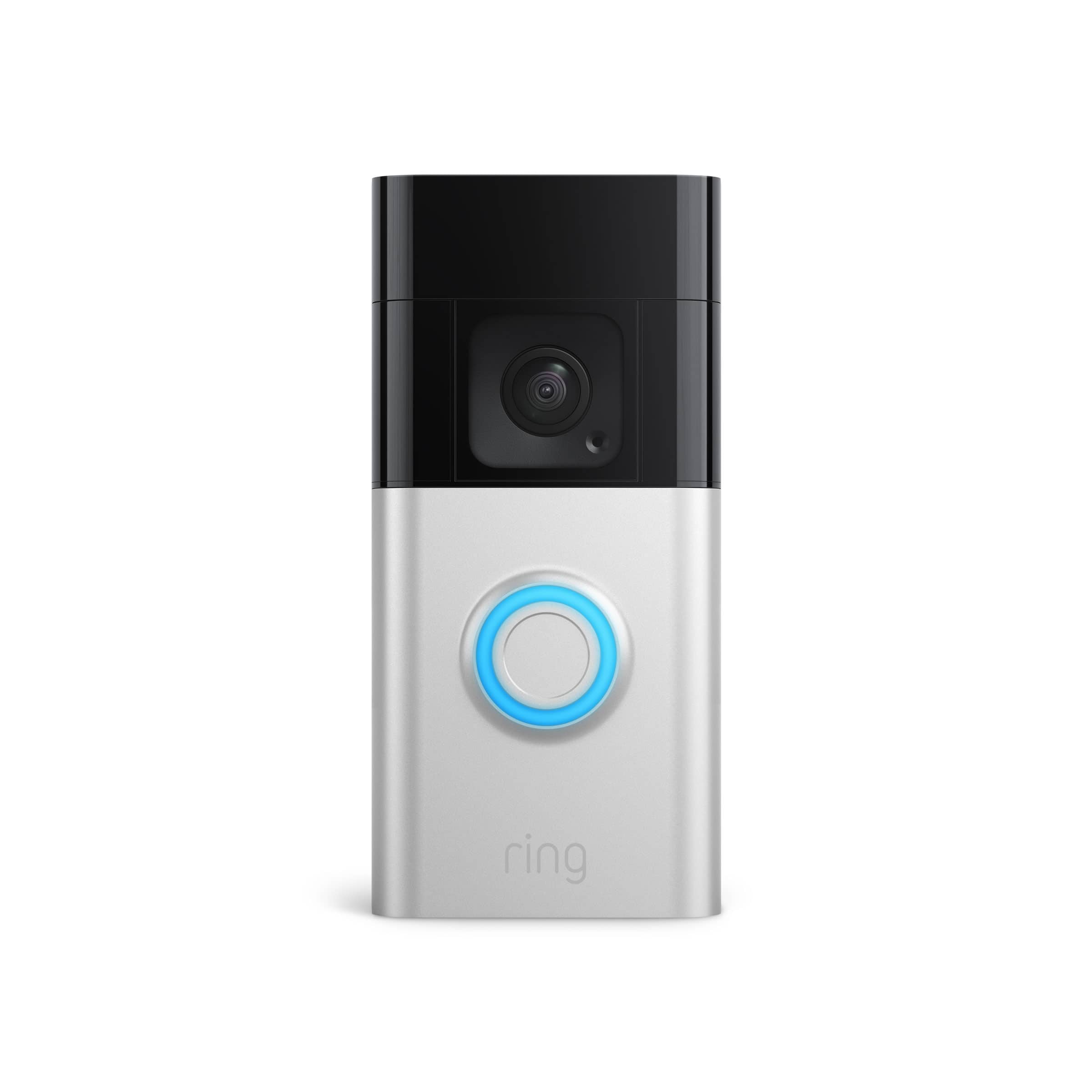
- Model:
- B09WZBPX7K
- |
- SKU:
- 6531758
Customer reviews
Rating 4.7 out of 5 stars with 1435 reviews
(1,435 customer reviews)Rating by feature
- Video Quality4.8
Rating 4.8 out of 5 stars
- Mobile App4.8
Rating 4.8 out of 5 stars
- Sound Quality4.7
Rating 4.7 out of 5 stars
Customers are saying
Customers have good things to say about the video quality, ease of use, battery life, and wide viewing angle of the Battery Doorbell Plus. Many appreciate the straightforward installation process and the added security it provides, with positive feedback also given to the night vision capabilities. However, some users experienced issues with the motion detection sensitivity and found the instructions somewhat unclear. Overall, the positive feedback on key features outweighs the reported minor drawbacks.
This summary was generated by AI based on customer reviews.
Rated 4 out of 5 stars
Ring Battery Doorbell
||Posted . Owned for 3 weeks when reviewed.This reviewer received promo considerations or sweepstakes entry for writing a review.Haven't installed yet, but all my friends love theirs
I would recommend this to a friendBrand response from Ring
Posted .Hi KirstW.
Thank you for taking the time to share your Ring experience with us and other consumers. We believe in keeping people close to what’s important. That is why we are driven to create products that help you protect what matters most at home and empower you to connect with your visitors from wherever you are. Together, we’ll make neighborhoods safer!
Ring Community was launched to help deliver the most current news and educational information to our neighbors. This online forum is divided into four categories: Product Boards, Ring Updates, Tips + Tricks, and a Moderators’ Corner. The Product Boards are where you can begin new topics with your questions or feedback; there is also a search option which helps you find topics that were already posted by other neighbors. We invite you to visit our community today!
Thank you,
Melissa from Ring.
Rated 4 out of 5 stars
Good could be better tho
||Posted . Owned for 3 weeks when reviewed.This reviewer received promo considerations or sweepstakes entry for writing a review.It’s good but a lil slow but its worth the buy tbh
I would recommend this to a friendBrand response from Ring
Posted .Hi DIAE.
We appreciate you taking the time to share your experience with us. We are pleased to read that you are enjoying your new Ring Wired Doorbell Plus! At Ring, every device and service we make is designed to help give Neighbors peace of mind inside, protection outside, and a connection to what’s happening in the neighborhood.
Delays are often related to wifi connection or mobile device variables. A delay of under six seconds is expected due to signal fluctuation. You can also adjust the motion settings in the Ring app. It is important to ensure that you have the proper motion settings in place for your environment. This camera uses adjustable motion detection and runs on passive infrared sensors. The system identifies visitors via a moving heat signature and sends a notification to your smart device when one is detected. You can adjust three preset motion zones and their distances under the "Motion Settings" tab on the device's page in the Ring app. Additionally, you can choose how often the camera checks for movement in those predefined zones via the "Motion Frequency" setting. If you find that your camera is missing some motions, please set the motion frequency to "Frequently."
Ring Community is our first peer-to-peer community forum, giving our customers the ability to help one another and share their feedback and experiences with Ring. We invite you to reach out at if any additional information is needed regarding your Ring device.
Thank you,
Melissa from Ring.
Rated 4 out of 5 stars
Ring bell video camera
||Posted . Owned for 1 month when reviewed.This reviewer received promo considerations or sweepstakes entry for writing a review.Good product works well.now i can avoid unplesent persons at the door no need to face them.
I would recommend this to a friendRated 4 out of 5 stars
Safety
||Posted . Owned for 3 weeks when reviewed.This reviewer received promo considerations or sweepstakes entry for writing a review.It’s a great product to protect my loved ones. This is the product to get
I would recommend this to a friendRated 4 out of 5 stars
Ring Setup
||Posted . Owned for 1 month when reviewed.This reviewer received promo considerations or sweepstakes entry for writing a review.Works really well, just don't like changing the batteries all the time...
I would recommend this to a friendRated 4 out of 5 stars
Good doorbell
||Posted .This reviewer received promo considerations or sweepstakes entry for writing a review.It is a good doorbell but it doesn’t have chimney included you have to pay for it extra.
I would recommend this to a friendRated 4 out of 5 stars
create an owner manual that helps
||Posted . Owned for 1 month when reviewed.This reviewer received promo considerations or sweepstakes entry for writing a review.The support paperwork/owner manual sucks. The doorbell seems good so far.
I would recommend this to a friend- Cons mentioned:Connectivity
Rated 1 out of 5 stars
Not good
||Posted .This reviewer received promo considerations or sweepstakes entry for writing a review.Does not connect to hotspot or WiFi at my home. I tried two separate devices and an extender. Waste of money.
No, I would not recommend this to a friendBrand response from Ring
Posted .Hi NicoleW.
Thank you for taking the time to share your experience with us. We understand the importance of a seamless setup process so that you can begin using your Ring Battery Doorbell Plus right away. The Battery Doorbell Plus is designed to be a DIY home security solution that can be trusted to provide you with lasting coverage. Rest assured, we are here to provide you with solutions today.
It sounds like the device is not operating as expected. In some cases, setting up your Ring device(s) can fail when there are too many devices on one network. Wireless networks utilize different channels for communication. The 2.4 GHz band uses channels 1-11 within the United States and 1-13 in some other countries. The 5 GHz band utilizes select channels between 36 and 165. Multiple wireless devices using the same channels at the same time can cause wireless interference. If you are receiving a message that the network cannot be found or is too far away when connecting devices to the 2.4 GHz frequency, it could be due to this interference. We recommend switching your router’s channel to 1, 6, or 11 to avoid overlapping other channels. If your Ring device does not find any wifi networks, try starting the setup from the beginning or from another mobile device. If the Ring device finds networks, but not your own network you might need to make the Ring device scan for new networks. For battery-powered devices, such as the Ring Battery Doorbell Plus, in order to scan for an updated network list, you will need to exit and re-enter setup mode using the setup button on the device. This will cause it to generate a fresh scan of the available networks for your next setup attempt. A wifi analyzer application can be used on Android devices, or sometimes within your router, to evaluate which channels have the most congestion. We recommend doing this when you are experiencing setup problems, poor audio and/or video quality, or delays with notifications. Open up your Ring device’s ability to communicate by following these steps: Create a DHCP reservation. A DHCP reservation is a permanent IP address assignment that is reserved for the use of one device. Locate the Mac ID listed on the back of your Ring device or on the box. Create a DHCP reservation to ensure that every time your Ring device connects to your router, it will be given the same address. Note: there are many different terms for this option; please check your router’s manual to be sure. Set a static IP. You can also set a static IP during the setup process in the Ring app. Note: Ensure the address you provide is outside the range of your DHCP server in order to prevent an IP conflict. Once a DHCP Reservation or Static IP is in place, try the following: Move your ring device to the DMZ (demilitarized zone). Using the IP address you reserved, place your Ring device in the demilitarized zone (sometimes referred to as IP passthrough) of your router. This will allow the Ring device’s traffic to pass through any security settings that may be preventing connection. Note: This can only be done for one connected device at a time. Once you have verified that all steps in the Ring app have been completed and neither your internet connection nor your wifi password are the cause of your connectivity issue, troubleshoot by going through the following solutions one at a time, step by step. Check the SSID (name) of your network. If it has special characters or blank spaces before or after the name, rename the network to something simpler. Once the device is online, a firmware update will start. Once updated successfully, return your network back to its previous settings. Set the Ring device back up to see if it will connect. Enable and connect to a guest network. A guest network is a separate access point for your network that is isolated from your other devices. By creating one, you can make a firewall-free network for your Ring device. Create a guest network with a simple, alphanumeric SSID name and password and connect your Ring device(s) to it. Wifi 6 (802.11 ax): If you have a wifi6 router in 802.11 af/ax mode and can't complete your setup, change your router or guest network to 802.11 b/g/n and complete your set up.
We invite you to reach out to our community if any additional information is needed regarding your Ring Battery Doorbell Plus. The Ring Community is our first peer-to-peer community forum, giving our customers the ability to help one another by sharing their feedback and experiences with each other.
Thank you,
Amilia from Ring.
Rated 1 out of 5 stars
Half works
Posted .This reviewer received promo considerations or sweepstakes entry for writing a review.If you wanted a camera that only catches the theives leaving. Ring is the company for you. Oh wait thats not enough eveidence for jack squat. Waste of 200 dollars get a real security device from a better brand.
No, I would not recommend this to a friendBrand response from Ring
Posted .Hi ADHD. Thank you for taking the time to share your experience with us. Consistent and dependable motion alerts are an essential feature for the Ring Battery Doorbell Plus to function properly. This is likely the reason you purchased this security device in the first place: to be alerted to people on your property. Please know that we are here to assist and are confident that together we can find a solution.
It sounds like the device is not detecting motion as you expected. Thank you for your diligence and commitment in working with our community support towards resolving this matter. This camera uses Adjustable Motion Detection and runs using passive infrared sensors. The system identifies visitors via a moving heat signature and sends a notification to your smart device when one is detected. You can adjust three preset motion zones and their distance. Additionally, you can choose how often the camera checks for movement in those predefined zones via the Motion Frequency setting. It is important to ensure that you have the proper motion settings in place for your environment. This includes increasing the "Motion Sensitivity" and setting "Motion Frequency" to "Frequently" in the Ring app.
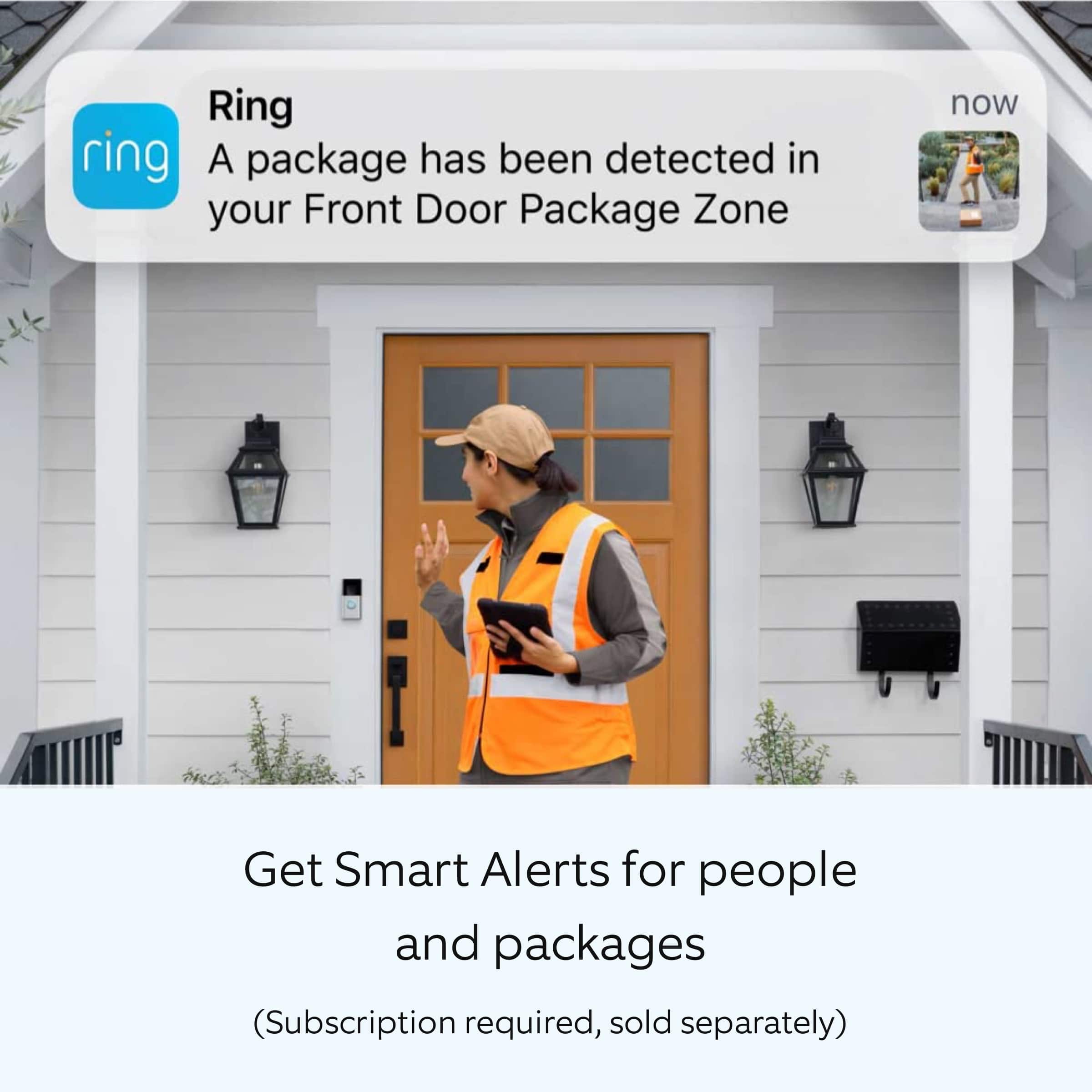
Accuracy in motion detection can also be improved by enabling Smart Alerts for people only in your Ring app.
To enable Smart Alerts:
Tap the menu (≡) on the top left.
Tap Devices.
Tap the device that you want to adjust.
Tap Motion Settings.
Tap Smart Alerts.
Tap Enable Feature.
Tap Continue.
Select the notification options that you want for Person and Other Motion.
You'll see a video camera where you can select or de-select recording and a bell icon to represent alert notifications.
After you've adjusted your settings tap Done.
We invite you to reach out to our Community if any additional information is needed regarding your Ring Battery Doorbell Plus. The Ring Community is our first peer-to-peer community forum, giving our customers the ability to help one another by sharing their feedback and experiences with each other.
Thank you,
Melissa from Ring.
Rated 3 out of 5 stars
Ring Doorbell
||Posted . Owned for 1 month when reviewed.This reviewer received promo considerations or sweepstakes entry for writing a review.I like the fact I do not have to remove the entire unit just replace battery when low charged. But.... Doesn't keep a charge for very long. I have to replace battery every week
I would recommend this to a friendBrand response from Ring
Posted .Hi LisaW.
Thank you for taking the time to share your experience with us.
We understand the importance of having a solid charge on your Ring Battery Doorbell Plus so that you are able to have a longer time between charge cycles. Having longevity in a battery-powered security device is crucial when it comes to monitoring your home. We can definitely assist you with this today to ensure your Ring device is performing optimally and the proper settings are chosen within the Ring app.
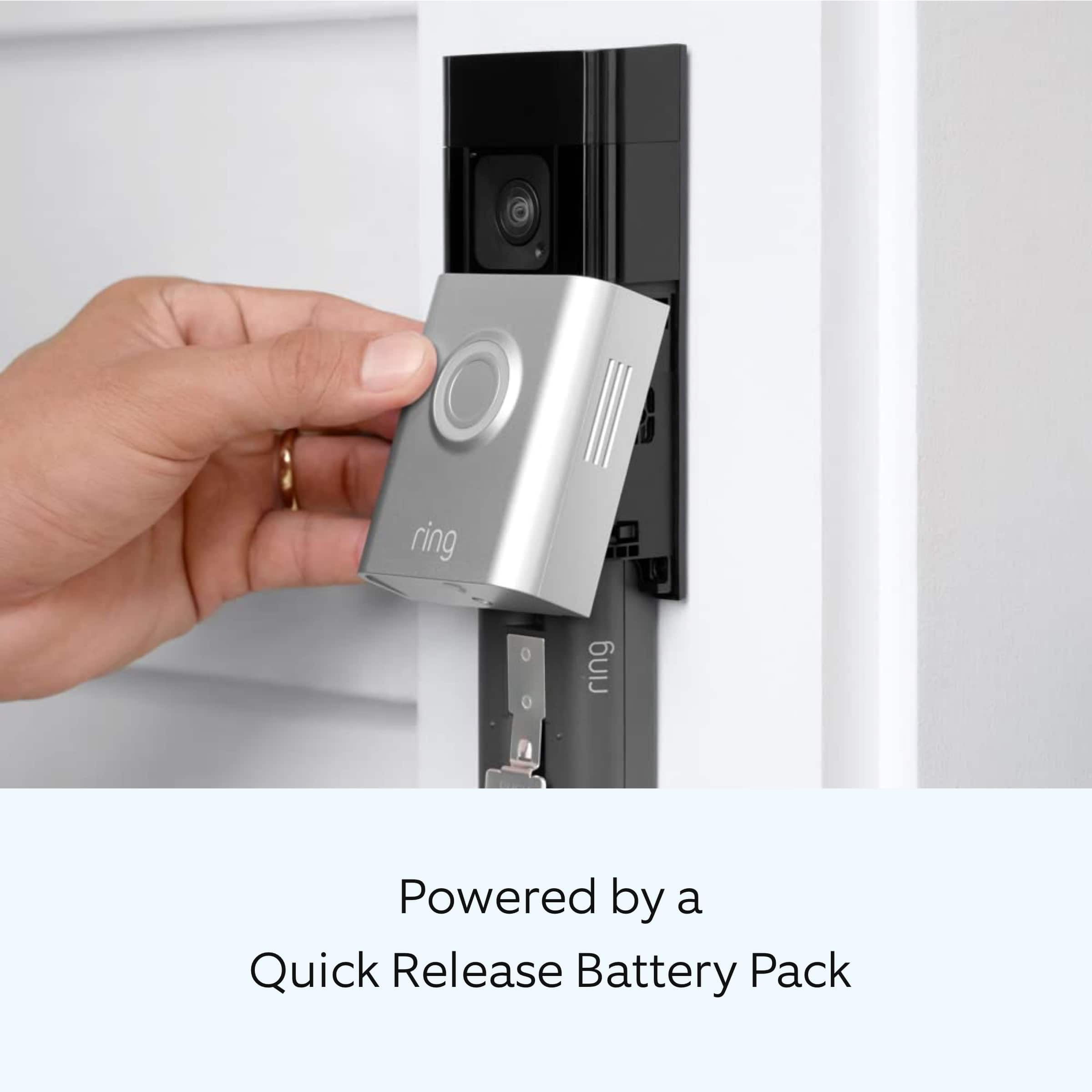
It sounds like the battery in your device is draining faster than expected. The Ring Battery Doorbell Plus runs on a removable, rechargeable Quick Release Battery Pack (included). The rechargeable battery can go months between recharges with normal use. The battery life you experience will be dependent on a number of factors in your home’s environment, such as the local weather and the number of activities captured.
If your device is capturing an excessive number of events per day, you will likely need to recharge your battery sooner. Using Live View often can also drain your battery faster.
To prevent excessive activity notifications, adjust your Motion Settings to a lower sensitivity, disable certain zones, change Motion Frequency to Regularly or Periodically, or adjust the direction of your Ring device so it doesn't detect as much motion.
In addition, your device can be hardwired to an existing doorbell or transformer to work with your chime, solar powered, or plugged into the mains for continuous charging.
Ring Community was launched to help deliver the most current news and educational information to our neighbors. This online forum is divided into four categories: Product Boards, Ring Updates, Tips + Tricks, and a Moderators’ Corner. The Product Boards are where you can begin new topics with your questions or feedback; there is also a search option that helps you find topics that have already been posted by other neighbors.
All the best,
Nicole from Ring.
Rated 2 out of 5 stars
Disappointment
||Posted . Owned for less than 1 week when reviewed.This reviewer received promo considerations or sweepstakes entry for writing a review.It. Did not work like I thought it would. I don't know from the factory of what.
No, I would not recommend this to a friendBrand response from Ring
Posted .Hi MelindaY.
Thank you for taking the time to share your experience with us. At Ring, we want to ensure that you have the best possible experience with our products. Your peace of mind and security are extremely important to us. The features and technology provided by the Ring Battery Doorbell Plus are incredibly valuable and help provide you with peace of mind about your home security. Rest assured, we're here to help!
At Ring, we believe that stronger communities are the key to safer neighborhoods. That is why we are driven to create products that help you protect what matters most at home, and empower you to connect with your visitors from wherever you are. We are saddened to read that this device did not meet your expectations but are still here to assist you. Our support team is available 24/7.
If you still have the Ring device in your possession, we invite you to reach out to us at our community. Ring Community is our first peer-to-peer community forum, giving our customers the ability to help one another and share their personal feedback/experiences with Ring. We look forward to hearing from you, if we can be of any further assistance!
Thank you,
Amilia from Ring.
Rated 3 out of 5 stars
Doorbell
||Posted . Owned for 7 months when reviewed.This reviewer received promo considerations or sweepstakes entry for writing a review.doorbell is ok But I think my doorbell 4 stayed charged longer this seems to disconnect from wifi a lot
I would recommend this to a friendBrand response from Ring
Posted .Hi TABBY65.
Thank you for taking the time to share your experience with us.
At Ring, we understand it is essential to have your Ring Battery Doorbell Plus online and working properly so you can keep your home secure. You should be able to enjoy the peace of mind that the Ring Battery Doorbell Plus is designed to add to your home security. We would love the opportunity to work with you to ensure your device is working as intended.
It sounds like you have some concerns with the connectivity and battery life of your device. A poor wifi connection can cause your doorbell to frequently disconnect and reconnect to your wifi network, which wastes energy and contributes to battery drainage. We recommend checking the wifi signal strength of your device. Follow these steps to check wifi signal strength—or RSSI (Received Signal Strength Indicator)—in the Ring app:
Open the Ring app.
Tap the Menu (☰).
Tap Devices and select the Ring device you'd like to check.
Tap the Device Health tile.
Under the Network section, look for Signal Strength.
If the RSSI value listed is green, your device has a strong signal. If it is grey, amber, or red, it may have a moderate to weak signal.
The larger the number after "RSSI-" the weaker the signal.
For example, a device displaying "RSSI-36" has a stronger signal than a device showing "RSSI-64."
If you have poor signal strength, you can visit our support center for tips on how to improve wifi signal strength.
Ring Community was launched to help deliver the most current news and educational information to our neighbors. This online forum is divided into four categories: Product Boards, Ring Updates, Tips + Tricks, and a Moderators’ Corner. The Product Boards are where you can begin new topics with your questions or feedback; there is also a search option that helps you find topics that have already been posted by other neighbors.
All the best,
Nicole from Ring.
Rated 1 out of 5 stars
Ring doesn't do different Front and Back dr tones
||Posted . Owned for 3 weeks when reviewed.This reviewer received promo considerations or sweepstakes entry for writing a review.These were purchased and installed to upgrade a 65 year-old wired doorbell system that announced different chime tones, one for front door and a different chime for the side door. Since we decided to place the two Ring video doorbells in better locations than the viewing angles provided by the wired doorbells, we were not going to use the two existing chimes. And since we normally don't carry our phones all the time while at home, we needed a minimum of 2 Ring Chimes, one placed near the two existing chimes so they can be heard distinctly throughout the house. When programming the two Ring Chimes along with the two Ring Video Doorbell, we discovered that you cannot set two different ring tones on a single Ring Chime to announce which doorbell is being rung unless you have your phone. Since we had already spent and installed other Ring components throughout the house, this was a hard lesson to learn. Customer Service at Ring is pretty poor, and it is hard to explain to them why you might need two different ring tones on a single Ring Chime to accounce two different Ring Doodbells. And you still have to subscribe to a monthly service in order to do the Security Video stuff. The marketing for Ring is much better than the experience we received for the money spent.
No, I would not recommend this to a friendBrand response from Ring
Posted .Hi None.
Thank you for taking the time to share your experience with us.
We understand the importance of having all relevant product information prior to purchasing. Being able to rely on the alerts to know when someone is at your door is an essential feature of the Ring Chime. We can definitely provide you with more information regarding the concern mentioned in your review.
It sounds like there was some confusion regarding the abilities of the Ring Chime. When plugged into a standard wall socket, the Chime produces an audio signal whenever you receive an alert from a Ring device for motion and doorbell announcements. While you can connect multiple Ring devices to a single Ring Chime, at this time, the Ring Chime cannot use different tones for different Ring devices. As a remedy, you could install multiple Ring Chimes and only connect one Ring Video Doorbell to each, or you could connect your Ring Video Doorbells to compatible Alexa-enabled devices to receive notifications.
We are constantly striving to improve our products, and your feedback is an invaluable part of that process. At Ring, we believe in keeping people close to what’s important. That is why we are driven to create products that help you protect what matters most at home and empower you to connect with your visitors from wherever you are. Together, we’ll make neighborhoods safer!
Ring Community was launched to help deliver the most current news and educational information to our neighbors. This online forum is divided into four categories: Product Boards, Ring Updates, Tips + Tricks, and a Moderators’ Corner. The Product Boards are where you can begin new topics with your questions or feedback; there is also a search option that helps you find topics that have already been posted by other neighbors.
All the best,
Nicole from Ring.
Rated 3 out of 5 stars
Doorbell plus was not what i thought
||Posted . Owned for 1 month when reviewed.This reviewer received promo considerations or sweepstakes entry for writing a review.This doorbell, the battery does not hold a charge a long time like i thought it would..
I would recommend this to a friendBrand response from Ring
Posted .Hi Green.
Thank you for taking the time to share your experience. We understand the importance of having a solid charge on your Ring Battery Doorbell Plus so that you are able to have a longer time between charge cycles. Having longevity in a battery-powered security device is crucial when it comes to monitoring your home, especially if you are away for long periods of time. We are here to provide you with some education to resolve the battery life issue you mentioned in your review.
It sounds like the device is not performing as expected. There are some troubleshooting steps that you can take to ensure that you have your device set up for optimal battery-life performance. The more events captured by your Ring devices, the more your battery is used. Using "Live View" can also drain your battery faster. If your device is capturing an excessive number of events each day, you may need to recharge your battery sooner.
To prevent excessive activity, under "Motion Settings" for your device in the Ring app, you can:
Adjust your "Motion Sensitivity" slider to a lower sensitivity.
Redraw your "Customizable Motion Zones."
Change "Motion Frequency" to regularly or periodically.
You could also adjust the direction of your Ring device so it doesn't detect as much motion.
You can go to "Power Settings" in the Ring app to see what features may be draining your battery.
To access "Power Settings," open the Ring app:
Tap the menu (≡) on the top left of the dashboard.
Tap "Devices."
Tap the individual device (video doorbell or security camera) you want to check.
Tap "Power Settings" to check your "Battery Level" percentage and "Feature Power Usage."
Tap a feature to adjust "Snapshot Capture," "Motion Frequency," and "Video Recording Length.".
If any additional information is needed regarding your Ring Battery Doorbell Plus, please reach out to our community. Ring Community is our first peer-to-peer community forum, giving our customers the ability to help one another and share their feedback and experiences directly with Ring.
Thank you for being the best part of Ring! Have a wonderful day!
Sincerely,
Melissa from Ring.
Rated 3 out of 5 stars
Ring doorbell plus
||Posted . Owned for 3 weeks when reviewed.This reviewer received promo considerations or sweepstakes entry for writing a review.This ring doorbell is OK. The video has delays and doesn't capture images as well as I expected.
No, I would not recommend this to a friendBrand response from Ring
Posted .Hi GeeCee.
Thank you for taking the time to share your experience with us.
We understand how important it is for your device to connect quickly and to provide clear images. Being able to rely on the alerts from your Ring Battery Doorbell Plus is an essential feature of the device. We are eager to provide you with a solution for the concerns mentioned in your review.
It sounds like you have some concerns with the images your device is capturing and the timeliness of connectivity. Poor wifi signal strength from your router could be the culprit for your video problems. Follow these steps to test your wifi signal strength:
Turn off your mobile device's cellular data and connect to the same wifi network as your Ring device.
Open the Ring app.
Tap the menu (☰).
Tap Devices.
Select your device.
Trigger an event on your Ring device. This could mean pressing the button on a doorbell or activating the motion sensors on a camera.
Answer the event and examine the resulting video.
If you’re seeing heavy pixilation, even next to the router, this may be due to slow wifi speeds.
If your video pauses, stutters, or gets frozen and your wifi speed meets the minimum standards, try rebooting your router. Unplug your router, wait 30 seconds, and then plug it back in. It should take three to four minutes to reboot. Then, test your Ring device again and see if there's any difference.
If there is a long delay before your video starts, this is also caused by slow wifi speeds. Assuming you have high-speed internet, reboot your router and the mobile phone, tablet, or PC you're accessing the video feed on, Then see if there's any difference when it's back on line.
Visit our support center for additional information.
Ring Community was launched to help deliver the most current news and educational information to our neighbors. This online forum is divided into four categories: Product Boards, Ring Updates, Tips + Tricks, and a Moderators’ Corner. The Product Boards are where you can begin new topics with your questions or feedback; there is also a search option that helps you find topics that have already been posted by other neighbors.
All the best,
Nicole from Ring.
Rated 2 out of 5 stars
nahh i’m good
||Posted .This reviewer received promo considerations or sweepstakes entry for writing a review.low quality picture and audio. battery lasts about 10-14 days
No, I would not recommend this to a friendBrand response from Ring
Posted .Hi TraviScott.
Thank you for taking the time to share your experience with us. We understand how important it is for your Ring Battery Doorbell Plus to record clear and concise videos so that you can effectively monitor your home. The features and technology provided by the Ring Battery Doorbell Plus are incredibly valuable and help provide you with peace of mind about your home security. We want to ensure your device is working as intended by providing you with solutions to resolve the concerns you mentioned in your review.
It sounds like the device is not performing as expected. Ring devices require high-speed internet to bring you crisp, clear video and audio. Poor network connectivity can affect the performance of your Ring device. We are happy to share some troubleshooting steps to help you diagnose and fix common video issues that you may experience with Ring doorbells and cameras.
The Ring Battery Doorbell Plus requires a minimum upload speed of 2.5 Mbps for optimal performance. In addition to ensuring that you have sufficient wifi speeds, you will also want to check the signal strength of your device. A poor wifi signal can cause connectivity with your Ring device to be unreliable.
There are some troubleshooting steps that you can take to ensure that you have your device set up for optimal battery-life performance. The more events captured by your Ring devices, the more your battery is used. Using "Live View" can also drain your battery faster. If your device is capturing an excessive number of events each day, you may need to recharge your battery sooner.
To prevent excessive activity, under "Motion Settings" for your device in the Ring app, you can:
Adjust your "Motion Sensitivity" slider to a lower sensitivity.
Redraw your "Customizable Motion Zones."
Change "Motion Frequency" to regularly or periodically.
You could also adjust the direction of your Ring device so it doesn't detect as much motion.
You can go to "Power Settings" in the Ring app to see what features may be draining your battery.
To access "Power Settings," open the Ring app:
Tap the menu (≡) on the top left of the dashboard.
Tap "Devices."
Tap the individual device (video doorbell or security camera) you want to check.
Tap "Power Settings" to check your "Battery Level" percentage and "Feature Power Usage."
Tap a feature to adjust "Snapshot Capture," "Motion Frequency," and "Video Recording Length.".
If any additional information is needed regarding your Ring Battery Doorbell Plus, please reach out to our community. Ring Community is our first peer-to-peer community forum, giving our customers the ability to help one another and share their feedback and experiences directly with Ring.
Thank you,
Amilia from Ring.
Rated 3 out of 5 stars
Works well anyway
||Posted . Owned for 1 month when reviewed.This reviewer received promo considerations or sweepstakes entry for writing a review.Works well. Security screw will not line up and do small that difficult to handle
I would recommend this to a friendBrand response from Ring
Posted .Hi Buyer.
Thank you for taking the time to share your experience with us.
We understand the importance of a seamless installation process so that you can begin using your Ring Battery Doorbell Plus right away. The Ring Battery Doorbell Plus was designed for easy installation to help keep your home secure. We can definitely provide you with more information regarding the concern mentioned in your review.
It sounds like you are enjoying the features of your Ring Battery Doorbell Plus but have some concerns with the security screws. To install the security screw, you will first want to ensure the faceplate is securely in place. Then be sure to use the correct screw for securing your faceplate. If you use the wrong screws to secure the faceplate, you could damage the battery during installation, create a fire hazard, and be seriously injured. Visit our support center for more information.
Ring Community was launched to help deliver the most current news and educational information to our neighbors. This online forum is divided into four categories: Product Boards, Ring Updates, Tips + Tricks, and a Moderators’ Corner. The Product Boards are where you can begin new topics with your questions or feedback; there is also a search option that helps you find topics that have already been posted by other neighbors.
All the best,
Nicole from Ring.
Rated 2 out of 5 stars
Ring Battery Doorbell
||Posted . Owned for 1 month when reviewed.This reviewer received promo considerations or sweepstakes entry for writing a review.It doesn't pick up everything. Example: A delivery truck stops in the front and it doesn't show the driver coming to the door or leaving, but it shows the truck leaving and the package at the door. It shows the cats coming to eat once in a while but not every time.
No, I would not recommend this to a friendBrand response from Ring
Posted .Hi RubyS.
Thank you for taking the time to share your experience with us.
We understand how critical it is for your Ring Battery Doorbell Plus to activate on meaningful motion events so that you can keep an eye out for any activity around your property. Being able to rely on the alerts to know when you have visitors is an essential feature of the Ring Battery Doorbell Plus. We can definitely assist you with this today, and we are confident we can find the correct settings for your home’s environment.
It sounds like you have some concerns with the motion your device is picking up. The Ring Battery Doorbell Plus has advanced motion detection with customizable motion zones. For the best motion detection results, mount the doorbell about 4 feet (1.20 meters) above the ground. If your device is mounted too high, a wedge kit (sold separately) can be installed to angle your device downward.
You can use the Motion Wizard to optimize your motion alerts by following these steps:
Open the Ring app.
Tap the menu (≡) on the top left.
Tap Devices.
Tap the relevant device.
Tap Motion Settings.
Tap the magic wand icon in the top-right corner to launch Motion Wizard.
Here you can get help to reduce, increase or improve your Motion Alerts.
Visit our support center for more information.
Ring Community was launched to help deliver the most current news and educational information to our neighbors. This online forum is divided into four categories: Product Boards, Ring Updates, Tips + Tricks, and a Moderators’ Corner. The Product Boards are where you can begin new topics with your questions or feedback; there is also a search option that helps you find topics that have already been posted by other neighbors.
All the best,
Nicole from Ring.
Rated 3 out of 5 stars
Expensive over time - with cloud storage.
||Posted . Owned for 7 months when reviewed.This reviewer received promo considerations or sweepstakes entry for writing a review.The only issue I had was it uses cloud storage and there is montly associated cost.
No, I would not recommend this to a friendBrand response from Ring
Posted .Hi AshfaqY.
Thank you for taking the time to share your experience with us.
We understand the importance of having all relevant product information prior to purchasing. Being able to save, download, and review footage captured by your Ring device is a valuable feature of the Ring Protect Plan. We can definitely provide you with more information regarding the concern mentioned in your review.
It sounds like you are enjoying the features the Ring Battery Doorbell Plus has to offer, but there was some concern regarding the optional Ring Protect Plans. The Ring Protect Plan is a subscription that gives you access to paid features for your Ring device. With a Ring Protect Plan, you can save, review, and share video recordings from your Ring devices to your Ring account.
Without a Ring Protect Plan, you can still view real-time video for Ring doorbells and cameras and answer doorbell notifications when they happen, but you don’t get video recordings of those events.
Ring Community was launched to help deliver the most current news and educational information to our neighbors. This online forum is divided into four categories: Product Boards, Ring Updates, Tips + Tricks, and a Moderators’ Corner. The Product Boards are where you can begin new topics with your questions or feedback; there is also a search option that helps you find topics that have already been posted by other neighbors.
All the best,
Nicole from Ring.
Rated 1 out of 5 stars
It can spend hours with capturing anything
||Posted . Owned for less than 1 week when reviewed.This reviewer received promo considerations or sweepstakes entry for writing a review.It can spend hours with capturing anything even though they movements close to it and it is set to the highest motion detection sensitivity.
No, I would not recommend this to a friendBrand response from Ring
Posted .Hi Tshally.
Thank you for taking the time to share your experience with us. We understand how important it is to have your Ring Battery Doorbell Plus capture motion events as intended. The Ring Battery Doorbell Plus was designed to capture motions based on your specifications to help keep your home secure. We are here to provide you with some information to resolve the missed motion issue you mentioned in your review.
It sounds like the device is not performing as expected in regards to motion detection. It is important to ensure that you have the proper motion settings in place for your environment. This camera uses adjustable motion detection and runs on passive infrared sensors. The system identifies visitors via a moving heat signature and sends a notification to your smart device when one is detected. You can adjust three preset motion zones and their distances under the "Motion Settings" tab on the device's page in the Ring app. If you have already increased the sensitivity, as mentioned in your review, you can choose how often the camera checks for movement in those predefined zones via the "Motion Frequency" setting. If you find that your camera is missing some motions, please set the motion frequency to "Frequently."
Accuracy in motion detection can also be improved by enabling the "Smart Alerts" feature for people only in your Ring app. To enable "Smart Alerts," please follow these steps:
Tap the menu (≡) on the top left.
Tap "Devices."
Tap the device that you want to adjust.
Tap "Motion Settings."
Tap "Smart Alerts."
Tap "Enable Feature."
Tap "Continue."
Select the notification options that you want for "Person" and "Other Motion."
You'll see a video camera where you can select or de-select recording and a bell icon to represent alert notifications.
After you've adjusted your settings, tap "Done."
If any additional information is needed regarding your Ring Battery Doorbell Plus, please reach out to our community. Ring Community is our first peer-to-peer community forum, giving our customers the ability to help one another and share their feedback and experiences directly with Ring.
Thank you,
Melissa from Ring.