Customer Ratings & Reviews

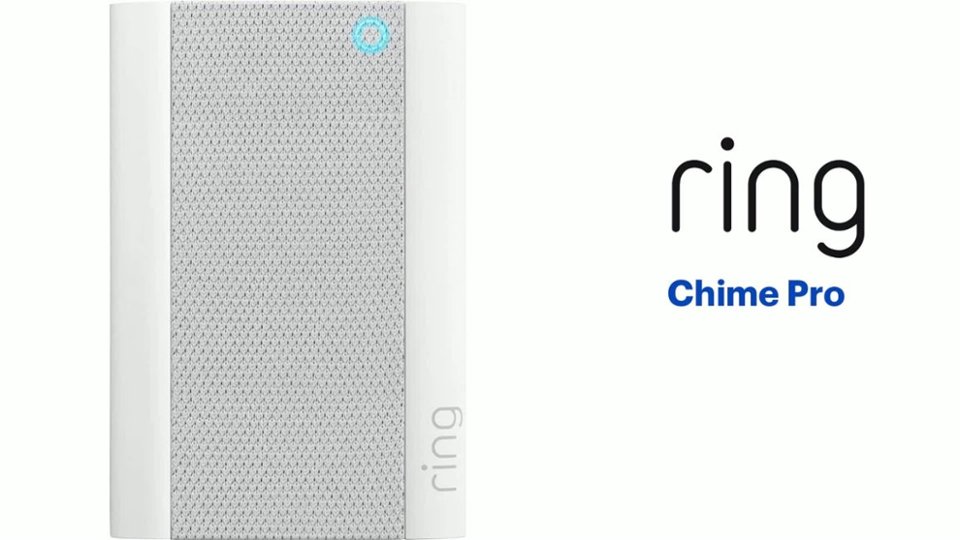
- Model:
- 8AC1PZ-0EN0
- SKU:
- 12481231
Rating by feature
- Video Quality
Rating 4.7 out of 5 stars
- Mobile App
Rating 4.8 out of 5 stars
- Sound Quality
Rating 4.7 out of 5 stars
Customers are saying
Customers often highlight the product's ease of use, particularly for setup, and appreciate its helpful night light. Many also praise its great sound quality and volume, as well as its ability to extend WiFi range and provide good signal strength. Its compatibility with multiple doorbells is also a positive aspect. However, some customers find the price to be a significant drawback.
This summary was generated by AI based on customer reviews.
DrewPam
||Posted . Owned for more than 2 years when reviewed.This reviewer received promo considerations or sweepstakes entry for writing a review.This is the only Ring item I haven't been happy with bc it doesn't really help the Cameras at all. It suppose to help with WIFI if the camera are far from your router but other than that it works a little.
I would recommend this to a friendBrand response from Ring
Posted .Hi DREW7270PAM.
We understand the importance of having a consistent wifi signal on your Ring device. Having a solid connection ensures you do not miss any activity around your home. We are eager to address the issue you raised in your review and provide you with a resolution today.
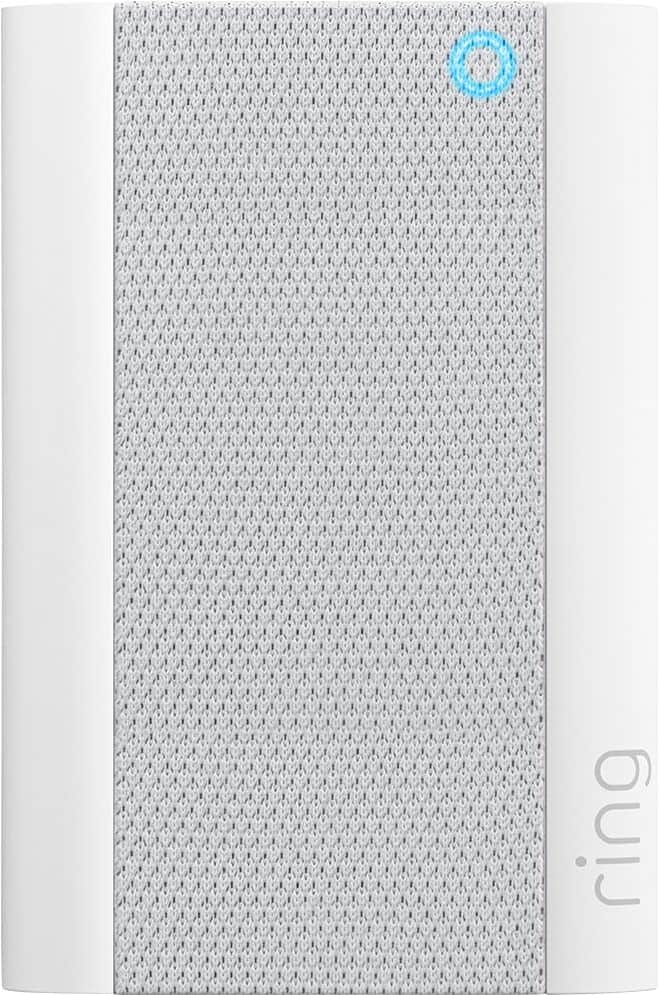
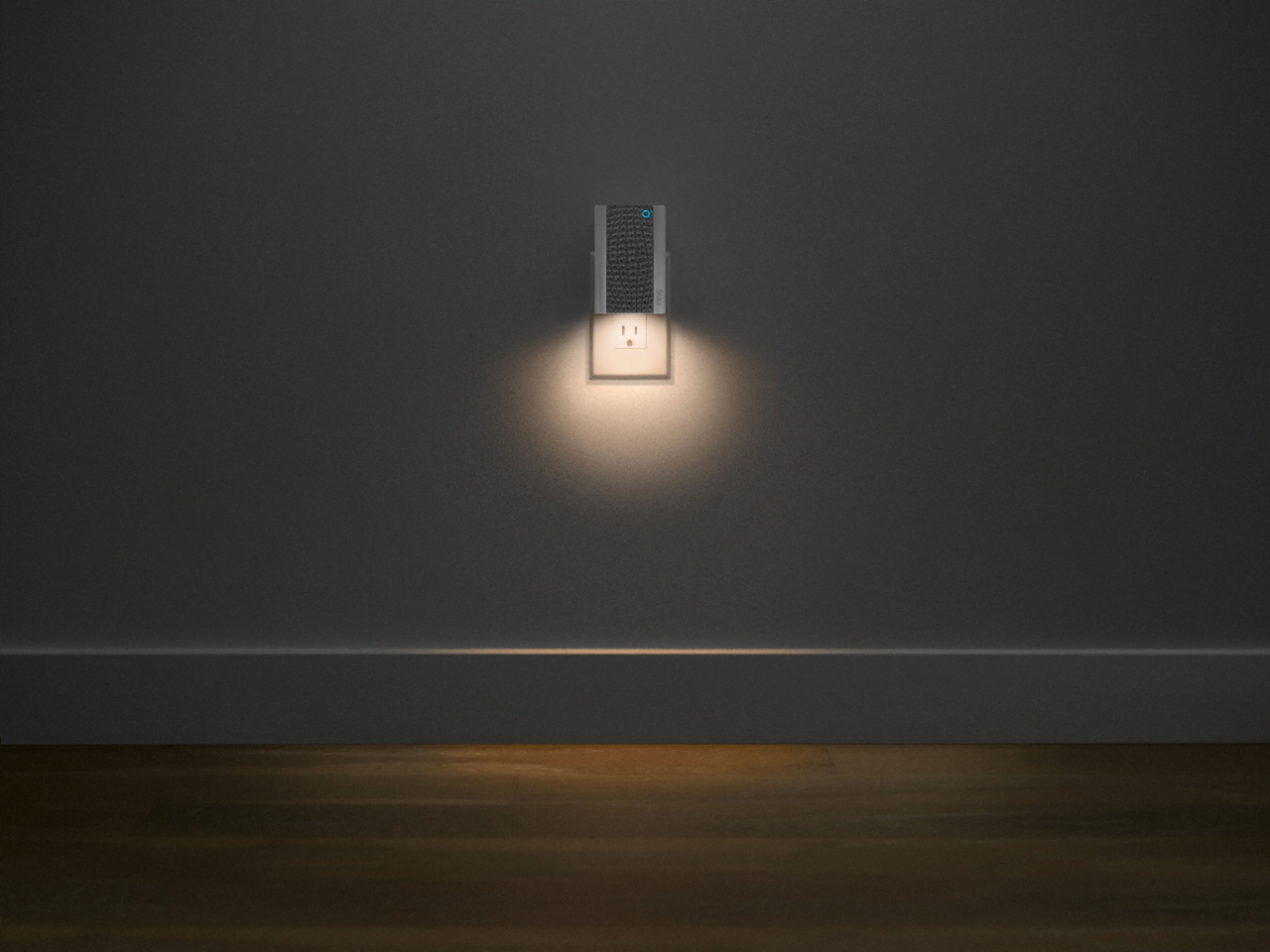
It sounds like the device is not operating as expected. The Ring Chime Pro (2nd Gen.) features a new design, built-in nightlight, dual-band 2.4 GHz and 5 GHz wifi connectivity, and guided feedback during setup that helps you find the best location for your Chime Pro. Even with your Chime Pro, your router is still your main source of connection for your Chime Pro. Ideally, the maximum distance between the router and your device is 20-25 feet with the Chime Pro about halfway between the Ring device and your router. If possible, try moving the router closer to the device. Also, make sure your router is not in a closet or behind furniture, like a sofa, so the router has an unobstructed signal.
We invite you to reach out to our Community if any additional information is needed regarding your Ring Chime Pro. The Ring Community is our first peer-to-peer community forum, giving our customers the ability to help one another by sharing their feedback and experiences with each other.
Thank you,
Melissa from Ring.
- Pros mentioned:Night light
Nightlight
||Posted . Owned for 3 weeks when reviewed.This reviewer received promo considerations or sweepstakes entry for writing a review.Works great as a nightlight for when your grandkids come to stay
No, I would not recommend this to a friendBrand response from Ring
Posted .Hello A20Yrvet,
Thank you for leaving a review. We love reading how your Ring Chime Pro has added an extra layer of security in your home and how it is working as intended. Our top priority at Ring is to ensure that our customers have the best possible experience with our products. We really appreciate your feedback. Our team is always striving to improve our products and their performance.
We would love to hear more about your experience with Ring. We invite you to share your experience with other Ring users, like yourself, on our Ring Community page: https://community.ring.com/.
Thank you, Jamila, with Ring.
Ring Chime Pro
||Posted . Owned for 1 month when reviewed.This reviewer received promo considerations or sweepstakes entry for writing a review.I purchase this chime so it can help boost up my Ring
I would recommend this to a friendChimy chime chime
||Posted . Owned for 1 month when reviewed.This reviewer received promo considerations or sweepstakes entry for writing a review.Still having a few signal issues but for the most part better than the previous one.
I would recommend this to a friendExtends with fi
||Posted . Owned for 1 week when reviewed.This reviewer received promo considerations or sweepstakes entry for writing a review.Several of my ring camera improved their signals a lot.
I would recommend this to a friendWorth the money
||Posted . Owned for 1 month when reviewed.This reviewer received promo considerations or sweepstakes entry for writing a review.Worth the money. But. They do have app errors a lot.
I would recommend this to a friendGreat price
||Posted . Owned for 2 months when reviewed.This reviewer received promo considerations or sweepstakes entry for writing a review.I like the light. The extender is not effective...
I would recommend this to a friendLove it!
||Posted . Owned for 2 weeks when reviewed.This reviewer received promo considerations or sweepstakes entry for writing a review.LOVE the different chime tones! So fun for the kids!
I would recommend this to a friendWorks well with ring doorbell.
||Posted . Owned for 2 weeks when reviewed.This reviewer received promo considerations or sweepstakes entry for writing a review.Chime Pro works well with my doorbell camera. Being able to change the doorbell sound is a plus!
I would recommend this to a friendGood
||Posted . Owned for 2 weeks when reviewed.This reviewer received promo considerations or sweepstakes entry for writing a review.Does a great job, haven’t had any issues with it yet
I would recommend this to a friendBrand response from Ring
Posted .Hi Nerd.
We appreciate you taking the time to share your experience with us. We are pleased to read that you are enjoying your new Ring Chime Pro! At Ring, we believe in keeping people close to what’s important. That is why we are driven to create products that help you protect what matters most at home and empower you to connect with your visitors from wherever you are. Together, we’ll make neighborhoods safer!
Ring Community was launched to help deliver the most current news and educational information to our neighbors. This online forum is divided into four categories: Product Boards, Ring Updates, Tips and Tricks, and a Moderators’ Corner. The Product Boards are where you can begin new topics with your questions or feedback; there is also a search option that helps you find topics that have already been posted by other neighbors. We invite you to visit our Ring Community today.
Thank you,
Miyuki from Ring.
Additional Bell
||Posted . Owned for 10 months when reviewed.This reviewer received promo considerations or sweepstakes entry for writing a review.Had to be techy to use it. Learning curve but useful
I would recommend this to a friendBrand response from Ring
Posted .Hi realtor.
Thank you for taking the time to share your Ring experience with us and other consumers. We believe in keeping people close to what’s important. That is why we are driven to create products that help you protect what matters most at home and empower you to connect with your visitors from wherever you are. Together, we’ll make neighborhoods safer!
For more information on your Ring Chime Pro, we invite you to reach out to our community. Ring Community is our first peer-to-peer community forum, giving our customers the ability to help one another and share their personal feedback and experiences with Ring. We look forward to hearing from you if we can be of any further assistance!
Thank you,
Miyuki from Ring.
Helps with WiFi Boosting
||Posted . Owned for 8 months when reviewed.This reviewer received promo considerations or sweepstakes entry for writing a review.Works great. I initially had a set up problem but was able to figure it out.
I would recommend this to a friendLove this
||Posted . Owned for 3 weeks when reviewed.This reviewer received promo considerations or sweepstakes entry for writing a review.My wifi connection is wonderful and the chime helps
I would recommend this to a friendRing Chime
||Posted . Owned for less than 1 week when reviewed.This reviewer received promo considerations or sweepstakes entry for writing a review.Great addition to my ring doorbell. I really like the WiFi boost that comes along with it!
I would recommend this to a friendBrand response from Ring
Posted .Hi walker3059.
Thank you for taking the time to share your Ring experience with us. We are happy to read that you are enjoying your new Ring Chime Pro! Likewise, we believe in keeping people close to what’s important. That is why we are driven to create products that help you protect what matters most at home and empower you to connect with your visitors from wherever you are. Together, we’ll make neighborhoods safer!
Ring Community was launched to help deliver the most current news and educational information to our neighbors. This online forum is divided into four categories: Product Boards, Ring Updates, Tips + Tricks, and a Moderators’ Corner. The Product Boards are where you can begin new topics with your questions or feedback; there is also a search option which helps you find topics that were already posted by other neighbors. We invite you to join our site community today!
Thank you,
Amilia from Ring.
Love it
||Posted . Owned for 1 week when reviewed.This reviewer received promo considerations or sweepstakes entry for writing a review.Can’t wait to use it she will love this thing.....
I would recommend this to a friendDifficulty in completing setup
||Posted . Owned for 3 weeks when reviewed.This reviewer received promo considerations or sweepstakes entry for writing a review.This product has the Ring brand behind it, which assures a good product. However, it is extremely difficult, if not impossible, to complete the installation. The last step always gives an error regarding my internet but this is not correct. I have tried all steps recommended but haven’t been able to complete the installation.
No, I would not recommend this to a friendBrand response from Ring
Posted .Hello ema00814,
Thank you for voicing your set-up concerns with the Ring Chime Pro. We understand how important it is to have your device online to secure your home. The Ring app should walk you through an easy installation process. The set-up should complete within a matter of moments. Rest assured, our team is here to help.
To ensure everything works smoothly, please ensure your Ring app is up to date and all permissions have been granted.
Chime Pro is compatible with 2.4 GHz and 5 GHz wifi networks. If you haven't already, please attempt the set-up on both networks. You can also try rebooting your router to help address any underlying network issues.
Should you have further questions, please visit our community forum at https://community.ring.com/, for additional tips and support. We look forward to hearing from you.
All the best,
Marlom at Ring
Great upgrade
||Posted . Owned for 2 weeks when reviewed.This reviewer received promo considerations or sweepstakes entry for writing a review.This is a great upgrade from the previous version.
I would recommend this to a friendChime Pro
||Posted . Owned for 3 weeks when reviewed.This reviewer received promo considerations or sweepstakes entry for writing a review.They're great when they work. I had two that failed.
I would recommend this to a friendBrand response from Ring
Posted .Hi Frank.
Thank you for taking the time to share your experience with us. We understand the importance of having a consistent wifi signal on your Ring device. Having a solid connection ensures you do not miss any activity around your home. We are eager to address the issue you raised in your review and provide you with a resolution today.
It sounds like the device is not operating as expected. Even with your Chime Pro, your router is still your main source of connection for your Ring device. Ideally, the maximum distance between the router and your device is 20-25 feet with the Chime Pro about halfway between the Ring device and your router. If possible, try moving the router closer to the device. Also, make sure your router is not in a closet or behind furniture, like a sofa, so the router has an unobstructed signal.
We invite you to reach out to our community if any additional information is needed regarding your Ring Chime Pro. The Ring Community is our first peer-to-peer community forum, giving our customers the ability to help one another by sharing their feedback and experiences with each other.
Thank you,
Miyuki from Ring.
Not easy to install
||Posted .This reviewer received promo considerations or sweepstakes entry for writing a review.My Ring System is great. Price reasonable. But not easy to install.
I would recommend this to a friendBrand response from Ring
Posted .Hi JeanMac.
Thank you for taking the time to share your experience with us. We understand the importance of a seamless setup process so that you can begin using your Ring Chime Pro right away. The features and technology provided by the Ring Chime Pro are incredibly valuable and help provide you with peace of mind about your home security. Rest assured, we are here to provide you with solutions today.
We are happy that you have chosen a Ring Chime Pro for your home security needs. We have included the steps here to set up your Ring Chime Pro in the Ring app:
Choose your Ring device's location.
* First select the location where you want to connect Chime Pro. Keep in mind, you can only hear alerts for Ring doorbells and cameras at the same location.
Positioning Chime Pro.
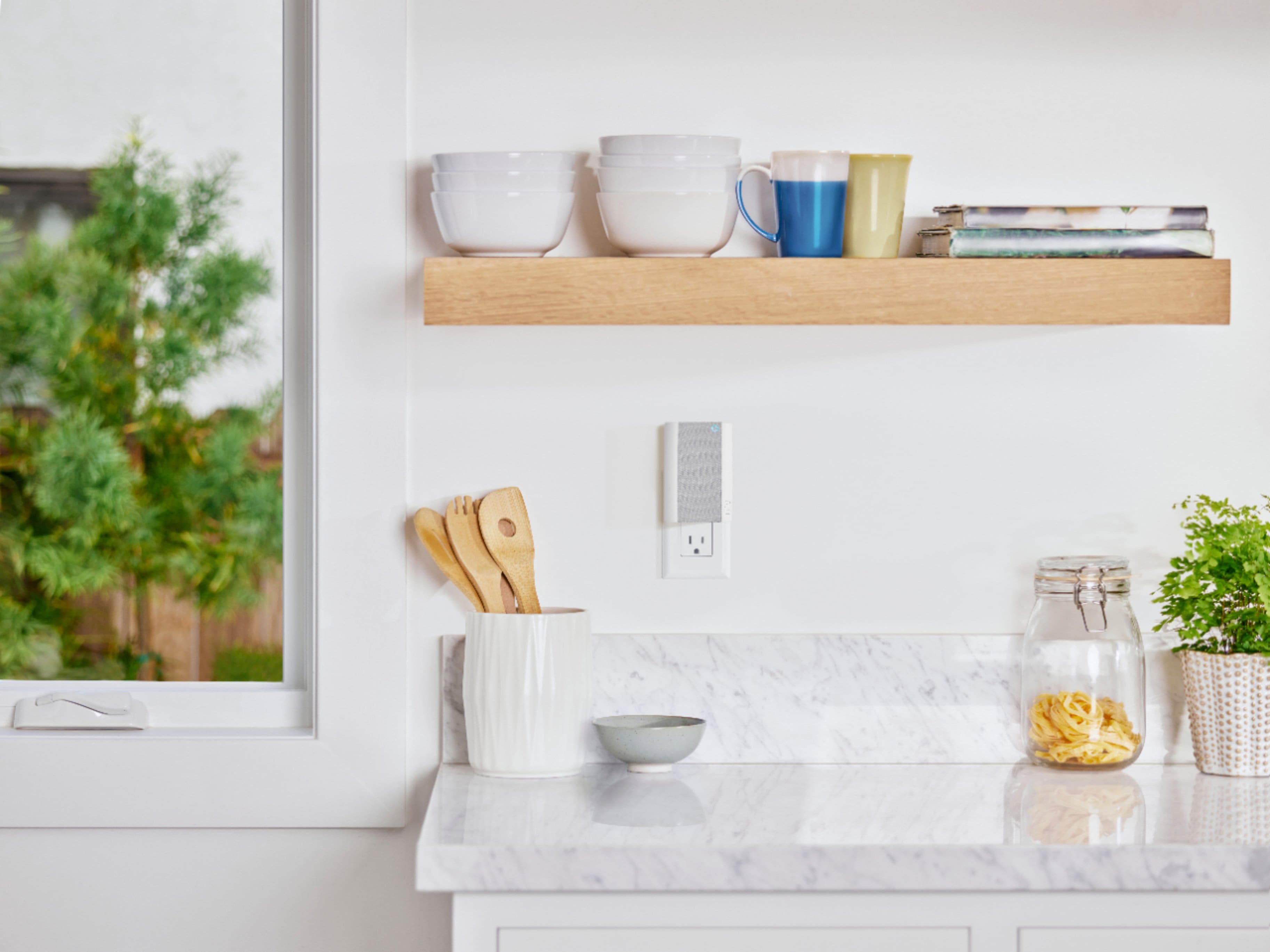
* When choosing where to plug in Chime Pro, pick a spot that halfway between your wifi router and the Ring device that is furthest away from the router. That way Chime Pro will be able to best extend your Ring network signal.
Add your Chime Pro in the Ring app.
1. Open the Ring app to the main dashboard.
2. Tap Set Up a Device at the bottom of the screen.
3. Tap Chimes.
4. Scan the QR code on the back of the device with the camera on your mobile device to begin set up.
Plug Chime Pro into an outlet.
* Make sure the outlet where you plug Chime Pro in is not obstructed by any furniture or dense walls – this will affect the signal.
Chime Pro will automatically enter Setup Mode.
* The light on the front of your Chime Pro will start to flash green when it's ready to connect.
Connect to Chime Pro's local network.
iOS: Tap Joinwhen the Ring app asks to join the Ring device's wifi network.
Android : Your device should automatically connect to the Ring device's wifi network.
If you're having trouble connecting, try going to your wifi network and select ChimePro-XXXXXX (the X's will be numbers from its unique device ID).
Connect Chime Pro to your wifi.
* Input your wifi network password. Remember, the password is case sensitive.
Ring Community was launched to help deliver the most current news and educational information to our neighbors. This online forum is divided into four categories: Product Boards, Ring Updates, Tips and Tricks, and a Moderators’ Corner. The Product Boards are where you can begin new topics with your questions or feedback; there is also a search option that helps you find topics that have already been posted by other neighbors. We invite you to visit our Ring Community today.
Thank you,
Miyuki from Ring.
Just fine
||Posted . Owned for 1 month when reviewed.This reviewer received promo considerations or sweepstakes entry for writing a review.works fine. not sure about the wifi extension though.
I would recommend this to a friendBrand response from Ring
Posted .Hi Gr8full.
Thank you for taking the time to share your experience with us. We understand the importance of having a consistent wifi signal on your Ring device. Having a solid connection ensures you do not miss any activity around your home. We are eager to address the issue you raised in your review and provide you with a resolution today.
It sounds like the device is not operating as expected. Even with your Chime Pro, your router is still your main source of connection for your Ring device. Ideally, the maximum distance between the router and your device is 20-25 feet with the Chime Pro about halfway between the Ring device and your router. If possible, try moving the router closer to the device. Also, make sure your router is not in a closet or behind furniture, like a sofa, so the router has an unobstructed signal.
We invite you to reach out to our community if any additional information is needed regarding your Ring Chime Pro. The Ring Community is our first peer-to-peer community forum, giving our customers the ability to help one another by sharing their feedback and experiences with each other.
Thank you,
Miyuki from Ring.