Customer Ratings & Reviews
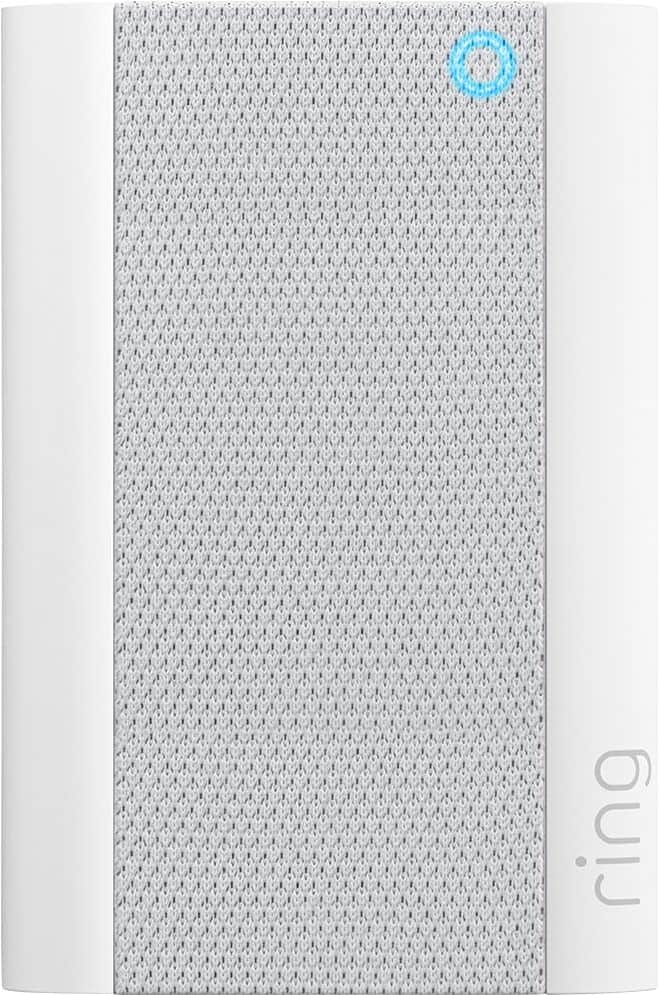
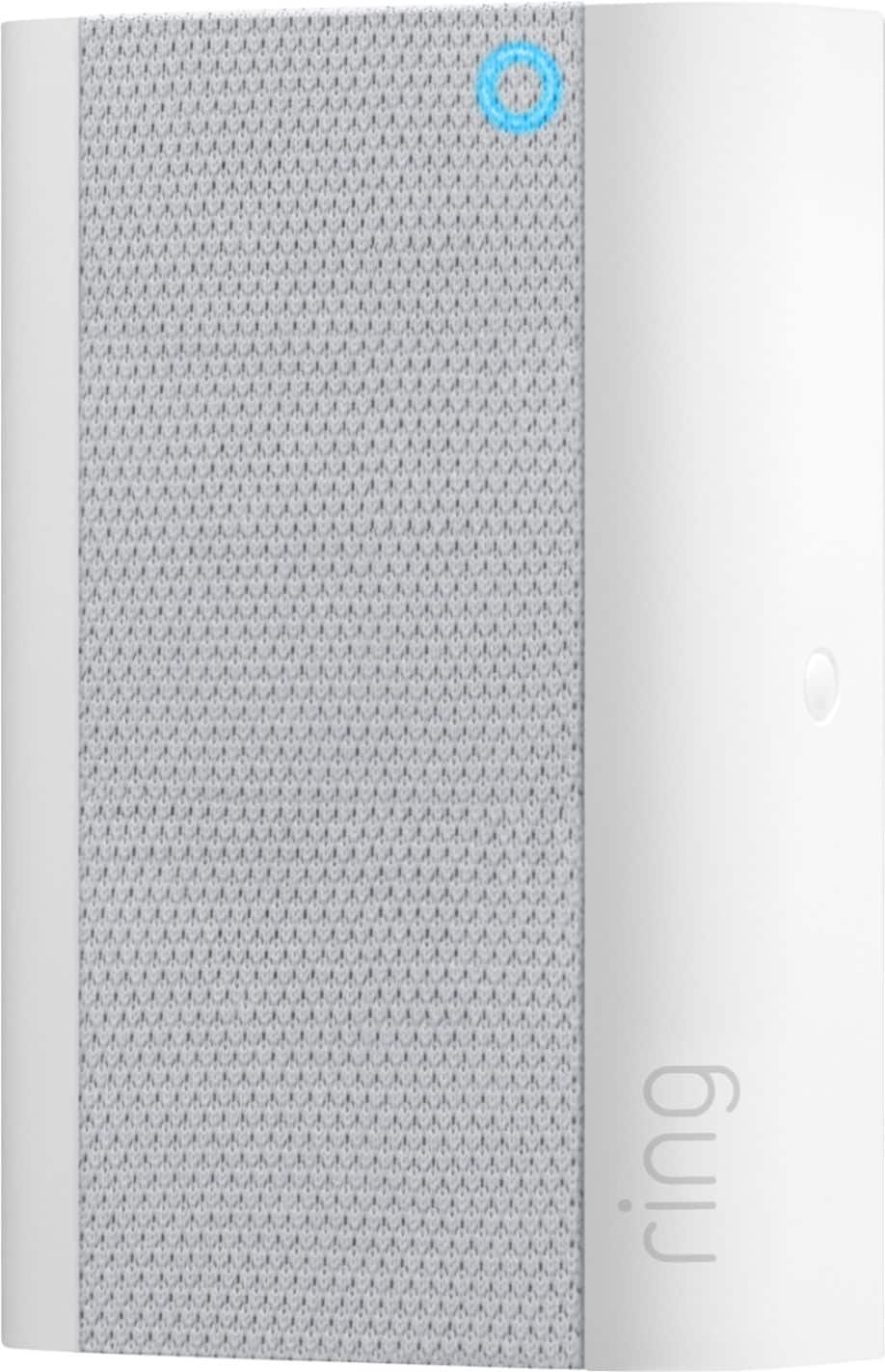
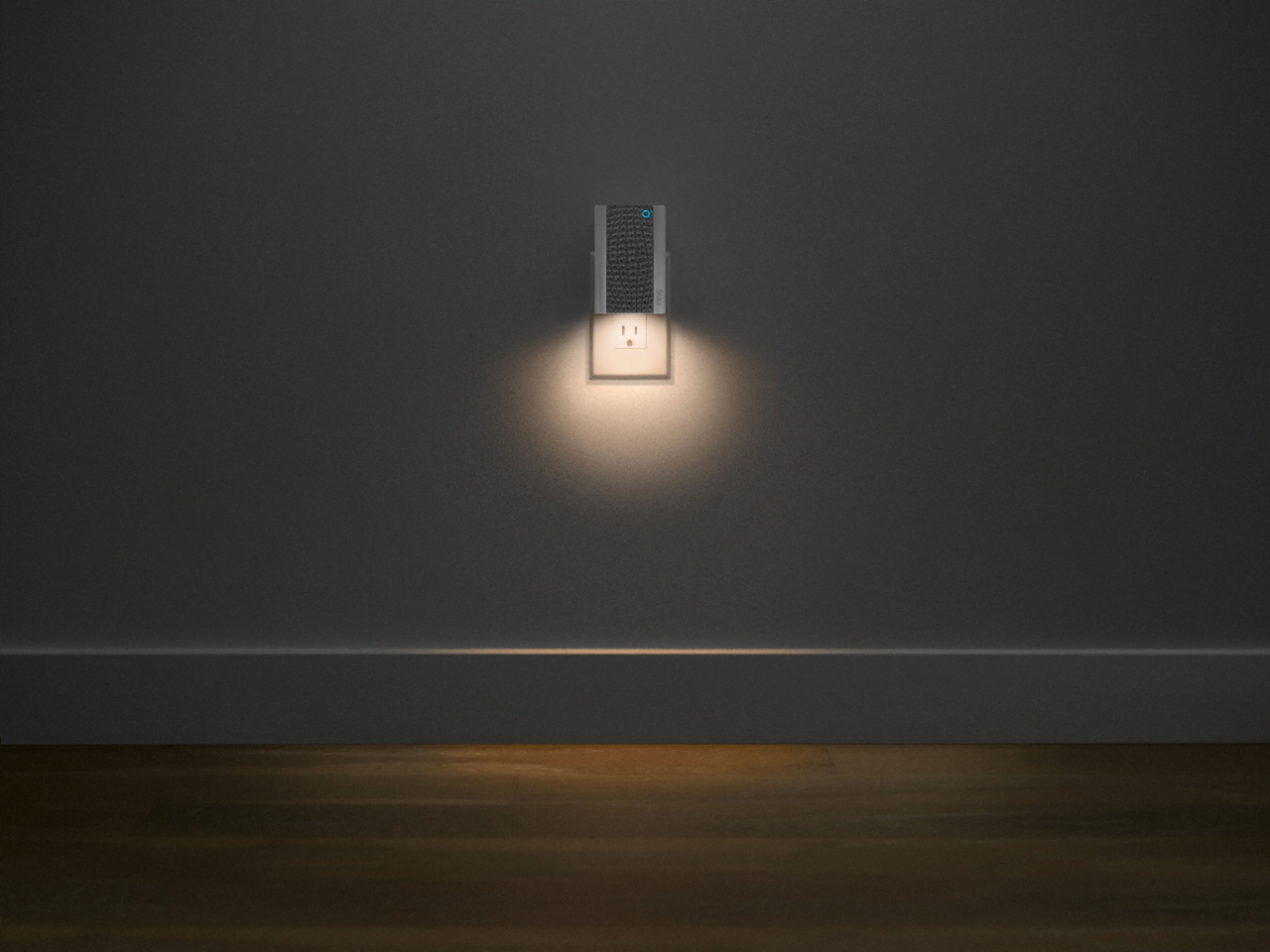
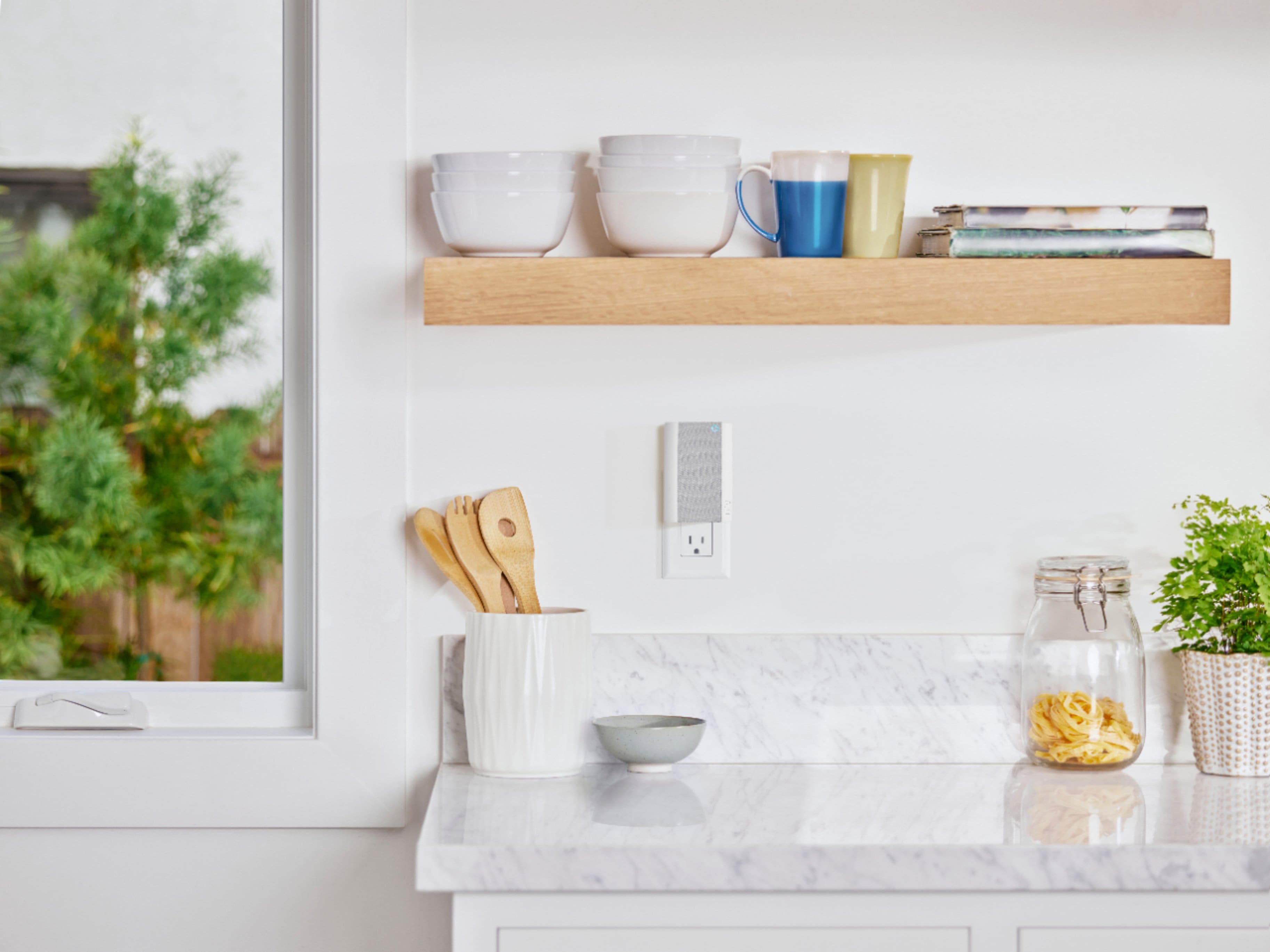

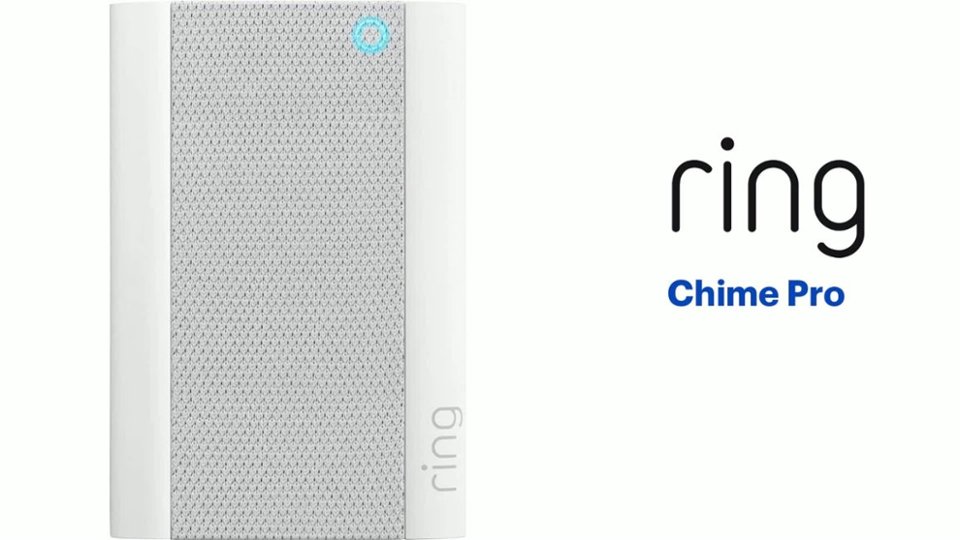
- Model:
- 8AC1PZ-0EN0
- SKU:
- 12481231
Rating by feature
- Video Quality
Rating 4.7 out of 5 stars
- Mobile App
Rating 4.8 out of 5 stars
- Sound Quality
Rating 4.7 out of 5 stars
Customers are saying
Customers often highlight the product's ease of use, particularly for setup, and appreciate its helpful night light. Many also praise its great sound quality and volume, as well as its ability to extend WiFi range and provide good signal strength. Its compatibility with multiple doorbells is also a positive aspect. However, some customers find the price to be a significant drawback.
This summary was generated by AI based on customer reviews.
Poor range extender performance
||Posted . Owned for 1 month when reviewed.This reviewer received promo considerations or sweepstakes entry for writing a review.Bought this to get a stronger signal at Ring Flood light. Doesn't reliably reconnect when power is interrupted or location changed. Poor range. Would have returned it but wasn't able to reset and remove password. Switched to a Lynksys repeater which works well.
No, I would not recommend this to a friendBrand response from Ring
Posted .Hello Dave,
Thank you for leaving a review. Here at Ring, we understand how critical it is for your Ring Chime Pro to work as intended. It's a key component to ensure all connected Ring devices have a strong signal, along with providing an internal audio effect through your home. We are here to lend some assistance.
Based on your review, it seems that you are having trouble with your Ring Chime Pro extending your wifi signal. When this happens, we recommend moving your Chime Pro. The ideal placement for your Chime Pro is about halfway between your wifi router and the device it’s connected to.
Wifi extenders work best with devices that won’t be moved, and ideally, the maximum distance between the router and the device should be under 30 feet. If the distance is greater than 30 feet, you might need a different solution to a weak wifi signal, like a mesh network instead of a wifi extender. A wifi router creates a single access point that broadcasts a signal. The further the signal has to go, the weaker the signal gets.
For more information on troubleshooting your Ring Chime Pro, please see our help center
article: https://support.ring.com/hc/en-us/articles/360052520292-Using-Chime-Pro-Placement-Test-to-optimize-your-wifi
For any additional questions or concerns regarding your Ring Chime Pro, please feel free to reach out on our community forum at https://community.ring.com/. We look forward to hearing from you soon.
Thank you, Jamila with Ring.
Sound not loud enough.
||Posted .This reviewer received promo considerations or sweepstakes entry for writing a review.I am NOT sure this device helped with wifi signal.
No, I would not recommend this to a friendBrand response from Ring
Posted .Hello WhizD,
Thank you for leaving a review. Here at Ring, we understand how critical it is for your Ring Chime Pro to work as intended. It's a key component to ensure all connected Ring devices have a strong signal, along with providing an internal audio effect through your home. We are here to lend some assistance.
Based on your review, it seems that you are having trouble with your Ring Chime Pro extending your wifi signal. When this happens, we recommend moving your Chime Pro. The ideal placement for your Chime Pro is about halfway between your wifi router and the device it’s connected to.
Wifi extenders work best with devices that won’t be moved, and ideally, the maximum distance between the router and the device should be under 30 feet. If the distance is greater than 30 feet, you might need a different solution to a weak wifi signal, like a mesh network instead of a wifi extender. A wifi router creates a single access point that broadcasts a signal. The further the signal has to go, the weaker the signal gets.
For more information on troubleshooting your Ring Chime Pro, please see our help center
article: https://support.ring.com/hc/en-us/articles/360048673232-Troubleshooting-Your-Ring-Chime-Pro-and-Understanding-Light-Patterns.
For any additional questions or concerns regarding your Ring Chime Pro, please feel free to reach out on our community forum at https://community.ring.com/. We look forward to hearing from you soon.
Thank you, Jamila with Ring.
Try it
||Posted . Owned for 4 months when reviewed.This reviewer received promo considerations or sweepstakes entry for writing a review.Not bad easy to set up............................
I would recommend this to a friendBrand response from Ring
Posted .Hello Boooo,
Thank you for leaving a review. We love reading how your Ring Chime Pro has added an extra layer of security in your home and how it is working as intended. Our top priority at Ring is to ensure that our customers have the best possible experience with our products. We really appreciate your feedback. Our team is always striving to improve our products and their performance.
We would love to hear more about your experience with Ring. We invite you to share your experience with other Ring users, like yourself, on our Ring Community page: https://community.ring.com/.
Thank you, Jamila, with Ring.
Ok
||Posted . Owned for 2 weeks when reviewed.This reviewer received promo considerations or sweepstakes entry for writing a review.Good for extending WiFi but can disconnect from time to time.
I would recommend this to a friendBrand response from Ring
Posted .Hello Rich,
We know how critical it is to rely on this Chime Pro to expand your home's wifi network. These devices were designed with longevity in mind and should provide you with amplified Ring audio alerts, so you always know when activity has been detected. Your other Ring devices should also be able to connect to the Chime Pro network for an improved signal to your doorbell/camera.
If you run into trouble with your Chime Pro, please unplug it for one minute to power cycle the device. After a minute has passed, plug the device back into the outlet. Once powered on, it should function as intended.
Although the power cycle resolves most issues, it may be necessary to perform a hard reset. Please follow the steps below to complete the process:
* Start with your Chime plugged into an outlet. Begin holding down the setup button for 15 consecutive seconds, then release.
* Wait until the light on the front of the device stabilizes. (The light will return to a solid blue)
* Attempt a fresh setup through the Ring app.
* Because some steps are time sensitive, it’s important to have your wifi password handy.
It would be our pleasure to discuss this further with you. If after trying the above steps you still encounter issues, please visit our online forum at your convenience, as we are eager to turn your experience around. For any additional questions or concerns, please feel free to reach out on our community forum at https://community.ring.com/.
Thank you,
Alexis with Ring
Works ok
||Posted . Owned for less than 1 week when reviewed.This reviewer received promo considerations or sweepstakes entry for writing a review.It works ok but we were told you can link 2 or more chimes together. You can not.
No, I would not recommend this to a friendBrand response from Ring
Posted .Hello Susan,
Thank you for leaving a review. We love reading how your Ring Chime Pro has added an extra layer of security in your home and how it is working as intended. Our top priority at Ring is to ensure that our customers have the best possible experience with our products. We really appreciate your feedback. Our team is always striving to improve our products and their performance.
We would love to hear more about your experience with Ring. We invite you to share your experience with other Ring users, like yourself, on our Ring Community page: https://community.ring.com/.
Thank you, Jamila, with Ring.
A must have
||Posted . Owned for 2 weeks when reviewed.This reviewer received promo considerations or sweepstakes entry for writing a review.Ring would always drop wifi until I purchased this item. If your ring takes a while connecting or frequently drops wifi connection, this i a must have.
I would recommend this to a friendToo expenisve
||Posted . Owned for 3 weeks when reviewed.This reviewer received promo considerations or sweepstakes entry for writing a review.Not worth for money as it just alerts inside where u keep it
No, I would not recommend this to a friendBrand response from Ring
Posted .Hi Karthz.
Thank you for taking the time to share your experience with us. At Ring, we want to ensure that you have the best possible experience with our products. Your peace of mind and security are extremely important to us. The features and technology provided by the Ring Chime Pro are incredibly valuable and help provide you with peace of mind about your home security. We can definitely provide you with more information regarding the concern mentioned in your review.
It sounds like your Ring Chime Pro is not performing as expected. The Ring Chime Pro allows you to hear notifications anywhere in your home. With the Ring Chime Pro, you can extend your wifi signal to boost the network for all your Ring Video Doorbells and Cams. Also, enjoy a built-in automatic nightlight for added peace of mind.
Your Ring Chime Pro can play different sounds for Motion and Ring events. Follow these steps in the Ring app to set up your favorite Chime Tones.
1. Open the Ring app.
2. Tap the top menu (☰) and then Devices.
3. Select your Chime or Chime Pro device.
4. Tap Audio Settings then Chime Tones.
5. You'll see two tabs at the top of the screen: Rings and Motions.
6. Tap Rings and select your favorite sound Chime will play when someone presses your doorbell. You'll hear an audio sample when chosen. You can also adjust the volume with the slider.
7. Tap Motions and select your favorite sound Chime will play when motion is detected on your Ring doorbells and cameras. You can also adjust the volume with the slider.
We invite you to reach out to our community if any additional information is needed regarding your Ring Chime Pro. The Ring Community is our first peer-to-peer community forum, giving our customers the ability to help one another by sharing their feedback and experiences with each other.
Thank you,
Amilia from Ring.
Not loud enough but will do!
||Posted . Owned for 1 month when reviewed.This reviewer received promo considerations or sweepstakes entry for writing a review.Great doorbell but could be louder, there are multiple ringtones tho!
I would recommend this to a friendBrand response from Ring
Posted .Hi Mouf!
Thank you for bringing this concern to our attention, as this allows us to investigate this concern further with you, and ensure we are providing you with helpful solutions. The Ring Chime Pro does have a controllable volume option within the Ring App.
Once you have opened your Ring App, you will see a Chimes option at the top of the screen. Select this, and choose the Chime Pro you wish to manage. From the tile menu, select Audio Settings and then tap on Chime Tones. From here you may see the multiple ringtones you have mentioned in addition to a volume slider that controls the volume of your Chime Pro.
We would love to go over these changes with you to ensure we are providing you with the most support. Please reach out to us at your earliest convenience, and we will get you connected with a Ring specialist as soon as possible.
Best,
Caitlin with Ring
Not all of them are created equal.
||Posted . Owned for 2 weeks when reviewed.This reviewer received promo considerations or sweepstakes entry for writing a review.Can’t get it to connect. Might be the internet. Yet to be determined.
I would recommend this to a friendBrand response from Ring
Posted .Hi ECHOtheCommand,
We know how critical it is to rely on this Chime Pro to expand your sense of security. These devices were designed with longevity in mind and should provide you with amplified Ring audio alerts, so you always know when activity has been detected. Your other Ring devices should also be able to connect to the Chime Pro network for an improved signal to your doorbell/camera.
If you run into trouble with your Chime Pro, please unplug it for one minute to power cycle the device. After a minute has passed, plug the device back into the outlet. Once powered on, it should function as intended.
Although the power cycle resolves most issues, it may be necessary to perform a hard reset. Please follow the steps below to complete the process:
* Start with your Chime plugged into an outlet. Begin holding down the setup button for 15 consecutive seconds, then release.
* Wait until the light on the front of the device stabilizes. (The light will return to a solid blue)
* Attempt a fresh setup through the Ring app.
* Because some steps are time sensitive, it’s important to have your wifi password handy.
It would be our pleasure to discuss this further with you. If after trying the above steps you still encounter issues, please visit our online forum at your convenience, as we are eager to turn your experience around. For any additional questions or concerns, please feel free to reach out on our community forum at https://community.ring.com/.
All the Best,
Caitlin with Ring
New version
||Posted . Owned for 3 weeks when reviewed.This reviewer received promo considerations or sweepstakes entry for writing a review.Ok but nothing spectacular about this version compared to original
No, I would not recommend this to a friendBrand response from Ring
Posted .Hi Shorty,
Thank you for taking the time to leave your feedback on the Chime Pro. We appreciate hearing from customers like yourself, as this helps us to make improvements on our products and services. The new Chime Pro has an all-new sleek design, built-in nightlight, dual-band wifi, and an LED status indicator for setup and power states.
Both generations of Chime Pro are compatible with all existing Ring Video Doorbells and Security Cameras, plug into standard wall outlets, and let you hear real-time notifications anywhere in your home.
We would love to get in touch with you directly to go over these concerns together, and hopefully help improve your Ring experience!
We look forward to hearing from you,
Caitlin with Ring
ring chime pro
||Posted . Owned for 1 month when reviewed.This reviewer received promo considerations or sweepstakes entry for writing a review.unfortunately, the ring chime pro is not as useful as i anticipated
No, I would not recommend this to a friendBrand response from Ring
Posted .Hi chimepro,
We would love to get more information on your experience with the Ring Chime Pro, so we can help restore your confidence in the security your Chime Pro is intended to provide. The Ring Chime Pro is intended to help better your connection to Ring doorbells and cameras. With proper placement and the Chime Pro Network, you should notice a significant difference.
We invite you to visit our Community Forum for some additional tips and tricks, as well as additional support. For any additional questions or concerns, please feel free to reach out on our community forum at https://community.ring.com/.
Regards,
Caitlin with Ring
Chime
||Posted . Owned for 4 months when reviewed.This reviewer received promo considerations or sweepstakes entry for writing a review.Chime works pretty well, extended wifi connections need work on
I would recommend this to a friendBrand response from Ring
Posted .Hi Thao!
This device is designed to provide you with a quality internet connection to your Ring devices. It can also help amplify Ring alerts through your home. We’re here to gather further information, and help you get the most from your Ring Security.
For the Chime Pro to work as intended, you’ll need to switch your Ring doorbells and cameras to the Chime Pro Network. Please reference this article to learn how: https://support.ring.com/hc/en-us/articles/115003763123-Connecting-an-Existing-Ring-Product-to-Chime-Pro
Please pay close attention to the “Best Practices for Wifi Extenders” portion of the article, as device placement is key. Should you have additional questions, we are happy to find the best solution for you. Additionally, please feel free to reach out to our Ring Community forum at https://community.ring.com/, where Ring users like yourself share their personal experiences with Ring.
Regards,
Caitlin with Ring
Ring
||Posted . Owned for 3 weeks when reviewed.This reviewer received promo considerations or sweepstakes entry for writing a review.Not needed could have just brought the regular ring chime instead
No, I would not recommend this to a friendBrand response from Ring
Posted .Hello Pooh!
Your satisfaction with your Ring security is of the utmost importance to us. We would love to get connected with you to ensure you have the Ring Chime that best suits your needs. The Ring Chime Pro is designed to be a wifi extender in addition to alerting you of doorbell and motion alerts. If you choose to connect your Ring devices to the Chime Pro, you will experience enhanced performance to all connected Ring devices.
If you have any additional questions or concerns, we would like to invite you to check out our Ring Community forum, where other Ring users like yourself come together to share their experiences with Ring: https://community.ring.com/.
Kindly,
Caitlin with Ring
Not worth the money.
||Posted . Owned for 1 week when reviewed.This reviewer received promo considerations or sweepstakes entry for writing a review.When it decides to work, it’s flawless but lately mine hasn’t been working. It keeps disconnecting from my WI-FI network and unable to connect or extend my other Ring devices.
No, I would not recommend this to a friendBrand response from Ring
Posted .Hi TENG.
Thank you for taking the time to share your experience with us. At Ring, we understand it is essential to have your Ring Chime Pro online and working properly so you can keep your home secure. Having a solid connection ensures that you do not miss any activity around your home. We are here today to provide you with education to assist you in finding the best solution for your home’s environment.
It sounds like the device is not performing as expected. Usually, a device falling offline repeatedly is related to poor wifi connectivity caused by signal fluctuations, channel congestion, or data loss. In rare cases, this can be caused by settings in your router. If your networking equipment hasn’t been power cycled in a while, try unplugging it for 30 seconds and plugging it back in. We also recommend adjusting your router channel. Wireless networks utilize different channels for communication. In the United States, the 2.4 GHz band uses channels 1-11 and the 5 GHz band uses channels 36-165.
You can also hold down the reset button on the side of the Chime Pro for 10 seconds and release it to power cycle the Chime Pro.
If any additional information is needed regarding your Ring Chime Pro, please reach out to our community. Ring Community is our first peer-to-peer community forum, giving our customers the ability to help one another and share their feedback and experiences directly with Ring.
Sincerely,
Melissa from Ring.
Love My Ring Products
||Posted . Owned for 1.5 years when reviewed.This reviewer received promo considerations or sweepstakes entry for writing a review.Ring Chime Pro helped to boost my wifi signal to my ring doorbell. If you're having issues with your Chime you may need to boost your signal.
I would recommend this to a friendIt's ok
||Posted . Owned for 2 weeks when reviewed.This reviewer received promo considerations or sweepstakes entry for writing a review.Setup was easy but the chime is really low. It could be better
No, I would not recommend this to a friendBrand response from Ring
Posted .Hello SueS,
Thank you for taking the time to share your Ring experience with us. We appreciate that you have placed value in owning a Ring device to secure your home. Our top priority at Ring is to ensure that our customers have the best possible experience with our products. We really appreciate your feedback. Our team is always striving to improve our products and their performance.
Based on your review, it seems that you are not able to change the alert tone of the Ring Chime. To change the alert tone, select your Ring Chime under the device tab on the Ring App. You have the option to change and customize Chime tones for Alerts and Notifications. From there, you can select audio settings and adjust the volume on your Ring Chime.
The Chime tones available are:
Silent
Windchimes (plays once)
Windchimes (plays 3x)
Cowbell
Echo
Navi
Dogs
Ping Pong
Sonar
Xylophone
Siren
Please see our help center article for more information: https://support.ring.com/hc/en-us/articles/214363386-Selecting-Chime-Tones-for-the-Ring-Chime.
Ring Community is our first peer-to-peer community forum, giving our customers the ability to help one another and share their feedback/experiences with Ring. We invite you to reach out at https://community.ring.com/ if any additional information is needed regarding your Ring Chime concern.
Thank you, Jamila, with Ring.
chime pro
||Posted . Owned for 1 month when reviewed.This reviewer received promo considerations or sweepstakes entry for writing a review.Helped some with wifi extension but not as much as needed
No, I would not recommend this to a friendBrand response from Ring
Posted .Hello Beth,
Thank you for leaving a review. We completely understand the relevance of having your home security up and running. Having peace of mind that your device’s connectivity is solid is also very important. As a consumer, I also expect a product to perform at its optimal use. If you are noticing that your Chime Pro is not extending your WIFI as far we recommend moving the Chime Pro closer to your Ring device. If you have tried the above suggestion and still need assistance, please reach out to us directly at 18006561918. We look forward to hearing from you. -Jamila at Ring
Chime pro
||Posted . Owned for 3 weeks when reviewed.This reviewer received promo considerations or sweepstakes entry for writing a review.Not a great extender but camera works somewhat better
No, I would not recommend this to a friendBrand response from Ring
Posted .Hello,
We understand how important it is to experience a reliable connection to your home security devices. The Ring Chime Pro is intended to help better your connection to Ring doorbells and cameras. With proper placement and the Chime Pro Network, you should notice a significant difference. Our team is here to ensure that is the case.
Placement of your Chime Pro is key. For the initial setup of the Chime Pro, place it within a 20 feet radius of your router to ensure a successful setup. Once the unit is set up, move your Chime Pro halfway between the router and the Ring device.
If your Chime Pro has trouble re-connecting, then it might be due to interference. Some things that can cause interference include (but are not limited to):
* Materials such as stucco, brick, or concrete.
* House appliances such as microwaves.
* Electronic devices such as televisions, game systems, or wifi enabled devices.
To ensure the best performance, please test a few different locations. You’ll find that one area provides the best performance. We invite you to visit our Community Forum for some additional tips and tricks, as well as additional support. For any additional questions or concerns, please feel free to reach out on our community forum at https://community.ring.com/.
Regards,
Antonio from Ring
Ring chime pro
||Posted . Owned for 3 weeks when reviewed.This reviewer received promo considerations or sweepstakes entry for writing a review.Definitely helps if ur wifi signal on ur ring is weak buy this
I would recommend this to a friendBrand response from Ring
Posted .Hello VeeJ,
Thank you for taking a moment to leave your review on the Ring Chime Pro. At Ring, we believe that stronger communities are the key to safer neighborhoods. That is why we are driven to create products that help you protect what matters most at home, and empower you to connect with your visitors from wherever you are.
Your experience with Ring is impactful on our future as a company, and we would love to hear from you directly on our Ring Community forum. If you have any experiences to share, questions regarding Ring and our services, or any feedback and product suggestions, we encourage you to have your voice be heard: https://community.ring.com/!
Thank you, Jamila with Ring
Booster
||Posted . Owned for 9 months when reviewed.This reviewer received promo considerations or sweepstakes entry for writing a review.It helps with the cameras outside the house..........
I would recommend this to a friendBrand response from Ring
Posted .Hello Holman,
Our top priority at Ring is to ensure that our customers have the best possible experience with our products. We really appreciate your feedback. Our team is always striving to improve our products and their performance.
Each home's unique layout will affect how far this device's network will reach. Please bear in mind that heavy-duty materials such as brick, metal, cement and large appliances can affect a wifi signal.
For optimal performance, please use the Chime Pro Placement Test feature. This can help ensure you have a good installation. To learn more, please visit this article: https://support.ring.com/hc/en-us/articles/360052520292-Using-Chime-Pro-Placement-Test-to-optimize-your-wifi
For any additional questions or concerns, please feel free to reach out on our community forum at https://community.ring.com/.
Thank you,
Antonio from Ring